2ASV6-T8AWALKIE TALKIE
Shenzhen Beijia Electronic Technology Co., Ltd.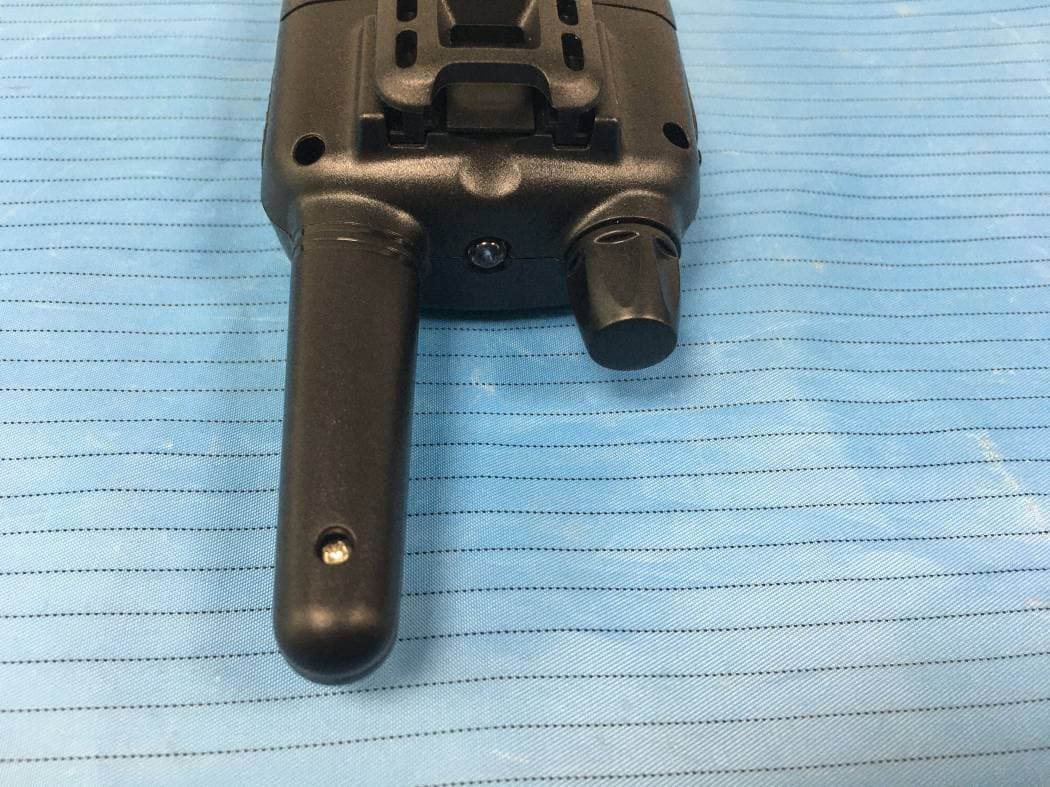
Click to zoom
Application Details
- Equipment Class
- CSR - Scanning Receiver
- Date of Grant
- Dec 01, 2020
- Application Purpose
- Original Equipment
- Date of Application
- Dec 01, 2020
- Equipment Note
- WALKIE TALKIE
- Frequency Range
- 400.00000000 - 470.00000000
- Country
- China
Documents & Files
Document Text
Text extracted from the exhibit documents filed with the FCC. Open a document above to read the original.
Users Manual
3. Battery Charge Level/Low Battery Indication The battery charge level is indicated by the number of squares present inside the battery icon on the LCD Screen. Battery Full Battery 2/3 charged Battery 1/3 charged Battery empty When the battery charge level is low, the battery icon will flash and a beep will be heard to indicate that the batteries need to be replaced or recharged. 4. Receiving/transmitting communications: The devices are in ''Reception” mode when it is turned ON and no transmitting. When a signal is received on the active channel, the LCD will display in reception. When you press the PTT (push to talk) button, the device switches to “Transmission" mode. Hold the device in a vertical position with the MIC (microphone) 3-5 cm away from your mouth. While holding the PTT button, speak into the microphone in a normal tone of voice. Release the PTT button when you have finished transmitting. For others to receive your transmission, they must be on the same channel with you. Note: 1. The talking range depends on terrain and weather conditions. It will be affected by obstructions such as hills, bush or buildings. 2. Don't try to use two devices which are less than 1.5m (5 feet) apart. Otherwise, you may experience interference. 5. Changing Channels Press the MENU button one time, the channel number will flash on the display. Press the up▲/down▼ button to changethe channel. Press the PTT button to confirm and return to standby mode. Note: if no button is pressed within 15 seconds during setting, the device will return to standby mode. 6. CTCSS (Continues Tone Coded Squelch System) Press the MENU button twice, the current CTCSS code will flash on the display. Press the up▲/down▼ button to change the 99 available codes. Press the PTT button to confirm and return to standby mode. License-free radio's operating on the 400-470MHZ frequency band, the device has 22(option) available radio channels. If there are many device users near you, there is a chance that some of the users are operating on the same radio channel. When using CTCSS, a low-frequency tone (between 67- 250Hz) will be transmitted along with the voice signal. There are 99 available tones to choose from. You are free to choose one of the 99 available sub-channels. Due to filtering, these sub-channels will generally not be audible so they will not disturb the communication. 7. VOX (Hands free function) Press the MENU button three times, the current VOX setting will flash on the display and the VOX icon will display, Press UP▲ button to set the VOX sensitivity level between 1 and 3 level (level 3 is the high sensitive level). Press down▼ button until “OFF ” appears on the display to turn VOX OFF. Press the PTT button to confirm and return to standby mode. In VOX mode, the radio will transmit a signal when it is activated by your voice or other sound around you. VOX Operation is not recommended if you plan to use your device in a noisy or windy environment. Note: VOX mode will be over-ridden when you press the PTT button 8. Scanning for an active radio channel Press and hold the UP▲ button 2 seconds: The “SCAN” function indicator will appear on the display and the channel will scan continuously from 1 to 22. Once an active channel is found, the scanning will stop and you can listen to the transmission. When the transmission is on the found channel stop, the scanning will resume automatically. Note: If you press the PTT button while listening to a found channel, the device will go back to standby mode on the found channel. 9. Monitor Press and hold the DOWN▼ button about 3 seconds to active monitor. Release the DOWN ▼ button return to standby mode. 10. Setting the Call tones The device has 10 call tones. Press the MENU button 4 times, “CA” is displayed and on the current call tone. Press the UP▲/Down▼ button to change another call tones. Press the PTT button to confirm and return to standby mode. 11. Sending a call tone Press the button ; the call tone will be transmitted on the setting channel. 12. Key-Tone On/Off When a button is pressed, the unit will beep briefly. To set the key-tone. ● Press the MENU- button (10) five times. “to” will be displayed. ● Press ▲ to enable (ON) or ▼ disable the Key Tones (OFF) ● Press the PTT- button to confirm your selection and return to the standby mode. 13. Roger Beep On/Off After the PTT button is released, the device will send out a Roger beep to confirm that have stopped talking. Press the MENU button six times; “ro” will be displayed. Press the UP▲/Down▼ button to disable the Roger beep ON/OFF. Press The PTT button to confirm your selection and return to the standby mode. 14. Backlit display Press any button except for the MENU button to activate the backlight of the LCD display. The backlight will light on about 5 seconds. 15. Earpiece connection The device can be used with an earpiece (If there is an earpiece packed together with the device). The connector is located on the top of the device. Insert the earpiece plug into the connector (2.5mm jack). There is a small “PTT” button on the earpiece that has the same function as the PTT button on the device. When you use the PTT button from the earpiece, you must also use the microphone from the earpiece to talk. Note: Do not connect other earpieces; it may damage your device. 16. Battery saving function When the device has not been used for 6 seconds, the economy mode is automatically activated. This does not affect the reception of transmission and the standby mode is automatically re-activated as soon as a signal is detected. 17. Built-in Flashlight Your device has a built-in flashlight that can be used in sending light signals or for our lighting needs. 18. Lock & Unlock the device Press and hold the MENU button for 3 seconds to lock the device. Press and hold the MENU button for 3 seconds to unlock the device. 19. Technical specifications Frequency 462.5625MHz~467.7125MHz Channel 22 channels for USA Number Sub-code CTCSS 99 Range Up…
Text truncated - open the document above for the full version.
Attestation Statements
QA-FR-169-B Shenzhen Beijia Electronic Technology Co., Ltd. ADD: 2/F, No. 20, Xinkang 2nd Road, Shatian Community, Kengzi Street, Pingshan District, Shenzhen, China Tel: +86-0755-84120579 Fax: +86-0755-84120579 Email: [email protected] To: FEDERAL COMMUNICATIONS COMMISSIONS Authorization and Evaluation Division 7435 Oakland Mills Roa Columbia, MD 21046 Re: WALKIE TALKIE (FCC ID: 2ASV6-T8A) Dear Sir or Madam The scanner receiver equipment meets the requirements of the FCC Rules, 15.121 (a). Compliance is achieved through the following methods: The scanner receiver in this equipment is incapable of tuning, or readily being altered, by the User to operate within the frequency bands allocated to the Domestic Public Cellular Telecommunications Service in Part 22. Blocking of the cellular frequencies is implemented in the firmware of the unit’s main control central processing unit (CPU). Coverage of 824 - 849 MHz and 869 - 894 MHz is completely blocked, since it is done in the microprocessor, and cannot be re-enabled by any user-accessible procedure, including diode, resistor, or jumper changes, nor by connection of any external device such as a personal computer, nor by installation of any “special” enabling semiconductor device. The scanning receiver is designed so that the tuning, control and filtering circuitry is inaccessible. Sincerely, Signature: Rundong Xiao Title: Manager
Cover Letter(s)
QA-FR-170-B Shenzhen Beijia Electronic Technology Co., Ltd. ADD: 2/F, No. 20, Xinkang 2nd Road, Shatian Community, Kengzi Street, Pingshan District, Shenzhen, China Tel: +86-0755-84120579 Fax: +86-0755-84120579 Email: [email protected] FCC Authorization 2020-11-04 FEDERAL COMMUNICATIONS COMMISSIONS Authorization and Evaluation Division 7435 Oakland Mills Road Columbia, MD 21046 Subject: Agent Authorization To whom it may concern: We (Shenzhen Beijia Electronic Technology Co., Ltd.), the undersigned, hereby authorize Bay Area Compliance Laboratories Corporation to act on its behalf in all matters relating to application for Equipment authorization, including the signing of all documents relating to these matters. All acts carried out by Bay Area Compliance Laboratory Corporation on our behalf shall have the same effect as our own action. We, the undersigned, hereby certify that we are not subject to a denial of federal benefits, that includes FCC benefits, pursuant to Section 5301 of the Anti-Drug Abuse Act of 1988, 21 U.S.C. 862. This authorization is valid until further written notice from the applicant. Sincerely, Signature: Rundong Xiao Title: Manager
Cover Letter(s)
Shenzhen Beijia Electronic Technology Co., Ltd. ADD: 2/F, No. 20, Xinkang 2nd Road, Shatian Community, Kengzi Street, Pingshan District, Shenzhen, China Tel: +86-0755-84120579 Fax: +86-0755-84120579 Email: [email protected] FCC Confidential Authorization 2020-11-04 FEDERAL COMMUNICATIONS COMMISSIONS Authorization and Evaluation Division 7435 Oakland Mills Road Columbia, MD 21046 Subject: Confidentiality Request regarding application for certification of FCC ID: 2ASV6-T8A In accordance with Sections 0.457 and 0.459 of the Commission’s Rules, (Shenzhen Beijia Electronic Technology Co., Ltd. ) hereby requests long-term confidential treatment of information accompanying this application as outlined below: • Block Diagram • Schematics • Operation Description • Part list • Internal Photos The above materials contain proprietary and confidential information not customarily released to the public. The public disclosure of these materials provides unjustified benefits to its competitors in the market. Sincerely, Signature: Rundong Xiao Title: Manager
Cover Letter(s)
Shenzhen Beijia Electronic Technology Co., Ltd. ADD: 2/F, No. 20, Xinkang 2nd Road, Shatian Community, Kengzi Street, Pingshan District, Shenzhen, China Tel: +86-0755-84120579 Fax: +86-0755-84120579 Email: [email protected] Pr oduct Similar ity Declar ation Date: 2020-11-04 Dear Sir/Madam, We, Shenzhen Beijia Electronic Technology Co., Ltd., hereby declare that we have a product named as WALKIE TALKIE, (model: T8A FCC ID: 2ASV6-T8A) was tested by BACL, Meanwhile, for our marketing purpose, we would like to list a series model (T8, T8B, T9, SC-R60) on reports and certificate, all the models are identical in schematics, T8A&T9&T8B just have different model name and different shell shape, T8A&T8&SC-R60 just have different model name and different shell color. No other changes are made on them. We confirm that all information above is true, and we’ll be responsible for all the consequences. Please contact me if you have any question. Sincerely, Signature: Rundong Xiao Manager
External Photos
Bay Area Compliance Laboratories Corp. (Shenzhen) Project No.: RSZ200721010-RF Page 1 of 6 EXHIBIT B - EUT EXTERNAL PHOTOGRAPHS All Model: T8A Bay Area Compliance Laboratories Corp. (Shenzhen) Project No.: RSZ200721010-RF Page 2 of 6 Bay Area Compliance Laboratories Corp. (Shenzhen) Project No.: RSZ200721010-RF Page 3 of 6 Bay Area Compliance Laboratories Corp. (Shenzhen) Project No.: RSZ200721010-RF Page 4 of 6 Bay Area Compliance Laboratories Corp. (Shenzhen) Project No.: RSZ200721010-RF Page 5 of 6 Model: T8B Model: T9 Bay Area Compliance Laboratories Corp. (Shenzhen) Project No.: RSZ200721010-RF Page 6 of 6 Cable
ID Label/Location Info
Bay Area Compliance Laboratories Corp. (Shenzhen) Project No.: RSZ201104001-EM EXHIBIT A - FCC ID LABEL AND LOCATION FCC ID Label FCC ID Label Location Information The label shown shall be permanently affixed at a conspicuous location on the device and be readily visible to the user at the time purchase (Labeling requirements per 2.925)
Test Report
Note: This report may contain data that are not covered by the A2LA accreditation and are marked with an asterisk “★”. BACL is not responsible for the authenticity of any test data provided by the applicant. Data included from the applicant that may affect test results are marked with an asterisk ’*’. Customer model name, addresses, names, trademarks etc. are not considered data. This report cannot be reproduced except in full, without prior written approval of the Company. Unless otherwise stated the results shown in this test report refer only to the sample(s) tested. This report is valid only with a valid digital signature. The digital signature may be available only under the Adobe software above version 7.0. FCC PART 15B, CLASS B TEST REPORT For Shenzhen Beijia Electronic Technology Co., Ltd. 2/F, No. 20, Xinkang 2nd Road, Shatian Community, Kengzi Street, Pingshan District, Shenzhen, China FCC ID: 2ASV6-T8A Report Type: Original Report Product Type: WALKIE TALKIE Test En gineer: Haiguo Li Harris He Alan He Re port Number: RSZ201104001-00A Re port Date: 2020-11-25 Reviewed B y: Joson Xiao EMC En gineer Prepared By: Bay Area Compliance Laboratories Corp. (Shenzhen) 6/F., West Wing, Third Phase of Wanli Industrial Building, Shihua Road, Futian Free Trade Zone, Shenzhen, Guangdong, China Tel: +86-755-33320018 Fax: +86-755-33320008 www.baclcorp.com.cn Bay Area Compliance Laboratories Corp. (Shenzhen) Report No.: RSZ201104001-00A FCC Part 15B, Class B Page 2 of 22 TABLE OF CONTENTS GENERAL INFORMATION ....................................................................................................................................... 3 PRODUCT DESCRIPTION FOR EQUIPMENT UNDER TEST (EUT) ..................................................................................... 3 OBJECTIVE ................................................................................................................................................................... 3 TEST METHODOLOGY .................................................................................................................................................. 3 MEASUREMENT UNCERTAINTY .................................................................................................................................... 4 TEST FACILITY ............................................................................................................................................................. 4 SYSTEM TEST CONFIGURATION .......................................................................................................................... 5 DESCRIPTION OF TEST CONFIGURATION ...................................................................................................................... 5 EUT EXERCISE SOFTWARE .......................................................................................................................................... 5 SPECIAL ACCESSORIES ................................................................................................................................................. 5 EQUIPMENT MODIFICATIONS ....................................................................................................................................... 5 SUPPORT EQUIPMENT LIST AND DETAILS .................................................................................................................... 5 EXTERNAL I/O CABLE .................................................................................................................................................. 5 BLOCK DIAGRAM OF TEST SETUP ................................................................................................................................ 6 SUMMARY OF TEST RESULTS ............................................................................................................................... 7 EQUIPMENT LIST ...................................................................................................................................................... 8 FCC §15.107 – AC LINE CONDUCTED EMISSIONS ............................................................................................. 9 APPLICABLE STANDARD .............................................................................................................................................. 9 EUT SETUP .................................................................................................................................................................. 9 EMI TEST RECEIVER SETUP ......................................................................................................................................... 9 TEST PROCEDURE ........................................................................................................................................................ 9 CORRECTED FACTOR & MARGIN CALCULATION ....................................................................................................... 10 TEST DATA ................................................................................................................................................................ 10 FCC §15.109 - RADIATED SPURIOUS EMISSIONS ............................................................................................ 13 APPLICABLE STANDARD ............................................................................................................................................ 13 EUT SETUP ................................................................................................................................................................ 13 EMI TEST RECEIVER SETUP ....................................................................................................................................... 14 TEST PROCEDURE ......................................................................................................................................…
Text truncated - open the document above for the full version.
Test Setup Photos
Bay Area Compliance Laboratories Corp. (Shenzhen) Project No.: RSZ201104001-EM Page 1 of 5 EXHIBIT D - TEST SETUP PHOTOGRAPHS Charging Conducted Emissions - Front View Conducted Emissions - Side View Bay Area Compliance Laboratories Corp. (Shenzhen) Project No.: RSZ201104001-EM Page 2 of 5 Radiated Emissions – Front View (Below 1 GHz) Radiated Emissions – Rear View (Below 1 GHz) Bay Area Compliance Laboratories Corp. (Shenzhen) Project No.: RSZ201104001-EM Page 3 of 5 Radiated Emissions – Front View (Above 1 GHz) Radiated Emissions – Rear View (Above 1 GHz) Bay Area Compliance Laboratories Corp. (Shenzhen) Project No.: RSZ201104001-EM Page 4 of 5 Scanning Radiated Emissions View (Below 1 GHz) Radiated Emissions View (Above 1 GHz) Bay Area Compliance Laboratories Corp. (Shenzhen) Project No.: RSZ201104001-EM Page 5 of 5 Receiving Radiated Emissions View (Below 1 GHz) Radiated Emissions View (Above 1 GHz)
Contact Information
Applicant
RunDong Xiao
Test Firm
Bay Area Compliance Laboratories Corp. (Shenzhen)Well Wang
[email protected]+86 (0) 755 33320018
Technical Specifications
| # | Rule Parts | Frequency Range | Power Output |
|---|---|---|---|
| 1 | 15B | 400 MHz - 470 MHz | - |
Other Applications from Shenzhen Beijia Electronic Technology Co., Ltd.

2ASV6-T10
Jan 10, 2021WALKIE TALKIE
Equipment Class
FRF - Part 95 Family Radio Face Held Transmitter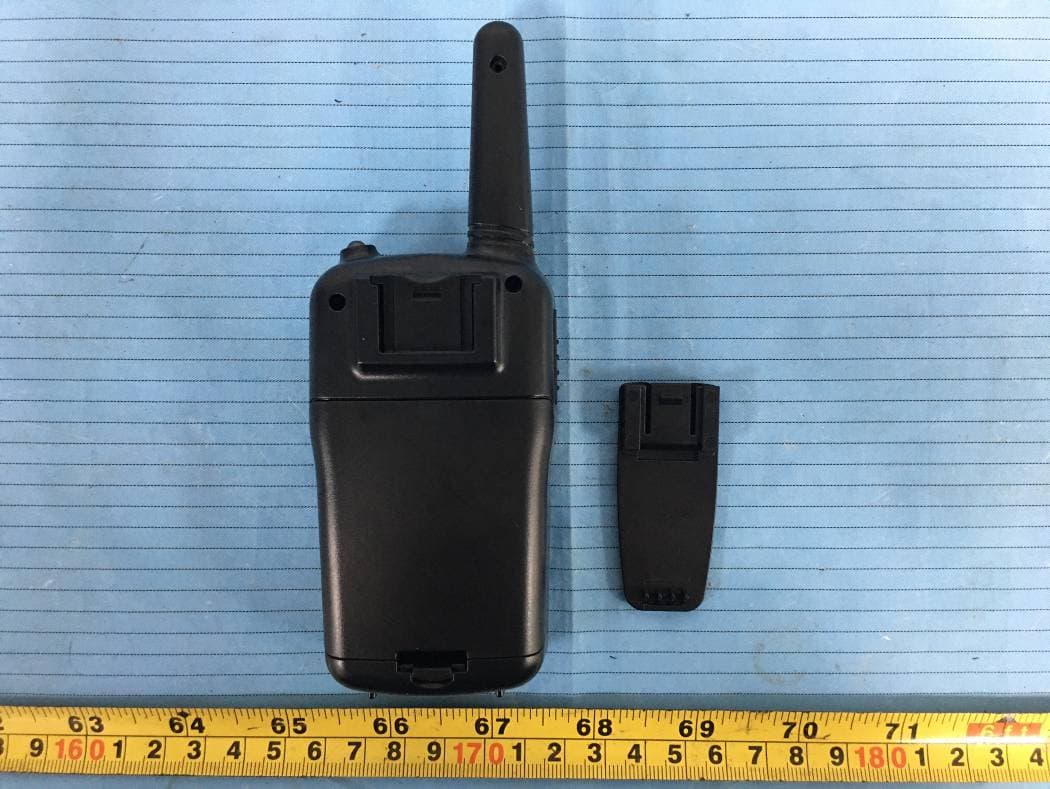
2ASV6-T5B
Dec 03, 2020Walkie talkie
Equipment Class
CSR - Scanning Receiver
2ASV6-T5A
Nov 11, 2020Walkie Talkie
Equipment Class
JAB - Part 15 Class B Digital Device