2ATK6-Q1SmartWatch
SHENZHEN LOOKCARE INDUSTRY CO., LTD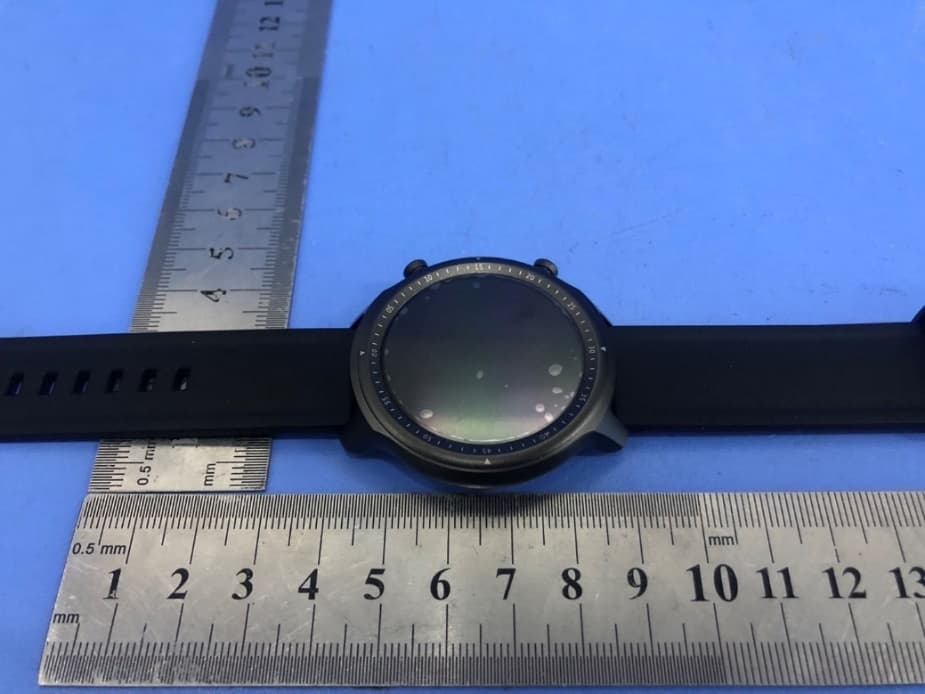
Click to zoom
Application Details
- Equipment Class
- DTS - Digital Transmission System
- Date of Grant
- Jun 07, 2021
- Application Purpose
- Original Equipment
- Date of Application
- Jun 07, 2021
- Equipment Note
- SmartWatch
- Frequency Range
- 2402.00000000 - 2480.00000000
- Country
- China
Documents & Files
Document Text
Text extracted from the exhibit documents filed with the FCC. Open a document above to read the original.
Users Manual
1 User Manual V1.1 1 Please consult your doctor before starting a new exercise program. Despite its ability to track your heart rate, this smart watch is only intended to help people live healthier lives and should not in any case be used for any medical purpose. Remember to consult your doctor before starting any exercise or diet program. Please keep the metal contacts free of dirt, oxidation and impurities to ensure a good charging connection. Wipe clean if any, otherwise it may not charge properly. Illustration: 2. Cautions for Charging 1. Please align the magnetic cable with the charging port of the watch for charging, the cable should attach automatically. 2. Please insert the USB cable into a 5V 500mA adapter, and it will take 2~3 hours to fully charge the battery. 3. Please make sure to charge at least once every month if the device is not used for a long period of time. 1. Warning 2 1. Requires device with Android 5.0, iOS 10.0 or later, and Bluetooth 4.0 or above. Devices with other Operating Systems are not supported. 2. Devices with Android 6.0 or later are required to turn on GPS to be able to scan the watch for connection. 3. Device Requirements Press and hold the upper side-button or charge the watch to power on the device. 4. Power on the Watch See below illustration of gesture control: 5. Gesture Control 3 6.1 Scan the below QR Code with your smart phone and download and install the “Lufitcode” App; or search “Lufitcode” in Huawei App Store or iOS App Store, or search “Lufitcode” in Google Play Store, to download and install the App. 6.2 Add Smart Watch in App 1) Scan & Connect Watch: Place the watch close to your smart phone, turn on the phone's Bluetooth and GPS, open the App, allow all permissions requested by the prompts, then tap Add Device on the upper right corner of the App interface. The Bluetooth name of the smart watch should be discovered as “SmartWatch”, tap it to connect. Once connected successfully, swipe down the watch dial to view the “BLE” symbol at the bottom of the watch face, which should become green to indicate that it is connected, or be gray if not connected. After successful connection, the time, date and language of the watch will be synchronized with your phone settings and be displayed correctly. App Download the QR code 6. Download & Install App 1. Add Device3. Connection Symbol “BLE”2. Scan Watch Bluetooth “SmartWatch” 4 6.3 Pairing for Bluetooth Call Instructions: The watch connection is divided into App connection and Bluetooth call connection. Both should be connected properly to enable Bluetooth Call function. Step 1 App Connection: Connect your phone to the “Lufitcode” App. Step 2 Bluetooth Call Connection: Swipe upwards on the dial screen to enter “Call Pairing” interface, and the watch will start Bluetooth broadcast for 60 seconds and wait for phone connection. At the same time, open the phone's “System Settings”, enter Bluetooth function to search for Call Watch on which you can tap to pair for connection, the watch should show that it is paired successfully. (Once paired, the Call Watch status in the phone's Bluetooth setting will show as disconnected, but it will resume connection automatically upon incoming/outgoing calls.) 1. Call Pairing2. Await Phone Connection 3. Search for Call Watch4. Paired Successfully 6.4 Set Frequent Contacts: Open the “Device” interface in the App, proceed to add contacts in “Frequent contacts” setting, then the App will synchronize the contacts to the watch where you can find them in Frequent Contact function. 5 1. Frequent Contacts 1. Frequent Contacts2. Contact Info3. Calling via Watch 2. Add Contact Info. 6.5 Dial via Watch: Open the Frequent Contact function in the watch and dial from there, and the connected phone will dial the number synchronously. (While calling via watch, some smart phone models also support volume adjustment). 6 6.6 Answer Incoming Call via Watch: When both the App and Bluetooth Call are connected, upon any incoming call to the phone, the watch will display an answering interface where you can decide to answer or hang up. 6.7 Unpair Bluetooth Call: Tap the paired CallWatch device in the phone's Bluetooth setting, click Unpair to unbind. Incoming Call Alert Interface 7.1 Swipe down the dial screen to access shortcuts and directly select functions. Shortcuts: Do not disturb session, brightness adjustment, find phone, alarm, settings, App connection status, view battery, date 7.2 Interface Switching: Touch and swipe the dial left or right to switch the interface 7.2.1 Time: When the watch and the App are connected for the first time, the App will automatically synchronize the time, date, and language of the watch. 7.2.2 Steps: The watch is in steps counting mode by default. Wear the watch on the wrist, and when the user walks, the watch records the steps data according to the number of arm swings. 7.2.3 Heart Rate: In heart rate detection mode, the watch's battery life will be shortened. 7.2.4 Sleep: When put on, the watch will automatically detect the user's sleep status at night. Sleep data details can be synchronized to and viewed in the App. 7.2.5 Weather: The watch will synchronize weather conditions when connected to the App. You need to allow the App to access network and location permissions on your phone. 7.2.6 Notification: Notification alerts where you can view unread messages. 7.3 Function Interface: Swipe up the dial screen to enter the function interface 7.3.1. Sport: Tap or press the right lower button to enter the sport interface, swipe the screen up and 7. Watch Functions 7 down to select the type of sport, tap to start the exercise. Press the upper button or swipe the screen to the right to end the current sport and save the data. You can view the sport data details once synced to the App. 7.3.2. Music: You need to connect the App to use this function. Tap to enter the Music function, you can control the music to play, pause, switch to previous song, or switch t…
Text truncated - open the document above for the full version.
Cover Letter(s)
SHENZHEN LOOKCARE INDUSTRY CO., LTD Add: 5F, Bldg H, No.8 East Area, Shangxue Science and Technology Industry, Bantian St, Longgang Dist. Shenzhen, China Date: 2021-5-25 FCC ID: 2ATK6-Q1 Dear Sir/Madam, We, SHENZHEN LOOKCARE INDUSTRY CO., LTD Hereby declares the following statement for Federal Communications Commission, PCB board, circuit, structure and internal of these model(s) are the same, Only model number is different for these model: Product name: SmartWatch Model no.: Q1, Q2, Q3, Q5, Q6, Q7, Q8, Q9, Y1, Y2, Y3, Y5, Y6, Y7, Y8, Y9, X1, X2, X3, X5, X6, X7, X8, X9 Sincerely, Name/Title: Fu Qing Zhang/Product Manager Company: SHENZHEN LOOKCARE INDUSTRY CO., LTD Address: 5F, Bldg H, No.8 East Area, Shangxue Science and Technology Industry, Bantian St, Longgang Dist. Shenzhen, China Phone: 86-755-89508715 Fax: 86-755-28448815 E-Mail: [email protected]
Cover Letter(s)
CONFIDENTIALITY REQUEST for Certification Service in USA Federal Communication Commission Equipment Authorization Division, Application Processing Branch 7435 Oakland Mills Road Columbia, MD 21046 Date:<2021-5-25> Pursuant to Paragraphs §0.457 and 0.459 of the Commission’s Rules (47 C.F.R.) and Section §552(b)(4) of the Freedom of Information Act, we requests confidentiality for the following products: FCC ID Model name 2ATK6-Q1 Q1 For the product stated above, we request that the following information be held confidential; Exhibits Long-Term Confidentiality Short-Term Confidentiality Short-Term Confidentiality Days External Photos Internal Photos Block Diagram Schematics Test Setup Photos User’s Manual Parts List Tune Up Operational Descriptions The long-term confidentiality exhibits contain our trade secrets and proprietary information that could be of benefit to our competitors. The short-term confidentiality on the basis of ensuring that business sensitive information remains confidential until the actual marketing of our new device. If you have any questions, please feel free to contact me at the address shown below. Sincerely, Name/Title: Fu Qing Zhang/Product Manager Company: SHENZHEN LOOKCARE INDUSTRY CO., LTD Address: 5F, Bldg H, No.8 East Area, Shangxue Science and Technology Industry, Bantian St, Longgang Dist. Shenzhen, China Phone: 86-755-89508715 Fax: 86-755-28448815 E-Mail: [email protected]
Cover Letter(s)
SHENZHEN LOOKCARE INDUSTRY CO., LTD 5F, Bldg H, No.8 East Area, Shangxue Science and Technology Industry, Bantian St, Longgang Dist. Shenzhen, China Federal Communications Commission Authorization and Evaluation Division Equipment Authorization Branch 7435 Oakland Mills Road Columbia, MD 21046 2021-5-25 To whom it may concern: We, SHENZHEN LOOKCARE INDUSTRY CO., LTD the undersigned, hereby authorize Eurofins Product Service GmbH to act on our behalf in all matters relating to applications for equipment authorization FCC ID: 2ATK6-Q1 including the signing of all documents related to these matters. Any and all acts carried out by Eurofins Product Service GmbH on our behalf shall have the same effect as acts of our own. We also hereby certify that no party to this application is subject to a denial of benefits, including FCC benefits, pursuant to Section 5301 of the Anti-Drug Abuse Act of 1988, 21 U.S.C. 862. Sincerely, Name/Title: Fu Qing Zhang/Product Manager Company: SHENZHEN LOOKCARE INDUSTRY CO., LTD Address: 5F, Bldg H, No.8 East Area, Shangxue Science and Technology Industry, Bantian St, Longgang Dist. Shenzhen, China Phone: 86-755-89508715 Fax: 86-755-28448815 E-Mail: [email protected]
External Photos
FCC ID:2ATK6-Q1 TB-RF-074-1.0 Appendix III EUT External Photographs Photo 1 Appearance of EUT Photo 2 Appearance of EUT FCC ID:2ATK6-Q1 TB-RF-074-1.0 Photo 3 Appearance of EUT Photo 4 Appearance of EUT
ID Label/Location Info
FCC ID:2ATK6-Q1 TB-RF-074-1.0 Appendix IFCC ID Label Size for the label: 10mm X 10mm FCCID: 2ATK6-Q1 Model: Q1 FCC ID:2ATK6-Q1 TB-RF-074-1.0 Appendix II ID Label Location ID LOCATION
Internal Photos
FCC ID:2ATK6-Q1 TB-RF-074-1.0 Appendix IV EUT Internal Photographs Photo 5 Internal of EUT Photo 6 Appearance of PCB FCC ID:2ATK6-Q1 TB-RF-074-1.0 Photo 7 Appearance of PCB Photo 8 Appearance of Battery Antenna Antenna
RF Exposure Info
Shenzhen Toby Technology Co., Ltd. Report No.: TB-MPE179821 Page: 1 of 3 TB-RF-074-1.0 1 A/F., Building.6, Rundongsheng Industrial Zone, Longzhu, Xixiang, Bao’an, Shenzhen, Guangdong, China Tel: +86 75526509301 Fax: +86 75526509195 RF Exposure Evaluation FCC ID: 2ATK6-Q1 1. Client Information Applicant : SHENZHEN LOOKCARE INDUSTRY CO., LTD Address : 5F, BIdg H, No.8 East Area, Shangxue Science and Technology Industry, Bantian St, Longgang Dist. Shenzhen, China Manufacturer : SHENZHEN LOOKCARE INDUSTRY CO., LTD Address : 5F, BIdg H, No.8 East Area, Shangxue Science and Technology Industry, Bantian St, Longgang Dist. Shenzhen, China 2. General Description of EUT EUT Name : SmartWatch Model(s) No. : Q1, Q2, Q3, Q5, Q6, Q7, Q8, Q9, Y1, Y2, Y3, Y5, Y6, Y7, Y8, Y9, X1, X2, X3, X5, X6, X7, X8, X9 Model Different : All these models are identical in the same PCB, layout and electrical circuit, the only difference is the model name. Product Description : Operation Frequency: Bluetooth 5.0: 2402MHz~2480MHz BLE 4.2: 2402MHz~2480MHz Number of Channel: Bluetooth 5.0(BT): 79 channels BLE 4.2(BLE):40 channels RF Output Power: 1.880 dBm(Max) Antenna Gain: -1.53 dBi Internal Antenna Modulation Type: GFSK, Pi/4-DQPSK Bit Rate of Transmitter: 1/2Mbps Power Supply : USB Input: 5V DC 3.7V by 175mAh Li-ion battery Software Version : N/A Hardware Version : AB601-V1.1 Remark: The antenna gain provided by the applicant, the adapter and verified for the RF conduction test and adapter provided by TOBY test lab. Note: More test information about the EUT please refer the RF Test Report. Report No.: TB-MPE179821 Page: 2 of 3 TB-RF-074-1.0 SAR Test Exclusion Calculations 1. FCC: According to KDB 447498 D01 Mobile and Portable Devices RF Exposure Procedures and Equipment Authorization Policies v06. (1) Clause 4.3: General SAR test reduction and exclusion guidance Sub clause 4.31: Standalone SAR test exclusion considerations 1) The 1-g and 10-g SAR test exclusion thresholds for 100 MHz to 6GHz at test separation distance≤5 mm are determined by: [(max. power of channel, including tune-up tolerance, mW)/(min. test separation, mm)]*[√f (GHz) ] ≤3.0 for 1-g SAR [(max. power of channel, including tune-up tolerance, mW)/(min. test separation, mm)]*[√f (GHz) ] ≤7.5.0 for 10-g SAR Report No.: TB-MPE179821 Page: 3 of 3 TB-RF-074-1.0 2. Calculation: Test separation: 5mm Bluetooth(JL) Mode (GFSK) Frequency (GHz) Conducted Power (dBm) Turn-up Power Tolerance (dB) Max power of tune up tolerance (dBm) Max power of tune up tolerance (mw) Calculation Value Threshold Value 2.402 -0.843 0±1 1 1.259 0.390 3.0 2.441 -0.906 0±1 1 1.259 0.393 3.0 2.480 -1.603 -1±1 0 1.000 0.315 3.0 Bluetooth(JL) Mode (Pi/4-DQPSK) Frequency (GHz) Conducted Power (dBm) Turn-up Power Tolerance (dB) Max power of tune up tolerance (dBm) Max power of tune up tolerance (mw) Calculation Value Threshold Value 2.402 -0.894 0±1 1 1.259 0.390 3.0 2.441 -0.903 0±1 1 1.259 0.393 3.0 2.480 -0.015 0±1 1 1.259 0.397 3.0 BLE(HS6620D) Mode(1Mbps) Frequency (GHz) Conducted Power (dBm) Turn-up Power Tolerance (dB) Max power of tune up tolerance (dBm) Max power of tune up tolerance (mw) Calculation Value Threshold Value 2.402 1.838 1±1 2 1.585 0.491 3.0 2.442 1.880 1±1 2 1.585 0.495 3.0 2.480 1.378 1±1 2 1.585 0.499 3.0 Simultaneous Transmission for SAR Exclusion Simultaneous Transmission for SAR Exclusion Total Calculation Value Limit Bluetooth Mode BLE Mode 0.0530 0.0668 0.1 1.0 Note: The sample support one BT modular and BLE modular, they supports difference antenna, need consider simultaneous transmission; Conclusion: The measurement results comply with the FCC Limit per 47 CFR 2.1093 for the uncontrolled RF Exposure and SAR Exclusion Threshold per KDB 447498 v06. -----END OF REPORT-----
Test Report
Shenzhen Toby Technology Co., Ltd. Report No.: TB-FCC180531 Page: 1 of 43 TB-RF-074-1.0 1/F.,Building 6, Rundongsheng Industrial Zone, Longzhu, Xixiang, Bao'an District, Shenzhen, Guangdong, China Tel: +86 75526509301 Fax: +86 75526509195 FCC Radio Test Report FCC ID: 2ATK6-Q1 Original Grant Report No. : TB-FCC180531 Applicant : SHENZHEN LOOKCARE INDUSTRY CO., LTD Equipment Under Test (EUT) EUT Name : SmartWatch Model No. : Q1 Series Model No. : Q2, Q3, Q5, Q6, Q7, Q8, Q9, Y1, Y2, Y3, Y5, Y6, Y7, Y8, Y9, X1, X2, X3, X5, X6, X7, X8, X9 Brand Name : LOOKCARE Sample ID : TBBJ-20201012-18-1#& TBBJ-20201012-18-2# Receipt Date : 2020-05-08 Test Date : 2020-05-08 to 2021-05-20 Issue Date : 2021-05-20 Standards : FCC Part 15, Subpart C 15.247 Test Method : ANSI C63.10: 2013 Conclusions : PASS In the configuration tested, the EUT complied with the standards specified above, Test/Witness Engineer : Seven Wu Engineer Supervisor : Ivan Su Engineer Manager : Ray Lai This report details the results of the testing carried out on one sample. The results contained in this test report do not relate to other samples of the same product. The manufacturer should ensure that all products in series production are in conformity with the product sample detailed in the report. Report No.: TB-FCC180531 Page: 2 of 43 TB-RF-074-1.0 Contents CONTENTS ............................................................................................................................................. 2 1. GENERAL INFORMATION ABOUT EUT ............................................................................. 5 1.1 Client Information ................................................................................................................. 5 1.2 General Description of EUT (Equipment Under Test) ................................................... 5 1.3 Block Diagram Showing the Configuration of System Tested ...................................... 6 1.4 Description of Support Units .............................................................................................. 7 1.6 Description of Test Software Setting ................................................................................ 8 1.7 Measurement Uncertainty .................................................................................................. 8 1.8 Test Facility ........................................................................................................................... 9 2. TEST SUMMARY ..................................................................................................................... 10 3. TEST SOFTWARE ................................................................................................................... 10 4. TEST EQUIPMENT .................................................................................................................. 11 5. CONDUCTED EMISSION TEST ........................................................................................... 12 5.1 Test Standard and Limit .................................................................................................... 12 5.2 Test Setup ........................................................................................................................... 12 5.3 Test Procedure ................................................................................................................... 13 5.4 Deviation From Test Standard ......................................................................................... 13 5.5 EUT Operating Mode ........................................................................................................ 13 5.6 Test Data ............................................................................................................................. 13 6. RADIATED EMISSION TEST ................................................................................................ 14 6.1 Test Standard and Limit .................................................................................................... 14 6.2 Test Setup ........................................................................................................................... 15 6.3 Test Procedure ................................................................................................................... 16 6.4 Deviation From Test Standard ......................................................................................... 17 6.5 EUT Operating Condition ................................................................................................. 17 6.6 Test Data ............................................................................................................................. 17 7. RESTRICTED BANDS REQUIREMENT ............................................................................. 18 7.1 Test Standard and Limit .................................................................................................... 18 7.2 Test Setup ........................................................................................................................... 18 7.3 Test Procedure ................................................................................................................... 18 7.4 Deviation From Test Standard ......................................................................................... 19 7.5 EUT Operating Condition ................................................................................................. 19 7.6 Test Data ............................................................................................................................. 19 8. BANDWIDTH TEST ................................................................................................................. 20 8.1 Test Standard and Limit .................................................................................................... 20 8.2 Test Setup ........................................…
Text truncated - open the document above for the full version.
Test Setup Photos
FCC ID:2ATK6-Q1 TB-RF-074-1.0 Appendix V EUT Test Photographs 15C Test Setup Photo of Setup for Radiated Emission (Above 1 GHz) Photo of Setup for Radiated Emission (Below 1 GHz) FCC ID:2ATK6-Q1 TB-RF-074-1.0 Photo of Setup for Conducted Emission -----END OF REPORT-----
Contact Information
Applicant
Fu Qing Zhang(Product Manager)
Test Firm
Shenzhen Toby Technology Co., Ltd.Ray Lai
Technical Specifications
| # | Rule Parts | Frequency Range | Power Output |
|---|---|---|---|
| 1 | 15C | 2.40 GHz - 2.48 GHz | 1.50 mW |
Other Applications from SHENZHEN LOOKCARE INDUSTRY CO., LTD
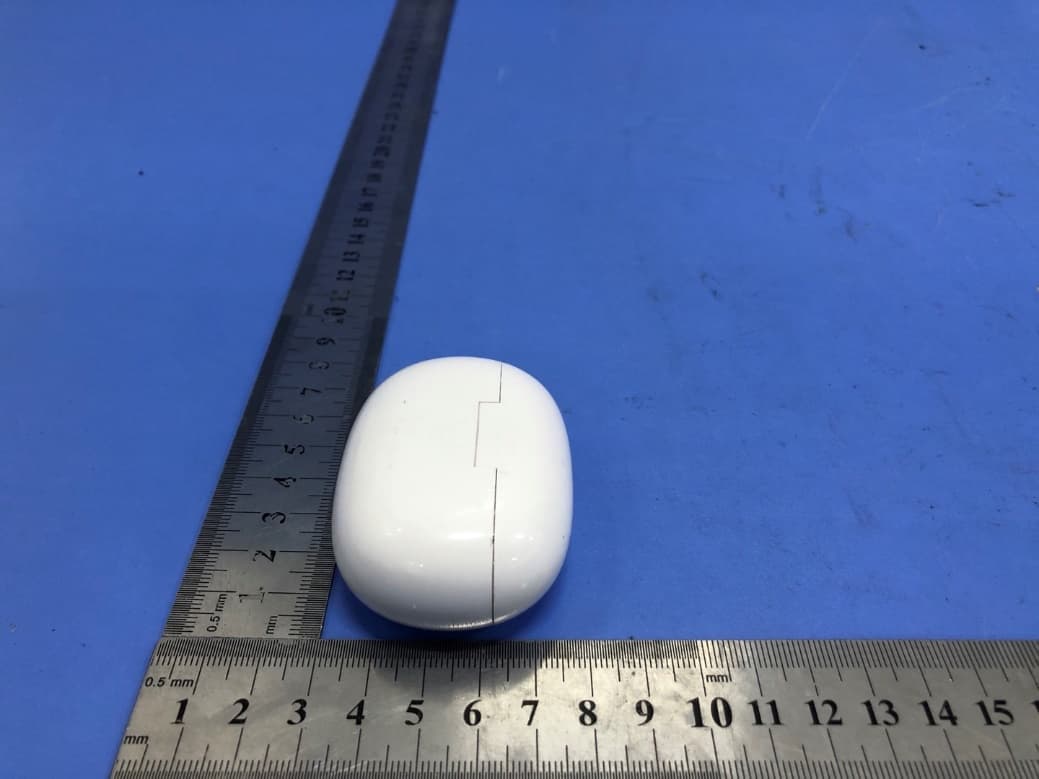
2ATK6-W1S
Mar 14, 2021TWS
Equipment Class
DSS - Part 15 Spread Spectrum Transmitter