2AUXBDSGW-040L-Serial Smart Gateway
Hangzhou Roombanker Technology Co., Ltd.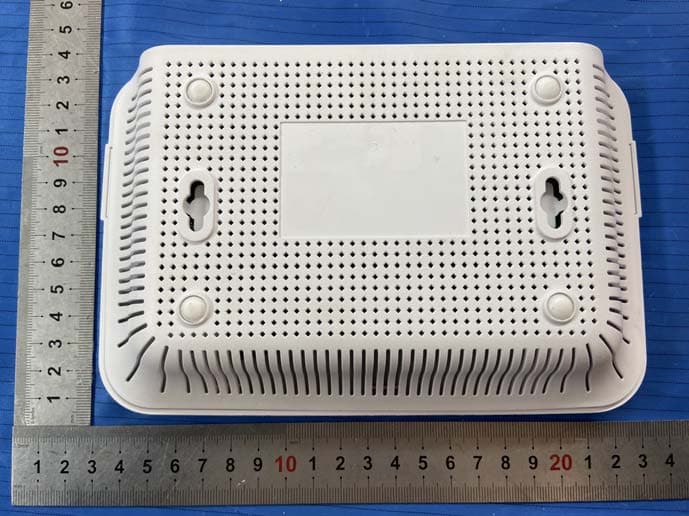
Click to zoom
Application Details
- Equipment Class
- DXX - Part 15 Low Power Communication Device Transmitter
- Date of Grant
- Jun 02, 2020
- Application Purpose
- Original Equipment
- Date of Application
- Jun 02, 2020
- Equipment Note
- L-Serial Smart Gateway
- Frequency Range
- 908.40000000 - 908.40000000
- Country
- China
Documents & Files
Document Text
Text extracted from the exhibit documents filed with the FCC. Open a document above to read the original.
Users Manual
1、Product Description The Dusun Smart Gateway is the"brain" of control for smart devices.Used to connect and control a variety of intelligent sensors and controllers.Create and manage various smart life scenarios through smart home clients, and realize intelligent device automation linkage. 2、Indicator Description Power Indicator The green light is always on, the gateway is powered on, the green light is off, and the gateway power is off. Signal indicator The yellow light flashes, that is, the gateway is communicating with the child device. Network indicator The red light is always on, that is, the gateway cannot connect to the network. The red light is off, indicating that the network is communicating normally. 3、Jack Description Pairing button LAN port - You can use a computer to connect to the LAN port of the gateway through a network cable. Login URL: 192.168.66.1 Account: root Password: root, you can enter the debugging page of the gateway. WLAN port - This port allows the gateway to connect to the LAN. Reset hole Device reset :Long poke reset hole for more than 8s, the gateway enters the reset mode, after the completion, the factory settings will be restored, and all the pairing information in the gateway will be cleared. 4、Device Access 1.Search for "Tuya smart" in the app store to download the smart device client. 2.Power on the gateway. At the same time, the network cable connects the WLAN port of the gateway to the LAN port of the router. The mobile phone connects to the wifi of the router to ensure that the mobile phone and the gateway are in the same network. 3.Open the Tuya smart app and follow the prompts to quickly connect to the new device, or add the gateway you want to connect via the “+” in the upper right corner. Follow the prompts to continue. 4.After the gateway is successfully connected, refer to the “Add Device” section of the sub-device manual. After the addition is successful, you can view the sub-device list on the gateway device page and set the scene. 5、Installation Notes Select the center location of the smart device to be installed to ensure normal communication with each bound smart device. 6、Basic Parameters Product color: white Working temperature: -5°C ~ +60°C Working humidity: 5%~95% (no icing, condensation) Input voltage: 100V~240V AC/50~60HZ Wi-Fi working mode: AP/STA mode switching Network interface: 1 WLAN, 1 LAN The product contains an LTE Module FCC ID: XMR201707BG96 User Manual 7、The gateway turns on Bluetooth 1. Open the dusungwmanage_1.0.2. exe tool and find the corresponding wan address through the MAC address of the gateway 2. Open Secure C R T, click the quick login in the upper left corner, enter the wan address of the gateway, and enter the username: root, password: root to log in. 3. Input instructions: bletxpr 100 , Open the Bluetooth 4. Connect paired Bluetooth devices for pa iring 8、The gateway opens ZWAVE 1. Open the dusungwmanage_1.0.2. exe tool and find the corresponding wan address through the MAC address of the gateway 2. Open Secure CRT, click the quick login in the upper left corner, enter the wan address of the gateway, and enter the username: root, password: root to log in. 3.Connect paired ZWAVE devices for pairing 9、Gateway on wifi Pr es s [DSI_0134] gateway reset key for 2 seconds, the green light of the gateway is always on, the red light is flashing, and the gateway wifi is automatically opened. 10、Gateway opens Zigbee 1. Open the dusungwmanage_1.0.2. exe tool and find the corresponding wan address through the MAC address of the gateway 2.Open the browser and enter the wan address. Enter account number: root and password: root. 3.After entering the page, click Dusun, click zigbee3.0 Manage, and then click the Permit button. 4.At this time, the yellow light of the gateway flashes, and the gateway enters the zigbee distribution network state.3Connect paired Zigbee devices for pairing. 1 1、 The g ateway is on 4G 1. Power the gateway plug-in card until the gateway is fully started, and the green light of the gateway is always on, indicating that the gateway 4G has been opened. 2. Open the dusungwmanage_1.0.2. exe tool and find the corresponding wan address through the MAC address of the gateway 3. Open SecureCRT, click the quick login in the upper left corner, enter the wan address of the gateway, and enter the username: root, password: root to log in. 4. Input ping www.baidu.com to verify whether the gateway 4G can connect to the normal production network. FCC Statement Any Changes or modifications not expressly approved by the party responsible for compliance could void the user’s authority to operate the equipment. This device complies with part 15 of the FCC Rules. Operation is subject to the following two conditions: (1) This device may not cause harmful interference, and (2) This device must accept any interference received, including interference that may cause undesired operation. FCC Radiation Exposure Statement: This equipment complies with FCC radiation exposure limits set forth for an uncontrolled environment .This equipment should be installed and operated with minimum distance 20cm between the radiator& your body.
Cover Letter(s)
Signature: Print Name: Lin Su Title: Manager QA-FR-170-B Company: Hangzhou Roombanker Technology Co., Ltd. Add: A#801 Wantong center, Hangzhou, China Tel: 0571-86769027 Fax: 0571-86769027 E-mail: [email protected] FCC Authorization Date: 2020-03-16 FEDERAL COMMUNICATIONS COMMISSION Authorization and Evaluation Division 7435 Oakland Mills Road Columbia, MD 21046 Subject: Agent Authorization To whom it may concern: We , Hangzhou Roombanker Technology Co., Ltd., Hereby authorizes Bay Area Compliance Laboratories Corporation to act on its behalf in al l matters relating to application for Equipment authorization, including the signing of all documents relating to these matters. All acts carried out by Bay Area Compliance Laboratory Corporation on our behalf shall have the s ame effect as our own action. We, the undersigned, hereby certify that we are not subject to a denial of federal benefits, that includes FCC benefits, pursuant to Section 5301 of the Anti-Drug Abuse Act of 1988, 21 U.S.C. 862. This authorization is valid until further written notice from the applicant. Sincerely Yours,
Cover Letter(s)
Company: Hangzhou Roombanker Technology Co., Ltd. Add: A#801 Wantong center, Hang zhou, China Tel: 0571-86769027 Fax: 0571-86769027 E-mail: [email protected] FCC Confidential Authorization Date: 2020-03-16 FEDERAL COMMUNICATIONS COMMISSIONS Authorization and Evaluation Division 7435 Oakland Mills Road Columbia, MD 21046 Subject: Confidentiality Request regarding application for certification of FCC ID: 2AUXBDSGW-040 To: whom it may concern, In accordance with Sections 0.457 and 0.459 of the Commission’s Rules, Hangzhou Roombanker Technology Co., Ltd. hereby requests long-term confiden tial treatment of information accompanying this application as outlined below: Block Diagram Schematics Operation Description The above materials contain proprietary and confidential information not customarily released to the public. The public disclosure of these materials provides unjustified benefits to its competitors in the market. Sincerely Yours, Signature: Printed Name: Lin Su Title: Manager
External Photos
EXHIBIT A - EUT EXTERNAL PHOTOGRAPHS
Internal Photos
EXHIBIT B - EUT INTERNAL PHOTOGRAPHS GSM<E An tenna 2.4G Wi-Fi Antenna Chain0 2.4G Wi-Fi Antenna Chain1 Port Z-wave Antenna Zigbee Antenna BLE An tenna 2.4G Wi-Fi Antenna Chain1 2.4G Wi-Fi Antenna Chain0 Port LTE Zigbee Z-wave BLE WiFi LTE module Chi p of Z-wave Chip of BLE Chi p of WIFI Chipof Zigbee
Test Report
Note: This test report is prepared for the customer shown above and for the device described herein. It may not be duplicated or used in part without prior written consent from Bay Area Compliance Laboratories Corp. This report is valid only with a valid digital signature. The digital signature may be available only under the Adobe software above version 7.0. FCC PART 15.249 TEST REPORT For Hangzhou Roombanker Technology Co., Ltd. A#801 Wantong center, Hangzhou, China Report Type: Original Report Product Type: L-Serial Smart Gateway Test Engineer: Chao Gao Report Number: RSHD200316001-00D Report Date: 2020-06-02 Reviewed By: Oscar Ye EMC Manager Test Laboratory: Bay Area Compliance Laboratories Corp. (Kunshan) No.248 Chenghu Road,Kunshan,Jiangsu province,China Tel: +86-0512-86175000 Fax: +86-0512-88934268 www.baclcorp.com.cn FCC ID: 2AUXBDSGW-040 Bay Area Compliance Laboratories Corp. (Kunshan) Report No.: RSHD200316001-00D FCC Part 15.249 Page 2 of 22 TABLE OF CONTENTS GENERAL INFORMATION ....................................................................................................................................... 3 PRODUCT DESCRIPTION FOR EQUIPMENT UNDER TEST (EUT) ..................................................................................... 3 OBJECTIVE ................................................................................................................................................................... 3 RELATED SUBMITTAL(S)/GRANT(S) ............................................................................................................................. 3 TEST METHODOLOGY .................................................................................................................................................. 4 MEASUREMENT UNCERTAINTY .................................................................................................................................... 4 TEST FACILITY ............................................................................................................................................................. 4 SYSTEM TEST CONFIGURATION .......................................................................................................................... 5 JUSTIFICATION ............................................................................................................................................................. 5 EUT EXERCISE SOFTWARE .......................................................................................................................................... 5 SUPPORT EQUIPMENT LIST AND DETAILS .................................................................................................................... 5 EXTERNAL I/O CABLE .................................................................................................................................................. 5 BLOCK DIAGRAM OF TEST SETUP ................................................................................................................................ 6 SUMMARY OF TEST RESULTS ............................................................................................................................... 8 TEST EQUIPMENT LIST ........................................................................................................................................... 9 FCC§15.203 - ANTENNA REQUIREMENT ............................................................................................................ 10 APPLICABLE STANDARD ............................................................................................................................................ 10 ANTENNA CONNECTOR CONSTRUCTION .................................................................................................................... 10 FCC §15.207 (A) – AC LINE CONDUCTED EMISSIONS .................................................................................... 11 APPLICABLE STANDARD ............................................................................................................................................ 11 EUT SETUP ................................................................................................................................................................ 11 EMI TEST RECEIVER SETUP ....................................................................................................................................... 11 TEST PROCEDURE ...................................................................................................................................................... 12 FACTOR & OVER LIMIT CALCULATION ...................................................................................................................... 12 TEST RESULTS SUMMARY .......................................................................................................................................... 12 TEST DATA ................................................................................................................................................................ 12 FCC§15.205, §15.209&§15.249 - RADIATED EMISSIONS& OUT OF BAND EMISSION ............................... 15 APPLICABLE STANDARD ............................................................................................................................................ 15 EUT SETUP ................................................................................................................................................................ 15 TEST EQUIPMENT SETUP ............................................................................................................................................ 16 TEST PROCEDURE ...................................................................................................................................................... 16 CORRECTED AMPLITUDE & MARGIN CALCULATION ..........................…
Text truncated - open the document above for the full version.
Test Setup Photos
EXHIBIT C - TEST SETUP PHOTOGRAPHS Conducted Emissions (Front View) Conducted Emissions (Side View) Radiated Emissions (Below 1GHz) Radiated Emissions (Above 1GHz)
Contact Information
Applicant
Lin Su
Test Firm
Bay Area Compliance Laboratories Corp. (Kunshan)Mr. John Chan
[email protected]+86 0512 86175000
Technical Specifications
| # | Rule Parts | Frequency Range | Power Output |
|---|---|---|---|
| 1 | 15C | 908.4 MHz - 908.4 MHz | - |
Other Applications from Hangzhou Roombanker Technology Co., Ltd.
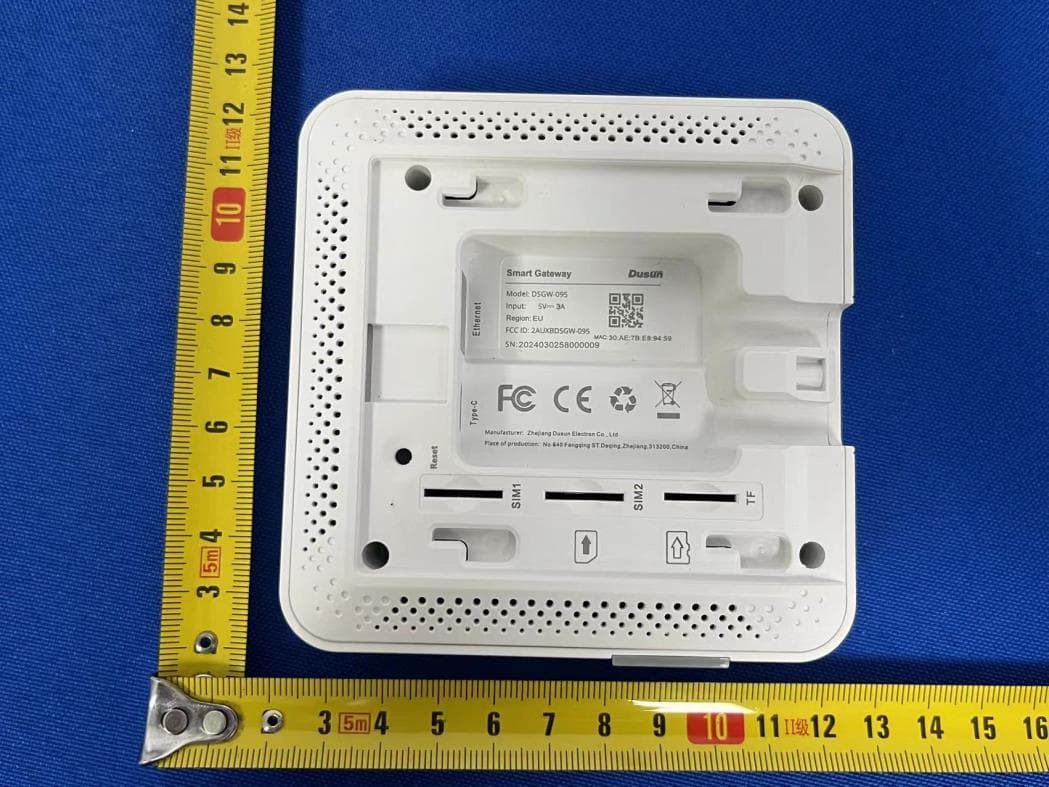
2AUXBDSGW-095
Aug 13, 2024Smart Gateway
Equipment Class
DTS - Digital Transmission System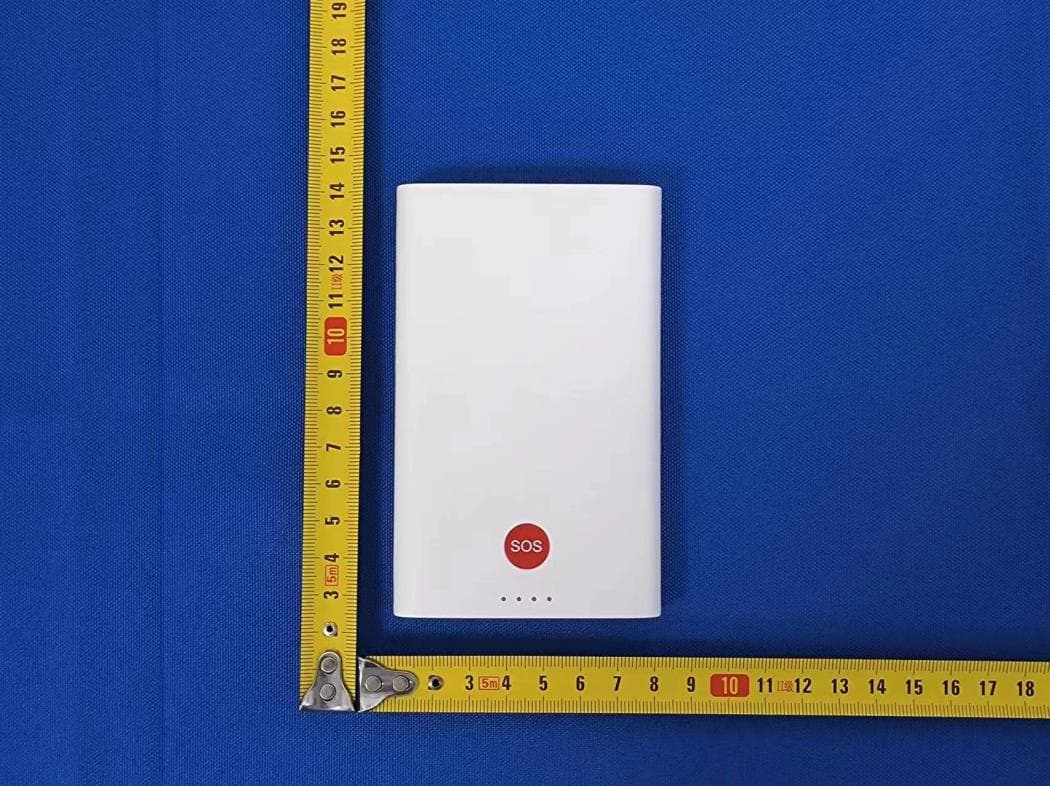
2AUXBDSGW-340
Aug 13, 2024Medical Portable Gateway
Equipment Class
JAB - Part 15 Class B Digital Device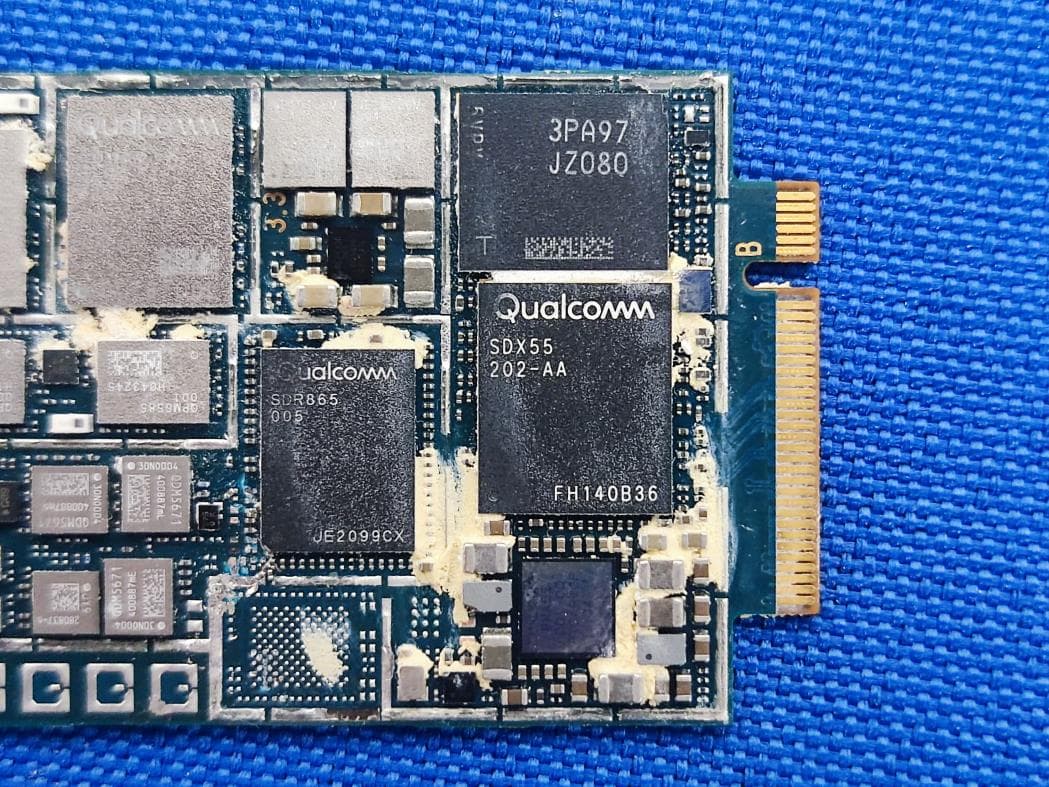
2AUXBDSGW-380
Aug 12, 2024Industrial AI Edge Computing Gateway
Equipment Class
PCB - PCS Licensed Transmitter
2AUXBRBSS-PS1915
Mar 14, 2024PIR Sensor
Equipment Class
JAB - Part 15 Class B Digital Device2AUXBDSBC-230
Jan 30, 2024AOA Tag
Equipment Class
JAB - Part 15 Class B Digital Device