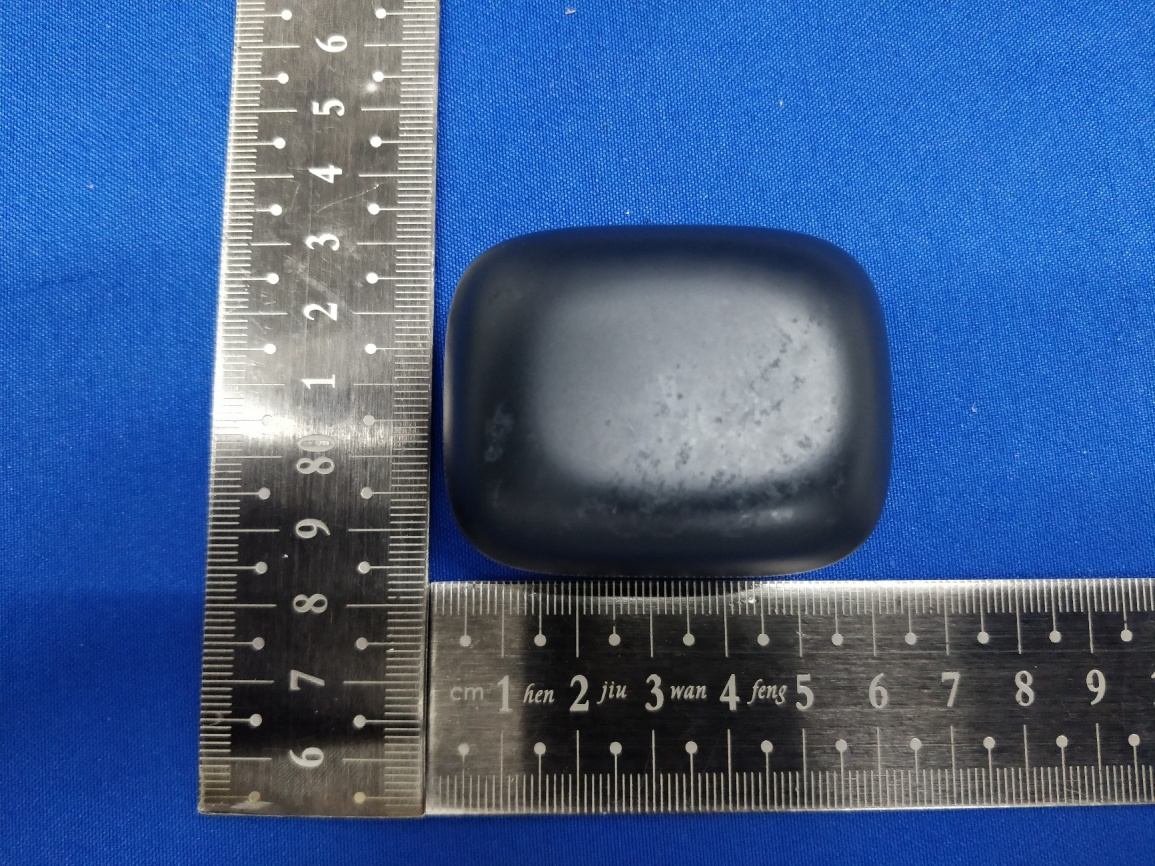
Text extracted from the exhibit documents filed with the FCC. Open a document above to read the original.
Bluetooth GoEars Flow What’s in the box? Quick Start Guide Warranty Card China RoHs Card Safety and Compliance Information Silicon Ear Tips Earbuds Ear Wings USB-A to USB-C Charging Cable Charging Case LMS LMS Charge 2 Le Right Pair for first-time use 3 create your vibe © 2020 E-use (Hong Kong) Co., Limited. All rights reserved. The Bluetooth® word mark and logos are registered trademarks owned by the Bluetooth SIG, Inc. and any use of such marks by E-use (Hong Kong) Co., Limited is under license. Made in China MODEL: GEW20B FCC ID: 2AUXPGEW20B IC: 25588-GEW20B Complies with IMDA Standards DA107974 Declaration of Conformity can be found on www.goears.com/doc 215-JCD100 Touch to control 4 Fit 1 x3 >2S >2S >2Sx2 x2 x3 x2 x3 x2 x3 Choose the Ear Tips and Ear Wings that fit your ears best. Insert the Earbuds, turn and find the most comfortable position. Choisissez les embouts et les ailes d'oreille qui correspondent le mieux à vos oreilles. Insérez les écouteurs, tournez et trouvez la position la plus. Wählen Sie die Ohrhörer und Ohrhaken, die am besten zu Ihren Ohren passen. Setzen Sie die Ohrhörer ein, drehen Sie sie und finden Sie die bequemste Position. Kies de Oorkussens en Oorvleugels die het beste passen bij uw oren. Plaats de oordopjes, draai deze om de meeste comfortabele positie te vinden. Scegli le Punte per Orecchie e le Ali dell'Orecchio che si adattano meglio alle tue orecchie. Inserisci gli Auricolari, gira e trova la posizione più comoda. Elija los tapones para los oídos y las alas para la oreja que mejor se adapten a sus oídos. Inserte los auriculares, gírelos y encuentre la posición más cómoda. Elegir los tapones para los oídos y las alas para la oreja que mejor se adapten a sus oídos. Insertar los auriculares, girarlos y encontrar la posición más cómoda. 选择最适合您耳朵的耳塞和耳翼。插入耳机后,转动并找到最舒适的位置。 請選擇與您的耳朵貼合最佳的耳塞與耳翼。插入耳機,轉動並尋找最為舒適 的位置。 耳に最もフィットするイヤピースとイヤーウイングを選んで下さい。イヤホン を耳の奥までしっかりとは め込みます。 귀에�가장�잘�맞는�이어�팁과�이어�윙스를�선택하여�이어버드를�삽입하고�켜서 가장�편안한�위치를�찾으십시오. EN FR DE NL IT ES ES-MX ZH-CN ZH-HK JP KR Place the Earbuds in the charging case and close the case. Charge at least 10 mins before use. Placez les écouteurs dans l’étui de recharge et fermez l'étui. Rechargez au moins 10 minutes avant l’utilisation. Setzen Sie die Ohrhörer in die Ladeschale und schließen Sie die Schale. Mindestens 10 Minuten vor Gebrauch aufladen. Plaats de Oordopjes in de oplaadcase en sluit de case. Laad tenminste 10 minuten op vóór gebruik. Posiziona gli Auricolari nella custodia di ricarica e chiudi la custodia. Ricarica almeno 10 minuti prima dell'uso. Coloque los auriculares en el estuche de carga y ciérrelo. Cargue al menos 10 minutos antes de usar. Colocar los auriculares en el estuche de carga y cerrarlo. Cargar al menos 10 minutos antes de usar. 将耳机放入充电盒之后将其合上。使用前至少充电10分钟。 請將耳機放入充電盒並闔上充電盒。使用之前請至少充電 10 分鐘。 イヤホンを充電ケースにセットしてケースを閉じます。使用前に少なくとも10分以上は充電して下さい。 이어버드를�충전�케이스에�넣고�케이스를�닫으십시오. 사용�전에�최소 10분�이상을�충전하십시오. EN FR DE NL IT ES ES-MX ZH-CN ZH-HK JP KR Open the charging case and keep it open. Find the“GoEars Flow”in bluetooth list on your device and click to connect. Ouvrez l’étui de recharge et laissez-le ouvert. Recherchez « GoEars Flow » dans la liste Bluetooth sur votre appareil et cliquez pour vous connecter. Öffnen Sie die Ladeschale und lassen Sie sie geöffnet. Suchen Sie die „GoEars Flow“ in der Bluetooth-Liste auf Ihrem Gerät und klicken Sie darauf, um eine Verbindung herzustellen. Open de oplaadcase en laad deze openstaan. Vind “GoEars Flow” in de bluetoothlijst op uw apparaat en klik hierop om een verbinding te maken. Apri la custodia di ricarica e tienila aperta. Trova "GoEars Flow" nell'elenco Bluetooth sul tuo dispositivo e fai clic per connetterti. Abra el estuche de carga y manténgalo abierto. Busque el "GoEars Flow" en la lista de bluetooth de su dispositivo y haga clic para conectarse. Abrir el estuche de carga y mantenerlo abierto. Buscar el "GoEars Flow" en la lista de bluetooth de su dispositivo y hacer clic para conectarse. 打开充电盒,并保持打开状态。在设备蓝牙列表中找到“ GoEars Flow”,然后点击连接。 開啟充電盒並保持開啟狀態。在您裝置的藍牙清單中找到「GoEars Flow」,然後按一下進行連接。 イヤホンをセットして充電ケースのカバーを開いた状態で、Bluetooth設定画面のリストから“GoEars Flow”を選び、接続します。 충전�케이스를�열고�나서�장치의�블루�투스�목록에서 ‘고이어스�아우라(GoEars Flow)’를�찾아�클릭하여�연결하십시오. EN FR DE NL IT ES ES-MX ZH-CN ZH-HK JP KR >2S >2S Smart Sound Limiter OFF/ON (ON by default) Voice Assistant Voice Assistant Mute/Unmute Mute/Unmute Le & Right IC RF Exposure Information and Statement The SAR limit of Canada (C) is 1.6 W/kg averaged over one gram of tissue. Device types: (IC: 25588-GEW20B) has also been tested against this SAR limit According to this standard, the highest SAR value reported during product certification for head use is 0.1064W/Kg. The device was tested for typical bodily operations where the product was kept 0 mm from the head. To maintain compliance with IC RF exposure requirements, use accessories that maintain a separation distance of 0mm between the user’s head and the back of the headset. The use of belt clips, holsters and similar accessories shall not contain metal parts in its assembly. Use of accessories that do not meet these requirements may not comply with IC RF exposure requirements and should be avoided. Informations et énoncés sur l’exposition RF de l’IC. La limite DAS du Canada (C) est de 1,6 W/kg, arrondie sur un gramme de tissu. Types d’appareils: (IC: 25588-GEW20B) a également été testé en relation avec cette limite DAS selon ce standard. La valeur DAS la plus élevée mesurée pendant la certification du produit pour une utilisation au niveau de la tête est de 0.1064W/Kg. L’appareil a été testé dans des cas d’utilisation typiques en relation avec le corps, où le produit a été utilisé à 0 mm de la tête. Pour continuer à respecter les standards d’exposition RF de l’IC, utilisez des accessoires qui maintiennent une distance de séparation de 0 mm entre la tête de l’utilisateur et l’arrière du casque. L’utilisation de clips de ceinture, d’étui ou d’accessoires similaires ne doivent pas contenir…
Text truncated - open the document above for the full version.
E-USE (HONG KONG) CO., LIMITED ROOM 803, CHEVALIER HOUSE, 45-51 CHATHAM ROAD SOUTH, TSIM SHA TSUI, KOWLOON, HONG KONG, China DATE : Dec. 24, 2020 E-USE (HONG KONG) CO., LIMITED ROOM 803, CHEVALIER HOUSE, 45-51 CHATHAM ROAD SOUTH, TSIM SHA TSUI, KOW LOON, HONG KONG, China Attn: Director of Certification Authority to Act as Agent On our behalf, I appoint below company and person: Na me Damon Hu Position Manager Company Name Dongguan Dongdian Testing Service Co.,Ltd. Address 17, Zongbu Road 2, Songshan Lake Sci&Tech, Industry Park, Dongguan City, Guangdong Province, China, 523808 Tel / Fax Tel: +86-0769-38826678-850 E-Mail [email protected] to act as our agent in the preparation of this application for equipment certification. I certify that submitted documents properly describe the device or system for which equipment certification is sought. I also certify that each unit manufactured, imported or marketed, as defined in the Federal Communications Commission’s regulations will have affixed to it a label identical to that submitted for approval with this application. For instances where our authorized agent signs the application for certification on our behalf, I acknowledge that all responsibility for complying with the terms and conditions for certification, as specified by CETECOM GmbH, still resides with: Applicant name E-USE (HONG KONG) CO., LIMITED Address ROOM 803, CHEVALIER HOUSE, 45-51 CHATHAM ROAD SOUTH, TSIM SHA TSUI, KOW LOON, HONG KONG, China Yours sincerely, Signatory Na me Jonas Lai Position PM Company Name E-USE ( HONG KONG) CO., LIMIT E D Address ROOM 803, CHEV A LIER HOUSE, 45-51 CHA THA M ROA D SOUTH, TSIM SHA TSUI, KOWLOON, HONG KONG, China Tel / Fax 189-2345-6881/1 E-Mail [email protected]
CONFIDENTIALITY REQUEST for Certification Service in USA Federal Communication Commission Equipment Authorization Division, Application Processing Branch 7435 Oakland Mills Road Columbia, MD 21048 <12/24/2020> TO WHOM IT M AY CONCERN Pursuant to Paragraphs §0.457 and 0.459 of the Commission’s Rules (47 C.F.R.) and Section §552(b) (4) of the Freedom of Information Act, we request confidentiality for the following products: Model name FCC ID 2AUXPGEW20B GEW20B For the product stated above, we request that the following information be held confidential; Exhibits Long-Term Confidentiality Short-Term Confidentiality Short-Term Confidentiality Days External Photos 180 days Internal Photos 180 days Block Diagram Schematics Test Setup Photos 180 days User’s Manual 180 days Parts List Tune Up Operational Descriptions T he long-term confidentiality exhibits contain our trade secrets and proprietary information that could be of benefit to our competitors. T he short-term confidentiality on the basis of ensuring that business sensitive information remains confidential until the actual marketing of our new device. I f you have any questions, please feel free t o contact me at the address shown below. Sincerely, (Signed) Name: Jonas Lai Company: E- USE (HONG KONG) CO., LIMITED Address: ROOM 803, CHEVALIER HOUSE, 45-51 CHATHAM ROAD SOUTH, TSIM SHA TSUI, KOWLOON, HONG KONG, China Phone: 189-2345-6881 F a x: E-Mail: [email protected]
E-use (Hong Kong) Co., Limited 易优斯(香港)有限公司
AUDIX Technology (Shenzhen) Co., Ltd. Audix Technology (Shenzhen) Co., ltd.. Report No. ACS-SF20033 Page 1 of 29 SAR TEST REPORT for E-USE (HONG KONG) CO., LIMITED BLUETOOTH HEADSET Model No.: GEW20B FCC ID: 2AUXPGEW20B IC: 25588-GEW20B The MAX SAR(1g) Head SAR 0.1064W/Kg Prepared for : E-USE (HONG KONG) CO., LIMITED ROOM 803, CHEVALIER HOUSE, 45-51 CHATHAM ROAD SOUTH, TSIM SHA TSUI, KOWLOON, HONG KONG, China Prepared By : Audix Technology (Shenzhen) Co., Ltd. No. 6, Kefeng Road, Science & Technology Park, Nanshan District, Shenzhen, Guangdong, China Tel: (0755) 26639496 Fax: (0755) 26632877 Report Number : ACS-SF20033 Date of Test : Dec.15, 2020 Date of Report : Jan.29, 2021 AUDIX Technology (Shenzhen) Co., Ltd. Audix Technology (Shenzhen) Co., ltd.. Report No. ACS-SF20033 Page 2 of 29 TABLE OF CONTENTS Description Page Test Report Verification 3 1. GENERAL INFORMATION ...................................................................................................... 4 1.1. Description of Equipment Under Test ............................................................................................... 4 1.2. Feature of Equipment Under Test ..................................................................................................... 5 2. GENERAL DESCRIPTION ........................................................................................................ 6 2.1. Product Description For EUT ............................................................................................................ 6 2.2. Applied Standards ............................................................................................................................. 6 2.3. Device Category and SAR Limits ..................................................................................................... 6 2.4. Test Conditions .................................................................................................................................. 6 2.5. Exposure Positions Consideration ..................................................................................................... 7 2.6. Standalone SAR Test Exclusion Considerations ............................................................................... 8 2.7. EUT Configuration and operation conditions for test. .................................................................... 10 2.8. Test Equipments .............................................................................................................................. 10 2.9. Laboratory Environment ................................................................................................................. 11 2.10. Measurement Uncertainty ............................................................................................................... 11 3. MEASURE PROCEDURES ...................................................................................................... 14 3.1. General description of test procedures ............................................................................................ 14 4. SAR MEASUREMENTS SYSTEM .......................................................................................... 15 4.1. SAR Measurement Set-up ............................................................................................................... 15 4.2. ELI Phantom .................................................................................................................................... 16 4.3. Device Holder for SAM Twin Phantom .......................................................................................... 17 4.4. DASY5 E-field Probe System ......................................................................................................... 18 4.5. E-field Probe Calibration ................................................................................................................. 19 4.6. Scanning procedure ......................................................................................................................... 20 5. DATA STORAGE AND EVALUATION ................................................................................. 22 5.1. Data Storage .................................................................................................................................... 22 5.2. Data Evaluation by SEMCAD ......................................................................................................... 22 6. SYSTEM CHECK ...................................................................................................................... 24 7. TEST RESULTS ......................................................................................................................... 26 7.1. Output power ................................................................................................................................... 26 7.2. System Check for Head Tissue simulating liquid ........................................................................... 27 7.3. Test Results ..................................................................................................................................... 28 ANNEX A: SYSTEM CHECK RESULTS ANNEX B: TEST PLOTS ANNEX C: DASY CABLIBRATION CERTIFICATE ANNEX D: TEST SETUP PHOTOS AUDIX Technology (Shenzhen) Co., Ltd. Audix Technology (Shenzhen) Co., ltd.. Report No. ACS-SF20033 Page 4 of 29 1. GENERAL INFORMATION 1.1. Description of Equipment Under Test Applicant E-USE (HONG KONG) CO., LIMITED ROOM 803, CHEVALIER HOUSE, 45-51 CHATHAM ROAD SOUTH, TSIM SHA TSUI, KOWLOON, HONG KONG, China Manufacturer Shenzhen Euse Technology Co., Ltd. 4/F, Block A2, Xinhao First Industrial Zone, Qiaotou Community, Fuhai Street, Bao’an, Shenzhen, China Product BLUETOOTH HEADSET Model No. GEW20B FCC ID 2AUXPGEW20B IC 25588-GEW20B Sample Type Prototype production Date of Receipt Dec.15, 2020 Date of Test Dec.15, 2020 AUDIX Technology (Shenzhen) Co., Ltd. A…
Text truncated - open the document above for the full version.
AUDIX Technology (Shenzhen) Co., Ltd. Audix Technology (Shenzhen) Co., ltd.. Report No. ACS-SF20033 Annex C AUDIX Technology (Shenzhen) Co., Ltd. Audix Technology (Shenzhen) Co., ltd.. Report No. ACS-SF20033 Annex C AUDIX Technology (Shenzhen) Co., Ltd. Audix Technology (Shenzhen) Co., ltd.. Report No. ACS-SF20033 Annex C AUDIX Technology (Shenzhen) Co., Ltd. Audix Technology (Shenzhen) Co., ltd.. Report No. ACS-SF20033 Annex C AUDIX Technology (Shenzhen) Co., Ltd. Audix Technology (Shenzhen) Co., ltd.. Report No. ACS-SF20033 Annex C AUDIX Technology (Shenzhen) Co., Ltd. Audix Technology (Shenzhen) Co., ltd.. Report No. ACS-SF20033 Annex C AUDIX Technology (Shenzhen) Co., Ltd. Audix Technology (Shenzhen) Co., ltd.. Report No. ACS-SF20033 Annex C AUDIX Technology (Shenzhen) Co., Ltd. Audix Technology (Shenzhen) Co., ltd.. Report No. ACS-SF20033 Annex C AUDIX Technology (Shenzhen) Co., Ltd. Audix Technology (Shenzhen) Co., ltd.. Report No. ACS-SF20033 Annex C AUDIX Technology (Shenzhen) Co., Ltd. Audix Technology (Shenzhen) Co., ltd.. Report No. ACS-SF20033 Annex C AUDIX Technology (Shenzhen) Co., Ltd. Audix Technology (Shenzhen) Co., ltd.. Report No. ACS-SF20033 Annex C AUDIX Technology (Shenzhen) Co., Ltd. Audix Technology (Shenzhen) Co., ltd.. Report No. ACS-SF20033 Annex C AUDIX Technology (Shenzhen) Co., Ltd. Audix Technology (Shenzhen) Co., ltd.. Report No. ACS-SF20033 Annex C AUDIX Technology (Shenzhen) Co., Ltd. Audix Technology (Shenzhen) Co., ltd.. Report No. ACS-SF20033 Annex C AUDIX Technology (Shenzhen) Co., Ltd. Audix Technology (Shenzhen) Co., ltd.. Report No. ACS-SF20033 Annex C
Dongguan Dongdian Testing Service Co., Ltd. Report No.: DDT-R20092212-1E4 Page 1 of 113 FCC AND ISED CERTIFICATION TEST REPORT FOR Issued By: Dongguan Dongdian Testing Service Co., Ltd. Add.: No. 17, Zongbu Road 2, Songshan Lake Sci&Tech, Industry Park, Dongguan City, Guangdong Province, China, 523808 Tel.: +86-0769-38826678, E-mail: [email protected], http://www.dgddt.com Applicant : E-USE (HONG KONG) CO., LIMITED Address : ROOM 803, CHEVALIER HOUSE, 45-51 CHATHAM ROAD SOUTH, TSIM SHA TSUI, KOWLOON, HONG KONG, China Equipment under Test : BLUETOOTH HEADSET Model No. : GEW20B Trade Mark : GoEars FCC ID : 2AUXPGEW20B IC : 25588-GEW20B Manufacturer : Shenzhen Euse Technology Co., Ltd. Address : 4/F, Block A2, Xinhao First Industrial Zone, Qiaotou Community, Fuhai Street, Bao’an, Shenzhen, China ■Report No.: DDT-R20092212-1E4 ■Issued Date: Nov. 18, 2020 Dongguan Dongdian Testing Service Co., Ltd. Report No.: DDT-R20092212-1E4 Page 2 of 113 Table of Contents Test report declares.......................................................................................................4 1. Summary of Test Results ............................................................................................... 6 2. General Test Information ............................................................................................... 7 2.1. Description of EUT ......................................................................................................... 7 2.2. Accessories of EUT ........................................................................................................ 8 2.3. Assistant equipment used for test .................................................................................. 8 2.4. Block diagram of EUT configuration for test .................................................................. 8 2.5. Deviations of test standard............................................................................................. 9 2.6. Test environment conditions .......................................................................................... 9 2.7. Test laboratory ............................................................................................................... 9 2.8. Measurement uncertainty ............................................................................................... 9 3. Equipment Used During Test ....................................................................................... 10 4. Maximum Peak Output Power ..................................................................................... 12 4.1. Block diagram of test setup .......................................................................................... 12 4.2. Limits ............................................................................................................................ 12 4.3. Test procedure ............................................................................................................. 12 4.4. Test result ..................................................................................................................... 12 4.5. Original test data .......................................................................................................... 13 5. 20 dB Bandwidth and 99% Bandwidth ......................................................................... 20 5.1. Block diagram of test setup .......................................................................................... 20 5.2. Limits ............................................................................................................................ 20 5.3. Test procedure ............................................................................................................. 20 5.4. Test result ..................................................................................................................... 20 5.5. Original test data .......................................................................................................... 21 6. Carrier Frequency Separation ...................................................................................... 35 6.1. Block diagram of test setup .......................................................................................... 35 6.2. Limits ............................................................................................................................ 35 6.3. Test procedure ............................................................................................................. 35 6.4. Test result ..................................................................................................................... 35 6.5. Original test data .......................................................................................................... 36 7. Number of Hopping Channel ....................................................................................... 39 7.1. Block diagram of test setup .......................................................................................... 39 7.2. Limits ............................................................................................................................ 39 7.3. Test procedure ............................................................................................................. 39 7.4. Test result ..................................................................................................................... 39 7.5. Original test data .......................................................................................................... 40 8. Dwell Time .................................................................................................................... 43 Dongguan Dongdian Testing Service Co., Ltd. Report No.: DDT-R20092212-1E4 Page 3 of 113 8.1. Block diagram of test setup .......................................................................................... 43 8.2. L…
Text truncated - open the document above for the full version.
AUDIX Technology (Shenzhen) Co., Ltd. Audix Technology (Shenzhen) Co., ltd.. Report No. ACS-SF20033 Annex D ANNEX D: TEST SETUP PHOTOS Left: Cochlea Side Front Side AUDIX Technology (Shenzhen) Co., Ltd. Audix Technology (Shenzhen) Co., ltd.. Report No. ACS-SF20033 Annex D Top Side Bottom Side AUDIX Technology (Shenzhen) Co., Ltd. Audix Technology (Shenzhen) Co., ltd.. Report No. ACS-SF20033 Annex D Left Side Right Side AUDIX Technology (Shenzhen) Co., Ltd. Audix Technology (Shenzhen) Co., ltd.. Report No. ACS-SF20033 Annex D Right: Cochlea Side Front Side AUDIX Technology (Shenzhen) Co., Ltd. Audix Technology (Shenzhen) Co., ltd.. Report No. ACS-SF20033 Annex D Top Side Bottom Side AUDIX Technology (Shenzhen) Co., Ltd. Audix Technology (Shenzhen) Co., ltd.. Report No. ACS-SF20033 Annex D Left Side Right Side THE END
Dongguan Dongdian Testing Service Co., Ltd. Report No.: DDT-R20092212-1E4 Page 114 of 131 15. Test Setup Photograph Dongguan Dongdian Testing Service Co., Ltd. Report No.: DDT-R20092212-1E4 Page 115 of 131
| # | Rule Parts | Frequency Range | Power Output |
|---|---|---|---|
| 1 | 15C | 2.40 GHz - 2.48 GHz | 15.50 mW |

BLUETOOTH HEADSET
Equipment Class
DTS - Digital Transmission System