2AV59-YH680Wireless TV Headphone
Avancal Industries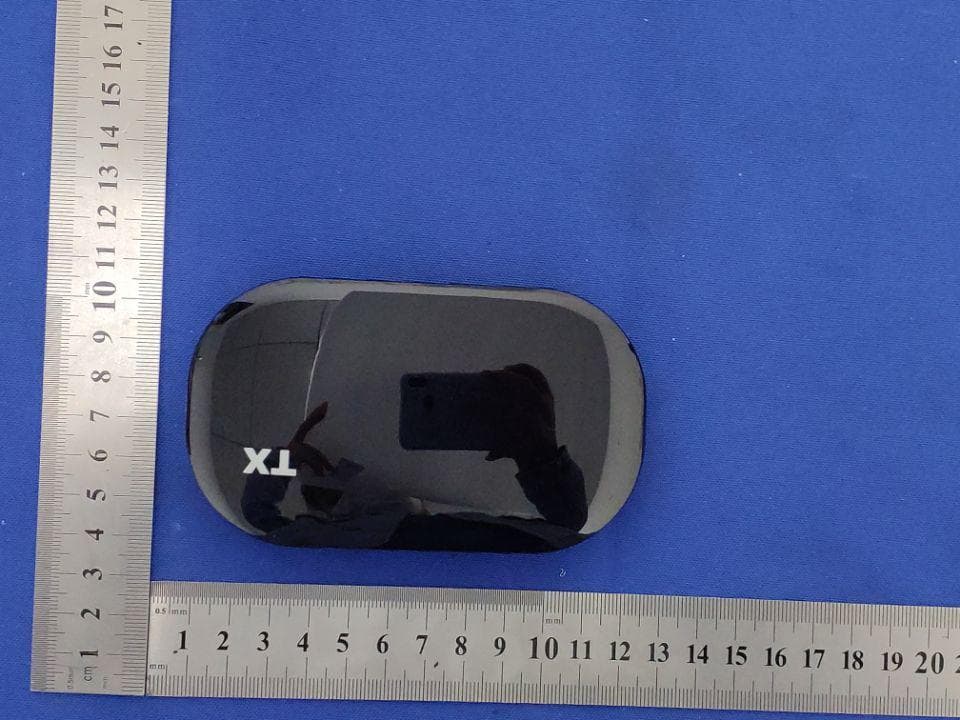
Click to zoom
Application Details
- Equipment Class
- DXX - Part 15 Low Power Communication Device Transmitter
- Date of Grant
- May 12, 2020
- Application Purpose
- Original Equipment
- Date of Application
- May 12, 2020
- Equipment Note
- Wireless TV Headphone
- Frequency Range
- 914.00000000 - 916.40000000
- Company
- Avancal Industries
- Country
- Canada
Documents & Files
Document Text
Text extracted from the exhibit documents filed with the FCC. Open a document above to read the original.
Users Manual
尺寸:117x161mm 材质:lOOg书纸 工艺:骑马钉 。RIGIN 英语 WIRELESS TV HEADPHONES USER MANUAL I THANK YOU FROM XY ORIGIN Thank you tor the pu『chaseof your new Wireless TV 900MHz Headphones You will enjoy high quality sound in comfo「twhile not disturbing othe『S in your household RF Headphones a『e excellent for connecting wirelessly, as they often have better range and fa『 less latency than Bluetooth headphones. 1队lo『ks with most TV ’ s and many other devices 2叭latch TV without disturbing others 3队tirelessrange of 80-1 OOft 4. Headphones last approximately 6-8 hours with a full charge 5. Adjustable volume 6. Can also be used as叭/iredHeadphones 7. Multiple Headphones may be used with one Transceive『 8 Headphones飞Nillauto『naticallyshut off 1 O minutes afte『no signal is det臼二ted @ IUNBO×ING YOUR HEADPHONES TIPS: 1叭/henunboxing spread out the power cord to acheive the best reception. 2. If the sound is distorted o『 too stro吨,adjustthe volume of signal国urce(TV se t, DVD playe民PC etc.) to a lowe『 level,『eceptionperfo『mancemay improve. 3. Turn volume down O『 mutesound,so you can listen to the TV witnout disturbing otners. For further information, suppo同,videosand FAQ's about you『 neadpnonesplease visit out website or scan tne OR code below. WWW.XYORIG I N.COM @ 14 7 / 。唱 , / / r锣睛 1 . + Volume Button 2. - Volume Button 3. Headphone Power Indicator 4. Headphone Power Button 5. Micro USB Charging Port 6. 3.5mm Audio Input 7. Optical Audio Cable 8. RCA Audio to 3.5mm Adapter Cable 9. Transceiver USB Power Cable 10. 5V USB Power Adapter 11. 3M Adhesive Velcro for Mounting Transceiver 12. 3.5mm Stereo Audio Cable 13. Micro USB Charging Cable 14. Headphone Case 15. Transceiver 16. Transceiver Power lndicato『 17. Transceiver 5V Power Input 18. Power/Channel Selector Switch 19. Optical Audio Input 20. 3.5mm Stereo Audio Input @ I POWER CONN町IONS I POWERING THE TRANSCEIVER You can power the Transceiver by using the 6ft Mic『oUSB Charging Cable. Connect the USB end to an open USB Port on your TV and tile other end to the Transceiver. This will work for any or the methods used to connect audio。n the following pages.’Use the included 3M velcro to町、ountthe Transceiver to the back of TV. I CHARGING THE HEADSET The headset contains a Lithium Ion Battery that lasts approximately 6 to 8 hours. To charge the headset use the Micro USB Cable with the 5V USB Power Adapter. Connect the Micro USB end to the charging input on the bottom left side 01 the Headphones as indicated on page 3. Indicator light will glow blue when charging and turn oft when tully charged. @ CHOOSE ONLY ONE OF THE FOLLOWING THREE OPTIONS. I OPTION l: Optical Cable Transceive「ConnectionJ The Oplical lnpυl陆LheBESToρlion ror most TV ’ s. Ir you choose this option plug the included Optical Audio Cable (If? listed on page 4.) into the 口pticalinput 口n your TV. Th白n plug the other end into the Optical Audio Input on the back of the ·rransceiver. NOTE: You may need to change the Audio Output settings to hove lhe TV or device send the auci i ,。over the Digital Audio output. Be sure to choose Audio Format PCM. Refer to your TV n币anualfor actual settings instrue,ii口ns OPTION 2: RCA Adapte「Transceive「Connection I Your TV or device may have a Left and Right RCA AUDIO OUTPUT. If you choose this option τ use the RCA Audio 3.5mm Adapter Cable (#8 listed on page 4.) with 3.5mm Stereo Audio Cable (#12 listed on page 4.) provided as illustrated below. NOTE: You may need t口 changethe Audio Output settings to have the TV or device send the audio over the RCA Audio Output. Be sure to choose Audio Fo『matPCM. Refer to your TV manual for actual settings instructions. l oPTION 3: 3.Smm Headphone Connection Your TV or device may have a Headphone Output. If you cho口seth阳 option, use the 3.5mm Stereo Audio Cable (#12 listed on page 4.) provided as illustrated l)elow. You may need to change the Audio Output settings to have the TV or device send the audio over the Headphone Output. NOTE: You may need to change the Audio Output se口ingsto have the TV or device send the audio ove『 the Headphone. Be sure to choose Audio Format PCM. Refer to your TV manual ror actual sellings instructions. I CONNECTING THE HEADPHONES TO THE TRANSCEIVER 0 ((c, TRANSCEIVER SPECIFICATION Channel Oplions: 2 Vo ltage: DC 5V Work Current: 95mA Working Frequency: 9141916.4Mhz M (J d e : F M HEADPHONE SPECIFICATION Voltage: 3.7V(420mAh built-in Lithium Polyme『 recharege batte『吵 Work Current : 60mA Work Time: Approxim副aly 6 to 8 hoLJrs Working Frequency: 91419 I 6.4Mhz Re ceiving Frequency Respon台。: 60HZ-14000HZ 内eceiving Sensitivity: 1 SdBuV Wireless Range in Open Area: ,;1 OOm T HD 1鸣也 S/N ;:,,70dB THD: <1号知 Aut。s hut d。、儿’n in 1 O minutes atter n。signal detection. T his product includes a (1) Year Limited Wa『ranty. F。『further details and to view the warranty docυment please see our website :白:倍 us o ��p�,� 囚 . 16 15 @ @ 。 'This applies t口any口fthe three connecti,口nopti口ns. 1. Turn on your audio sou『ce(e.g. TV set, Hi-Fi System, Tablet) 2. Slide the power switch on the back of the T『ansceiverto Channel A 。『 B LED Indicator will glow red 3. Press and hold the power button on Headphones to『acouple seconds to tu『n on. The Led Indicator will glow red. 4. Once the Headphones are powered on, it will automatically seek and stay at the wo『kingchannel 5. Adjust the volume on the Headphones to the desired level 6. Turn off when not in use to save battery power. If you are having trouble consu It your TV /device manual or see our飞Nebsite t口,furtherinstruction I WIRED H队DPHONEMODE You can use your Wireless Headphones like 『egulorWired Headphones by connecting the 3.Smm Stereo Aυdio Cable to lhe Headphone Audio Input on the Headset and the opposite end to your audio device such as your laptop or tablet. Volume will be controlled by the device and not the Headset when used this、,vay. 。 COPYRIGHT, ALL RIGHTS RESERVED XYORIGIN @ I 1 20 �-� 19 17 , o e FCC WARNING This device complies with part 15 of the FCC Rules. Operat ion is subject to …
Text truncated - open the document above for the full version.
Cover Letter(s)
Rev11/20/07 (AvancalIndustries) FederalCommunicationsCommission AuthorizationandEvaluationDivision ConfidentialityRequestregardingapplicationforcertificationofFCCID: 2AV59-YH680 PursuanttoSections0.457and0.459oftheCommission’sRules,weherebyrequestconfidential treatmentofinformationaccompanyingthisapplicationasoutlinedbelow: ExhibitTypeFileName BlockDiagram, Schematics, OperationalDescription BlockDiagram Schematics OperationalDescription Theabovematerialscontaintradesecretsandproprietaryinformationnotcustomarilyreleasedto thepublic.Thepublicdisclosureofthesematerialsmaybeharmfultotheapplicantandprovide unjustifiedbenefitstoitscompetitors. TheapplicantunderstandsthatpursuanttoSection0.457oftheRules,disclosureofthis applicationandallaccompanyingdocumentationwillnotbemadebeforethedateoftheGrant forthisapplication. Sincerely, (RondaSauers)
Cover Letter(s)
(AvancalIndustries) FederalCommunicationsCommission AuthorizationandEvaluationDivision 1435OaklandMillsRoad Columbia,MD21046 Date:2020.4.30 SUBJECT:FCCApplicationforFCCID:2AV59-YH680 ToWhomItMayConcern: We,theundersigned,herebyauthorizeAlanMeiatShenzhenBCTCTestingCo.,Ltd. onourbehalf,toapplytotheFederalCommunicationsCommissiononourequipment. AnyandallactscarriedoutbyAlanMeiofShenzhenBCTCTestingCo.,Ltd.onour behalfshallhavethesameeffectasactsofourown. ThisistoadvisethatweareinfullcompliancewiththeAnti-DrugAbuseAct.We,the applicant,arenotsubjecttoadenialoffederalbenefitspursuanttoSection5301ofthe Anti-DrugActof1988,21USC853a,andnopartytotheapplicationissubjecttoadenial offederalbenefitspursuanttothatsection. Regards, (RondaSauers)
External Photos
ExternalPhotos
ID Label/Location Info
Label&labellocation Model:YH680 FCCID:2AV59-YH680
Test Setup Photos
Shenzhen BCTC Testing Co., Ltd. Report No.: BCTC2004000519E Test Report Tel: 400-788-9558 Web: https://www.bctc-lab.com BCTC/RF-EMC-007 Ver.:A.0 Page 33 of 36 7. EUT TEST PHOTO Conducted Emission Shenzhen BCTC Testing Co., Ltd. Report No.: BCTC2004000519E Test Report Tel: 400-788-9558 Web: https://www.bctc-lab.com BCTC/RF-EMC-007 Ver.:A.0 Page 34 of 36 Radiated Measurement Photos
Contact Information
Applicant
Ronda Sauers(Manager)
Test Firm
Shenzhen BCTC Testing Co., Ltd.Sally He
[email protected]15999690624
Technical Specifications
| # | Rule Parts | Frequency Range | Power Output |
|---|---|---|---|
| 1 | 15C | 914 MHz - 916.4 MHz | - |