2AVCFOPOLOCOSMOSOPOLO Cosmos
OPOLO Limited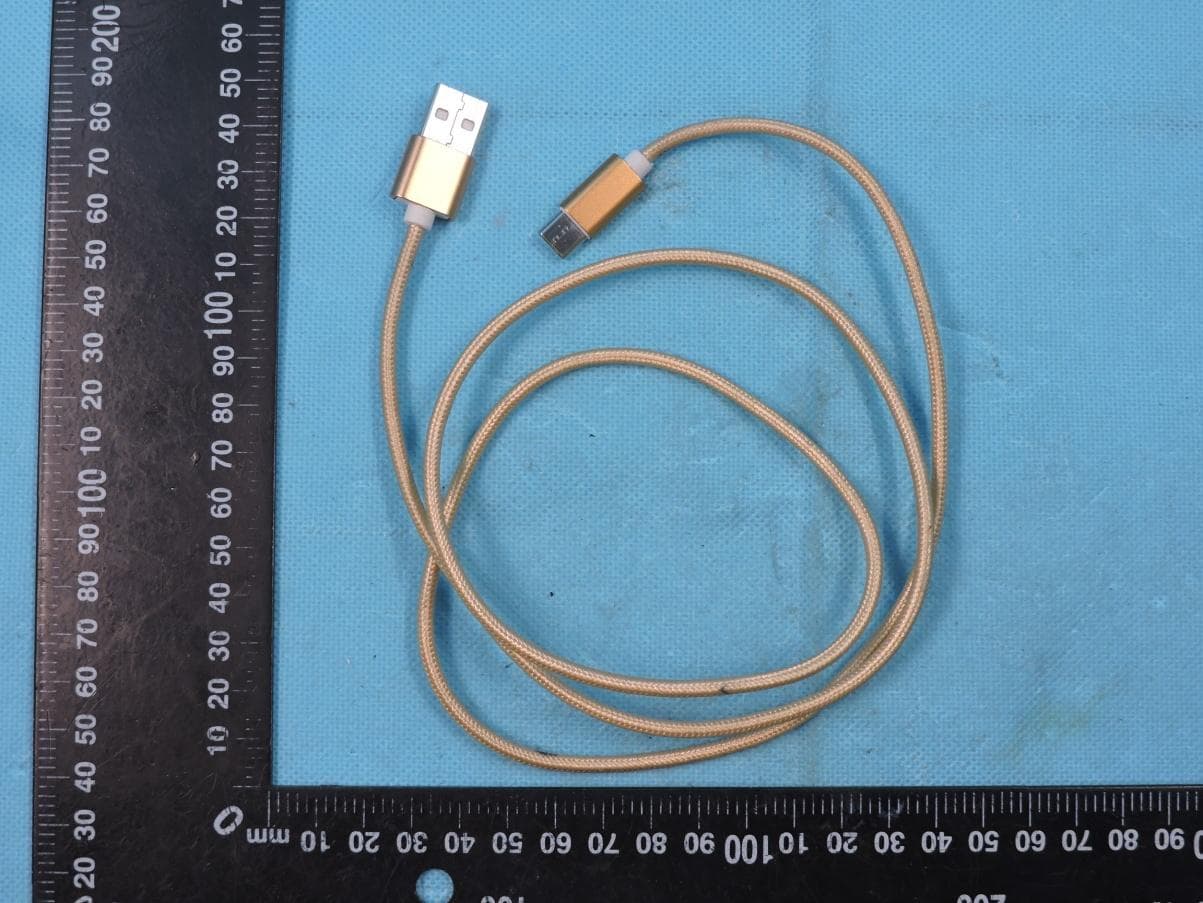
Click to zoom
Application Details
- Equipment Class
- DXX - Part 15 Low Power Communication Device Transmitter
- Date of Grant
- Jan 04, 2020
- Application Purpose
- Original Equipment
- Date of Application
- Jan 04, 2020
- Equipment Note
- OPOLO Cosmos
- Frequency Range
- 13.56000000 - 13.56000000
- Company
- OPOLO Limited
- Country
- Hong Kong
Documents & Files
Document Text
Text extracted from the exhibit documents filed with the FCC. Open a document above to read the original.
Users Manual
USER’S MANUAL OPOLO COSMOS Model: Cosmos FCC ID: 2AVCFOPOLOCOSMOS Revision Sheet Release No.DateRevision Description Rev. 021/11/19User’s Manual Created User’s Manual Page 2 USER'S MANUAL TABLE OF CONTENTS Page # 1.0GENERAL INFORMATION................................................................................................................5 1.1 System Overview.............................................................................................................................5 1.2 Acronyms and Abbreviations.........................................................................................................5 2.0SYSTEM SUMMARY...........................................................................................................................7 2.1 System Configuration......................................................................................................................7 2.2 User Access.......................................................................................................................................7 3.0GETTING STARTED.........................................................................................................................10 3.1 Setting up OPOLO Desk...............................................................................................................10 3.2 Create a wallet...............................................................................................................................10 3.3 Add a Coin/Toke and create address...........................................................................................13 3.4 How to receive coins or tokens......................................................................................................15 3.5 How to send coins or tokens..........................................................................................................16 User’s Manual Page 3 1.0 General Information 1.0GENERAL INFORMATION User’s Manual 1.0 General Information 1.0GENERAL INFORMATION 1.1System Overview The OPOLO Cosmos hardware wallet is a consumer device that can be used for secure data storage. The device can work together with the PC software (OPOLO Desk) to perform different functionalities. 1.2Acronyms and Abbreviations Mnemonics / Seed – 24 words that are stored securely inside the device, used to generate wallet Wallet – Blockchain wallet that stores the private keys for different block chains User’s ManualPage 5 2.0 System Summary 2.0SYSTEM SUMMARY User’s Manual 2.0 System Summary 2.0SYSTEM SUMMARY 2.1System Configuration The OPOLO Cosmos powers up only when connected via a USB to the desktop PC. The user also need to install the OPOLO Desk software to communicate with the device. 2.2User Access On first time startup, user needs to setup OPOLO Cosmos password. The password can be changed later on. The user will be asked to enter password twice to setup, after setting up, each time user would be asked to enter password when the device turns on, and when the user wants to access its walelt. The password entry screen is shown here: User’s ManualPage 7 2.0 System Summary User’s ManualPage 8 3.0 Getting Started 3.0GETTING STARTED User’s Manual 3.0 Getting Started 3.0GETTING STARTED 3.1Setting up OPOLO Desk To communicate with OPOLO Cosmos, user needs to setup OPOLO Desktop app on his/her PC. Download the OPOLO Desk app from the www.OPOLO.io and install it on the PC. 3.2Create a wallet After setting up password on OPOLO Cosmos, open the OPOLO Desk software and go to the settings page as shown above. You must see a notification that the hardware wallet is connected. If you do not see this notification, then unplug and plug the OPOLO Cosmos and enter your password. Once the OPOLO Cosmos established the USB connection with desktop and you can see the notification on OPOLO Desk that the wallet is connected, then go to settings page, and press “Create New OPOLO Wallet” button. Follow the instructions on OPOLO Cosmos and complete the setup process. You will see the screens as shown below. User’s ManualPage 10 3.0 Getting Started User’s ManualPage 11 3.0 Getting Started During the setup, you will be shown mnemonics (24 words) that you can take backup using two ways. One you must write the seed word on the paper and save it on a secure place. The mnemonics will be shown 2 times on the OPOLO Cosmos, so you can make sure that you have written them correctly on the paper, you can take multiple paper backups to be sure. Once move to next screen, you would not be able to come back to the mnemonics backup screen. So make sure that you have taken proper backup before moving forward. Secondly you may can use OPOLO Card to store the seed backup by touching the OPOLO Card on the back side of the OPOLO Cosmos. You can take backup on OPOLO Card when you see the following screen: Touch the card on back of OPOLO Cosmos and press the button Backup. If the backup is securely saved on the OPOLO Card then you will see a success message on OPOLO Cosmos. You may can take multiple backups if you have many OPOLO Cards by touching on back of the OPOLO Cosmos and pressing the Backup button. Once you press the Skip/Exit button, you cannot come back to this screen hence cannot take backup again. After the successful completion of the above steps, you have created the wallet successfully. User’s ManualPage 12 3.0 Getting Started 3.3Add a Coin/Toke and create address On OPOLO Desk, go to the Coins page using the menu on the left side. And press the “Add Coins/Token” button on top right corner as shown in the figure. On pressing the button you will see a list of coins/tokens that you can toggle to add into the portfolio. You can toggle the Bitcoin option to add the Bitcoin coin into the wallet and this will also generate your first Bitcoin address. Now you need to enter the password on the OPOLO Cosmos, and also enter the passphrase if you want to use any passphrase. Please note down the passphrase so…
Text truncated - open the document above for the full version.
Cover Letter(s)
OPOLO Limited TCBJ FORM-4 Issued by: TCB Administrator Revision 6 12/06/10 2019.12.23 MET Laboratories, Inc. 914 West Patapsco Avenue Baltimore, MD 21230 RE: LETTER OF AGENT AUTHORIZATION To Whom It May Concern: We, OPOLO Limited hereby authorize (Shenzhen STS Test Services Co., Ltd.) to act on our behalf in all matters relating to application for equipment authorization, including the signing of all documents relating to these matters. We also hereby certify that no party to the application authorized hereunder is subject to the denial of benefits, including FCC benefits, pursuant to Section 5301 of the Anti-Drug Abuse Act of 1988, 21 U.S.C.853(a). This agreement expires one year from the current date. Sincerely, Name: Fahad Fazal Signature:
Cover Letter(s)
OPOLO Limited TCBJ FORM-4 Issued by: TCB Administrator Revision 6 12/06/10 2019.12.23 MET Laboratories, Inc. 914 West Patapsco Avenue Baltimore, MD 21230 RE: CONFIDENTIALITY REQUEST FOR (OPOLO Cosmos / Cosmos /FCCID:2AVCFOPOLOCOSMOS) To Whom It May Concern: This letter serves as an official request for confidentiality under sections 0.457 and 0.459 of CFR 47. We have requested that the • Schematics • Block diagram • Operation description These materials contain trade secrets and proprietary information and are not customarily released to the public. The public disclosure of this information might be harmful to the company and provide unjustified benefits to our competitors. required to be submitted with this application be permanently withheld from public review. Please contact me if there is any information you may need. Sincerely, Name: Fahad Fazal Signature:
External Photos
Page 1 of 4 Report No.: STS1911112 APPENDIX-PHOTOGRAPHS OF EUT CONSTRUCTIONAL DETAILS FCC ID: 2AVCFOPOLOCOSMOS Model: Cosmos Photo 1 Photo 2 Page 2 of 4 Report No.: STS1911112 Photo 3 Photo 4 Page 3 of 4 Report No.: STS1911112 Photo 5 Photo 6 Page 4 of 4 Report No.: STS1911112 Photo 7
ID Label/Location Info
FCC Label Size: 30*60mm, used pasted. OPOLO Cosmos Model name: OPOLO FCC ID: 2AVCFOPOLOCOSMOS This device complies with part 15 of the FCC Rules. Operation is subject to the following two conditions: (1) This device may not cause harmful interference, and (2) this device must accept any interference received, including interference that may cause undesired operation.
Internal Photos
Page 1 of 2 Report No.: STS1911112 APPENDIX-PHOTOGRAPHS OF EUT CONSTRUCTIONAL DETAILS FCC ID: 2AVCFOPOLOCOSMOS Model: Cosmos Photo 1 Photo 2 NFC Antenna Page 2 of 2 Report No.: STS1911112 Photo 3 Photo 4
Test Report
Any reproduction of this document must be done in full. No single part of this document may be reproduced without permission from STS, All Test Data Presented in this report is only applicable to presented Test sample. Shenzhen STS Test Services Co., Ltd. A 1/F, Building B, Zhuoke Science Park, No.190 Chongqing Road, HepingShequ, Fuyong Sub-District, Bao’an District, Shenzhen, Guang Dong, China TEL: +86-755 3688 6288 FAX: +86-755 3688 6277 E-mail:[email protected] RADIO TEST REPORT Report No: STS1911112W02 Issued for OPOLO Limited Room 607 Yen Sheng Centre, 64 Hoi Yuen Rd., Kwun Tong, Kowloon, Hong Kong Product Name: OPOLO Cosmos Brand Name: OPOLO Model Name: Cosmos Series Model: N/A FCC ID: 2AVCFOPOLOCOSMOS Test Standard: FCC Part 15.225 S T L A B S Page 2 of 27 Report No.: STS1911112W02 TEST REPORT CERTIFICATION Applicant’s Name ................. : OPOLO Limited Address ................................. : Room 607 Yen Sheng Centre, 64 Hoi Yuen Rd., Kwun Tong, Kowloon, Hong Kong Manufacture's Name ............ : OPOLO Limited Address ................................. : Room 607 Yen Sheng Centre, 64 Hoi Yuen Rd., Kwun Tong, Kowloon, Hong Kong Product Description Product Name ........................ : OPOLO Cosmos Brand Name ......................... : OPOLO Model Name .......................... : Cosmos Series Model .......................... : N/A Test Standards ..................... : FCC Part15.225 Test Procedure....................: ANSI C63.10: 2013,ANSI C63.4: 2014 This device described above has been tested by STS, the test results show that the equipment under test (EUT) is in compliance with the FCC requirements. And it is applicable only to the tested sample identified in the report. This report shall not be reproduced except in full, without the written approval of STS, thidocument only be altered or revised by STS, personal only, and shall be noted in the revision of the document. Date of Test ........................................... : Date (s) of performance of tests ............. : 06 Dec. 2019 ~ 17 Dec. 2019 Date of Issue .......................................... : 17 Dec. 2019 Test Result .............................................. : Pass Testing Engineer : (Chris Chen) Technical Manager : (Sunday Hu) Authorized Signatory : (Vita Li) Page 3 of 27 Report No.: STS1911112W02 TABLE OF CONTENTS Page 1. SUMMARY OF TEST RESULTS 5 1.1 TEST FACTORY 5 1.2 MEASUREMENT UNCERTAINTY 5 2. GENERAL INFORMATION 6 2.1 GENERAL DESCRIPTION OF THE EUT 6 2.2 DESCRIPTION OF THE TEST MODES 7 2.3 BLOCK DIGRAM SHOWING THE CONFIGURATION OF SYSTEM TESTED 8 2.4 DESCRIPTION OF NECESSARY ACCESSORIES AND SUPPORT UNITS 9 2.5 EQUIPMENTS LIST FOR ALL TEST ITEMS 10 3. EMC EMISSION TEST 11 3.1 CONDUCTED EMISSION MEASUREMENT 11 3.2 TEST PROCEDURE 12 3.3 TEST SETUP 12 3.4 EUT OPERATING CONDITIONS 12 3.5 TEST RESULTS 13 4. RADIATED EMISSION MEASUREMENT 15 4.1 RADIATED EMISSION LIMITS 15 4.2 TEST PROCEDURE 16 4.3 TEST SETUP 17 4.4 EUT OPERATING CONDITIONS 17 5. FREQUENCY TOLERANCE 22 5.1 REQUIREMENT 22 5.2 TEST PROCEDURE 22 5.3 TEST SETUP 22 5.4 EUT OPERATION CONDITIONS 22 5.5 TEST RESULTS 23 6. 20DB BANDWIDTH 24 6.1 APPLIED PROCEDURES / LIMIT 24 6.2 TEST PROCEDURE 24 6.3 TEST SETUP 24 6.4 EUT OPERATION CONDITIONS 24 6.5 TEST RESULTS 25 Page 4 of 27 Report No.: STS1911112W02 TABLE OF CONTENTS Page 7. ANTENNA REQUIREMENT 26 7.1 STANDARD REQUIREMENT 26 7.2 EUT ANTENNA 26 APPENDIX 1- PHOTOS OF TEST SETUP 27 Page 5 of 27 Report No.: STS1911112W02 1. SUMMARY OF TEST RESULTS Test procedures according to the technical standards: FCC Part15 15.225 , Subpart C Standard Section Test Item Judgment Remark 15.207 Conducted Emission PASS -- 15.209 15.225(a)(b)(c)(d) Radiated Emission PASS -- 15.225(e) Frequency Tolerance PASS -- 15.203 Antenna Requirement PASS -- 15.215 20dB Bandwidth PASS -- NOTE: (1)” N/A” denotes test is not applicable in this Test Report (2) All tests are according to ANSI C63.4-2014 and ANSI C63.10-2013 1.1 TEST FACTORY SHENZHEN STS TEST SERVICES CO., LTD Add. : A 1/F, Building B, Zhuoke Science Park, No.190 Chongqing Road, HepingShequ, Fuyong Sub-District, Bao’an District, Shenzhen, Guang Dong, China FCC test Firm Registration Number: 625569 IC test Firm Registration Number: 12108A A2LA Certificate No.: 4338.01 1.2 MEASUREMENT UNCERTAINTY The reported uncertainty of measurement y ± U, where expended uncertainty U is based on a standard uncertainty multiplied by a coverage factor of k=2, providing a level of confidence of approximately 95 %. No. Item Uncertainty 1 RF output power, conducted ±0.68dB 2 Unwanted Emissions, conducted ±2.988dB 3 All emissions, radiated 30-1GHz ±6.7dB 4 All emissions, radiated 1G-6GHz ±5.5dB 5 All emissions, radiated>6G ±5.8dB 6 Conducted Emission (9KHz-150KHz) ±4.43dB 7 Conducted Emission (150KHz-30MHz) ±5dB Page 6 of 27 Report No.: STS1911112W02 2. GENERAL INFORMATION 2.1 GENERAL DESCRIPTION OF THE EUT Product Name OPOLO Cosmos Trade Name OPOLO Model Name Cosmos Serial Model N/A Model Difference N/A Product Description The EUT is a OPOLO Cosmos Operation Frequency: 13.56MHz Modulation Type: FSK Antenna Designation: Please see Note 3. Antenna Gain (dBi) 0dBi Power Rating Input: DC 5V Hardware version number 0.1.17 Software version number 0.0.1 Connecting I/O Port(s) Please refer to the User's Manual Note: 1. For a more detailed features description, please refer to the manufacturer’s specifications or the User's Manual. 2. Table for filed Antenna Ant. Brand Model Name Antenna Type Connector Gain (dBi) NOTE A OPOLO Cosmos loop N/A 0dBi ANT Page 7 of 27 Report No.: STS1911112W02 2.2 DESCRIPTION OF THE TEST MODES To investigate the maximum EMI emission characteristics generates from EUT, the test system was pre-scanning tested base on the consideration of following EUT operation mode or test configuration mode which possible have effect on EMI emission level. Each of these EUT operation mode(s) or test configuration mode(s) mentioned above was evaluated respectively. Pretest…
Text truncated - open the document above for the full version.
Test Setup Photos
Page 1 of 2 FCC ID: 2AVCFOPOLOCOSMOS DXX Setup photo Model name: Cosmos DXT conduction DXT radiation L Page 2 of 2 FCC ID: 2AVCFOPOLOCOSMOS DXT radiation 9K-30MHz
Contact Information
Applicant
Fahad Fazal(Manager)
Technical Contact
Shenzhen STS Test Services Co., Ltd.Bovey Yang
[email protected]86075536886288
1/F., Building B, Zhuoke Science Park, No.190 · Shenzhen Guangdong · China
Non-Technical Contact
Shenzhen STS Test Services Co., Ltd.Bovey Yang
[email protected]86075536886288
Test Firm
SHENZHEN STS TEST SERVICES CO.,LTD.Bovey Yang
[email protected]+86 755-36886288
Technical Specifications
| # | Rule Parts | Frequency Range | Power Output |
|---|---|---|---|
| 1 | 15C | 13.56 MHz - 13.56 MHz | - |