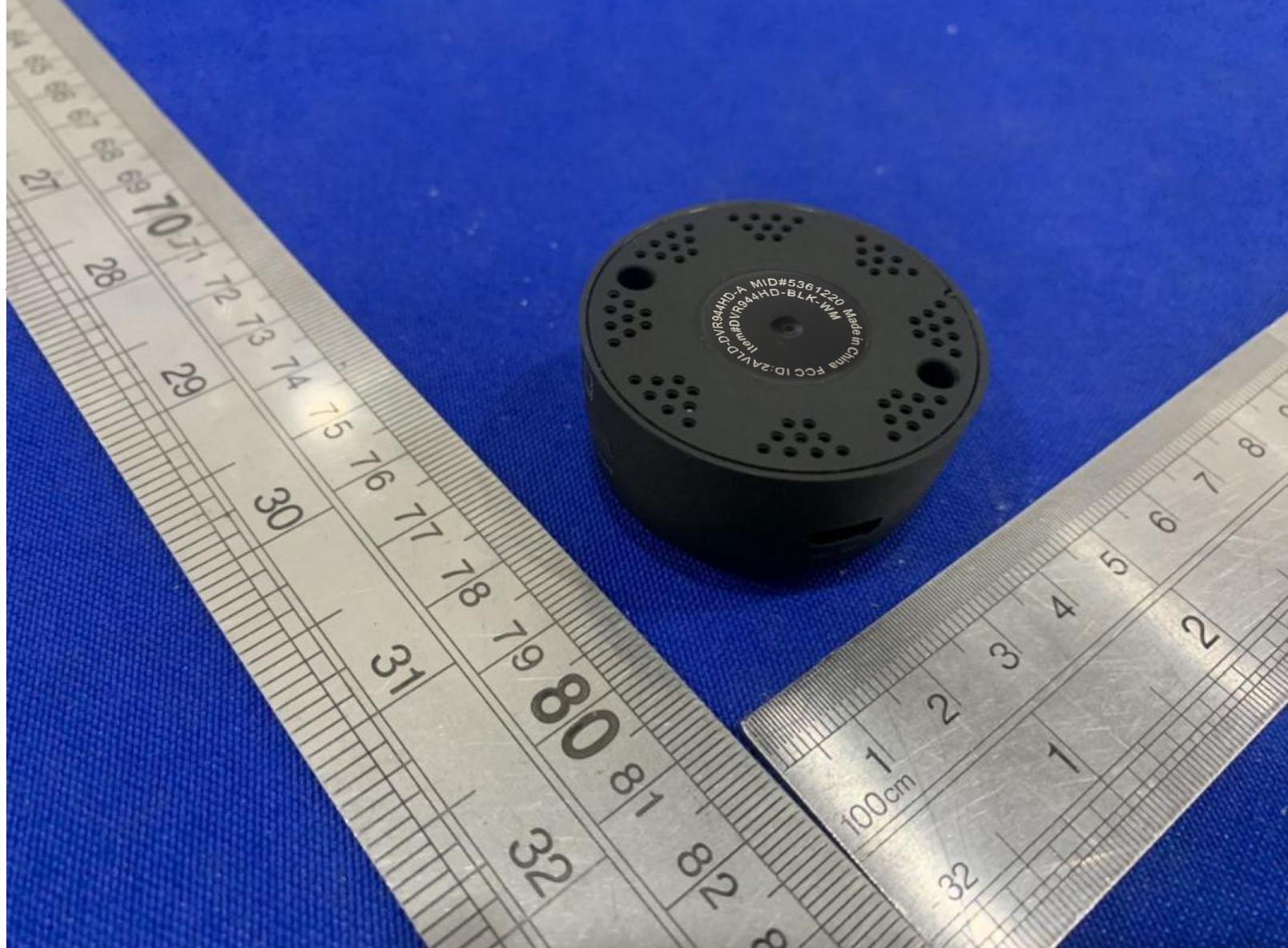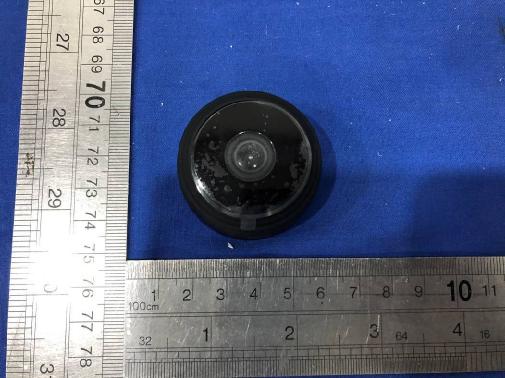
Text extracted from the exhibit documents filed with the FCC. Open a document above to read the original.
User Manual 1.Download and install APP Way 1: Android Device by Searching "HIDVCAM" in Google App market to download and install App; IOS Device by Searching "HIDVCAM" in App Store to download and install App; Way 2: Scan the QR code to download "HIDVCAM". Introduction of LED indicator: WIFI mode: The green and blue light up together. AP mode: The blue lights up and the green flashes slowly. Network cannot be found: The blue lights up and the green is off (Reset device) The red lights up: being charged Button Operations: ON/OFF: press for 2 seconds to power on; press for 3 seconds to power off MODE: Press for3 seconds to reset device( Or press “RESET” if no “MODE” ) Registry and Login: 1. Open the APP “HIDVCAM”, 2.Register your membership via WeChat \Facebook\Twitter\Line\ Email . AP mode Connection 1) Turn on camera: Press “ON/OFF” to turn on the camera, in 10 seconds, and the blue light bright, the green light flashes slowly. 2) Go to the WIFI setting page, then connect the Wi-Fi named“ IPC-XXXXX”. 3) Open "HIDVCAM", Refresh the device list on the APP, you can view connected camera. 4) Click device, Set a password to the device on the first use, then can view camera on APP. Router mode Connection (Remote viewing) 1. Open app, go to device list, click [Settings]---[Network Settings]--- Choose an available WIFI from below options and input corresponding password --- clik OK --- click OK 2. After camera connet to router, refresh the page, waiting for about 30 seconds and the camera status will become online --- enter the password, can remote view camera. 3.APP Function Introduction 1) Device ID 2) Online: Device status 3) Cloud: Cloud storage 4) Delete: Delete the camera 5) Alarm: One click to turn ON/OFF alarm 6) Msg: Alarm message 7) Rec/Play: Playback video in TF card or Cloud 8) Settings Key Name Function 2830000xxxx Device ID Online Device status Cloud Cloud Storage Delete Delete the camera Alarm Turn On/Off Device alarm Msg Alarm message Rec/Play Playback video in TF card or Cloud Settings Settings of the device Devices Device view page Album Where to save the camera screenshot Me APP account information 4. Interface Introduction 5.Settings 1) Device Authorization: Input different users ID and shares the device to others 2) Device Name: You could name the device up to yourself , such as college, farm, etc. 3) Password setting: You can modify the password if required 4) Network setting: Set up the device to connect to the Internet 5) Alarm setting: Motion detection and alarm sound setting 6) Recording settings: Set the resolution and the mode of records(Motion detection record /Regular record mode) 7) Time setting: Synchronize the time between APP and Phone 8) Language setting 9) Static IP setting: You can set the IP address of the device 10) Firmware version: Check whether the firmware is in latest version Rotate Flip video Indicator Turn On/Off the Indicator of camera 1080p 720p/1080p Resolution selection Infrared Turn ON/OFF the IR of camera(night vision) Full Full screen view video Pause Pause the video Four view 1/4 screen view video Activity Zones Set the motion detection area Voice monitor voice Shot Video screenshot Start/Stop Real-time recording 6.Cloud Storage 1) Click {Cloud } to enter the cloud storage page. 2) Subscribe the service your required. 3) Redeem your subscribed service, the device starts cloud storage recording 4) Enable/Disable: Start or stop cloud recording 5) Expand service: Renew your subscribes 6) Cloud recording: Watch the video in your cloud. 7) Subscribe / unsubscribe cloud: Purchase / cancel cloud service 7.Device Share You could share your camera to others, such as relatives, friends, colleagues, and set the user permissions of shared camera. 1) Click “Settings” to enter the setting interface. 2) Click on "Authorization Settings" 3) Get the ID of the user who needs to share. Share users must download "HIDVCAM" and log in after installation, click the "Me" button 4) After getting a user ID, input the ID on the authorization interface and click “Search” 5) Pop up the authorization confirmation interface, select the permission to be shared, and click “Confirm”. Device sharing is finished successfully When authorized user information is displayed in the user list. FCC Information This equipment complies with FCC RF radiation exposure limits set forth for an uncontrolled environment. This equipment should be installed and operated with minimum distance 20cm between the radiator & your body. This device complies with Part 15 of the FCC Rules, operation is subject to the following two conditions: (1) This device may not cause harmful interference, and (2) this device must accept any interference received, including interference that may cause undesired operation. • Warning: Changes or modifications to this unit not expressly approved by the party responsible for compliance could void the user’s authority to operate the equipment. • NOTE: This equipment has been tested and found to comply with the limits for a Class B digital device, pursuant to Part 15 of the FCC Rules. These limits are designed to provide reasonable protection against harmful interference in a residential installation. This equipment generates, uses and can radiate radio frequency energy and, if not installed and used in accordance with the instructions, may cause harmful interference to radio communications. However, there is no guarantee that interference will not occur in a particular installation. If this equipment does cause harmful interference to radio or television reception, which can be determined by turning the equipment off and on, the user is encouraged to try to correct the interference by one or more of the following measures: • Reorient or relocate the receiving antenna. • Increase the separation between the equipment and receiver. • Connect the equipment into an outlet on a circuit different from that to which the receiver is connected. • Consult the dealer or an experienc…
Text truncated - open the document above for the full version.
Rev 11/20/07 BINSHINE TECH CO., LIMITED Federal Communications Commission Authorization and Evaluation Division Confidentiality Request regarding application for certification of FCC ID: 2AVLD-DVR944HD Pursuant to Sections 0.457 and 0.459 of the Commission’s Rules, we hereby request confidential treatment of information accompanying this application as outlined below: Exhibit Type File Name Block Diagram Schematics Operational Description Block SCH Operational Description The above materials contain trade secrets and proprietary information not customarily released to the public. The public disclosure of these materials may be harmful to the applicant and provide unjustified benefits to its competitors. The applicant understands that pursuant to Section 0.457 of the Rules, disclosure of this application and all accompanying documentation will not be made before the date of the Grant for this application. Pursuant to DA04-1705 June 15, 2004 of the Commission’s public notice, We also requesting the commission to grant short-term confidentiality request on the following attachments until 180 days after the Grant Date of Equipment Authorizations. Exhibit Type File Name Manual User manual Sincerely, Austin Zhan 2020-03-05
W:\案件资料\案件数据图片\罗工\ED200109058E DVR944HD-BLK-WM FCC ID\work\POA_Letter_140225.docx BINSHINE TECH CO., LIMITED Federal Communications Commission Authorization and Evaluation Division 1435 Oakland Mills Road Columbia, MD 21046 Date: 2020-03-05 SUBJECT: FCC Application for (FCC ID:2AVLD-DVR944HD) To Whom It May Concern: We, the undersigned, hereby authorize EMTEK (DONGGUAN) CO., LTD. at Sam Lvon our behalf, to apply to the Federal Communications Commission on our equipment. Any and all acts carried out by EMTEK (DONGGUAN) CO., LTD. on our behalf shall have the same effect as acts of our own. This is to advise that we are in full compliance with the Anti- Drug Abuse Act. We, the applicant, are not subject to a denial of federal benefits pursuant to Section 5301 of the Anti-Drug Act of 1988, 21 USC853a, and no party to the application is subject to a denial of federal benefits pursuant to that section. Regards, Sincerely, Austin Zhan Date: 2020-03-05
FCC ID: 2AVLD-DVR944HD
FCC ID: 2AVLD-DVR944HD ANT
RF EXPOSURE EVALUATION According to FCC 1.1310: The criteria listed in the following table shall be used to evaluate the environment impact of human exposure to radio frequency(RF) Radiation as specified in §1.1307(b) FCC ID:2AVLD-DVR944HD EUT Specification EUT LED TV Frequency band (Operating) WLAN: 2.412GHz ~ 2.462GHz WLAN: 5.18GHz ~ 5.32GHz / 5.50GHz ~ 5.70GHz WLAN: 5.745GHz ~ 5825GHz Others Device category Portable (<20cm separation) Mobile (>20cm separation) Others ___ Exposure classification Occupational/Controlled exposure (S = 5mW/cm2) General Population/Uncontrolled exposure (S=1mW/cm2) Antenna diversity Single antenna Multiple antennas Tx diversity Rx diversity Tx/Rx diversity Max. output power 802.11b: 15.34dBm 802.11g: 14.16dBm 802.11n(HT20): 10.27dBm 802.11n(HT40): 8.36dBm Antenna gain (Max) 2dBi ( for per antenna port Max) Evaluation applied MPE Evaluation SAR Evaluation Limits for Maximum Permissible Exposure(MPE) Frequency Range(MHz) Electric Field Strength(V/m) Magnetic Field Strength(A/m) Power Density(mW/cm 2 ) Average Time (A) Limits for Occupational/Control Exposures 300-1500 -- -- F/300 6 1500-100000 -- -- 5 6 (B) Limits for General Population/Uncontrol Exposures 300-1500 -- -- F/1500 6 1500-100000 -- -- 1 30 Friis transmission formula: Pd=(Pout*G)\(4*pi*R2) Where Pd= Power density in mW/cm 2 , Pout=output power to antenna in Mw G= gain of antenna in linear scale, Pi=3.1416 R= distance between observation point and center of the radiator in cm Pd the limit of MPE, 1mW/cm2. If we know the maximum gain of the antenna and total power input to the antenna, through the calculation, we will know the distance where the MPE limit is reached. Measurement Result Operation Mode Channel Number Channel Frequency (MHz) Measureme nt Level (dBm) Limit (dBm) Verdict 802.11b 1 2412 15.34 30 PASS 6 2437 15.29 30 PASS 11 2462 15.18 30 PASS 802.11g 1 2412 14.16 30 PASS 6 2437 14.04 30 PASS 11 2462 14.09 30 PASS 802.11n (HT20) 1 2412 10.27 30 PASS 6 2437 10.24 30 PASS 11 2462 10.23 30 PASS 802.11n (HT40) 3 2422 8.36 30 PASS 6 2437 8.34 30 PASS 9 2452 8.35 30 PASS MPE Result: Operatin g Mode Test Channel Tune up tolerance (dBm) Max tune up conduct ed power(d Bm) Output Peak power (mW) Ant. Gain (dBi) Ant. Gain (numeri c) Power density at 20cm (mW/ cm 2 ) Power densit y Limits (mW/c m 2 ) Verdict 802.11b 1 15±1 16 39.811 2 1.585 0.0125525 1 6 15±1 16 39.811 2 1.585 0.0125525 1 PASS 11 15±1 16 39.811 2 1.585 0.0125525 1 PASS 802.11g 1 14±1 15 31.623 2 1.585 0.0099708 1 PASS 6 14±1 15 31.623 2 1.585 0.0099708 1 PASS 11 14±1 15 31.623 2 1.585 0.0099708 1 PASS 802.11n (H20) 1 10±1 11 12.589 2 1.585 0.0039694 1 PASS 6 10±1 11 12.589 2 1.585 0.0039694 1 PASS 11 10±1 11 12.589 2 1.585 0.0039694 1 PASS 802.11n (H40) 2 8±1 9 7.943 2 1.585 0.0025045 1 PASS 6 8±1 9 7.943 2 1.585 0.0025045 1 PASS 9 8±1 9 7.943 2 1.585 0.0025045 1 PASS Signature: Sam Lv Date: 2020-03-10 PAS S
Report No. ES200109052E Page 1 of 68 Ver.1.0 $二维码$ TEST REPORT Product Name : 12MP VERSA CAM /SECURITY ACTION CAMERA Model Number : DVR944HD-BLK-WM FCC ID : 2AVLD-DVR944HD Prepared for : BINSHINE TECH CO., LIMITED Address : Area A, Building B, Qinghu Science and Technology Park,Qingxian Road, Longhua New District, Shenzhen Prepared by : EMTEK (DONGGUAN) CO., LTD. Address : -1&2/F.,Building 2, Zone A, Zhongda Marine Biotechnology Reserch and Development Base, No.9, Xincheng Avenue, Songshanhu High-technology Industrial Development Zone, Dongguan, Guangdong, China TEL: +86-0769-22807078 FAX: +86-0769-22807079 Report Number : ES200109052E Date(s) of Tests : January 09, 2020 to March 04, 2020 Date of issue : March 04, 2020 Report No. ES200109052E Page 2 of 68 Ver.1.0 VERIFICATION OF COMPLIANCE Applicant: BINSHINE TECH CO., LIMITED Area A, Building B, Qinghu Science and Technology Park,Qingxian Road, Longhua New District, Shenzhen Factory: Shenzhen Hongkexun Electronic Technology Co.,Ltd 2-3F, Building No.2, Xialingpai Industrial Zone, Dalang Street, Longhua, Shenzhen Product Description: 12MP VERSA CAM /SECURITY ACTION CAMERA Model Number: DVR944HD-BLK-WM Input Rating: DC 3.7V from battery We hereby certify that: The above equipment was tested by EMTEK(SHENZHEN) CO., LTD. The test data, data evaluation, test procedures, and equipment configurations shown in this report were made in accordance with the procedures given in ANSI C63.10-2013 and the energy emitted by the sample EUT tested as described in this report is in compliance with conducted and radiated emission limits of FCC Rules Part 15.247(2017). Date of Test : January 09, 2020 to March 04, 2020 Prepared by : Loren Luo /Editor Reviewer : Tim Dong /Supervisor Approved & Authorized Signer : Lisa Wang/Manager Report No. ES200109052E Page 3 of 68 Ver.1.0 Modified Information Version Summary Revision Date Report No. Ver.1.0 Original Report / ES200109052E Report No. ES200109052E Page 4 of 68 Ver.1.0 Table of Contents TEST REPORT .............................................................................................................................................................................. 1 1. GENERAL INFORMATION ................................................................................................................................................. 6 1.1 PRODUCT DESCRIPTION .................................................................................................................................................. 6 2. SYSTEM TEST CONFIGURATION .................................................................................................................................... 7 2.1 EUT CONFIGURATION...................................................................................................................................................... 7 2.2 EUT EXERCISE ................................................................................................................................................................ 7 2.3 TEST PROCEDURE ........................................................................................................................................................... 7 2.4 CONFIGURATION OF TESTED SYSTEM ............................................................................................................................. 7 3. DESCRIPTION OF TEST MODES ..................................................................................................................................... 8 4. SUMMARY OF TEST RESULTS ........................................................................................................................................ 9 5. TEST METHODOLOGY ....................................................................................................................................................... 9 6. TEST FACILITY ................................................................................................................................................................... 10 7. TEST SYSTEM UNCERTAINTY ....................................................................................................................................... 11 8. CONDUCTED EMISSIONS TEST .................................................................................................................................... 12 8.1 MEASUREMENT PROCEDURE ........................................................................................................................................ 12 8.2 TEST SET-UP (BLOCK DIAGRAM OF CONFIGURATION) ............................................................................................... 12 8.3 MEASUREMENT EQUIPMENT USED ............................................................................................................................... 12 8.4 CONDUCTED EMISSION LIMIT ........................................................................................................................................ 12 8.5 MEASUREMENT RESULT: ............................................................................................................................................... 13 8.6 CONDUCTED MEASUREMENT PHOTOS: ........................................................................................................................ 16 9. RADIATED EMISSION TEST ............................................................................................................................................ 17 9.1 MEASUREMENT PROCEDURE ........................................................................................................................................ 17 9.2 TEST SET-UP (BLOCK DIAGRAM OF CONFIGURATION) ............................................................................................... 18 9.3 MEASUREMENT EQUIPMENT USED ......................................................................................................…
Text truncated - open the document above for the full version.
FCCID: 2AVLD-DVR944HD
| # | Rule Parts | Frequency Range | Power Output |
|---|---|---|---|
| 1 | 15C | 2.41 GHz - 2.46 GHz | 34.20 mW |

12MP VERSA CAM /SECURITY ACTION CAMERA
Equipment Class
DTS - Digital Transmission System