2AVOZ-CETOPZC101WReceiver RS232C for Torque Wrench
Sanyo Machine Works, Ltd.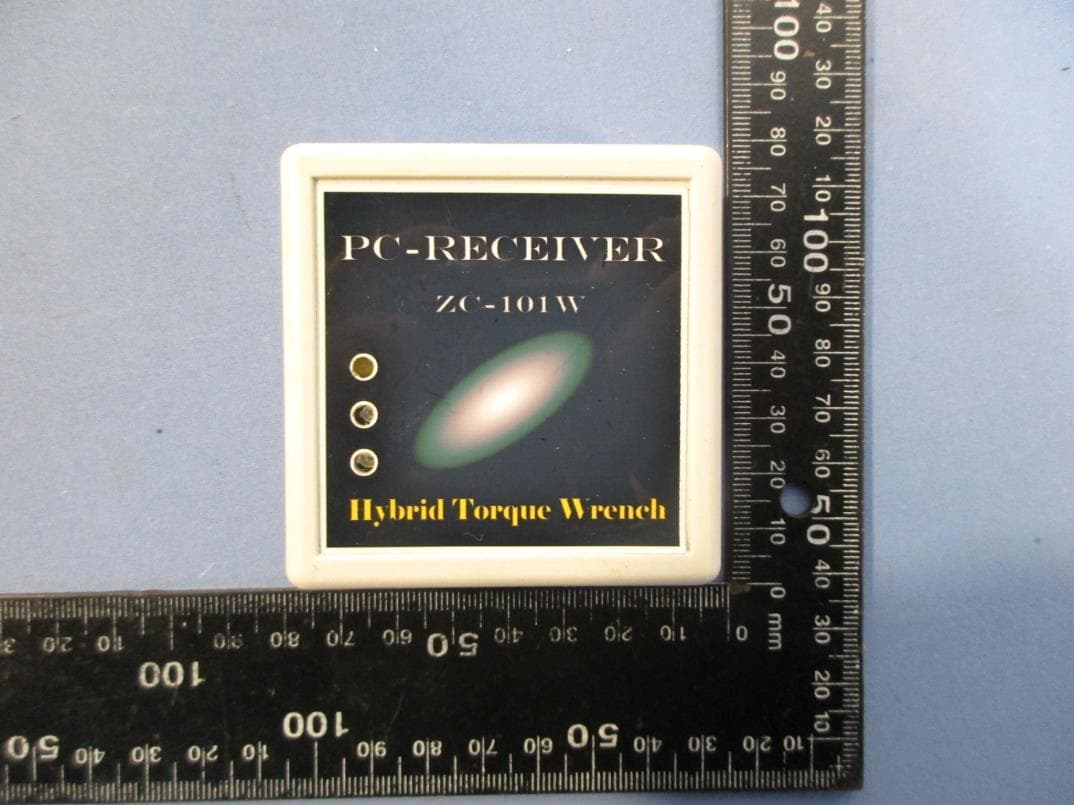
Click to zoom
Application Details
- Equipment Class
- DXX - Part 15 Low Power Communication Device Transmitter
- Date of Grant
- Apr 20, 2020
- Application Purpose
- Original Equipment
- Date of Application
- Apr 15, 2020
- Equipment Note
- Receiver RS232C for Torque Wrench
- Frequency Range
- 2405.00000000 - 2480.00000000
- Company
- Sanyo Machine Works, Ltd.
- Country
- Japan
Documents & Files
Document Text
Text extracted from the exhibit documents filed with the FCC. Open a document above to read the original.
Users Manual
Torque Wrench CETOP-ZC-101W & CETOP-ZC-202W Manual Ver.12.1(2018.10) Introduction Thank you for your purchase of "Digital torque wrench ". This software allows you to save taken out and it is possible to make various settings for the " Digital torque wrench " , work record that has been recorded in the torque wrench . In addition , the software and the "real-time monitor " can be taken out of the torque data and angle data (OP) in real time , you can use a wide variety of data analysis. With respect to the use of this document The contents of this document are subject to change without notice . Regard copy or reproduction of documents , you need our permission . The Company with respect to the use of such information that is described in this document , guarantees for intellectual property rights, or any other rights that the Company or third party owned , implementation , does not give you any license to use . Damages arising out of the use of such information that is described in this document , or infringement of any third party's rights , the Company does not assume its responsibility . Disclaimers Even accidents caused by the use of our products will not respond to compensation for all damages including secondary damage. About trademark MS, Microsoft, Windows are registered trademarks of Microsoft Corporation. Other company names and product names are trademarks or registered trademarks of each company. -1- Traceability control system PC software Contents 1.Overview ・・・・・・・・・・・・・・・・・・・・・・・・・・ 2 2.PC software 3.Preparations for PC ・・・・・・・・・・・・・・・・・・・・・・・・・・ 3 4.Communication and connection settings ・・・・・・・・・・・・・・・・・・・・・・・・・・ 6 4-1) Connect the torque wrench(receiver) to the PC with the USB cable 4-2) Type of wireless receiver ・・・・・・・・・・・・・・・・・・・・・・・・・・ 7 4-3) Communication and connection settings 5.PC software and preparation ・・・・・・・・・・・・・・・・・・・・・・・・・・ 8 5-1) Starting the software 5-2) Preparation of communication 5-3) Menu bar and tool bar icon ・・・・・・・・・・・・・・・・・・・・・・・・・・ 9 6.PC software Setting operation ・・・・・・・・・・・・・・・・・・・・・・・・・・ 11 6-1) Setting operation 6-2) Operating ・・・・・・・・・・・・・・・・・・・・・・・・・・ 14 6-3) Optional feature Description ・・・・・・・・・・・・・・・・・・・・・・・・・・ 15 1) Angle wrench 2) Poka-yoke function ・・・・・・・・・・・・・・・・・・・・・・・・・・ 16 3) Screw tightening inspection function 7.Data output operation ・・・・・・・・・・・・・・・・・・・・・・・・・・ 17 7-1) Data output operation 7-2) Reading Torque data from torque wrench ・・・・・・・・・・・・・・・・・・・・・・・・・・ 19 7-3) Data editing and saving ・・・・・・・・・・・・・・・・・・・・・・・・・・ 20 7-4) Optional feature ・・・・・・・・・・・・・・・・・・・・・・・・・・ 21 7-5) Data transfer ・・・・・・・・・・・・・・・・・・・・・・・・・・ 22 8.PC software Maintenance operation ・・・・・・・・・・・・・・・・・・・・・・・・・・ 23 8-1) Maintenance operation screen 8-2) Reading and writing of maintenance data ・・・・・・・・・・・・・・・・・・・・・・・・・・ 24 8-3) Description of maintenance data 8-4) Saving and loading of maintenance data ・・・・・・・・・・・・・・・・・・・・・・・・・・ 25 - 2 - Traceability control system PC software 1.Overview This software is a tool for you to easily take advantage of the traceability management function of the torque wrench. You can load and save work data and various settings of the torque wrench. In addition, equipped with Excel conversion function, it is equipped with the easy-to-use function to another. 2.PC software 2-1) Setting operation Make the various settings of the torque wrench. Describe the function by major setting items below. 1) Torque wrench (1) Lower torque (2) Upper torque 2) Poka-yoke (1) Specified angle (2) Lower torque (3) Upper torque 3) Screw tightening inspection (1) Tolerance angle (2) Lower torque (3) Upper torque 4) Angle (1) Snug torque (2) Lower angle (3) Upper angle 2-2) Data output operation You can retrieve the data that has been recorded in the torque wrench. You can save the extracted data, can be converted to "Excel". In addition, in the online mode, you can see the “torque data” and “angle data” in real-time. 2-3) Maintenance operation Set the basic information of the torque wrench. ☞ Point Please use the dedicated software [real-time monitor] of the data collection is when you want to get and store real-time data (How to obtain the software, please contact us.) Point You can change the [wireless channel] and [torque wrench ID number] in the wireless option specification. - 3 - Traceability control system PC software 3.Preparations for PC 3-1) Compatible OS Microsoft Windows 2000 ・ Me・ XP ・ XPx64 ・ Vista ・ Vistax64 Microsoft Windows 7 ・ 7x64 ・ 8 ・ 8x64 ・ 8.1 ・ 10 ※It requires the installation of Microsoft .NET Framework 3.5. 3-2) Installing USB drivers Installing USB drivers for torque wrench and receiver. (1) Load the <installation CD> supplied with the torque wrench. (2) Run the < CDM v2. **. ** WHQL Certified_ReleaseDate.exe > program. (3) Start the setup while following the on-screen instructions. Display Procedure <Extract> Click the button. Click the <Next>. Check the <Agree> Click the <Next>. ☞ Point Please go on with administrator privileges software installation. - 4 - Traceability control system PC software <Completion> Click <Finish> 3-3) Installing PC software Install PC software <SWrench.NET> (1) Run the "setup.exe" program of < SWrench.NET_PC Software > folder in the supplied installation CD. (2) Start the setup while following the on-screen instructions. Display Procedure It is Preparing to Install. Please wait. Click the <Next>. Specify the destination folder. If there are no changes, please click on the "Next" button. If you want to change the destination, click the "Change" button, please specify the destination folder. - 5 - Traceability control system PC software Display Procedure Please click on the "Install" button. To start the installation. It is during the installation. Please wait. The installation is complete. Please click on the "Finish" button. If the installation was successful , it is added to the < All Programs > , a shortcut icon is created on the desktop. - 6 - Traceability control s…
Text truncated - open the document above for the full version.
Cover Letter(s)
Date (03/01/2020) TUV SUD BABT TCB Octagon House, Segensworth Road, Fareham, Hampshire, PO15 5RL Confidentiality Request FCC ID: 2AVOZ- CETOPZC101W Pursuant to Sections 0.457(d)(1)(ii) and 0.459 of the Commission’s Rules, Sanyo Machine Works, Ltd. hereby requests permanent confidential treatment of information accompanying this application as outlined below: Schematics Bill of Materials/Parts List Block Diagrams Theory of Operation Sanyo Machine Works, Ltd. also hereby requests short-term confidential treatment of information accompanying this application as outlined below for a period of 180 days: Internal Photos External Photos User Manual Test Set-up Photographs The above materials contain trade secrets and proprietary information not customarily released to the public. The public disclosure of these matters might be harmful to the Applicant and provide unjustified benefits to its competitors. The Applicant understands that pursuant to Rule 0.457(d)(1)(ii), disclosure of this Application and all accompanying materials will not be made before the date of the Grant for this Application. Yours sincerely, Name: Katsuo Tokida Title: Director
External Photos
FCC ID: 2AVOZ-CETOPZC101W ETC Report No.: 19-12-MAS-016 Page A1 of A3 ANNEX A: EXTERNAL CONSTRUCTION PHOTOS OF EUT 1. Outside view 1 of EUT 2. Outside view 2 of EUT FCC ID: 2AVOZ-CETOPZC101W ETC Report No.: 19-12-MAS-016 Page A2 of A3 3. Outside view 3 of EUT 4. Outside view 4 of EUT FCC ID: 2AVOZ-CETOPZC101W ETC Report No.: 19-12-MAS-016 Page A3 of A3 5. Outside view 5 of EUT 6. Outside view 6 of EUT
ID Label/Location Info
FCC ID Label Location
Internal Photos
FCC ID: 2AVOZ-CETOPZC101W ETC Report No.: 19-12-MAS-016 Page B1 of B4 ANNEX B: INTERNAL CONSTRUCTION PHOTOS OF EUT 1. Inside View 1 of EUT 2. Inside View 2 of EUT FCC ID: 2AVOZ-CETOPZC101W ETC Report No.: 19-12-MAS-016 Page B2 of B4 3. Inside View 3 of EUT 4. Module FCC ID: 2AVOZ-CETOPZC101W ETC Report No.: 19-12-MAS-016 Page B3 of B4 5. Module 6. Module FCC ID: 2AVOZ-CETOPZC101W ETC Report No.: 19-12-MAS-016 Page B4 of B4 7. Front view of PCB 8. Rear view of PCB
Test Report
FCC ID: 2AVOZ-CETOPZC101W Sheet 2 of 35 Sheets ETC Report No. : 19-12-MAS-016-01 Rev. No 1.0 Client : Sanyo Machine Works, Ltd. Address : 1 Oka Okimura Kitanagoya Aichi Manufacturer : Sanyo Machine Works, Ltd. Address : 1 Oka Okimura Kitanagoya Aichi EUT : Receiver RS232C for Torque Wrench Trade name : SmartAutomation Model No. : CETOP-ZC-101W Power Source : 5Vdc (USB) Regulations applied : FCC 47 CFR, Part 15 Subpart C The testing described in this report has been carried out to the best of our knowledge and ability, and our responsibility is limited to the exercise of reasonable care. This certification is not intended to believe the sellers from their legal and/or contractual obligations. The compliance test is only certified for the test equipment and the results of the testing report relate only to the item tested. The compliance test of this report was conducted in accordance with the appropriate standards. It’s not intention to assure the quality and performance of the product. This report shall not be reproduced except in full, without the approval of ETC. This report must not be used by the client to claim product endorsement by NVLAP or any agency of the U.S. Government. Laboratory Introduction: Electronics Testing Center, Taiwan is recognized, filed and mutual recognition arrangement as following: ISO/IEC 17025 : TAF(0371), NVLAP(Lab code: 200133-0), CBTL(TÜV SÜD) Recognized : BSMI, NCC, FCC(TW0371, TW1112), ISED( Industry Canada Site # 2949A-2) Filing : VCCI (C-13518, R-13177, G-10098, T-11682) MRA : Australia, New Zealand, Singapore NVLAP Lab Code 200133-0 FCC ID: 2AVOZ-CETOPZC101W Sheet 3 of 35 Sheets ETC Report No. : 19-12-MAS-016-01 Rev. No 1.0 Table of Contents Page 1. GENERAL INFORMATION ...................................................................................................................................... 4 1.1 PRODUCT DESCRIPTION .................................................................................................................................................. 4 1.2 CHARACTERISTICS OF DEVICE: ...................................................................................................................................... 4 1.3 TEST METHODOLOGY ..................................................................................................................................................... 4 1.4 TEST FACILITY ............................................................................................................................................................... 4 1.5 TEST SUMMARY ............................................................................................................................................................. 4 2. DEFINITION AND LIMITS ....................................................................................................................................... 5 2.1 DEFINITION .................................................................................................................................................................... 5 2.2 RESTRICTED BANDS OF OPERATION ............................................................................................................................... 5 2.3 LIMITATION .................................................................................................................................................................... 5 2.4 LABELING REQUIREMENT .............................................................................................................................................. 6 2.5 USER INFORMATION ....................................................................................................................................................... 7 3. SYSTEM TEST CONFIGURATION .......................................................................................................................... 8 3.1 JUSTIFICATION ............................................................................................................................................................... 8 3.2 DEVICES FOR TESTED SYSTEM ....................................................................................................................................... 8 3.3 DESCRIPTION OF TEST MODES ........................................................................................................................................ 8 3.4 TEST SITE ....................................................................................................................................................................... 8 4. RADIATED EMISSION MEASUREMENT .............................................................................................................. 9 4.1 APPLICABLE STANDARD................................................................................................................................................. 9 4.2 MEASUREMENT PROCEDURE .......................................................................................................................................... 9 4.3 TEST DATA ................................................................................................................................................................... 11 4.4 FIELD STRENGTH CALCULATION .................................................................................................................................. 26 4.5 RADIATED TEST EQUIPMENT ........................................................................................................................................ 26 5. MEASUREMENT OF OPERATING FREQUENCY RANGE ............................................................................... 27 5.1 APPLICABLE STANDARD ............................................................................................................................................... 27 5.2 OPERATING FREQUENCY RANGE MEASUREMENT CONFIGURATION ......…
Text truncated - open the document above for the full version.
Test Setup Photos
FCC ID: 2AVOZ-CETOPZC101W ETC Report No.: 19-12-MAS-016 Page 1 of 3 Photos of Radiation Measuring Setup 30MHz to 1GHz FCC ID: 2AVOZ-CETOPZC101W ETC Report No.: 19-12-MAS-016 Page 2 of 3 above 1GHz FCC ID: 2AVOZ-CETOPZC101W ETC Report No.: 19-12-MAS-016 Page 3 of 3 Photos of Conduction Measuring Setup
Contact Information
Applicant
Katsuo Tokida(Director)
Test Firm
Taiwan Testing and Certification CenterPaul Liao
Technical Specifications
| # | Rule Parts | Frequency Range | Power Output |
|---|---|---|---|
| 1 | 15C | 2.40 GHz - 2.48 GHz | - |
Other Applications from Sanyo Machine Works, Ltd.
2AVOZ-CETOPZC202W
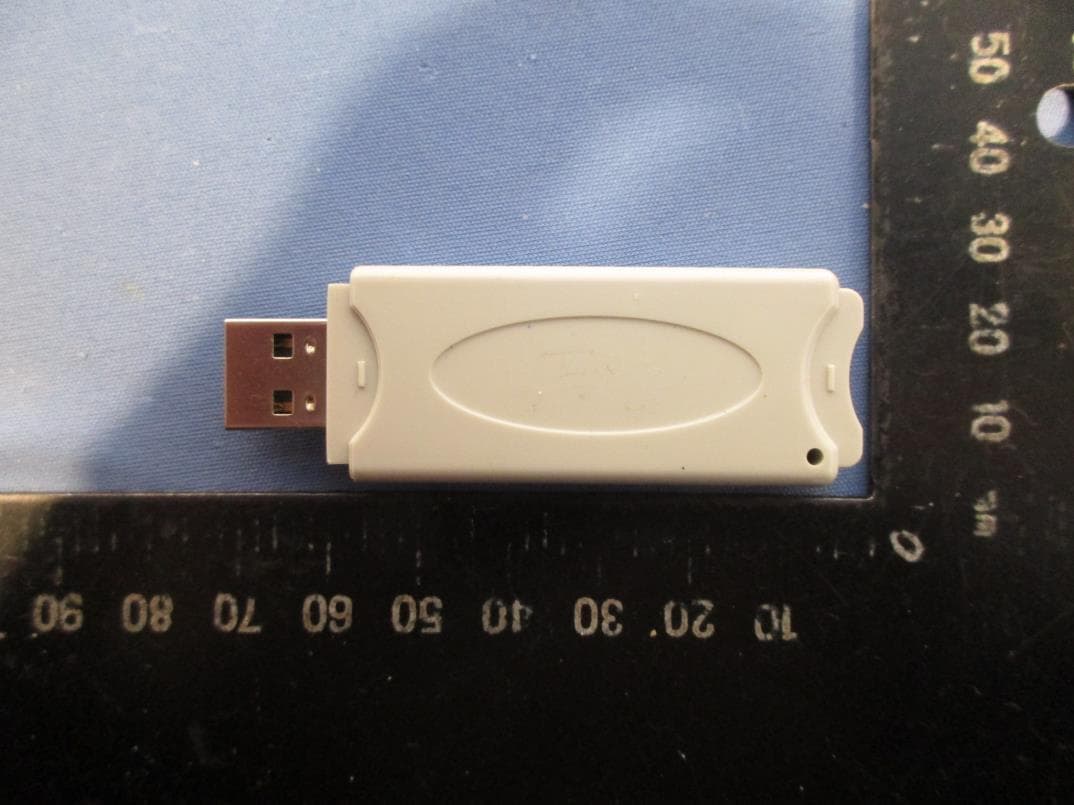
Apr 20, 2020Receiver USB for Torque Wrench
Equipment Class
DXX - Part 15 Low Power Communication Device Transmitter