2AVSDTPM-S002Airgo 2
SOLOS Technology Limited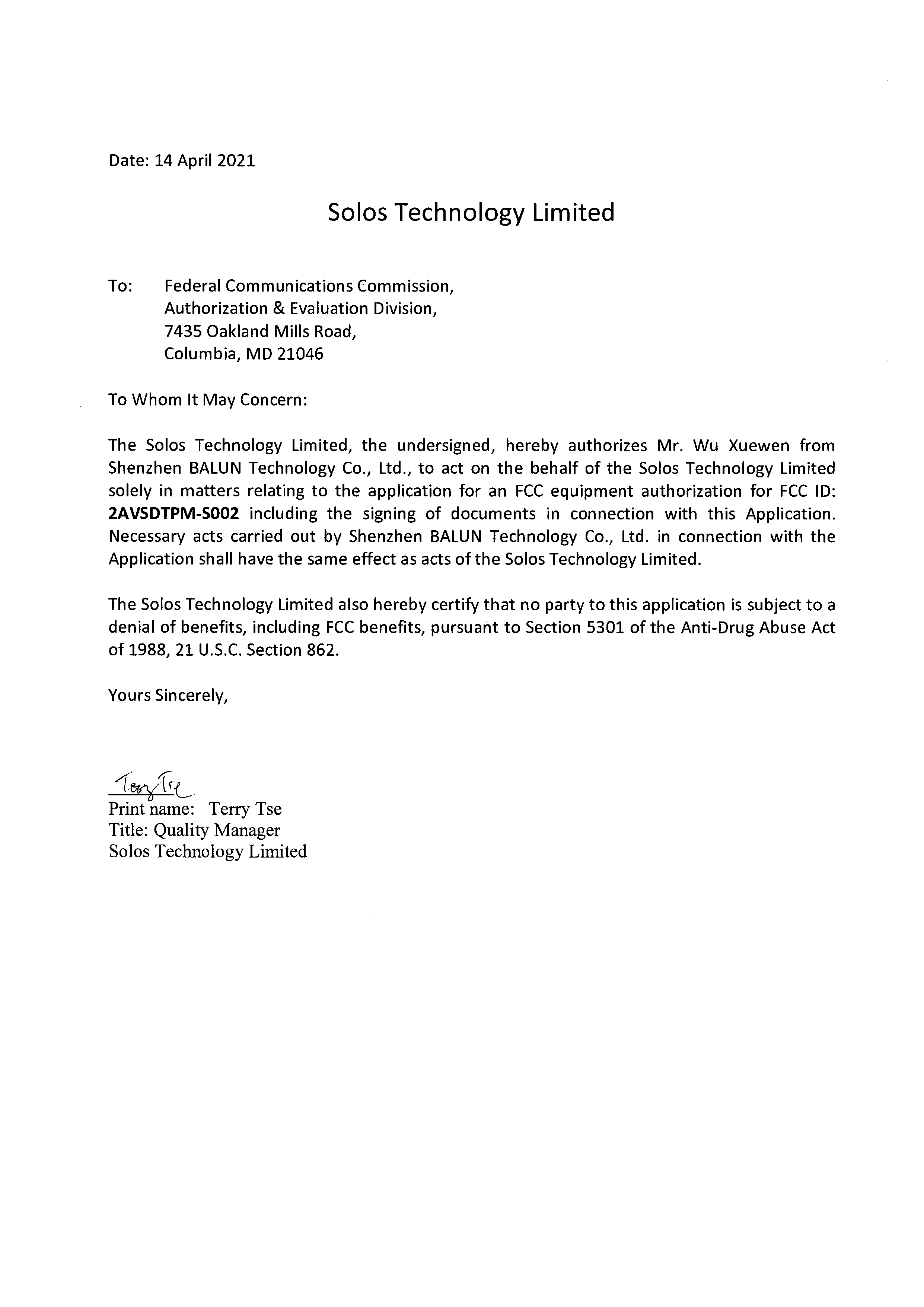
Click to zoom
Application Details
- Equipment Class
- DSS - Part 15 Spread Spectrum Transmitter
- Date of Grant
- Apr 25, 2021
- Application Purpose
- Original Equipment
- Date of Application
- Apr 25, 2021
- Equipment Note
- Airgo 2
- Frequency Range
- 2402.00000000 - 2480.00000000
- Company
- SOLOS Technology Limited
- Country
- China
Documents & Files
Document Text
Text extracted from the exhibit documents filed with the FCC. Open a document above to read the original.
Users Manual
Turn on Bluetooth connectivity of your phone and put AirGo right next to your Phone 打開手機的藍牙連接 並將AirGo放在手機旁邊。 打开手机的蓝牙连接 并将AirGo放在手机旁边。 AirGo’s LED will flash in blue color only after it is paired to your phone. It is ready for call and music now. AirGo的LED與手機配對後會閃爍藍色 。配對成功後可以通話和播音樂了。 AirGo的LED与手机配对后会闪烁蓝色 。配对成功后可以通话和播音乐了。 To power on AirGo, long press multi-function button for 2 seconds until Power Status voice prompt is heard, and it’s LED flashes in blue color . AirGo will reconnect to last paired phone automatically. 要打開AirGo電源 ,長按多功能按鍵2秒鐘,直到聽到電源狀態語音提示和LED以藍色 閃爍 。 AirGo將自動重新連接到最後一個配對的電話。 要打开AirGo电源 ,长按多功能按键2秒钟,直到听到电源状态语音提示和LED以蓝色 闪烁 。AirGo将自动重新连接到最后一个配对的电话。 FRONT FOLDING BACK FOLDING APUSM 0001 01 03 SOLOS AIRGO USER MANUAL Voice Assistant Double tap on the frame to enable voice assistant of your phone (iOS or Android). After your double tap, you will hear the Voice assistant beep tone. You can start the voice command. 雙擊框架以啟用手機的語音助手 (iOS或Android)。雙擊後,您將聽到語音助手的嗶嗶 聲。您可以啟動語音命令。 双击框架以启用手机的语音助手 (iOS或Android)。双击后,您将听到语音助手的哔哔 声。您可以启动语音命令。 Double tap on the frame again to end voice assistant. 再次雙擊框架結束語音助手 。 再次双击框架结束语音助手 。 x2 x2 語音助手/语音助手 Phone Call To accept a phone call , short press multi-function button or slide backwards on right temple. 要接聽電話 ,短按多功能按鍵或在右側眼鏡腿向後滑動。 要接听电话 ,短按多功能按键或在右侧眼镜腿向后滑动。 To reject a phone call , long press multi-function button for 1 second or slide forwards on right temple. 要拒絕電話 ,長按多功能按鍵1秒或在右側眼鏡腿向前滑動。 要拒绝电话 ,长按多功能按键1秒或在右侧眼镜腿向前滑动。 To end a phone call , short press multi-function button. 要結束電話 ,短按多功能按鍵。 要结束电话 ,短按多功能按键。 x1 x1 1s 接聽電話/接听电话 80 mm 80 mm CoverP. 1P. 2P. 3P. 4P. 5P. 6 Back CoverP. 7P. 8P. 9P.10P.11P.12 AirGo™ Bluetooth Pairing Long press multi-function button for 5 seconds to power on AirGo until its LED flashes in red/blue color and “Pairing” voice prompt is heard. 長按多功能按鍵5秒打開AirGo電源,LED以紅色/藍色閃爍 ,同時聽到配對語音提示。 长按多功能按键5秒打开AirGo电源,LED以红色/蓝色闪烁 ,同时听到配对语音提示。 Open Bluetooth settings on your phone and select “Solos AirGo xxxx”. (“xxxx” is the unique device number) 打開手機的藍牙設置,選擇 “Solos AirGo xxxx”。 (“xxxx” 是設備號碼) 打开手机的蓝牙设置,选择 “Solos AirGo xxxx”。 (“xxxx” 是设备号码) solos AirGo 5s 藍牙連接/蓝牙连接 Volume Control 音量控制 Touch Sensing – Up & Down 觸摸感應 - 提高&降低 触摸感应 - 提高&降低 Tap 點擊/点击 Single Tap – Music Play/Pause Double Tap – Voice Assistant 單擊 - 播放/暫停 雙擊 - 語音助手 单击 - 播放/暂停 双击 - 语音助手 Multi-Function Button 多功能按鍵/多功能按键 Long Press – Paring, Power On/O , Reject Call Single Press – On/O Call, Next Song Double Press – Previous Song 長按 - 配對, 電源開關, 拒絕電話 單擊 - 接聽電話, 播放下一首 雙擊 - 播放上一首 长按 - 配对, 电源开关, 拒绝电话 单击 - 接听电话, 播放下一首 双击 - 播放上一首 Temple Lock 眼鏡腿鎖定/眼镜腿锁定 Press to Release Temple 按住眼鏡腿解鎖 按住眼镜腿解锁 Operation Summary 操作指引/操作指引 Volume Control To increase volume level , slide backward on right temple during phone call or listen to music. 要提高音量 ,請在打電話或聽音樂時在右側眼鏡腿向後滑動 。 要提高音量 ,请在打电话或听音乐时在右侧眼镜腿向后滑动 。 To decrease volume level , slide forward on right temple during phone call or listen to music. 要降低音量 ,請在打電話或聽音樂時在右側眼鏡腿向前滑動 。 要降低音量 ,请在打电话或听音乐时在右侧眼镜腿向前滑动 。 Each slide backward or slide forward will adjust one step of the volume level. 每次向後或向前滑動都會調整音量大小。 每次向后或向前滑动都会调整音量大小。 音量調整/音量调整Mobile App AirGo mobile app uses AirGo smart glasses to provide AI Care , AI Coach and many other features. 使用AirGo的手機應用程式 ,AirGo智能眼鏡提供人工智能護理、人工智能教練和許多其他功能。 使用AirGo的手机应用程式 ,AirGo智能眼镜提供人工智能护理、人工智能教练和许多其他功能。 AI Care takes care of your health with providing wellbeing features such as posture monitoring, posture/stretching exercise, personal reminders (drink water), etc. 人工智能護理通過提供健康指導來保護您的健康,如姿勢監測、姿勢/伸展運動、個人提醒 (喝水)等。 人工智能护理通过提供健康指导来保护您的健康,如姿势监测、姿势/伸展运动、个人提醒 (喝水)等。 AI Coach calculates and coaches your jogging activities. 人工智能教練計算和指導您的慢跑活動。 人工智能教练计算和指导您的慢跑活动。 AirGo mobile app is available for both iOS and Android. AirGo 手機應用程式 可用於iOS和Android。 AirGo 手机应用程式 可用于iOS和Android。 手機應用程式/手机应用程式LED Lighting Mode 2s 1s FAST OFF 關閉 关闭 Blue color flashing in every 2 s 每2秒閃爍藍色 每2秒闪烁蓝色 Blue color flashing in every 1 s 每1秒閃爍藍色 每1秒闪烁蓝色 Red/Blue color flashing 紅色/藍色閃爍 红色/蓝色闪烁 Red/Blue color flashing fast 紅色/藍色快速閃爍 红色/蓝色快速闪烁 Red color 紅色 红色 Blue color 藍色 蓝色 Power o / AirGo is put on 電源關閉/ 佩戴AirGo 电源关闭/ 佩戴AirGo Waiting for Bluetooth connection to a phone 等待藍牙連接手機 等待蓝牙连接手机 Bluetooth connected to a phone 藍牙已連接手機 蓝牙已连接手机 Pairing 正在配對 正在配对 Receive incoming phone call 接收來電 接收来电 Charging 正在充電 正在充电 Fully Charged 已充滿 已充满 LED顯示模式/LED显示模式 FCC Statement: This device complies with part 15 of the FCC rules Operation is subject to the following two conditions: (1) this device may not cause harmful interference, and (2) this device must accept any interference received, including interference that may cause undesired operation. NOTE: The manufacturer is not responsible for any radio or TV interference caused by unauthorized modifications to this equipment. Such modifications could void the user’s authority to operate the equipment. NOTE: This equipment has been tested and found to comply with the limits for a Class B digital device, pursuant to part 15 of the FCC Rules. These limits are designed to provide reasonable protection against harmful interference in a residential installation. This equipment generates uses and can radiate radio frequency energy and, if not installed and used in accordance with the instructions, may cause harmful interference to radio communications. However, there is no guarantee that interference will not occur in a particular installation. If this equipment does cause harmful interference to radio or television reception, which can be determined by turning the equipment o and on, the user is encouraged to try to correct the interference by one or more of the following measures: - Reorient or relocate the receiving antenna. - Increase the separation between the equipment and receiver. -Connect the equipment into an outlet on a circuit di erent from that to which the receiver is connected. -Consult the dealer or an experienced radio/TV technician for help - This device and its antenna(s) must not be co-located or operating in conjunction with any oth…
Text truncated - open the document above for the full version.
External Photos
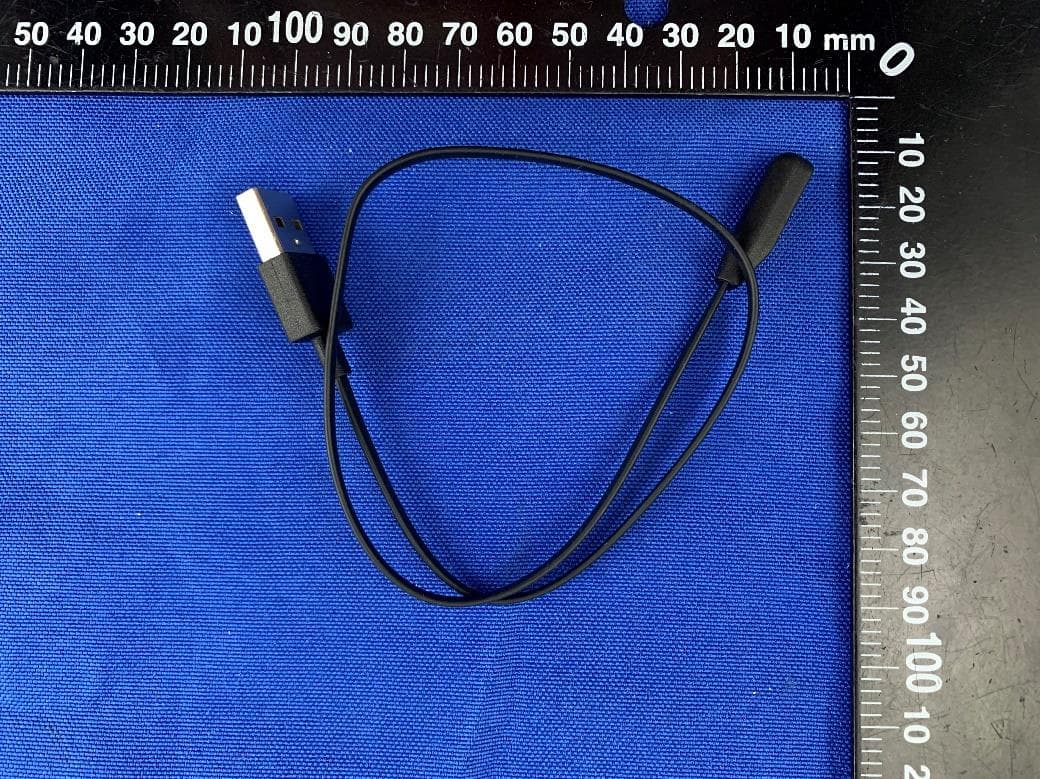
Annex No.: BL-SZ2130452-AW 1 / 8 EUT EXTERNAL PHOTOS FRONT VIEW OF EUT b REAR VIEW OF EUT Annex No.: BL-SZ2130452-AW 2 / 8 LEFT SIDE VIEW OF EUT RIGHT SIDE OF EUT X Annex No.: BL-SZ2130452-AW 3 / 8 TOP VIEW OF EUT c BOTTOM VIEW OF EUT Annex No.: BL-SZ2130452-AW 4 / 8 Annex No.: BL-SZ2130452-AW 5 / 8 Annex No.: BL-SZ2130452-AW 6 / 8 Annex No.: BL-SZ2130452-AW 7 / 8 Annex No.: BL-SZ2130452-AW 8 / 8 Accessory- USB Cable
ID Label/Location Info
膠件外邊及結構 右後腿蓋 Pantone Cool Gray 11 C 左後腿蓋 Pantone Cool Gray 11 C
Internal Photos
Annex No.: BL-SZ2130452-AI 1 / 4 EUT INTERNAL PHOTOS EUT UNCOVER VIEW EUT UNCOVER VIEW Annex No.: BL-SZ2130452-AI 2 / 4 EUT UNCOVER VIEW MAIN BOARD TOP VIEW Ceramic Antenna RF Chip Annex No.: BL-SZ2130452-AI 3 / 4 MAIN BOARD REAR VIEW Battery Photo (FRONT) Annex No.: BL-SZ2130452-AI 4 / 4 Battery Photo (REAR)
RF Exposure Info
RF Exposure Evaluation for FCC ID: 2AVSDTPM-S002 Refer user manual this device is a Airgo 2, and this device was designed used in portable devices that the minimum distance between human’s body is 5mm. Based on the 47CFR 2.1093, this device belongs to portable device. The definition of the category as following: Portable Derives: CFR Title 47 §2.1093(b) (b) For purposes of this section, a portable device is defined as a transmitting device designed to be used so that the radiating structure(s) of the device is/are within 20 centimeters of the body of the user. FCC KDB 447498 D01 General RF Exposure Guidance v06 Limit Unless specifically required by the published RF exposure KDB procedures, standalone 1-g head or body and 10-g extremity SAR evaluation for general population exposure conditions, by measurement or numerical simulation, is not required when the corresponding SAR Test Exclusion Threshold condition, listed below, is satisfied. These test exclusion conditions are based on source-based time-averaged maximum conducted output power of the RF channel requiring evaluation, adjusted for tune-up tolerance, and the minimum test separation distance required for the exposure conditions. The minimum test separation distance is determined by the smallest distance from the antenna and radiating structures or outer surface of the device, according to the host form factor, exposure conditions and platform requirements, to any part of the body or extremity of a user or bystander. The 1-g and 10-g SAR test exclusion thresholds for 100 MHz to 6 GHz at test separation distances ≤ 50 mm are determined by: [(max. power of channel, including tune-up tolerance, mW) / (min. test separation distance, mm)] · [√f(GHz) ] ≤ 3.0 for 1-g SAR and ≤ 7.5 for 10-g extremity SAR Where • f (GHz) is the RF channel transmit frequency in GHz • Power and distance are rounded to the nearest mW and mm before calculation • The result is rounded to one decimal place for comparison The test exclusions are applicable only when the minimum test separation distance is ≤ 50 mm and for transmission frequencies between 100 MHz and 6 GHz. When the minimum test separation distance is < 5 mm, a distance of 5 mm is applied to determine SAR test exclusion. Test data Bluetooth Mode BR+EDR BLE GFSK π/4-DQPSK 8-DPSK GFSK Low Middle High Low Middle High Low Middle High Low Middle High Average Power (dBm) 7.20 7.24 7.23 7.15 7.21 7.24 7.17 7.31 7.26 5.64 5.75 5.53 Note: This report listed the worst case peak power value, please refer to RF test report for more details. Turn-up power Mode Power Range (dBm) Bluetooth 5.50-7.50 RF Exposure Evaluation Result Mode Tune-up limit power (dBm) Distance (mm) Calculation Frequency (MHz) Calculation Results Threshold Value Verdict Bluetooth 7.50 5 2441 1.76 3.0 Compliance --END OF REPORT--
Test Report
Report No.: BL-SZ2130452-601 2 / 75 Revision History Version Issue Date Revisions Content Rev. 01 Apr. 13, 2021 Initial Issue TABLE OF CONTENTS 1 ADMINISTRATIVE DATA (GENERAL INFORMATION) ........................................................................ 5 1.1 Identification of the Testing Laboratory ..................................................................................... 5 1.2 Identification of the Responsible Testing Location .................................................................... 5 1.3 Laboratory Condition ................................................................................................................ 5 1.4 Announce ................................................................................................................................. 5 2 PRODUCT INFORMATION ................................................................................................................... 6 2.1 Applicant Information ................................................................................................................ 6 2.2 Manufacturer Information .......................................................................................................... 6 2.3 Factory Information ................................................................................................................... 6 2.4 General Description for Equipment under Test (EUT) ............................................................... 6 2.5 Technical Information ............................................................................................................... 7 2.6 Additional Instructions .............................................................................................................. 8 3 SUMMARY OF TEST RESULTS ........................................................................................................... 9 3.1 Test Standards ......................................................................................................................... 9 3.2 Verdict ...................................................................................................................................... 9 4 GENERAL TEST CONFIGURATIONS ................................................................................................ 10 4.1 Test Environments .................................................................................................................. 10 4.2 Test Equipment List ................................................................................................................ 10 4.3 Measurement Uncertainty ....................................................................................................... 11 4.4 Description of Test Setup ....................................................................................................... 12 4.4.1 For Antenna Port Test ............................................................................................................ 12 4.4.2 For AC Power Supply Port Test .............................................................................................. 12 4.4.3 For Radiated Test (Below 30 MHz) ......................................................................................... 13 4.4.4 For Radiated Test (30 MHz-1 GHz) ........................................................................................ 13 4.4.5 For Radiated Test (Above 1 GHz) .......................................................................................... 14 4.5 Measurement Results Explanation Example ........................................................................... 15 4.5.1 For conducted test items: ....................................................................................................... 15 5 TEST ITEMS ....................................................................................................................................... 16 Report No.: BL-SZ2130452-601 3 / 75 5.1 Antenna Requirements ........................................................................................................... 16 5.1.1 Relevant Standards ................................................................................................................ 16 5.1.2 Antenna Anti-Replacement Construction ................................................................................ 16 5.1.3 Antenna Gain ......................................................................................................................... 16 5.2 Frequency Hopping Systems .................................................................................................. 17 5.2.1 Relevant Standards ................................................................................................................ 17 5.2.2 Description of the systems ...................................................................................................... 17 5.3 Number of Hopping Frequencies ............................................................................................ 19 5.3.1 Limit........................................................................................................................................ 19 5.3.2 Test Setup .............................................................................................................................. 19 5.3.3 Test Procedure ....................................................................................................................... 19 5.3.4 Test Result ............................................................................................................................. 19 5.4 Peak Output Power ................................................................................................................ 20 5.4.1 Test Limit ................................................................................................................................ 20 5.4.2 Test Setup .................…
Text truncated - open the document above for the full version.
Test Setup Photos
Annex No.: BL-SZ2130452-AR 1 / 5 TEST SETUP PHOTOS 1 Radiated Test Photo Below 30MHz 30MHz-1GHz Annex No.: BL-SZ2130452-AR 2 / 5 Close-up Above 1GHz Annex No.: BL-SZ2130452-AR 3 / 5 Close-up 2 Conducted Test Photo Conducted Test-BT3.0 Annex No.: BL-SZ2130452-AR 4 / 5 Conducted Test-BLE 3 Conducted Emissions Test Photo 1 Annex No.: BL-SZ2130452-AR 5 / 5 Test Photo 2
Contact Information
Applicant
Jason HL Wong(Senior Project Manager)
Test Firm
Shenzhen BALUN Technology Co., Ltd.Hanson Lin
[email protected]86-755-66833830
Technical Specifications
| # | Rule Parts | Frequency Range | Power Output |
|---|---|---|---|
| 1 | 15C | 2.40 GHz - 2.48 GHz | 12.33 mW |
Other Applications from SOLOS Technology Limited
2AVSDTPM-S003
Dec 06, 2022AirGo 3
Equipment Class
DTS - Digital Transmission System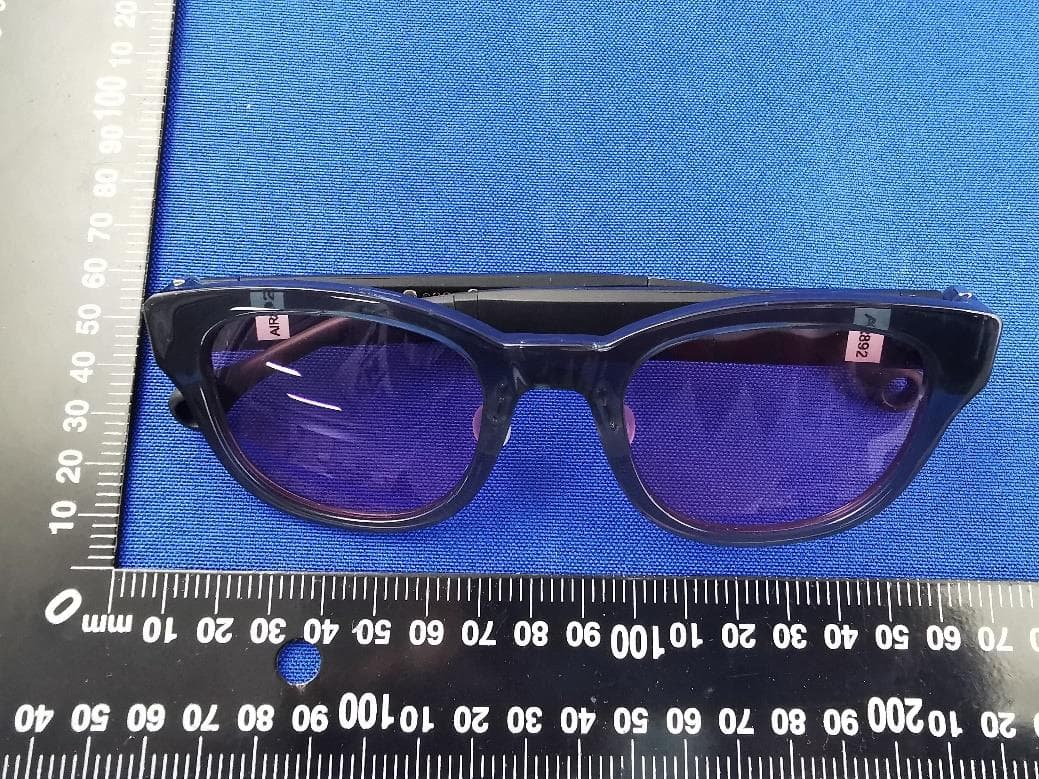
2AVSDTPM-S001
Apr 29, 2020Argon
Equipment Class
DSS - Part 15 Spread Spectrum Transmitter