2AVTH-L13WA1SHyundai Thinnote 13 Pro
Hyundai Technology Group, Inc.
Click to zoom
Application Details
- Equipment Class
- DSS - Part 15 Spread Spectrum Transmitter
- Date of Grant
- Jun 08, 2020
- Application Purpose
- Original Equipment
- Date of Application
- Jun 08, 2020
- Equipment Note
- Hyundai Thinnote 13 Pro
- Frequency Range
- 2402.00000000 - 2480.00000000
- Country
- United States
Documents & Files
Document Text
Text extracted from the exhibit documents filed with the FCC. Open a document above to read the original.
Users Manual
Contents I. Introduction II. Safety Precautions III. Buttons and Ports IV. Specification V. Laptop Interface VI. Setting up a Microsoft Account VII. Start Menu and the Windows Store VIII. Action Center and OneDrive IX. Task View, Start Screen and Restoring Windows X. Tips & Tricks 1.Introduction Thank you for purchasing theTAGITOP‐PLUSIIwhich comes with the newest Intel 10 th gen Core I7 Quad Core CPU technology, 8GB DDR4 RAM for quick multi‐‐tasking, 128GB SSD and 500GB HDD of internal storage, a clear and sharp 15.6 inch screen, and the latest Windows 10 software. This user manual will help you understand the features and functions of your new laptop. Please read this user manualcarefully before using this device. It is recommended to charge the device for a full charge before the first use. 2. Safety Precautions 1)This device is suitable for use in non‐‐tropic areas below 2,000 meters. 2) Do not drop the device or apply strongforce. 3) Avoid extended use in extreme cold, hot, humid ordusty environments. Avoid exposing the device to direct sunlight for extended periods oftime. 4) Avoid using the device near strong magnetic fields and in static environments. 5) Keep the device away from water and other liquids. In the event that water or other liquids get on or into the device, power off the device immediatelyand ensure the device remains off and unplugged until fully dry. 6) Do not clean the device with any chemicalor other liquid to avoid causing damage due to corrosion and moisture. Clean with a dry soft clothonly. 7) We are not responsible for loss of data due to malfunction, misuse, modification, or other accident. 8) Please back up your important data regularly to avoidloss. 9) Please do not attempt to disassemble or repair the product on your own, as it will void the warranty. 10) Do not attempt to change the battery on yourown. Using an incompatible battery may cause explosion. 11) To reduce the risk of fire or electric shock, do notexpose this device to rain or moisture. The device should not be exposed to dripping or splashing. Never place objects filled with liquids, such as vases, on the device. 12) Windows Software receives updates directly from Microsoft. The device will update automatically, or you may manually check to see if there are updates available from Microsoft. 13) Remember your passwords – Manufactures and resell outlets cannot assist in unlocking your device due to forgotten passwords. Setting up a Microsoftaccount vs. local account is best if requesting any assistance from Microsoft for any issue. 14) Handle your device with care – any misuse or abuse which causes malfunction of the unit, voids all warranty. This includes cracked display screens. 15)We reserve the right to change the contents of thismanu 3. Buttons and Ports 1.DC port: Used to connect the power supply and recharge the device. 2.USB port: Used to connect USB accessories such as a keyboard, mouse, USB drive or other portable storage. 3.HDMI port: HDMI out used to connect the device to a TV or other HDMI input. 4.Type C:Full function with Power delivery, Display, Data Transmit; 5.Headphone port:Audio‐‐out used to connect headphones orportable speaker using a 3.5mm connection. 6.Micro SD card slot: Used to insert a Micro SD (TF) card to expand the memory. Supports Micro SD cards up to 128GB 7.Camera: For taking photos orvideos. 8.Display Screen:15.6 inch 1920x1080 FHD IPS LCD 9.Power Button: To power on/off the device, long press the power button for about 2‐3 seconds. 10.Touch Pad:Translates the motion and position of a user's fingers to navigate and request functions on the device. 4. Laptop Interface 1. Windows (Start) Icon7. Battery 2. Search Bar 8. Wi‐‐Fi 3. View all open windows9. Volume 4. Browser10. Action Center 5. File Explorer11. Keyboard Settings 6. Windows Store12. Date and Time Setting 6. Setting up a Microsoft Account NOTE: We highly recommend using a Microsoft Account instead of a local account. If you use a local account and forget your password you will be locked out of the device. Setting up aMicrosoft accountallows you to sign in and use the various features provided on your tablet, including: OneDrive,Outlook.com, Xbox Live,Office 365,Skypeand more. Setting up a Microsoft accountmakes using your device easier. If you do not already have aMicrosoft account,you can create one for free. Some of the benefits include: • You only have to sign in once. If you use aMicrosoft Accountto sign into Windows, you do not need to sign in again to use Microsoft related apps and services such as Skype,Outlook.com, OneDriveand more. YouareconnectedandsyncedacrossallyourWindows‐‐baseddevicesyousigninunder. You will be prompted to sign into your existing Microsoft Accountwhen accessing Windows. You can click "Sign up" to create one if needed. • To create aMicrosoft Account,selectSign Upon the log inpage. • You can also go toMicrosoft.com/account NOTE:You can use your existing email address to sign up, even if it is not a Microsoft provided address. If you do not have an existing email address, you can click "get a newemail address" to sign up for one. If you just choose a Local Account, you will not get the benefits of only having to sign in once and having your settings synced across devices. Create a Microsoft Account to use these features. Switching from a Local Account to a Microsoft Account If you do sign in with a local account, you can choose to switch to a Microsoft account at any time. • Click on theWindows (Start)Icon • Click onSettings • Click onAccounts • ClickSign in with a Microsoft Accountinstead 7. Start Menu TheStart Menuis accessed by clicking theWindows iconin the lower left corner of the screen. TheStart Menuprovides access to theAppsyou have installed, systemSettings, and otherimportant features. You can use All Appsto view all installed apps in a list. You can pin frequently used apps to theStart menu by holding your finger on the app icon for a few seconds and then choosing …
Text truncated - open the document above for the full version.
Cover Letter(s)
Hyundai Technology Group, Inc. Office of Engineering Technology Federal Communications Commission 7435 Oakland Mills Road Columbia, MD 21046 USA Date: 2020/06/05 Subject; Request for Confidentiality FCC ID: 2AVTH-L13WA1S To Whom It May Concern, Pursuant to the provisions of the Commission’s rules Title 47 Sections §0.457 and §0.459, we are requesting the Commission to withhold the following attachment(s) as confidential documents from public disclosure indefinitely. These documents contain detailed system and equipment descriptions and are considered as proprietary information in operation of the equipment. The public disclosure of these documents might be harmful to our company and would give competitors an unfair advantage in the market. Schematic Diagram Block Diagram Operational Description FCC SW SECURITY DESCRIPTION In additional to above mentioned documents, in order to comply with the marketing regulations in Title 47 CFR §2.803 and the importation rules in Title 47 CFR §2.1204, while ensuring that business sensitive information remains confidential until the actual marketing of newly authorized devices, we request Short Term Confidentiality of the following attachment(s); External Photos Test Setup Photos Internal Photos User Manual For 45 days, pursuant to Public Notice DA 04-1705. OR For 180 days pursuant to KDB 726920 D01. It is our understanding that all measurement test reports, FCC ID label format and correspondence during the certification review process cannot be granted as confidential documents and this information will be available for public review once the grant of equipment authorization is issued. Sincerely, Signature: Name:Moe Kalbouneh Title: Product Manager
Cover Letter(s)
Hyundai Technology Group, Inc. Letter of Authorization Company: Hyundai Technology Group, Inc. Address: 2601 Walnut Ave. Tustin, CA, USA Product Name: Hyundai Thinnote 13 Pro Model Number(s): L13WA1S Product Description: Hyundai Thinnote 13 Pro We authorize MiCOM Labs Inc., 575 Boulder Court, Pleasanton, California 94566, USA, to act on our behalf on all matters concerning the certification of above named equipment. We declare that MiCOM Labs Inc. is allowed to forward all information related to the approval and certification of equipment to the regulatory agencies as required and to discuss any issues concerning the approval application. Any and all acts carried out by MiCOM Labs on our behalf shall have the same effect as acts of our own. Signature: Date: 05/06/2020 Name:Moe Kalbouneh Title:Product Manager Company: Hyundai Technology Group, Inc.
External Photos
FCC ID: 2AVTH-L13WA1S
ID Label/Location Info
Label Location:
ID Label/Location Info
Product Name: Hyundai Thinnote 13 Pro Model No.: L13WA1S FCC ID: 2AVTH-L13WA1S This device complies with Part 15 of the FCC Rules. Operation is subject to the following two conditions: (1) This device may not cause harmful interference, and (2) This device must accept any interference received, including interference that may cause undesired operation.
Internal Photos
FCC ID: 2AVTH-L13WA1S WiFiANTBT&WiFiANT
Test Report
Report No.: 18220WC00050602FCC ID: 2AVTH-L13WA1SPage 1 of 52 Code:AB-RF-05-a FCC TEST REPORT Client Name: Hyundai Technology Group, Inc. Address: 2601 Walnut Ave. Tustin, CA, USA Product Name: Hyundai Thinnote 13 Pro Date: Jun. 04, 2020 Shenzhen Anbotek Compliance Laboratory Limited Report No.: 18220WC00050602FCC ID: 2AVTH-L13WA1SPage 2 of 52 Code:AB-RF-05-a Contents 1. General Information ............................................................................................................................................... 5 1.1. Client Information ....................................................................................................................................... 5 1.2. Description of Device (EUT) ..................................................................................................................... 5 1.3. Auxiliary Equipment Used During Test ................................................................................................... 6 1.4. Description of Test Modes ........................................................................................................................ 7 1.5. List of channels ........................................................................................................................................... 8 1.6. Description Of Test Setup ......................................................................................................................... 9 1.7. Test Equipment List .................................................................................................................................. 10 1.8. Measurement Uncertainty ....................................................................................................................... 11 1.9. Description of Test Facility ...................................................................................................................... 11 2. Summary of Test Results ................................................................................................................................... 12 3. Conducted Emission Test ................................................................................................................................... 13 3.1. Test Standard and Limit .......................................................................................................................... 13 3.2. Test Setup .................................................................................................................................................. 13 3.3. Test Procedure .......................................................................................................................................... 13 3.4. Test Data .................................................................................................................................................... 13 4. Radiation Spurious Emission and Band Edge ................................................................................................ 18 4.1. Test Standard and Limit .......................................................................................................................... 18 4.2. Test Setup .................................................................................................................................................. 18 4.3. Test Procedure .......................................................................................................................................... 19 4.4. Test Data .................................................................................................................................................... 20 5. Maximum Peak Output Power Test .................................................................................................................. 28 5.1. Test Standard and Limit .......................................................................................................................... 28 5.2. Test Setup .................................................................................................................................................. 28 5.3. Test Procedure .......................................................................................................................................... 28 5.4. Test Data .................................................................................................................................................... 28 6. 20DB Occupy Bandwidth Test ........................................................................................................................... 32 6.1. Test Standard ............................................................................................................................................ 32 6.2. Test Setup .................................................................................................................................................. 32 6.3. Test Procedure .......................................................................................................................................... 32 6.4. Test Data .................................................................................................................................................... 32 7. Carrier Frequency Separation Test ................................................................................................................... 36 7.1. Test Standard and Limit .......................................................................................................................... 36 7.2. Test Setup .................................................................................................................................................. 36 7.3. Test Procedure .......................................................................................................................................... 36 7.4. Test Data ......................…
Text truncated - open the document above for the full version.
Test Setup Photos
PHOTOSOFTESTSETUP FCC ID: 2AVTH-L13WA1S Photo of Conducted Emission Measurement Photo of Radiation Emission Test
Contact Information
Applicant
Sophia Wong(procurement manager)
Technical Contact
Test Firm
Shenzhen Anbotek Compliance Laboratory LimitedJeff Zhu
Technical Specifications
| # | Rule Parts | Frequency Range | Power Output |
|---|---|---|---|
| 1 | 15C | 2.40 GHz - 2.48 GHz | 2.00 mW |
Other Applications from Hyundai Technology Group, Inc.
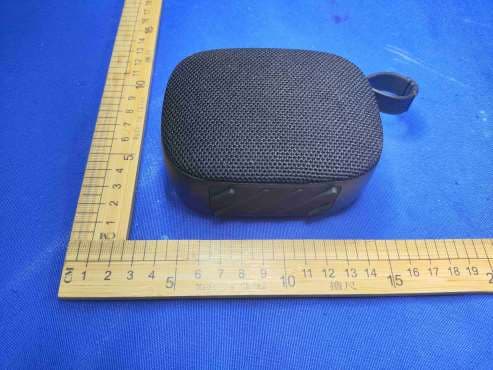
2AVTH-SP
Jul 10, 2026Bluetooth Speaker
Equipment Class
DXX - Part 15 Low Power Communication Device Transmitter
2AVTH-14CC4-2
Mar 30, 2026HY Book
Equipment Class
DTS - Digital Transmission System
2AVTH-10WB4
Mar 13, 2026Tablet
Equipment Class
NII - Unlicensed National Information Infrastructure TX2AVTH-N4020MPC
Mar 06, 2026Mini PC
Equipment Class
DSS - Part 15 Spread Spectrum Transmitter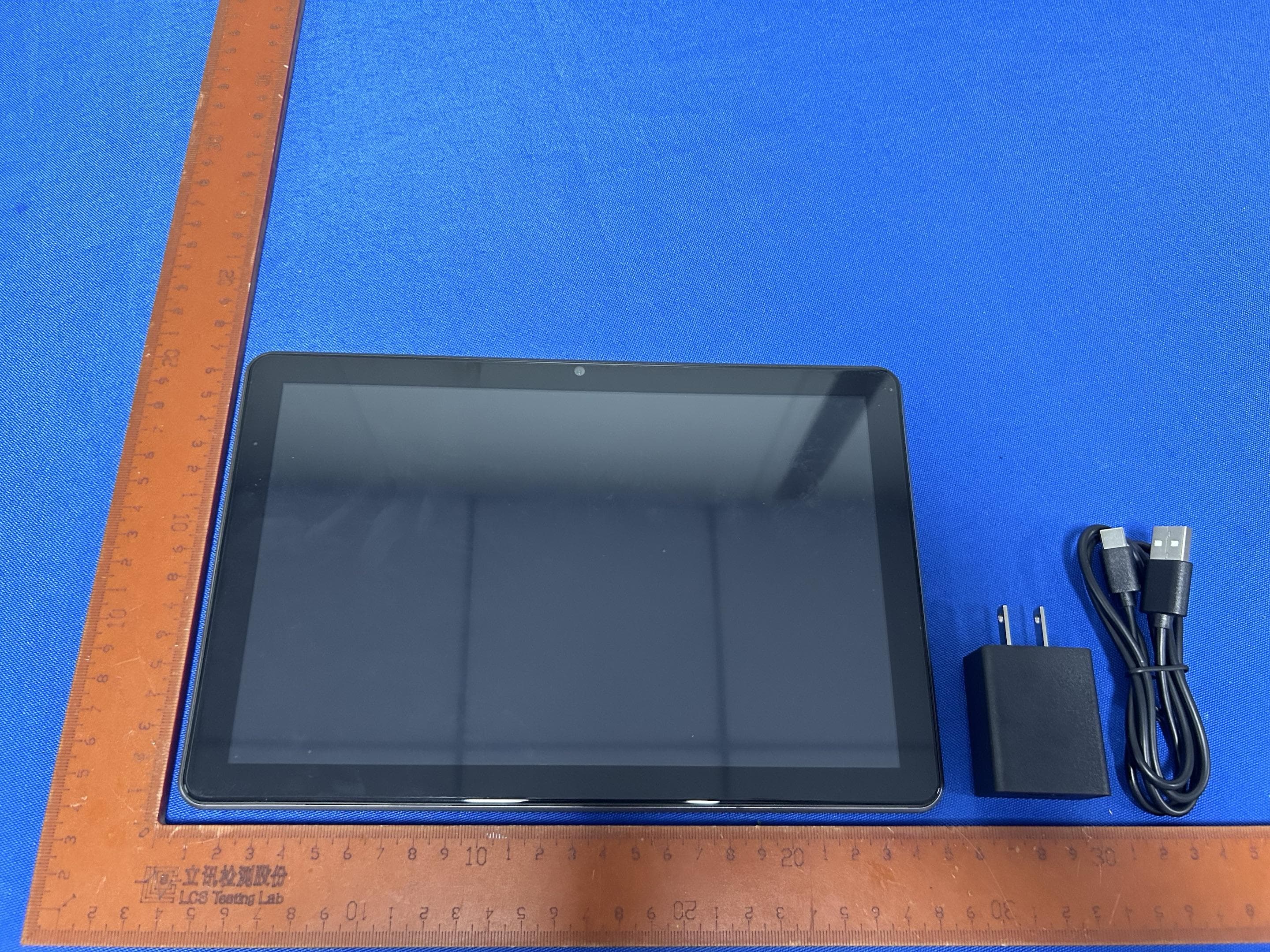
2AVTH-10WB3
Jul 29, 2024Tablet
Equipment Class
NII - Unlicensed National Information Infrastructure TX