2AVZX-M9Translatior
Shenzhen Linlu Technology Co., Ltd.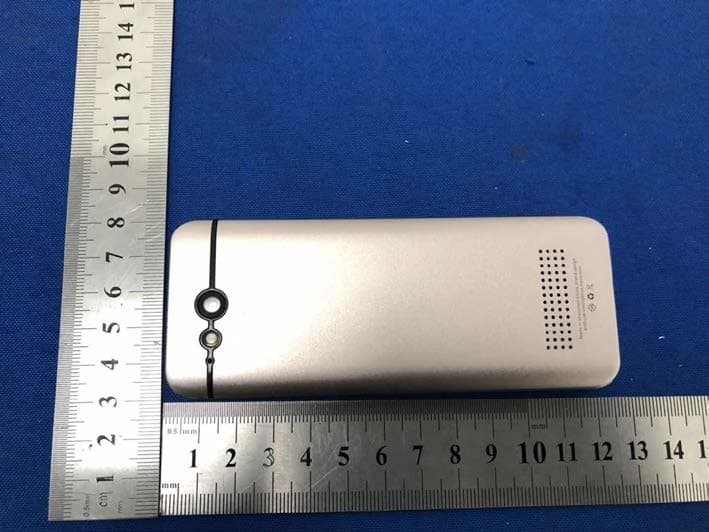
Click to zoom
Application Details
- Equipment Class
- DTS - Digital Transmission System
- Date of Grant
- Apr 14, 2020
- Application Purpose
- Original Equipment
- Date of Application
- Apr 14, 2020
- Equipment Note
- Translatior
- Frequency Range
- 2412.00000000 - 2462.00000000
- Country
- China
Documents & Files
Document Text
Text extracted from the exhibit documents filed with the FCC. Open a document above to read the original.
Users Manual
Translator User Manual Product main engine*1 USB cabie*1 specification*1 warranty card*1 Certificate of approval*1 specification Certificate of approval warranty card (Note: please check whether the above accessories are complete after unpacking. If not, please contact the dealer) A/B:Corresponding to the left & right translation language of the display interface return:Only one level up operation can return Vol+/-:Adjust volume Power:Short press lock screen / wake up screen, long press shutdown / power on USB:Connect USB cable or charge Key specification Double click any key to swipe the screen to unlock Power Vol +/- A return B USB Quick Start Guide Preparation Please check if the accessories in the package are well provided SSSbefore using this device: Smart Translation Machine*1, Data Cable*1, User Manual *1, Certificate*1, Warranty Card*1. This device supports wireless network networking mode. Please select the networking mode according to the current actual use environment. Wireless network After the boot up of the device, the wireless network can be configured through the following steps: ○ Launch “settings” and enter “WIFI” submenu. ○ Toggle on the switch. ○ Select the desirable wireless name (SSID) and input the correct password if there is. ○ Click “Confirm” to connect. Charging When the device is in low-power state, the battery icon on the Status Bar will turn into an obvious low-power state as well. During the low-power state, some functions of the device may not work properly. When the battery state is below the 3.4V, the device will automatically shut down to protect the data. To boot up require sufficient charging. ○ Charging with device power off, there will be a charging icon with current battery state in the center of the screen about 10 seconds after cable plugged in. ○ Charging with device power on, the battery icon on the right top will turn into a charging state. ○ When charging complete, a solid battery icon will be presented. Power On / Off Power On: Long press the Power Button till the screen is on. The initialization of the device may spend some time, please wait a while. Power off: Long press the Power Button till a dialog prompted, select “Power Off” to turn off the device. Wake up / Sleep Manually: ○ Sleep the device by short pressing on the Power Button. ○ Wake up the device by short pressing on the Power Button. Automatically: ○ The device will go into sleep mode automatically when there were no operations for a period of time.(Settings>Display, in this menu, you can change the time it takes you device to go to sleep ) ○ Wake up the device by short pressing on the Power Button. Home screen The main screen of the device is the main function entrance of the device, with 12 operation options: translation, recording, mutual translation, photo translation, setting, etc. . Perform click on these icons will lead to the corresponding function page. Status bar The top of the device screen displays some status information about the device, such as WiFi network status, power, Bluetooth and other status information。 Introduction of Core Functions Translation Language selection: The translation function has two states: online translation and offline translation. It will switch automatically according to the current state of the translator. At present, online translation supports real-time translation between major languages (which will change with the version update); Offline translation currently supports offline translation in 12 languages (which will change with version update). When the translator is offline, the translation will automatically switch to offline translation. ○ Tap the language button at the top of the Translate page to see the list of available languages. ○ Swipe up and down to find the language you need . Tap the name of the language to activate it. Voice recognition: ○ Long press the A/B Button on the device to trigger the Speech-Recognition mode.(A Button for the language on the left side, B Button for the language on the right side) ○ After releasing the A/B Button, the speech will be automatically recognized and translated to the specified target language. The pronunciation starts automatically if voice broadcast is enabled in the application settings. ○ The list presents previous voice translation results. Swipe up and down to review when the records are too many. Favorites ○ Long press on the specific item in the list of translated result will prompt with a dialog. ○ Tap the "Favorites" option, with a notice, the specified translation result is marked as favorites. ○ Swipe to the right will enter the Favorites page, in which you can review all the favorites. ○ Short click on any record, the pronunciation starts automatically. To clear the record, tap and hold it. Recording Choosing the source and target languages: ○ Click the three-dot icon at the top right of the recording page to see the list of available languages. ○ Swipe up and down to find the language you need . Tap the name of the language to activate it. Recording recognition: ○ In the Recording Page, to start recording, click the 'microphone' icon at the bottom right. ○ Automatically identify the source language in the process of recording and display it on the page. ○ Click the ‘Language Switch’ icon at the bottom left to view the original / translated text. ○ The recording function supports maximum of 1-hour recording. Saving the recording results: ○ Click the red 'stop' icon at the bottom right to prompt the confirmation. ○ Tap "OK" to stop and automatically save the recording file. ○ Click the three-dot icon at the top right to view the list of saved recording file 。 ○ Recording text saving location: plug in the computer - click the recording translation folder Conversation Brief introduction: The translation function of the translator provides multi person online voice communication, supports the recognition and broadcast of various mainstream countries (regions) in the world (m…
Text truncated - open the document above for the full version.
Cover Letter(s)
Shenzhen Linlu Technology Co., Ltd. Agent Authorization Company: Shenzhen Linlu Technology Co., Ltd. Address: Unit 1, 3000054 Shixin Road, Niuhu Community, Guanlan Street, Longhua District, Shenzhen City, China Product Name: Translatior Model Number(s): M9 N9, P9, R9, S9, T9, V9, W9, X9, Z9, DoDoDuck 1 ,V20X Product Description: Translatior We authorize MiCOM Labs Inc., 575 Boulder Court, Pleasanton, California 94566, USA, to act on our behalf on all matters concerning the certification of above named equipment. We declare that MiCOM Labs Inc. is allowed to forward all information related to the approval and certification of e quipment to t he regulatory agencies as required and to discuss any issues concerning the approval application. Any and all acts carried out by MiCOM Labs on our behalf shall have the same effect as acts of o ur own. Signature: Date: 2020/4/9 Name: Jun Song Title: Manager Company: Shenzhen Linlu Technology Co., Ltd.
Cover Letter(s)
Shenzhen Linlu Technology Co., Ltd. Model Difference 2020-04-9 EUT NAME: Translatior FCC ID: 2AVZX-M9 MODEL : M9 N9, P9, R9, S9, T9, V9, W9, X9, Z9, DoDoDuck 1,V20X All the model are t he same circuit and RF module, except model names. Regards Sincerely C lient’s signature Client’s name / title : Jun Song (Marketing Manager) Contact information / address: Unit 1, 3000054 Shixin Road, Niuhu Community, Guanlan Street, Longhua District, Shenzhen City, China
External Photos
External Photos Antenna
ID Label/Location Info
Size:40*20mm Label location Product Name: Translatior M/N: M9,N9, P9, R9, S9, T9, V9, W9, X9, Z9, DoDoDuck 1,V20X FCC ID: 2AVZX-M9 This device complies with part 15 of the FCC Rules. Operation is subject to the following two conditions: (1) This device may not cause harmful interference, and (2) This device must accept any interference received, including interference that may cause undesired operation.
Internal Photos
Internal Photos
RF Exposure Info
RF EXPOSURE EVALUATION METHOD FCC ID: 2 AV Z X-M9 SAR Test Exclusion Thresholds for 100 MHz – 6 GHz and ≤ 50 mm Approximate SAR Test Exclusion Power Thresholds at Selected Frequencies and Test Separation Distances are illustrated in the following Table. The 1-g and 10-g SAR test exclusion thresholds for 100 MHz to 6 GHz at test separation distances ≤ 50 mm are determined by: [(max. power of channel, including tune-up tolerance, mW)/(min. test separation distance, mm)] · [√f(GHz)] ≤ 3.0 for 1-g SAR and ≤ 7.5 for 10-g extremity SAR,where f(GHz) is the RF channel transmit frequency in GHz Power and distance are rounded to the nearest mW and mm before calculation The result is rounded to one decimal place for comparison The test exclusions are applicable only when the minimum test separation distance is ≤ 50 mm and for transmission frequencies between 100 MHz and 6 GHz. When the minimum test separation distance is < 5 mm, a distance of 5 mm is applied to determine SAR test exclusion. WIFI max possible output power (PK,conducted):8.5±1dbm -0.11dBi logarithmic terms convert to numeric result is nearly 0.975 9.5dbm=8.91mW 2412MHz [(max. power of channel, including tune-up tolerance, mW)/(min. test separation distance,mm)] · [√f(GHz)]=8.91/5*√2.412 =2.77≤3.0 Modulation Frequency (MHz) Output Power (dBm) Max Antenna Gain (dBi) 802.11b 2412 8.95 -0.11 802.11b 2437 8.25 -0.11 802.11b 2462 8.61 -0.11 802.11g 2412 8.86 -0.11 802.11g 2437 8.33 -0.11 802.11g 2462 8.80 -0.11 802.11n20 2412 8.43 -0.11 802.11n20 2437 8.79 -0.11 802.11n20 2462 8.67 -0.11 802.11n40 2422 7.89 -0.11 802.11n40 2437 8.17 -0.11 802.11n40 2452 7.41 -0.11 Threshold at which no SAR required is 10mw and ≤ 3.0 for 1-g SAR, Separation distance is 5mm. 2437MHz [(max. power of channel, including tune-up tolerance, mW)/(min. test separation distance,mm)] · [√f(GHz)]= 8.91/5*√2.437=2.78≤3.0 Threshold at which no SAR required is 10mw and ≤ 3.0 for 1-g SAR, Separation distance is 5mm. 2462 MHz [(max. power of channel, including tune-up tolerance, mW)/(min. test separation distance,mm)] · [√f(GHz)]=8.91/5*√2.462=2.80≤3.0 Threshold at which no SAR required is 10mw and ≤ 3.0 for 1-g SAR, Separation distance is 5mm. Conclusion: No SAR is required.
Test Report
Shenzhen BCTC Testing Co., Ltd. Report No.: BCTC2003000419E FCC Part 15C Test Report FCC ID: 2AVZX-M9 Product Name: Translatior Trademark: N/A Model Name : M9 N9, P9, R9, S9, T9, V9, W9, X9, Z9, DoDoDuck 1,V20X Prepared For : Shenzhen Linlu Technology Co., Ltd. Address : Unit 1, 3000054 Shixin Road, Niuhu Community, Guanlan Street, Longhua District, Shenzhen City, China Prepared By : Shenzhen BCTC Testing Co., Ltd. Address : BCTC Building & 1-2F, East of B Building, Pengzhou Industrial, Fuyuan 1st Road, Qiaotou Community, Fuyong Street, Bao’an District, Shenzhen, China Test Date: Mar. 09, 2020 – Mar. 20, 2020 Date of Report : Mar. 20, 2020 Report No.: BCTC2003000419E Te s t Report Tel: 400-788-9558 Web: https://www.bctc-lab.com BCTC/RF-EMC-0 07 Ver.:A.0 Page 1 of 63 Shenzhen BCTC Testing Co., Ltd. Report No.: BCTC2003000419E TEST RESULT CERTIFICATION Applicant’s name ................. : Shenzhen Linlu Technology Co., Ltd. Address ................................. : Unit 1, 3000054 Shixin Road, Niuhu Community, Guanlan Street, Longhua District, Shenzhen City, China Manufacture's Name ............ : Shenzhen Linlu Technology Co., Ltd. Address ................................. : Unit 1, 3000054 Shixin Road, Niuhu Community, Guanlan Street, Longhua District, Shenzhen City, China Product description Product name............................ : Translatior Trademark ................................. : N/A Model and/or type reference : M9 N9, P9, R9, S9, T9, V9, W9, X9, Z9, DoDoDuck 1,V20X Standards ............................. : FCC Part15.247 ANSI C63.10:2013 KDB 558074 D01 15.247 Meas Guidance v05r02 This device described above has been tested by BCTC, and the test results show that the equipment under test (EUT) is in compliance with the FCC requirements. And it is applicable only to the tested sample identified in the report. This report shall not be reproduced except in full, without the written approval of BCTC, this document may be altered or revised by BCTC, personal only, and shall be noted in the revision of the document. Prepared by(Engineer): Sam zeng Reviewer(Supervisor): Eric Yang Approved(Manager): Zero Zhou Te s t Report Tel: 400-788-9558 Web: https://www.bctc-lab.com BCTC/RF-EMC-0 07 Ver.:A.0 Page 2 of 63 Shenzhen BCTC Testing Co., Ltd. Report No.: BCTC2003000419E Table of Contents Page 1 . SUMMARY OF TEST RESULTS 5 1.1 TEST FACILITY 6 1.2 MEASUREMENT UNCERTAINTY 6 2 . GENERAL INFORMATION 7 2.1 GENERAL DESCRIPTION OF EUT 7 2.2 DESCRIPTION OF TEST MODES 8 2.3 BLOCK DIGRAM SHOWING THE CONFIGURATION OF SYSTEM TESTED 9 2.4 DESCRIPTION OF SUPPORT UNITS(CONDUCTED MODE) 9 2.5 EQUIPMENTS LIST FOR ALL TEST ITEMS 10 3 . EMC EMISSION TEST 12 3.1 CONDUCTED EMISSION MEASUREMENT 12 3.1.1 POWER LINE CONDUCTED EMISSION LIMITS 12 3.1.2 TEST PROCEDURE 12 3.1.3 DEVIATION FROM TEST STANDARD 12 3.1.4 TEST SETUP 13 3.1.5 EUT OPERATING CONDITIONS 13 3.1.6 TEST RESULTS 14 3.2 RADIATED EMISSION MEASUREMENT 16 3.2.1 RADIATED EMISSION LIMITS 16 3.2.2 TEST PROCEDURE 17 3.2.3 DEVIATION FROM TEST STANDARD 17 3.2.4 TEST SETUP 17 3.2.5 EUT OPERATING CONDITIONS 18 3.2.6 TEST RESULTS (BETWEEN 9KHZ – 30 MHZ) 19 3.2.7 TEST RESULTS (BETWEEN 30MHZ – 1GHZ) 20 3.2.8 TEST RESULTS (1GHZ~25GHZ) 22 3.3 RADIATED BAND EMISSION MEASUREMENT 26 3.3.1 TEST REQUIREMENT: 26 3.3.2 TEST PROCEDURE 26 3.3.3 DEVIATION FROM TEST STANDARD 27 3.3.4 TEST SETUP 27 3.3.5 EUT OPERATING CONDITIONS 27 4 . POWER SPECTRAL DENSITY TEST 29 4.1 APPLIED PROCEDURES / LIMIT 29 4.1.1 TEST PROCEDURE 29 Te s t Report Tel: 400-788-9558 Web: https://www.bctc-lab.com BCTC/RF-EMC-0 07 Ver.:A.0 Page 3 of 63 Shenzhen BCTC Testing Co., Ltd. Report No.: BCTC2003000419E Table of Contents Page 4.1.2 DEVIATION FROM STANDARD 29 4.1.3 TEST SETUP 29 4.1.4 EUT OPERATION CONDITIONS 29 4.1.5 TEST RESULTS 30 5 . BANDWIDTH TEST 38 5.1 APPLIED PROCEDURES / LIMIT 38 5.1.1 TEST PROCEDURE 38 5.1.2 DEVIATION FROM STANDARD 38 5.1.3 TEST SETUP 38 5.1.4 EUT OPERATION CONDITIONS 38 5.1.5 TEST RESULTS 39 6 . PEAK OUTPUT POWER TEST 47 6.1 APPLIED PROCEDURES/LIMIT 47 6.1.1 TEST PROCEDURE 47 6.1.2 DEVIATION FROM STANDARD 47 6.1.3 TEST SETUP 47 6.1.4 EUT OPERATION CONDITIONS 47 6.1.5 TEST RESULTS 48 7 . 100 KHZ BANDWIDTH OF FREQUENCY BAND EDGE 49 7.1 APPLICABLE STANDARD 49 7.2 TEST PROCEDURE 49 7.3 DEVIATION FROM STANDARD 49 7.4 TEST SETUP 49 7.5 EUT OPERATION CONDITIONS 49 7.6 TEST RESULTS 49 8 . DUTY CYCLE OF TEST SIGNAL 58 8.1 STANDARD REQUIREMENT 58 8.2 FORMULA: 58 9 . ANTENNA REQUIREMENT 60 9.1 STANDARD REQUIREMENT 60 9.2 EUT ANTENNA 60 10 . EUT TEST PHOTO 61 11 . EUT PHOTO 63 Te s t Report Tel: 400-788-9558 Web: https://www.bctc-lab.com BCTC/RF-EMC-0 07 Ver.:A.0 Page 4 of 63 Shenzhen BCTC Testing Co., Ltd. Report No.: BCTC2003000419E 1. SUMMARY OF TEST RESULTS Test procedures according to the technical standards: FCC Part15 (15.247) , Subpart C Standard Section Test Item Judgment Remark 15.207 Conducted Emission PASS 15.247 (a)(2) 6dB Bandwidth PASS 15.247 (b) Peak Output Power PASS 15.247 (d) Radiated Spurious Emission PASS 15.247 (e) Power Spectral Density PASS 15.205 Restricted Band of Operation PASS 15.247 (d) Band Edge (Out of Band Emissions) PASS 15.203 Antenna Requirement PASS NOTE: (1)” N/A” denotes test is not applicable in this Test Report Te s t Report Tel: 400-788-9558 Web: https://www.bctc-lab.com BCTC/RF-EMC-0 07 Ver.:A.0 Page 5 of 63 Shenzhen BCTC Testing Co., Ltd. Report No.: BCTC2003000419E 1.1 TEST FACILITY Shenzhen BCTC Testing Co., Ltd. Add. : BCTC Building & 1-2F, East of B Building, Pengzhou Industrial, Fuyuan 1st Road, Qiaotou Community, Fuyong Street, Bao’an District, Shenzhen, China FCC Te s t Firm Registration Number: 712850 IC Registered No.: 23583 1.2 MEASUREMENT UNCERTAINTY The reported uncertainty of measurement y ± U,where expended uncertainty U is based on a standard uncertainty multiplied by a coverage factor of k=2,providing a level of confidence of approximately 95 %。 No. Item Uncertainty 1 3m camber Radiated spurious emission(30MHz-1GHz) U=4.3d…
Text truncated - open the document above for the full version.
Test Setup Photos
Conducted Measurement Photos Radiated Measurement Photos
Contact Information
Applicant
Jun Song
Technical Contact
Test Firm
Shenzhen BCTC Testing Co., Ltd.Alan Mei
[email protected]+8675536882589
Technical Specifications
| # | Rule Parts | Frequency Range | Power Output |
|---|---|---|---|
| 1 | 15C | 2.41 GHz - 2.46 GHz | 7.85 mW |
Other Applications from Shenzhen Linlu Technology Co., Ltd.
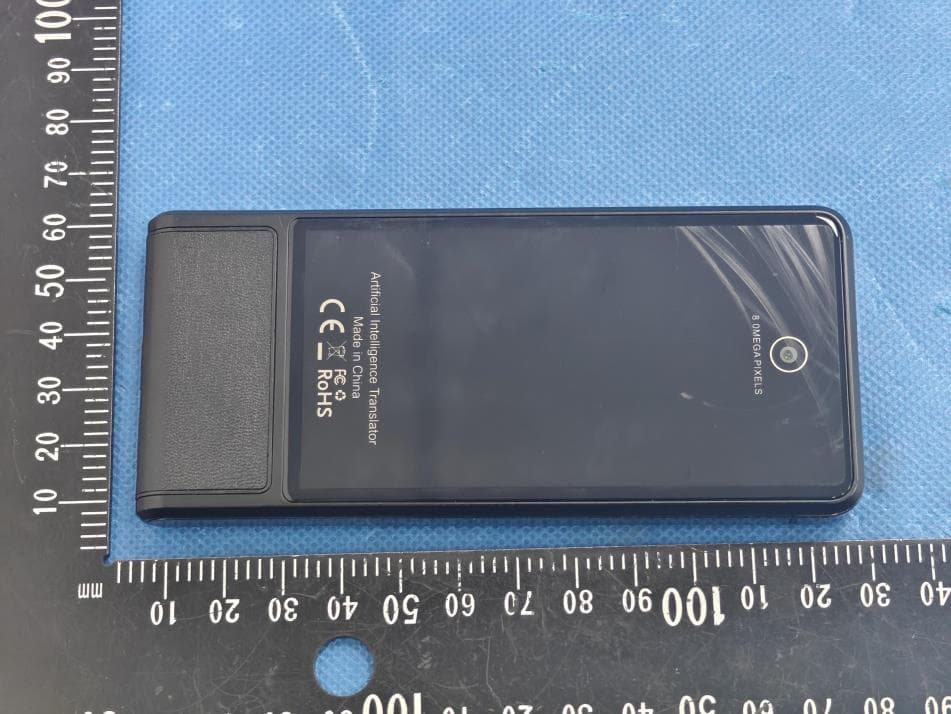
2AVZX-M13
Dec 30, 2025M13 Intelligent translator
Equipment Class
DTS - Digital Transmission System