2AW5QN1Smart Wristband
Pivot1080 Limited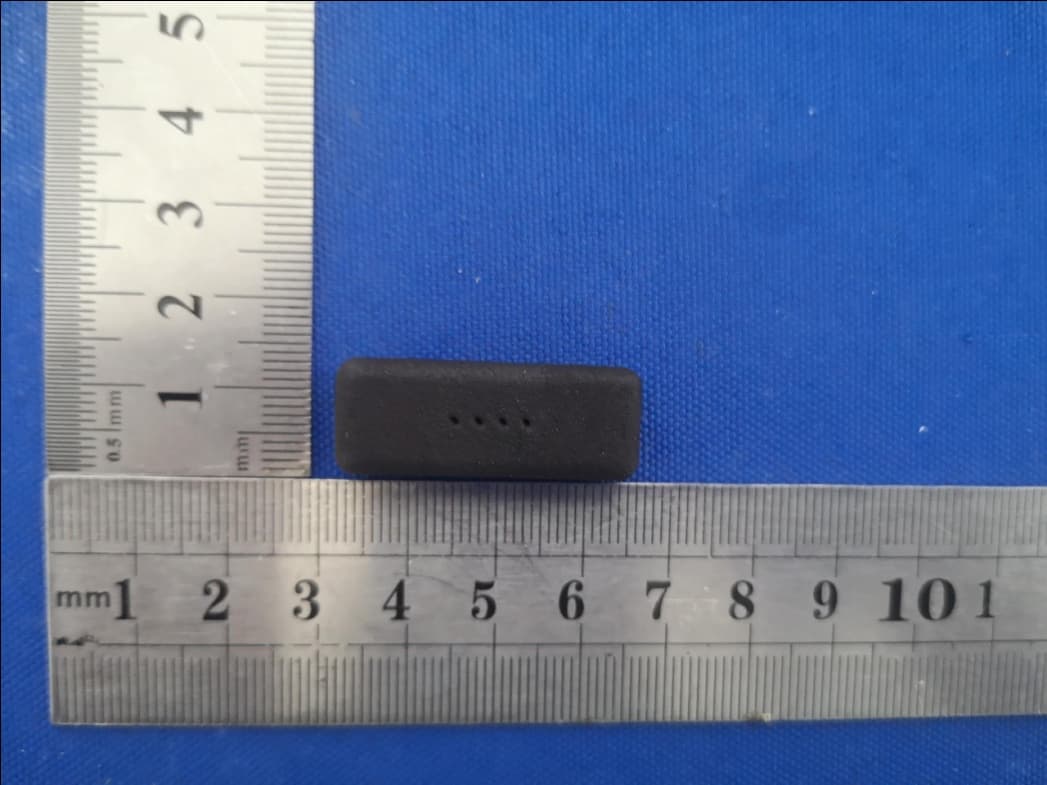
Click to zoom
Application Details
- Equipment Class
- JAB - Part 15 Class B Digital Device
- Date of Grant
- Nov 26, 2020
- Application Purpose
- Original Equipment
- Date of Application
- Nov 26, 2020
- Equipment Note
- Smart Wristband
- Company
- Pivot1080 Limited
- Country
- United Kingdom
Documents & Files
Document Text
Text extracted from the exhibit documents filed with the FCC. Open a document above to read the original.
Users Manual
nudge. QUICK GUIDE • WHAT IS INCLUDED? • NUDGE AND HOW IT WORKS • HOW TO GUIDE • SAFETY INFORMATION • WARRANTY CONTENTS The charging cable The enclosure The Nudge wristband Four LED lights A touch button. This should always be pointing towards you. WHAT IS INCLUDED? NUDGE AND HOW IT WORKS Welcome to your new Nudge, and get ready to Say Hello to Healthy Habits. While you are wearing Nudge, it recognises gestures, like moving your hand towards your face. As you raise your hand to your face, Nudge vibrates. Nudge is a training device that makes you more aware each time you touch your face, and over time, we find that as we become more aware, we touch our face less and less. The LED lights tell you the status of the device and also count your face touches. Nudge is not a fitness tracker or a smart watch. If you have questions about how Nudge works, try the FAQ at www.nudgeband.co.uk or send us a message at [email protected] HOW TO GUIDE How to charge the battery Make sure the battery is fully charged before using Nudge for the first time. Take the enclosure out and insert the USB cable. Plug the USB cable into a suitable USB charging socket. How to reinsert the enclosure The LEDs should face inside the wristband. Insert the dot on the back of the enclosure towards the circle marked on the back of the wristband. The other side has a diamond marking. Which hand? Research shows people touch their face more often with their non-dominant hand, but you can wear Nudge on the hand that is most comfortable for you. Just make sure that Nudge is configured to the correct hand (left or right) and that the touch button points towards you, see below. How to switch Nudge on / off Press and hold the touch button for 3 seconds until it vibrates then let go. - If Nudge has switched on: White LEDs flash to indicate the battery level. LEFTRIGHT Touch ButtonTouch Button Four coloured lights then flash to indicate hand mode. Green lights flash for left-hand mode and red lights for right-hand mode. - If Nudge has switched off: A single red dot indicates the device has been turned off. How to configure / change hand mode To change hands, hold the touch button until it vibrates the second time, after approximately 6 seconds, and let go. Either: - Four green lights flash to show the device is configured for the left-hand mode. Remember: Lime for Left - Four red lights light up to show that the device is configured for the right hand. Remember: Red for Right How to check the status and battery level Tap the Touch Button once. - One red light indicates Nudge is off. - If Nudge is on, white LED lights indicate the battery level, followed by coloured lights (red or green) to indicate hand mode: One white light; less than 25% battery Two white lights; 25-50% battery Three white lights; 50-75% battery Four white lights; more than 75% battery. Followed by four red lights (Red for Right) OR four lime green lights (Lime for Left). Counting your face touches Did you know, research shows that on average people touch their faces more than 20 times per hour? The LEDs count your face touches. At the milestones of 5, 10, 15 and 20 face touches, you will feel additional vibrations to alert you to these milestones: - 5 face touches: vibrates four times and one light flashes. - 10 face touches: vibrates four times and two lights flash. - 15 face touches: vibrates four times and three lights flash. - 20 face touches: vibrates four times and all four lights flash. After 20 face touches the counter resets. See if you can extend the time before Nudge tells you there has been 20 Face Touches again. Water Resistance The enclosure insert is splashproof, but is not waterproof. It should not be submerged in water, do not take a shower or go swimming wearing Nudge. The wristband can be washed with soapless detergent and water. Safety Information This device contains electrical equipment that may cause injury if not used correctly. · Do not charge Nudge when it is wet. · Nudge is not a toy, never allow children to play with Nudge. Small parts may be a choking hazard. · Do not expose Nudge to extremely high or cold temperatures. · Nudge contains a 90mAh Lithium Polymer rechargeable battery. The battery is not user-replaceable. · Do not expose the battery to fire, explosion, or other hazards. · Do not attempt to open, repair, crush or disassemble this device. Internal components and its battery could cause harm if handled improperly. · Dispose of this device in accordance with local regulations. · The wristband may cause irritation to sensitive skin. Remove if irritation persists. FCC Regulatory Compliance Statements This device complies with part 15 of the FCC Rules. Operation is subject to the following two conditions: (1) This device may not cause harmful interference, and (2) this device must accept any interference received, including interference that may cause undesired operation. NOTE: This equipment has been tested and found to comply with the limits for a Class B digital device, pursuant to part 15 of the FCC Rules. These limits are designed to provide reasonable protection against harmful interference in a residential installation. This equipment generates, uses and can radiate radio frequency energy and, if not installed and used in accordance with the instructions, may cause harmful interference to radio communications. However, there is no guarantee that interference will not occur in a particular installation. If this equipment does cause harmful interference to radio or television reception, which can be determined by turning the equipment off and on, the user is encouraged to try to correct the interference by one or more of the following measures: · Reorient or relocate the receiving antenna. · Increase the separation between the equipment and receiver. · Connect the equipment into an outlet on a circuit different from that to which the receiver is connected. · Consult the dealer or an experienced radio/ TV technician…
Text truncated - open the document above for the full version.
Cover Letter(s)
Pivot1080 Ltd Kemp House, 152 - 160 City Road London EC1V 2NX United Kingdom November 26, 2020 Federal Communications Commission Authorization and Evaluation Division 7435 Oakland Mills Road Columbia, MD 21046 Subject: Permanent Confidentiality Request for FCC ID: 2AW5QN1 Pursuant to Sections 0.457 and 0.459 of the Commission’s Rules, the Applicant hereby requests permanent confidential treatment of the exhibits accompanying this certification application as outlined below: ¾ Block Diagram ¾ Schematics ¾ Operational Description The above exhibits contain trade secrets and/or proprietary information that are not publicly available and materials that the Applicant has spent considerable efforts in developing. Public disclosure of these may be harmful to the Applicant and give an unfair advantage to competitors on the market. Sincerely, Alex Messner / CTO Tel: +15875906120 Email: [email protected]
External Photos
Photo 1 Photo 2
ID Label/Location Info
SN: 001-12345678 FCC ID: 2AW5QN1
Internal Photos
Photo 1 Photo 2 Photo 3
Test Report
No.:BCTC/RF-EMC-005 Page 1 of 19 Edition:A.2 TEST REPORT Report No.: BCTC2009001841EN1 Applicant: Pivot1080 Limited Product Name: Nudge Product Type: Smart Wristband Tested Date: Sep. 2 2, 2020 to Sep. 2 6, 2020 Issued Date: Nov.26.2020 Shenzhen BCTC Testing Co., Ltd Report No.: BCTC2009001841EN1 No.:BCTC/RF-EMC-005 Page 2 of 19 Edition:A.2 FCC ID:2AW5QN1 The test report is effective only with both signature and specialized stamp.This result(s) shown in this report refer only to the sample(s) tested. Without written approval of Shenzhen BCTC Testing Co., Ltd, this report can’t be reproduced except in full.The tested sample(s) and the sample information are provided by the client. Product Name: Nudge Trademark: N/A Model /Type Ref.: Smart Wristband Prepared For: Pivot1080 Limited Address: Kemp House, 152 - 160 City Road, London EC1V 2NX, United Kingdom Manufacturer: Elecrow Address: West of F-building 8th floor, Fusen industry park, Gushu Hangcheng road, Bao'an Ave Prepared By: Shenzhen BCTC Testing Co., Ltd. Address: 1-2F, East of B Building, Pengzhou Industrial, Fuyuan 1st Road, Qiaotou Community, Fuyong Street, Bao’an District, Shenzhen, China Sample Received Date: Sep. 22, 2020 Sample tested Date: Sep. 22, 2020 to Sep. 26, 2020 Issue Date: Nov.26.2020 Report No.: BCTC2009001841EN1 Test Standards FCC Part 15B, ANSI C63.4-2014 Test Results PASS Test by: Compiled by: Reviewed by: Approved by: Tony Adrew Zhu Eric Yang Zero Zhou/Manager Report No.: BCTC2009001841EN1 No.:BCTC/RF-EMC-005 Page 3 of 19 Edition:A.2 TABLE OF CONTENT Test Report Declaration Page 1. VERSION ................................................................................................................................... 4 2. TEST SUMMARY ..................................................................................................................... 5 3. MEASUREMENT UNCERTAINTY........................................................................................ 6 4. PRODUCT INFORMATION AND TEST SETUP ................................................................ 7 4.1 Product Information .................................................................................................................................. 7 4.2 Test Setup Configuration .......................................................................................................................... 7 4.3 Support Equipment ................................................................................................................................... 7 4.4 Test Mode ................................................................................................................................................... 7 5. TEST FACILITY AND TEST INSTRUMENT USED ........................................................... 8 5.1 Test Facility ................................................................................................................................................ 8 5.2 Test Instrument Used................................................................................................................................ 8 6. CONDUCTED EMISSION AT THE MAINS TERMINALS TEST ..................................... 9 6.1 Block Diagram Of Test Setup .................................................................................................................. 9 6.2 Limit ............................................................................................................................................................. 9 6.3 Test procedure ........................................................................................................................................... 9 6.4 Test Result ............................................................................................................................................... 10 7. RADIATION EMISSION TEST ............................................................................................ 12 7.1 Block Diagram Of Test Setup ................................................................................................................ 12 7.2 Limit ........................................................................................................................................................... 12 7.3 Test Procedure ........................................................................................................................................ 12 7.4 Test Result ............................................................................................................................................... 13 8. EUT PHOTOGRAPHS .......................................................................................................... 15 9. EUT TEST SETUP PHOTOGRAPHS ................................................................................ 18 (Note: N/A means not applicable) Report No.: BCTC2009001841EN1 No.:BCTC/RF-EMC-005 Page 4 of 19 Edition:A.2 1. VERSION Report No. Issue Date Description Approved BCTC2009001841E Sep. 27, 2020 Original invalid BCTC2009001841EN1 Nov.26.2020 Reversion Valid Report No.: BCTC2009001841EN1 No.:BCTC/RF-EMC-005 Page 5 of 19 Edition:A.2 2. TEST SUMMARY The Product has been tested according to the following specifications: Standard Test Item Test result FCC§15.107 Conducted Emission Pass FCC§15.109 Radiated Emission Pass Report No.: BCTC2009001841EN1 No.:BCTC/RF-EMC-005 Page 6 of 19 Edition:A.2 3. MEASUREMENT UNCERTAINTY Where relevant, the following measurement uncertainty levels have been estimated for tests performed on the Product as specified in CISPR 16-4-2. This uncertainty represents an expanded uncertainty expressed at approximately the 95% confidence level using a coverage factor of k=2. Test item Value (dB) Conducted Emission (150kHz-30MHz) 3.20 Radiated Emission(30MHz~1GHz) 4.80 Report No.: BCTC2009001841EN1 No.:BCTC/RF-EMC-005 Page 7 of 19 Edition:A.2 4. PRODUCT INFORMATION AND TEST SETUP 4.1 Product Inf…
Text truncated - open the document above for the full version.
Test Setup Photos
Conducted emission Radiated emission
Contact Information
Applicant
Alex Messner(CTO)
Technical Contact
Shenzhen BCTC Testing Co., Ltd.Jin Feng
[email protected]86-755-36882568
BCTC Building, Pengzhou Industrial, · Shenzhen · China
Non-Technical Contact
Pivot1080 LimitedGrant Gillon
[email protected]33616480212
Test Firm
Shenzhen BCTC Testing Co., Ltd.Sally He
[email protected]15999690624
Technical Specifications
| # | Rule Parts | Frequency Range | Power Output |
|---|---|---|---|
| 1 | 15B | - | - |