2AWHBYR-Q200Wall Mountable Bluetooth CD Player
Shenzhen yirui youpin technology co. LTD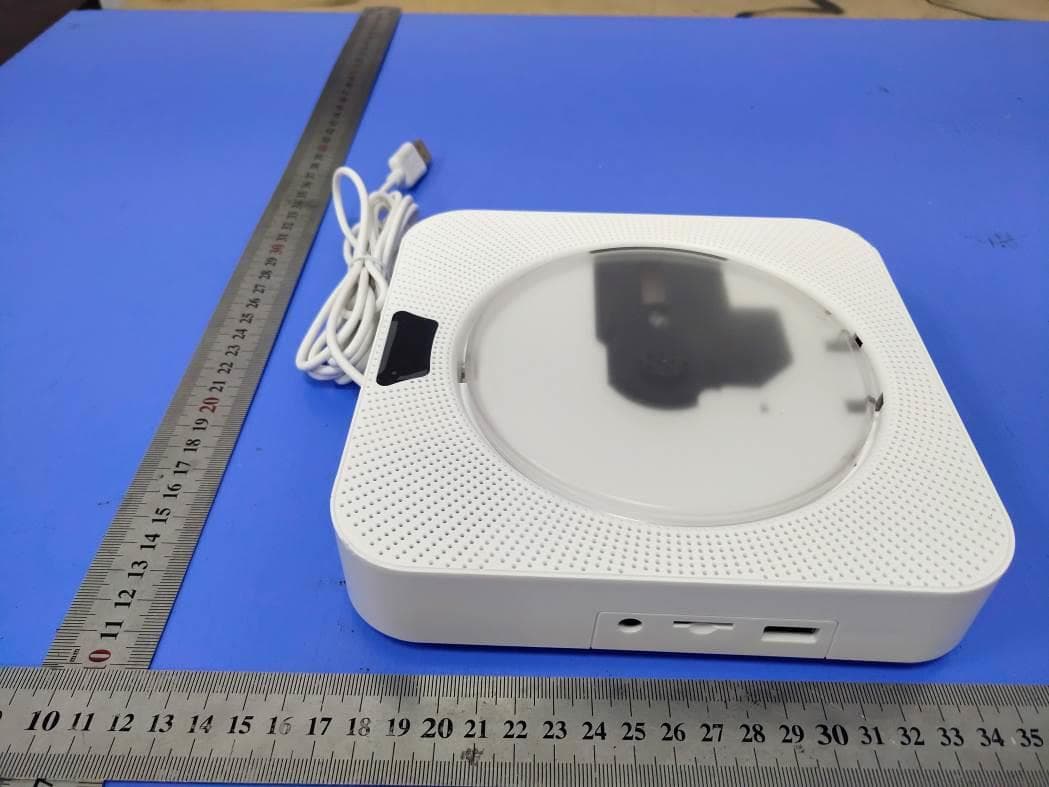
Click to zoom
Application Details
- Equipment Class
- DTS - Digital Transmission System
- Date of Grant
- Nov 05, 2020
- Application Purpose
- Original Equipment
- Date of Application
- Nov 05, 2020
- Equipment Note
- Wall Mountable Bluetooth CD Player
- Frequency Range
- 2402.00000000 - 2480.00000000
- Country
- China
Documents & Files
Document Text
Text extracted from the exhibit documents filed with the FCC. Open a document above to read the original.
Users Manual
User Manual Wall Mountable Bluetooth CD Player Please read this manual carefully before using to ensure the product functions to be used correctly. Please keep this manual for future reference. Manuel utilisateur - FR Manual de Usuario - ES Manuale Utente - IT Benutzerhandbuch - DE User Manual - EN 01 - 05 06 - 10 11 - 15 16 - 20 21 - 25 26 - 30 CAUTION: WARNING: Accessories: Specifications Main features Remote control precautions 1. Please install and operate it in accordance with the manufacturer’s instructions. 2. Place the machine in a position where there is sufficient ventilation around it. The distance between the front and rear of the machine should be 5cm to 10cm. 3. Do not install or operate near any heat sources such as radiators, stoves or other apparatus that produce heat. 4. Prevent the power cord from being trampled or crushed, especially where the power head, power outlet, and device power outlet. 5. Only use accessories specified by the manufacturer. 6. Unplug this apparatus during lightning storms or when unused for long periods of time. 7. Do not cause excessive impact on the player by dropping it. Do not place heavy objects on top of the player. 8. Do not place the player on damp, dusty or sooty environment, as it could result in fire or electric shock. 9. Do not place the device in a high temperature environment, direct sunlight, etc... 10. Do not get the player wet or drop it in water (If the player gets wet, do not switch it on). 1. Do not disassemble this player by your own. 2. Do not place the device on top of other electronic items. 3.Do not look directly at the laser beam inside the machine. 4.Any operation or adjustment against the product manual may cause serious laser radiation or other danger situation. 5. Make sure the insulation sheet is removed from the battery slot of the remote. Model: YR-Q100 CD format support: CD, CD-R, CD-RM, MP3, WMA, WAV Power: 8W Rated Voltage: 5V-2A Weight: 870g Dimension: 215 X 42mm Signal to Noise Ratio: >57dB Total Harmonic Distortion: <1.5% MP3 link input: 650v Material: ABS engineering plastics Tuning range: FM: 87.5-108MHz Frequency response: 60Hz-16kHz, ±3dB 1. LED screen display 2. Support USB flash playing 3. Support TF card playing 4. Full-band FM radio 5. Bluetooth V4.2 6. Standard 3.5mm audio input/output port 7. Loop Playback mode: Repeat All 8. Support A-B repeat, Repeat One, Repeat All 9. Support time and alarm clock 1. The sensitivity of remote control can be influenced by light and environment. 2. Please take out the battery inside remote control in case of unused for a long time, to avoid the battery’s unexpected leakage and corroding the remote control. Remote Control Pack of screws USB adaptor Wall-mounted plate Desk stand User Manual Remote Control Illustration 3. Normally, the included battery can last one year’s usage, but it also depend on your using frequency. In case of remote control not working within a short distance, please replace the battery. PowerMute FM Radio Bluetooth mode A-B Repeat Volume + Repeat mode NEXT/FWD (Long press to fast forward) OK(confirm) Volume - Timing OFF CD mode USB/TF Card mode AUX mode Sleep function Pause/Play PREV/REW (Long press to rewind) Number button Time setting button Boot time PreviousNextVOL+VOL-MODELED displayUSB Flash Drive Port TF Card SlotAUX Port CD tray Loudspeaker USB cable Fixed hook Installation instructions: Quick Start MODE 1. Remove insulation sheet before using. 2. Plug in the USB cable to the adapter. 3. Plug the adapter into power outlet. (110-220V) 4. Insert a disc (format: CD, CD-R, CD-RM, MP3, WMA, WAV) into the CD player and pull the power cable to power it on. 5. The display shows the status of reading the disc (DISC flashes). It will be played music after the disc is rotated (5-10S). 6. Press the MODE button or Use the remote control to switch among functions: “CD”, “USB/TF”, “AUX”, “FM”,and “Bluetooth” 7. Press the standby button of remote control will show the time, and it can be set up. 8. Pull the power cable again to power off the cd player. There are CD mode, USB/TF mode, FM mode, AUX mode, Bluetooth mode; the display will light up the corresponding mode symbol when switching modes. CD mode *CD format support: CD, CD-R, CD-RM, MP3, WMA, WAV Press the mode button or the CD button on the remote to switch to CD mode; the Compact Disk will run automatically, the CD icon will appear on the screen. USB/TF Card Mode Instructions Plug in a U-disk/TF Card to the CD Player USB port/TF Card slot. Press the mode button or the USB/TF Card button on remote control to switch to USB/TF mode; the device would automatically read files from USB flash drive/TF Card. FM Mode Instructions: *FM Radio Range: 87.5MHz-108.0MHz Press the mode button or the FM button on the remote to switch to the FM mode. Press the PREV/NEXT button again to enter the automatic search state, and it will automatically Fix the wall-mounted plate on the wall with the included 3 nails Or fix it on the wall with the included 4 screws Hang the CD Player on the wall-mounted pl A-B Repeat Function TIME SETTING Boot time: Time OFF: Sleep function Notice!!! Repeat Function save radio programs searched. Press PREV/NEXT button again to go to previous station or next station. AUX mode *Standard 3.5mm audio input/output port. Press the mode button or the AUX button on the remote to switch to AUX mode. Connect the CD Player to other Audio player devices with the included 3.5mm male-to-male audio cable. Bluetooth Mode Instructions: Press the mode button or the Bluetooth button on the remote to switch to Bluetooth mode, then the Player will be ready to pair other Bluetooth devices such as mobile phones, pads etc., and you will hear a sound from the speaker, the Bluetooth icon will appear on the screen. Activate the Bluetooth in your mobile phone and it will automatically search nearby Bluetooth devices to pair. Choose the device in your mobile phone Bluetooth device list to pair. Your mobile phone …
Text truncated - open the document above for the full version.
Users Manual
Démarrage rapide MODE 1. Insérez l’adaptateur secteur fourni dans la prise secteur, connectez le câble d’alimentation blanc à l’adaptateur secteur.(110-220V) 2. Insérez un CD ou un périphérique de stockage dans le lecteur de CD, tirez sur le câble d’alimentation pour allumer le périphérique. Le voyant d’alimentation est allumé et le CD tourne. 3. Après 5 à 10 secondes de rotation du CD, le haut-parleur intégré commence à lire le fichier vidéo. 4. En cas de changement de périphérique audio, appuyez sur le bouton MODE de la télécommande ou sur le bouton MODE situé sur le dessus du périphérique pour passer en mode. 5. Tirez à nouveau sur le câble d'alimentation pour éteindre l'appareil. Wenn die CD eingeschaltet ist, ist die Standardeinstellung der Disc-Modus (Lesemodus). Drücken Sie dann die Modustaste, um den Modus zu ändern. Es gibt Disc-Modus (Disc lesen), USB-Modus/TF Karte Modus, Bluetooth-Modus, FM-Modus, AUX-Modus; Das Display zeigt das entsprechende Modussymbol an, wenn der Modus gewechselt wird. Disc-Modus Anweisungen zum Einschalten / Ausschalten: 1. Einschalten: Ziehen Sie das USB-Kabel herunter, um den CD-Player einzuschalten. Der CD-Player spielt die CD automatisch ab (die CD muss vor dem Einschalten in den CD-Player eingelegt sein). 2. Ausschalten: Ziehen Sie das USB-Kabel erneut herunter, um den CD-Player auszuschalten. Berühren Sie die CD nicht, bevor Sie das Gerät ausschalten. FM-Modus 1. Drücken Sie die Modustaste auf der Fernbedienung, um in den FM-Modus zu wechseln, oder schalten Sie die Modustaste (am Gerät) in den FM-Modus. Lorsque le CD est allumé, la valeur par défaut est le mode disque (lire le disque), puis appuyez sur le bouton de mode pour changer de mode. Il y a le mode disque (lecture de disque), le mode USB/TF Carte, le mode Bluetooth, le mode FM (mode radio); l’affichage allumera le symbole de mode correspondant lors du changement de mode. le mode disque le mode FM 1. Appuyez sur la touche Mode de la télécommande pour passer en mode FM ou pour faire basculer la touche «Mode» (sur l'appareil) en mode FM. 2. Appuyez sur le bouton PREV / NEXT pour passer à la station précédente ou suivante. 3. Appuyez à nouveau sur le bouton PREV / NEXT pour passer à la station précédente ou suivante.. le mode Bluetooth 1. Appuyez sur le bouton mode de la télécommande pour passer en mode Bluetooth, le lecteur sera prêt à associer d'autres périphériques Bluetooth tels que des téléphones portables, des tablettes, etc. Le son du haut-parleur sera entendu sur l'écran. Instructions d'installation: Fixez la plaque murale au mur avec les 3 clous fournis Ou fixez-le au mur avec les 4 vis fournies Accrocher le lecteur de CD sur la plaque murale TEMPS Au chronomètre Minuterie OFF RÉPÉTER Répétition A-B 2. Activez le Bluetooth sur votre téléphone portable pour rechercher automatiquement les appareils Bluetooth à coupler. 3. Choisissez le périphérique «YR-Q100» nommé dans la liste des périphériques Bluetooth de votre téléphone mobile à coupler. 4. Votre téléphone portable sera jumelé / connecté au lecteur dans quelques secondes. 5. Écouter cteur via Bluetooth. le mode USB/TF Carte 1. Branchez une clé USB sur le port USB/TF Carte du lecteur de CD. 2. Appuyez sur le bouton MODE de la télécommande ou sur le bouton MODE supérieur de l'appareil pour passer en mode USB/TF Carte. 3. l'appareil lirait automatiquement les fichiers du lecteur flash USB/TF Carte. le mode AUX * Port d'entrée / sortie audio standard de 3,5 mm. Appuyez sur le bouton mode ou sur le bouton AUX de la télécommande pour passer en mode AUX. Connectez le lecteur CD à d’autres lecteurs audio à l’aide du câble audio 3,5 mm mâle à mâle fourni. Réglage de l'heure: Appuyez sur la touche TIME de la télécommande, le premier «0» à 00:00 sur l'affichage commencera à clignoter, puis choisissez l'heure que vous souhaitez, puis appuyez sur la touche OK pour confirmer. Par exemple: définir l'heure 07:30 Appuyez sur le bouton TIME de la télécommande, appuyez sur le bouton PREV / SUIVANT pour choisir 0 et appuyez sur le bouton OK, appuyez sur le bouton PREV / SUIVANT pour choisir 7 et appuyez sur le bouton OK, appuyez sur le bouton PREV / SUIVANT pour choisir 3 et appuyez sur le bouton OK, appuyez sur PREV / SUIVANT pour choisir 0 et appuyez sur le bouton OK, vous avez terminé. Réglage de l'alarme: Appuyez sur la touche BOOTTIME, l'écran LED affichera 00:00 (l'heure de l'alarme originale sera affichée lors de la réinitialisation). Ensuite, choisissez l’heure que vous souhaitez et appuyez sur le bouton OK pour confirmer. Après le réglage, l’écran LED affiche l’icône (Timer). Appuyez longuement sur «0» pour annuler. Pour l’étape détaillée de l’opération, veuillez vous reporter au paragraphe correspondant dans TIME Réglage de l'alarme: Appuyez sur le bouton TIMINGOFF. L'écran LED affichera 00:00 (l'heure de l'alarme d'origine sera affichée lors de la réinitialisation). Pour l’étape détaillée de l’opération, veuillez vous reporter au paragraphe correspondant dans TIME. a) Répétition simple: appuyez une fois sur le bouton REPEAT. b) Terminer la répétition (Repeat ALL): appuyez sur le bouton REPEAT une seconde fois pour mettre fin à la répétition. La fonction de répétition AB permet la lecture répétée sur une section spécifique en définissant le point de départ (A) et le point de fin (B) de la section. * Appuyez sur le bouton A-B de la télécommande pour définir le point de départ (A) pendant la lecture. Le «A» apparaît à l'écran. DORMIR Remarquer!!! ATTENTION: Solution du problème * Appuyez sur le bouton A-B de la télécommande pour définir le point de fin (B) pendant la lecture. Le «B» apparaît à l'écran. * Ensuite, la section spécifiée de A à B sera lue de manière répétée. * Appuyez à nouveau sur le bouton A-B pour quitter la répétition AB. Après avoir appuyé sur le bouton de veille, la fonction de veille est activée, le voyant de l'écran principal est éteint, puis appuyez de nouveau pour reprendre. Veuillez retirer le papier de protection du lec…
Text truncated - open the document above for the full version.
Cover Letter(s)
Shenzhen yirui youpin technology co. LTD Agent Authorization Company: Shenzhen yirui youpin technology co. LTD Address: 2 / f, building 4, fishery industrial zone, hezhou community, hangcheng street, xixiang town, bao’an district, shenzhen, Guangdong, China Product Name: Wall Mountable Bluetooth CD Player Trade Mark: / Model Number: YR-Q200 FCC ID: 2AWHBYR-Q200 We authorize MiCOM Labs Inc., 575 Boulder Court, Pleasanton, California 94566, USA, to act on our behalf on all matters concerning the certification of above named equipment. We declare that MiCOM Labs Inc. is allowed to forward all information related to the approval and certification of equipment to the regulatory agencies as required and to discuss any issues concerning the approval application. Any and all acts carried out by MiCOM Labs on our behalf shall have the same effect as acts of our own. Signature: Date: 2020-11-04 Name: YinFeng Wang Title: Manager Company: Shenzhen yirui youpin technology co. LTD
Cover Letter(s)
Shenzhen yirui youpin technology co. LTD Office of Engineering Technology Federal Communications Commission 7435 Oakland Mills Road Columbia, MD 21046 USA Date: 2020-11-04 Subject; Request for Confidentiality FCC ID: 2AWHBYR-Q200 To Whom It May Concern, Pursuant to the provisions of the Commission’s rules Title 47 Sections §0.457 and §0.459, we are requesting the Commission to withhold the following attachment(s) as confidential documents from public disclosure indefinitely. These documents contain detailed system and equipment descriptions and are considered as proprietary information in operation of the equipment. The public disclosure of these documents might be harmful to our company and would give competitors an unfair advantage in the market. Schematic Diagram Block Diagram Operational Description In additional to above mentioned documents, in order to comply with the marketing regulations in Title 47 CFR §2.803 and the importation rules in Title 47 CFR §2.1204, while ensuring that business sensitive information remains confidential until the actual marketing of newly authorized devices, we request Short Term Confidentiality of the following attachment(s); External Photos Test Setup Photos Internal Photos User Manual For 45 days, pursuant to Public Notice DA 04-1705. OR For 180 days pursuant to KDB 726920 D01. It is our understanding that all measurement test reports, FCC ID label format and correspondence during the certification review process cannot be granted as confidential documents and this information will be available for public review once the grant of equipment authorization is issued. Sincerely, Signature: Name: YinFeng Wang Title: Manager
External Photos
SHENZHEN LCS COMPLIANCE TESTING LABORATORY LTD. FCC ID: 2AWHBYR-Q200 ________________________________________________________________________________ _________ This report shall not be reproduced except in full, without the written approval of Shenzhen LCS Compliance Testing Laboratory Ltd.. Page 1 of 4 EXTERIOR PHOTOGRAPHS Fig.1 Fig.2 SHENZHEN LCS COMPLIANCE TESTING LABORATORY LTD. FCC ID: 2AWHBYR-Q200 ________________________________________________________________________________ _________ This report shall not be reproduced except in full, without the written approval of Shenzhen LCS Compliance Testing Laboratory Ltd.. Page 2 of 4 Fig.3 Fig.4 SHENZHEN LCS COMPLIANCE TESTING LABORATORY LTD. FCC ID: 2AWHBYR-Q200 ________________________________________________________________________________ _________ This report shall not be reproduced except in full, without the written approval of Shenzhen LCS Compliance Testing Laboratory Ltd.. Page 3 of 4 Fig.5 Fig.6 SHENZHEN LCS COMPLIANCE TESTING LABORATORY LTD. FCC ID: 2AWHBYR-Q200 ________________________________________________________________________________ _________ This report shall not be reproduced except in full, without the written approval of Shenzhen LCS Compliance Testing Laboratory Ltd.. Page 4 of 4 Fig.7
ID Label/Location Info
SHENZHEN LCS COMPLIANCE TESTING LABORATORY LTD. FCC ID: 2AWHBYR-Q200 _____________________________________________________________________________________________________ This report shall not be reproduced except in full, without the written approval of Shenzhen LCS Compliance Testing Laboratory Ltd.. Page 1 of 1 LABEL AND LOCATION (Size: L4.0m x 3.0cm) Label Location Wall Mountable Bluetooth CD Player Model No.: YR-Q200 FCC ID: 2AWHBYR-Q200 This device complies with part 15 of the FCC rules. Operation is subject to the following two conditions: (1) this device may not cause harmful interference, and (2) this device must accept any interference received, including interference that may cause undesired operation.
Internal Photos
SHENZHEN LCS COMPLIANCE TESTING LABORATORY LTD. FCC ID: 2AWHBYR-Q200 INTERIOR PHOTOGRAPHS Fig.1 Fig.2 SHENZHEN LCS COMPLIANCE TESTING LABORATORY LTD. FCC ID: 2AWHBYR-Q200 Fig.3 Fig.4 BT Antenna SHENZHEN LCS COMPLIANCE TESTING LABORATORY LTD. FCC ID: 2AWHBYR-Q200 Fig.5
RF Exposure Info
SHENZHEN LCS COMPLIANCE TESTING LABORATORY LTD FCC ID: 2AWHBYR-Q200 This report shall not be reproduced except in full, without the written approval of Shenzhen LCS Compliance Testing Laboratory Ltd. Page 1 of 4 Maximum Permissible Exposure Report 1. Product Information FCC ID: 2AWHBYR-Q200 Product name Wall Mountable Bluetooth CD Player Test Model YR-Q200 Power supply DC 5V, 2A From Adapter Adapter Input: AC 100-240V, 50/60Hz, 0.4A Max Output: DC 5V, 2A Modulation Type GFSK, π/4-DQPSK, 8DPSK for Bluetooth V5.0 (DSS) GFSK for Bluetooth V5.0 (DTS) Antenna Type PCB antenna Antenna Gain 0dBi (maximum) Hardware version / Software version / Bluetooth Operation frequency 2402MHz-2480MHz Bluetooth Version V5.0 Exposure category General population/uncontrolled environment EUT Type Production Unit Device Type Mobile Device SHENZHEN LCS COMPLIANCE TESTING LABORATORY LTD FCC ID: 2AWHBYR-Q200 This report shall not be reproduced except in full, without the written approval of Shenzhen LCS Compliance Testing Laboratory Ltd. Page 2 of 4 2. Evaluation Method Systems operating under the provisions of FCC 47 CFR section shall be operated in a manner that ensures that the public is not exposed to radio frequency energy level in excess of the Commission’s guidelines. In accordance with 47 CFR FCC Part 2 Subpart J, section 2.1091 this device has been defined as mobile device whereby a distance of 0.2m normally can be maintained between the user and the device, and below RF Permissible Exposure limit shall comply with. In accordance with KDB447498 D01 General RF Exposure Guidance v06 for Simultaneous transmission MPE test exclusion applies when the sum of the MPE ratios for all simultaneous transmitting antennas incorporated in a host device, based on the calculated/estimated, numerically modelled or measured field strengths or power density, is ≤ 1.0. The MPE ratio of each antenna is determined at the minimum test separation distance required by the operating configurations and exposure conditions of the host device, according to the ratio of field strengths or power density to MPE limit, at the test frequency. Either the maximum peak or spatially averaged results from measurements or numerical simulations may be used to determine the MPE ratios. Spatial averaging does not apply when MPE is estimated using simple calculations based on far-field plane-wave equivalent conditions. The antenna installation and operating requirements for the host device must meet the minimum test separation distances required by all antennas, in both standalone and simultaneous transmission operations, to satisfy compliance. 3. Limit 3. 1 Refer evaluation method ANSI C95.1–1999: IEEE Standard for Safety Levels with Respect to Human Exposure to Radio Frequency Electromagnetic Fields, 3 kHz to 300 GHz. FCC KDB publication 447498 D01 General RF Exposure Guidance v06: Mobile and Portable Devices RF Exposure Procedures and Equipment Authorization Policies. FCC CFR 47 part1 1.1310: Radiofrequency radiation exposure limits. FCC CFR 47 part2 2.1091: Radiofrequency radiation exposure evaluation: mobile devices. 3. 2 Limit Limits for Maximum Permissible Exposure (MPE)/Controlled Exposure Frequency Range(MHz) Electric Field Strength(V/m) Magnetic Field Strength(A/m) Power Density (mW/cm²) Averaging Time (minute) Limits for Occupational/Controlled Exposure 0.3 – 3.0 3.0 – 30 30 – 300 300 – 1500 1500 – 100,000 614 1842/f 61.4 / / 1.63 4.89/f 0.163 / / (100) * (900/f 2 )* 1.0 f/300 5 6 6 6 6 6 Limits for Maximum Permissible Exposure (MPE)/Uncontrolled Exposure Frequency Range(MHz) Electric Field Strength(V/m) Magnetic Field Strength(A/m) Power Density (mW/cm²) Averaging Time (minute) Limits for Occupational/Controlled Exposure 0.3 – 3.0 3.0 – 30 30 – 300 300 – 1500 1500 – 100,000 614 824/f 27.5 / / 1.63 2.19/f 0.073 / / (100) * (180/f 2 )* 0.2 f/1500 1.0 30 30 30 30 30 F=frequency in MHz *=Plane-wave equivalent power density SHENZHEN LCS COMPLIANCE TESTING LABORATORY LTD FCC ID: 2AWHBYR-Q200 This report shall not be reproduced except in full, without the written approval of Shenzhen LCS Compliance Testing Laboratory Ltd. Page 3 of 4 4. MPE Calculation Method Predication of MPE limit at a given distance Equation from page 18 of OET Bulletin 65, Edition 97-01 S=PG/4πR² Where: S=power density P=power input to antenna G=power gain of the antenna in the direction of interest relative to an isotropic radiator R=distance to the center of radiation of the antenna 5. Antenna Information Antenna Identification Antenna type Operate frequency band Maximum antenna gain Bluetooth PCB Antenna 2400MHz – 2500MHz 0dBi(Max.) 6. Conducted Power [BT Max Conducted Power] Mode Channel Frequency (MHz) Peak Conducted Output Power (dBm) GFSK 0 2402 3.652 39 2441 4.320 78 2480 5.010 π/4DQPSK 0 2402 4.708 39 2441 5.392 78 2480 6.082 8DPSK 0 2402 4.952 19 2440 5.647 39 2480 6.327 [BT LE Max Conducted Power] Mode Channel Frequency (MHz) Peak Conducted Output Power (dBm) GFSK 0 2402 1.969 19 2440 2.65 39 2480 3.411 SHENZHEN LCS COMPLIANCE TESTING LABORATORY LTD FCC ID: 2AWHBYR-Q200 This report shall not be reproduced except in full, without the written approval of Shenzhen LCS Compliance Testing Laboratory Ltd. Page 4 of 4 7. Manufacturing tolerance BT GFSK Channel Channel 0 Channel 39 Channel 78 Target (dBm) 3 4 5 Tolerance ±(dB) 1 1 1 π/4DQPSK Channel Channel 0 Channel 39 Channel 78 Target (dBm) 4 5 6 Tolerance ±(dB) 1 1 1 8DPSK Channel Channel 0 Channel 19 Channel 39 Target (dBm) 5 5 6 Tolerance ±(dB) 1 1 1 BLE BT LE (Peak) Channel Channel 0 Channel 19 Channel 39 Target (dBm) 2 2 3 Tolerance ±(dB) 1 1 1 8. Measurement Results As declared by the Applicant, the EUT is a wireless device used in a fix application, at least 20 cm from any body part of the user or nearby persons; from the maximum EUT RF output power, the minimum separation distance, r =20cm, as well as the gain of the used antenna refer to antenna information, the RF power density can be obtained. Mode RF outp…
Text truncated - open the document above for the full version.
Test Report
SHENZHEN LCS COMPLIANCE TESTING LABORATORY LTD. FCC ID: 2AWHBYR-Q200 Report No.: LCS200915114AEB Page 1 of 14 Appendix B RF Test Data for BT LE V5.0(DTS) (Conducted Measurement) Product Name: Wall Mountable Bluetooth CD Player Trade Mark: N/A Test Model: YR-Q200 Environmental Conditions Temperature: 22.8 C Relative Humidity: 53.2% ATM Pressure: 100.0 kPa Test Engineer: Jay Li Supervised by: Li Huan B.1 Duty Cycle Test Mode Test Channel Ant Duty Cycle[%] Verdict BT LE 2440 Ant1 100 PASS #im grbble1hchnnav SHENZHEN LCS COMPLIANCE TESTING LABORATORY LTD. FCC ID: 2AWHBYR-Q200 Report No.: LCS200915114AEB Page 2 of 14 B.2 Maximum Conducted Peak Output Power Mode Channel Conduct Peak Power[dBm] Limit [dBm] Verdict BT LE LCH 1.969 30 PASS BT LE MCH 2.65 30 PASS BT LE HCH 3.411 30 PASS Test Graphs LCH MCH SHENZHEN LCS COMPLIANCE TESTING LABORATORY LTD. FCC ID: 2AWHBYR-Q200 Report No.: LCS200915114AEB Page 3 of 14 HCH SHENZHEN LCS COMPLIANCE TESTING LABORATORY LTD. FCC ID: 2AWHBYR-Q200 Report No.: LCS200915114AEB Page 4 of 14 B.3 Maximum Power Spectral Density Mode Channel PSD [dBm/3KHz] Limit [dBm/3KHz] Verdict BT LE LCH -14.842 8 PASS BT LE MCH -14.129 8 PASS BT LE HCH -13.378 8 PASS Test Graphs LCH MCH SHENZHEN LCS COMPLIANCE TESTING LABORATORY LTD. FCC ID: 2AWHBYR-Q200 Report No.: LCS200915114AEB Page 5 of 14 HCH SHENZHEN LCS COMPLIANCE TESTING LABORATORY LTD. FCC ID: 2AWHBYR-Q200 Report No.: LCS200915114AEB Page 6 of 14 B.4 6dB Bandwidth Mode Channel 6dB Bandwidth [MHz] Limit [MHz] Verdict BT LE LCH 1.043 ≥0.5 PASS BT LE MCH 1.055 ≥0.5 PASS BT LE HCH 1.038 ≥0.5 PASS Test Graphs LCH MCH SHENZHEN LCS COMPLIANCE TESTING LABORATORY LTD. FCC ID: 2AWHBYR-Q200 Report No.: LCS200915114AEB Page 7 of 14 HCH SHENZHEN LCS COMPLIANCE TESTING LABORATORY LTD. FCC ID: 2AWHBYR-Q200 Report No.: LCS200915114AEB Page 8 of 14 B.5 RF Conducted Spurious Emissions Mode Channel Pref [dBm] Max. Level [dBm] Limit [dBm] Verdict BT LE LCH -1.065 -35.540 -21.065 PASS BT LE MCH -0.279 -37.314 -20.279 PASS BT LE HCH 0.597 -37.489 -19.403 PASS BT LE_LCH_Graphs Pref/BT LE/LCH Puw/BT LE/LCH SHENZHEN LCS COMPLIANCE TESTING LABORATORY LTD. FCC ID: 2AWHBYR-Q200 Report No.: LCS200915114AEB Page 9 of 14 BT LE_MCH_Graphs Pref/BT LE/MCH Puw/BT LE/MCH SHENZHEN LCS COMPLIANCE TESTING LABORATORY LTD. FCC ID: 2AWHBYR-Q200 Report No.: LCS200915114AEB Page 10 of 14 BT LE_HCH_Graphs Pref/BT LE/HCH Puw/BT LE/HCH SHENZHEN LCS COMPLIANCE TESTING LABORATORY LTD. FCC ID: 2AWHBYR-Q200 Report No.: LCS200915114AEB Page 11 of 14 B.6 Band-edge for RF Conducted Emissions Mode Channel Carrier Power[dBm] Max.Spurious Level [dBm] Limit [dBm] Verdict BT LE LCH -1.145 -49.796 -21.15 PASS BT LE HCH 0.426 -49.639 -19.57 PASS Test Graphs LCH HCH SHENZHEN LCS COMPLIANCE TESTING LABORATORY LTD. FCC ID: 2AWHBYR-Q200 Report No.: LCS200915114AEB Page 12 of 14 B.7 Restrict-band band-edge measurements Test Mode Test Chann el Ant Freq. Power [dBm] Gain Ground Factor E [dBuV/m] Detector Limit [dBuV/ m] Verdi ct BT LE 2402 Ant1 2310.0 -42.95 2.0 0 52.30 PEAK 74 PASS Ant1 2310.0 -53.39 2.0 0 41.87 AV 54 PASS Ant1 2390.0 -43.33 2.0 0 51.93 PEAK 74 PASS Ant1 2390.0 -52.85 2.0 0 42.41 AV 54 PASS 2480 Ant1 2483.5 -40.99 2.0 0 54.27 PEAK 74 PASS Ant1 2483.5 -50.89 2.0 0 44.37 AV 54 PASS Ant1 2500.0 -42.33 2.0 0 52.93 PEAK 74 PASS Ant1 2500.0 -52.31 2.0 0 42.94 AV 54 PASS SHENZHEN LCS COMPLIANCE TESTING LABORATORY LTD. FCC ID: 2AWHBYR-Q200 Report No.: LCS200915114AEB Page 13 of 14 Restrict-band band-edge measurements_BT LE_2402_Ant1_PEAK Restrict-band band-edge measurements_BT LE_2402_Ant1_AV SHENZHEN LCS COMPLIANCE TESTING LABORATORY LTD. FCC ID: 2AWHBYR-Q200 Report No.: LCS200915114AEB Page 14 of 14 Restrict-band band-edge measurements_BT LE_2480_Ant1_PEAK Restrict-band band-edge measurements_BT LE_2480_Ant1_AV
Test Report
SHENZHEN LCS COMPLIANCE TESTING LABORATORY LTD. FCC ID: 2AWHBYR-Q200 Report No.: LCS200915114AEB This report shall not be reproduced except in full, without the written approval of Shenzhen LCS Compliance Testing Laboratory Ltd. Page 1 of 33 FCC TEST REPORT For Shenzhen yirui youpin technology co. LTD Wall Mountable Bluetooth CD Player Test Model: YR-Q200 Prepared for : Shenzhen yirui youpin technology co. LTD Address : 2 / f, building 4, fishery industrial zone, hezhou community, hangcheng street, xixiang town, bao’an district, shenzhen, Guangdong, China Prepared by : Shenzhen LCS Compliance Testing Laboratory Ltd. Address : 101, 201 Bldg A & 301 Bldg C, Juji Industrial Park Shajing Street, Baoan District, Shenzhen, China Tel : (+86)755-82591330 Fax : (+86)755-82591332 Web : www.LCS-cert.com Mail : [email protected] Date of receipt of test sample : September 17, 2020 Number of tested samples : 2 Serial number : Prototype Samples No. : 200915114A-1, 200915114A-2 Date of Test : September 17, 2020 ~ October 12, 2020 Date of Report : October 16, 2020 SHENZHEN LCS COMPLIANCE TESTING LABORATORY LTD. FCC ID: 2AWHBYR-Q200 Report No.: LCS200915114AEB This report shall not be reproduced except in full, without the written approval of Shenzhen LCS Compliance Testing Laboratory Ltd. Page 2 of 33 FCC TEST REPORT FCC CFR 47 PART 15 C (15.247) Report Reference No. ................. : LCS200915114AEB Date of Issue ................................... : October 16, 2020 Testing Laboratory Name ............ : Shenzhen LCS Compliance Testing Laboratory Ltd. Address ........................................... : 101, 201 Bldg A & 301 Bldg C, Juji Industrial Park Shajing Street, Baoan District, Shenzhen, China Testing Location/ Procedure ........... : Full application of Harmonised standards ■ Partial application of Harmonised standards □ Other standard testing method □ Applicant’s Name .......................... : Shenzhen yirui youpin technology co. LTD Address ........................................... : 2 / f, building 4, fishery industrial zone, hezhou community, hangcheng street, xixiang town, bao’an district, shenzhen, Guangdong, China Test Specification Standard.......................................... : FCC CFR 47 PART 15 C (15.247) Test Report Form No. ................... : LCSEMC-1.0 TRF Originator ................................ : Shenzhen LCS Compliance Testing Laboratory Ltd. Master TRF ..................................... : Dated 2011-03 Shenzhen LCS Compliance Testing Laboratory Ltd. All rights reserved. This publication may be reproduced in whole or in part for non-commercial purposes as long as the Shenzhen LCS Compliance Testing Laboratory Ltd. is acknowledged as copyright owner and source of the material. Shenzhen LCS Compliance Testing Laboratory Ltd. takes no responsibility for and will not assume liability for damages resulting from the reader's interpretation of the reproduced material due to its placement and context. EUT Description. ........................... : Wall Mountable Bluetooth CD Player Trade Mark .......................................................................................................................................... : N/A Model/ Type reference ......................…
Text truncated - open the document above for the full version.
Contact Information
Applicant
YinFeng Wang(manager)
Technical Contact
Test Firm
Shenzhen LCS Compliance Testing Laboratory Ltd.Gavin Liang
Technical Specifications
| # | Rule Parts | Frequency Range | Power Output |
|---|---|---|---|
| 1 | 15C | 2.40 GHz - 2.48 GHz | 2.20 mW |
Other Applications from Shenzhen yirui youpin technology co. LTD
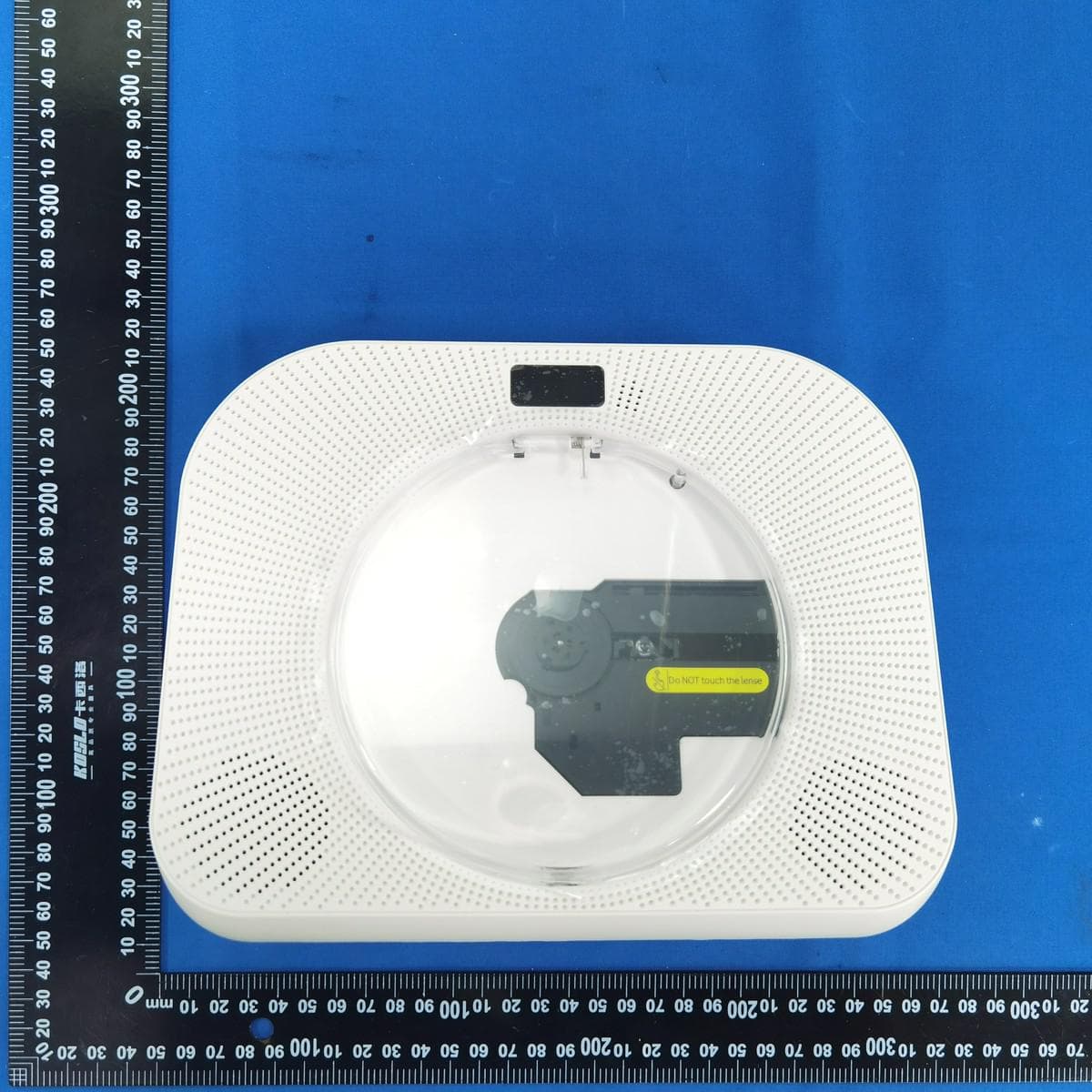
2AWHB-YRQ800
Jul 20, 2023DESKTOP CD PLAYER
Equipment Class
DTS - Digital Transmission System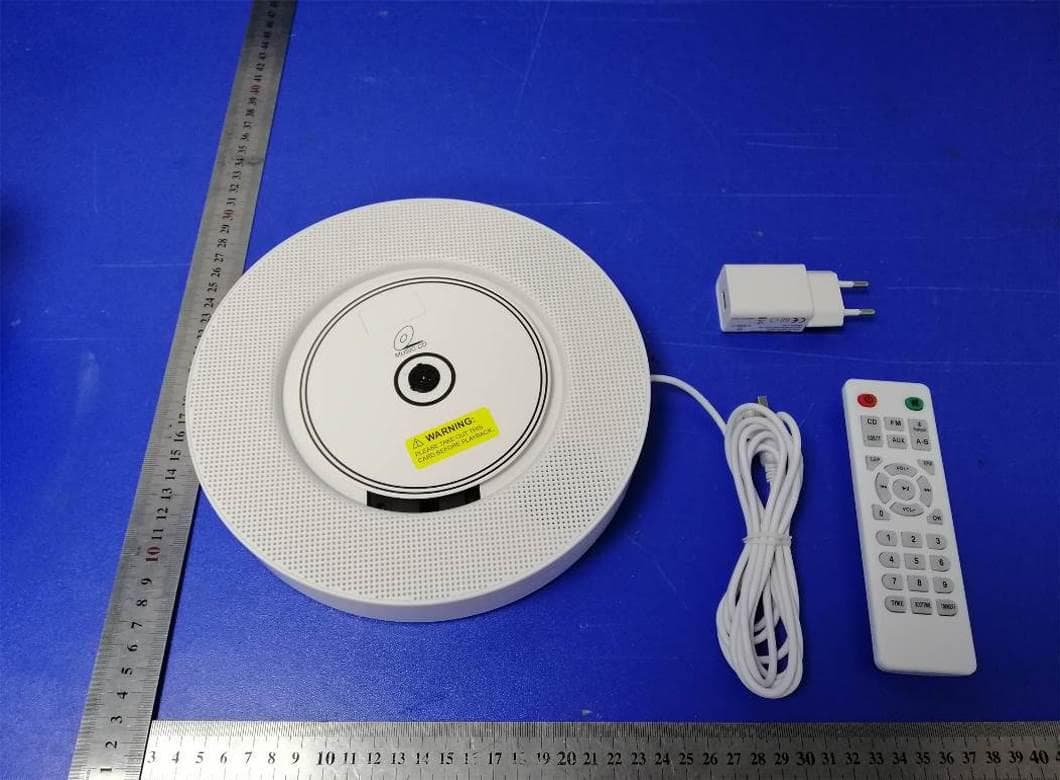
2AWHBYR-Q100
May 31, 2020Wall Mountable Bluetooth CD Player
Equipment Class
DSS - Part 15 Spread Spectrum Transmitter