2AWKK-KBMMulti-Purpose Keyboard Mouse
KeyWest Technologies LLC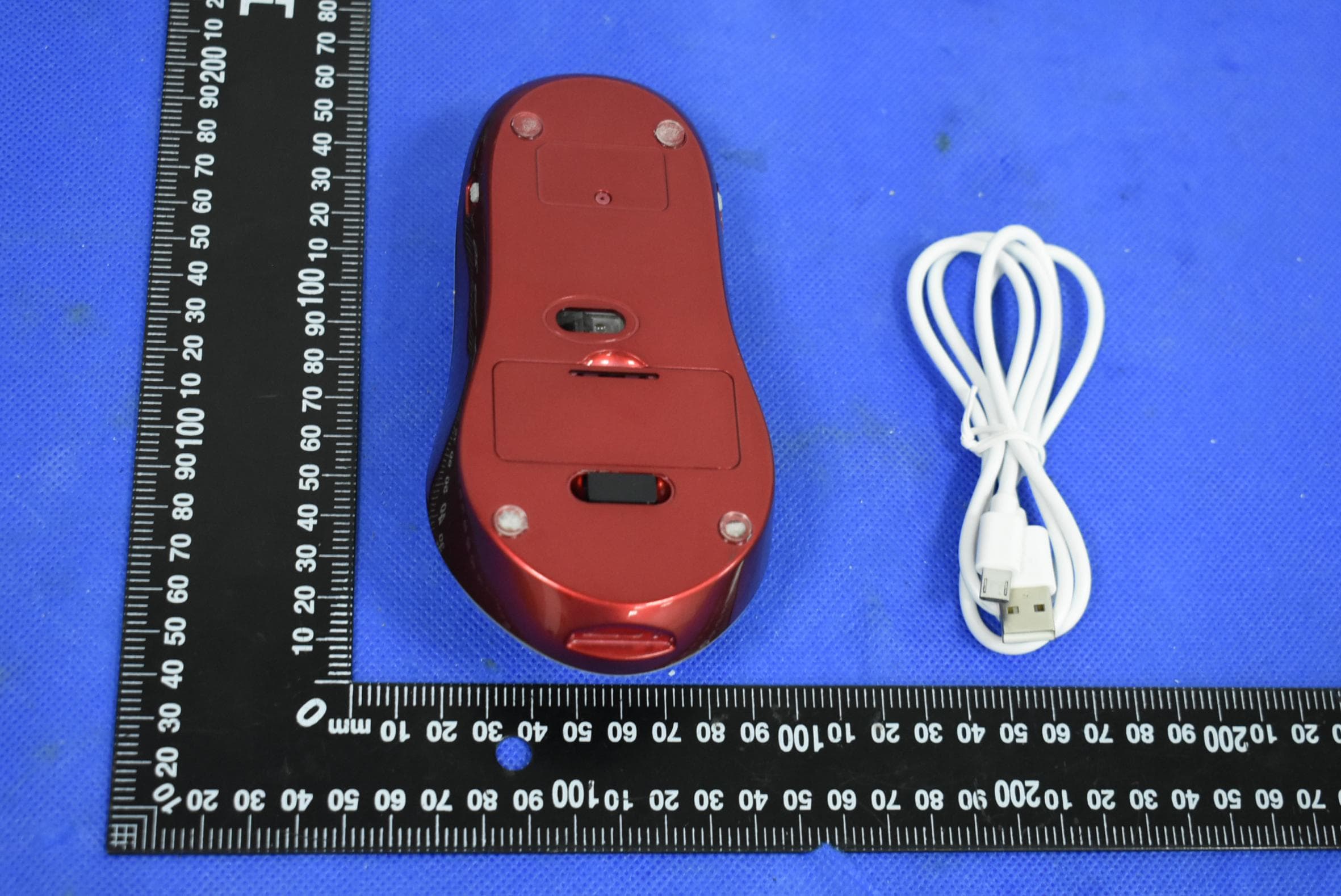
Click to zoom
Application Details
- Equipment Class
- DXX - Part 15 Low Power Communication Device Transmitter
- Date of Grant
- Jun 11, 2020
- Application Purpose
- Original Equipment
- Date of Application
- Jun 11, 2020
- Equipment Note
- Multi-Purpose Keyboard Mouse
- Frequency Range
- 2406.00000000 - 2476.00000000
- Company
- KeyWest Technologies LLC
- Country
- United States
Documents & Files
Document Text
Text extracted from the exhibit documents filed with the FCC. Open a document above to read the original.
Users Manual
MouseKeyBoard-UserManual Thankyouforchoosingourproduct.Themousekeyboardisdesignedtoeaseuseofthe standardkeyboard/mouse.Thisdevicecanbeusedlikeanyothermouseintheindustry. ThisMousekeyboardcanbeusedinadditiontoyourstandardkeyboard. SafetyInformation Pleasereadthedocumentationbeforeusingthedevice. ProductFeatures 1.MousewithKeyboardfunctions 2.Audiofunctions 3.TFCardSlot 4.BackgroundLightforillumination 5.Built-inRechargeableLithium-ionBatteries. PackageContentsincludes: A.2.4GNanoReceiver B.MouseKeyBoard C.1USBCable D.UserManual SystemRequirements: キ1USBPort:Windows7,Windows8andup,MacOSX10.8orup. InsertsmallPicturesinaBoxshowingthepackagesmentionedabove—Showlater. PictureAPictureB PictureCPictureD xxxxxxxxxxxxxxxxxxxxxxxxxxxxxxxxxxxxxxxxxxxxxxxxxxxxxxxxxxxxxxxxxxxxxxxxxxxxxxxxx NewPage KeyboardMousePicture Front,left,right,rearandbottomviews-showingcorrespondingnumber 1. ScrollingWheel 10. MicroUSDPort 2.LeftButton11.NewFnKey 3.RightButton12.ShiftIndicator-Green 4. TabButton13.CapsKeyIndicator-Blue 5.EnterButton14.NumberLockIndicator-Yellow 6.PowerandAudioSwitchMode: OFF-ON-Low-High 15.ChargingIndicator-Red 7.BackgroundilluminationControlSwitch16.FNIndicator-White 8.TFCardSlot17.NewShiftKey 9.LEDIndicatorforTFoperation18.2.4GNanoReceiver DeviceOperation: Charge/PowerMode Whenbatterypowerislow,theLEDwillchangetoredandwillcontinuouslykeepflashingred every5secs.Whenthishappens,pleasechargetheMouseKeyboard. YoucanchargetheMousekeyboardbyinsertingtheUSBcableintoMicroUSBport(10)andthe otherendtoyourownUSBcharger. TheRedLEDindicatorwillstayonuntilfullycharged.Thedevicewillbefullychargedfor3hrs. NoLEDlightwillappearwhenMouseKeyboardisinitiallytakenoutfromthebox. Whenthepowerkeyswitch(6)isturnedtothe"on"position,themousekeyboardbecomes operational. BelowisthelistofLEDindicatorsassociatedtothekeyswhenpressed. STATUSLEDINDICATORS Poweroff(6)Nolights Poweron(6)AllLEDlightsflashfor1sec ShiftKeyOn(12)LEDisGreen CapsLockKeyOn(13)LEDisBlue NumberLockkeyOn(14)LEDisYellow ChargingKeyOn(15)LEDisRed ChargingKeyLowBattery(15)LEDflashesredevery5secs Fnkeyon(16)LEDisWhite BackgroundLight(7)MouseKeyBoardisilluminatedinwhite 2.4GWirelessConnectionInstructions A.Insertthe2.4GNanoReceiver(18)intoaUSBportonyourcomputer. B.Slidethepowerbutton(6)fromthe“Off”positiontothe“On”position.The MouseKeyboardwillautomaticallyconnecttoyourcomputerviathe2.4GNano Receiver. Duringthisprocess,theNumberLockkeywillflashyellowfor2seconds. Observecursormovementonthecomputerscreenwhenyoumovethemousekeyboard around.Yourmousekeyboardisreadyforuse. Ifthisprocessfails,pleaseattempt2xorCallCustomerServiceforhelp. C.ToenabletheMouseaudio,pleaseslidetheswitchtoloworhighaudiolevel. D.TodisableMouseaudio,pleaseslideswitchto“On”positiontocontinueothermouse functions. E.Todisableorturnoffmousefunctionsalwayskeepthepowerswitchtothe“off”position, thiswillalsopreservebatterydrain. BasicMouseOperations. 1.SlideBackgroundcontrolswitch(7)to"On"positiontoturnonillumination.Theentire mousekeyboardilluminatesinwhite. Slideswitchbackto"Off"positiontoturnoffillumination.Turningoffthe backgroundcontrolswitchwillpreservebatterydrain. 2.MicroUSBPortforcharging.Leavepowerswitchofthemousekeyboardinthe“off” position.InsertUSBcabletotheMicroUSBport(9)andtheotherendtoaUSBcharger. Thedevicewillstartcharging HowtousetheTFcardtosavedata Slidethepowerswitchtothe“on”position. ToenablereadingdatafromtheTFCard.AnothernameforyourTFcardistheMicroSDCard (Notincludedwithinpackage). LeavetheUSB2.4GNanoReceiverinsertedontheUSBportlocatedonyourcomputer. InsertUSBcabletotheMicroUSBport(10)andtheotherendtoaUSBportonyour computer. GentlyinsertTFCard(notprovided)intoTFcardslot(8). AsoftclickwillbeheardandanadjoiningLEDindicator(9)willappear. Communicationwiththecomputerisnowoperational.Youcannowtransferdatafromyour computertotheTFcardandfromtheTFcardtothecomputer. Whendatatransmissionisinprogress,theLEDindicatorwillcontinuouslyflasharedlight. TodiscontinueusingtheTFcard,pleasesaveyourdataasrequired. Wewillnotberesponsibleforanydatalossandwedonothavethecapabilitiestorecover lostdata. Pleasesafelyexitfromthecomputer,afterverifyingyourdataissuccessfullysaved. GentlypushtheTFcardtoeject.RemovetheUSBcableconnectedtoyourcomputer,then gentlydisconnectthecablefromthemicrousbport(10)ofthemousekeyboard. HowtousetheTopPanelareaofthemousekeyboard. HowtousetheTopPanelareaofthemousekeyboard. Whenpowerswitchisinthe“on”position,youcanpressanykeyonthetoppanelandthe alphabet/specialcharacterwillappearonyourscreen.Alowercasealphabetoraspecial characterwillappearonyourcomputerscreen. Tousethelowercasealphabets,slidepowerswitchtothe"on"position.Nowpressthe“a” keyandalowercaseletter“a”willappearonyourcomputerscreen.Howeverifthecapslock LEDisalreadyturnedon,theuppercaseletter"A"willappearonyourcomputerscreen.You canpressthecapslockkeytodisabletheuppercasefeatures.ThecapslockLEDdisappears. Todisplaythenumber/specialcharacterpositionedabovethekeywhereletter“a”islocated. PressthegrayFNbuttonontheleftsideofthemousekeyboard.TheFNLEDindicatorwill appeartoenableFNoperations.Nowpresstheletter“a”todisplaythe“*”signpositioned abovethe“a”key. Example:WhenIslidethepowerswitchtothe“on”position.Iwanttousetheletter“a”.I simplypressthe“a”keyandthelowercase“a”appearsonmycomputerscreen. Toswitchtotheuppercasealphabet“a”,Ipressandreleasethecapslockkey,thenpressthe letter“a”keyandtheuppercasealphabet“A”appearsonmycomputerscreen.Howeverifthe capslockLEDisalreadyturnedonwhenthepowerswitchison,theuppercaseletter"A"will appearonyourcomputerscreen.Youcanpressthecapslockkeytodisabletheuppercase features.ThecapslockLEDwilldisappear. Thesameprocessworksforallthekeysonthetoppanel. Tousethenumbers/specialcharacterspositionedabovethekeysonthetoppanel,presstheFN keylocatedontheleftsideofthemousekeyboard,thenpressthe“a”keyandtheasterisk“*” signpositionedaboveappearsonyourscreen. Youcanalsoslidethepowerswitchtousetheaudiotoactivatevoiceresponses.Theaudiois onlyavailableforalphabets.Eachtimeyoupressanalphabetkey,avoiceresponsewillbeheard. Th…
Text truncated - open the document above for the full version.
Cover Letter(s)
Date:04/17/2018VCB_F-01:OperatingProceduresForm–FCCConfidentialityv02Page1of1 KeyWestTechnologiesLLC FederalCommunicationsCommission AuthorizationandEvaluationDivision ConfidentialityRequestregardingapplicationforcertificationofFCCID:2AWKK-KBM PursuanttoSections0.457and0.459oftheCommission’sRules,weherebyrequest confidentialtreatmentofinformationaccompanyingthisapplicationasoutlinedbelow: ExhibitTypeFileName BlockDiagram Schematics OperationalDescriptionl Block.pdf Sch.pdf OPS.pdf Theabovematerialscontaintradesecretsandproprietaryinformationnotcustomarily releasedtothepublic.Thepublicdisclosureofthesematerialsmaybeharmfultothe applicantandprovideunjustifiedbenefitstoitscompetitors. TheapplicantunderstandsthatpursuanttoSection0.457oftheRules,disclosureofthis applicationandallaccompanyingdocumentationwillnotbemadebeforethedateofthe Grantforthisapplication. PursuanttoDA04-1705June15,2004oftheCommission’spublicnotice,wealso requesttemporaryconfidentialtreatmentofinformationaccompanyingthisapplication asoutlinedbelowforaninitialperiodof_(ie-“45”,“90”or“180”)days: ExhibitTypeFileName Sincerely, Client’ssignature: Client’sname&title: ChristineHuang/Manager Contactinformation/address:P.O.Box1582,Bowie,Maryland,20717,USA
Cover Letter(s)
Date:04/17/2018VCB_F-01:OperatingProceduresForm–FCCAuthorizationv02Page1of1 KeyWestTechnologiesLLC FederalCommunicationsCommission AuthorizationandEvaluationDivision 1435OaklandMillsRoad Columbia,MD21046 Date: 2020-06-08 SUBJECT:FCCApplicationfor(FCCID:2AWKK-KBM) ToWhomItMayConcern: We,theundersigned,herebyauthorizeChrisDuinDongGuanPrecisetesting &CertificationCorp.LtdatBuildingD,BaodingTechnologyPark,GuangmingRoad 2,GuangmingCommunity,DongchengDistrict,Dongguan,Guangdong,Chinaon ourbehalf,toapplytotheFederalCommunicationsCommissiononourequipment. AnyandallactscarriedoutbyHyperkin,inconourbehalfshallhavethesame effectasactsofourown. ThisistoadvisethatweareinfullcompliancewiththeAnti-DrugAbuseAct.We, theapplicant,arenotsubjecttoadenialoffederalbenefitspursuanttoSection 5301oftheAnti-DrugActof1988,21USC853a,andnopartytotheapplicationis subjecttoadenialoffederalbenefitspursuanttothatsection. Sincerely, Client’ssignature: Client’sname&title: ChristineHuang/Manager Contactinformation/address:P.O.Box1582,Bowie,Maryland,20717,USA
External Photos
ExternalPhoto
ID Label/Location Info
FCCID:2AWKK-KBM Productname:Multi-PurposeKeyboardMouse ModelNo.:KBM-MMXX-0 ThisdevicecomplieswithPart15oftheFCCRules.Operationis subjecttothefollowingtwoconditions: (1)Thisdevicemaynotcauseharmfulinterference,and (2)Thisdevicemustacceptanyinterferencereceived,including interferencethatmaycauseundesiredoperation. FCCIDLABELINGANDLOCATION FCCIDLabel LabelSize:20mm*10mm FCCIDLabelLocation
Internal Photos
InternalPhoto Antenna ANT
Test Report
Page1of23ReportNo.:PTC20060102676E-FC01 FCCRADIOTESTREPORT FCCID:2AWKK-KBM Product :Multi-PurposeKeyboardMouse TradeName : N/A ModelName:KBM-MMXX-0 SerialModel:NA ReportNo.:PTC20060102676E-FC01 Preparedfor KeyWestTechnologiesLLC P.O.Box1582,Bowie,Maryland,20717,USA Preparedby DongGuanPrecisetesting&CertificationCorp.Ltd BuildingD,BaodingTechnologyPark,GuangmingRoad2,Guangming Community,DongchengDistrict,Dongguan,Guangdong,China Page2of23ReportNo.:PTC20060102676E-FC01 TESTRESULTCERTIFICATION Applicant’sname .................... : KeyWestTechnologiesLLC Address......................................: P.O.Box1582,Bowie,Maryland,20717,USA Manufacture'sName .............. : ShenZhenLamyeTechnologyCo.,Ltd. Address......................................: Room407,YangnanBuilding,No272ChuangYe2Road,Baoan District,Shenzhen,China Productdescription Productname............................... : Multi-PurposeKeyboardMouse TradeMark ................................. : N/A Modeland/ortypereference . : KBM-MMXX-0 Standards .................................. : FCCRulesandRegulationsPart15SubpartCSection15.249, ANSIC63.10:2013 ThisdevicedescribedabovehasbeentestedbyDongGuanPrecisetesting&Certification Corp.Ltd,andthetestresultsshowthattheequipmentundertest(EUT)isincompliance withtheFCCrequirements.Anditisapplicableonlytothetestedsampleidentifiedinthe report. Thisreportshallnotbereproducedexceptinfull,withoutthewrittenapprovalofUNI,this documentmaybealteredorrevisedbyDongGuanPrecisetesting&CertificationCorp. Ltd,personnelonly,andshallbenotedintherevisionofthedocument. DateofTest ............................................... : Date(s)ofperformanceoftests...............:Jun.1~05,2020 DateofIssue .............................................. :Jun.08,2020 TestResult..................................................:Pass Preparedby: LeoYang/Engineer Reviewer: ChrisDu/Manager Page3of23ReportNo.:PTC20060102676E-FC01 TableofContentsPage 1.TESTSUMMARY...................................................................................................................4 1.1TESTPROCEDURESANDRESULTS .................................................................................. 4 1.2TESTFACILITY .......................................................................................................................... 4 1.3MEASUREMENTUNCERTAINTY .......................................................................................... 4 2.GENERALINFORMATION...................................................................................................5 2.1GENERALDESCRIPTIONOFEUT.......................................................................................5 2.2CarrierFrequencyofChannels...............................................................................................6 2.3OperationofEUTduringtesting..............................................................................................6 2.4DESCRIPTIONOFTESTSETUP...........................................................................................6 2.5MEASUREMENTINSTRUMENTSLIST................................................................................7 3.CONDUCTEDEMISSIONSTEST ....................................................................................... 8 3.1ConductedPowerLineEmissionLimit.....................................................................................8 3.2TestSetup.....................................................................................................................................8 3.3TestProcedure.............................................................................................................................8 3.4TestResult....................................................................................................................................8 4.RADIATEDEMISSIONTEST.............................................................................................11 4.1RadiationLimit ............................................................................................................................ 11 4.2TestSetup ................................................................................................................................... 11 4.3TestProcedure ........................................................................................................................... 12 4.4TestResult .................................................................................................................................. 12 5.OCCUPIEDBANDWIDTHMEASUREMENT..................................................................18 5.1TestSetup...................................................................................................................................18 5.2TestProcedure...........................................................................................................................18 5.3MeasurementEquipmentUsed...............................................................................................18 5.4TestResult..................................................................................................................................18 6.BANDEDGE ......................................................................................................................... 20 6.1Limits...........................................................................................................................................20 6.2TestProcedure...........................................................................................................................20 6.4TestResult..................................................................................................................................20 7.ANTENNAREQUIREMENT...............................................................................................22 8.PHOTOGRAPHOFTEST..........................................................................................…
Text truncated - open the document above for the full version.
Test Setup Photos
RadiatedEmission (Below1G) RadiatedEmission (Above1G) ConductedEmission
Contact Information
Applicant
Christine Huang(Manager)
Technical Contact
Precise testing & Certification Co., LTD.Chris Du
[email protected]86-18123895780
Bldg D, Baoding Technology Park, Guangming Rd. 2 · Dongguan, Guangdong · China
Test Firm
Precise Testing & Certification Co., LTD.Chris Du
[email protected]+86-769-38808222
Technical Specifications
| # | Rule Parts | Frequency Range | Power Output |
|---|---|---|---|
| 1 | 15C | 2.41 GHz - 2.48 GHz | - |