Text extracted from the exhibit documents filed with the FCC. Open a document above to read the original.
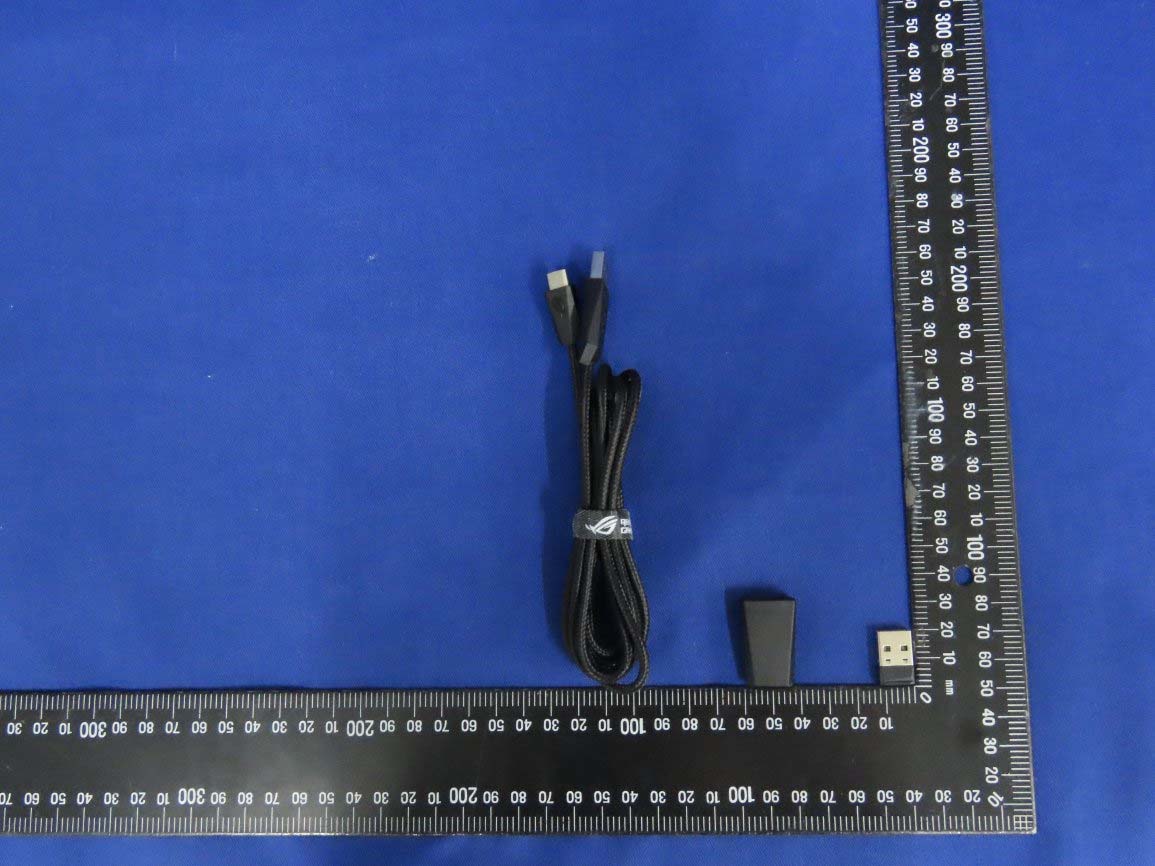
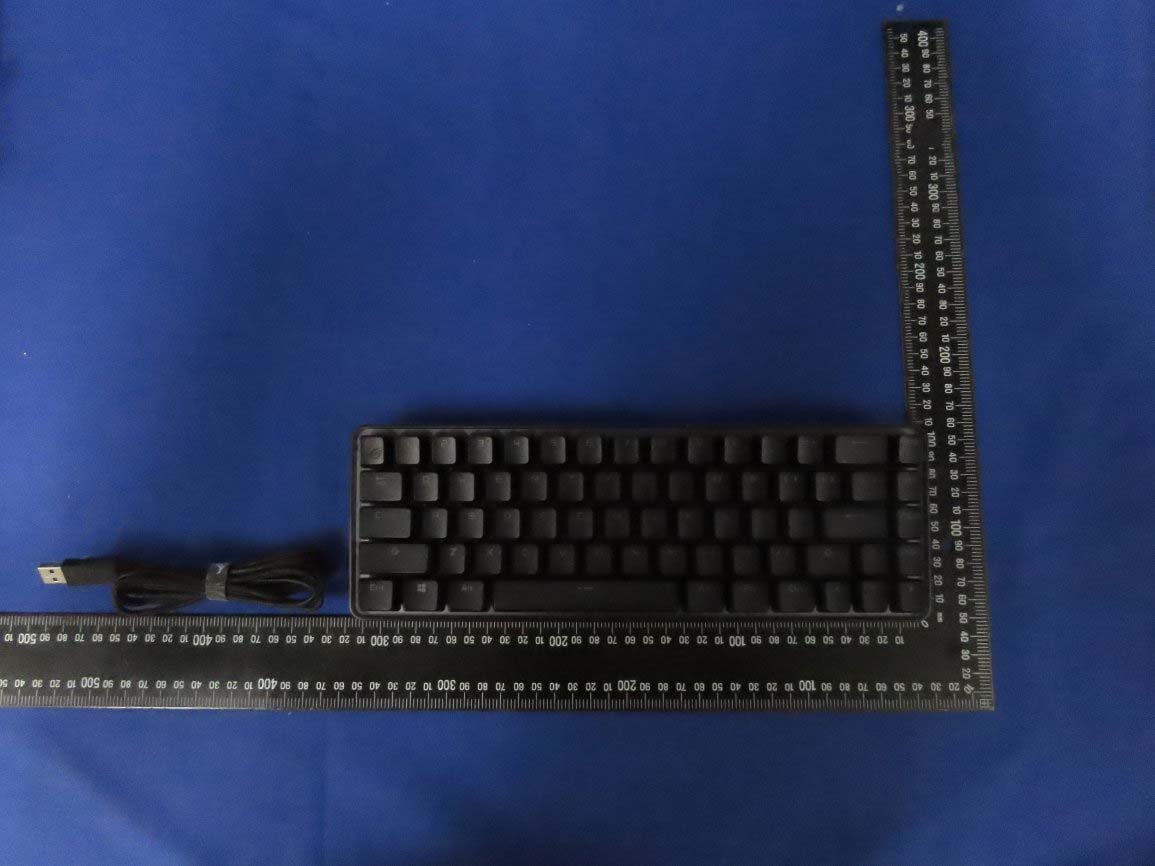
Q17044 First Edition August 2020 Copyright © ASUSTeK Computer Inc. All Rights Reserved Package Contents Quick Start Guide 快速使用指南(繁體中文) 快速使用指南(簡體中文) クイックスタートガイド 빠른 시작 설명서 Guide de démarrage rapide Schnellstartanleitung Guida rapida Краткое руководство Guía de inicio rápido Beknopte handleiding Hızlı Başlangıç Kılavuzu Beüzemelési útmutató Стисле керівництво для початку експлуатації Instrukcja szybkiej instalacji Rychlý průvodce Ghid de pornire rapidă Snabbstartsguide Stručný návod na spustenie Quick Start-vejledning Pikaopas Hurtigstartveiledning Guia de consulta rápida Keyboard features Win lock indicator / Win lock 指示燈 / Win lock 指示燈 RGB indicator / RGB 指示燈 / RGB 指示燈 Caps Lock indicator / 大寫字母鎖定指示燈 / 大寫字母鎖定指示燈 Kickstand / 支架 / 支架 Power switch / 電源開關 / 電源開關 USB Type-C® port / USB Type-C® 連接埠 / USB Type-C® 接口 Magnetic dongle storage / 無線接收器磁吸收納 / 無線接收器磁吸收納 Up button / 向上按鍵 / 向上按鍵 Slider bar / 滑動條 / 滑動條 Down button / 向下按鍵 / 向下按鍵 Top view (US layout for reference) Rear view Left view ROG Falchion wireless gaming keyboard (US layout)* / ROG Falchion 無線電競鍵盤(美式佈局)* / ROG Falchion 無線電競鍵盤(美式佈局)* USB Type-C® cable / USB Type-C® 傳輸線 / USB Type-C® 數據線 Keyboard cover / 鍵盤蓋 / 鍵盤蓋 Wireless dongle extender* / 無線接收器延長器* / 無線接收器延長器* USB Wireless Dongle / USB 無線接收器 / USB 無線接收器 Technical documents / 技術文件/ 技術文件 Sticker / 貼 紙 / 貼紙 * The illustration is for reference only. Actual product specifications may vary with models, such as keyboard layout. / 圖示僅供參考。實際產品規格如鍵盤佈局可能因型號而異。 / 圖示僅供參考。實際產品規格如鍵盤佈局可能因型號而異。 ** Only use the wireless dongle extender for the wireless dongle. / 無線接收器延長器僅可用於連接無線接收器。 / 無線接收器延長器僅可用於連接無線接收器。 War ran ty C ar d EN FR DE IT ES Getting started 1. Connect the bundled Type-C ® cable to your keyboard. 2. Connect your keyboard to the PC. 3. Download and install the Armoury Crate software from https://www.asus.com/supportonly/Armoury%20Crate/ HelpDesk_Download/ 4. Follow the software instructions to update your keyboard’s firmware. 5. Customize your keyboard using Armoury Crate. Procedimientos iniciales 1. Conecte el cable Type-C® incluido al teclado. 2. Conecte el teléfono a su PC. 3. Descargue e instale el software ROG Armoury Crate desde https://www.asus.com/supportonly/Armoury%20Crate/ HelpDesk_Download/. 4. Siga las instrucciones de software para actualizar el firmware del teclado. 5. Personalice el teclado mediante Armoury Crate. Setting up as a wireless keyboard 1. Remove the wireless dongle from the keyboard. 2. Insert the wireless dongle to a USB port on the PC. 3. Set the power switch to ON. Configurar como un teclado inalámbrico 1. Quite la llave inalámbrica del teclado USB. 2. Inserte la llave inalámbrica a un puerto USB de su PC. 3. Coloque el interruptor de alimentación en la posición ENCENDIDO. Battery Status The RGB indicator on your gaming keyboard will turn red (breathing) and the LEDs for all the other keys will switch off when the battery power is below 20% in wireless mode. You may charge your gaming keyboard by using the bundled USB cable. Estado de la batería El color del indicador RGB del teclado para juegos cambiará a rojo (respirando) y los LED de todas las demás teclas se apagarán cuando la energía de la batería sea inferior al 20 % en modo inalámbrico. Puede cargar el teclado para juegos utilizando el cable USB incluido. Prise en main 1. Connectez le câble Type-C® fourni à votre clavier. 2. Connectez votre clavier à l'ordinateur. 3. Téléchargez et installez le logiciel Armoury sur : https://www.asus.com/supportonly/Armoury%20Crate/ HelpDesk_Download/ 4. Suivez les instructions du logiciel pour mettre à jour le firmware de votre clavier. 5. Personnalisez votre clavier avec Armoury. Configurer en tant que clavier sans fil 1. Retirez le dongle sans fil du clavier. 2. Insérez le dongle sans fil à un port USB sur votre ordinateur. 3. Placez l'interrupteur d'alimentation sur ON. État de la batterie L'indicateur RGB de votre clavier gaming deviendra rouge (pulsation) et les LED de toutes les autres touches seront éteintes lorsque le niveau de batterie est inférieur à 20% en mode sans fil. Vous pouvez recharger votre clavier gaming en utilisant le câble USB fourni. Erste Schritte 1. Verbinden Sie das mitgelieferte Typ-C-Kabel mit Ihrer Tastatur. 2. Schließen Sie Ihre Tastatur an den PC an. 3. Laden Sie die Armoury Crate Software unter https://www. asus.com/supportonly/Armoury%20Crate/HelpDesk_ Download/ herunter und installieren Sie sie. 4. Befolgen Sie die Anweisungen in der Software, um die Firmware Ihrer Tastatur zu aktualisieren. 5. Passen Sie Ihre Tastatur über Armoury Crate an. Einrichten als kabellose Tastatur 1. Entfernen Sie den Wireless-Dongle von der Tastatur. 2. Stecken Sie den Wireless-Dongle in einen USB-Anschluss am PC. 3. Stellen Sie den Ein-/Ausschalter auf EIN. Akkustatus Die RGB-Anzeige an Ihrer Gaming Tastatur leuchtet rot (pulsierend) und die LEDs aller anderen Tasten werden ausgeschaltet, wenn die Akkuleistung im Drahtlos-Modus unter 20% liegt. Sie können Ihre Gaming Tastatur mithilfe des mitgelieferten USB-Kabels aufladen. Per iniziare 1. Collegate il cavo USB di tipo C® in dotazione alla tastiera. 2. Collegate la tastiera al PC. 3. Scaricate e installate il software Armoury Crate dal sito https://www.asus.com/supportonly/Armoury%20Crate/ HelpDesk_Download/ 4. Seguite le istruzioni del software per aggiornare il firmware della vostra tastiera. 5. Usate Armory Crate per personalizzare la vostra tastiera. Installazione della tastiera senza fili 1. Estraete il dongle senza fili dalla tastiera. 2. Inserite il dongle senza fili in una porta USB del PC. 3. Impostate l'interruttore di alimentazione su ON. Stato della batteria L'indicatore RGB della tastiera gaming si accende di rosso (respiro) e i LED degli altri tasti si spengono quando la carica residua della batteria è inferiore al 20% nella modalità senza fili. Potete caricare la batteria della tastiera gaming usando il cavo USB in dotazione. TR FI CZ HU NL NO PT:BR PL RU SK Начало работы 1. Подключите по…
Text truncated - open the document above for the full version.
Report No.: 2060791R-E3032110109 Page: 1 of 8 Attachment 2 : EUT Detailed Photographs (1) EUT Photo (2) EUT Photo Report No.: 2060791R-E3032110109 Page: 2 of 8 (3) EUT Photo (4) EUT Photo Report No.: 2060791R-E3032110109 Page: 3 of 8 (5) EUT Photo (6) EUT Photo Report No.: 2060791R-E3032110109 Page: 4 of 8 (7) EUT Photo
DongGuan City Heatmoving Electronic Technology Co.,Ltd. IC ID.: 26276-DROGDONGLE XinLid industrial part Jinyuling road #28 SangYuan Village, Dongcheng Distric, DongGuan, China IC ID Label The IC ID and DoC Label will be placed on the equipment as shown in the photograph below.
Report No.: 2060791R-E3032110109 Page: 5 of 8 (8) EUT Photo (9) EUT Photo Report No.: 2060791R-E3032110109 Page: 6 of 8 (10) EUT Photo (11) EUT Photo Antenna Report No.: 2060791R-E3032110109 Page: 7 of 8 (12) EUT Photo (13) EUT Photo RF Chip Report No.: 2060791R-E3032110109 Page: 8 of 8 (14) EUT Photo (15) EUT Photo
Report No.: 2060791R-E3082100014 Page: 1 of 5 RF Exposure Evaluation Report Product Name : Wireless Gaming Keyboard Dongle Model No. : ROGDONGLEH FCC ID : 2AWUFDROGDONGLE Applicant : DongGuan City Heatmoving Electronic Technology Co.,Ltd. Address : XinLid industrial part Jinyuling road #28 SangYuan Village, Dongcheng Distric, DongGuan, China Date of Receipt : Jun. 20, 2020 Date of Declaration : Aug. 21, 2020 Report No. : 2060791R-E3082100014 Report Version : V1 .0 The test results relate only to the samples tested. The test results shown in the test report are traceable to the national/international standard through the calibration report of the equipment and evaluated measurement uncertainty herein. This report must not be used to claim product endorsement by TAF or any agency of the government. The test report shall not be reproduced without the written approval of DEKRA Testing and Certification Co., Ltd. Measurement uncertainties evaluated for each testing system and associated connections are given here to provide the system information for reference. Compliance determinations do not take into account measurement uncertainties for each testing system, but are based on the results of the compliance measurement. Report No.: 2060791R-E3082100014 Page: 2 of 5 Issued Date: Aug. 21, 2020 Report No.: 2060791R-E3082100014 Product Name Wireless Gaming Keyboard Dongle Applicant DongGuan City Heatmoving Electronic Technology Co.,Ltd. Address XinLid industrial part Jinyuling road #28 SangYuan Village, Dongcheng Distric, DongGuan, China Manufacturer DongGuan City Heatmoving Electronic Technology Co.,Ltd. Model No. ROGDONGLEH FCC ID. 2AWUFDROGDONGLE Trade Name ASUS Applicable Standard KDB 447498 D01 v06 Minimum test separation distance ≥ 20 cm For low power devices Test Result Complied Documented By : ( Senior Adm. Specialist / Jinn Chen ) Tested By : ( Senior Engineer / Wen Lee ) Approved By : ( Director / Vincent Lin ) Report No.: 2060791R-E3082100014 Page: 3 of 5 Revision History Report No. Ve r s i o n Description Issued Date 2060791R-E3082100014 V1.0 Initial issue of report. 2020-08-21 Report No.: 2060791R-E3082100014 Page: 4 of 5 1. GENERAL INFORMATION 1.1. EUT Description Product Name Wireless Gaming Keyboard Dongle Trade Name ASUS Model No. ROGDONGLEH FCC ID. 2AWUFDROGDONGLE Frequency Range Wireless: 2403-2480MHz Channel Number Wireless: 78CH Type of Modulation GFSK Channel Control Auto Antenna Type Chip Antenna Antenna Gain Refer to the table “Antenna List” 1.2. Antenna List No. Manufacturer Part No. Antenna Type Peak Gain 1 Unictron S2M1E120Z296030 Chip Antenna 1.2dBi for 2.4GHz Report No.: 2060791R-E3082100014 Page: 5 of 5 2. RF Exposure Evaluation 2.1. Standard Applicable According to 1.1307 (b)(1), systems operating under the provisions of this section shall be operated in a manner that ensure that the public is not exposed to radio frequency energy level in excess of the Commission’s guideline. 2.2. Measurement Result: According to KDB Publication 447498 D01, section 4.3.1, per the calculations of item 1 (Power(mW)/separation (mm)*sqrt(f(GHz)≤3.0), SAR is required as shown in the table below where calculated values are greater than 3.0: 1.) Wireless: Operation frequency = 2450MHz and antenna separation distance = 5mm, SAR Test Exclusion Threshold = 10mW Frequency Band (MHz) Maximum peak output power Peak Gain: 1.2dBi SAR Test Exclusion Threshold Calculated Threshold Value (≦3.0 SAR is not required) conducted (dBm) EIRP (dBm) EIRP (mW) (mW) 2403~2480 -1.75 -0.55 0.88 10 0.273 Note1: The SAR/MPE measurement is not necessary. Note2: The conducted output power is refer to report No.: 2060791R-E3032110109 from the DEKRA.
Report No.: 2060791R-E3032110109 Page: 1 of 56 FCC Test Report Product Name Wireless Gaming Keyboard Dongle Model No. ROGDONGLEH FCC ID. 2AWUFDROGDONGLE Applicant DongGuan City Heatmoving Electronic Technology Co.,Ltd. Address XinLid industrial part Jinyuling road #28 SangYuan Village, Dongcheng Distric, DongGuan, China Date of Receipt Jun. 20, 2020 Issued Date Aug. 20, 2020 Report No. 2060791R-E3032110109 Report Version V1.0 The test results relate only to the samples tested. The test results shown in the test report are traceable to the national/international standard through the calibration report of the equipment and evaluated measurement uncertainty herein. This report must not be used to claim product endorsement by TAF or any agency of the government. The test report shall not be reproduced without the written approval of DEKRA Testing and Certification Co., Ltd. Measurement uncertainties evaluated for each testing system and associated connections are given here to provide the system information for reference. Compliance determinations do not take into account measurement uncertainties for each testing system, but are based on the results of the compliance measurement. Report No.: 2060791R-E3032110109 Page: 2 of 56 Test Report Issued Date: Aug. 20, 2020 Report No.: 2060791R-E3032110109 Product Name Wireless Gaming Keyboard Dongle Applicant DongGuan City Heatmoving Electronic Technology Co.,Ltd. Address XinLid industrial part Jinyuling road #28 SangYuan Village, Dongcheng Distric, DongGuan, China Manufacturer DongGuan City Heatmoving Electronic Technology Co.,Ltd. Model No. ROGDONGLEH FCC ID. 2AWUFDROGDONGLE EUT Rated Voltage DC 5V (Power by USB) EUT Test Voltage DC 5V (Power by USB) Trade Name ASUS Applicable Standard FCC CFR Title 47 Part 15 Subpart C ANSI C63.4: 2014, ANSI C63.10: 2013 Test Result Complied Documented By : ( Senior Adm. Specialist / Jinn Chen ) Tested By : ( Senior Engineer / Ivan Chuang ) Approved By : ( Director / Vincent Lin ) Report No.: 2060791R-E3032110109 Page: 3 of 56 TABLE OF CONTENTS Description Page 1. GENERAL INFORMATION ............................................................................................................... 5 1.1. EUT Description ...................................................................................................................................... 5 1.2. Operational Description ........................................................................................................................... 7 1.3. Tested System Details .............................................................................................................................. 8 1.4. Configuration of Tested System .............................................................................................................. 8 1.5. EUT Exercise Software ........................................................................................................................... 8 1.6. Test Facility ............................................................................................................................................. 9 1.7. List of Test Equipment ........................................................................................................................... 10 1.8. Uncertainty ............................................................................................................................................ 11 2. CONDUCTED EMISSION ................................................................................................................ 12 2.1. Test Setup .............................................................................................................................................. 12 2.2. Limits ..................................................................................................................................................... 12 2.3. Test Procedure ....................................................................................................................................... 13 2.4. Test Result of Conducted Emission ....................................................................................................... 14 3. PEAK POWER OUTPUT .................................................................................................................. 16 3.1. Test Setup .............................................................................................................................................. 16 3.2. Limit ...................................................................................................................................................... 16 3.3. Test Procedure ....................................................................................................................................... 16 3.4. Test Result of Peak Power Output ......................................................................................................... 17 4. RADIATED EMISSION ..................................................................................................................... 18 4.1. Test Setup .............................................................................................................................................. 18 4.2. Limits ..................................................................................................................................................... 19 4.3. Test Procedure ....................................................................................................................................... 20 4.4. Test Result of Radiated Emission .......................................................................................................... 22 5. RF ANTENNA CONDUCTED TEST ................................................................................................ 33 5.1. Test Setup ..............................................................................…
Text truncated - open the document above for the full version.
Report No.: 2060791R-E3032110109 Page : 1 of 3 Attachment 1: EUT Test Setup Photographs Front View of Conducted Test Back View of Conducted Test Report No.: 2060791R-E3032110109 Page : 2 of 3 Front View of Radiated Test Back View of Radiated Test Report No.: 2060791R-E3032110109 Page : 3 of 3 Front View of Radiated Test (Horn) Back View of Radiated Test (Horn)
No.5-22, Ruishukeng, Linkou Dist., · New Taipei City · Taiwan
| # | Rule Parts | Frequency Range | Power Output |
|---|---|---|---|
| 1 | 15C | 2.40 GHz - 2.48 GHz | 700.00 µW |

Wireless Gaming Keyboard
Equipment Class
DTS - Digital Transmission System