2AWYT-TTBKB10Tablet PC
TANOSHI INC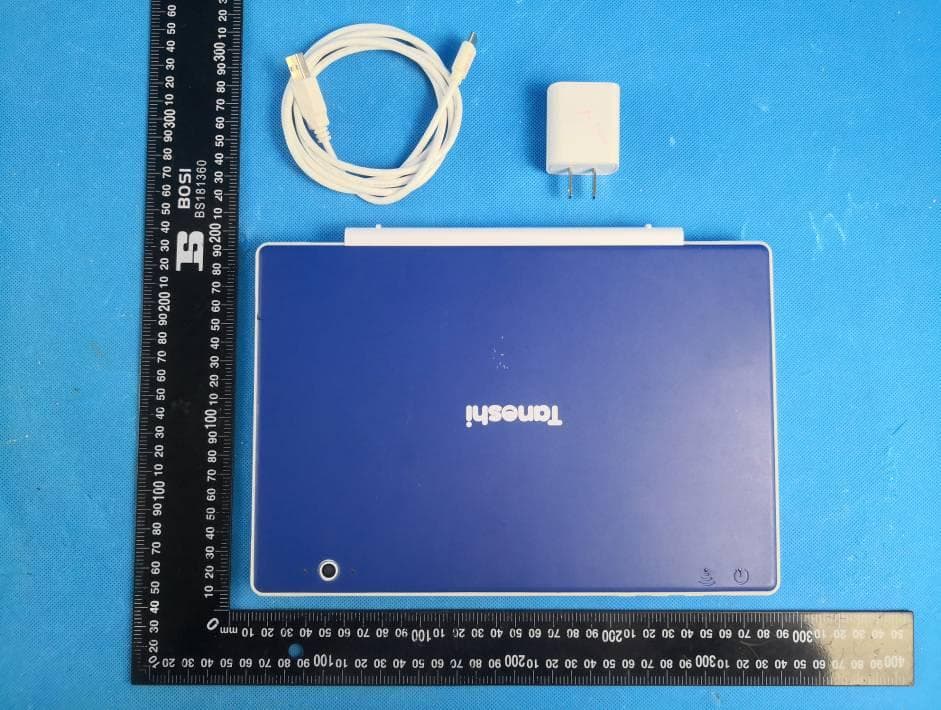
Click to zoom
Application Details
- Equipment Class
- NII - Unlicensed National Information Infrastructure TX
- Date of Grant
- Nov 03, 2020
- Application Purpose
- Original Equipment
- Date of Application
- Nov 02, 2020
- Equipment Note
- Tablet PC
- Frequency Range
- 5745.00000000 - 5825.00000000
- Company
- TANOSHI INC
- Country
- United States
Documents & Files
Document Text
Text extracted from the exhibit documents filed with the FCC. Open a document above to read the original.
Users Manual
Quick Start Guide Help your kid learn and play with their first real computer! Welcome Family! to the Overview of the Scholar Computer . . . . . . . . . . . . . .4 Parental Controls . . . . . . . . . . . . . . . . . . . . . . . . . . . .6 Setting up your Tanoshi Scholar . . . . . . . . . . . . . . . . 7 Product Registration . . . . . . . . . . . . . . . . . . . . . . . . . 11 Warranty . . . . . . . . . . . . . . . . . . . . . . . . . . . . . . . . . . .12 Frequently Asked Questions . . . . . . . . . . . . . . . . . . . 15 Tanoshi-bot . . . . . . . . . . . . . . . . . . . . . . . . . . . . . . . . . 16 Contacting Tanoshi . . . . . . . . . . . . . . . . . . . . . . . . . . . 17 2 OUR GOAL is to provide an amazing digital education for all kids. Learn more about our mission at www.tanoshi.com SERIAL NUMBER: ___________________________________ Hi there! Skip ahead to page 16 to see my comic strip! CONTENTS Technical Specifications . . . . . . . . . . . . . . . . . . . . . . 10 WARNING: WHEN KEYBOARD IS ATTACHED, DO NOT OPEN THE DEVICE MORE THAN 130 DEGREES. THIS MAY CAUSE DAMAGE NOT COVERED BY WARRANTY. Store your computer in a safe place, away from younger kids 130 o Tanoshi Scholar is a real laptop computer and should be treated with care. To get the maximum life out of your device, please share the following tips with your kid: Before moving your computer: Do not treat your computer like a toy Remove the keyboard or fold the computer closed Safely unplug the power cord A TOOL, NOT A TOY! BAC 3 1 2 ●10.1in. HD Android Tablet ●Detachable Keyboard with Trackpad ●USB-C Charging Cable ●AC Adapter 4 Overview WHAT’S IN THE BOX 1. Open dust shield on tablet (Adult help may be required. If the dust shield is tight, you can use a penny to open it) 2. Connect AC Adapter to USB-C cable 3. Insert USB-C plug into USB-C outlet on device 4. Plug in AC Adapter t o wall outlet/power source PLEASE CHARGE BEFORE USING To turn the computer ON: Press and hold the power button until the green light flashes. To put the computer to SLEEP: Press the power button. To conserve battery, turn the computer OFF: Hold down the power button and select “Power Off” from the menu that appears. 5 USB-C/Power Headphones microHDMI USB 2.0 microSD DC IN (adapter not included) Power indicator light CAPS LOCK indicator light Trackpad disabled indicator Disable trackpad function key Power button (hold 3 seconds) Volume up/down WARNING: Front / Rear Cameras Front camera privacy cover (slide to close) Charging indicator light Power on indicator light Speakers Microphone USB 2.0 Port Back of tablet: “Wifi Active” indicator light A Note About Parental Controls The setup process will take about 15-20 minutes. We recommend that you spend some time setting up the device the way you like before handing it to your kid. Every family and kid is different, and you can talk with your kid about the choices you are making. Once you have configured the tablet, you can adjust settings from your own smartphone or computer. As your kid learns more about how to use their computer, you may want to modify the settings. 6 Some questions to consider when you set up parental controls: SCREEN TIME How much time will your kid use the computer each day? Are there certain days or times when they might have more or less time? APPS Some apps have a primarily educational role, and some apps are primarily for entertainment. Will they need certain apps for school, or are there trusted apps you’d like to install ahead of time? Are there apps that you want to restrict or allow? Will your kid be able to browse the app store? Kids will need your permission to download new apps, and you can control paid apps and in-app payments. WEB BROWSING This device uses Google Chrome with Safe Search, but you will want to consider unsupervised web browsing for your kid. You can adjust which websites are allowed or prohibited. For more info about parenting and technology, check out Common Sense Media at commonsensemedia.org 1 Connect to your local WiFi network, then “Set up as new” 7 ! These instructions are for setting up the computer for a kid under the age of 13. If you are setting this device up for an adult, disregard this section and set up the device using your new/existing Gmail account. This step can be done with your kid! Setting up your Turn on your device by holding the power button for 3 seconds. Now, we’re ready to Turn on your device In just a few minutes, you’ll be able to write your first computer program! Before getting started, you will need: ●Local WiFi network and password Information ●A parent’s new/existing Google Account ●A fully charged Tanoshi Scholar! NOTE: This Setup Process is subject to change. Please see tanoshi.com/FAQ for the latest information 2 You’ll need to provide your kid’s name, age, gender, and create a custom username for their account. This account will be linked with a parent’s Google Account in the next step. Be sure to enter your kid’s real age! If the age entered is 13 or over, the Family Link parental controls will not be activated. If your kid already has a personal Google Account and they listed their age as less than 13 (NOT a school account, which you can add later), you can use that instead. 8 Create a NEW Google Account for your kid to use that will be managed by Family Link (if they don’t already have a managed account) 3 9 Sign in with an existing parent Google Account, and verify that you are an adult This will link the devices and let the parent manage the Tanoshi Scholar device settings. We recommend using a Google Account already active on the parent’s phone. In this step, you will be providing parental consent for the creation of your child’s Google Account managed by Family Link. This step may require you to provide a credit card to verify that you are an adult. Select apps and services, configure parental controls, and install Family Link on your phone Feel free to spend some time now configuring the device, you can alwa…
Text truncated - open the document above for the full version.
Users Manual
Tanoshi Warranty Card (to be completed by parent or guardian)Please fill out and return to take advantage of your limited warranty for your Tanoshi Device. You may also register online at tanoshi.com/product-registration. Model Number: __________________ Serial Number: ________________________________Full Name: ________________________________*Email Address: ______________________________________________________Address: _______________________________________________________________________City: ____________________________________ State: ________ ZIP: _______________Purchase date: __________ Price: ________ Purchase Location: __________________ I confirm I am 13 or older, and would like to sign up to receive product tips and tricks, special offers, and more from Tanoshi. For more information visit tanoshi.com/product-registration 11 LIMITED WARRANTY SUMMARY: ●Warranty covers manufacturer’s defects only, not consumer damage or misuse. ●Warranty period is one year from date of purchase. ●All warranty claims must be accompanied by a dated receipt for proof-of-purchase. DO NOT RETURN BROKEN OR DEFECTIVE UNITS TO YOUR RETAILER Please contact Tanoshi directly for support and return instructions. 12 Please detach and mail this Registration Card to: Tanoshi Warranty Registration 696 San Ramon Valley Blvd., #237 Danville, CA 94526 OR REGISTER ONLINE tanoshi.com/product-registration 13 One-Year Limited Warranty (United States Only) NOTE: Before you ship the product(s) to Tanoshi, back up the data on the hard-disk drive(s) and any other storage device(s) in the product(s). Tanoshi does not accept liability for lost data or software. Refurbished Computer 90-Day Limited Warranty (United States Only) 14 NOTE: Before you ship the product(s) to Tanoshi, back up the data on the hard-disk drive(s) and any other storage device(s) in the product(s). Tanoshi does not accept liability for lost data or software. FCC statement This device complies with Part 15 of the FCC Rules. Operation i s subject to the foll owing two conditions: (1) This device may not cause harmful interference, and (2) this device must accept any interference received, including interference that may cause undesired operation. Caution: Changes or modifications not expressly approved by the party responsible for compl iance could void the user's authority to operate the equipment. NOTE: This equipment has been tested and found to comply with t he limits for a Class B digital device, pursuant to part 15 of the FCC Rules. These limits are designed to provide reasonable protection against harmful interference in a residential installation. This equipment gen erates, uses and can radiate ra dio frequency energy and, if not installed and used in accordance with the instructions , may cause harmful interferenc e to radio communications. However, there is no guarantee that interference will not occur in a particular installation. If this equipment does cause harmful interference to radio or t elevision reception, which can be determine d by turning the equipment off and on, the user is encoura ged to try to correct the interference by one or more of the following measures: --Reorient or relocate the receiving antenna. --Increase the separation between the equipment and receiver. --Connect the equipment into an o utlet on a circuit different f rom that to which the receiver is connected. --Consult the dealer or an experienced radio/TV technician for help. IC statement This device complies with Indust ry Canada license-exempt RSS st andard(s). Operation is subject to the foll owing two conditions: (1) this device may not cause interference, and (2) this device must accept any int erference, including interference that may cause undesired operation of th e device. Le présent appareil est conforme aux CNR d'Industrie Canada app licables aux appareils radio exempts de licence. L'exploitation est auto risée aux deux conditions suivantes : (1) l'appareil ne doit pas produire de brouillage, et (2) l'utilisateur de l'appareil doit accepter tout brouillag e radioélectrique subi, même si le brouillage est susceptible d'en compromettre lefonctionnement. 15 Frequently Asked Questions (FAQ) Can I install Minecraft? Roblox? Yes! You just need to adjust the app settings to allow it. By default, Family Link only allows “E” rated apps, and both Minecraft and Roblox are rated at “E10+”. 1. On your phone, open the Family Link app. 2. Select your kid’s device to manage. 3. At the top click on “Manage settings” 4. Now click on “Controls on Google Play” 5. Under “Content restrictions” select “Apps & games” 6. Select the option “Everyone 10+” and confirm by clicking “OK” on the next menu. 7. Install from Google Play. You may want to revisit these steps to revert the settings t o “E” ratings if appropriate for your kid. If you run into problems but don’t see your question here, visit tanoshi.com/FAQ to learn more! What can I do with Family Link? ●View your kid’s activity (Chrome history, app usage) ●Manage your kid’s apps, block certain websites ●Set daily time limits on the device ●Set a bedtime for the device ●Lock your kid’s device, and grant bonus time ●See wher e your kid’s device is at any time ●... and much more! See families.google.com/familylink for more information Can I connect my kid's school account to use Google Classroom? 1. On your kid’s device, open the Family Link app 2. Select your kid. In the top left, tap “Menu”. 3. Tap “Add school account”. 4. Sign in to the parent account you use with Family Link. 5. Enter your kid’s school email and password. 6. Follow the instructions to finish adding your kid’s school account. 7. Your kid’s school may have configured the Google Account or apps in a particular way - please contact the school technology office if you have questions. When I was a kid, computers were so much heavier! The person who programmed me knows a LOT about computers Hello, I am Tanoshi-bot But they used to be a kid, just like you! They disco…
Text truncated - open the document above for the full version.
Cover Letter(s)
TANOSHI INC DATE : 10-14-2020 Equipment Autorisation Division Federal Communications Commission 7435 Oakland Mills Road Columbia, MD 21046 FCC ID: 2AWYT-TTBKB10 Product Name: Tablet PC Request for Confidentiality Pursuant to Sections 0.457 and 0.459 of the commission’s rules, we hereby request that the following documents be held confidential: (List here the documents for which you are seeking confidentiality – for example ...) • Schematics • Block diagram • Operation description These materials contain trade secrets and proprietary information and are not customarily released to the public. The public disclosure of this information might be harmful to the company and provide unjustified benefits to our competitors. <Signature> Name: JOSH TRAUB Title: Manager Company: TANOSHI INC
Cover Letter(s)
DATE : 10-14-2020 Federal Communications Commission Authorization & Evaluation Division 7345 Oakland Mills Road Columbia, Maryland 21046 RE: LETTER OF AGENT AUTHORIZATION To Whom It May Concern: We, the undersigned, hereby authorize Compliance Testing, LLC to act on our behalf in all matters relating to application for equipment authorization, including the signing of all documents relating to these matters. We also hereby certify that no party to the application authorized hereunder is subject to the denial of benefits, including FCC benefits, pursuant to Section 5301 of the Anti-Drug Abuse Act of 1988, 21 U.S.C.853(a). Sincerely, <Signature> Name: JOSH TRAUB Title: Manager Company: TANOSHI INC
Cover Letter(s)
DATE : 10-14-2020 Federal Communications Commission Authorization & Evaluation Division 7345 Oakland Mills Road Columbia, Maryland 21046 Authority to Act asAgent Onourbehalf,Iappoint(Global United Technology Services Co., Ltd. No. 123-128, Tower A, Jinyuan Business Building, No.2, Laodong Industrial Zone, Xixiang Road, Baoan District, Shenzhen, Guangdong, China 518102) toactasouragentinthepreparationofthisapplicationforequipmentcertification.Icertifythatsubmi tteddocumentsproperlydescribethedeviceorsystemforwhichequipmentcertificationissought.I alsocertifythateachunitmanufactured,importedormarketed,asdefinedintheFederalCommuni cationsCommission’sregulationswillhaveaffixedtoit a label identical to that submitted for approval with thisapplication. Forinstanceswhereourauthorizedagentsignstheapplicationforcertificationonourbehalf,Iack nowledgethatallresponsibilityforcomplyingwiththetermsandconditionsforcertification,stillres ideswith(Applicant Nameandaddress) <Signature> Name: JOSH TRAUB Title: Manager Company: TANOSHI INC
External Photos
GTS202009000070 Global United Technology Services Co., Ltd. No. 123-128, Tower A, Jinyuan Business Building, No.2, Laodong Industrial Zone, Xixiang Road, Baoan District, Shenzhen, Guangdong, China 518102 Telephone: +86 (0) 755 2779 8480 Fax: +86 (0) 755 2779 8960 Page 1 of 19 Product Name: Tablet PC Test Model No.: TTBKB10 EUT Constructional Details Photo 1 Photo 2 GTS202009000070 Global United Technology Services Co., Ltd. No. 123-128, Tower A, Jinyuan Business Building, No.2, Laodong Industrial Zone, Xixiang Road, Baoan District, Shenzhen, Guangdong, China 518102 Telephone: +86 (0) 755 2779 8480 Fax: +86 (0) 755 2779 8960 Page 2 of 19 Photo 3 Photo 4 GTS202009000070 Global United Technology Services Co., Ltd. No. 123-128, Tower A, Jinyuan Business Building, No.2, Laodong Industrial Zone, Xixiang Road, Baoan District, Shenzhen, Guangdong, China 518102 Telephone: +86 (0) 755 2779 8480 Fax: +86 (0) 755 2779 8960 Page 3 of 19 Photo 5 Photo 6 GTS202009000070 Global United Technology Services Co., Ltd. No. 123-128, Tower A, Jinyuan Business Building, No.2, Laodong Industrial Zone, Xixiang Road, Baoan District, Shenzhen, Guangdong, China 518102 Telephone: +86 (0) 755 2779 8480 Fax: +86 (0) 755 2779 8960 Page 4 of 19 Photo 7 Photo 8 GTS202009000070 Global United Technology Services Co., Ltd. No. 123-128, Tower A, Jinyuan Business Building, No.2, Laodong Industrial Zone, Xixiang Road, Baoan District, Shenzhen, Guangdong, China 518102 Telephone: +86 (0) 755 2779 8480 Fax: +86 (0) 755 2779 8960 Page 5 of 19 Photo 9 Photo 10 GTS202009000070 Global United Technology Services Co., Ltd. No. 123-128, Tower A, Jinyuan Business Building, No.2, Laodong Industrial Zone, Xixiang Road, Baoan District, Shenzhen, Guangdong, China 518102 Telephone: +86 (0) 755 2779 8480 Fax: +86 (0) 755 2779 8960 Page 6 of 19 Photo 11 Photo 12 GTS202009000070 Global United Technology Services Co., Ltd. No. 123-128, Tower A, Jinyuan Business Building, No.2, Laodong Industrial Zone, Xixiang Road, Baoan District, Shenzhen, Guangdong, China 518102 Telephone: +86 (0) 755 2779 8480 Fax: +86 (0) 755 2779 8960 Page 7 of 19 Photo 13 Photo 14 GTS202009000070 Global United Technology Services Co., Ltd. No. 123-128, Tower A, Jinyuan Business Building, No.2, Laodong Industrial Zone, Xixiang Road, Baoan District, Shenzhen, Guangdong, China 518102 Telephone: +86 (0) 755 2779 8480 Fax: +86 (0) 755 2779 8960 Page 8 of 19 Photo 15 Photo 16 GTS202009000070 Global United Technology Services Co., Ltd. No. 123-128, Tower A, Jinyuan Business Building, No.2, Laodong Industrial Zone, Xixiang Road, Baoan District, Shenzhen, Guangdong, China 518102 Telephone: +86 (0) 755 2779 8480 Fax: +86 (0) 755 2779 8960 Page 9 of 19 Photo 17 Photo 18
ID Label/Location Info
Label Product Name : Tablet PC Model No. : TTBKB10 A/S No. : FCC ID: 2AWYT‐TTBKB10
Internal Photos
GTS202009000070 Global United Technology Services Co., Ltd. No. 123-128, Tower A, Jinyuan Business Building, No.2, Laodong Industrial Zone, Xixiang Road, Baoan District, Shenzhen, Guangdong, China 518102 Telephone: +86 (0) 755 2779 8480 Fax: +86 (0) 755 2779 8960 Page 10 of 19 Photo 19 Photo 20 GTS202009000070 Global United Technology Services Co., Ltd. No. 123-128, Tower A, Jinyuan Business Building, No.2, Laodong Industrial Zone, Xixiang Road, Baoan District, Shenzhen, Guangdong, China 518102 Telephone: +86 (0) 755 2779 8480 Fax: +86 (0) 755 2779 8960 Page 11 of 19 Photo 21 Photo 22 Antenna GTS202009000070 Global United Technology Services Co., Ltd. No. 123-128, Tower A, Jinyuan Business Building, No.2, Laodong Industrial Zone, Xixiang Road, Baoan District, Shenzhen, Guangdong, China 518102 Telephone: +86 (0) 755 2779 8480 Fax: +86 (0) 755 2779 8960 Page 12 of 19 Photo 23 Photo 24 GTS202009000070 Global United Technology Services Co., Ltd. No. 123-128, Tower A, Jinyuan Business Building, No.2, Laodong Industrial Zone, Xixiang Road, Baoan District, Shenzhen, Guangdong, China 518102 Telephone: +86 (0) 755 2779 8480 Fax: +86 (0) 755 2779 8960 Page 13 of 19 Photo 25 Photo 26 GTS202009000070 Global United Technology Services Co., Ltd. No. 123-128, Tower A, Jinyuan Business Building, No.2, Laodong Industrial Zone, Xixiang Road, Baoan District, Shenzhen, Guangdong, China 518102 Telephone: +86 (0) 755 2779 8480 Fax: +86 (0) 755 2779 8960 Page 14 of 19 Photo 27 Photo 28 GTS202009000070 Global United Technology Services Co., Ltd. No. 123-128, Tower A, Jinyuan Business Building, No.2, Laodong Industrial Zone, Xixiang Road, Baoan District, Shenzhen, Guangdong, China 518102 Telephone: +86 (0) 755 2779 8480 Fax: +86 (0) 755 2779 8960 Page 15 of 19 Photo 29 Photo 30 GTS202009000070 Global United Technology Services Co., Ltd. No. 123-128, Tower A, Jinyuan Business Building, No.2, Laodong Industrial Zone, Xixiang Road, Baoan District, Shenzhen, Guangdong, China 518102 Telephone: +86 (0) 755 2779 8480 Fax: +86 (0) 755 2779 8960 Page 16 of 19 Photo 31 Photo 32 GTS202009000070 Global United Technology Services Co., Ltd. No. 123-128, Tower A, Jinyuan Business Building, No.2, Laodong Industrial Zone, Xixiang Road, Baoan District, Shenzhen, Guangdong, China 518102 Telephone: +86 (0) 755 2779 8480 Fax: +86 (0) 755 2779 8960 Page 17 of 19 Photo 33 Photo 34 GTS202009000070 Global United Technology Services Co., Ltd. No. 123-128, Tower A, Jinyuan Business Building, No.2, Laodong Industrial Zone, Xixiang Road, Baoan District, Shenzhen, Guangdong, China 518102 Telephone: +86 (0) 755 2779 8480 Fax: +86 (0) 755 2779 8960 Page 18 of 19 Photo 35 Photo 36 GTS202009000070 Global United Technology Services Co., Ltd. No. 123-128, Tower A, Jinyuan Business Building, No.2, Laodong Industrial Zone, Xixiang Road, Baoan District, Shenzhen, Guangdong, China 518102 Telephone: +86 (0) 755 2779 8480 Fax: +86 (0) 755 2779 8960 Page 19 of 19 Photo 37 ------End------
RF Exposure Info
FCC ID: 2AWYT-TTBKB10 RF Exposure Compliance Requirement The product belongs to standalone portable device base the FCC rule part 2.1091&2.1093. The transmission frequencies of the device are between 100 MHz and 6 GHz. The worst case test separation distance is 5mm. The SAR Test Exclusion Threshold for 100 MHz to 6 GHz is calculated from: 1) The 1-g and 10-g SAR test exclusion thresholds for 100 MHz to 6 GHz at test separation distances ≤ 50 mm are determined by: [(max. power of channel, including tune-up tolerance, mW)/(min. test separation distance, mm)] · [√f(GHz)] ≤ 3.0 for 1-g SAR and ≤ 7.5 for 10-g extremity SAR, where f(GHz) is the RF channel transmit frequency in GHz Power and distance are rounded to the nearest mW and mm before calculation The result is rounded to one decimal place for comparison The test exclusions are applicable only when the minimum test separation distance is ≤ 50 mm and for transmission frequencies between 100 MHz and 6 GHz. When the minimum test separation distance is < 5 mm, a distance of 5 mm is applied to determine SAR test exclusion. Worse case is as below:[BT 8-DPSK,2480MHz: 3.74dBm(2.37mW) output power] (2.37mW/5mm) ·[√2.480(GHz)]= 0.746 <3.0 for 1-g SAR According to SAR Exclusion Threshold in KDB 447498 (D01) General RF Exposure Guidance v06, the SAR report is not required.
Test Report
Global United Technology Services Co., Ltd. Report No.: GTS202009000070F04 Authorized Signature: Robinson Lo Laboratory Manager This results shown in this test report refer only to the sample(s) tested, this test report cannot be reproduced, except in full, without prior written permission of the company. The report would be invalid without specific stamp of test institute and the signatures of compiler and approver. Page 1 of 58 TEST REPORT Applicant: Tanoshi, Inc. Address of Applicant: 505 14TH ST STE 900 OAKLAND, CA 94612-1902 OAKLAND CA Manufacturer/Factory: Heyuan Vastking Electronic Co.,Ltd Address of Manufacturer/Factory: No.13, Hupu Road, PuQian, YuanCheng District, Heyuan, Guangdong, China. Equipment Under Test (EUT) Product Name: Tablet PC Model No.: TTBKB10, TTBKB10-A1V, TTBKB10-A1B Trade Mark: Tanoshi FCC ID: 2AWYT-TTBKB10 Applicable standards: FCC CFR Title 47 Part 15 Subpart E Section 15.407 Date of sample receipt: Aug. 21, 2020 Date of Test: Aug. 21, 2020~Sep. 17, 2020 Date of report issue: Sep. 18, 2020 Test Result : PASS * * In the configuration tested, the EUT complied with the standards specified above. Report No.: GTS202009000070F04 Global United Technology Services Co., Ltd. No. 123-128, Tower A, Jinyuan Business Building, No.2, Laodong Industrial Zone, Xixiang Road, Baoan District, Shenzhen, Guangdong, China 518102 Telephone: +86 (0) 755 2779 8480 Fax: +86 (0) 755 2779 8960 Page 2 of 58 2 Version Version No. Date Description 00 Sep. 18, 2020 Original Prepared By: Date: Sep. 18, 2020 Project Engineer Check By: Date: Sep. 18, 2020 Reviewer Report No.: GTS202009000070F04 Global United Technology Services Co., Ltd. No. 123-128, Tower A, Jinyuan Business Building, No.2, Laodong Industrial Zone, Xixiang Road, Baoan District, Shenzhen, Guangdong, China 518102 Telephone: +86 (0) 755 2779 8480 Fax: +86 (0) 755 2779 8960 Page 3 of 58 3 Contents Page 1 COVER PAGE ........................................................................................................................................... 1 2 VERSION ...................................................................................................................................................2 3 CONTENTS ...............................................................................................................................................3 4 TEST SUMMARY ......................................................................................................................................4 4.1 MEASUREMENT UNCERTAINTY .............................................................................................................4 5 GENERAL INFORMATION .......................................................................................................................5 5.1 GENERAL DESCRIPTION OF EUT ..........................................................................................................5 5.2 TEST MODE .........................................................................................................................................7 5.3 TEST FACILITY.....................................................................................................................................7 5.4 TEST LOCATION...................................................................................................................................7 5.5 DESCRIPTION OF SUPPORT UNITS ........................................................................................................7 5.6 DEVIATION FROM STANDARDS ..............................................................................................................7 5.7 ABNORMALITIES FROM STANDARD CONDITIONS ....................................................................................7 6 TEST INSTRUMENTS LIST ......................................................................................................................8 7 TEST RESULTS AND MEASUREMENT DATA .....................................................................................10 7.1 ANTENNA REQUIREMENT: ...................................................................................................................10 7.2 CONDUCTED EMISSIONS ....................................................................................................................11 7.3 EMISSION BANDWIDTH AND 99% OCCUPIED BANDWIDTH ....................................................................14 7.4 PEAK TRANSMIT POWER ....................................................................................................................28 7.5 POWER SPECTRAL DENSITY ..............................................................................................................31 7.6 BAND EDGE.......................................................................................................................................40 7.7 RADIATED EMISSION ..........................................................................................................................44 7.8 FREQUENCY STABILITY ......................................................................................................................54 8 TEST SETUP PHOTO .............................................................................................................................58 9 EUT CONSTRUCTIONAL DETAILS .......................................................................................................58 Report No.: GTS202009000070F04 Global United Technology Services Co., Ltd. No. 123-128, Tower A, Jinyuan Business Building, No.2, Laodong Industrial Zone, Xixiang Road, Baoan District, Shenzhen, Guangdong, China 518102 Telephone: +86 (0) 755 2779 8480 Fax: +86 (0) 755 2779 8960 Page 4 of 58 4 Test Summary Test Item Section in CFR 47 Result Antenna requirement 15.203 PASS AC Power Line Conducted Emission 15.207 PASS Peak Transmit Power 15.407(a)(1) PASS Power Spectral Density 15.407(a)(1) PASS Undesirable Emissio…
Text truncated - open the document above for the full version.
Test Report
Global United Technology Services Co., Ltd. Report No.: GTS202009000070F05 Authorized Signature: Robinson Lo Laboratory Manager This results shown in this test report refer only to the sample(s) tested, this test report cannot be reproduced, except in full, without prior written permission of the company. The report would be invalid without specific stamp of test institute and the signatures of compiler and approver. Page 1 of 48 TEST REPORT Applicant: Tanoshi, Inc. Address of Applicant: 505 14TH ST STE 900 OAKLAND, CA 94612-1902 OAKLAND CA Manufacturer/Factory: Heyuan Vastking Electronic Co.,Ltd Address of Manufacturer/Factory: No.13, Hupu Road, PuQian, YuanCheng District, Heyuan, Guangdong, China. Equipment Under Test (EUT) Product Name: Tablet PC Model No.: TTBKB10, TTBKB10-A1V, TTBKB10-A1B Trade Mark: Tanoshi FCC ID: 2AWYT-TTBKB10 Applicable standards: FCC CFR Title 47 Part 15 Subpart E Section 15.407 Date of sample receipt: Aug. 21, 2020 Date of Test: Aug. 21, 2020~Sep. 17, 2020 Date of report issued: Sep. 18, 2020 Test Result : PASS * * In the configuration tested, the EUT complied with the standards specified above. Report No.: GTS202009000070F05 Global United Technology Services Co., Ltd. No. 123-128, Tower A, Jinyuan Business Building, No.2, Laodong Industrial Zone, Xixiang Road, Baoan District, Shenzhen, Guangdong, China 518102 Telephone: +86 (0) 755 2779 8480 Fax: +86 (0) 755 2779 8960 Page 2 of 48 2 Version Version No. Date Description 00 Sep. 18, 2020 Original Prepared By: Date: Sep. 18, 2020 Project Engineer Check By: Date: Sep. 18, 2020 Reviewer Report No.: GTS202009000070F05 Global United Technology Services Co., Ltd. No. 123-128, Tower A, Jinyuan Business Building, No.2, Laodong Industrial Zone, Xixiang Road, Baoan District, Shenzhen, Guangdong, China 518102 Telephone: +86 (0) 755 2779 8480 Fax: +86 (0) 755 2779 8960 Page 3 of 48 3 Contents Page 1 COVER PAGE ........................................................................................................................................... 1 2 VERSION ...................................................................................................................................................2 3 CONTENTS ...............................................................................................................................................…
Text truncated - open the document above for the full version.
Contact Information
Applicant
JOSH TRAUB
Test Firm
Global United Technology Services Co. Ltd.Robinson Lo
Technical Specifications
| # | Rule Parts | Frequency Range | Power Output |
|---|---|---|---|
| 2 | 15E | 5.75 GHz - 5.83 GHz | 790.00 µW |