2AXPF03219devolo Magic 2 LAN 1-1
devolo AG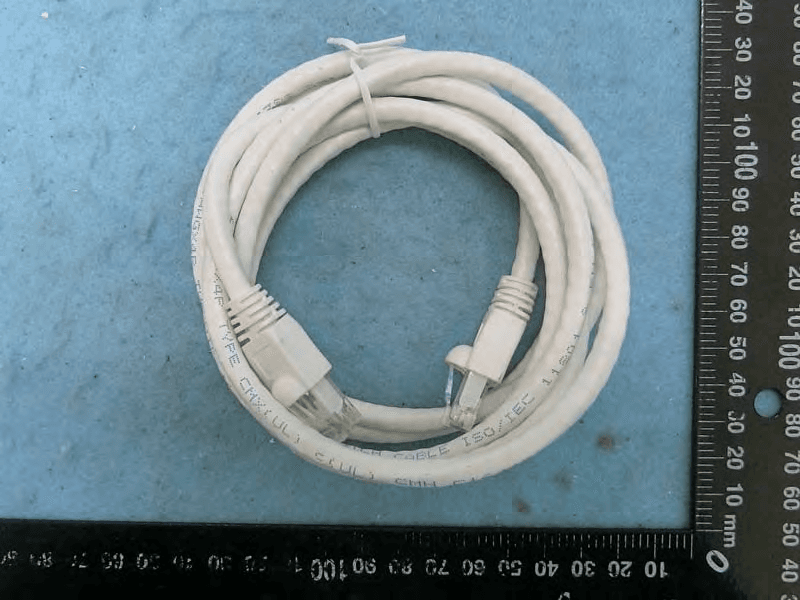
Click to zoom
Application Details
- Equipment Class
- JAB - Part 15 Class B Digital Device
- Date of Grant
- Jan 17, 2021
- Application Purpose
- Original Equipment
- Date of Application
- Jan 14, 2021
- Equipment Note
- devolo Magic 2 LAN 1-1
- Company
- devolo AG
- Country
- Germany
Documents & Files
Document Text
Text extracted from the exhibit documents filed with the FCC. Open a document above to read the original.
Users Manual
Manual devolo Magic 2 LAN 1-1 devolo Magic 2 LAN 1-1 © 2020 devolo AG Aachen (Germany) The reproduction and distribution of the documentation and soft ware supplied with this product and the use of its contents is subject to written authorization from devolo. We reserve the righ t to make any alterations that arise as the result of technica l de- velopment.TrademarksAndroid ™ is a registered trademark of Open Handset Alliance. Linux ® is a registered trademark of Linus Torvalds. Ubuntu ® is a registered trademark of Canonical Ltd. Mac ® and Mac OS X ® are registered trademarks of Apple Computer, Inc. iPhone ® ,iPad ® and iPod ® are registered trademarks of Apple Computer, Inc. Windows ® and Microsoft ® are registered trademarks of Microsoft, Corp. devolo and the devolo logo are registered trademarks of devolo AG. The firmware package from devolo contains files which are covere d by different licenses, in particular under devolo proprietary license and under open source license (GNU General Public License, GNU Lesser General Public License or FreeBSD License). Thesource code which is available for Open Source distribution can be requested in writing from [email protected]. All other names mentioned may be trademarks or registered trademarks of their resp ective owners. Subject to change without notice. No liability for technical errors or omissions.devolo AGCharlottenburger Allee 6752068 AachenGermanywww.devolo.com Version 1.2_12-2020 devolo Magic 2 LAN 1-1 Contents1 Preface . . . . . . . . . . . . . . . . . . . . . . . . . . . . . . . . . . . . . . . . . . . . . . . . . . . . . . . . . . . . . . . . . . . . . . . . . . . . . . . . . . . . . . 6 1.1 About this manual . . . . . . . . . . . . . . . . . . . . . . . . . . . . . . . . . . . . . . . . . . . . . . . . . . . . . . . . . . . . . . . . . . . . . . 6 1.2 Description of the icons . . . . . . . . . . . . . . . . . . . . . . . . . . . . . . . . . . . . . . . . . . . . . . . . . . . . . . . . . . . . . . . . . 6 1.3 Intended use . . . . . . . . . . . . . . . . . . . . . . . . . . . . . . . . . . . . . . . . . . . . . . . . . . . . . . . . . . . . . . . . . . . . . . . . . . . 7 1.3.1 Product . . . . . . . . . . . . . . . . . . . . . . . . . . . . . . . . . . . . . . . . . . . . . . . . . . . . . . . . . . . . . . . . . . . . . . . . . 7 1.4 Safety notes . . . . . . . . . . . . . . . . . . . . . . . . . . . . . . . . . . . . . . . . . . . . . . . . . . . . . . . . . . . . . . . . . . . . . . . . . . . . 8 1.5 Regulatory notice and statement . . . . . . . . . . . . . . . . . . . . . . . . . . . . . . . . . . . . . . . . . . . . . . . . . . . . . . . 11 1.5.1 FCC warning . . . . . . . . . . . . . . . . . . . . . . . . . . . . . . . . . . . . . . . . . . . . . . . . . . . . . . . . . . . . . . . . . . . 11 1.5.2 FCC radiation exposure statement . . . . . . . . . . . . . . . . . . . . . . . . . . . . . . . . . . . . . . . . . . . . . . . 11 1.5.3 Canada certification . . . . . . . . . . . . . . . . . . . . . . . . . . . . . . . . . . . . . . . . . . . . . . . . . . . . . . . . . . . . 12 1.5.4 IC Canada radiation exposure statement . . . . . . . . . . . . . . . . . . . . . . . . . . . . . . . . . . . . . . . . . 1 2 1.5.5 Product safety . . . . . . . . . . . . . . . . . . . . . . . . . . . . . . . . . . . . . . . . . . . . . . . . . . . . . . . . . . . . . . . . . 12 1.5.6 MC safety . . . . . . . . . . . . . . . . . . . . . . . . . . . . . . . . . . . . . . . . . . . . . . . . . . . . . . . . . . . . . . . . . . . . . . 12 1.6 devolo on the Internet . . . . . . . . . . . . . . . . . . . . . . . . . . . . . . . . . . . . . . . . . . . . . . . . . . . . . . . . . . . . . . . . . 13 2 Introduction . . . . . . . . . . . . . . . . . . . . . . . . . . . . . . . . . . . . . . . . . . . . . . . . . . . . . . . . . . . . . . . . . . . . . . . . . . . . . . . . 14 2.1 devolo Magic . . . . . . . . . . . . . . . . . . . . . . . . . . . . . . . . . . . . . . . . . . . . . . . . . . . . . . . . . . . . . . . . . . . . . . . . . 14 2.2 Short overview of the devolo Magic adapter . . . . . . . . . . . . . . . . . . . . . . . . . . . . . . . . . . . . . . . . . . . . 14 2.2.1 PLC/reset button . . . . . . . . . . . . . . . . . . . . . . . . . . . . . . . . . . . . . . . . . . . . . . . . . . . . . . . . . . . . . . . 15 2.2.2 Reading the PLC indicator light . . . . . . . . . . . . . . . . . . . . . . . . . . . . . . . . . . . . . . . . . . . . . . . . . . 16 2.2.3 Network port . . . . . . . . . . . . . . . . . . . . . . . . . . . . . . . . . . . . . . . . . . . . . . . . . . . . . . . . . . . . . . . . . . 19 2.2.4 Integrated power outlet . . . . . . . . . . . . . . . . . . . . . . . . . . . . . . . . . . . . . . . . . . . . . . . . . . . . . . . . 19 2.2.5 Reset/Restart . . . . . . . . . . . . . . . . . . . . . . . . . . . . . . . . . . . . . . . . . . . . . . . . . . . . . . . . . . . . . . . . . . 20 3 Initial use . . . . . . . . . . . . . . . . . . . . . . . . . . . . . . . . . . . . . . . . . . . . . . . . . . . . . . . . . . . . . . . . . . . . . . . . . . . . . . . . . . . 21 3.1 Package contents . . . . . . . . . . . . . . . . . . . . . . . . . . . . . . . . . . . . . . . . . . . . . . . . . . . . . . . . . . . . . . . . . . . . . . 21 3.2 System requirements . . . . . . . . . . . . . . . . . . . . . . . . . . . . . . . . . . . . . . . . . . . . . . . . . . . . . . . . . . . . . . . . . . 21 3.3 Connecting the devolo Magic 2 LAN 1-1 . . . . . . . . . . . . . . . . . . . . . . . . . . . . . . . . . . . . . . . . . . . . . . . . 22 3.3.1 Starter Kit—Automatic setup for a new devolo Magic PLC network . . . . . . . . . . . . . . . . 22 3.3.2 Single Adapter—Expanding an exis ting PLC network by adding another devolo Magic 2 LAN 1-1 . . . . . . . . . . . . . . . . . . . . . . . . . . . . . . . . . . . . . . . . . . . . . . . . . . . . . . . . 23 devolo Magic 2 LAN 1-1 3.3.3 Changing the network password . . . . . . . . . . . . . . . . . . . . . . . . . . . . . .…
Text truncated - open the document above for the full version.
Users Manual
Manuel devolo Magic 2 LAN 1-1 devolo Magic 2 LAN 1-1 © 2020 devolo AG Aachen (Germany) La transmission et la reproduction de la documentation et des logiciels faisant partie de ce produit, ainsi que l'exploitation de leurcontenu, sont interdites sans l'autorisation écrite de devolo. devolo se réserve le droit d'effectuer des modifications à des f ins d'améliorations techniques.MarquesAndroid ™ est une marque déposée de Open Handset Alliance. Linux ® est une marque déposée de Linus Torvalds. Ubuntu ® est une marque déposée de Canonical Ltd. Mac ® et Mac OS X ® sont des marques déposées de Apple Computer, Inc. iPhone ® ,iPad ® et iPod ® sont des marques déposées de Apple Computer, Inc Windows ® et Microsoft ® sont des marques déposées de Microsoft, Corp. devolo, dLAN ® et le logo devolo sont des marques déposées de devolo AG. Le paquet de microprogrammes de devolo contient des fichiers diffusés sous différentes licences, notamment sous une licence dont devolo est propriétaire et sous une licence Open Source (à savoir GNU General Public License, GNU Lesser General Public License ou FreeBSD License). Le code source des fichiers diffusés en tant qu'Open Source peut être demandé par écrit à [email protected] les autres marques citées appartienne nt à leurs propriétaires respectifs. devolo se réserve le droit de modifier les inf orma- tions mentionnées sans avis préalable, et ne saurait être tenue responsable d'éventuelles erreurs ou modifications. devolo AGCharlottenburger Allee 6752068 AachenGermanywww.devolo.com Version 1.2_12-2020 devolo Magic 2 LAN 1-1 Contenu1 Avant-propos . . . . . . . . . . . . . . . . . . . . . . . . . . . . . . . . . . . . . . . . . . . . . . . . . . . . . . . . . . . . . . . . . . . . . . . . . . . . . . . 6 1.1 Information sur cette documentation . . . . . . . . . . . . . . . . . . . . . . . . . . . . . . . . . . . . . . . . . . . . . . . . . . . 6 1.1.1 Description des symboles . . . . . . . . . . . . . . . . . . . . . . . . . . . . . . . . . . . . . . . . . . . . . . . . . . . . . . . 6 1.2 Utilisation prévue . . . . . . . . . . . . . . . . . . . . . . . . . . . . . . . . . . . . . . . . . . . . . . . . . . . . . . . . . . . . . . . . . . . . . . 7 1.2.1 Produit . . . . . . . . . . . . . . . . . . . . . . . . . . . . . . . . . . . . . . . . . . . . . . . . . . . . . . . . . . . . . . . . . . . . . . . . 7 1.3 Notes de sécurité . . . . . . . . . . . . . . . . . . . . . . . . . . . . . . . . . . . . . . . . . . . . . . . . . . . . . . . . . . . . . . . . . . . . . . 8 1.4 Avis et déclaration réglementaires . . . . . . . . . . . . . . . . . . . . . . . . . . . . . . . . . . . . . . . . . . . . . . . . . . . . . 11 1.4.1 Avertissement de la FCC . . . . . . . . . . . . . . . . . . . . . . . . . . . . . . . . . . . . . . . . . . . . . . . . . . . . . . . 12 1.4.2 Déclaration de la FCC sur l'expo sition aux rayonnements . . . . . . . . . . . . . . . . . . . . . . . . 12 1.4.3 Certification d'IC (Canada) . . . . . . . . . . . . . . . . . . . . . . . . . . . . . . . . . . . . . . . . . . . . . . . . . . . . . 12 1.4.4 Déclaration d'IC (Canada) sur l'exposition aux rayonnements . . . . . . . . . . . . . . . . . . . . 13 1.4.5 Sécurité du produit . . . . . . . . . . . . . . . . . . . . . . . . . . . . . . . . . . . . . . . . . . . . . . . . . . . . . . . . . . . . 13 1.4.6 Sécurité CEM . . . . . . . . . . . . . . . . . . . . . . . . . . . . . . . . . . . . . . . . . . . . . . . . . . . . . . . . . . . . . . . . . 13 1.5 devolo dans Internet . . . . . . . . . . . . . . . . . . . . . . . . . . . . . . . . . . . . . . . . . . . . . . . . . . . . . . . . . . . . . . . . . . 13 2 Introduction . . . . . . . . . . . . . . . . . . . . . . . . . . . . . . . . . . . . . . . . . . . . . . . . . . . . . . . . . . . . . . . . . . . . . . . . . . . . . . . 14 2.1 devolo Magic . . . . . . . . . . . . . . . . . . . . . . . . . . . . . . . . . . . . . . . . . . . . . . . . . . . . . . . . . . . . . . . . . . . . . . . . 14 2.2 Présentation de l'adaptateur devolo Magi c . . . . . . . . . . . . . . . . . . . . . . . . . . . . . . . . . . . . . . . . . . . . . 14 2.3 Bouton CPL . . . . . . . . . . . . . . . . . . . . . . . . . . . . . . . . . . . . . . . . . . . . . . . . . . . . . . . . . . . . . . . . . . . . . . . . . . 15 2.3.1 Lire le témoin de contrôle . . . . . . . . . . . . . . . . . . . . . . . . . . . . . . . . . . . . . . . . . . . . . . . . . . . . . . 16 2.3.2 Raccordement au réseau . . . . . . . . . . . . . . . . . . . . . . . . . . . . . . . . . . . . . . . . . . . . . . . . . . . . . . 20 2.3.3 Prise de courant intégrée . . . . . . . . . . . . . . . . . . . . . . . . . . . . . . . . . . . . . . . . . . . . . . . . . . . . . . 21 2.3.4 Réinitialiser/Redémarrer . . . . . . . . . . . . . . . . . . . . . . . . . . . . . . . . . . . . . . . . . . . . . . . . . . . . . . . 21 3 Mise en service . . . . . . . . . . . . . . . . . . . . . . . . . . . . . . . . . . . . . . . . . . . . . . . . . . . . . . . . . . . . . . . . . . . . . . . . . . . . 22 3.1 Contenu du coffret . . . . . . . . . . . . . . . . . . . . . . . . . . . . . . . . . . . . . . . . . . . . . . . . . . . . . . . . . . . . . . . . . . . 22 3.2 Configuration système requise . . . . . . . . . . . . . . . . . . . . . . . . . . . . . . . . . . . . . . . . . . . . . . . . . . . . . . . . 22 3.3 Installation de devolo Magic 2 LAN triple . . . . . . . . . . . . . . . . . . . . . . . . . . . . . . . . . . . . . . . . . . . . . . . 23 3.3.1 Starter Kit – établissement automatique d'un nouveau réseau devolo Magic . . . . . . 23 3.3.2 Single – ajouter un autre adaptateur devolo Ma gic dans un réseau existant . . . . . . . 24 3.3.3 Modifier le mot de passe réseau . . . . . . . . . . . . . . . . . . . . . . . . . . . . . . . . . . . . . . . . . . . . . . . . 25 devolo Magic 2 LAN 1-1 3.4 Installer les logiciels devolo . . . . . . . . . . . . . . . . . . . . . . . . . . . . . . . . . . . . . . . . . . . . . . . . . . . . . . . . . …
Text truncated - open the document above for the full version.
Users Manual
Installation devolo Magic 2 LAN 1-1 2 Set up, change and monitor: the intuitive devolo Home Network App for controlling devolo Magic adapters. Configuration, extension, modification, enregistrement – la nouvelle application intuitive de devolo permet de contrôler l‘adaptateur devolo Magic. Configura, amplía, adapta, controla: la nueva e intuitiva aplicación devolo para controlar los ad- aptadores devolo Magic. | US | | FR | | ES | Damage to the device from the environment. High temperature fluctuations and moisture can damage both the product and the power line. The device is for indoor use and in dry conditions only. Dommages causés à l‘appareil par les conditions ambiantes. Les fortes variations de température et l‘humidité peuvent endommager à la fois le produit et la ligne électrique. L‘appareil est limité à une utilisation intérieure dans des conditions sèches uniquement. Daños al dispositivo causados por las condiciones ambientales. Las grandes fluctuaciones de temperatura y humedad pueden dañar el producto y la línea de alimentación eléctrica. El dispositivo está restringido al uso en interiores, en condiciones secas únicamente. | US | | FR | | ES | 1 devolo Home Network App devolo Software www.devolo.com/cockpit Download now! Notice / Avis / Aviso 34 Information 1 devolo Magic LAN adapter 5 15 sec Plug the devolo Magic LAN adapter into an available wall outlet and wait until the LED flashes white (approx. 15 seconds). Branchez l‘adaptateur devolo Magic LAN dans une prise murale libre et attendez que la LED clignote blanc rapidement (env. 15 secondes). Introduzca el adaptador devolo Magic LAN en un enchufe de pared libre y espere hasta que el LED parpadee rápidamente en blanco (aprox. 15 segundos). | US | | FR | | ES | 6 2 7 Within 3 minutes, press the button on the side of your devolo Magic LAN adapter which is connected to the router. Dans les 3 minutes qui suivent, appuyez sur le bouton situé sur le côté de votre adaptateur devolo Magic LAN qui est connecté au routeur. Pulse el botón lateral de su adaptador devolo Magic LAN conectado al router, antes de que transcur- ran 3 minutos. | US | | FR | | ES | 8 Tripping hazard from connected network cables. Tripping over the network cable can cause minor injuries and bruises. Lay the network cable with accessibility in mind. Ensure that the power outlet and all connected network devices are easily accessible. Ethernet cable (Cat.5e UTP) not for in-wall use. Risque de trébuchement dû aux câbles réseau connectés. Les chutes dues à un trébuchement sur le câble réseau peuvent causer des blessures et des contusions mineures. Posez un câble réseau sans obstacle. Assurez-vous que la prise électrique et tous les appareils connectés au réseau sont facilement accessibles. Câble Ethernet (Cat.5e UTP), ne pas utiliser dans les murs. Peligro de tropiezo debido a cables de red conectados. Las caídas por tropiezos con el cable de red pueden causar lesiones y moretones leves. Tienda un cable de red de modo que no se convierta en una barrera. Asegúrese de que el tomacorriente y todos los dispositivos de red conectados sean de fácil acceso. Cable LAN (Cat.5e UTP), no para uso en la pared. Caution / Attention / Atención | US | | FR | | ES | devolo Magic LAN adapter 3 1 sec devolo Magic LAN adapter devolo Magic LAN adapter 9 The encryption process happens automatically. During this time, the LEDs on both adapters flash white. Le processus de cryptage s‘effectue automatiquement. Pendant ce temps, la LED des deux adapta- teurs clignotent blanc. La encriptación se realiza automáticamente. Durante este tiempo, los LED de ambos adaptadores parpadean en blanco. | US | | FR | | ES | 10 4 devolo Magic LAN adapter devolo Magic LAN adapter 11 The process is finished when the LEDs on all the devices turn solid white. The process takes a maxi- mum of 3 minutes. Le processus est terminé dès que toutes les LED des appareils sont allumées en blanc en continu. Ce processus dure 3 minutes maximum. La operación finaliza en cuanto los LED de los dispositivos se iluminan permanentemente en blanco. Esta operación dura 3 minutos como máximo. | US | | FR | | ES | 12 5 1413 | US | PLC button PLC LEDThe devolo Magic LAN adapter ...LED behavior Time button is pressed Action LED behavior Solid white Fast flashing white Solid white followed by short flashing red Solid red None Slow flashing white Alternating white and red 1 second > 10 seconds Start pairing with other devolo Magic adapters ... is working perfectly. It is connected to other devolo Magic adapters. ... is currently pairing with another adapter. ... has a poor Powerline connection. ... is currently in the start-up process. ... cannot see any other devolo Magic adapters. ... no longer has any LED function since it was disabled by the user . ... is not connected to the network* ... is in standby mode. ... is currently undergoing a software update. Reset devolo adapter to factory settings Flashing white Solid red Flashing red * Go to page 17 for instruction on pairing manually. | FR | Bouton PLC LED PLCL’adaptateur devolo Magic LAN...Comportement de la LED Durée de pression du bouton Action Comportement de la LED Brille blanc Clignote blanc rapidement Brille blanc et clignote rouge brièvement Brille rouge Éteinte Clignote blanc lentement Clignote blanc et rouge en alter- nance 1 seconde >10 secondes Commencer l‘appairage avec d‘autres adaptateurs devolo Magic ... fonctionne correctement. Il est connecté à d‘autres adaptateurs devolo Magic. ... est en tr ain d‘établir une connexion d’appairage avec un autr e adaptateur. ... a une mauvaise connexion CPL. ... est en cours de démarrage. ... ne détecte pas d‘autres adaptateurs devolo Magic. ... n‘a plus de fonction LED, car elle a été désactivée par l‘utilisateur . ... n’est pas associé au réseau* ... est en mode veille. ... est en train d’effectuer une mise à jour logiciel. Réinitialiser l‘adaptateur devolo aux paramètres d‘usine Clignote blanc Brille rouge Clignote rouge *Vo…
Text truncated - open the document above for the full version.
Users Manual
Installation devolo Magic 2 LAN 1-1 Starter Kit 2 Set up, change and monitor: the intuitive devolo Home Network App for controlling devolo Magic adapters. Configuration, extension, modification, enregistrement – la nouvelle application intuitive de devolo permet de contrôler l‘adaptateur devolo Magic. Configura, amplía, adapta, controla: la nueva e intuitiva aplicación devolo para controlar los ad- aptadores devolo Magic. | US | | FR | | ES | Damage to the device from the environment. High temperature fluctuations and moisture can damage both the product and the power line. The device is for indoor use and in dry conditions only. Dommages causés à l‘appareil par les conditions ambiantes. Les fortes variations de température et l‘humidité peuvent endommager à la fois le produit et la ligne électrique. L‘appareil est limité à une utilisation intérieure dans des conditions sèches uniquement. Daños al dispositivo causados por las condiciones ambientales. Las grandes fluctuaciones de temperatura y humedad pueden dañar el producto y la línea de alimentación eléctrica. El dispositivo está restringido al uso en interiores, en condiciones secas únicamente. | US | | FR | | ES | Notice / Avis / Aviso 1 devolo Home Network App devolo Software www.devolo.com/cockpit Download now! 34 Information 1 devolo Magic LAN adapter 5 15 sec Plug the devolo Magic LAN adapter into an available wall outlet and wait until the LED flashes white (approx. 15 seconds). Branchez l‘adaptateur devolo Magic LAN dans une prise murale libre et attendez que la LED clignote blanc rapidement (env. 15 secondes). Introduzca el adaptador devolo Magic LAN en un enchufe de pared libre y espere hasta que el LED parpadee rápidamente en blanco (aprox. 15 segundos). | US | | FR | | ES | 6 2 7 Plug the devolo Magic LAN adapter into the outlet and connect it to your router using the LAN cable included. Branchez l’adaptateur devolo Magic LAN dans une prise de courant et connectez-le au routeur à l‘aide du câble Ethernet fourni. Introduzca el adaptador devolo Magic LAN en el enchufe y conéctelo a su router con el cable LAN adjunto. | US | | FR | | ES | 88 Tripping hazard from connected network cables. Tripping over the network cable can cause minor injuries and bruises. Lay the network cable with accessibility in mind. Ensure that the power outlet and all connected network devices are easily accessible. Ethernet cable (Cat.5e UTP) not for in-wall use. Risque de trébuchement dû aux câbles réseau connectés. Les chutes dues à un trébuchement sur le câble réseau peuvent causer des blessures et des contusions mineures. Posez un câble réseau sans obstacle. Assurez-vous que la prise électrique et tous les appareils connectés au réseau sont facilement accessibles. Câble Ethernet (Cat.5e UTP), ne pas utiliser dans les murs. Peligro de tropiezo debido a cables de red conectados. Las caídas por tropiezos con el cable de red pueden causar lesiones y moretones leves. Tienda un cable de red de modo que no se convierta en una barrera. Asegúrese de que el tomacorriente y todos los dispositivos de red conectados sean de fácil acceso. Cable LAN (Cat.5e UTP), no para uso en la pared. Caution / Attention / Atención | US | | FR | | ES | devolo Magic LAN adapter 3 devolo Magic LAN adapter devolo Magic LAN adapter 9 The encryption process happens automatically. During this time, the LEDs on both adapters flash white. Le processus de cryptage s‘effectue automatiquement. Pendant ce temps, la LED des deux adapta- teurs clignotent blanc. La encriptación se realiza automáticamente. Durante este tiempo, los LED de ambos adaptadores parpadean en blanco. | US | | FR | | ES | 10 4 devolo Magic LAN adapter devolo Magic LAN adapter 11 The process is finished when the LEDs on all the devices turn solid white. The process takes a maxi- mum of 3 minutes. Le processus est terminé dès que toutes les LED des appareils sont allumées en blanc en continu. Ce processus dure 3 minutes maximum. La operación finaliza en cuanto los LED de los dispositivos se iluminan permanentemente en blanco. Esta operación dura 3 minutos como máximo. | US | | FR | | ES | 12 5 1413 | US | PLC button PLC LEDThe devolo Magic LAN adapter ...LED behavior Time button is pressed Action LED behavior Solid white Fast flashing white Solid white followed by short flashing red. Solid red None Slow flashing white Alternating white and red 1 second > 10 seconds Start pairing with other devolo Magic adapters ... is working perfectly. It is connected to other devolo Magic adapters. ... is currently pairing with another adapter. ... has a poor Powerline connection. ... is currently in the start-up process. ... cannot see any other devolo Magic adapters. ... no longer has any LED function since it was disabled by the user. ... is not connected to the network* ... is in standby mode. ... is currently undergoing a software update. Reset devolo adapter to factory settings Flashing white Solid red Flashing red * Go to page 17 for instruction on pairing manually. | FR | Bouton PLC LED PLCL’adaptateur devolo Magic LAN...Comportement de la LED Durée de pression du bouton Action Comportement de la LED Brille blanc Clignote blanc rapidement Brille blanc et clignote rouge brièvement Brille rouge Éteinte Clignote blanc lentement Clignote blanc et rouge en alter- nance 1 seconde >10 secondes Commencer l‘appairage avec d‘autres adaptateurs devolo Magic ... fonctionne correctement. Il est connecté à d‘autres adaptateurs devolo Magic. ... est en train d‘établir une connexion d’appair age avec un autre adaptateur . ... a une mauvaise connexion CPL. ... est en cours de démarrage. ... ne détecte pas d‘autres adaptateurs devolo Magic. ... n‘a plus de fonction LED, car elle a été désactivée par l‘utilisateur. ... n’est pas associé au réseau* ... est en mode veille. ... est en train d’effectuer une mise à jour logiciel. Réinitialiser l‘adaptateur devolo aux paramètres d‘usine Clignote blanc Brille rouge Clignote rouge *Voir page 17 pour sav…
Text truncated - open the document above for the full version.
Cover Letter(s)
devolo AG devolo AG Charlottenburger Allee 67 52068 Aachen, Germany Confidential Letter Date: 2020/11/4 Federal Communications Commission 7435 Oakland Mills Road Columbia MD 21046 Subject: Request for Confidentiality FCC ID:2AXPF03219 To Whom It May Concern: Long Term Confidentiality Pursuant to Sections 0.457 and 0.459 of the Commission’s Rules, we hereby respectfully request confidential treatment of information accompanying this application as outlined below: ● Block Diagrams ● Schematics ● Operational Description The above materials contain trade secrets and proprietary information not customarily released to the public. The public disclosure of these matters might be harmful to the Applicant and provide unjustified benefits to its competitors. We understand that pursuant to Rule 0.457, disclosure of this Application and all accompanying documentation will not be made before the date of the Grant for this application. Short Term Confidentiality Pursuant to Sections 0.457 and 0.459 of the Commission’s Rules, we hereby respectfully request short-term confidential treatment of information accompanying this application as outlined below until 180 days after the Grant Date of Equipment Authorization in order to ensure sensitive business information remains confidential until the actual marketing of the device: ● External Photos ● Internal Photos ● Test Setup photos ● Users Manuals Sincerely, Applicant’s company name : devolo AG Applicant’s company address : devolo AG Charlottenburger Allee 67 52068 Aachen, Germany Signature : Name and Job Title : Stefan Gies / Product Compliance Officer E-Mail : [email protected] Tel : +49 241 182 790 Fax : +49 241 182 79 899
Cover Letter(s)
devolo AG devolo AG Charlottenburger Allee 67 52068 Aachen, Germany Power of Attorney Date: 2020/11/4 Dear Sir, I hereby have entrusted the following person to be a proxy regarding application for Type Certification. Sporton International Inc. Address : No.8, Lane 724, Bo-ai St., Jhubei City, HsinChu County 302, Taiwan, R.O.C. Name : Leo Huang Job Title : Manager e-mail : [email protected] I am therefore responsible for the contents of the application. FCC ID: 2AXPF03219 Sincerely, Applicant’s company name : devolo AG Applicant’s company address : devolo AG Charlottenburger Allee 67 52068 Aachen, Germany Signature : Name and Job Title : Stefan Gies / Product Compliance Officer E-Mail : [email protected] Tel : +49 241 182 790 Fax : +49 241 182 79 899
External Photos
PHOTOGRAPHS OF EUT Report No. : EP091810 SPORTON INTERNATIONAL INC. EMC & Wireless Communications Laboratory Page Number : 1 of 4 TEL : 886-3-656-9065 Issued Date : Jan. 06, 2021 FAX : 886-3-656-9085 EP Report Version : 01 Report Template No.: CB Ver1.0_EP Equipment: devolo Magic 2 LAN 1-1 Brand Name: devolo AG Model Name: MT: 3219 PHOTOGRAPHS OF EUT Report No. : EP091810 SPORTON INTERNATIONAL INC. EMC & Wireless Communications Laboratory Page Number : 2 of 4 TEL : 886-3-656-9065 Issued Date : Jan. 06, 2021 FAX : 886-3-656-9085 EP Report Version : 01 Report Template No.: CB Ver1.0_EP PHOTOGRAPHS OF EUT Report No. : EP091810 SPORTON INTERNATIONAL INC. EMC & Wireless Communications Laboratory Page Number : 3 of 4 TEL : 886-3-656-9065 Issued Date : Jan. 06, 2021 FAX : 886-3-656-9085 EP Report Version : 01 Report Template No.: CB Ver1.0_EP PHOTOGRAPHS OF EUT Report No. : EP091810 SPORTON INTERNATIONAL INC. EMC & Wireless Communications Laboratory Page Number : 4 of 4 TEL : 886-3-656-9065 Issued Date : Jan. 06, 2021 FAX : 886-3-656-9085 EP Report Version : 01 Report Template No.: CB Ver1.0_EP RJ-45 cable
ID Label/Location Info
Label Location Label Here
Internal Photos
PHOTOGRAPHS OF EUT Report No. : EP091810 SPORTON INTERNATIONAL INC. EMC & Wireless Communications Laboratory Page Number : 1 of 5 TEL : 886-3-656-9065 Issued Date : Jan. 06, 2021 FAX : 886-3-656-9085 EP Report Version : 01 Report Template No.: CB Ver1.0_EP Equipment: devolo Magic 2 LAN 1-1 Brand Name: devolo AG Model Name: MT: 3219 PHOTOGRAPHS OF EUT Report No. : EP091810 SPORTON INTERNATIONAL INC. EMC & Wireless Communications Laboratory Page Number : 2 of 5 TEL : 886-3-656-9065 Issued Date : Jan. 06, 2021 FAX : 886-3-656-9085 EP Report Version : 01 Report Template No.: CB Ver1.0_EP PHOTOGRAPHS OF EUT Report No. : EP091810 SPORTON INTERNATIONAL INC. EMC & Wireless Communications Laboratory Page Number : 3 of 5 TEL : 886-3-656-9065 Issued Date : Jan. 06, 2021 FAX : 886-3-656-9085 EP Report Version : 01 Report Template No.: CB Ver1.0_EP PHOTOGRAPHS OF EUT Report No. : EP091810 SPORTON INTERNATIONAL INC. EMC & Wireless Communications Laboratory Page Number : 4 of 5 TEL : 886-3-656-9065 Issued Date : Jan. 06, 2021 FAX : 886-3-656-9085 EP Report Version : 01 Report Template No.: CB Ver1.0_EP PHOTOGRAPHS OF EUT Report No. : EP091810 SPORTON INTERNATIONAL INC. EMC & Wireless Communications Laboratory Page Number : 5 of 5 TEL : 886-3-656-9065 Issued Date : Jan. 06, 2021 FAX : 886-3-656-9085 EP Report Version : 01 Report Template No.: CB Ver1.0_EP
Test Report
FCC EMI TEST REPORT Report No. : FC091810AA TEL : 886-3-656-9065 Page Number : 2 of 18 FAX : 886-3-656-9085 Issued Date : Jan. 06, 2021 Report Template No.: CB-I1_2 Ver1.0 Report Version : 01 Table of Contents History of this test report .................................................................................................................................... 3 Summary of Test Result ...................................................................................................................................... 4 1. General Description of Equipment under Test ............................................................................................. 5 2. Test Configuration of Equipment under Test ............................................................................................... 6 3. General Information of Test .......................................................................................................................... 10 4. Test of Conducted Emission ................................…
Text truncated - open the document above for the full version.
Contact Information
Applicant
Stefan Gies
Test Firm
SPORTON International Inc.Sharon Jiang
Technical Specifications
| # | Rule Parts | Frequency Range | Power Output |
|---|---|---|---|
| 1 | 15B | - | - |
Other Applications from devolo AG
2AXPF03218
Feb 17, 2021devolo Magic 2 WiFi next
Equipment Class
JAB - Part 15 Class B Digital Device
2AXPF03220
Jan 17, 2021devolo Magic 2 LAN triple
Equipment Class
JAB - Part 15 Class B Digital Device