2AXX5BS101STablet PC
Shenzhen Jinhengzhi Technology Co., Ltd.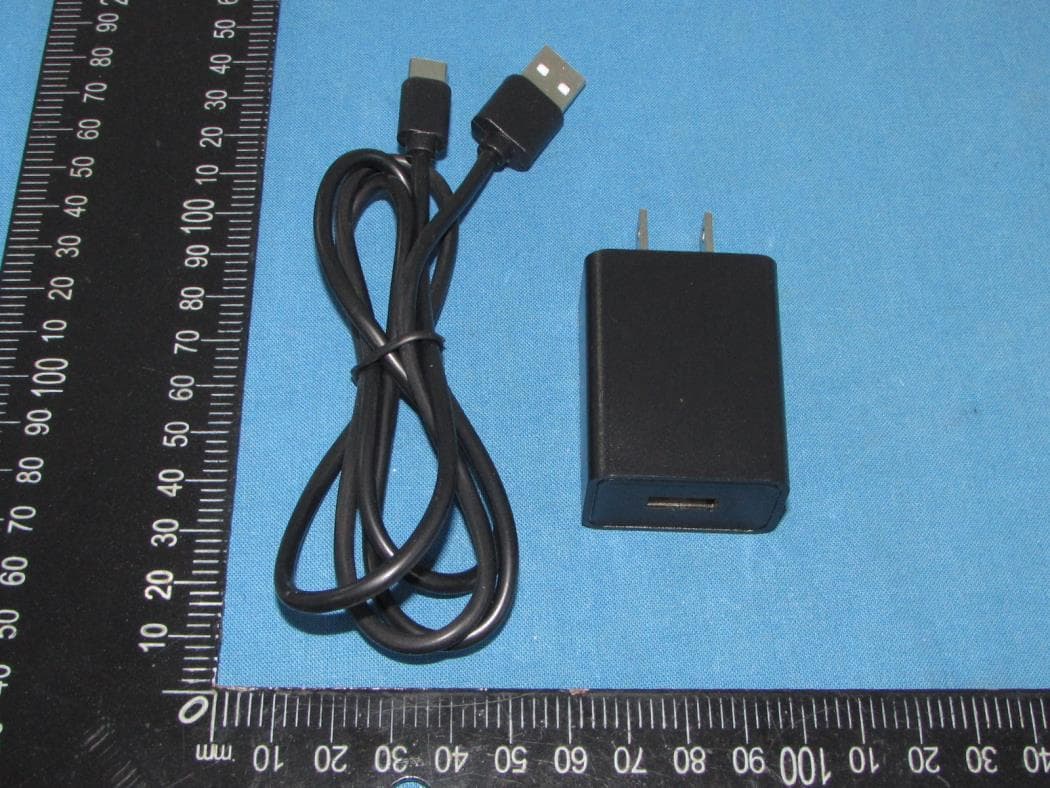
Click to zoom
Application Details
- Equipment Class
- PCB - PCS Licensed Transmitter
- Date of Grant
- Nov 03, 2021
- Application Purpose
- Original Equipment
- Date of Application
- Nov 01, 2021
- Equipment Note
- Tablet PC
- Frequency Range
- 826.40000000 - 846.60000000
- Country
- China
Documents & Files
Document Text
Text extracted from the exhibit documents filed with the FCC. Open a document above to read the original.
Users Manual
1 Tablet Computer Series The User Manual Model: BS101 2 1.1 Acknowledgement 1.2 Announcements 1. Before using the tablet PC, please read all information provided by us so that you can use this product correctly. Please make sure that you have read this manual carefully before using this product. 2. ASTRIA LEARNING reserves the copyright of this manual, any random duplication or interpretation of the full or partial manual is forbidden in commercial activities. 3. The information covered in this manual is all based on the latest information when compiling the manual, and products are subject to change without notice for further improvement. ASTRIA LEARNING is not committed to any mistakes or incidences caused by the manual. For additional product information, visit ASTRIA LEARNING web site. 4. While using this product, please make backup for the data by yourself and ASTRIA LEARNING will just be responsible for the product's hardware only, and will not undertake any responsibility for any loss or damage of personal data and information due to wrong operations of hardware or software. Precautions:- Do not keep this product in a place with high temperature, hummidity or too much dust. For example, do not leave this product in a car with all windows closed in summer or under direct sunlight. Avoid dropping or shocking this product and avoid shaking the TFT display violently, otherwise, the TFT may get damaged or may not function correctly. Please choose a suitable volume. Avoid excessively high volume while using a headset. If you feel any ear noise, please decrease the volume or stop using it. Do not disconnect while the product is under formatting, uploading or downloading operations, otherwise there may be system errors or dead device. ASTRIA LEARNING will not undertake any responsibility for user’s data loss due to product damage, repairing or other reasons. Icon Name Description Back Open the previous screen you were working in, even if it was a different app. Once you back up to the Home screen, you can’t go back any further in your history. Home Opens Home. If you’re viewing a left or right Home screen, opens the central Home Screen Recent apps Opens a list of thumbnail images of apps you’ve worked with recently. To open an app, touch it. To remove a thumbnail from the list, swipe it left or right. 3 App From main page “All Apps” screen opens. This is where you can see all your apps, including those downloaded from Android market. You can move app icons to any of your Home screens. 1. Turn on A long press on the power button turns on the device. 2. Turn off Press & hold down the power button until the “power off” icon appears, touch this icon once & choose “OK” then the unit will shut down. 3. Power Reset Crashes or freezing images may occur in the process of usage due to Smart operating system. Turn power off and restart to solve this problem or tap the RESET button to force shutdown then reboot if crashes or freezing images occurs again. 4. Screen Saver Press the power button, turn off the screen into the screen saver state, if you want to activate screen, press the power button again to enter the screen lock state, then slide the lock button to unlock. 5. Back to the desktop Tap the Home icon "" on the lower part of the home screen, this will allow you to return to the desktop under any interface. 6. Back to the previous interface Tap the Back icon "" on the lower part of the home screen and this will allow you to return to the previous desktop under any interface. 7. Settings Tap the Settings icon "" on the lower middle part of the home screen to access all settings of the tablet. You can also gain access from the “All App” interface. 8. Charging Plug the DC connector of adapter into the DC-in of device. Plug the adapter into AC power socket. While charging, the device may heat up. This is normal and should not affect your device’s lifespan or performance. When the battery is fully charged (the charging icon is no longer moving), unplug the adapter driver from the device and then from the power socket. [Warning] Make sure the machine is on a single charge once a month. If you are not going to use the device for a long period, shut down the device after fully charged before storing it away. Please do not use while charging. Tips: using authorized accessories can enjoy adequate security to guarantee the good maintenance of the device. Before using the device for the first time, you should charge the battery. The power adapter (charger) is a key component of the device and plays a vital role in protecting it to work properly and your safety. Unauthorized chargers can cause batteries to explode or damage your device. Any damage caused by misuse voids the warranty. 4 2.2 Home screen 1. By default, the home screen can open multiple pages; implied icons are "Browser" and "Camera", etc. Sliding left / right can switch desktop display. 2. Set wallpaper Long press the blank space of the home screen, then pop up "Select Wallpaper from", Choose an image according to the categories. 3. Display all applications All installed applications will be displayed if you tap "", this control is located at the bottom of the screen under the main interface. 4. Notification bar Under the main interface, tap the status bar icon, such as Type-C connection into the notifications panel, which can display the current status of the USB, TF card status and the running application and status. 5. Mobile Desktop icon 5 Under the home screen, long press the application icon on the home screen, then you can move the selected icon after the icon is enlarged. 6. Delete the desktop icon Under the home screen, long press the application icon on the home screen, move the selected icon to the trash can (or remove) icon in the upper middle of the screen after the icon is enlarged, then stop pressing when the icon area displays orange and the desktop icon can be deleted. 3.1 Install the APK application 1.Copy the needed APK fo…
Text truncated - open the document above for the full version.
Cover Letter(s)
Shenzhen Jinhengzhi Technology Co., Ltd. 3307, TOWER A, WORLD TRADE PLAZA, FUTIAN, SHENZHEN,China Date: 10/22/2021 FCC ID: 2AXX5BS101S Dear Sir/Madam, We, Shenzhen Jinhengzhi Technology Co., Ltd., Hereby declares the following statement for Federal Communications Commission, PCB board, circuit, structure and internal of these model(s) are the same, Only model number is different for these model: Product name: Tablet PC Model no.: BS101,BS102,BS103,BS104,BS105,BS106,BS107,BS108,BS109 Sincerely, Name: Joyce yang Company: Shenzhen Jinhengzhi Technology Co., Ltd. Address: 3307, TOWER A, WORLD TRADE PLAZA, FUTIAN, SHENZHEN, CHINA Phone: 075527502619 Fax: 075527502619 E-Mail: [email protected]
Cover Letter(s)
CONFIDENTIALITY REQUEST for Certification Service in USA Federal Communication Commission Equipment Authorization Division, Application Processing Branch 7435 Oakland Mills Road Columbia, MD 21046 Date: 10/22/2021 TO WHOM IT MAY CONCERN Pursuant to Paragraphs §0.457 and 0.459 of the Commission’s Rules (47 C.F.R.) and Section §552(b)(4) of the Freedom of Information Act, we requests confidentiality for the following products: FCC ID Model name 2AXX5BS101S BS101 For the product stated above, we request that the following information be held confidential; Exhibits Long-Term Confidentiality Short-Term Confidentiality Short-Term Confidentiality Days External Photos Internal Photos Block Diagram Schematics Test Setup Photos User’s Manual Parts List Tune Up Operational Descriptions The long-term confidentiality exhibits contain our trade secrets and proprietary information that could be of benefit to our competitors. The short-term confidentiality on the basis of ensuring that business sensitive information remains confidential until the actual marketing of our new device. If you have any questions, please feel free to contact me at the address shown below. Sincerely, Name: Joyce yang Company: Shenzhen Jinhengzhi Technology Co., Ltd. Address: 3307, TOWER A, WORLD TRADE PLAZA, FUTIAN, SHENZHEN, CHINA Phone: 075527502619 Fax: 075527502619 E-Mail: [email protected]
Cover Letter(s)
Shenzhen Jinhengzhi Technology Co., Ltd. 3307, TOWER A, WORLD TRADE PLAZA, FUTIAN, SHENZHEN,China Federal Communications Commission Authorization and Evaluation Division Equipment Authorization Branch 7435 Oakland Mills Road Columbia, MD 21046 10/22/2021 To whom it may concern: We, MOVEON TECHNOLOGY LIMITED, the undersigned, hereby authorize Eurofins Product Service GmbH to act on our behalf in all matters relating to applications for equipment authorization FCC ID: 2AXX5BS101S including the signing of all documents related to these matters. Any and all acts carried out by Eurofins Product Service GmbH on our behalf shall have the same effect as acts of our own. We also hereby certify that no party to this application is subject to a denial of benefits, including FCC benefits, pursuant to Section 5301 of the Anti-Drug Abuse Act of 1988, 21 U.S.C. 862. Sincerely, Name: Joyce yang Company: Shenzhen Jinhengzhi Technology Co., Ltd. Address: 3307, TOWER A, WORLD TRADE PLAZA, FUTIAN, SHENZHEN, CHINA Phone: 075527502619 Fax: 075527502619 E-Mail: [email protected]
External Photos
Shenzhen Tongzhou Testing Co.,Ltd FCC ID: 2AXX5BS101S This reportshall not be reproduced except in full, without the written approval of Shenzhen Tongzhou Testing Co.,Ltd Page 1 of 5 EXTERIOR PHOTOGRAPHS OF EUT Fig.1 Fig.2 Shenzhen Tongzhou Testing Co.,Ltd FCC ID: 2AXX5BS101S This reportshall not be reproduced except in full, without the written approval of Shenzhen Tongzhou Testing Co.,Ltd Page 2 of 5 Fig.3 Fig.4 Shenzhen Tongzhou Testing Co.,Ltd FCC ID: 2AXX5BS101S This reportshall not be reproduced except in full, without the written approval of Shenzhen Tongzhou Testing Co.,Ltd Page 3 of 5 Fig.5 Fig.6 Shenzhen Tongzhou Testing Co.,Ltd FCC ID: 2AXX5BS101S This reportshall not be reproduced except in full, without the written approval of Shenzhen Tongzhou Testing Co.,Ltd Page 4 of 5 Fig.7 Fig.8 Shenzhen Tongzhou Testing Co.,Ltd FCC ID: 2AXX5BS101S This reportshall not be reproduced except in full, without the written approval of Shenzhen Tongzhou Testing Co.,Ltd Page 5 of 5 Fig.9
ID Label/Location Info
Label & Label Location Size: 30mm(L)*10mm(W) The 15.19 statement will be present in user manual FCC ID: 2AXX5BS101S
Internal Photos
Shenzhen Tongzhou Testing Co.,Ltd FCC ID: 2AXX5BS101S This report shall not be reproduced except in full, without the written approval of Shenzhen Tongzhou Testing Co.,Ltd Page 1 of 4 INTERIOR PHOTOGRAPHS OF EUT Fig.1 Fig.2 Bluetooth/ WIFI/GPS Antenna GSM/WCDMA Antenna Shenzhen Tongzhou Testing Co.,Ltd FCC ID: 2AXX5BS101S This report shall not be reproduced except in full, without the written approval of Shenzhen Tongzhou Testing Co.,Ltd Page 2 of 4 Fig.3 Fig.4 Shenzhen Tongzhou Testing Co.,Ltd FCC ID: 2AXX5BS101S This report shall not be reproduced except in full, without the written approval of Shenzhen Tongzhou Testing Co.,Ltd Page 3 of 4 Fig.5 Fig.6 Shenzhen Tongzhou Testing Co.,Ltd FCC ID: 2AXX5BS101S This report shall not be reproduced except in full, without the written approval of Shenzhen Tongzhou Testing Co.,Ltd Page 4 of 4 Fig.7 Fig.8
RF Exposure Info
CALIBRATION DATA PROBE CALIBRATION DATA DIPOLE CALIBRATION DATA
RF Exposure Info
SN 29/15 DIP 0G835-383; 835Head Calibrated impedance: 56.3Ω+0.8JΩ; Measurement impedance: 55.1Ω-4.7jΩ(within 5Ω) Calibrated return loss: -24.51dB; Measurement return loss: -24.34 dB(within 20%) SN 46/11 DIP 1G900-187; 1900Head Calibrated impedance: 50.7Ω+4.1JΩ; Measurement impedance: 48.2Ω+3.1jΩ(within 5Ω) Calibrated return loss: -27.75dB; Measurement return loss: -28.32 dB(within 20%) SN 46/11 DIP 2G450-189; 2450Head Calibrated impedance: 49.8Ω+3.3JΩ; Measurement impedance: 51.9Ω-4.5jΩ (within 5Ω) Calibrated return loss: -29.54dB; Measurement return loss: -29.55 dB(within 20%)
RF Exposure Info
SN 29/15 DIP 0G835-383; 835Head Calibrated impedance: 56.3Ω+0.8JΩ; Measurement impedance: 57.1Ω-5.0jΩ(within 5Ω) Calibrated return loss: -24.51dB; Measurement return loss: -22.89 dB(within 20%) SN 46/11 DIP 1G900-187; 1900Head Calibrated impedance: 50.7Ω+4.1JΩ; Measurement impedance: 48.6Ω+2.9jΩ(within 5Ω) Calibrated return loss: -27.75dB; Measurement return loss: -28.54 dB(within 20%) SN 46/11 DIP 2G450-189; 2450Head Calibrated impedance: 49.8Ω+3.3JΩ; Measurement impedance: 50.9Ω-2.1jΩ(within 5Ω) Calibrated return loss: -29.54dB; Measurement return loss: -31.08 dB(within 20%)
RF Exposure Info
Page 1 of 68 SAR Test Report Report No.: AGC10211210904FH01 FCC ID : 2AXX5BS101S APPLICATION PURPOSE : Original Equipment PRODUCT DESIGNATION : Tablet PC BRAND NAME : Brightside MODEL NAME : BS101, BS102, BS103, BS104, BS105, BS106, BS107, BS108, BS109 APPLICANT : Shenzhen Jinhengzhi Technology Co., Ltd. DATE OF ISSUE : Oct. 26, 2021 STANDARD(S) : IEEE Std. 1528:2013 FCC 47 CFR Part 2§2.1093:2013 IEEE Std C95.1 ™-2005 IEC 62209-1: 2016 REPORT VERSION : V1.0 Attestation of Global Compliance(Shenzhen) Co., Ltd. Report No.: AGC10211210904FH01 Page 2 of 68 Report Revise Record Report Version Revise Time Issued Date Valid Version Notes V1.0 / Oct. 26, 2021 Valid Initial Release Report No.: AGC10211210904FH01 Page 3 of 68 Test Report Applicant Name Shenzhen Jinhengzhi Technology Co., Ltd. Applicant Address 3307, TOWER A, WORLD TRADE PLAZA, FUTIAN, SHENZHEN Manufacturer Name Shenzhen Jinhengzhi Technology Co., Ltd. Manufacturer Address 3307, TOWER A, WORLD TRADE PLAZA, FUTIAN, SHENZHEN Factory Name Shenzhen Jinhengzhi Technology Co., Ltd. Factory Address 3307, TOWER A, WORLD TRADE PLAZA, FUTIAN, SHENZHEN Product Designation Tablet PC Brand Name Brightside Model Name BS101, BS102, BS103, BS104, BS105, BS106, BS107, BS108, BS109 Different Description All the models are the same, only different in model names. EUT Voltage DC 3.85V by battery Applicable Standard IEEE Std. 1528:2013 FCC 47 CFR Part 2§2.1093:2013 IEEE Std C95.1 ™-2005 IEC 62209-1: 2016 Test Date Oct. 12, 2021 to Oct. 14, 2021 Report Template AGCRT-US-3G3/SAR (2021-04-20) Note: The results of testing in this report apply to the product/system which was tested only. Prepared By Thea Huang (Project Engineer) Oct. 14, 2021 Reviewed By Calvin Liu (Reviewer) Oct. 26, 2021 Approved By Max Zhang (Authorized Officer) Oct. 26, 2021 Report No.: AGC10211210904FH01 Page 4 of 68 TABLE OF CONTENTS 1. SUMMARY OF MAXIMUM SAR VALUE ......................................................................................................... 5 2. GENERAL INFORMATION ............................................................................................................................... 6 2.1. EUT DESCRIPTION......................................................................................................................................... 6 3. SAR MEASUREMENT SYSTEM ........................................................................................................................ 8 3.1. THE SATIMO SYSTEM USED FOR PERFORMING COMPLIANCE TESTS CONSISTS OF FOLLOWING ITEMS .................. 8 3.2. COMOSAR E-FIELD PROBE .......................................................................................................................... 9 3.3. ROBOT .......................................................................................................................................................... 9 3.4. VIDEO POSITIONING SYSTEM ........................................................................................................................ 10 3.5. DEVICE HOLDER .......................................................................................................................................... 10 3.6. SAM TWIN PHANTOM ................................................................................................................................... 11 4. SAR MEASUREMENT PROCEDURE .............................................................................................................. 12 4.1. SPECIFIC ABSORPTION RATE (SAR) .............................................................................................................. 12 4.2. SAR MEASUREMENT PROCEDURE ................................................................................................................ 13 4.3. RF EXPOSURE CONDITIONS ......................................................................................................................... 15 5. TISSUE SIMULATING LIQUID ......................................................................................................................... 18 5.1. THE COMPOSITION OF THE TISSUE SIMULATING LIQUID..................................................................................... 18 5.2. TISSUE DIELECTRIC PARAMETERS FOR HEAD AND BODY PHANTOMS ............................................................... 18 5.3. TISSUE CALIBRATION RESULT ....................................................................................................................... 19 6. SAR SYSTEM CHECK PROCEDURE ........................................................................................................... 20 6.1. SAR SYSTEM CHECK PROCEDURES ............................................................................................................. 20 6.2. SAR SYSTEM CHECK ................................................................................................................................... 21 7. EUT TEST POSITION ...................................................................................................................................... 22 7.1. BODY WORN POSITION ................................................................................................................................ 22 8. SAR EXPOSURE LIMITS ............................................................................................................................... 23 9. TEST FACILITY .............................................................................................................................................. 24 10. TEST EQUIPMENT LIST .............................................................................................................................. 25 11. MEASUREMENT UNCERTAINTY ................................................................................................................ 26 12. CONDUCTED POWER MEASUREMENT .....................................................…
Text truncated - open the document above for the full version.
Test Report
Report No.: TZ210902573-E4 Page 1 of 84 FCC TEST REPORT Test report On Behalf of Shenzhen Jinhengzhi Technology Co., Ltd. For Tablet PC Model No.: BS101,BS102,BS103,BS104,BS105,BS106,BS107,BS108,BS109 FCC ID: 2AXX5BS101S Prepared for : Shenzhen Jinhengzhi Technology Co., Ltd. 3307, TOWER A, WORLD TRADE PLAZA, FUTIAN, SHENZHEN,China Prepared By : Shenzhen Tongzhou Testing Co.,Ltd 1th Floor, Building 1, Haomai High-tech Park, Huating Road 387, Dalang Street, Longhua, Shenzhen, China Date of Test: 2021/9/7 ~ 2021/10/19 Date of Report: 2021/10/20 Report Number: TZ210902573-E4 The test report apply only to the specific sample(s) tested under stated test conditions It is not permitted to copy extracts of these test result without the written permission of the test laboratory. Report No.: TZ210902573-E4 Page 2 of 84 TEST RESULT CERTIFICATION Applicant’s name ................. : Shenzhen Jinhengzhi Technology Co., Ltd. Address .................................. : 3307, TOWER A, WORLD TRADE PLAZA, FUTIAN, SHENZHEN,China Manufacture's Name ............ : Shenzhen Jinhengzhi Technology Co., Ltd. Address .................................. : 3307, TOWER A, WORLD TRADE PLAZA, FUTIAN, SHENZHEN,China Product description Trade Mark ................................ : Brightside Product name ........................... : Tablet PC Model and/or type reference . : BS101 Standards ............................. : FCC Rules and Regulations Part 22 & Part 24 ANSI C63.26:2015 This publication may be reproduced in whole or in part for non-commercial purposes as long as the Shenzhen Tongzhou Testing Co.,Ltd is acknowledged as copyright owner and source of the material. Shenzhen Tongzhou Testing Co.,Ltd takes no responsibility for and will not assume liability for damages resulting from the reader's interpretation of the reproduced material due to its placement and context. Date of Test ........................................... : Date (s) of performance of tests ............. : 2021/9/7 ~ 2021/10/19 Date of Issue .......................................... : 2021/10/20 Test Result .............................................. : Pass Testing Engineer : (Anna Hu) Technical Manager : (Hugo Chen) Authorized Signatory : (Andy Zhang) Report No.: TZ210902573-E4 Page 3 of 84 Revision History Revision Issue Date Revisions Revised By 000 2021/10/9 Initial Issue Andy Zhang Report No.: TZ210902573-E4 Page 4 of 84 Contents 1 TEST STANDARDS ........................................................................................................................................ 5 2 SUMMARY ...................................................................................................................................................... 6 2.1 PRODUCT DESCRIPTION .............................................................................................................................................. 6 2.2 HOST SYSTEM CONFIGURATION LIST AND DETAILS ...................................................................................................... 8 2.3 SHORT DESCRIPTION OF THE EQUIPMENT UNDER TEST (EUT) ...................................................................................... 8 2.4 NORMAL ACCESSORY SETTING .................................................................................................................................... 8 2.5 EUT CONFIGURATION ................................................................................................................................................. 8 2.6 RELATED SUBMITTAL(S) / GRANT (S) ........................................................................................................................... 8 2.7 MODIFICATIONS .......................................................................................................................................................... 8 3 TEST ENVIRONMENT .................................................................................................................................... 9 3.1 TEST FACILITY ............................................................................................................................................................ 9 3.2 ENVIRONMENTAL CONDITIONS ..................................................................................................................................... 9 3.3 TEST DESCRIPTION ................................................................................................................................................... 10 3.4 EQUIPMENTS USED DURING THE TEST ....................................................................................................................... 11 3.5 MEASUREMENT UNCERTAINTY ................................................................................................................................... 12 4 DESCRIPTION OF TEST MODES ................................................................................................................ 13 5 TEST CONDITIONS AND RESULTS............................................................................................................ 13 5.1 OUTPUT POWER................................................................................................................................................... 13 5.1.1 CONDUCTED OUTPUT POWER ..................................................................................................................... 13 5.1.2 RADIATED OUTPUT POWER .......................................................................................................................... 18 5.2 PEAK-TO-AVERAGE RATIO ................................................................................................................................. 22 5.2.1 MEASUREMENT METHOD ............................................................................................................................ 22 5.2.2 PROVISIONS APPLICABLE ..............................…
Text truncated - open the document above for the full version.
Test Setup Photos
Shenzhen Tongzhou Testing Co.,Ltd FCC ID: 2AXX5BS101S TEST SETUP PHOTOS OF THE EUT Radiated Emission Below 1GHz Radiated Emission Above 1GHz
Contact Information
Applicant
Joyce yang
Test Firm
Shenzhen Tongzhou Testing Co., LTDAndy Zhang
[email protected]+86-755-32902198
Technical Specifications
| # | Rule Parts | Frequency Range | Power Output | Emission | Tolerance |
|---|---|---|---|---|---|
| 4 | 22H | 826.4 MHz - 846.6 MHz | 75.00 mW | 4M17F9W | 2.5 ppm |