2AYD2-CLASSIC15Cloud Photo Frame
Shenzhen Cnest Electronic Technology Co., Ltd.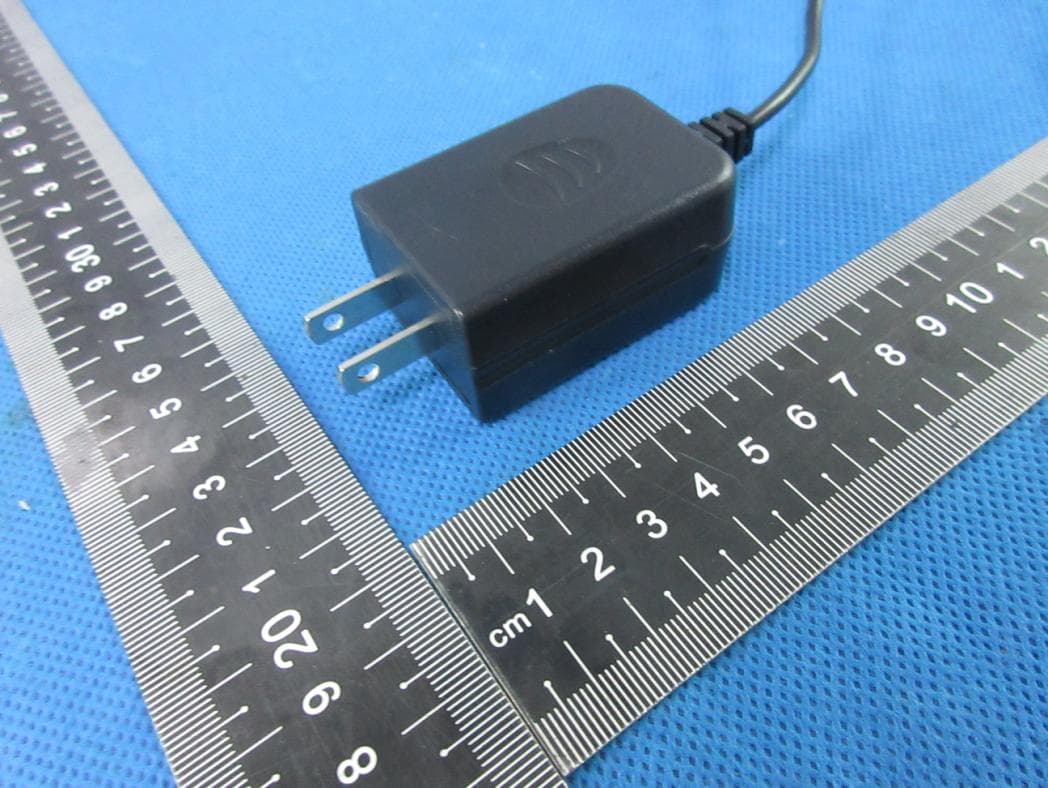
Click to zoom
Application Details
- Equipment Class
- DTS - Digital Transmission System
- Date of Grant
- Mar 22, 2021
- Application Purpose
- Original Equipment
- Date of Application
- Mar 22, 2021
- Equipment Note
- Cloud Photo Frame
- Frequency Range
- 2412.00000000 - 2462.00000000
- Country
- China
Documents & Files
Document Text
Text extracted from the exhibit documents filed with the FCC. Open a document above to read the original.
Users Manual
Quick Start Guide Cloud Photo Frame Classic 15 V1.3 To maintain compliance with FCC’s RF Exposure guidelines, This equipment should be installed and operated with minimum distance between 20cm the radiator your body: Use only the supplied antenna. 2AYD2-CLASSIC15 IC Caution: - English: This device complies with Industry Canadalicence-exempt RSS standard(s). Operation is subject to the following two conditions: (1) This device may not cause interference, and (2) This device must accept any interference, including interference that may cause undesired operation of the device. - French: Le présentappareilestconforme aux CNR d'Industrie Canada applicables aux appareils radio exempts de licence. L' exploitationestautorisée aux deux conditions suivantes: (1) l'appareil ne doit pas produire de brouillage, et (2) l'utilisateur de l'appareildoit accepter tout brouillageradioélectriquesubi, mêmesi le brouillageest susceptible d'encompromettre le fonctionnement. IC:25759-CLASSIC15 25 - 3031 - 36 01 - 0607 - 12 19 - 2413 - 18 CONTENTS CONTENTS OF BOX FRAME FEATURES Dragon Touch Wi-Fi Cloud Photo Frame Classic 10 Stand Power Adapter with Power Cable USB Data Cable Quick Start Guide 7 8 9 10 11 1 2 3 4 5 6 7 8 10.1“ IPS Touch Screen Power Button Wall Mount Hole Security Lock Slot Speakers Stand Port SD Card Slot 3.5mm Headphone Jack USB-A Port 9 Mini USB Port 10 DC Power Port 11 English 12 Quick Start Guide Wi-Fi Cloud Photo Frame Classic 10 2 6 3 5 4 12 Stand 01 02 1 SET UP Install the Stand on the back OPERATING INSTRUCTIONS Step 1: Power On Connect the Power Cable to your frame and plug the Power Adapter into the wall socket. Your frame will power on and enter the system in seconds. Step 2: Connect to Wi-Fi Select the Wi-Fi network you would like to connect and enter the password if required. Note: Classic 10 supports 2.4GHz Wi-Fi only; if your Wi-Fi network is NOT on the list, move your frame closer to your router, wait for seconds and check it again. Classic 10 will let you know once it has successfully connected. Step 3: Download the OurPhoto app in your smartphone/tablet Please download and install the OurPhoto app in your smartphone/tablet by searching OurPhoto in the App Store or Google Play. Step 4: Log in Your Account in the App 1. Open OurPhoto app, select Sign Up and fill in all the required information (if you already have an account, please log in directly and skip to step 5). 2. Click the right arrow icon to verify the email address you provide. A verify code is to be sent to your email address. 3. Collect and fill in the verify code, then click Submit to complete the account registration. Step 5: Bind Your Frame 1. Please confirm you have signed in OurPhoto app. 2. Select Devices. 3. Click the “+” next to My Devices. 4. Enter the Frame ID. Note: Frame ID is a 6-digit series number which can be found in your frame, Settings → Device Info. 5. Create a Device Name for your frame. Note: We recommend you to name your frame after the Frame ID for easy identification, for example, Frame ID is 123456, please name your frame Frame123456 or Grandma's Frame123456. 6. Create a unique email account for your frame so that you and your friends can send photos to your frame via email. Note: In order to create an email account that is unique and easy to remember, we recommend you to create the account with your Frame ID, for example, Frame ID is 123456, please create such an email account [email protected] or [email protected]. You can also find the Wall Mount Hole on the back if you prefer to mount the frame. 03 04 7. Then click Bind. 8. Confirm the binding on your frame, Settings → User Management → Pending User Request, click Accept. 9. Now your account is bound to your frame, and your account has been the main account of your frame. Step 6: Upload Photos App: Follow the app instructions, you can upload the photos and footages in your smartphone/ tablet, or take the new photos and footages and upload them to your frame. Email: You can send photos with your registered email account to the email account of your frame. USB Drive/SD card Step 7: Invite Friends to Upload Photos App: Invite your friends to download the OurPhoto app and log in their accounts in the app (please refer to step 3 & 4). Bind their accounts to your frame. On their way, operate in the app with their accounts, select Devices → Bound Devices, then click "+". On your way, you confirm the binding request on your frame, please refer to Step 5-8 → binding completed. Now your friends can follow the app instructions and upload their photos & footages to your frame. Email: Invite your friends to bind their email account to your frame, ask them to send email with subject "bd + Frame ID" to the email account of your frame, for example, Frame ID is 123456, hence invite your friends to send email with subject "bd123456" to the email account of your frame. Now your friends can send photos with their bundled email account to your frame via email. For any problem with Dragon Touch products, please feel free to contact us, we will respond within 24 hours. E-mail: [email protected] Tel: 1-888-811-1140 (US) Mon-Fri (except holidays) 9am-5pm (EST) Official website: www.dragontouch.com Scan the following QR Code or visit Dragon Touch website to download detailed user manual. USER MANUAL CONTACT US www.dragontouch.com/manual/classic10.pdf English 05 06 LIEFERUMFANG RAHMENFUNKTIONEN Dragon Touch Wi-Fi Cloud Fotorahmen Classic 10 StandNetzteil mit Netzkabel USB-DatenkabelFernbedienung Quick Start Guide Wi-Fi Cloud Photo Frame Classic 10 Deutsch 7 8 9 10 11 1 2 3 4 5 6 7 8 10,1-Zoll-IPS-Touchscreen Ein- / Ausschalter Loch für Wandmontage Slot für Sicherheitsschloss Lautsprecher Stand-Anschluss SD-Kartensteckplatz 3,5 mm Kopfhöreranschluss USB-A-Anschluss 9 Mini-USB-Anschluss 10 Gleichstromanschluss 11 12 2 6 3 5 4 12 Stand 07 08 1 KONFIGURATION Installieren Sie den Ständer auf der Rückseite BEDIENUNGSANLEITUNG Schritt 1: Einschalten …
Text truncated - open the document above for the full version.
Cover Letter(s)
Shenzhen Cnest Electronic Technology Co., Ltd Family models declaration letter. 2021-03-22 We Company: Shenzhen Cnest Electronic Technology Co., Ltd Address: 212, no. 3-2, huayuan road, dalang community, longhua district, shenzhen,China Product: Cloud Photo Frame Model Name: Classic 15 Family Model: Classic 8, Classic 10 Elite, Modern 10 Aqua, Modern 10 Jasper All models are the same circuit and RF module, except the model name. Thanks Sincerely, Signature 2021-03-22 Name: Tang Yi Title: Manager
Cover Letter(s)
Shenzhen Cnest Electronic Technology Co., Ltd Office of Engineering Technology Federal Communications Commission 7435 Oakland Mills Road Columbia, MD 21046 USA Date: 2021/03/22 Subject; Request for Confidentiality FCC ID: 2AYD2-CLASSIC15 To Whom It May Concern, Pursuant to the provisions of the Commission’s rules Title 47 Sections §0.457 and §0.459, we are requesting the Commission to withhold the following attachment(s) as confidential documents from public disclosure indefinitely. These documents contain detailed system and equipment descriptions and are considered as proprietary information in operation of the equipment. The public disclosure of these documents might be harmful to our company and would give competitors an unfair advantage in the market. Schematic Diagram Block Diagram Parts List Operational Description Tune-up Procedure In additional to above mentioned documents, in order to comply with the marketing regulations in Title 47 CFR §2.803 and the importation rules in Title 47 CFR §2.1204, while ensuring that business sensitive information remains confidential until the actual marketing of newly authorized devices, we request Short Term Confidentiality of the following attachment(s); External Photos Test Setup Photos Internal Photos User Manual For 45 days, pursuant to Public Notice DA 04-1705. OR For 180 days pursuantto KDB 726920 D01. It is our understanding that all measurement test reports, FCC ID label format and correspondence during the certification review process cannot be granted as confidential documents and this information will be available for public review once the grant of equipment authorization is issued. Sincerely, Signature: Name: Tang Yi Title: Manager Email: [email protected]
Cover Letter(s)
Shenzhen Cnest Electronic Technology Co., Ltd Letter of Authorization Company: Shenzhen Cnest Electronic Technology Co., Ltd Address: 212, no. 3-2, huayuan road, dalang community, longhua district, shenzhen,China Product Name: Cloud Photo Frame Model Number: Classic 15, Classic 8, Classic 10 Elite, Modern 10 Aqua, Modern 10 Jasper FCC Identifier: 2AYD2-CLASSIC15 We authorize MiCOM Labs Inc, 575 Boulder Court, Pleasanton, California 94566, USA, to act on our behalf on all matters concerning the above named equipment. Any individual within MiCOM Labs is authorized to act on our behalf and take action on the application. We declare that MiCOM Labs Inc, 575 Boulder Court, Pleasanton, California 94566, USA, is allowed to forward all information related to the approval project to the Federal Communication Commission and to discuss any issues concerning the approval application. Any and all acts carried out by MiCOM Labs on our behalf shall have the same effect as acts of our own. Name: Tang Yi Date: Mar. 22.2021 Title: Manager Signature of applicant:
Cover Letter(s)
Shenzhen Cnest Electronic Technology Co., Ltd Date: Mar 22, 2020 FCC ID: 2AYD2-CLASSIC15 Model Number: Classic 15, Classic 8, Classic 10 Elite, Modern 10 Aqua, Modern 10 Jasper To: Federal Communication Commission Authorization and Evaluation Division 7435 Oakland Mills Road Columbia, MD 21048 To Whom It May Concern, We, Shenzhen Cnest Electronic Technology Co., Ltd, declare that this EUT (FCC ID: 2AYD2-CLASSIC15) will conduct FCC compliance testing, the SDOC part recognized test lab(Shenzhen NTEK Testing Technology Co., Ltd.( ShenZhen Lab.). 1/F, Building E, Fenda Science Park, Sanwei Community,Xixiang Street Bao’an District, Shenzhen 518126 P.R. China) Please contact me if you have any question. Sincerely, (Signed) Name / Title: Tang Yi/ Manager Company: Shenzhen Cnest Electronic Technology Co., Ltd Address: 212, no. 3-2, huayuan road, dalang community, longhua district, shenzhen,China Phone: 0755-88601301 Fax: 0755-88601301 Email: [email protected]
External Photos
ATTACHMENT PHOTOGRAPHS OF EUT Photo 1 Photo 2 Photo 3 Photo 4 Photo 5 Photo 6 Photo 7 Photo 8 Photo 9 Photo 10
Internal Photos
ATTACHMENT PHOTOGRAPHS OF EUT Photo 1 Photo 2 Photo 3 Photo 4 WIFI ANT Photo 5 Photo 6
RF Exposure Info
FCC ID: 2AYD2-CLASSIC15 RF EXPOSURE EVALUATION According to FCC 1.1310: The criteria listed in the following table shall be used to evaluate the environment impact of human exposure to radio frequency (RF) Radiation as specified in §1.1307(b) Limits for Maximum Permissible Exposure (MPE) MPE Calculation Method E (V/m) = d GP**30 Power Density: Pd (W/m²) = 377 2 E E = Electric field (V/m) P = Average RF output power (W) G = EUT Antenna numeric gain (numeric) d = Separation distance between radiator and human body (m) The formula can be changed to Pd = 2 *377 **30 D GP From the EUT RF output power, the minimum mobile separation distance, d=0.2m, as well as the gain of the used antenna, the RF power density can be obtained. Measurement Result Module 1 Operation Frequency: WIFI: 2412-2462MHz for 802.11b/g/11n(HT20); 2422-2452MHz for 802.11n(HT40); Power density limited: 1mW/ cm 2 Antenna Type: FPCB Antenna Antenna gain: 5 dBi, R=20cm WIFI: conducted power Evaluation result Power density Limits (dBm)(mW)(dBi)Numeric 2412 7.69 8±197.9435.003.160.00501 2437 7.27 8±197.9435.003.160.00501 2462 8.11 8±197.9435.003.160.00501 2412 6.01 6±175.0125.003.160.00321 2437 6.5 6±175.0125.003.160.00321 2462 6.29 6±175.0125.003.160.00321 2412 6.35 6±175.0125.003.160.00321 2437 6.86 6±175.0125.003.160.00321 2462 6.68 6±175.0125.003.160.00321 2412 5.45 5±163.9815.003.160.00251 2437 5.63 5±163.9815.003.160.00251 2452 5.58 5±163.9815.003.160.00251 802.11n HT40 (mW/cm2 )(mW/cm2) Antenna Gain Max tune-up power 802.11b Channel Freq. (MHz) modulation Tune-up power (dBm) (dBm) 802.11g 802.11n HT20 Conclusion: For the max result : 0.0050≤ 1.0 for Max Power Density, compliance RF exposure. Signature: Date: 2021-03-22 NAME AND TITLE (Please print or type): Alex Li/Manager COMPANY (Please print or type): Shenzhen NTEK Testing Technology Co., Ltd./ 1/F, Building E, Fenda Science Park, Sanwei Community, Xixiang Street Bao’an District, Shenzhen P.R. China.
Test Report
Report No.: S20120302802001 Version.1.3 Page 1 of 83 FCC RADIO TEST REPORT FCC ID: 2AYD2-CLASSIC15 Product: Cloud Photo Frame Trade Mark: DRAGONTOUCH Model No.: Classic 15 Family Model: Classic 8, Classic 10 Elite, Modern 10 Aqua, Modern 10 Jasper Report No.: S20120302802001 Issue Date: Jan 26, 2021 Prepared for Shenzhen Cnest Electronic Technology Co., Ltd 212, no. 3-2, huayuan road, dalang community, longhua district, shenzhen, China Prepared by Shenzhen NTEK Testing Technology Co., Ltd. 1/F, Building E, Fenda Science Park, Sanwei Community, Xixiang Street Bao’an District, Shenzhen P.R. China Tel. 400-800-6106, 0755-3699 5508 Website: http://www.ntek.org.cn Report No.: S20120302802001 Version.1.3 Page 2 of 83 TABLE OF CONTENTS 1 TEST RESULT CERTIFICATION ...................................................................................................................... 3 2 SUMMARY OF TEST RESULTS ......................................................................................................................... 4 3 FACILITIES AND ACCREDITATIONS ............................................................................................................. 5 3.1 FACILITIES..................................................................................................................................................... 5 3.2 LABORATORY ACCREDITATIONS AND LISTINGS ................................................................................. 5 3.3 MEASUREMENT UNCERTAINTY ............................................................................................................... 5 4 GENERAL DESCRIPTION OF EUT .................................................................................................................. 6 5 DESCRIPTION OF TEST MODES ..................................................................................................................... 8 6 SETUP OF EQUIPMENT UNDER TEST ......................................................................................................... 10 6.1 BLOCK DIAGRAM CONFIGURATION OF TEST SYSTEM ..................................................................... 10 6.2 SUPPORT EQUIPMENT ............................................................................................................................... 11 6.3 EQUIPMENTS LIST FOR ALL TEST ITEMS .............................................................................................. 12 7 TEST REQUIREMENTS .................................................................................................................................... 14 7.1 CONDUCTED EMISSIONS TEST ............................................................................................................... 14 7.2 RADIATED SPURIOUS EMISSION ............................................................................................................ 17 7.3 6DB BANDWIDTH ....................................................................................................................................... 26 7.4 DUTY CYCLE ............................................................................................................................................... 27 7.5 MAXIMUM OUTPUT POWER .................................................................................................................... 29 7.6 POWER SPECTRAL DENSITY ................................................................................................................... 30 7.7 CONDUCTED BAND EDGE MEASUREMENT......................................................................................... 31 7.8 SPURIOUS RF CONDUCTED EMISSIONS ................................................................................................ 32 7.9 ANTENNA APPLICATION .......................................................................................................................... 33 8 TEST RESULT ..................................................................................................................................................... 34 8.1 DUTY CYCLE .................................................................................................................................................. 34 8.2 MAXIMUM CONDUCTED OUTPUT POWER ....................................................................................................... 41 8.3 OCCUPIED CHANNEL BANDWIDTH .................................................................................................................. 42 8.4 MAXIMUM POWER SPECTRAL DENSITY LEVEL ............................................................................................... 55 8.5 BAND EDGE .................................................................................................................................................... 62 8.6 CONDUCTED RF SPURIOUS EMISSION ............................................................................................................. 71 Report No.: S20120302802001 Version.1.3 Page 3 of 83 1 TEST RESULT CERTIFICATION Applicant’s name ......................... : Shenzhen Cnest Electronic Technology Co., Ltd Address ....................................... : 212, no. 3-2, huayuan road, dalang community, longhua district, shenzhen, China Manufacturer's Name .................. : Shenzhen Cnest Electronic Technology Co., Ltd Address ....................................... : 212, no. 3-2, huayuan road, dalang community, longhua district, shenzhen, China Product description Product name .............................. : Cloud Photo Frame Model and/or type reference ..... : Classic 15 Family Model ............................... : Classic 8, Classic 10 Elite, Modern 10 Aqua, Modern 10 Jasper Measurement Procedure Used: APPLICABLE STANDARDS APPLICABLE STANDARD/ TEST PROCEDURE TEST RESULT FCC 47 CFR Part 2, Subpart J FCC 47 CFR Part 15, Subpart C ANSI C63.10-2013 KDB 558074 D01 15.247 Meas Guidance v05r02 Complied This devic…
Text truncated - open the document above for the full version.
Test Setup Photos
Radiated Measurement Photos Conducted Measurement Photos
Contact Information
Applicant
Tang Yi(Manager)
Technical Contact
Test Firm
Shenzhen NTEK Testing Technology Co., Ltd.Alex Li
[email protected]+86-755-6115-9384
Technical Specifications
| # | Rule Parts | Frequency Range | Power Output |
|---|---|---|---|
| 1 | 15C | 2.41 GHz - 2.46 GHz | 6.47 mW |
Other Applications from Shenzhen Cnest Electronic Technology Co., Ltd.
2AYD2-D4
Feb 01, 2021DASH CAMERA
Equipment Class
DTS - Digital Transmission System
2AYD2-KB10
Jan 18, 2021WI-FI Security Camera
Equipment Class
DTS - Digital Transmission System
2AYD2-K4W10
Jan 18, 2021HIGH DEFINITION NETWORK VIDEO RECORDER KIT
Equipment Class
DTS - Digital Transmission System