2AYHH-PHY06GAITUPMovement sensor
MindMaze SA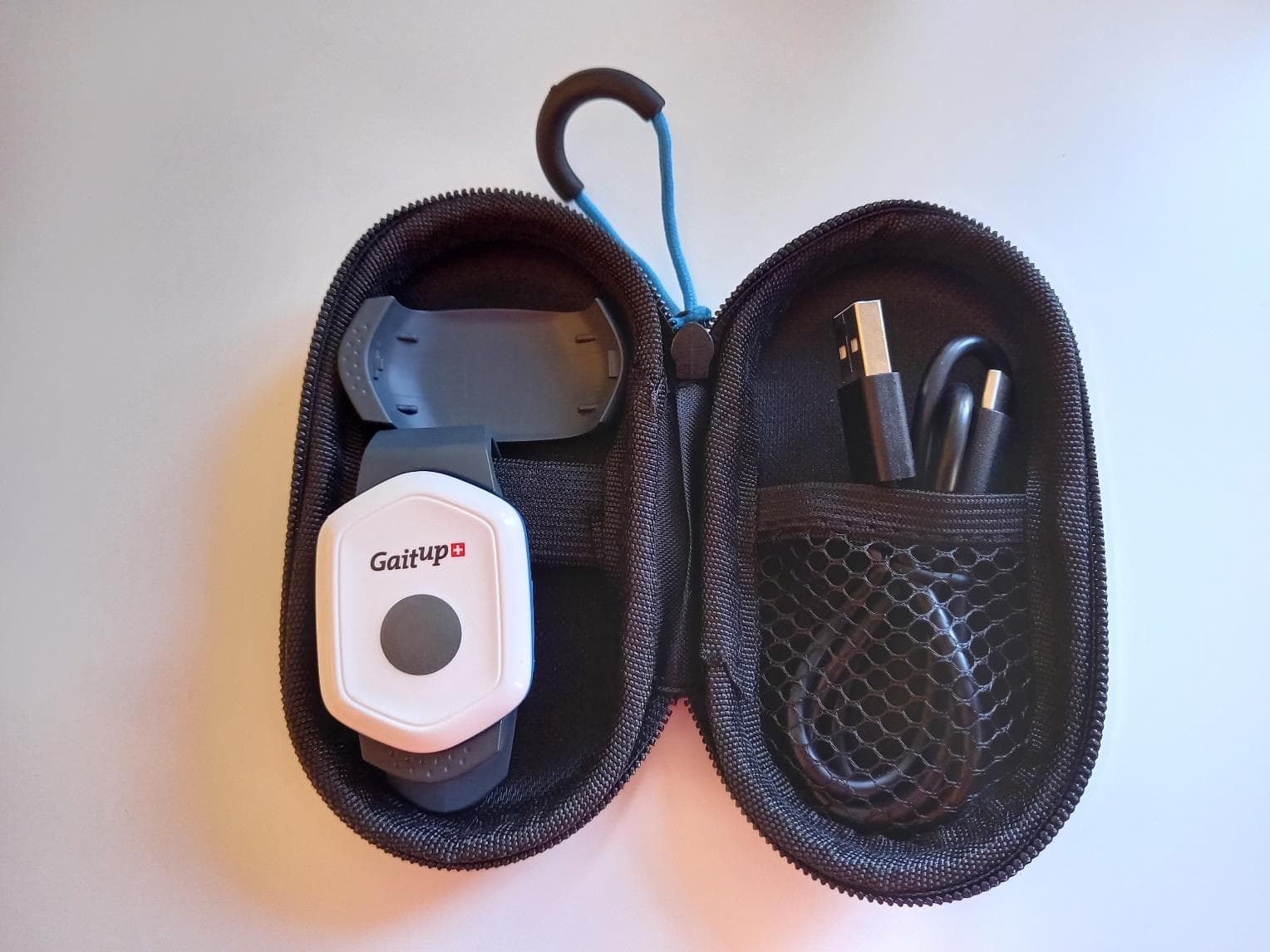
Click to zoom
Application Details
- Equipment Class
- DTS - Digital Transmission System
- Date of Grant
- May 10, 2021
- Application Purpose
- Original Equipment
- Date of Application
- May 09, 2021
- Equipment Note
- Movement sensor
- Frequency Range
- 2402.00000000 - 2480.00000000
- Company
- MindMaze SA
- Country
- Switzerland
Documents & Files
Document Text
Text extracted from the exhibit documents filed with the FCC. Open a document above to read the original.
Users Manual
ENGLISH D-2017-LBL-0086-AAF – Jan 2021 INSTRUCTIONS FOR USE GAIT UP GO ENGLISH 2/84 Legal manufacturer: Mindmaze SA Chemin de Roseneck, 5 1006 Lausanne Switzerland Contact email: [email protected] Website: www.mindmaze.ch Commercialized by: Gait Up SA EPFL Innovation Park Batiment C CH-1015 Lausanne Switzerland FCC ID: 2AYHH-PHY06GAITUP IC ID: 26802-PHY06GAITUP General Contact email: [email protected] Website: https://clinical.gaitup.com/ Support email: [email protected] ENGLISH 3/84 TABLE OF CONTENT Instructions for Use2 Gait Up GO2 TABLE OF CONTENT4 TABLE OF FIGURES6 INDEX OF TABLES7 1. SAFETY INFORMATION8 1.1. WARNINGS8 1.1.1. WARNINGS RELATED TO THE OPERATING CONDITIONS OF THE DEVICE8 1.1.2. WARNINGS RELATED TO THE CONDITIONS AND AWARENESS OF THE END-USERS9 1.2. CAUTIONS10 1.3. CONTRAINDICATIONS FOR GAIT UP GO MEDICAL DEVICE11 1.4. ADVERSE REACTIONS11 2. BEFORE USE12 2.1. DEFINITIONS12 2.2 INTENDED USE12 2.3. INDICATIONS FOR USE12 2.4. INTENDED USER POPULATION13 2.4.1. PATIENT RELATIVE13 2.4.2. MEDICAL PROFESSIONAL13 2.5. INTENDED END USER POPULATION14 2.5.1. PATIENTS SUFFERING FROM MOTOR DISORDERS 14 2.5.2. HEALTHY POPULATION14 2.6. ESSENTIAL PERFORMANCE14 3. Description15 3.1. OVERVIEW15 3.2. DESCRIPTION OF DEVICE COMPONENTS16 3.3 USER INDICATORS20 3.3.1 VISUAL USER INDICATORS RELATED TO BATTERY CHARGING20 3.3.2 VISUAL AND AUDITORY INDICATORS RELATED TO THE OPERATION OF THE DEVICE20 Physilog6 sensor device visual and auditory indicators20 Gait Up GO mobile application visual indicators21 4. USE23 4.1. OVERVIEW23 4.2. INCLUDED TESTS AND THEIR INDICATIONS24 4.2.1. FUNCTIONAL TESTS24 Jump tests24 5 sit-to-stand tests24 TUG tests24 4.2.2. BALANCE TESTS24 4.2.3. WALK TESTS24 4.2.4. RUNNING TESTS25 4.3. INSTALLING AND STARTING THE DEVICE25 4.3.1. INSTALLATION AND LAUNCHING OF THE GAIT UP GO MOBILE APPLICATION ON ANDROID DEVICES 25 4.3.2. INSTALLATION AND LAUNCHING OF GAIT UP GO MOBILE APPLICATION ON IOS DEVICES25 4.3.3. DISCOVER THE PHYSILOG®6 SENSOR DEVICE 26 Charging of the Physilog®6 sensor device26 4.3.4 CHECKING SYSTEM COMPONENTS AND THEIR FUNCTIONALITY27 4.4 FIRST USE OF THE DEVICE28 4.4.1 LOGIN CREATION28 4.4.2 PAIRING PHYSILOG 6 TO THE GAIT UP GO MOBILE APPLICATION28 4.5. NORMAL USE OF THE DEVICE30 4.5.1. LOGIN30 4.5.2. FORGOT PASSWORD30 4.5.3. ADD / SELECT / EDIT / DELETE PARTICIPANT PROFILES31 Add new participant32 ENGLISH 4/84 Find a Participant in the list34 Select a Participant34 Edit a Participant35 Delete a Participant36 4.5.4. GENERAL SETTINGS37 Credits38 Physilog38 Account40 Info40 4.5.5. SENSOR INFORMATION AND UPDATE41 4.5.6. PREPARE AN ASSESSMENT SESSION42 Assign tests43 Limited admin mode43 Assessment session screen44 Preparing the device for Home use by the participant45 4.5.7. OPERATING A TEST46 Preparing the Participant46 Check Physilog6 sensor connection and battery level46 Select the test46 Sensor attachment47 Perform the clinical test49 End of the test with no direct access to the results53 End of the test with Limited admin mode (direct access to the results)53 4.5.8 GENERATE, MANAGE AND INTERPRET TEST REPORTS54 Generate a report using Limited admin mode (direct access to the results)54 Generate and manage reports inside the password protected part55 Delete a report57 Sharing a report58 Report interpretation58 4.5.9. REPORT COMPARISON60 Comparison report interpretation61 5. CLEANING, MAINTENANCE AND STORAGE63 5.1. CLEANING63 5.2. MAINTENANCE63 5.3. STORING AND TRANSPORTING THE DEVICE64 5.4. ENVIRONMENTAL CONDITIONS FOR OPERATION.64 6. TROUBLESHOOTING65 WHEN AND HOW TO PERFORM A MANUAL RESET OF THE PHYSILOG6 SENSOR DEVICE ACCESSORY66 CUSTOMER SUPPORT67 REPORTING AN ADVERSE EVENT67 7. WARRANTY68 8. DISPOSAL68 Disposal of Gait Up GO medical device (incl. all its accessories)69 9. TECHNICAL SPECIFICATIONS70 9.1. SPECIFICATIONS70 9.2. SYMBOLS72 9.3. EMI EMISSIONS74 9.4. GUIDANCE AND MANUFACTURER’S DECLARATION - ELECTROMAGNETIC EMISSIONS74 9.5. GUIDANCE AND MANUFACTURER’S DECLARATION - ELECTROMAGNETIC IMMUNITY75 9.6 Recommended separation distances between portable and mobile RF communications equipment bas the Gait Up GO medical device78 9.7 FCC - Information to user79 FCC human exposure limits80 9.8 Product Compliance - IC statement80 IC statement - English version80 IC human exposure limits - English version81 Déclaration IC - Version Française81 IC Exposition humaine - Version française 81 9.9 RF exposure compliance - Europe82 10. ALPHABETICAL INDEX83 11. LEGAL MANUFACTURER84 ENGLISH 5/84 TABLE OF FIGURES Fig. 116 Fig. 2a16 Fig. 2b16 Fig. 317 Fig. 419 Fig. 526 Fig. 628 Fig. 728 Fig. 829 Fig. 929 Fig. 10a30 Fig. 10b30 Fig. 1131 Fig. 1232 Fig. 1332 Fig. 1432 Fig. 1532 Fig. 1633 Fig. 1733 Fig. 1833 Fig. 1933 Fig. 2034 Fig. 2134 Fig. 2234 Fig. 2334 Fig. 2435 Fig. 2535 Fig. 2635 Fig. 2736 Fig. 2836 Fig. 2937 Fig. 3037 Fig. 3137 Fig. 3237 Fig. 3337 Fig. 3438 Fig. 3538 Fig. 3639 Fig. 3739 Fig. 3839 Fig. 3940 Fig. 4040 Fig. 4141 Fig. 4241 Fig. 4341 Fig. 4441 Fig. 4541 Fig. 4642 Fig. 4743 Fig. 4843 Fig. 4943 Fig. 5043 Fig. 5144 Fig. 5244 Fig. 5344 Fig. 5445 Fig. 5546 Fig. 5646 Fig. 5747 Fig. 5847 Fig. 5947 Fig. 6047 Fig. 6148 Fig. 6248 Fig. 6349 Fig. 6449 Fig. 6550 Fig. 6651 Fig. 6751 Fig. 6851 Fig. 6952 Fig. 7052 Fig. 7152 Fig. 7253 Fig. 7353 Fig. 7453 Fig. 7555 Fig. 7655 Fig. 7756 Fig. 7856 Fig. 7957 Fig. 8057 Fig. 8158 Fig. 8258 Fig. 8359 Fig. 8461 Fig. 8561 Fig. 8662 ENGLISH 6/84 INDEX OF TABLES Table 1. Definitions12 Table 2. Gait Up GO components15 Table 3. Physilog6 sensor components18 Table 4. Automatic test en…
Text truncated - open the document above for the full version.
Users Manual
NOTE:sometestsstopautomaticallyafterthemovementiscompletedorafterafixedamountoftime (f.ex.2minwalkingtest,5sittostandtest).Formoreinformationaboutthetest,checkthe complementaryinstructionswhichcanbeaccessedbyclickingonthequestionmarkbuttononthe right side of the test title on the instructions screen. Fig. 65. Complementary instructions Table 4. Automatic test end criteria Test type Stop automatically after: Monopodal balance comparison 30 seconds (x 2) One leg balance 30 seconds Balance on two legs 30 seconds Semi-tandem balance 30 seconds Tandem balance 30 seconds Romberg test 30 seconds (x 2) Sit to stand transfer 5 sit to stand detected Vertical jump 1 leg 1 jump detected (x 2) Vertical jump 2 legs 3 jumps detected 2 minutes walking test 2 minutes Timed Up and Go 1 Timed Up and Go detected Timed Up and Go in dual task 1 Timed Up and Go detected ENGLISH 50/84 Whentheparticipanthasunderstoodtheinstructionsandisreadytoperformthetest,press“Go”,In thatmoment,theParticipantcanstarttoperformthemovementexplainedintheinstructionsshown in the user interface of the application. Fig. 66. Instruction and test start - iOSFig. 67. Instruction test start - Android NOTE:ThewirelesscommunicationbetweenthePhysilog6sensordeviceaccessoryandthemobile phone/tabletislimitedindistance.DonotseparatethesensordevicefromtheGaitUpGOmobile application further than 5 meters (16 feet). Attheendofthetest,ifitdidnotautomaticallystop,tapthe“End”buttonappearingonyourscreen to complete the recording. The Gait Up GO medical device will analyze the recorded data. Fig. 68. Recording ongoing Ifthetesthasbeensuccessfullyperformed,agreencheckmarkwillappearonthescreen,together withthenameofthetest.Anycommentabouttheperformanceofthetest(f.ex.painatthelefthip) canbeoptionallyadded.Thiscommentwillbedisplayedonthetestreport.Tap“Save”toregisterthe results and be able to generate a report. ENGLISH 51/84 Fig. 69. Screen after completing a test - iOSFig. 70. Screen after completing a test - Android Theusercandeletethetestresultincaseofanyproblemhappeningwiththeexecutionofthe instructionsprovidedbythemobileapplicationorifthetesthadtobeinterruptedbyanycause.Inthis case, the performed test data is deleted and no report can be generated later. NOTE:Dataanalysisproblemscanariseduetoabadqualitymovementorrecording.Inthosecases, anerrormessageispoppinguponthescreenwarningtheuser,whohasthechoiceofdeciding whethertherecordedrawdata(nopersonalorclinicaldatacontainedintherecordedrawdata)is sharedwithGaitUpornot.DatasharinghasuniquelythegoalofhelpingGaitUpSAtoimprovethe product.Tosharesuchdata,auseraccountmustberegisteredonthemobilephone/tabletand internet access is required. Fig. 71 Pop-up in case of error during the recording NOTE:Theprevioustestisanexample(jumptest)intheGaitUpGOapplicationbutthesame procedure should be used for all the tests contained in the mobile application. ENGLISH 52/84 End of the test with no direct access to the results Duringthetestassignmentitispossibletoselect“Directaccesstoresults”or“Nodirectaccessto results” Please refer to the “Assign test” section to check how to activate or inactivate this setting. Fig. 72. Direct access to results option Ifthedirectaccesstothereportresultsisinactivated,amessagewillpopupinformingthatthetest results have been saved. The report can be unlocked later by the medical professional. Fig. 73. Test has been saved - iOS Fig. 74. Test has been saved - Android Aftertapping“OK”ontheinformationtextbox,themobileapplicationdisplaysthesessionscreen from where the user can select another test in the list. Thetestreportcanlaterbeaccessedbythemedicalprofessionalinsidethepasswordprotectedpart of the Gait Up GO mobile application (see section 4.5.8). End of the test with Limited admin mode (direct access to the results) Ifthe“Directaccesstoresults”isactivated,theUserwillbeabletospendcreditsandaccessthe reportsimmediatelyattheendofthetestafterclicking“Save”.Aconfirmationrequestwillbe generatedfortheusertoconfirmthespendingofonecredittogenerateanddisplaythereport(see section 4.5.8 for more information). ENGLISH 53/84 Afterclosingthereport,TheGaitUpGOmobileapplicationdisplaysthesessionscreenfromwherethe user can select another test from the list. NOTE:Inordertogeneratereports,theGaitUpGOMobileApplicationneedstobeconnectedtothe Internet by using WiFi or mobile data. 4.5.8 Generate, manage and interpret test reports TheGaitUpGOmedicaldeviceworkswithapayperreportmodel,wheretheusercanperformas manytestsaswantedforfreeandneedstospendcreditsonlywhengeneratinganddisplayingthe resultreports.Foreachcredit,onereportcanbegenerated.Forfrequentusersitispossibleto purchasean“unlimitedlicense”whichallowstogenerateasmanyreportsaswantedforayearlyflat ratefee.The“unlimitedlicense”islinkedtothePhysilog6serialnumberwhichallowsagroupofusers whoareusingthesamePhysilog6butwithdistinctloginaccountstobenefitfromtheunlimited number of reports. There are two ways to generate and display reports: Limitedadminmode-Directaccesstoresultsisactivated:theusercanspendcreditsanddisplaythe testreportdirectlyafterperformingandsavingatest.Thisdirectaccessneedstobeactivatedbythe medicalprofessionalbeforestartinganewsession(seesection4.5.6-“LimitedAdminmode”). Generated reports must always be analysed and interpreted by a medical professional. Insidepasswordprotectedspace-Directaccesstoresultsinactivatedbythemedicalprofessional: theusercannotgenerateatestreportdirectlyattheendofthetest.Inordertogeneratethereportfor theperformedtest,itisrequiredtologintothepasswordprotectedpartoftheGaitUpGOmobile application. This must always be done by the medical professional. Thetwomodesrespondtodifferentusescenarios.Theunlimitedadminmodewithdirectaccessto resultsisusefulduringtherapysessionswherethemedicalprofessionalisusingthedevicetoassessa Participantandwantstoseethereportimmediatelyafterthetest.Forthehomeusecasewherethe Participantisusingthedevicewithoutphysicalpresenceofthemedicalprofessional,theinactivation ofdirectaccesstotheresultallowsthemedicalprofes…
Text truncated - open the document above for the full version.
Users Manual
Gait Up SA EPFL Innovation Park, Bat C. CH-1015 Lausanne www.gaitup.com TVA CHE-145.136.760 User manual ThankyouforpurchasingPhysilog6S,theSwissqualitymovementsensor.Thismanual introduces how to use the different features of the sensor. ENGLISHD-PHY6S-LBL-0102 / Physilog 6S - Instructions for use Legal manufacturer: Mindmaze SA Chemin de Roseneck, 5 1006 Lausanne Switzerland Contact email: [email protected] Website: www.mindmaze.ch Commercialized by: Gait Up SA EPFL Innovation Park, Batiment C CH-1015 Lausanne Switzerland General Contact email: [email protected] Website: https://clinical.gaitup.com/ Support email: [email protected] Model: Physilog 6S IC ID: 26802-PHY06GAITUP FCC ID: 2AYHH-PHY06GAITUP Physilog 6S user manual v1.2.0 Date: 26.01.2021 Copyright © 2021, All Rights Reserved - Gait Up SA. CH-1015 Switzerland 2 www.gaitup.com Table of Contents Physilog 6S elements4 Charging4 Recording with Physilog 6S5 Standalone measurement5 Control the Physilog from a mobile application6 Data Analysis6 Practical Considerations6 Fixation6 How to update Date and Time of the Physilog 6S7 How to update firmware of Physilog 6S with nRF Connect7 Tips for best practices9 Maintenance and Disposal10 Sensor specifications12 Troubleshoot13 Limited Warranty & Support Policy14 Product compliance15 Europe16 FCC16 IC - Canada (EN)16 IC - Canada (FR)17 Contact information18 Physilog 6S user manual v1.2.0 Date: 26.01.2021 Copyright © 2021, All Rights Reserved - Gait Up SA. CH-1015 Switzerland 3 www.gaitup.com 1.Physilog 6S elements 2.Charging ThePhysilog6SischargedviatheUSB-Cport.PlugtheUSB-Cconnectorofthecabledelivered withthePhysilog6Stothesensor.PlugtheUSBconnectortoaComputerorcharger(see voltagespecificationsbelow).Physilog6Srecordingmustbestoppedforcharging.Donot charge Physilog® when room temperature is outside of range 0°C to 45°C. LowbatterylevelisindicatedbyyellowblinkingduringmeasurementorifthePhysilog®blinks rapidly3timesredwhenstartinganddoesn'tstarttherecording(seeLEDindicationsbelow).A batterylevelestimationisavailableviatheGaitUpmobileapplications.WhenthePhysilog®is discharged, plug it for charging for at least 30 minutes before use. ItisrecommendedtoavoidcompletedischargingofthePhysilog6S,thereforecheckthatthe Physilog®sensorsareoffwhenyoustorethem.AfteralongperiodwithoutusingthePhysilog®, plugitforchargingforatleast30minutesbeforeuse.ItmayhappenthattheLEDdoesn'tblink whiteatthebeginningofchargingafterthebatterywasverylow,toseethechargingongoing shortly push the main button or disconnect and reconnect after some charging time. Physilog 6S user manual v1.2.0 Date: 26.01.2021 Copyright © 2021, All Rights Reserved - Gait Up SA. CH-1015 Switzerland 4 www.gaitup.com Supply Voltage specifications ThePhysilog6SshouldbechargedusingUSBat5V,100mA.Forcharging,theambient temperature must lie between 0°C and 30°C. Power supply: 5V DC, 50/60Hz, 100mA 3.Recording with Physilog 6S There are several ways to start and stop a measurement with the Physilog 6S: 3.1.Standalone measurement Pressonthemainbutton(forabout2secs,untilthegreenlightturnsoff)tostartthe measurement. During measurement, the Physilog® shines green. Holdthemainbuttonfor3seconds,untilthelightturnsorangetostopthemeasurement.When the measurement has been concluded, the LED shortly blinks green three times. IfseveralPhysilog6Ssensorsareconfiguredtodosoandstartedatthesametime,they synchronizeregularlyduringthemeasurement.Anetworkincludesonesinglemastersensor andseveralslavesensors(fromonetoasmanyaswished).Multiplesensornetworkscanbe createdbyselectingadifferentradiochannel.Thenetworkconfigurationisdoneviathe ResearchToolKitDesktopsoftware(seeRTKusermanualfordetails)andissavedintheconf.bin file on each Physilog 6S. ToperformameasurementwithsynchronizedPhysilog6S,turnonallsensorsofthenetwork withthemainbuttonwithinashortintervaloftime(allmustbestartedwithinoneminute).No preciseorderofstartingthesensorsisnecessary.Eachsensorstartsrecordingdatafromstart andonceitissynchronizedwiththemastersensoritwillshinegreensynchronouslywiththe mastersensor.Tostopthemeasurement,pushthemainbuttonofthesensorsuntiltheLED turns orange, you can turn off the sensors in any order. Physilog 6S user manual v1.2.0 Date: 26.01.2021 Copyright © 2021, All Rights Reserved - Gait Up SA. CH-1015 Switzerland 5 www.gaitup.com 3.2.Control the Physilog from a mobile application TheGaitUpcompanionmobileapplicationsallowtocontrolthePhysilog6Ssensor.Twomodes areavailableintheapplication,fordetailsrefertotheusermanualofthemobileapplication. ThereisnoneedtopairyourPhysilog®withthetabletpriortoBluetoothcommunication,just select the Physilog® from the list in the app. Troubleshoot:Ifasensorisnotdetectedbythetablet,gentlyshakethesensortoenter detectionmode.Ifthesensorcanstillnotbeconnected,checkthatithasenoughbatteryandis notconnectedtoanothermobiledeviceandifnecessaryultimatelydoaresetofthesensoras explained in section 5.7 Troubleshoot. Note: Bluetooth 4.0 or higher is required on the mobile device to be able to communicate with Physilog 6S. 4.Data Analysis Physilog®alwayssavesrawdataonitsinternalmemory,exceptwhenstreamingthedatalivevia Bluetoothusingthe“IMUstream”functionalityoftheapp.Usershaveaccesstotherawdata throughcompanionsoftwarecalledResearchToolKit(RTK).TheRTKisavailableforcomputers (PCandMac).FunctionstoreadrawdatainsideMATLAB®arealsoavailable.Pleaserefertothe RTK user manual for more details. USB data transfer DatasavedontheinternalmemoryofthePhysilog®canbeaccessedusingUSBdatatransfer. Therefore,plugtheUSBcabletothePhysilog®andacomputer.ThePhysilog6Sconnectstothe computerlikeaUSBkeyandfilescanbeaccessed.Onefileforeachmeasurementiscreatedand filesarestoredinfoldersdependingoncreationdate(YY_MM_DD).Thefilenameiscomposedof afilenumber(increasingfrom1to99),thebodylocation(asdefinedintheconfiguration,f.ex. 'LF')andthesensorserialnumberuniquepart(4digits).Copy-pastethefilestoyourcomputer foranalysis.FromhereyoucanalsorenamefoldersandfilesordeletethefilesfromPhysilog®'s …
Text truncated - open the document above for the full version.
Cover Letter(s)
CONFIDENTIALITY REQUEST Bureau Veritas Consumer Products Services Inc. One Distribution Center Circle #1 Littleton, MA 01460 USA March 17, 2021 Re: Confidentiality request FCC ID: 2AYHH-PHY06GAITUP Gentlemen, Mindmaze SA requests, pursuant to 47CFR 0.457(d) and 0.459, post grant confidentiality for portions of the material contained in this application. The following document regarding this submission for FCC ID: 2AYHH-PHY06GAITUP shall be kept confidential: LONG-TERM CONFIDENTIALITY: 1. Schematic Diagram of the equipment (file: Schematic - 2AYHH-PHY06GAITUP.pdf) 2. Block Diagram description of the equipment (file: Block Diagram - 2AYHH-PHY06GAITUP.pdf) 3. Operational description of the equipment (file: Operational Description - 2AYHH- PHY06GAITUP.pdf) Specifically, these exhibits contain information relating to circuit function and complexity that could be of benefit to competitors. The material contains trade secrets and confidential information that Mindmaze SA does not customarily release to the public and which is otherwise not generally available to the public. Regards, Responsible party: Sylvain Bourriquet Title: Director, Quality Assurance and Regulatory Affairs Signature:
Cover Letter(s)
Letter of Agency March 17, 2021 To: Federal Communications Commission 7435 Oakland Mills Road Columbia, MD 21046-1609 Bureau Veritas Consumer Products Services Inc. One Distribution Center Circle #1 Littleton, MA 01460 We, the undersigned Mindmaze SA hereby authorize Anthony MERLIN, LCIE SUD EST, to act on our behalf in all matters relating to all processes required for FCC certification of our devices. Any and all acts carried out by the above agent on our behalf shall have the same effects as acts of our own. This authorization is valid until: April 1st, 2021 If you have any questions regarding this authorization, let us know please. Sincerely, Sylvain Bourriquet Signature
Cover Letter(s)
VALIDE PAR / Valid. by NAG DATE / Date 20/12/19 CREE PAR / Created by CREOPP-TEC DATE / Date 19/12/2019 DESIGNATION / Drawing name REFERENCE / Part number CLIENT / Customer Echelle / Scale 2:1 FORMAT / Size A1 CE PLAN EST LA PROPRIETE DE CREOPP-TEC. IL NE DOIT PAS ETRE This drawing is the property of CREOPP-TEC. It can't be REPRODUIT OU COMMUNIQUE SANS NOTRE AUTORISATION ECRITE reproduced or communicated without our written autorisation. REFERENCE CLIENT / Customer part number niveau / level PLANCHE / Sht. 1/1 INDICE / Level: DATE / Date : GAIT UP 240 rue des cables de Lyon 01000 ST DENIS LES BOURG Tel.04.74.32.23.60 Fax.04.74.32.23.48 CREOPP-TEC CAPTEUR PHYSILOG6 ENSEMBLE 0000 VERSION CLIP LACET VERSION CLIP CEINTURE VERSION CLIP LACET VERSION CLIP CEINTURE APBOCNDMELFK HIGJFKELDMCNBOAP 5 4 5 4 6 3 6 3 7 2 7 2 8 1 8 1 1 2 34 5 6 7 8 9 10 101CARTE ELECTRONIQUE 91RINGM1118-05PTSILICONETELEMAGENTARAL 4010 PANTONE 213 C 81RINGM1118-05PJSILICONEJAUNE ZINCRAL 1018 PANTONE 108 C 71RINGM1118-05PRSOLICONEROUGE PURRAL 3028 PANTONE 185 C 61RINGM1118-05PVSILICONEVERT BRILLANTRAL 6038 PANTONE 802 C 51RINGM1118-05PBSILICONEBLEU CLAIRRAL 5012 PANTONE 306 C 41CLIP CEINTUREM1118-04PABSGRIS BRILLANTRAL 7016 31CLIP LACETM1118-03PABSGRIS BRILLANTRAL 7016 21BOTTOMM1118-02PABS V0GRIS BRILLANTRAL 7016 11TOPM1118-01PABS V0BLANC BRILLANTRAL 9003 NuméroNbreDESIGNATIONCODEMATIERECOULEUROBSERVATION E B B A A 63.12 B-B 32.31 26.47 A-A RAL 7011 PANTONE 425 rgb (84,88,89) Diameter 8mm - centred on button dome (do not cover LED) C C D D E 32.31 18.25 C-C D-D 49.44 14 Détail E
External Photos
LCIE SUD EST Laboratoire de Moirans Z.I. Centr’Alp 170, Rue de Chatagnon 38430 MOIRANS – France Page 1/9 EXTERNAL PHOTOS OF EQUIPMENT FCCID: 2AYHH-PHY06GAITUP LCIE SUD EST Laboratoire de Moirans Z.I. Centr’Alp 170, Rue de Chatagnon 38430 MOIRANS – France Page 2/9 LCIE SUD EST Laboratoire de Moirans Z.I. Centr’Alp 170, Rue de Chatagnon 38430 MOIRANS – France Page 3/9 LCIE SUD EST Laboratoire de Moirans Z.I. Centr’Alp 170, Rue de Chatagnon 38430 MOIRANS – France Page 4/9 LCIE SUD EST Laboratoire de Moirans Z.I. Centr’Alp 170, Rue de Chatagnon 38430 MOIRANS – France Page 5/9 LCIE SUD EST Laboratoire de Moirans Z.I. Centr’Alp 170, Rue de Chatagnon 38430 MOIRANS – France Page 6/9 LCIE SUD EST Laboratoire de Moirans Z.I. Centr’Alp 170, Rue de Chatagnon 38430 MOIRANS – France Page 7/9 LCIE SUD EST Laboratoire de Moirans Z.I. Centr’Alp 170, Rue de Chatagnon 38430 MOIRANS – France Page 8/9 LCIE SUD EST Laboratoire de Moirans Z.I. Centr’Alp 170, Rue de Chatagnon 38430 MOIRANS – France Page 9/9
ID Label/Location Info
LCIE SUD EST Laboratoire de Moirans Z.I. Centr’Alp 170, Rue de Chatagnon 38430 MOIRANS - FRANCE Page 1/2 PRODUCT LABELING FCCID: 2AYHH-PHY06GAITUP LCIE SUD EST Laboratoire de Moirans Z.I. Centr’Alp 170, Rue de Chatagnon 38430 MOIRANS - FRANCE Page 2/2 LOCATION on product
Internal Photos
LCIE SUD EST Laboratoire de Moirans Z.I. Centr’Alp 170, Rue de Chatagnon 38430 MOIRANS – France Page 1/3 INTERNAL PHOTOS OF EQUIPMENT FCCID: 2AYHH-PHY06GAITUP LCIE SUD EST Laboratoire de Moirans Z.I. Centr’Alp 170, Rue de Chatagnon 38430 MOIRANS – France Page 2/3 RF ANTENNA LCIE SUD EST Laboratoire de Moirans Z.I. Centr’Alp 170, Rue de Chatagnon 38430 MOIRANS – France Page 3/3
RF Exposure Info
LCIE SUD EST Laboratoire de Moirans Z.I. Centr’Alp 170, Rue de Chatagnon 38430 MOIRANS – FRANCE RF Exposure Considerations for FCC ID: 2AYHH-PHY06GAITUP Per FCC KDB 447498 D01 General RF Exposure Guidance v06 The 1-g and 10-g SAR test exclusion thresholds for 100 MHz to 6 GHz are based on source-based time-averaged maximum conducted output power of the RF channel requiring evaluation, adjusted for tune-up tolerance, and the minimum test separation distance required for the exposure conditions. The minimum test separation distance defined in 4.1 f) is determined by the smallest distance from the antenna and radiating structures or outer surface of the device, according to the host form factor, exposure conditions and platform requirements, to any part of the body or extremity of a user or bystander. Minimum test separation distance: 20 mm Step a) For 100 MHz to 6 GHz and test separation distances ≤ 50 mm The 1-g and 10-g SAR test exclusion thresholds are determined by the following: (max푝표푤푒푟표푓 푐ℎ푎푛푛푒푙 ( 푚푊 ) ) (min푡푒푠푡푠푒푝푎푟푎푡푖표푛 푑푖푠푡푎푛푐푒 ( 푚푚 ) ) × √ 푓 ( 퐺퐻푧 ) ≤3.0 푓표푟 1−푔 푆퐴푅 표푟 ≤7.5 푓표푟 10−푔 푒푥푡푟푒푚푖푡푦 푆퐴푅 Where: f(GHz) is the RF channel transmit frequency in GHz Power and distance are rounded to the nearest mW and mm before calculation31 The result is rounded to one decimal place for comparison The values 3.0 and 7.5 are referred to as numeric thresholds in step b) below The test exclusions are applicable only when the minimum test separation distance is ≤ 50 mm, and for transmission frequencies between 100 MHz and 6 GHz. When the minimum test separation distance is < 5 mm, a distance of 5 mm is applied to determine SAR test exclusion. LCIE SUD EST Laboratoire de Moirans Z.I. Centr’Alp 170, Rue de Chatagnon 38430 MOIRANS – FRANCE BLE and RF Proprietary can’t emit together: BLE (dBm) (mW) Min 2.402 11.25 13.34 20 1.03 3 7.5 Exempt from SAR Mid 2.442 10.61 11.51 20 0.90 3 7.5 Exempt from SAR Max 2.480 10.22 10.52 20 0.83 3 7.5 Exempt from SAR Limit for 10-g extremity SAR Verdict Maximum source- based time averaged conducted output power or EIRP (worst case) including tune-up tolerance Channel Frequency (GHz) Minimum separation distance (mm) Result of Eq. 1 Limit for 1-g SAR And RF Proprietary (dBm) (mW) Min 2.402 10.4 10.96 20 0.85 3 7.5 Exempt from SAR Mid 2.442 9.95 9.89 20 0.77 3 7.5 Exempt from SAR Max 2.480 10.06 10.14 20 0.80 3 7.5 Exempt from SAR Limit for 10-g extremity SAR Verdict Maximum source- based time averaged conducted output power or EIRP (worst case) including tune-up tolerance Channel Frequency (GHz) Minimum separation distance (mm) Result of Eq. 1 Limit for 1-g SAR Conclusion: Therefore our device complies with FCC’s RF radiation exposure limits for general population without SAR evaluation.
Test Report
Bluetooth Low Energy Template: Release February 6, 2020 This document shall not be reproduced, except in full, without the written approval of the LCIE. This document contains results related only to the items tested. It does not imply the conformity of the whole production to the items tested. . Unless otherwise specified or rule defined by the test method, the decision of conformity doesn’t take into account the uncertainty of measures.This document doesn’t anticipate any certification decision. TEST REPORT N°: 163488-752917-B(FILE#1023927) Version : 04 Subject Radio spectrum matters tests according to standards: 47 CFR Part 15.247 & RSS-247 Issue 2 & RSS-Gen Issue 5 Issued to MINDMAZE SA Chemin de Roseneck 5 1015 - Lausanne Switzerland Apparatus under test Product Physilog 6. Trade mark Physilog Manufacturer Mindmaze SA Family Range PHY-06 and PHY-06S Model under test PHY-06 Serial number 002,004,009,010 FCC ID 2AYHH-PHY06GAITUP IC 26802-PHY06GAITUP Conclusion See Test Program chapter Test date July 16, 2020 to July 28, 2020 Test location Moirans Test Site 6500A-1 & 6500A-3 FCC Test Site FR0008 ISED Test Site FR0008 – 6500A Sample receipt date July 16, 2020 Composition of document 70 pages Document issued on January 25, 2021 Written by : Approved by : Mounir BOUAMARA Anthony MERLIN Tests operator Technical manager TEST REPORT N° 163488-752917-B Version : 04 Page 2/70 PUBLICATION HISTORY Version Date Author Modification 01 January 25, 2021 Mounir BOUAMARA Creation of the document 02 January 25, 2021 Mounir BOUAMARA Changing the sentences Emissions non essentielles to No significative frequency observed in all graphes of radiated emissions and test program information - Trade mark and Manufacturer (page 1) 03 January 25, 2021 Mounir BOUAMARA Adding of FCC/IC informations 04 March 31, 2021 Mounir BOUAMARA -Correcting the date in the publication history in the second version -delate NA in the test ‘Receiver Radiated emissions’ - changed the call due of the Transient limiter from 02/19 to 08/20 - add a description of the two products PHY-06 and PHY-06S in 2.1 paragraph ‘2.1.INTRODUCTION’ - adding the following information FCC Test Site :FR0008 ISED Test Site :FR0008 – 6500A *Each new edition of this test report replaces and cancels the previous edition. The control of the old editions of report is under responsibility of client. TEST REPORT N° 163488-752917-B Version : 04 Page 3/70 SUMMARY 1. TEST PROGRAM ............................................................................................................................... 4 2. EQUIPMENT UNDER TEST: CONFIGURATION (DECLARED BY PROVIDER) ................................ 5 3. OCCUPIED BANDWIDTH ................................................................................................................. 10 4. 6DB EMISSION BANDWIDTH .......................................................................................................... 13 5. MAXIMUM CONDUCTED OUTPUT POWER ................................................................................... 17 6. POWER SPECTRAL DENSITY ........................................................................................................ 21 7. UNWANTED EMISSIONS INTO NON-RESTRICTED FREQUENCY BANDS AT THE BAND EDGE 25 8. UNWANTED EMISSIONS INTO NON-RESTRICTED FREQUENCY BANDS ................................... 28 9. AC POWER LINE CONDUCTED EMISSIONS.................................................................................. 32 10. UNWANTED EMISSIONS IN RESTRICTED FREQUENCY BANDS ................................................ 48 11. UNCERTAINTIES CHART ................................................................................................................ 70 TEST REPORT N° 163488-752917-B Version : 04 Page 4/70 1. TEST PROGRAM References 47 CFR Part 15.247 RSS 247 Issue 2 RSS Gen Issue 5 KDB 558074 D01 DTS Meas Guidance v05r02 ANSI C63.10-2013 Radio requirement: Clause (47CFR Part 15.247 & RSS-247 Issue 2 & RSS-Gen Issue 5) Test Description Test result - Comments Occupied Bandwidth PASS FAIL NA NP(1) 6d…
Text truncated - open the document above for the full version.
Contact Information
Applicant
Sylvain Bourriquet(Director, QA & RA)
Test Firm
LCIE Etablissement Sud-EstAnthony Merlin
Technical Specifications
| # | Rule Parts | Frequency Range | Power Output |
|---|---|---|---|
| 2 | 15C | 2.40 GHz - 2.48 GHz | 13.34 mW |
Other Applications from MindMaze SA
2AYHHMMIZ-S1
Jan 12, 2023Izar
Equipment Class
DTS - Digital Transmission System