2AYR3FOSHP-2406Bluetooth earphone
Fospower, Inc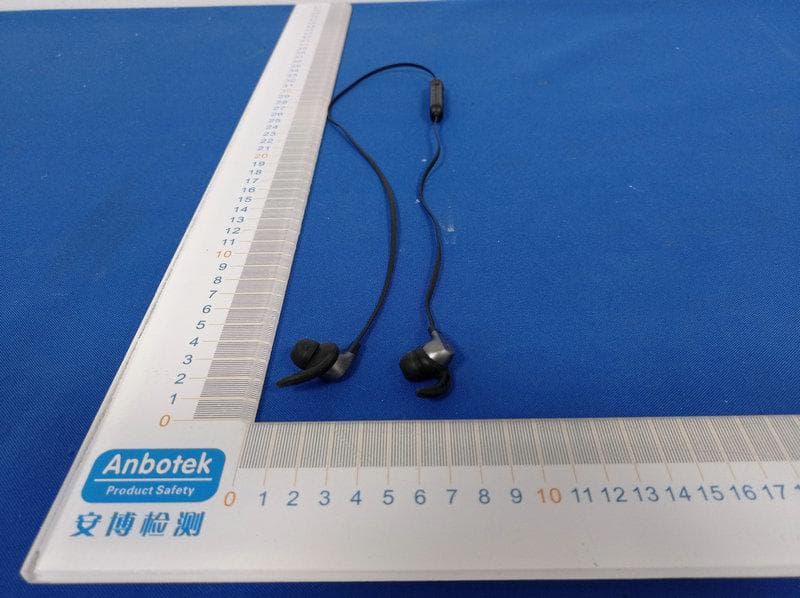
Click to zoom
Application Details
- Equipment Class
- DSS - Part 15 Spread Spectrum Transmitter
- Date of Grant
- Jan 24, 2021
- Application Purpose
- Original Equipment
- Date of Application
- Jan 24, 2021
- Equipment Note
- Bluetooth earphone
- Frequency Range
- 2402.00000000 - 2480.00000000
- Company
- Fospower, Inc
- Country
- United States
Documents & Files
Document Text
Text extracted from the exhibit documents filed with the FCC. Open a document above to read the original.
Users Manual
FOSHP-2406_USER_MANUAL Size: 490 (w) x 90 (L) mm 丿 区 1 x FosPower Blue tooth Earphones lx Micro USB Charging Cable lx User Manual _ Bluetoolh Version 5.0 Connection Dislonce 10 ft Speake门mpedance 320 Frequency 20Hz-20KHz Sensitivity 105dB/土3dB Microphone Sensitivity -42d8/士3dB Output Power 20mW Working Voltoge 3.3V-4.2V WorkingTime 3 hours Standby Time 300 hours Charging Time l hour Battery Polymer bottery (SSmAh 3.7.V) Charging Voltage DC SV _ 酰 1 Earcups 2 Microphone 3 Next song, Volume up (hold) 4 Power button, Ploy/Stop S Previous song, Volume down (hold) 6 Coble Earphone Functionality Power On Longp「essthe power button for 3 seconds to turn on the earphones Power Off Long press the power button for 3 seconds to turn off the earphones (while powered on) Blue tooth When the first Bluetooth pairing is successful, Reconnect turning an the earphones will automatically connect it to the currently paired device Play/Pause While in standby mode. click the power button to ploy music directly. Pause the music by cli吹ngon the power button again. Song Switching Clicking仇e"-" button during music playback will go bock to the previous song Clic即ngthe "+" button during music playback will go to the next song Volume Lang press the"-" button ta decrease the Up/Down volume Long press the "+" button to increase the volume. Answering a When「eceivinga mobile phone call, click Call/Hanging the power button ta answer the call. When up a Call you are finished with your call o「 wantfo hang up, press the power button again. Refusing a Coll When receiving a mobile phone coll, press and hold the power button for 2 seconds to reject the call. Powe「On While in standby or playing music, double-top the power button to diol the lost number dialed in you「call history. Low battery When the Bluetooth earphone battery is low, it will issue a low battery alert tone. LEDs Charging = Red light Full battery = No LED light. Playing music = Blue light _ l. Press and hold the power button for 3 seconds until you see blue and red lights flashing alternately. This will put the earphones in pairing rnode, and enters its searching/matching status 2. Turn on the Bluetooth function on your mobile phone or other device. If it is an Android mobile phone or device. click on the "Search for Bluetooth Device" option. Some Android devices also have auto searching/pairing. If it is an iOS mobile phone or device. it will automatically search for the device. 3. After the earphones are found on your mobile phone or device, click on the earphones to finish the pairing. When the pairing is successful, the earphone will send out a pairing is successful connection tone. The earphone indicator will slowly flash blue and enter the connection standby status. 4. To unpai「,simply unpair the earphones from your mobile phone or device, by clicking unpair or removing the earphone Bluetooth device from your Bluetooth device's list. _ 1. Please charge yaur earphones in a safe environment. Note that the charger voltage is consistent with the requirements of the headset. Unplug your micro-USB cable from the earphones when it is finished charging, to prevent long term damage from over charging. 2. Be mindful of the volume af your earphones, as overly loud sounds can possibly affect your hearing and cause damage. Adjust the valume accordingly to your needs. 3. Try to avoid using the earphones for long periods of time, so as not to harm your hearing in the long term. 4. When you do not use the headset after long periods of time, it should be fully charged and stored in a safe and cool place. Remember to remove the micro-USB to prevent it from charging after it is fully charged 5. Avoid storing the earphones in a high temperature, high humidity and corrosive gas environment. 6. Avoid an environment with signal interference so the「eis less interference between the connection of your earphones to you「device. Troubleshooting Earphones not • Make su『ethat your ea「phonesare power ing up P「ope什y/fullycharged before use • Red lights= charging / No lights = fully ba廿eryI Blue lights = music is playing Pairing • Make sure your device has Bluetooth issues/Device not enabled and in searching/pairing mode. found • Make sure the earphones are also in pairing mode by holding the power button down for 3 seconds You should see red and blue lights flashing alternately when you enter pairing mode Cannot hear • Long press on either the "-" or "+" sounds/Low volume buttons to decrease or increase the volume. • Remember that you have to long press the buttons, and not click them, Just clicking on them will either go to the previous or next song. _ Visit fospower.com/warranty for Product Registration, warranty and limited liability details. - Ta dispose this product properly, please follow the recycling process regulated in your area. 勹厂 FCC STATEMENT : This device complies with Part 15 of the FCC Rules. Operation is subject to the following two conditions: (1) This device may not cause harmful interference, and (2) This device must accept any interference received, including interference that may cause undesired operation. Warning: Changes or modifications not expressly approved by the party responsible for compliance could void the user's authority to operate the equipment. NOTE: This equipment has been tested and found to comply with the limits for a Class B digital device, pursuant to Part 15 of the FCC Rules. These limits are designed to provide reasonable protection against harmful interference in a residential installation. This equipment generates uses and can radiate radio frequency energy and, if not installed and used in accordance with the instructions, may cause harmful interference to radio communications. However, there is no guarantee that interference will not occur in a particular installation. If this equipment does cause harmful interference to radio or television reception, which can be determined by turning the equipment off and on, the user is encouraged to try…
Text truncated - open the document above for the full version.
External Photos
FCCID:2AYR3FOSHP-2406
ID Label/Location Info
LabelLocationOnEUT Label FCCID:2AYR3FOSHP-2406
Internal Photos
FCCID:2AYR3FOSHP-2406 ANT
Operational Description
version01 Fospower,Inc DeclarationconcerningAntennaSpecification Itisherebydeclaredthattheproduct ModelNo.: FOSHP-2406,BT-SE11,BT-SE12,BT-SE13,BT-SE14 FCCID:2AYR3FOSHP-2406 fulfillstherequirementinFCCtestrelatingtotheantennatype. ThedevicespecifiedaboveconfirmstotheFCCrecommendationsforinternalantennatype(s) describedbelow: ModelNo.ofantenna:N/A Typeofantenna:PCBAntenna Gainoftheantenna:1dBi Frequencyrange: 2402-2480MHz Themountingoftheantennaisfixedtotheradiomoduleandnootherantennashouldbeused. Sincerely, FeonTan VicePresident Fospower,Inc 375RivertownDriveSuite500,Woodbury,SaintPaul,Minnesota,UnitedStates55125
RF Exposure Info
RFEXPOSUREEVALUATION FCCID:2AYR3FOSHP-2406 AccordingtoFCC1.1310:Thecriterialistedinthefollowingtableshallbeused toevaluatetheenvironmentimpactofhumanexposuretoradiofrequency(RF) Radiationasspecifiedin§1.1307(b): RoutineSARevaluationreferstothatspecificallyrequiredby§2.1093,using measurementsorcomputersimulation.WhenroutineSARevaluationisnot required,portabletransmitterswithoutputpowergreaterthantheapplicable lowthresholdrequireSARevaluationtoqualifyforTCBapproval. Channel (MHz) Maximum output power (dBm) Tuneup tolerance (dBm) MaxTuneUp Power(dBm) Distance (mm) Calculation results Limit Operating Mode 2402-1.316-1.316±1 -0.316 5 0.288 3 BDR2441-2.624-2.624 ±1-1.624 5 0.215 3 2480-3.133-3.133±1-2.13350.1933 2402-0.546-0.546±1 0.454 5 0.344 3 EDR2441-1.825-1.825 ±1-0.825 5 0.258 3 2480-2.388-2.388±1-1.38850.2293 TestResults:PASS.
Test Report
Report No.: 18220WC00182601FCC ID: 2AYR3FOSHP-2406Page 1 of 51 Code:AB-RF-05-a FCC TEST REPORT Client Name:Fospower, Inc Address: 375 Rivertown Drive Suite 500, Woodbury, Saint Paul, Minnesota, United States 55125 Product Name:Bluetooth earphone Date:Jan. 21, 2021 Shenzhen Anbotek Compliance Laboratory Limited Report No.: 18220WC00182601FCC ID: 2AYR3FOSHP-2406Page 2 of 51 Code:AB-RF-05-a Contents 1. General Information ............................................................................................................................................... 5 1.1. Client Information ....................................................................................................................................... 5 1.2. Description of Device (EUT) ..................................................................................................................... 5 1.3. Auxiliary Equipment Used During Test ................................................................................................... 6 1.4. Description of Test Modes ........................................................................................................................ 6 1.5. List of channels ........................................................................................................................................... 7 1.6. Description Of Test Setup ......................................................................................................................... 8 1.7. Test Equipment List .................................................................................................................................... 9 1.8. Measurement Uncertainty ....................................................................................................................... 10 1.9. Description of Test Facility ...................................................................................................................... 10 2. Summary of Test Results ................................................................................................................................... 11 3. Conducted Emission Test ................................................................................................................................... 12 3.1. Test Standard and Limit .......................................................................................................................... 12 3.2. Test Setup .................................................................................................................................................. 12 3.3. Test Procedure .......................................................................................................................................... 12 3.4. Test Data .................................................................................................................................................... 12 4. Radiation Spurious Emission and Band Edge ................................................................................................ 17 4.1. Test Standard and Limit .......................................................................................................................... 17 4.2. Test Setup .................................................................................................................................................. 17 4.3. Test Procedure .......................................................................................................................................... 18 4.4. Test Data .................................................................................................................................................... 19 5. Maximum Peak Output Power Test .................................................................................................................. 27 5.1. Test Standard and Limit .......................................................................................................................... 27 5.2. Test Setup .................................................................................................................................................. 27 5.3. Test Procedure .......................................................................................................................................... 27 5.4. Test Data .................................................................................................................................................... 27 6. 20DB Occupy Bandwidth Test ........................................................................................................................... 31 6.1. Test Standard ............................................................................................................................................ 31 6.2. Test Setup .................................................................................................................................................. 31 6.3. Test Procedure .......................................................................................................................................... 31 6.4. Test Data .................................................................................................................................................... 31 7. Carrier Frequency Separation Test ................................................................................................................... 35 7.1. Test Standard and Limit .......................................................................................................................... 35 7.2. Test Setup .................................................................................................................................................. 35 7.3. Test Procedure .......................................................................................................................................... 35 7.4. T…
Text truncated - open the document above for the full version.
Test Setup Photos
FCCID:2AYR3FOSHP-2406 PhotoofConductedEmissionMeasurement PhotoofRadiationEmissionTest
Contact Information
Applicant
Feon Tan
Test Firm
Shenzhen Anbotek Compliance Laboratory LimitedJeff Zhu
Technical Specifications
| # | Rule Parts | Frequency Range | Power Output |
|---|---|---|---|
| 1 | 15C | 2.40 GHz - 2.48 GHz | 900.00 µW |
Other Applications from Fospower, Inc
2AYR3-FOSHP-2447PB
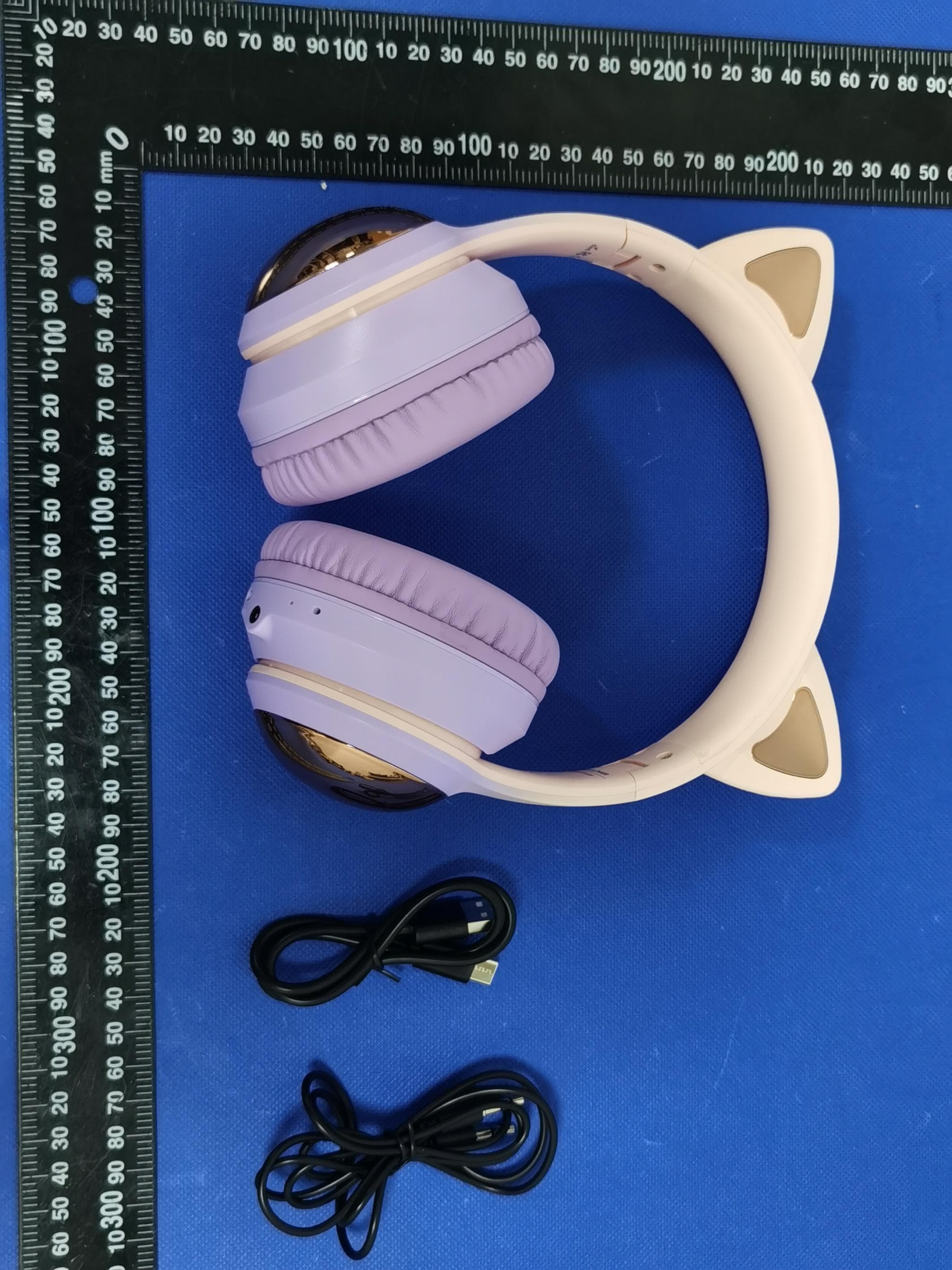
Jun 20, 2024Kids Wirless Headphone
Equipment Class
DSS - Part 15 Spread Spectrum Transmitter