2AYZQ-UA36002UA36 Transmitter
UDIRC TECHNOLOGY CO., LTD.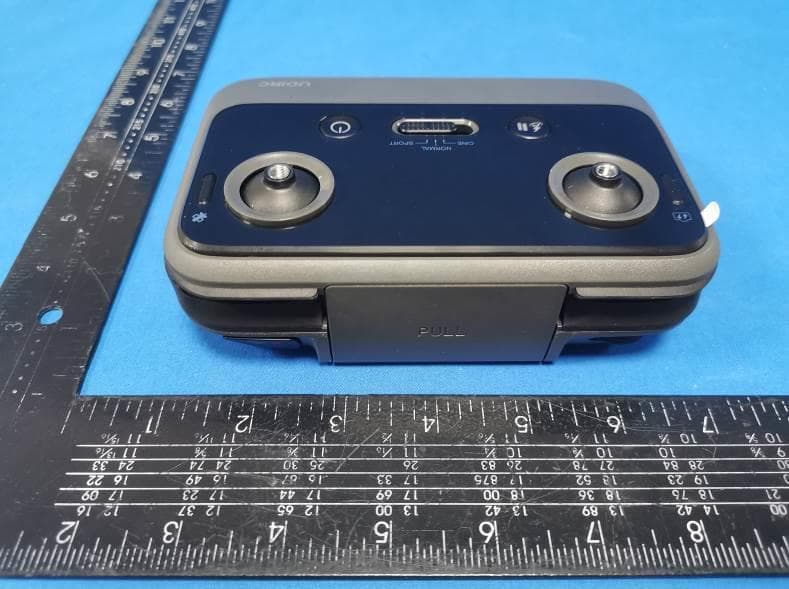
Click to zoom
Application Details
- Equipment Class
- DXX - Part 15 Low Power Communication Device Transmitter
- Date of Grant
- Nov 24, 2022
- Application Purpose
- Original Equipment
- Date of Application
- Nov 24, 2022
- Equipment Note
- UA36 Transmitter
- Frequency Range
- 2425.00000000 - 2470.00000000
- Company
- UDIRC TECHNOLOGY CO., LTD.
- Country
- China
Documents & Files
Document Text
Text extracted from the exhibit documents filed with the FCC. Open a document above to read the original.
Users Manual
This product supports GPS positioning and is recommended for outdoor flight! * This wifi camera pinpoint is 5G, please confirm whether the phone is supported. This product is suitable for users over 14 years old. Stay away from the rotating propeller Please read the guidelines before using them, and follow all security precautions. Note Li-Po Battery Disposal & Recycling Wasted Lithium-Polymer batteries must not be placed with household trash. Please contact local environmentalor waste agency or the supplier of your model or your nearest Li-Po battery recycling center. Our company's products are improving all the time, design and specifications are subject to change without notice. All the information in this manual has been carefully checked to ensure accuracy, if any printing errors, our company reserve the final interpretation right. Important Notice U39S / U43 / U43S V2.0 QUICK START GUIDE 02 SD card slot Download the Operation Guide Drone preparation Navigation lights (Red) Navigation lights (Red)Navigation lights (Red) Propeller A Propeller A Battery indicator Power switch Front folding arm Propeller B Propeller B Rear folding arm Front Camera gimbal Bottom view Navigation lights (Green) Rear Tripod Tripod Drone battery Operation tutorial 03 Drone battery Unfolding Instruction ①② Folding State1) Rear folding arms unfold 2) Front folding arms unfold3) Open the tripod Drone battery charging Connect the Drone-battery to charging port with included USB charger cable, and then connect to other USB output port (Output: 5V, ≥2A). Battery indicator flashes when charged, and always on when fully charged. Support QC3.0 fast charging protocol. Battery power is low in the original factory, It must be fully charged before use. Power adapter (not included) Input: 5V, ≥2A Warning: Must be supervised while charging Please use the included USB charging cable and make sure it is properly connected. 04 Battery Compartment Drone battery Insert batteries along the tail. Remove: Press the double unlock and pull out the battery backwards. When the drone's battery put into the battery compartment and the contact is connected, it will sound "ka", that it indication the battery is successfully installed. Insert the SD card into the slot in the drone's body. Please make sure the metal contact facing. After installation, the SD card can be used normally only after formating in "Setting-other" of the APP. Note: High-quality video or photo shooting requires the storage device to support fast writing. Use a micro SD card with UHS-I Speed Grade 3 or higher specifications to ensure the shooting performance. Please do not insert or remove the SD card when the drone is turned on or remove the battery when the power is turned on. Otherwise, the SD card may be damaged and data may be lost. Installation of drone battery Install an SD card (Not Include) 05 Input: 5V, ≥1A Transmitter preparation Phone Holder Video Left stick Gimbal back to central/down GPS switch Right Stick Power switch GPS indicator Transmitter power indicator Return/Pause Speed switch Gimbal Rotary ButtonPhoto Battery power is low in the original factory, It must be fully charged before use. Power adapter (not included) Transmitter charging Connect the transmitter to charging port with included USB charger cable, and then connect to other USB output port (Output: 5V, ≥1A). the transmitter indicator flashes circularly when charged, and always on when fully charged. Warning: Must be supervised while charging Please use the included USB charging cable and make sure it is properly connected. ① ② 06 Pull up Back of transmitter Top of transmitter Bottom support clamp Upper support clamp Installation of phone holder and phone Flight Operations Mobile phone connect with Drone Download and install APP: UDIRC-X This software is suitable for mobile phones in the IOS 9.0 or later and Android 4.4 or later system. For detailed operation, please check the system “HELP” of APP. Place the phone in the upper and bottom support clamps Between, the clamp will automatically clamp the mobile phone . Notice: Don't clip the buttons on the side of the phone. Phone 07 Horizontal Ground GPS Signal Search After the frequency paring is successful, the drone will search for GPS signal automatically. When the transmitter sounds "di", it indicating the GPS connection is successful. (When the GPS signal is weak or flying indoors, the flight height defaults to about 4m.) Transmitter connect with Drone Frequency Pairing 1) Press 2 seconds to turn on the power of the transmitter and the indicator will flash, then enter to wait for frequency pairing. Press 2 seconds to turn off the power. 2) Press 2 seconds to turn on the power of the drone and the front navigation will keep bright. When the transmitter sounds "didi" indicates that the frequency is successful. The indicator light of the transmitter will keep bright and the navigation light flashes cyclically to enter GPS signal search state. Press 2 seconds to turn off the power. The frequency paring time of PA transmitter is 30-60 seconds, please make sure no operation during frequency pairing. 08 ① ② Unlocking/locking the motor Push the left and right stick inward to the 45° angle simultaneously. When the compass is affected by geomagnetic interference, it will be notified in APP. Please follow the instructions. On standby drone, motor rotation, drone unlocked. When the drone is not take off, the motor stops rotating and the drone is locked. The drone can only take off when the motor is unlocked. Counter- clockwise turn Clockwise turn Go up Go down Fly to the left Fly to the right Forward Backward Control stick operation Left stickRight stick Compass calibration 09 After unlocking the motor, the left stick slowly pushes up and the drone slowly rises. Press at once, gimbal turn down; Press again, gimbal back to center During the flight, press " " button, and the transmitter will sound "di" then the drone will return to the take off poin…
Text truncated - open the document above for the full version.
Cover Letter(s)
Sincerely, Name/Title: Mark Wang/Manager Company: UDIRC TECHNOLOGY CO., LTD. Address: Guangfeng Industrial Zone, Guangyi Street, Chenghai Distnct, Shantou City, Guangdong Province China Phone: 0754-85816283 Fax: 0754-85816283 E-Mail: [email protected]
External Photos
FCC ID: 2AYZQ-UA36002 External Photos of the EUT Photo 1 Photo 2 Photo 3 FCC ID: 2AYZQ-UA36002 Photo 4 Photo 5 Photo 6
ID Label/Location Info
Label and Location Size: L: 2.0cm*W: 1.0cm Label and Location Model No.: UA36 FCC ID : 2AYZQ-UA36002
Internal Photos
FCC ID: 2AYZQ-UA36002 Internal Photos of the EUT Photo 1 Photo 2 Photo 3 FCC ID: 2AYZQ-UA36002 Photo 4 Photo 5 Photo 6 2.4G (Internal) antenna FCC ID: 2AYZQ-UA36002 Photo 7 Photo 8 Photo 9 FCC ID: 2AYZQ-UA36002 Photo 10 Photo 11 Photo 12 FCC ID: 2AYZQ-UA36002 Photo 13 Photo 14 Photo 15 FCC ID: 2AYZQ-UA36002 Photo 16 Photo 17 Photo 18
Test Report
1. Antenna Description: Antenna type Internal Antenna Model UA36 Frequency range 2425-2470MHz Manufacturer UDIRC TECHNOLOGY CO.,LTD Antenna Gain 2.00dBi (Max) 2. Antenna Photo: Length:324mm 3. Test Equipment & Conditions 3.1 Test instrument VSWR is tested using Agilent E5071B connected to a hand mechanism, and the status is free space. 3.2 Test environment and methods 4.Antenna Radiation Pattern 2425MHz 2454MHz 2470MHz
Test Report
Shenzhen CTA Testing Technology Co., Ltd. Room 106, Building 1, Yibaolai Industrial Park, Qiaotou Community, Fuhai Street, Bao‘an District, Shenzhen, China TEST REPORT FCC Rules and Regulations Part PART 15.249 Report Reference No..............: CTA22102800101 FCC ID...................................: 2AYZQ-UA36002 Compiled by ( position+printed name+signature ... : File administrators Zoey Cao Supervised by ( position+printed name+signature ... : Project Engineer Amy Wen Approved by ( position+printed name+signature ... : RF Manager Eric Wang Date of issue .................................... : Nov. 07, 2022 Testing Laboratory Name .............. : Shenzhen CTA Testing Technology Co., Ltd. Address ........................................... : Room 106, Building 1, Yibaolai Industrial Park, Qiaotou Community, Fuhai Street, Bao’an District, Shenzhen, China Applicant’s name ............................ : UDIRC TECHNOLOGY CO.,LTD Address ............................................ : Guangfeng Industrial Zone, Guangyi Street, Chenghai District, Shantou City, Guangdong Province, China Standard ........................................... : FCC Rules and Regulations Part PART 15.249 Shenzhen CTA Testing Technology Co., Ltd. All rights reserved. This publication may be reproduced in whole or in part for non-commercial purposes as long as the Shenzhen CTA Testing Technology Co., Ltd. is acknowledged as copyright owner and source of the material. Shenzhen CTA Testing Technology Co., Ltd. takes no responsibility for and will not assume liability for damages resulting from the reader's interpretation of the reproduced material due to its placement and context. Test item description ..................... : UA36 Transmitter Trade Mark ....................................... : N/A Manufacturer .................................... : UDIRC TECHNOLOGY CO.,LTD Model/Type reference ...................... : UA36 Listed Models .................................. : U11, U11PRO, U11GIM, F7GIM, U38, U38S, U39, U39S, U43, U43SU44, U44SU45, U45S, U49, U49S, U50, U50S, U53, U53S, U54, U54S, U55, U55S, U56, U56S, U57, U57S, U62, U62S, U72, U72S, U73, U73S, U82, U82S, U83, U83S, U84, U84S, U85, U85S, U86, U86S, U87, U87S, U90, U90S, U91, U91S, U92, U92S, U93, U93S, U94, U94S, U95, U95S, U96, U96S, U97, U97S, U98, U98S, U99, U99S, U100, U100S, U101, U101S, U102, U102S, U103, U103S, U104, U104S, U105, U105S, U106, U106S, U107, U107S, U108, U108S, U109, U109S, U110, U110S, U111, U111S, U112, U112S, U113, U113S, U114, U114S, U115, U115S Modulation ....................................... : GFSK Frequency ......................................... 2425-2470MHz Ratings ............................................. : DC 3.7V From Battery and DC 5.0V From external circuit Result ............................................... : PASS Report No.: CTA22102800101 Page 2 of 31 T E S T R E P O R T Equipment under Test : UA36 Transmitter Model /Type : UA36 Listed Models : U11, U11PRO, U11GIM, F7GIM, U38, U38S, U39, U39S, U43, U43SU44, U44SU45, U45S, U49, U49S, U50, U50S, U53, U53S, U54, U54S, U55, U55S, U56, U56S, U57, U57S, U62, U62S, U72, U72S, U73, U73S, U82, U82S, U83, U83S, U84, U84S, U85, U85S, U86, U86S, U87, U87S, U90, U90S, U91, U91S, U92, U92S, U93, U93S, U94, U94S, U95, U95S, U96, U96S, U97, U97S, U98, U98S, U99, U99S, U100, U100S, U101, U101S, U102, U102S, U103, U103S, U104, U104S, U105, U105S, U106, U106S, U107, U107S, U108, U108S, U109, U109S, U110, U110S, U111, U111S, U112, U112S, U113, U113S, U114, U114S, U115, U115S Applicant : UDIRC TECHNOLOGY CO.,LTD Address : Guangfeng Industrial Zone, Guangyi Street, Chenghai District, Shantou City, Guangdong Province, China Manufacturer : UDIRC TECHNOLOGY CO.,LTD Address : Guangfeng Industrial Zone, Guangyi Street, Chenghai District, Shantou City, Guangdong Province, China Test Result: PASS The test report merely corresponds to the test sample. It is not permitted to copy extracts of these test result without the written permission of the test laboratory. Report No.: CTA22102800101 Page 3 of 31 Contents 1. 0BT E S T S T A N D A R D S................................................................. 4 2. 1BS U M M A R Y ............................................................................ 5 2.1. General Remarks 5 2.2. 7BProduct Description 5 2.3. 8BEquipment Under Test 5 2.4. 9BShort description of the Equipment under Test (EUT) 5 2.5. 10BEUT operation mode 5 2.6. 11BBlock Diagram of Test Setup 7 2.7. Modifications 7 3. 2BT E S T E N V I R O N M E N T ............................................................. 8 3.1. Address of the test laboratory 8 3.2. Test Facility 8 3.3. 17BEnvironmental conditions 8 3.4. 18BSummary of measurement results 9 3.5. Statement of the measurement uncertainty 9 3.6. 20BEquipments Used during the Test 9 4. 3BT E S T C O N D I T I O N S A N D R E S U L T S .......................................... 11 4.1. 21BAC Power Conducted Emission ................................................................................... 11 4.2. Radiated Emission and Band Edges ............................................................................ 14 4.3. 20dB Bandwidth Measurement .................................................................................... 20 4.4. 31BAntenna Requirement ................................................................................................... 22 5. 4BT E S T S E T U P P H O T O S O F T H E E U T ........................................ 23 6. 4BT E S T P H O T O S O F T H E E U T .................................................. 24 Report No.: CTA22102800101 Page 4 of 31 1. 0BT E S T S T A N D A R D S The tests were performed according to following standards: FCC Rules Part 15.249: Operation within the bands 902 - 928 MHz, 2400 - 2483.5 MHz, 5725 - 5875 MHz, and 24.0 - 24.25 GHz. ANSI C63.10:2013 : American National Standard for Testing Unlicensed Wireless Devices ANSI C63.4: 2014: –American National Sta…
Text truncated - open the document above for the full version.
Test Setup Photos
FCC ID: 2AYZQ-UA36002 Test Setup Photos of the EUT conduction radiation L radiation H
Contact Information
Applicant
Mark Wang(Manager)
Test Firm
SHENZHEN CTA TESTING TECHNOLOGY CO., LTD.Eric Wang
[email protected]+86 755 2322 5875
Technical Specifications
| # | Rule Parts | Frequency Range | Power Output |
|---|---|---|---|
| 1 | 15C | 2.42 GHz - 2.47 GHz | - |
Other Applications from UDIRC TECHNOLOGY CO., LTD.
2AYZQ-UA36RK1
Sep 28, 2024Remote control
Equipment Class
NII - Unlicensed National Information Infrastructure TX
2AYZQ-U11
Mar 04, 2022RC Drone
Equipment Class
NII - Unlicensed National Information Infrastructure TX
2AYZQUDUA31
Mar 02, 20212.4G RC High Speed Car/Drone/Boat
Equipment Class
DXX - Part 15 Low Power Communication Device Transmitter