2AZQ4-PROMINIASPECT PRO MINI
Polar Pro Filters, Inc.
Click to zoom
Application Details
- Equipment Class
- DTS - Digital Transmission System
- Date of Grant
- Oct 21, 2022
- Application Purpose
- Original Equipment
- Date of Application
- Oct 21, 2022
- Equipment Note
- ASPECT PRO MINI
- Frequency Range
- 2402.00000000 - 2480.00000000
- Company
- Polar Pro Filters, Inc.
- Country
- United States
Documents & Files
Document Text
Text extracted from the exhibit documents filed with the FCC. Open a document above to read the original.
Users Manual
ASPECY PRO user instructions Navigation joystick: Up, down, left, right, diagonal, push-to enter Power Button: Push and hold for 2 seconds to power on Push and hold for 2 seconds to power off Hard reset: Hold power button for 10 seconds. Will cause LED to Restart and Reset to all Default settings. Led Button Functions Time: Indicates how much LED power usage remains. Brightness: LED Illuminating power 1%-100% Presets: Predetermined colors set and saved by the you. Refresh: Quickly resets all home functions back to default settings Battery Life: 25%50% 75% 100% Strobe: Sets the speed at which the LEDs will flash. Color Temp: Allows you to set desired LED color Temperature. RGB Color: Allows you to set desired LED color Temperature. Themes: Allows you to choose desired LED theme. Setting: Allows you Home: Return to home screen. s to sets LED name, Reset all default setting, Backlight brightness. Green Line : Indicates what Function the you is on. Led Home Screen BACKLIGHT BRIGHTNESS: ALLOWS you TO SET LED SCREEN BRIGHTNESS. LIGHT NAME: ALLOWS you TO SET LED NAME. STANDARD DEFAULT NAME (ASPECT 1) RESTORE TO FACTORY DEFAULT SETTINGS: ALLOWS you TO ERASE/RESET ALL SAVED INFORMATION ON LED (PRESETS, NAME, etc.) FIRMWARE INFO: DISPLAYS LED FIRMWARE VERSION Setting Screen Setting Screen: WHEN youS SELECT SETTING ICON IT WILL DISPLAY SETTING SCREEN. TO SELECT (SETTING OPTION) USE THE JOYSTICK TO NAVIGATE DOWNWARD, HIGHLIGHT THE SETTING ICON, AND CLICK TO ENTER. Setting Icon TO SELECT (HOME OPTION) USE THE JOYSTICK TO NAVIGATE DOWNWARD, HIGHLIGHT THE HOME OPTION, AND CLICK TO ENTER. Home Screen: WHEN youS SELECTS HOME ICON IT WILL DISPLAY THE HOME SCREEN. Home Icon TO SELECT (REFRESH ICON) USE THE JOYSTICK TO NAVIGATE DOWNWARD, HIGHLIGHT THE REFRESH ICON, AND CLICK ENTER. REFRESH: ALLOWS you TO SET RESET ALL HOME SCREEN FUNCTIONS BACK TO DEFAUL. Refresh Icon Home Screen Default Function Settings 50% Color Temp 1.To select color; First Make sure COLOR TEMP is selected. 2. Press on the (bronze) joystick to select. 3.Once in the color temp screen. Color temp slot will highlight green, this indicates the you can move joystick Left or Right to set desired Led temperature. 4. Once the you has selected their desired color temperature you must press the joystick to lock temperature. 4200k 5. The action of pressing the joystick will return the you to the home screen and display the selected COLOR TEMP. When COLOR TEMP is selected and in use, RGB COLOR, THEME, and PRESETS selection will dim by 70% and be unavailable for use. (you must select so you can adjust desired functions.) 3.XX 1. To select RGB COLOR; First navigate to RGB COLOR. 2. Then press on the (bronze) joystick to select. 3. Once in the RGB screen. Move the joy stick Left or Right to select desired RGB. Press on the joystick to lock in selected RGB. RGB COLOR 255, 0, 222 4. The action of pressing the joystick will return the you to the home screen and display the selected RGB. When RGB COLOR is selected and in use, COLOR TEMP, THEME, and PRESETS selection will dim by 70% and be unavailable for use. (you must select so you can adjust desired functions.) 3.XX 3. RGB Color slot will be highlighted, make sure to navigate downward. 4. Navigate downward to highlight Save Color Preset . Once highlighted press the joystick. RGB SAVE COLOR 1.To select RGB COLOR; First make sure RGB COLOR is selected. 2. Press on the (bronze) joystick to select. 6. The action of pressing the joystick will return the you to the home screen and display the selected saved preset 5. You will see Save Color Presetscreen. It is on this screen where the you will select desired color. Once the you selects color you must press on the joystick to enter. RGB. 255, 0, 222 THEME When THEME is selected and in use, COLOR TEMP, RGB COLOR, STROBE, and PRESETS selection will dim by 70% and be unavailable for use. (you must select so you can adjust desired functions.) 1.To select THEME; First Navigate to THEME. 2. Press on the (bronze) joystick to select. 3.Once within the THEME screen. Theme icons will highlight green, this indicates the YOU can move joystick to set desired THEME. 4. Once the YOU has selected you desired color THEME you must press on the joystick to lock THEME. 5.Once THEME is set, the you will only be able to adjust Brightness. Campfire THEME COLOR DISPLAY STANDARD Theme indicates no theme and will revert LED back to STANDARD 5600k Color Temp. STROBE When STROBE is in use TEME selection will dim by 70% and be unavailable for use. (you must select so you can adjust desired functions.) 1.To select STROBE; First Navigate to STROBE. 2. Press on the (bronze) joystick to select. 3.Once within the STROBE screen. STROBE slot will highlight green, this indicates the you can move joystick to set desired STROBE. 4. Once the you has selected their desired STROBE you must press on the joystick to lock STROBE. 5.Once Strobe is set, the you will be returned to the home screen. 5 Hz BRIGHTNESS 1.To select BRIGHTNESS; First Navigate to BRIGHTNESS. 2.Press on the (bronze) joystick to select. 3.Once within the BRIGHTNESS screen. BRIGHTNESS slot will highlight green, this indicates the you can move joystick to set desired BRIGHTNESS. 4.Once the you has selected their desired BRIGHTNESS you must press on the joystick to lock BRIGHTNESS. 5.Once BRIGHTNESS is set, the you will be returned to the home screen. 75% 6. Once the you has selected there desired PRESET color you will navigate downward using the joystick and highlight . Once the you highlights dd you must press on the 1.To select PRESETS; First make sure PRESETS is selected. 2. Press on the (bronze) joystick to enter and save color selected. joystick to select. PRESETS 3. Once within the PRESETS SCREEN. The Built in PRESET color (CYAN) will be highlighted in white. 4. Use the joystick to move and highlight the (Add icon).Once highlighted double press the joystick. 7. The action of pressing on the option will return the you to the home …
Text truncated - open the document above for the full version.
External Photos
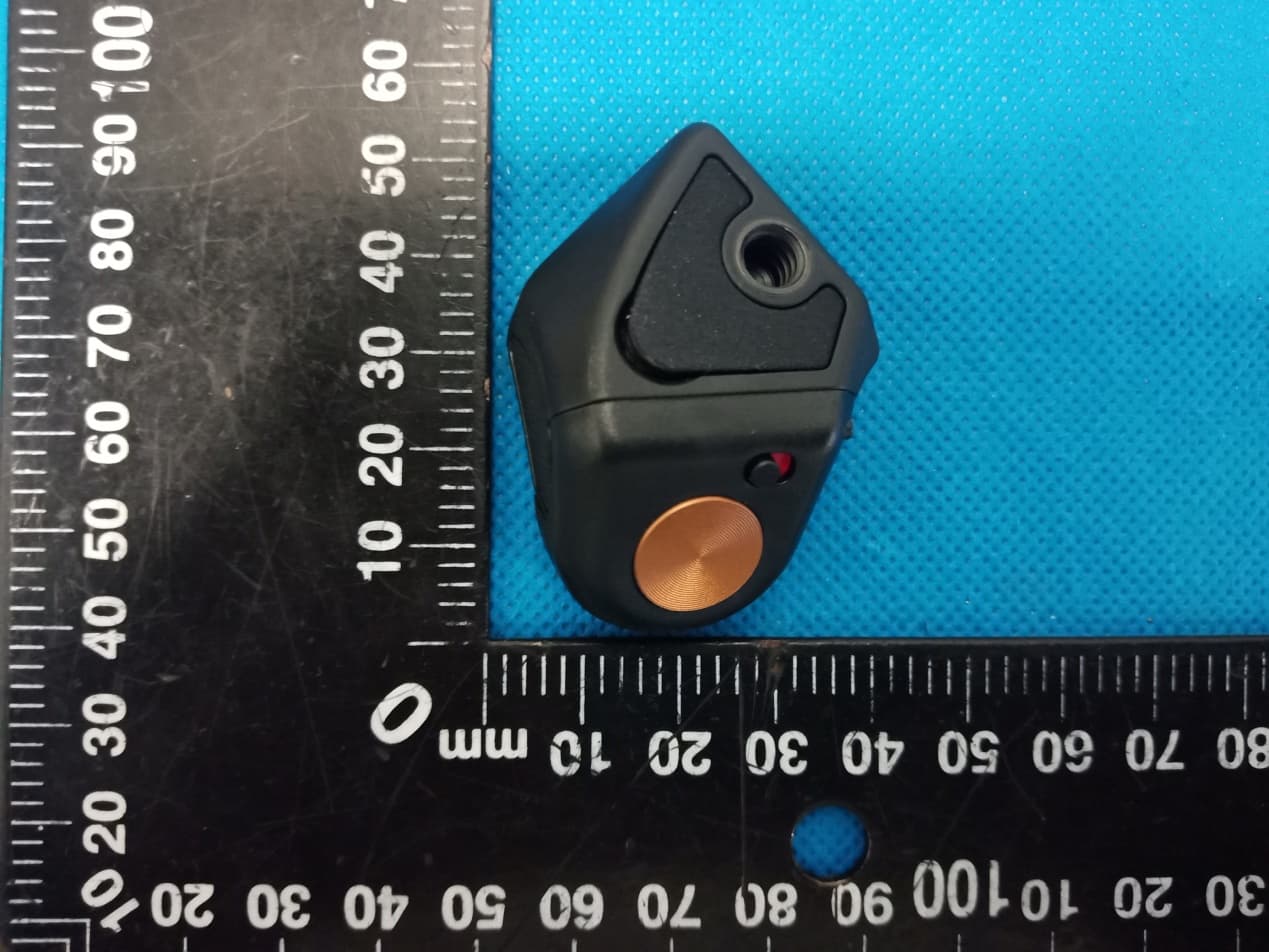
Code:AB-RF-05-b ExternalPhotograph Code:AB-RF-05-b Code:AB-RF-05-b Code:AB-RF-05-b
ID Label/Location Info
LabelLocationOnEUT Label ProductName:ASPECTPROMINI ModelNo.:PROMINI FCCID:2AZQ4-PROMINI ThisdevicecomplieswithPart15oftheFCCRules.Operationis subjecttothefollowingtwoconditions: (1)Thisdevicemaynotcauseharmfulinterference,and (2) Thisdevicemustacceptanyinterferencereceived,including interferencethatmaycauseundesiredoperation.
Internal Photos
Code:AB-RF-05-b InternalPhotograph Code:AB-RF-05-b Code:AB-RF-05-b Code:AB-RF-05-b ANT Code:AB-RF-05-b
Operational Description
version01 PolarProFilters,Inc. DeclarationconcerningAntennaSpecification Itisherebydeclaredthattheproduct ModelNo.:PROMINI FCCID:2AZQ4-PROMINI fulfillstherequirementinFCCtestrelatingtotheantennatype. ThedevicespecifiedaboveconfirmstotheFCCrecommendationsfor internal antennatype(s) describedbelow: ModelNo.ofantenna:N/A Typeofantenna:PCBantenna Gainoftheantenna:-16.26dBi Frequencyrange:2402-2480MHz Themountingoftheantennaisfixedtotheradiomoduleandnootherantennashouldbeused. Companyname:PolarProFilters,Inc. Address:1987PlacentiaAveCostaMesaCA,92627UnitedSates City:CA ZIP/Postalcode:/ Country:USA Place:CADate:10/19/2022 Signature:
Operational Description
ReportNo.:RFI-LAB-RF-202209-II09 QP030-E11 Page1of9 TestingReport CustomerName:PolarProFilters,Inc. ProductName:Aspectpro SampleModel:Aspectproantenna ReferenceStandard:GB/T9410-2008;ANSI/IEEEStd149-1979 IssueDate:2022.9.8 Engineer:Date: Auditor:Date: Approver:Date: ReportNo.:RFI-LAB-RF-202209-II09 QP030-E11 Page2of9 Version VersionNo.DateDescriptionFormulateApproval A02022.9.8Forthefirsttime,formulateJacksonEason Contents 1.GeneralInformation.........................................................................................................................3 1.1Generalinformationoftestinginstitutions...........................................................................3 1.2Testingprinciple...................................................................................................................3 1.3Testequipment......................................................................................................................4 1.4Testenvironment...................................................................................................................4 1.5Statement..............................................................................................................................4 2.SampleInformation.........................................................................................................................5 2.1Clientinformation.................................................................................................................5 2.2DescriptionofEUT(S)..........................................................................................................5 2.3EUTappearance....................................................................................................................6 2.4DUTsetupphotooffreespaceOTAtesting........................................................................6 3.TestResults......................................................................................................................................7 3.1Teststandard.........................................................................................................................7 3.2Testuncertainty.....................................................................................................................7 3.3Testdata................................................................................................................................8 3.3.1Typicalfreespaceefficiencyandgain......................................................................8 3.3.2Typicalfreespaceradiationpattern...........................................................................8 (Thefollowingisblank)................................................................................................................9 ReportNo.:RFI-LAB-RF-202209-II09 QP030-E11 Page3of9 1.GeneralInformation 1.1Generalinformationoftestinginstitutions Name ShenzhenRFI-LABCommunicationTechnologyCo.,Ltd. Address 10/FA,LingyunBld,LiufangRd,BaoanDistrict,SZ Tel 13798473001 E-mail [email protected] Equipment Alltheequipmentusedinthereportisfixedin 10/FA,LingyunBld,LiufangRd,BaoanDistrict,SZ 1.2Testingprinciple ReportNo.:RFI-LAB-RF-202209-II09 QP030-E11 Page4of9 1.3Testequipment EquipmentModelNo.SerialNo.Manufacturer Calibration date Next calibration date 16probe microwave chamber 3*3*2.5 RFI-LAB-RF -A00 SUNYIELD2021.3.152023.3.14 Network Analyzer E5071C RFI-LAB-RF -A02 Agilent 2022.5.132023.5.12 1.4Testenvironment Temperature 23.9°C Humidity 58%RH Pressure 100.15kPa 1.5Statement (1)Thetestresultsinthereportareonlyapplicabletothetestedsamplesandthetestedsamples workundertheenvironmentdescribedinthereport. (2)OnlyShenzhenRFI-LABCommunicationTechnologyCo.,Ltd.havetherighttomodifythe report,andthemodificationinformationshallbeannotatedintherevisionform. (3)Anyobjectiontothisreportshallberaisedwithin30daysafterformalconfirmationofthe report. (4)Thisreportisinvalidifthereisanyevidencethatthesampleinformationprovidedisfalsified. (5)Thereportisinvalidwithoutthesignatureoftheauditorandapprover. ReportNo.:RFI-LAB-RF-202209-II09 QP030-E11 Page5of9 2.SampleInformation 2.1Clientinformation Name PolarProFilters,Inc. Address 1987PlacentiaAveCostaMesaCA,92627UnitedSates, Contacts JeffOverall Tel 714-336-6093 E-mail [email protected] Manufacturer PolarProFilters,Inc. 2.2DescriptionofEUT(S) ProductName Aspectpro SampleModel Aspectproantenna Size / SerialNo. / TestItem Antennagain;Efficiency;Radiationpattern FrequencyRange 2400MHz-2500MHz ReceivedDate 2022.9.6 TestDate 2022.9.6 Remark ThelengthoftheRFcableis70mm ReportNo.:RFI-LAB-RF-202209-II09 QP030-E11 Page6of9 2.3EUTappearance 2.4DUTsetupphotooffreespaceOTAtesting Frontview Planform ReportNo.:RFI-LAB-RF-202209-II09 QP030-E11 Page7of9 3.TestResults 3.1Teststandard NameParameterMethodStandardno. Mobile communication antenna Antennagain Genericspecification forantennasusedin themobile communications GB/T 9410-2008 Radiationpattern Antenna Radiationefficiency IEEEStandardTest Proceduresfor Antennas ANSI/IEEEStd 149-1979 Gainanddirectivity 3.2Testuncertainty TheuncertaintywascalculatedonthebasisoftheGUMpublishedbyISO,usingthe inclusionfactorofK=2andthe95%confidenceleveltoexpresstheextended uncertainty. ItemUncertainty Antennagain±1dB Radiationefficiency±10% ReportNo.:RFI-LAB-RF-202209-II09 QP030-E11 Page8of9 3.3Testdata 3.3.1Typicalfreespaceefficiencyandgain 3.3.2Typicalfreespaceradiationpattern (1)X-ZPlane: (2)Y-ZPlane: Frequency/MHz 24002410242024302440245024602470248024902500 PeakGain/dBi -16.86-16.71-16.65-16.45-16.62-16.44-16.47-16.61-16.66-16.26-16.27 Efficiency/% 0.270.270.280.290.290.310.320.320.310.340.34 ReportNo.:RFI-LAB-RF-202209-II09 QP030-E11 Page9of9 (3)X-YPlane: (4)TypicalFreeSpace3DRadiationPatternat2.45GHz: -------------------------------------------------End------------------------------------------------ (Thefollowingisblank)
RF Exposure Info
RFEXPOSUREEVALUATION FCCID:2AZQ4-PROMINI AccordingtoFCC1.1310:Thecriterialistedinthefollowingtableshallbeused toevaluatetheenvironmentimpactofhumanexposuretoradiofrequency(RF) Radiationasspecifiedin§1.1307(b): RoutineSARevaluationreferstothatspecificallyrequiredby§2.1093,using measurementsorcomputersimulation.WhenroutineSARevaluationisnot required,portabletransmitterswithoutputpowergreaterthantheapplicable lowthresholdrequireSARevaluationtoqualifyforTCBapproval. Channel (MHz) Maximum output power (dBm) Tuneup tolerance (dBm) MaxTuneUp Power(dBm) Distance (mm) Calculation results Limit Operating Mode 24021.831.83±12.8350.5953 BLE_1M24401.781.78 ±1 2.7850.5933 24801.061.06±12.0650.5063 Result:NoStandaloneSARtestisrequired.
Test Report
Page1of23 AppendixTestData ReportNo.:18220WC20203801TestSampleNo.:1-2-2 StartTestDate:2022.9.1FinishTestDate:2022.9.6 TestEngineer:Auditor: Temperature:27.3 °C RelativeHumidity:47% Pressure:1012hPa AppendixA:DTSBandwidth TestResult TestModeAntennaFrequency[MHz]DTSBW[MHz]FL[MHz]FH[MHz]Limit[MHz]Verdict BLE_1MAnt1 24020.6962401.6522402.3480.5PASS 24400.6962439.6522440.3480.5PASS 24800.6842479.6482480.3320.5PASS Page2of23 TestGraphs BLE_1M_Ant1_2402 BLE_1M_Ant1_2440 BLE_1M_Ant1_2480 Page3of23 Page4of23 AppendixB:OccupiedChannelBandwidth TestResult TestModeAntennaFrequency[MHz] OCB[MHz] FL[MHz]FH[MHz] BLE_1MAnt1 24021.03202401.49502402.5270 24401.02232439.50102440.5233 24801.02382479.49642480.5202 Page5of23 TestGraphs BLE_1M_Ant1_2402 BLE_1M_Ant1_2440 BLE_1M_Ant1_2480 Page6of23 Page7of23 AppendixC:Maximumconductedoutputpower TestResultPeak TestModeAntennaFrequency[MHz] ConductedPeak Power[dBm] Conducted Limit[dBm] Verdict BLE_1MAnt1 24021.83≤30PASS 24401.78≤30PASS 24801.06≤30PASS Page8of23 TestGraphsPeak BLE_1M_Ant1_2402 BLE_1M_Ant1_2440 BLE_1M_Ant1_2480 Page9of23 Page10of23 AppendixD:Maximumpowerspectraldensity TestResult TestModeAntennaFrequency[MHz]Result[dBm/3kHz]Limit[dBm/3kHz]Verdict BLE_1MAnt1 2402-13.12≤8.00PASS 2440-13.34≤8.00PASS 2480-14.05≤8.00PASS Page11of23 TestGraphs BLE_1M_Ant1_2402 BLE_1M_Ant1_2440 BLE_1M_Ant1_2480 Page12of23 Page13of23 AppendixE:Bandedgemeasurements TestResult TestModeAntennaChNameFrequency[MHz]RefLevel[dBm]Result[dBm]Limit[dBm]Verdict BLE_1MAnt1 Low24020.98-57.87≤-19.02PASS High24800.28-58.22≤-19.72PASS Page14of23 TestGraphs BLE_1M_Ant1_Low_2402 BLE_1M_Ant1_High_2480 Page15of23 AppendixF:ConductedSpuriousEmission TestResult TestModeAntennaFrequency[MHz] FreqRange [MHz] RefLevel [dBm] Result[dBm]Limit[dBm]Verdict BLE_1MAnt1 2402 Reference0.540.54---PASS 30~10000.54-69.66≤-29.46PASS 1000~265000.54-54.41≤-29.46PASS 2440 Reference0.220.22---PASS 30~10000.22-70.05≤-29.78PASS 1000~265000.22-54.27≤-29.78PASS 2480 Reference-1.32-1.32---PASS 30~1000-1.32-70.2≤-31.32PASS 1000~26500-1.32-53.85≤-31.32PASS Page16of23 TestGraphs BLE_1M_Ant1_2402_0~Reference BLE_1M_Ant1_2402_30~1000 BLE_1M_Ant1_2402_1000~26500 Page17of23 BLE_1M_Ant1_2440_0~Reference BLE_1M_Ant1_2440_30~1000 Page18of23 BLE_1M_Ant1_2440_1000~26500 BLE_1M_Ant1_2480_0~Reference Page19of23 BLE_1M_Ant1_2480_30~1000 BLE_1M_Ant1_2480_1000~26500 Page20of23 Page21of23 AppendixG:DutyCycle TestResult TestModeAntennaFrequency[MHz] ONTime [ms] Period [ms] DutyCycle [%] DutyCycle Factor[dB] BLE_1MAnt1 24020.380.6360.322.20 24400.380.6360.322.20 24800.380.6360.322.20 Page22of23 TestGraphs BLE_1M_Ant1_2402 BLE_1M_Ant1_2440 BLE_1M_Ant1_2480 Page23of23 ---End---
Test Report
ReportNo.:18220WC20203801FCCID:2AZQ4-PROMINIPage1of30 Code:AB-RF-05-b FCCTestReport ClientName:PolarProFilters,Inc. ClientAddress: 1987PlacentiaAveCostaMesaCA,92627 UnitedSates ProductName:ASPECTPROMINI ReportDate:Oct.21,2022 ShenzhenAnbotekComplianceLaboratoryLimited ReportNo.:18220WC20203801FCCID:2AZQ4-PROMINIPage2of30 Code:AB-RF-05-b Contents 1.GeneralInformation............................................................................................................................................6 1.1.ClientInformation....................................................................................................................................6 1.2.DescriptionofDevice(EUT)..................................................................................................................6 1.3.AuxiliaryEquipmentUsedDuringTest.................................................................................................7 1.4.DescriptionofTestConfiguration..........................................................................................................7 1.5.DescriptionOfTestSetup......................................................................................................................8 1.6.TestEquipmentList.................................................................................................................................9 1.7.MeasurementUncertainty....................................................................................................................10 1.8.DescriptionofTestFacility...................................................................................................................10 2.SummaryofTestResults.................................................................................................................................11 3.ConductedEmissionTest................................................................................................................................12 3.1.TestStandardandLimit........................................................................................................................12 3.2.TestSetup...............................................................................................................................................12 3.3.TestProcedure.......................................................................................................................................12 3.4.TestData.................................................................................................................................................12 4.RadiationSpuriousEmissionandBandEdge.............................................................................................15 4.1.TestStandardandLimit........................................................................................................................15 4.2.TestSetup...............................................................................................................................................15 4.3.TestProcedure.......................................................................................................................................16 4.4.TestData.................................................................................................................................................17 5.MaximumPeakOutputPowerTest...............................................................................................................25 5.1.TestStandardandLimit........................................................................................................................25 5.2.TestSetup...............................................................................................................................................25 5.3.TestProcedure.......................................................................................................................................25 5.4.TestData.................................................................................................................................................25 6.6DBOccupyBandwidthTest..........................................................................................................................26 6.1.TestStandardandLimit........................................................................................................................26 6.2.TestSetup...............................................................................................................................................26 6.3.TestProcedure.......................................................................................................................................26 6.4.TestData.................................................................................................................................................26 7.PowerSpectralDensityTest...........................................................................................................................27 7.1.TestStandardandLimit........................................................................................................................27 7.2.TestSetup...............................................................................................................................................27 7.3.TestProcedure.......................................................................................................................................27 7.4.TestData.................................................................................................................................................27 8.100kHzBandwidthofFrequencyBandEdgeRequirement......................................................................28 8.1.TestStandardandLimit........................................................................................................................28 ReportNo.:18220WC20203801FCCID:2AZQ4-PROMINIPage3of30 Code:AB-RF-05…
Text truncated - open the document above for the full version.
Test Setup Photos
Code:AB-RF-05-b TestSetupPhotograph PhotoofConductedEmissionMeasurement PhotoofRadiationEmissionTest Code:AB-RF-05-b
Contact Information
Applicant
Jeff Spirk
Test Firm
Shenzhen Anbotek Compliance Laboratory LimitedJeff Zhu
Technical Specifications
| # | Rule Parts | Frequency Range | Power Output |
|---|---|---|---|
| 1 | 15C | 2.40 GHz - 2.48 GHz | 1.53 mW |
Other Applications from Polar Pro Filters, Inc.
2AZQ4-LITECHASERPRO
Apr 26, 2021LCP-BT-SHUTTER
Equipment Class
DTS - Digital Transmission System