2AZV6-G01Bluetooth headset
Shenzhen Kangmingrui Technology Co., Ltd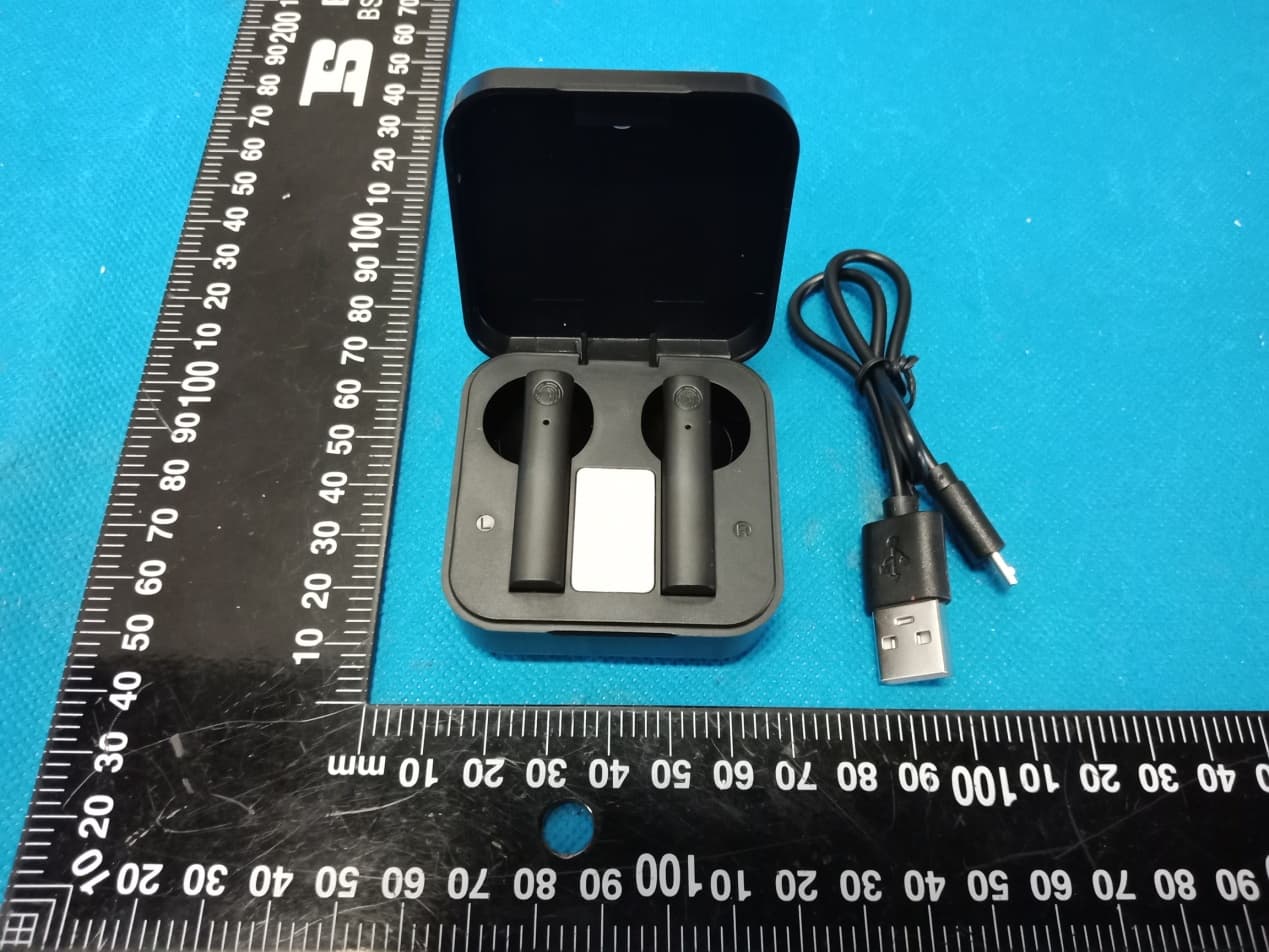
Click to zoom
Application Details
- Equipment Class
- DXX - Part 15 Low Power Communication Device Transmitter
- Date of Grant
- May 16, 2021
- Application Purpose
- Original Equipment
- Date of Application
- May 16, 2021
- Equipment Note
- Bluetooth headset
- Frequency Range
- 2402.00000000 - 2480.00000000
- Country
- China
Documents & Files
Document Text
Text extracted from the exhibit documents filed with the FCC. Open a document above to read the original.
Users Manual
G01 UserManual G01 User Manual Package list Bluetooth earbuds Endurance charging box Micro 5pin charging cable User's manual Product specifications •Product number:G01 •Bluetooth version:Bluetooth V5.1+BR+EDR •Battery specification: Earbud 3.7V/40mAh;Charging box 3.7V/200mAh •Support mode:a2dp/avctp/avdtp/avrcp/hfp/spp/smp/att/gap/gatt/rfcomm/sdp/L2cap •Sensitivity:-90dBm •Transmission distance:≥10 meters (in an ideal environment without any major obstacles) •Play time:About4 hours •Call time: About5 hours •Stand by time:About40 hours •Charging time:Charge the charging box for about 1.5 hours, and charge the earbuds for about l hour •Charging box to charge the earbuds: single earphone about 6 times Functional operation instructions 1.Boot up Take the headset out of the charging box and it will automatically turn on; Press left/right headset multifunction button for 3 seconds. 2.Shut down Put the earbudst into the charging box and it will turn off automatically;Press the left and right earbud multi-function button for 5 seconds to shut down. 3.Pairing After the first pairing is successful, the Bluetooth earbuds will enter the reconnecting state when it is turned on for the second time and automatically reconnect to the phone that has been connected last time. 4.Play/Pause In the standby mode of music, click the left/right earbud multi-function button to directly play music, and click the left/right earbud multi-function button to pause the music. 5.Switch songs /Volume adjustment/Wake up Siri When playing music, three-click the earbud multi-function button to switch music; double-click the headphone multi-function button to increase or decrease the volume; long press for two seconds to wake up Siri. 6.Call answering When the phone calls, click the left/right earbud multi-function button to answer the call. 7.Call hang up When the phone is talking, click the left/right earbud multi-function button to hang up the phone. 8.Call rejection When the phone calls, long press the left/right earbud multi-function button for 2 seconds to rejectthecall. 9.Lowbatteryprompt WhenthebatteryoftheBluetoothearbudislow,thelowbatterytonewillbeplayedevery30 secondsuntiltheearbudsispoweredoff. Pairingmethod l.Takeitoutofthechargingboxorpresstheleft/rightearbudmulti-functionbuttonsfor3 secondsatthesametimetoturnon.Atthesametime,theleftandrightearphonescontinueto flashalternatelywithredandbluelights.Afterthepairingissuccessful,thepairedearbudwill playapairingsuccesstone,andtheblueindicatorlightwillflashslowly. 2.ActivatetheBluetoothfunctionofthephoneorotherdevice.IfitistheAndroidmobiledevice, pleaseclickthe"SearchBluetoothdevice"optiononthephone.Ifitisthephoneordeviceof thel0Ssystem,itwillautomaticallysearchforthedevice;whenthemodeloftheBluetooth earbudisfound,Clicktopair;whenthepairingissuccessful,theleftandrightearbudswill soundthepromptsoundofthesuccessfulconnectionatthesametime,andtheblueindicator lightoftheleftandrightearbudswillflashslowlyandentertheconnectionstandbystate. 3.Thetwoearbudscanalsobepairedwiththephoneseparately.Theoperationmethodcanbe operatedaccordingtotheabovestep2operationmethod. Chargingoperation 1.PlugtheMicroUSBchargingcableintotheUSBportofthechargingboxandplugthe chargerintothechargingboxtochargethechargingbox. 2.Chargetheearbuds:Puttheearbudsintothechargingboxtochargeautomatically.Theearbud indicatorwillberedwhencharging,anditwillgooutafterfullycharged;theblueindicatorin thechargingboxwillstayon,andtheblueindicatorinthechargingboxwillgooutwhenthe earbudisfullycharged. Precautions 1.Pleasechargeinasafeenvironment.Whenchargingthechargingbox,inordertoavoid damagetothechargingboxwhenpluggedinforalongtime,pleaseseparatethechargingbox fromtheUSBchargingcableassoonaspossibleafterthechargingindicatorindicatesthatitis fullycharged. 2.Whenplayingmusic,pleaseadjustthemusictotheappropriatevolumetoavoidhearing damageathighvolumeforalongtime. 3.Trytoavoidusingtheearbudinaplacewithinterferencesources,otherwiseitmayaffectthe earbudsignal. 4.Trytoavoidusingthisearbudinacorrosiveenvironmenttoavoidaffectingthefunctionofthe earbud. Tips:WhenyouusethisBluetoothearbudtolistentomusicortalk,pleasepayattentionto adjustthevolumeproperly,soasnottoaffectthehearingofexcessivevolume! G01 Benutzerhandbuch Paketliste Bluetooth-Kopfhörer Dauer-Ladebox Mikro 5-poligesLadekabel Bedienungsanleitung Produktspezifikationen • Produktnummer:G01 • Bluetooth-Version: Bluetooth V5.1 + BR + EDR • Batteriespezifikation:Ohrh örer 3,7 V / 40 mAh;Ladekasten3,7 V / 300 mAh • Unterstützungsmodus:a2dp/avctp/avdtp/avrcp/hfp/spp/smp/att/gap/gatt/rfcomm/sdp/L2cap • Empfindlichkeit:-90 dBm • Übertragungsentfernung:≥ 10 Meter (in einer idealenUmgebungohne gr ößere Hindernisse) • Spielzeit:ca. 4 Stunden • Anrufzeit:ca. 5 Stunden • Standby-Zeit:ca. 40 Stunden • Ladezeit:Laden Sie die Ladeboxca. 1,5 Stundenund die Ohrh örer ca. 1 Stundeauf • Ladeboxzum Aufladender Ohrhörer:EinzelnerKopfh örer ca. 6-mal Funktionsanleitung 1.Booten NehmenSie das Headsetaus der Ladeboxund es schaltetsich automatischein. Dr ücken Sie die Multifunktionstastedes linken / rechtenHeadsets3 Sekundenlang. 2.Herunterfahren Legen Sie den Ohrh örer in die Ladeboxund er schaltetsich automatischaus. Dr ücken Sie die Multifunktionstastefür den linken und rechtenOhrhörer5 Sekundenlang, um ihn herunterzufahren. 3.Pairing Nachdemdie erste Kopplungerfolgreichwar, werdendie Bluetooth-Ohrhörerbeim zweiten Einschaltenwiederin den Status "Wiederverbindung"versetztund stellen automatischdie Verbindungzum zuletztverbundenenTelefonwiederher. 4.Wiedergabe/ Pause KlickenSie im Standby-Modusfür Musik auf die Multifunktionstastefür den linken / rechten Ohrh örer, um Musik direkt abzuspielen,und klickenSie auf die Multifunktionstastefür den linken / rechtenOhrhörer,um die Musik anzuhalten. 5.Songswechseln/ Lautst ärke einstellen/ Siri aufwecken KlickenSie beim Abspielenvon Musik dreimalauf die Ohrhörer-Multifunktionstaste,um die Musik zu wechseln.DoppelklickenSie auf die Multifunktio…
Text truncated - open the document above for the full version.
Cover Letter(s)
Co m Ad d Dis Pr o Mo d G14 Pr o We act We an d issu our Sig Na m Title Com mpany: Sh dress: Floo strict, Shen oduct Name del Numbe 4, G15, G16 oduct Desc authorize M on our beha declare tha d certificatio ues concern behalf shal nature: me: e: mpany: Sh enzhen Ka or 3, Build nzhen, Ch e: Bluetoot er(s): G01, G 6, G17, G18 ription: Blu MiCOM Lab alf on all ma at MiCOM L n of equipm ning the app ll have the s jiangfeng W CEO Shenzhen henzhen Ka Agen angmingrui ding 7, Hua hina th headset G02, G03, G 8, G19, G20 uetooth he bs Inc., 575 atters conce Labs Inc. is ment to the r proval applic same effect Wen n Kangming angmingru nt Auth i Technolog ayisheng G04, G05, G adset Boulder C o erning the c allowed to f regulatory a cation. Any t as acts of rui Technol i Technolog horizat gy Co., Ltd Industrial G06, G07, G ourt, Pleasa certification forward all i agencies as and all acts our own. ogy Co., Lt gy Co., Ltd tion d l Park, Fuy G08, G09, G anton, Califo of above na information s required a s carried ou Date: d d yong Stree G10, G11, G ornia 94566 amed equip related to t nd to discu ut by MiCOM May. 17, 20 et, Bao’an G12, G13, 6, USA, to pment. the approva ss any M Labs on 021 n al
Cover Letter(s)
Office o Federa 7435 O Columb USA Subjec t FCC ID To Wh o Pursua are req u docume These d propriet might b It is ou r corresp docume authoriz Sincer e Signat u Name: j Title: CE of Engineeri l Communic Oakland Mills bia, MD 210 t; Request f D: 2AZV6-G om It May C nt to the pro uesting the ents from pu documents tary informa be harmful to Schema Block D Parts Lis Operatio r understand pondence du ents and thi zation is iss ely, ure: jiangfeng W EO Shen ing Techno cations Com s Road 046 for Confiden G01 Concern, ovisions of t Commissio ublic disclos contain det ation in ope o our comp atic Diagram iagram st onal Descri ding that all uring the ce s informatio sued. Wen nzhen Kang logy mmission ntiality the Commis on to withho sure indefin tailed syste ration of th e any and wo m ption l measurem ertification re on will be av gmingrui T ssion’s rule old the follow nitely. m and equi e equipmen ould give co ment test rep eview proce vailable for echnolog y s Title 47 S wing attach pment desc nt. The publ ompetitors a ports, FCC ess cannot public revi e y Co., Ltd Sections §0. hment(s) as criptions an ic disclosu r an unfair ad ID label for be granted ew once the Date: May. 457 and §0 confidentia d are consi re of these d vantage in mat and as confide n e grant of eq 17, 2021 0.459, we al dered as documents the market . ntial quipment .
Cover Letter(s)
Model Difference Declaration To Whom It May Concern, We, Shenzhen Kangmingrui Technology Co., Ltd(Bluetooth headset) Trademark:N/A; Model Number:G01, G02, G03, G04, G05, G06, G07, G08, G09, G10, G11, G12, G13, G14, G15, G16, G17, G18, G19, G20; All model’s the function, software and electric circuit are the same, only with a product color, appearance and model named different for commercial purpose. Test sample model:G01. Please contact me if you have any question. Name: jiangfeng Wen Date: May. 17, 2021 Title: CEO Signature of applicant:
External Photos
Annex A External Photos Report No.: HK2105111458‐E Page 1 of 4 Report No.: HK2105111458‐E Page 2 of 4 Report No.: HK2105111458‐E Page 3 of 4 Report No.: HK2105111458‐E Page 4 of 4
ID Label/Location Info
FCC ID LABEL: Label Location FCC ID: 2AZV6-G01
Internal Photos
Annex B Internal Photo Report No.:HK2105111458-E Page 1 of 3 Antenna Report No.:HK2105111458-E Page 2 of 3 Report No.:HK2105111458-E Page 3 of 3
Test Report
Page 1 of 33 Report No.: HK2105111458-E FCC TEST REPORT Test report On Behalf of Shenzhen Kangmingrui Technology Co., Ltd For Bluetooth headset Model No.: G01, G02, G03, G04, G05, G06, G07, G08, G09, G10, G11, G12, G13, G14, G15, G16, G17, G18, G19, G20 FCC ID: 2AZV6-G01 Prepared Fo r : Shenzhen Kangmingrui Technology Co., Ltd Floor 3, Building 7, Huayisheng Industrial Park, Fuyong Street, Bao’an District, Shenzhen, China Prepared By : Shenzhen HUAK Testing Technology Co., Ltd. 1-2/F., Building B2, Junfeng Zhongcheng Zhizao Innovation Park, Heping, Fuhai Street, Bao'an District, Shenzhen, Guangdong, China Date of Test: May. 08, 2021 ~ May. 14, 2021 Date of Report: May. 14, 2021 Report Number: HK2105111458-E Page 2 of 33 Report No.: HK2105111458-E TEST RESULT CERTIFICATION Applicant’s name ................. : Shenzhen Kangmingrui Technology Co., Ltd Address ................................. : Floor 3, Building 7, Huayisheng Industrial Park, Fuyong Street, Bao’an District, Shenzhe n, China Manufacture's Name ............ : Shenzhen Kangmingrui Technology Co., Ltd Address ................................. : Floor 3, Building 7, Huayisheng Industrial Park, Fuyong Stre et, Bao’an District, Shenzhen, China Product description Trade Mark: N/A Product name ........................... : Bluetooth headset Model and/or type reference : G01, G02, G03, G04, G05, G06, G07, G08, G09, G10, G11, G12, G13, G14, G15, G16, G17, G18, G19, G20 Standards ............................. : FCC Rules and Regulations Part 15 Subpart C Section 15.249 ANSI C63.10: 2013 This publication may be reproduced in whole or in part for non-commercial purposes as long as the Shenzhen HUAK Testing Technology Co., Ltd. is acknowledged as copyright owner and source of the material. Shenzhen HUAK Testing Technology Co., Ltd. takes no responsibility for and will not assume liability for damages resulting from the reader's interpretation of the reproduced material due to its placement and context. Date of Test ............................................ : Date (s) of performance of tests ............. : May. 08, 2021 ~ May. 14, 2021 Date of Issue ........................................... : May. 14, 2021 Test Result ............................................... : Pass Testing Engineer : (Gary Qian) Technical Manager : (Eden Hu) Authorized Signatory : (Jason Zhou) Page 3 of 33 Report No.: HK2105111458-E Table of Contents Page 1 . TEST SUMMARY 5 2 . GENERAL INFORMATION 6 2.1 General Description Of Eut 6 2.2 Operation of EUT during testing 7 2.3 Description Of Test Setup 8 2.4 Measurement Instruments List 9 3 . CONDUCTED EMISSIONS TEST 10 3.1 Conducted Power Line Emission Limit 10 3.2 Test Setup 10 3.3 Test Procedure 10 3.4 Test Result 10 4. RADIATED EMISSION TEST 13 4.1 Radiation Limit 13 4.2 Test Setup 13 4.3 Test Procedure 14 4.4 Test Result 15 5. BAND EDGE 23 5.1 Limits 23 5.2 Test Procedure 23 5.3 Test Result 23 6. OCCUPIED BANDWIDTH MEASUREMENT 26 6.1 Test Setup 26 6.2 Test Procedure 26 6.3 Measurement Equipment Used 26 6.4 Test Result 26 7. ANTENNA REQUIREMENT 30 8. PHOTOGRAPH OF TEST 31 9. PHOTOS OF THE EUT 33 Page 4 of 33 Report No.: HK2105111458-E ** Modified History ** Revision Description Issued Data Remark Revision 1.0 Initial Test Report Release May. 14, 2021 Jason Zhou Page 5 of 33 Report No.: HK2105111458-E 1. TEST SUMMARY 1.1 Test Procedures And Results DESCRIPTION OF TEST SECTION NUMBER RESULT CONDUCTED EMISSIONS TEST 15.207 COMPLIANT RADIATED EMISSION TEST 15.249(a) /15.209 COMPLIANT BAND EDGE 15.249(d)/15.205 COMPLIANT OCCUPIED BANDWIDTH MEASUREMENT 15.215(c) COMPLIANT ANTENNA REQUIREMENT 15.203 COMPLIANT 1.2 Test Facility Test Firm : Shenzhen HUAK Testing Technology Co., Ltd. Address : 1-2/F., Building B2, Junfeng Zhongcheng Zhizao Innovation Park, Heping, Fuhai Street, Bao'an District, Shenzhen, Guangdong, China 1.3 Measurement Uncertainty Measurement Uncertainty Conducted Emission Expanded Uncertainty =±2.71dB, k=2 Radiated emission expanded uncertainty(9kHz-30MHz) = ±3.90dB, k=2 Radiated emission expanded uncertainty(30MHz-1000MHz)= ±3.90dB, k=2 Radiated emission expanded uncertainty(Above 1GHz) = ±4.28dB, k=2 Page 6 of 33 Report No.: HK2105111458-E 2. GENERAL INFORMATION 2.1 General Description Of Eut Equipment: Bluetooth headset Model Name: G01 Serial No.: G02, G03, G04, G05, G06, G07, G08, G09, G10, G11, G12, G13, G14, G15, G16, G17, G18, G19, G20 Model Difference: All model’s the function, software and electric circuit are the same, only with a product color, appearance and model named different. Test sample model: G01. FCC ID: 2AZV6-G01 Antenna Type: Ceramic Antenna Antenna Gain: 2dBi BT Operation frequency: 2402-2480MHz Number of Channels: 79CH Modulation Type: GFSK, π/4DQPSK Power Source: DC 3.7V from battery or DC 5V from USB Power Rating: DC 3.7V from battery or DC 5V from USB Page 7 of 33 Report No.: HK2105111458-E 2.1.1 Carrier Frequency of Channels Channel List Channel Frequency (MHz) Channel Frequency (MHz) Channel Frequency (MHz) 00 2402 27 2429 54 2456 01 2403 28 2430 55 2457 02 2404 29 2431 56 2458 03 2405 30 2432 57 2459 04 2406 31 2433 58 2460 05 2407 32 2434 59 2461 06 2408 33 2435 60 2462 07 2409 34 2436 61 2463 08 2410 35 2437 62 2464 09 2411 36 2438 63 2465 10 2412 37 2439 64 2466 11 2413 38 2440 65 2467 12 2414 39 2441 66 2468 13 2415 40 2442 67 2469 14 2416 41 2443 68 2470 15 2417 42 2444 69 2471 16 2418 43 2445 70 2472 17 2419 44 2446 71 2473 18 2420 45 2447 72 2474 19 2421 46 2448 73 2475 20 2422 47 2449 74 2476 21 2423 48 2450 75 2477 22 2424 49 2451 76 2478 23 2425 50 2452 77 2479 24 2426 51 2453 78 2480 25 2427 52 2454 26 2428 53 2455 2.2 Operation of EUT during testing Operating Mode The mode is used: Transmitting mode Low Channel: 2402MHz Middle Channel: 2441MHz High Channel: 2480MHz Page 8 of 33 Report No.: HK2105111458-E 2.3 Description Of Test Setup Operation of EUT during conducted testing: AC Plug Operation of EUT during radiation below 1GHz and above 1GHz testing: Adapter …
Text truncated - open the document above for the full version.
Test Setup Photos
Radiated Emissions Conducted Emissions
Contact Information
Applicant
jiangfeng Wen
Technical Contact
Test Firm
Shenzhen HUAK Testing Technology Co., Ltd.Jason Zhou
[email protected]+86-755-23029901
Technical Specifications
| # | Rule Parts | Frequency Range | Power Output |
|---|---|---|---|
| 1 | 15C | 2.40 GHz - 2.48 GHz | - |
Other Applications from Shenzhen Kangmingrui Technology Co., Ltd
2AZV6-M10
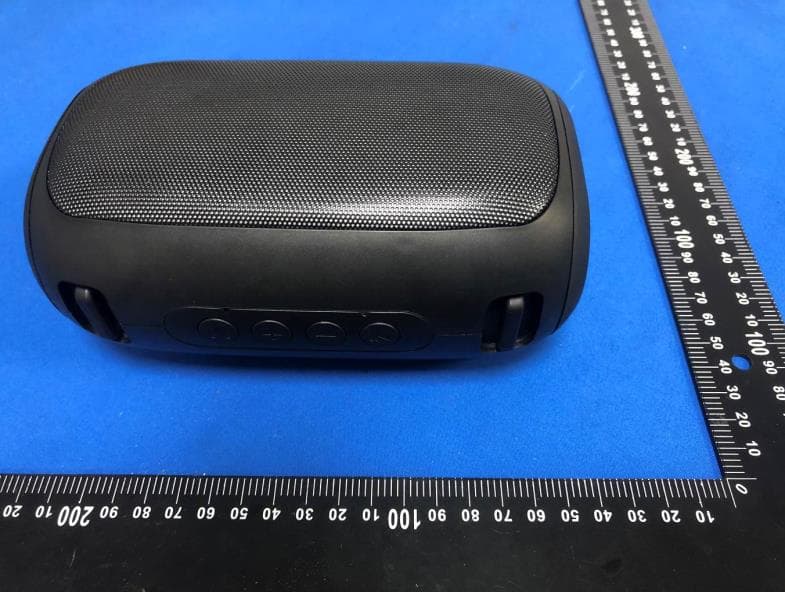
Nov 27, 2025Bluetooth speaker
Equipment Class
DSS - Part 15 Spread Spectrum Transmitter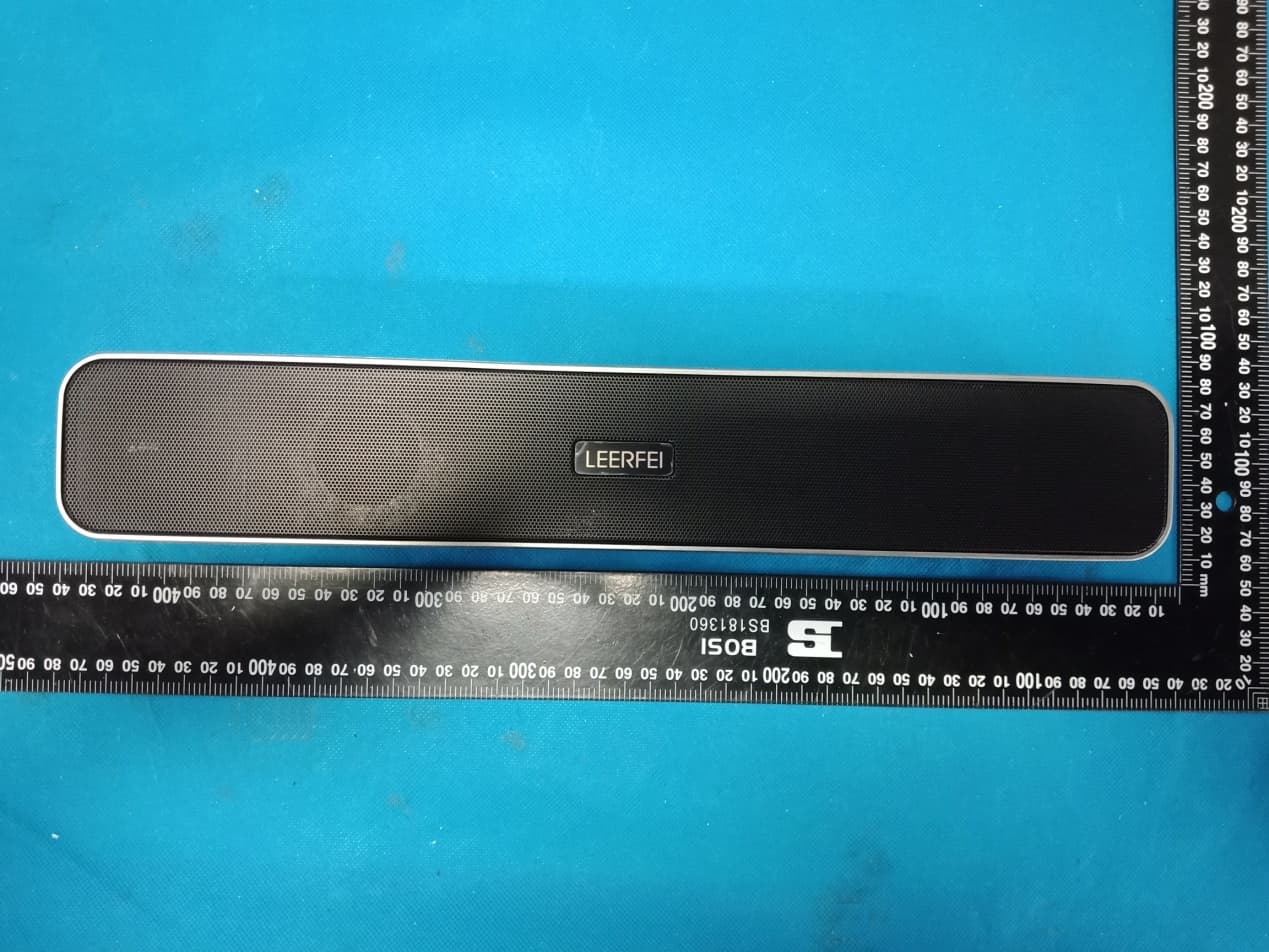
2AZV6-E91
May 16, 2021Wireless speakers
Equipment Class
DXX - Part 15 Low Power Communication Device Transmitter