2AZYZYK-990Dog Training Collar
Shenzhen xunda Technology Co., Ltd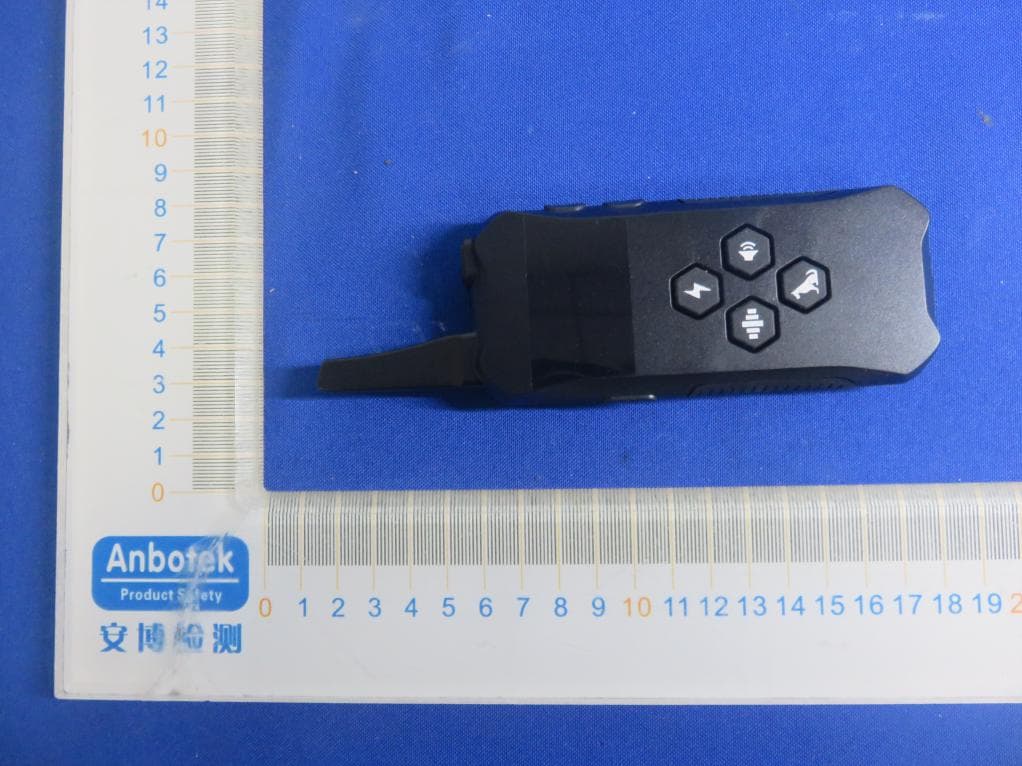
Click to zoom
Application Details
- Equipment Class
- DSC - Part 15 Security/Remote Control Transmitter
- Date of Grant
- Aug 10, 2021
- Application Purpose
- Original Equipment
- Date of Application
- Aug 10, 2021
- Equipment Note
- Dog Training Collar
- Frequency Range
- 433.92000000 - 433.92000000
- Country
- China
Documents & Files
Document Text
Text extracted from the exhibit documents filed with the FCC. Open a document above to read the original.
Users Manual
DOG TRAINING COLLAR User Manual I. Product Overview Remote Control Antenna LED Display Screen Seek Dog Keypad Lock Static & Match Button Beep Button Channel Switch ON/OFF Switch Battery Info “+” Button “-” Button Vibrate Button LEDDisplay Screen Lanyard Holder Micro USB Charging Port Static Icon Vibrate Icon Beep Icon Keypad Lock Battery Status Signal Emission Dog 1=Channel 1 Dog 3=Channel 3 Dog 2=Channel 2 Static Lever Display 1-8 degree; 0=invalid II. Package Content Receiver Seek Dog White LED Red LEDGreen LEDCollarCollar Fastening Nail Static Electrodes ON/OFF &Match Button USB Charging Port & Rubber Lid Silicone Caps for Electrodes 1:Remote Control 2:USB Cable 3:Neon Light 5:Silicone Caps for Electrodes 4:Receiver with Collar 6:Lanyard 7:User Manual III. Setting Up 1. products recharged Connect the USB charging cable, as shown below: When the Remote Control is charging, the battery icon is bright, and there is a circulating light display. normal 90 minutes full charge and display F. When the Receiver is charging, the red light flashes. normal 60 minutes full charge and the green light on. When fully charged, unplug the plug. 5V/1A Recharger or PC USB Port USB Charging Port 2. Turn ON/OFF operation ON/OFF Button Press 2S Power on ON/OFF Button Remote control: Press ON/OFF button for 2 seconds, LED screen full display, power on. When it is on, press ON/OFF button for 2 seconds to turn it off. Short Press for display the current battery level. F means the battery is FULL and no need to charge. Receiver: Press the ON/OFF button wait until the green light is on and a beep, release the button, power on. In the power-on state, the green light flashes twice every 6 seconds. When it is on, press the ON/OFF button for 2 seconds, after one vibrate and two beeps, turn off. 3. Match the Remote Control to the Receiver 1.Only after the remote control and the receiver match successfully, the remote controlcan control the receiver. One remote controlcan share time with three receivers, which means one transmitter can share time control three dogs. 2.Turn on the remote control, press the “channel switch” button to select one of the Dog 1, Dog 2 or Dog 3 , the selected dog icon will light up. 3.Turn off the receiver. If the receiver is already off, skip this step. 4.Press the “ON/OFF button” of the receiver for a while, the green light on and a beep, do not release the button until the red green LED alternately flashes, then release the button. Alternately flashing means the receiver has entered the waiting state to match and can receive the code instruction send from the remote control. If the receiver does not receive the code within 15 seconds, it will automatically enter the power on state. 5.Press the “static button ”of the remote control for 3 seconds, the dog icon and the signal emission icon will flashes, means the remote control icon and the signal emission icon will flashes, means the remote control is sending the code matching instruction . At the same time the receiver will receive the command , alternately flashing stop,3 beeps, indicating the success of match. 6.Simple test confirm: press the vibration button on the remote control and the receiver will vibrate. 7.If the receiver wants to rematch under the power-on state, it must first turn off and then repeat 4,5 steps above. Static & Match Button ON/OFF & Match Button 4. Config Static Levels 5. Simple Test before Use 1.Static level can be set on the remote control, and the receiver will execute the static command according to the level set by the remote control. Static level can be changed at any time. 2.Press "+" key to increase the current static level, press once to increase 1, press "-" key to reduce the current static level, press once to decrease 1. The static level varies between 0 and 8 levels, 1 is weakest, 8 is strongest, 0 has no output. 3.Static function does not support long press continuous emission, can only press a launch once, safety considerations. 4.Vibration and sound level can not be adjusted, is fixed. After the above steps are completed, a simple test is commended before use. 1.Beep Test Press “beep button” on the remote control once, the signal emission icon and the beep icon both flash, indicating the command is issued. When and the beep icon both flash, indicating the command is issued. When the receiver receives the command, the buzzer will beep twice. The beep function supports long press continuous execution. 2. Vibration Test Press “vibration button” on the remote control once, the signal emission icon and vibration icon both flash, indicating the command is issued. When the receiver receives thecommand, the green LED on and vibrate for 0.5s .The vibration function supports long press continuous execution. 3. Static Test Press “static button” on the remote control once, the signal emission icon and static icon both flash, indicating the command is issued. When the receiver receives the command, the red LED on and2 electrodes output static electricity which intensity according to the command . Place the test neon lamp on the two electrodes and you will see the neon light up. 4. Seek Dog Test Quick press “seek dog” button on the remote control once, the signal emission icon and the dog icon both flash, indicating the command is issued .When the receiver receives the command, the white LED will flash 6 times ,once per second. The function is mainly used to locate dogs. 5.Lock Keypad Test Long press “seek dog” button on the remote control for 2 seconds, the red lock icon will light up. At this time, keypad lock, the function button is invalid. Again long press for 2 seconds, the red lock icon will go off, keypad unlock, everything goes back to normal. The “seek dog” button is multi-function defined. IV. Training Modes Press the “channel switch” button to choose which Receiver you want to control if you matched more than one Receiver. White LED Flash 6 times Green LED on Vibration 0.5s Beep Twice Lock Button Bee…
Text truncated - open the document above for the full version.
Cover Letter(s)
ShenzhenxundaTechnologyCo.,Ltd AgentAuthorizationLetter (2021-07-28) RE:LETTEROFAGENTAUTHORIZATION ToWhomItMayConcern: We,authorizeMicomLabsInc.,575BoulderCourt,Pleasanton,California94566, USAtoactonourbehalfinallmattersrelatingtoapplicationforequipment authorization,includingthesigningofalldocumentsrelatingtothesematters. Thisagreementexpiresoneyearfromthecurrentdate. Sincerely, shengLan/Generalmanager CompanyName:ShenzhenxundaTechnologyCo.,Ltd Address:2F,building1,No.268YuanquRoad,JiadingDistrict,Shanghai,China
Cover Letter(s)
ShenzhenxundaTechnologyCo.,Ltd OfficeofEngineeringTechnology FederalCommunicationsCommission 7435OaklandMillsRoad Columbia,MD21046 USA Date:2021-07-28 Subject;RequestforConfidentiality FCCID:2AZYZYK-990 ToWhomItMayConcern, PursuanttotheprovisionsoftheCommission’srulesTitle47Sections§0.457and§0.459,we arerequestingtheCommissiontowithholdthefollowingattachment(s)asconfidential documentsfrompublicdisclosureindefinitely. Thesedocumentscontaindetailedsystemandequipmentdescriptionsandareconsideredas proprietaryinformationinoperationoftheequipment.Thepublicdisclosureofthesedocuments mightbeharmfultoourcompanyandwouldgivecompetitorsanunfairadvantageinthemarket. SchematicDiagram BlockDiagram OperationalDescription SWSECURITYDESCRIPTION Inadditionaltoabovementioneddocuments,inordertocomplywiththemarketingregulations inTitle47CFR§2.803andtheimportationrulesinTitle47CFR§2.1204,whileensuringthat businesssensitiveinformationremainsconfidentialuntiltheactualmarketingofnewly authorizeddevices,werequestShortTermConfidentialityofthefollowingattachment(s); ExternalPhotos TestSetupPhotos InternalPhotos UserManual For45days,pursuanttoPublicNoticeDA04-1705. OR For180dayspursuanttoKDB726920D01. Itisourunderstandingthatallmeasurementtestreports,FCCIDlabelformatand correspondenceduringthecertificationreviewprocesscannotbegrantedasconfidential documentsandthisinformationwillbeavailableforpublicreviewoncethegrantofequipment authorizationisissued. Sincerely, Signature: Name:shengLan Title:Generalmanager
External Photos
FCCID:2AZYZYK-990 s
ID Label/Location Info
LabelLocation: Label: ModelNo.:16011 FCCID:2AZYZYK-990
Internal Photos
FCCID:2AZYZYK-990 ANT
Test Report
ReportNo.:18220WC10011401FCCID:2AZYZYK-990Page1of34 Code:AB-RF-05-a FCCTestReport ClientName:ShenzhenxundaTechnologyCo.,Ltd Address: 4/F,BuildingC2,Ma’anshanIndustrialZone,Xinqiao Street,Bao’anDistrict,Shenzhen,Guangdong,518101 China ProductName:DogTrainingCollar Date:Aug.03,2021 ShenzhenAnbotekComplianceLaboratoryLimited ReportNo.:18220WC10011401FCCID:2AZYZYK-990Page2of34 Code:AB-RF-05-a Contents 1.GeneralInformation ............................................................................................................................................... 4 1.1.ClientInformation ....................................................................................................................................... 4 1.2.DescriptionofDevice(EUT) ..................................................................................................................... 4 1.3.AuxiliaryEquipmentUsedDuringTest ................................................................................................... 5 1.4.DescriptionofTestModes ........................................................................................................................ 5 1.5.Listofchannels ........................................................................................................................................... 5 1.6.DescriptionOfTestSetup ......................................................................................................................... 6 1.7.TestEquipmentList .................................................................................................................................... 7 1.8.MeasurementUncertainty ......................................................................................................................... 8 1.9.DescriptionofTestFacility ........................................................................................................................ 8 2.SummaryofTestResults ..................................................................................................................................... 9 3.ConductedEmissionTest ................................................................................................................................... 10 3.1.TestStandardandLimit .......................................................................................................................... 10 3.2.TestSetup .................................................................................................................................................. 10 3.3.TestProcedure .......................................................................................................................................... 10 3.4.TestData .................................................................................................................................................... 10 4.RadiationSpuriousEmissionandBandEdge ................................................................................................ 15 4.1.TestStandardandLimit .......................................................................................................................... 15 4.2.TestSetup .................................................................................................................................................. 16 4.3.TestProcedure .......................................................................................................................................... 17 4.4.TestData .................................................................................................................................................... 17 5.20DBOccupyBandwidthTest ........................................................................................................................... 22 5.1.TestStandardandLimit .......................................................................................................................... 22 5.2.TestSetup .................................................................................................................................................. 22 5.3.TestProcedure .......................................................................................................................................... 22 5.4.TestData .................................................................................................................................................... 22 6.DwellTimeTest .................................................................................................................................................... 24 6.1.TestStandardandLimit .......................................................................................................................... 24 6.2.TestSetup .................................................................................................................................................. 24 6.3.TestProcedure .......................................................................................................................................... 24 6.4.TestData .................................................................................................................................................... 24 7.AntennaRequirement ......................................................................................................................................... 26 7.1.TestStandardandRequirement ............................................................................................................ 26 7.2.AntennaConnectedConstruction .......................................................................................................... 26 APPENDIXI--TESTSETUPPHOTOGRAPH ................................................................................................... 27 APPENDIXII--EXTERNALPHOTOGRAPH ..................................................................................................... 29 APPEN…
Text truncated - open the document above for the full version.
Test Setup Photos
PHOTOSOFTESTSETUP FCCID:2AZYZYK-990 PhotoofRadiationEmissionTest PhotoofRadiationEmissionTest
Contact Information
Applicant
sheng Lan
Technical Contact
Test Firm
Shenzhen Anbotek Compliance Laboratory LimitedJeff Zhu
Technical Specifications
| # | Rule Parts | Frequency Range | Power Output |
|---|---|---|---|
| 1 | 15.231 | 433.92 MHz - 433.92 MHz | - |