2BCR5-S99VGN S99 Mechanical Keyboard
Fuzhou Geek Cross-Border E-commerce Co., Ltd.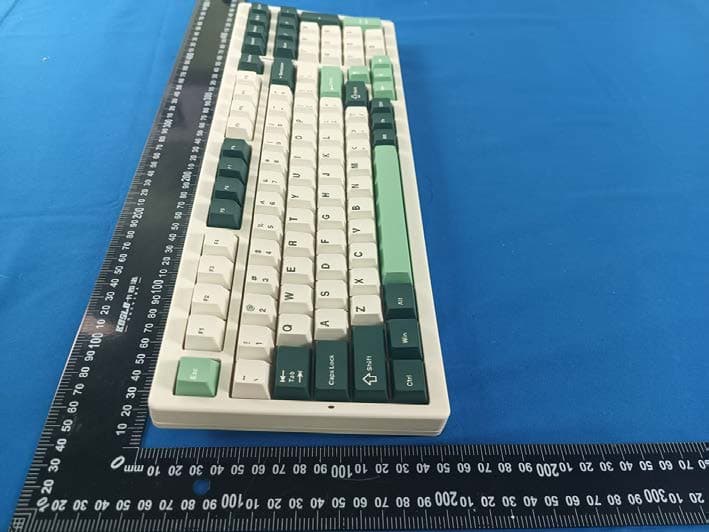
Click to zoom
Application Details
- Equipment Class
- DTS - Digital Transmission System
- Date of Grant
- Dec 19, 2023
- Application Purpose
- Original Equipment
- Date of Application
- Dec 19, 2023
- Equipment Note
- VGN S99 Mechanical Keyboard
- Frequency Range
- 2402.00000000 - 2480.00000000
- Country
- China
Documents & Files
Document Text
Text extracted from the exhibit documents filed with the FCC. Open a document above to read the original.
Users Manual
User Manual Button description Wireframe 1. Indicator light: a.Long indicator: Switchable display of light efficiency and power; low power and connection status prompts b.CAPS indicator: Case-sensitive, always on when in uppercase. c.Num indicator: Distinguish the locked state of the number keys, and always on when it is on. d.WIN indicator: distinguish the locked state of the WIN key, the WIN key is always on when it is locked, and the WIN key cannot be used at this time. 2. WIN key: WIN key, cannot be used when locking the WIN key, and is the option key in MAC mode. 3. ALT key: ALT key, Command key in MAC mode 4. Windows/MAC mode a.FN + A Switch to Windows mode b.FN + S switch to MAC mode, F1-F12 buttons are multimedia buttons, FN + F1-F12 are regular inputs of F1-F12 c.When connecting to the Windows system, if switching to MAC mode, the WIN and ALT keys will be swapped, and F1-F12 are the multimedia keys Quick start 2.4G wireless connection 1. Remove the receiver from the housing slot by pressing the housing slot cover sheet. 2. Plug the receiver into your computer's USB port. 3. Turn the mode switch on the bottom to 2.4G. Bluetooth connection 1. Turn the mode switch on the bottom to Bluetooth mode. 2. Long press FN + number keys 1, 2 or 3 to start pairing. When pairing, the long indicator light flashes. 3. Up to 3 devices can be paired. Press FN + number keys 1, 2 or 3 to switch devices. Wired connection 1. Plug the USB-C cable into the port of the keyboard. 2. Connect the cable to the computer. 3. Turn the mode switch on the bottom to the middle. Power management Power check The power level can be checked by FN + right CTRL. The power percentage can be viewed on the long indicator. 100% -40% power: bright green, green proportion represents the remaining power. 40% -20% power: bright yellow, yellow represents the remaining power. Less than 20% power: bright red, red proportion represents the remaining power. Low battery alert The bar indicator light flashes red when the battery is low. Charging method In any mode, connecting the keyboard to the computer through the equipped data cable will charge the keyboard. In the data cable connection state, press FN + right CTRL to view the charging status on the long indicator light. When pressed and held, the green streamer indicates that it is charging, and the green constant light of the light bar indicates that it is full. Sleep function In Bluetooth and 2.4G mode, the keyboard enters first-level sleep after 3 minutes of rest, and the backlight is turned off; after 10 minutes of rest, it enters second-level sleep, and Bluetooth/2.4G is disconnected. Press any key to connect back immediately. FN combination key Multimedia shortcut key combination FN Windows system MAC system Remarks ESC Long press for 3 seconds to restore factory settings F1 My computer Mac Single Press F1 F2 Home page Mac Single Press F2 F3 Calculator Mac Single Press F3 F4 Player Mac Single Press F4 F5 Last song Mac Single Press F5 F6 Next song Mac Single Press F6 F7 Pause/Play Mac Single Press F7 F8 Stop Mac Single Press F8 F9 Mute Mac Single Press F9 F10 Volume reduction Mac Single Press F10 F11 Volume up Mac Single Press F11 F12 Email Mac Single Press F12 A Switch to Windows mode S Switch to MAC mode, see the button description for the function. Left WIN Lock the WIN key, the WIN key cannot be used when locked WIN key white light indication Right CTRL Check battery 1 Switch to Bluetooth Device 1 and long press Pair Long indicator light flashing blue 2 Switch to Bluetooth Device 2 and long press Pair Long indicator light flashing purple 3 Switch to Bluetooth device 3 and long press Pair Long indicator light flashing cyan 4 Long press to pair 2.4G receiver Long bar light flashing green Lighting efficiency control FN DEL Turn off/turn on backlight (with memory) INS Switch backlight effect ← Backlight direction switching → Quickly adjust the seven-color backlight ↑ Improved backlight brightness ↓ Backlight brightness reduction =+ Backlight speed increase -_ Backlight speed reduction SPACE Backlight color switching Enter the color switching state, and all keys display different colors; after pressing a button color again, switch to the corresponding color, and the space bar is colorful RGB color HOME Switch bar indicator light effect \| Long indicator color switch PGDN Bar indicator brightness reduced PGUP Bar indicator brightness increased [{ Strip indicator speed reduced ]} Bar indicator speed increased Lighting effect Light customization function Press FN +~ to invoke custom backlighting, only one set of custom memory lights is supported. Custom light editing: After pressing Fn +~ to call the custom backlight, press Fn +~ again to start editing the light; at this time, the NUM CAPS light starts to blink, directly press the button to be defined, change a color with each click, and edit Press Fn +~ again to save the edited light. Long indicator light effect The battery can be checked by FN + right CTRL. When the device is paired, the long indicator flashes quickly, and when connected back, the long indicator flashes slowly (2.4G green/BT1 blue/BT2 purple/BT3 cyan). After the pairing is successful, the normal lighting effect will be restored. Mode Brightness Speed Color switching Streamer ✔ ✔ ✔ Neon ✔ Always bright ✔ ✔ Breathe ✔ ✔ ✔ Turn off the lights Button backlight RGB light effect Name Adjustable content Description Brightness Speed Color Direction Always bright ✔ ✔ Full keyboard light is always on display Go with the flow ✔ ✔ ✔ ✔ Wave-like light, flowing horizontally to the left or right Judgment of Light ✔ ✔ Full keyboard light solid color display, and slowly change color Breathe ✔ ✔ ✔ The brightness of the full keyboard light varies according to the breathing curve Colored clouds flying ✔ ✔ ✔ ✔ The light appears to flow like a cloud and flow horizontally Peak turn ✔ ✔ ✔ ✔ Lights flow around the center of the keyboard A ripple ✔ ✔ ✔ After triggering the button, spread…
Text truncated - open the document above for the full version.
Attestation Statements
Fuzhou Geek Cross-Border E-commerce Co., Ltd. Section 2.911(d)(5)(i) Certification – Equipment Type Company name: Fuzhou Geek Cross-Border E-commerce Co., Ltd. Address: Room 1505-73. No.10.Aotou Road, Aofeng Street, Taijiang District, Fuzhou City, Fujian Province. China Product Name: VGN S99 Mechanical Keyboard FCC ID: 2BCR5-S99 Model(s): S99 2.911(d)(5)(i) Equipment Type We, [ Fuzhou Geek Cross-Border E-commerce Co., Ltd. ] (“the applicant”) certify that the equipment for which authorization is sought through certification is not: • Prohibited from receiving an equipment authorization pursuant to § 2.903; of the FCC rules. • Identified as an equipment type in the “Covered List” NOTE 1 Yours sincerely, Name: Nick Luo Date: 2023-12-14 Title and Company name: Manager NOTE 1 “Covered List ”; is the List of Equipment and Services Covered By Section 2 of The Secure Networks Act, available at https://www.fcc.gov/supplychain/coveredlist References; 1) 986446 D01 Covered Equipment v01 https://apps.fcc.gov/oetcf/kdb/forms/FTSSearchResultPage.cfm?switch=P&id=325672 2) Federal Register document 2022-28263 published on 02/06/23 https://www.federalregister.gov/documents/2023/02/06/2022-28263/protecting-against-national-security-threats-to-the-com munications-supply-chain-through-the 2.911 (d)(5)(i) Equipment Type Attestation v1.2
Attestation Statements
Fuzhou Geek Cross-Border E-commerce Co., Ltd. Section 2.911(d)(5)(ii) Certification – Applicant (Covered List ) Company name: Fuzhou Geek Cross-Border E-commerce Co., Ltd. Address: Room 1505-73. No.10.Aotou Road, Aofeng Street, Taijiang District, Fuzhou City, Fujian Province. China Product Name: VGN S99 Mechanical Keyboard FCC ID: 2BCR5-S99 Model(s): S99 2.911(d)(5)(ii) Applicant filing We, [Fuzhou Geek Cross-Border E-commerce Co., Ltd.] (“the applicant”) certify that, as of the date of the filing of the application, the applicant is not identified NOTE 1 on the “Covered List” NOTE 2 , established pursuant to § 1.50002 of this chapter, as an entity producing covered communications equipment. Yours sincerely, Name: Nick Luo Date: 2023-12-14 Title and Company name: Manager NOTE 1 Delete option not applicable to this application. NOTE 2 “Covered List ”; is the List of Equipment and Services Covered By Section 2 of The Secure Networks Act, available at https://www.fcc.gov/supplychain/coveredlist References; 1) 986446 D01 Covered Equipment v01 https://apps.fcc.gov/oetcf/kdb/forms/FTSSearchResultPage.cfm?switch=P&id=325672 2) Federal Register document 2022-28263 published on 02/06/23 https://www.federalregister.gov/documents/2023/02/06/2022-28263/protecting-against-national-security-threats-to-the-com munications-supply-chain-through-the 2.911 (d)(5)(ii) Applicant Attestation v1.2
Attestation Statements
Fuzhou Geek Cross-Border E-commerce Co., Ltd * the applicant must designate a contact located in the United States for purposes of acting as the applicant’s agent for service of process, regardless of whether the applicant is a domestic or foreign entity. An applicant located in the United States may designate itself as the agent for service of process. U.S. Agent Designation for Service of Process - Certification Attestation Letter December 13, 2023 Nemko North America, Inc. 303 River Road Ottawa K1V 1H2 Canada ATTN.: Reviewing Engineer FCC ID: 2BCR5-S99 Per section 2.911(d)(7) of the FCC rules, Fuzhou Geek Cross-Border E-commerce Co., Ltd. (“the applicant”) certifies that the equipment for which authorization is sought is designated to the following U.S. Designated agent* for service of process: Company Name: JOC Australia Inc Physical U.S. Company Address: 8351 Colima Road Ste 585 Rowland Heights, California, 91748 United States of America Agent name: Benjamin. Smith/Vice President Agent Email Address: [email protected]/[email protected] FRN: 0033379421 Tel No:. +1(626) 341 3408 The above contact person accepts the obligation for service of process. The applicant accepts to maintain an agent for no less than one year after the grantee has terminated all marketing and importation or the conclusion of any Commission-related proceeding involving the equipment. Applicant Signed: Designated Agent Signed: (Required, if different to Applicant): Signed: Signed: Printed name: Nick Luo Printed name: Benjamin. Smith Title: Manager Title: Vice President Company Name: Fuzhou Geek Cross-Border E- commerce Co., Ltd. Company Name: JOC Australia Inc Date: December 5, 2023 Date: December 13, 2023 FRN Code: 0034207977 FRN Code: 0033379421
Cover Letter(s)
Fuzhou Geek Cross-Border E-commerce Co., Ltd. Office of Engineering Technology Federal Communications Commission 7435 Oakland Mills Road Columbia, MD 21046 Date: 2023-12-14 Subject; Request for Long Term Confidentiality FCC ID: 2BCR5-S99 To Whom It May Concern, Pursuant to the provisions of the Commission’s rules Title 47 Sections §0.457 and §0.459, we are requesting the Commission to withhold the following attachment(s) as confidential documents from public disclosure indefinitely. These documents contain detailed system and equipment descriptions and are considered as proprietary information in operation of the equipment. The public disclosure of these documents might be harmful to our company and would give competitors an unfair advantage in the market. Schematic Diagram Block Diagram BOM Operational Description It is our understanding that all measurement test reports, FCC ID label format and correspondence during the certification review process cannot be granted as confidential documents and this information will be available for public review once the grant of equipment authorization is issued. Sincerely, Signature: Name: Nick Luo Title: Manager
Cover Letter(s)
Letter of Authorization Company: Fuzhou Geek Cross-Border E-commerce Co., Ltd. Address: Room 1505-73. No.10.Aotou Road, Aofeng Street, Taijiang District, Fuzhou City, Fujian Province. China Product Name: VGN S99 Mechanical Keyboard Model Number: S99 FCC Identifier: 2BCR5-S99 We authorize MiCOM Labs Inc, 575 Boulder Court, Pleasanton, California 94566, USA, to act on our behalf on all matters concerning the above named equipment. Any individual within MiCOM Labs is authorized to act on our behalf and take action on the application. We declare that MiCOM Labs Inc, 575 Boulder Court, Pleasanton, California 94566, USA, is allowed to forward all information related to the approval project to the Federal Communication Commission and to discuss any issues concerning the approval application. Any and all acts carried out by MiCOM Labs on our behalf shall have the same effect as acts of our own. Name: Nick Luo Date: 2023-12-14 Title: Manager
External Photos
Model:S99 External Model:S99 Model:S99 Model:S99 Model:S99
ID Label/Location Info
Label Location
ID Label/Location Info
VGN FCC ID:2BCR5-S99
Internal Photos
Model:S99 Internal Model:S99 Model:S99 Model:S99 Model:S99 Model:S99
RF Exposure Info
Total or partial reproduction of this document without permission of the Laboratory is not allowed. Page 1 of 7 BTF Testing Lab (Shenzhen) Co., Ltd. F101, 201 and 301, Building 1, Block 2, Tantou Industrial Park, Tantou Community, Songgang Street, Bao'an District, Shenzhen, China RF Exposure Report For Applicant Name: Fuzhou Geek Cross-Border E-commerce Co., Ltd. Address: Room 1505-73. No.10.Aotou Road, Aofeng Street, Taijiang District, Fuzhou City, Fujian Province. China. EUT Name: VGN S99 Mechanical Keyboard Brand Name: VGN Model Number: S99 Issued By Company Name: BTF Testing Lab (Shenzhen) Co., Ltd. Address: F101, 201 and 301, Building 1, Block 2, Tantou Industrial Park, Tantou Community, Songgang Street, Bao'an District, Shenzhen, China Report Number: BTF230616R00303 Test Standards: 47 CFR Part 2 Subpart J Section 2.1093 FCC ID: 2BCR5-S99 Test Conclusion: Pass Test Date: 2023-09-01 to 2023-09-20 Date of Issue: 2023-09-21 Prepared By: Chris Liu / Project Engineer Date: 2023-09-21 Approved By: Ryan.CJ / EMC Manager Date: 2023-09-21 Note: All the test results in this report only related to the testing samples. Which can be duplicated completely for the legal use with approval of applicant; it shall not be reproduced except in full without the written approval of BTF Testing Lab (Shenzhen) Co., Ltd., All the objections should be raised within thirty days from the date of issue. To validate the report, you can contact us. Test Report Number: BTF230616R00303 Total or partial reproduction of this document without permission of the Laboratory is not allowed. Page 2 of 7 BTF Testing Lab (Shenzhen) Co., Ltd. F101, 201 and 301, Building 1, Block 2, Tantou Industrial Park, Tantou Community, Songgang Street, Bao'an District, Shenzhen, China Revision History Version Issue Date Revisions Content R_V0 2023-09-21 Original Note: Once the revision has been made, then previous versions reports are invalid. Test Report Number: BTF230616R00303 Total or partial reproduction of this document without permission of the Laboratory is not allowed. Page 3 of 7 BTF Testing Lab (Shenzhen) Co., Ltd. F101, 201 and 301, Building 1, Block 2, Tantou Industrial Park, Tantou Community, Songgang Street, Bao'an District, Shenzhen, China Table of Contents 1. Introduction ............................................................................................................................................................................................ 4 1.1 Identification of Testing Laboratory ................................................................................................................................. 4 1.2 Identification of the Responsible Testing Location ...................................................................................................... 4 1.3 Laboratory Condition ........................................................................................................................................................... 4 1.4 Announcement ....................................................................................................................................................................... 4 2. Product Information .............................................................................................................................................................................. 5 2.1 Application Information ....................................................................................................................................................... 5 2.2 Manufacturer Information .................................................................................................................................................... 5 2.3 Factory Information .............................................................................................................................................................. 5 2.4 General Description of Equipment under Test (EUT)................................................................................................... 5 3. Test Requirement ................................................................................................................................................................................. 6 3.1 Assessment Result ............................................................................................................................................................... 6 Test Report Number: BTF230616R00303 Total or partial reproduction of this document without permission of the Laboratory is not allowed. Page 4 of 7 BTF Testing Lab (Shenzhen) Co., Ltd. F101, 201 and 301, Building 1, Block 2, Tantou Industrial Park, Tantou Community, Songgang Street, Bao'an District, Shenzhen, China 1. Introduction 1.1 Identification of Testing Laboratory Company Name: BTF Testing Lab (Shenzhen) Co., Ltd. Address: F101, 201 and 301, Building 1, Block 2, Tantou Industrial Park, Tantou Community, Songgang Street, Bao'an District, Shenzhen, China Phone Number: +86-0755-23146130 Fax Number: +86-0755-23146130 1.2 Identification of the Responsible Testing Location Test Location: BTF Testing Lab (Shenzhen) Co., Ltd. Address: F101, 201 and 301, Building 1, Block 2, Tantou Industrial Park, Tantou Community, Songgang Street, Bao'an District, Shenzhen, China Description: All measurement facilities used to collect the measurement data are located at F101,201 and 301, Building 1, Block 2, Tantou Industrial Park, Tantou Community, Songgang Street, Bao'an District, Shenzhen, China FCC Registration Number: 518915 Designation Number: CN1330 1.3 Laboratory Condition Ambient Temperature: 20°C to 25°C Ambient Relative Humidity: 45% to 55% Ambient Pressure: 100 kPa to 102 kPa 1.4 Announcement (1) The test report reference to the report template version v0. (2) The test report is invalid if not marked with the signatures of the persons responsible for preparing, reviewing and approving the test report. (3) The test report is…
Text truncated - open the document above for the full version.
Test Report
Total or partial reproduction of this document without permission of the Laboratory is not allowed. Page 1 of 47 BTF Testing Lab (Shenzhen) Co., Ltd. F101, 201 and 301, Building 1, Block 2, Tantou Industrial Park, Tantou Community, Songgang Street, Bao'an District, Shenzhen, China RF Test Report For Applicant Name: Fuzhou Geek Cross-Border E-commerce Co., Ltd. Address: Room 1505-73. No.10.Aotou Road, Aofeng Street, Taijiang District, Fuzhou City, Fujian Province. China. EUT Name: VGN S99 Mechanical Keyboard Brand Name: VGN Model Number: S99 Issued By Company Name: BTF Testing Lab (Shenzhen) Co., Ltd. Address: F101, 201 and 301, Building 1, Block 2, Tantou Industrial Park, Tantou Community, Songgang Street, Bao'an District, Shenzhen, China Report Number: BTF230616R00302 Test Standards: 47 CFR Part 15.247 Test Conclusion: Pass FCC ID: 2BCR5-S99 Test Date: 2023-09-01 to 2023-09-20 Date of Issue: 2023-09-21 Prepared By: Chris Liu / Project Engineer Date: 2023-09-21 Approved By: Ryan.CJ / EMC Manager Date: 2023-09-21 Note: All the test results in this report only related to the testing samples. Which can be duplicated completely for the legal use with approval of applicant; it shall not be reproduced except in full without the written approval of BTF Testing Lab (Shenzhen) Co., Ltd., All the objections should be raised within thirty days from the date of issue. To validate the report, you can contact us. Test Report Number: BTF230616R00302 Total or partial reproduction of this document without permission of the Laboratory is not allowed. Page 2 of 47 BTF Testing Lab (Shenzhen) Co., Ltd. F101, 201 and 301, Building 1, Block 2, Tantou Industrial Park, Tantou Community, Songgang Street, Bao'an District, Shenzhen, China Revision History Version Issue Date Revisions Content R_V0 2023-09-21 Original Note: Once the revision has been made, then previous versions reports are invalid. Test Report Number: BTF230616R00302 Total or partial reproduction of this document without permission of the Laboratory is not allowed. Page 3 of 47 BTF Testing Lab (Shenzhen) Co., Ltd. F101, 201 and 301, Building 1, Block 2, Tantou Industrial Park, Tantou Community, Songgang Street, Bao'an District, Shenzhen, China Table of Contents 1 INTRODUCTION ..........................................................................................................................................5 1.1 Identification of Testing Laboratory ...............................................................................................5 1.2 Identification of the Responsible Testing Location ......................................................................5 1.3 Announcement .................................................................................................................................5 2 PRODUCT INFORMATION ..........................................................................................................................6 2.1 Application Information ...................................................................................................................6 2.2 Manufacturer Information ................................................................................................................6 2.3 Factory Information .........................................................................................................................6 2.4 General Description of Equipment under Test (EUT) ...................................................................6 2.5 Technical Information ......................................................................................................................6 3 SUMMARY OF TEST RESULTS .................................................................................................................7 3.1 Test Standards ..................................................................................................................................7 3.2 Uncertainty of Test ...........................................................................................................................7 3.3 Summary of Test Result ..................................................................................................................7 4 TEST CONFIGURATION .............................................................................................................................8 4.1 Test Equipment List .........................................................................................................................8 4.2 Test Auxiliary Equipment ............................................................................................................. 10 4.3 Test Modes ..................................................................................................................................... 10 5 EVALUATION RESULTS (EVALUATION) ................................................................................................. 11 5.1 Antenna requirement ..................................................................................................................... 11 5.1.1 Conclusion: ........................................................................................................................... 11 6 RADIO SPECTRUM MATTER TEST RESULTS (RF) .............................................................................. 12 6.1 Conducted Emission at AC power line ....................................................................................... 12 6.1.1 E.U.T. Operation: ................................................................................................................. 12 6.1.2 Test Setup Diagram: ............................................................................................................ 12 6.1.3 Test Data: ............................................................................................................................ 13 6.2 Occupied Bandwidth ...........................................…
Text truncated - open the document above for the full version.
Test Report
1、技术指标(TechnicalSpecification) 电性能指标Electrical Sp ecifications 频率范围Fr equency Range(MHz) 2400-2500 频带宽度Bandwidth (-10dB)(MHz)≥100 输入阻抗 Input Impedance (Ω) 50 电压驻波比 VSW R (max at all of frequency range) < 1.8 增益 Gain (@2.45GHz max) ( dBi ) 0.34 极化形式Polarization Type 雷电保护Lightning Protection 功率容量Power Capacity(mW) 1000 机械指标 Mechanical Sp ecifications 辐射体 Radiator 铜 Cuprum 连接器型号Connect Type - 工作温度Working Temperature(°C) -40~85 存储温度St orage Temperature(°C) -40~125 外壳颜色 Radome Color- 沉金 重量 Weight ( g ) - Linear polarization DC ground Immersion gold 2. 天线尺寸 Antenna size XYPlane XZPlane YZPlane
Test Setup Photos
Model:S99 Conducted Emission at AC power line Band edge emissions (Radiated) Emissions in frequency bands (above 1GHz) Model:S99 Emissions in frequency bands (below 1GHz)
Contact Information
Applicant
Nick Luo
Technical Contact
Test Firm
BTF Testing Lab (Shenzhen) Co., Ltd.Ryan CJ
[email protected]8675523146130
Technical Specifications
| # | Rule Parts | Frequency Range | Power Output |
|---|---|---|---|
| 1 | 15C | 2.40 GHz - 2.48 GHz | 500.00 µW |
Other Applications from Fuzhou Geek Cross-Border E-commerce Co., Ltd.
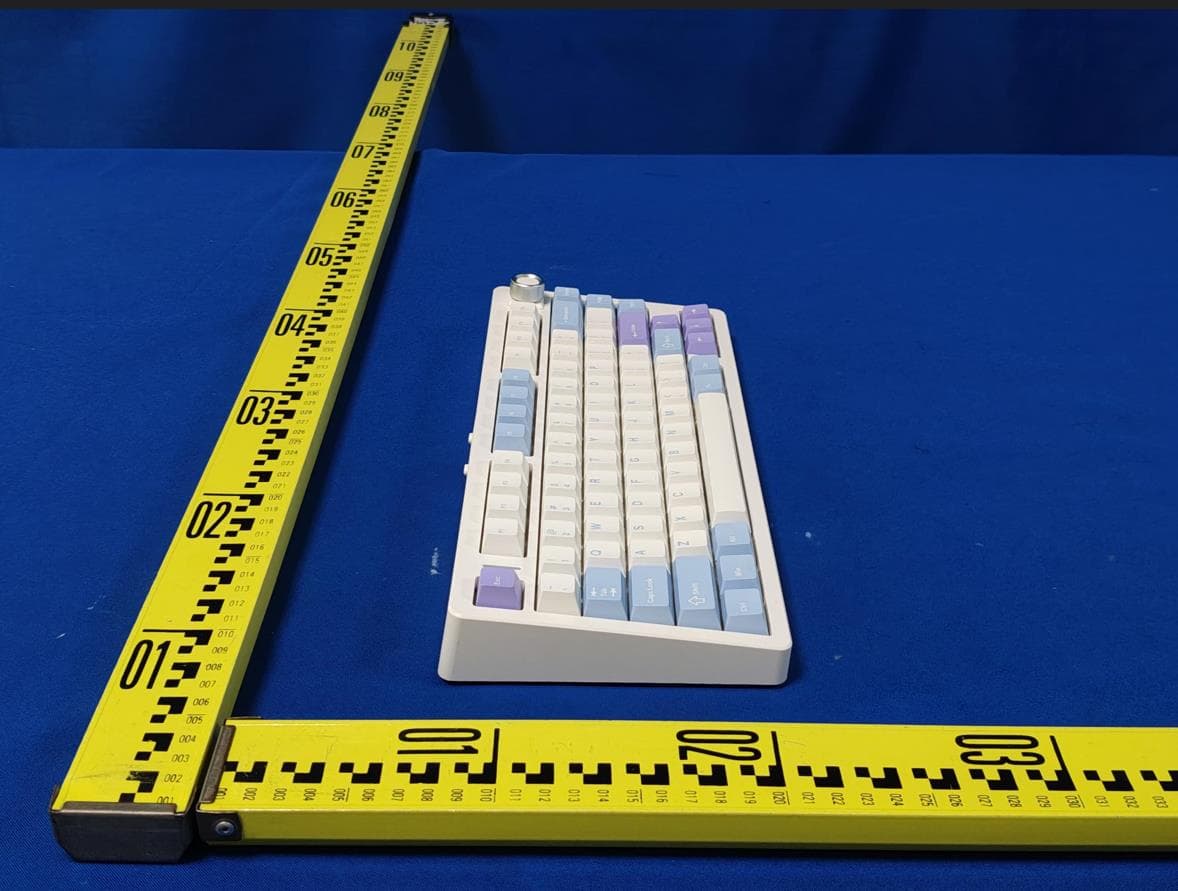
2BCR5-N75V2
May 12, 2026VGN N75 V2 Customized Mechanical Keyboard
Equipment Class
DTS - Digital Transmission System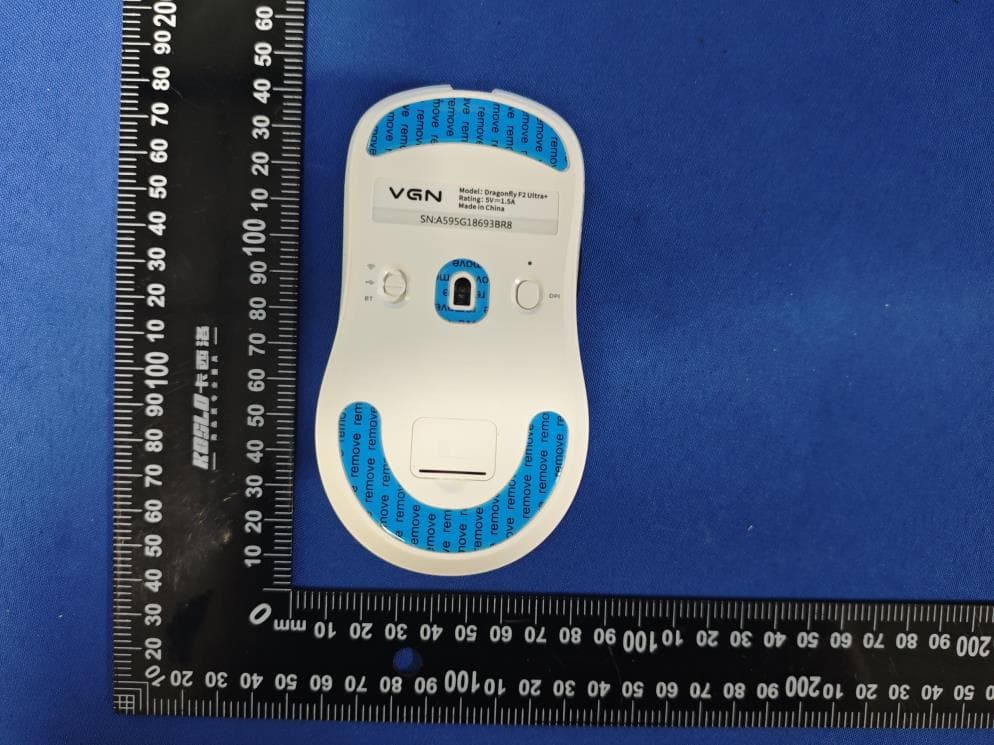
2BCR5-F2ULTRA
Apr 08, 2026Dragonfly F2 Ultra-lightweight Tri-mode Mouse
Equipment Class
DTS - Digital Transmission System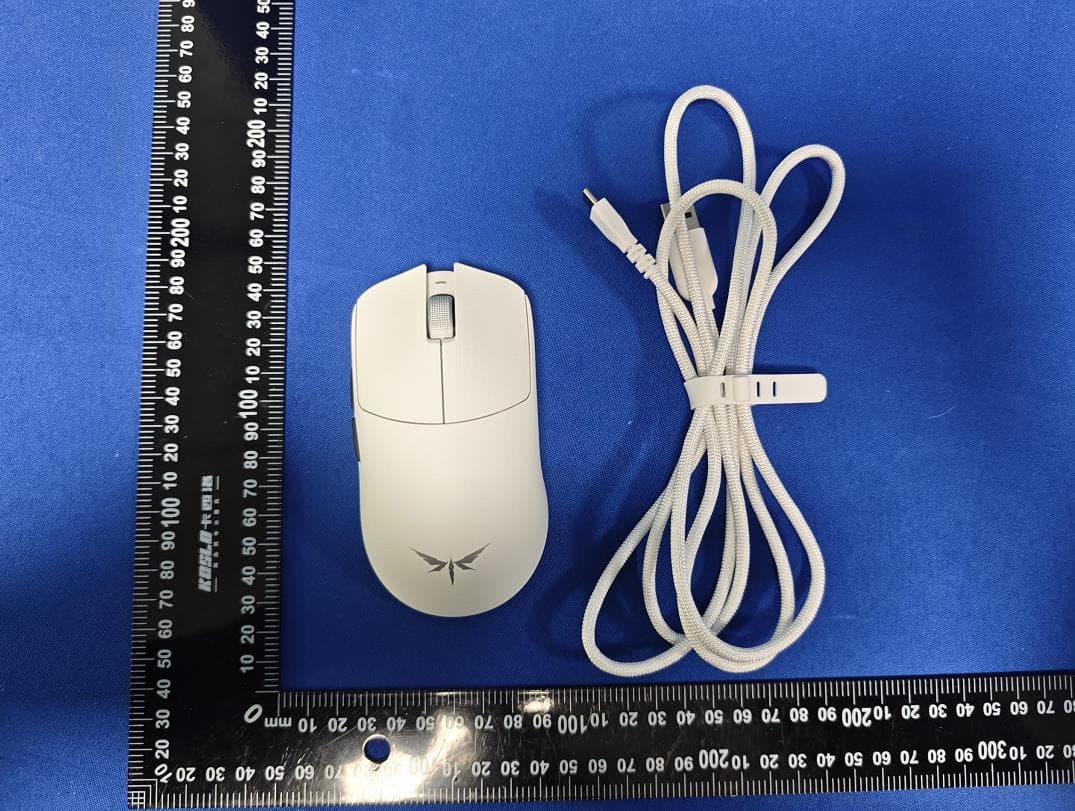
2BCR5-F2PROMAX
Apr 08, 2026Dragonfly F2 Ultra-lightweight Tri-mode Mouse
Equipment Class
DSS - Part 15 Spread Spectrum Transmitter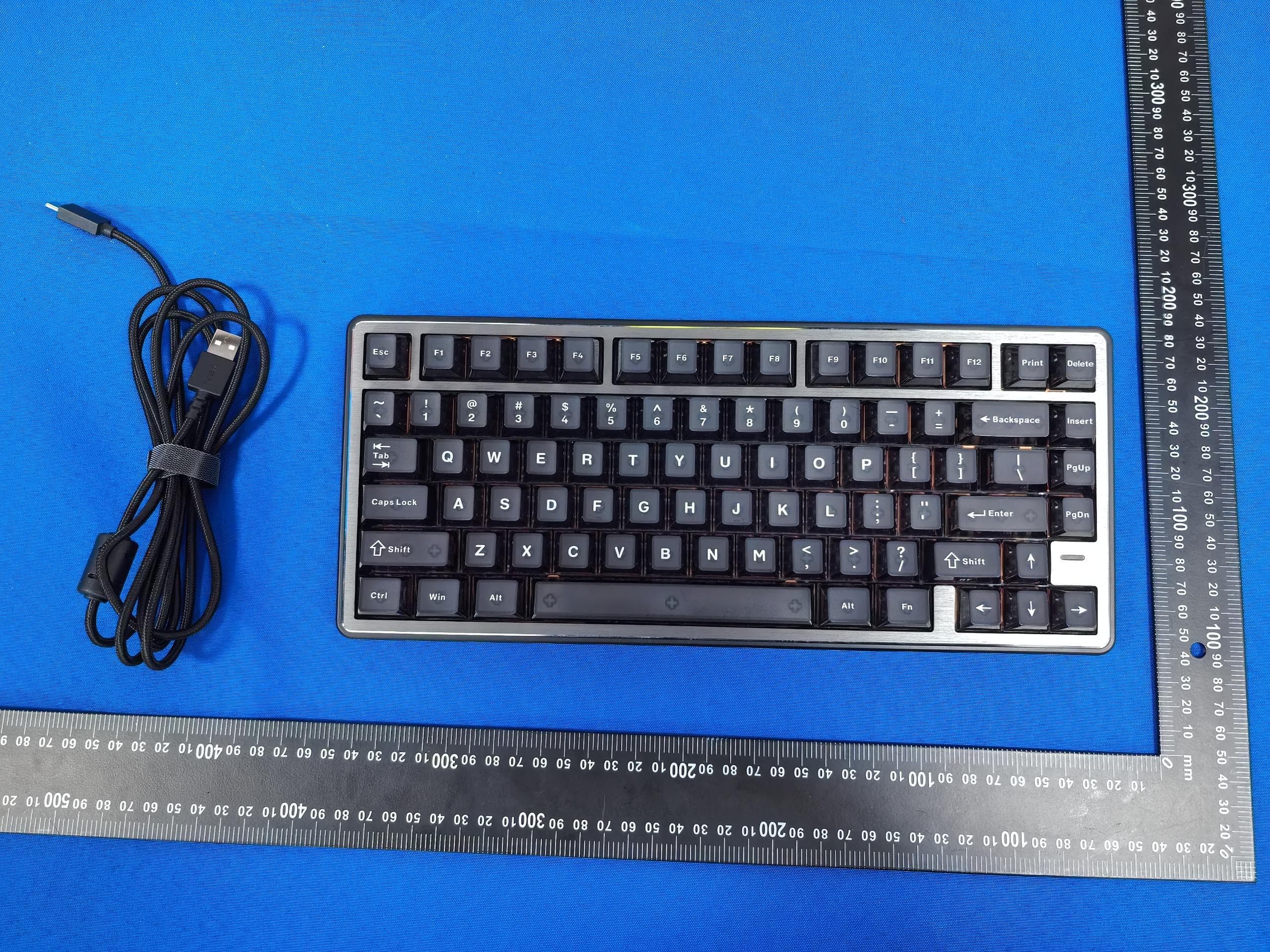
2BCR5-NEONEXTREME
Mar 30, 2026Neon Extreme Magnetic keyboard
Equipment Class
DTS - Digital Transmission System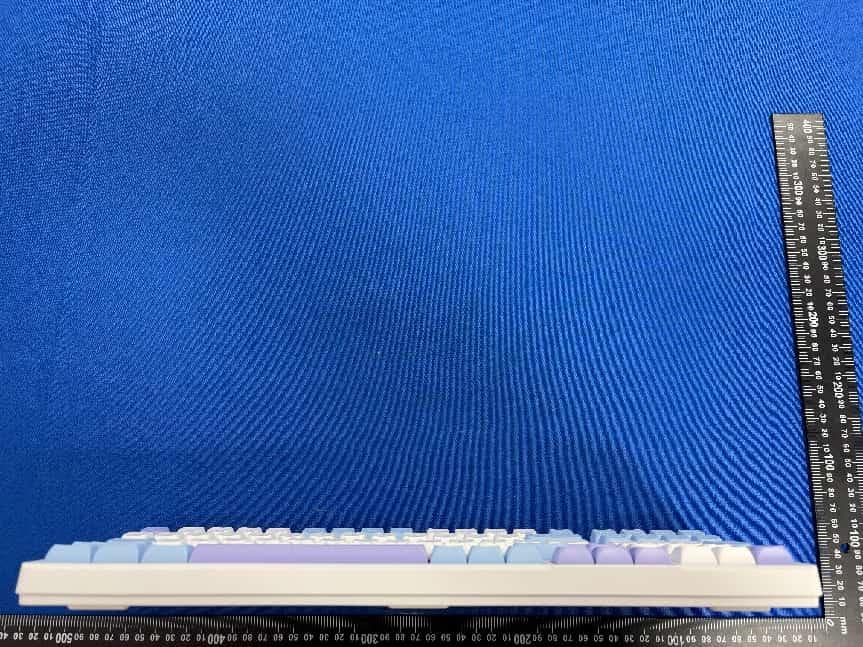
2BCR5-V98PROV3
Mar 30, 2026V98Pro V3 CUSTOMIZED MECHANICAL KEYBOARD
Equipment Class
DTS - Digital Transmission System