2BF4V-ILS-20WTV LED Backlight Kit With Sync Box
Iton Technology Corp.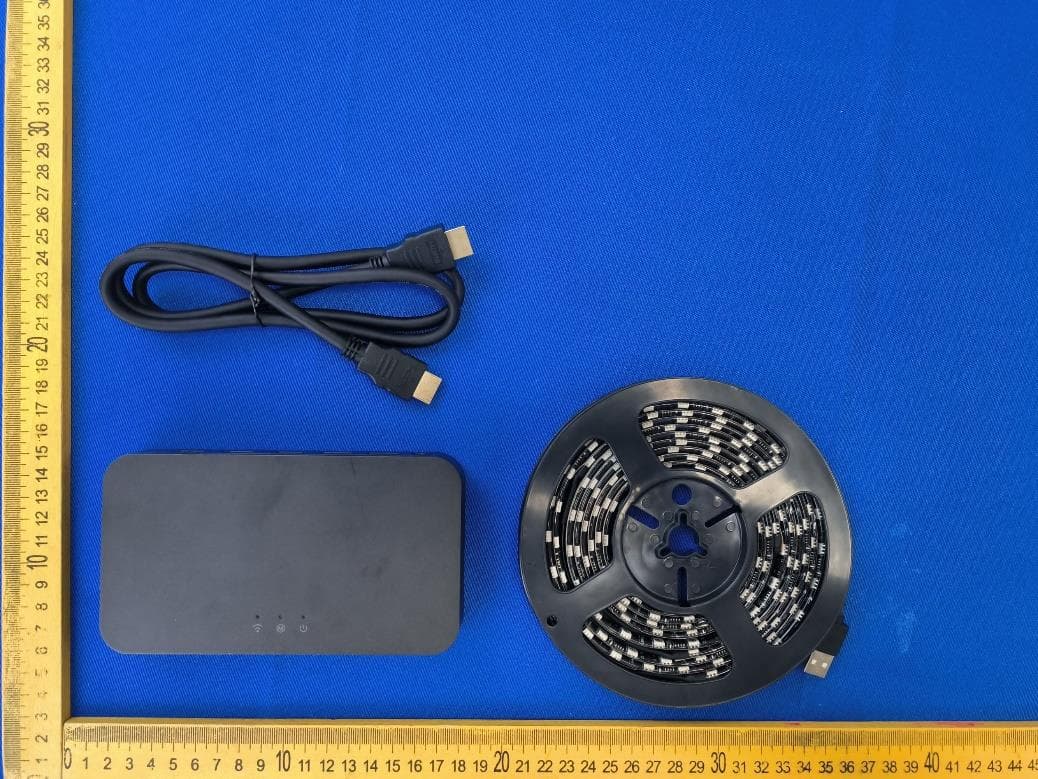
Click to zoom
Application Details
- Equipment Class
- DTS - Digital Transmission System
- Date of Grant
- Sep 10, 2024
- Application Purpose
- Original Equipment
- Date of Application
- Sep 07, 2024
- Equipment Note
- TV LED Backlight Kit With Sync Box
- Frequency Range
- 2412.00000000 - 2462.00000000
- Company
- Iton Technology Corp.
- Country
- China
Documents & Files
Document Text
Text extracted from the exhibit documents filed with the FCC. Open a document above to read the original.
Users Manual
CategoryNameFunction Description Button Light Strip Power Button Press the button once to turn off the USB wired light strip, and press again to turn it on. Note: This button only controls the on/off of the USB wired light strip and does not turn off the synchronization box. Mode Switch Button Buttons for switching the same screen mode, dynamic scene mode, static scene mode, and music mode, and the corresponding indicator colors for each mode are described in the following indicators. HD Input Switch Button Switch to INPUT1, the mode lamp lights yellow, switch to INPUT2, the mode etc. lights cyan; Reminder: in the above scene 2, two inputs are accessed at the same time, it is used to switch INPUT1, INPUT2 two inputs, and the button is only effective in the same screen mode. Reset Button. Press and hold for more than 5s to restore the system to factory settings. Indicator Light Power Indicator Light When the power is not connected, the indicator light is off; when the power is connected and the system starts up normally, the indicator light remains in white. Mode Indicator Light Five colors of lights, corresponding to each:INPUT1 + same screen mode: yellow long light;INPUT2 + same screen mode: cyan long light;Dynamic scene mode: green long light;Static scene mode: red long light;Music mode: blue long light. Wi-Fi Indicator Light When wireless light poles or other devices are connected to the synchronization box, the indicator light remains lit in white. If no wireless light devices are connected to the synchronization box, the indicator light turns off. Model: iLS-2.0W Name: ITON TV LED Backlight Kit With HDMI 2.0 Sync Box. User manual Size: 120*90mm(Unfolded Size450*120mm) Date: 2024.08.30 ITON TV LED Backlight Kit With HDMI 2.0 Sync Box Safety Measures before using the product, please read the manual carefully before use, ensure you understand the usage instructions. keep the product away from water and moist environments. please place the product out of reach of children, to prevent potential safety hazards. during use, if any issues arise or there is an error in operation, please contact customer service immediately for assistance. Product accessories Light Strip *1 Synchronization Control Box*1 Cable Clips *5 HD Port Data Cable*1 Specifications Install the light strip • Please do not cut the light strip, avoid bending the light strip at the LED component locations to prevent damage, affects the life of strip light. • Before installing the strip light, remove nail metal or other conductive objects from mounting surface, maintain cleanliness and dryness. 1. Peel off the adhesive tape and firmly attach the light strip to the lower left corner of the TV back, securing it at the corners with cable clips. 2. Connect the LED strip to the synchronization control box and then plug the adapter into control box. 3. Connect your set-top box, gaming console, or other devices to the Input port of the synchronization control box. 4. Connect the output port of the synchronization control box to an output source such as a TV or monitor. Caution: Start installation from the lower left corner. Connect the power supply Ensure the synchronization control box is properly connected to the power source and that all connections are made according to the input/output instructions. 1. Please follow the instructions to correctly connect the synchronization control box to the device and power supply. In Scene 1, which is the single input mode for the TV box, the factory default setting is for the input1 interface. In scene 2, which is the dual input mode for both the TV box and game box, you can switch to the input2 interface using the HDMI button. 2. After connecting the power, the default input is set to input1 and the default mode is set to the same-screen mode. 3.To connect your phone or PC to the "ssid_iton_xxxx" Wi-Fi network, enter the IP address 192.168.169.1 into your browser. The default Wi-Fi password is "iton_led". This will take you to the synchronization box's setup interface, as shown in the provided diagram. Power Adapter*1 Caution: This USB interface provides a 12V output; Use this USB interface exclusively for power a USB light strip, not available for U-Drives / Mobile hard disk and other 5V equipment, avoid damage Front Back TV BOX GameBox Scene 1Scene 2 TV BOX Button / Indicator Description BrandITON ModeliLS-2.0W Power Adapter Input: 100-240V ~ 50 / 60 Hz 1.0A Output: 12V / 3A Size156 * 88.6 * 26.6mm TV55" / 65" / 70" / 75" HD Port HD*3 (Input*2 + Output*1) USB PortUSB * 2 (12V Output) ButtonPower, Mode Switch, Input1/2 Switch, Reset LED Indicator LightWi-Fi / Mode / Power MICYes Wi-Fi2.4Ghz Working Operating Working Temperature: -10°C ~40°C Storage Humidity: -20°C ~60°C Working Humidity Working Humidity: 40°C/90-95% Storage Humidity: 10 ~ 95% User Manual HD input TV BACK Power Light Strip Connect TV Adapter Control Box Power Input 1/2 Web-based control Main interface functions include: Power On/Off Mode selection Same screen, scene, and music mode selection Switching light strips and light poles for parameter setting Parameterization Specific parameters of light strips and light poles Firmware upgrade Identify and repair faults Warranty policy and after-sales service If the product has non-man-made quality most problems in the course of use: When the syncbox won't light up or control the light strip? Please try the following steps: 1. Confirm that the synchronizer box power is properly connected. 2. Try to press the Power button briefly to confirm whether the light strip is on or not. 3. Make sure the HD cable is correctly connected, the USB cable is correctly connected to the syncbox, and the signal source is output normally. 4.If none of the above steps are solved, please press and hold the reset button for 5 seconds to restore the syncbox to the factory default settings and reconnect it. The light strip can't be synchronized to the music music rhythm mode? Please try the following steps…
Text truncated - open the document above for the full version.
Attestation Statements
Iton Technology Corp. Federal Communications Commission Authorization and Evaluation Division 7435 Oakland Mills Road Columbia, MD 21046 USA Date: 2024-9-3 FCC ID: 2BF4V-ILS-20W Ref. #1: Attestation Statements Part 2.911(d)(5)(i) Filing Iton Technology Corp. certifies that the equipment for which authorization is sought is not “covered” equipment prohibited from receiving an equipment authorization pursuant to section 2.903 of the FCC rules. Ref. #2: Attestation Statements Part 2.911(d)(5)(ii) Filing Iton Technology Corp. certifies that, as of the date of the filing of the application, the applicant is not identified on the Covered List as an entity producing “covered” equipment. Applicant: Iton Technology Corp. Address: Room 1302, Block A, Building 4,Tianan Cyber Park,Huangge North Road, Longgang District Contact Person: Leo lo Tel.: 13798451045 Email: [email protected] Sincerely, Signature:
Attestation Statements
1/1 USAgentforServiceofProcessLETTEROFATTESTATION TO: OfficeofEngineeringTechnology FederalCommunicationsCommission 7435OaklandMillsRoad Columbia,MD21046 USAgentforServiceofProcess: CompanyName:HOPEKCORPORATIONINC Address:4358SBANNOCKSTENGLEWOOD,CO80110UnitedStates FRN:0034562900 ContactName:PeterDavis TelephoneNo:561-235-6113 E-mail:[email protected] ThisletteristoconfirmthattheUSAgentforServiceofProcessacceptsresponsibilitytoactas alocalrepresentativeonbehalfofItonTechnologyCorp. TheUSAgentforServiceofProcessisawareofandagreestocomplywiththerequirements outlinedintheFCCEquipmentAuthorizationProgram,ReportandOrderFCC22-84,andclause §2.911. Applicant: CompanyName:ItonTechnologyCorp. ProductDescription:TVLEDBacklightKitWithSyncBox FRN:0035341312 GranteeCode:2BF4V FCCID:2BF4V-ILS-20W ContactName:Leolo Address:Room1302,BlockA,Building4,TiananCyberPark,HuanggeNorthRoad,Longgang District TelephoneNo:13798451045 E-mail:[email protected] TheApplicantisawareofandagreestocomplywiththerequirementsoutlinedintheFCC EquipmentAuthorizationProgram,ReportandOrderFCC22-84,andclause§2.911. ThisAgreementisvaliduntil(Permanentlyvalid). Date:2024/09/03 Applicant’sName:LeoloUSAgentforServiceofProcess’sName: Title:R&DDirectorTitle:Manager SignatureSignature
Cover Letter(s)
Iton Technology Corp. Date: Aug. 23, 2024 Product Model Number: iLS-2.0W FCC ID: 2BF4V-ILS-20W To whom it may concern, Re: Product Certification Representative Authorization Letter We authorize QAI Laboratories Ltd. 3980 North Fraser Way, Burnaby B.C. Canada V5J 5K5 to act on our behalf on all matters concerning the above named equipment. This shall include the following: Testing Approval applications and procedures We declare that QAI Laboratories Ltd. is allowed to forward all information related to the approval project to the applied certification body and to the notification entities and to discuss any issues concerning the approval application. Any and all acts carried out by QAI Laboratories Ltd. on our behalf shall have the same effect as acts of our own. By: Contact Listed on FCC Wesbite Title: R&D Director Email: [email protected] Telephone: 13798451045 On behalf of: Iton Technology Corp.
Cover Letter(s)
Iton Technology Corp. Office of Engineering Technology Federal Communications Commission 7435 Oakland Mills Road Columbia, MD 21046 USA Date: September 5, 2024 Subject; Request for Confidentiality FCC ID: 2BF4V-ILS-20W To Whom It May Concern, Pursuant to the provisions of the Commission’s rules Title 47 Sections §0.457 and §0.459, we are requesting the Commission to withhold the following attachment(s) as confidential documents from public disclosure indefinitely. These documents contain detailed system and equipment descriptions and are considered as proprietary information in operation of the equipment. The public disclosure of these documents might be harmful to our company and would give competitors an unfair advantage in the market. Schematic Diagram Block Diagram Parts List Operational Description Tune-up Procedure Software Security Requirements for UNII devices In additional to above mentioned documents, in order to comply with the marketing regulations in Title 47 CFR §2.803 and the importation rules in Title 47 CFR §2.1204, while ensuring that business sensitive information remains confidential until the actual marketing of newly authorized devices, we request Short Term Confidentiality of the following attachment(s); External Photos Test Setup Photos Internal Photos User Manual For 45 days, pursuant to Public Notice DA 04-1705. OR For 180 days pursuant to KDB 726920 D01. It is our understanding that all measurement test reports, FCC ID label format and correspondence during the certification review process cannot be granted as confidential documents and this information will be available for public review once the grant of equipment authorization is issued. Sincerely, Signature: Name: Leo lo Title: R&D Director
Cover Letter(s)
Family models declaration letter Sept 03, 2024 We Iton Technology Corp. Of Room 1302, Block A, Building 4, Tianan Cyber Park, Huangge North Road, Longgang District Declare under our sole responsibility that the product Product: Wireless Carplay/Android Auto Adapter Model Number: iLs-2.0w, HDMI TV Sync backlight EU 3.2M, HDMI TV Sync backlight EU 3.8M, HDMI TV Sync backlight EU 4.5M All models have the same circuit and module, except for the model and strip length. Sincerely, Leo lo/ R&D Director E-mail: : [email protected] Phone: 13798451045 Fax: 0755-82079390 Address : Room 1302, Block A, Building 4, Tianan Cyber Park, Huangge North Road, Longgang District
Cover Letter(s)
Antenna specification 1、Antenna introduction The Bluetooth module antenna is directly used on the PCB. 2、Antenna shape 3、Antenna parameter The Bluetooth antenna operates at 2400-2500 MHz and generates resonance in this band. The table below shows the main parameters of the antenna. Frequency(MHz) 2400 ~ 2500 MHz VSWR ≤ 2.0 Impedance 50 Ohm Return Loss -15 dB Max Radiation Omni-directional2 Gain (Peak) 1.32 dBi Admitted Power 1MW 4、Antenna gain report Manufacturer: Iton Technology Corp. Address:Room 1302, Block A, Building 4, Tianan Cyber Park, Huangge North Road, Longgang District
External Photos
Ext Photos Photo 1 Photo 2 Photo 3 Photo 4 Photo 5 Photo 6 Photo 7
ID Label/Location Info
�--49.5 mm--....i T E E O TV LED Backlight Kit With Sync Box Model: iLS-2.0W IP: 192.168.169.1 Mac: XX:XX:XX:XX:XX:XX SSID: ssid_iton_XXXX C"'> FCC ID: 2BF4V-ILS-20W _lWiFi Key: iton_led � ( ( :!.. ! Input: 12V= 3A '-------------'
Internal Photos
Int Photo Photo 1 Photo 2 Photo 3 Photo 4 Photo 5 Photo 6 ANT
Internal Photos
�--49.5 mm--....i T E E O TV LED Backlight Kit With Sync Box Model: iLS-2.0W IP: 192.168.169.1 Mac: XX:XX:XX:XX:XX:XX SSID: ssid_iton_XXXX C"'> FCC ID: 2BF4V-ILS-20W _lWiFi Key: iton_led � ( ( :!.. ! Input: 12V= 3A '-------------'
RF Exposure Info
- Page 1 of 10 - Report No.: HB20240815003E-03 Add:Room 102, 201, Building 2, Yuanwanggu RFID Industrial Park, Tongguan Road, Tianliao Community, Yutang Street, Guangming District, Shenzhen,China Tel: (86-755) 29989321 Fax: (86-755) 29985110 Web:www.sz-hongbiao.com RF EXPOSURE Test Report Product: TV LED Backlight Kit With Sync Box Trade Mark: ITON Model Number: iLS-2.0W FCC ID: 2BF4V-ILS-20W Prepared for Iton Technology Corp. Room 1302, Block A, Building 4, Tianan Cyber Park, Huangge North Road, Longgang District Prepared by Shenzhen HongBiao Certification& Testing Co., Ltd Room 102, 201, Building 2, Yuanwanggu RFID Industrial Park, Tongguan Road, Tianliao Community, Yutang Street, Guangming District, Shenzhen, China Tel.: +86-755-2998 9321 Fax.: +86-755-2998 5110 Website: http://www.sz-hongbiao.com - Page 2 of 10 - Report No.: HB20240815003E-03 Add:Room 102, 201, Building 2, Yuanwanggu RFID Industrial Park, Tongguan Road, Tianliao Community, Yutang Street, Guangming District, Shenzhen,China Tel: (86-755) 29989321 Fax: (86-755) 29985110 Web:www.sz-hongbiao.com Table of Contents 1 GENERAL DESCRIPTION ................................................................................................................................... 5 1.1 DESCRIPTION OF EUT ................................................................................................................................................ 5 1.2 TEST MODE .............................................................................................................................................................. 5 1.3 TEST SETUP .............................................................................................................................................................. 5 1.4 ANCILLARY EQUIPMENT .............................................................................................................................................. 6 2 TEST FACILITIES AND ACCREDITATIONS ............................................................................................................ 7 2.1 TEST LABORATORY ..................................................................................................................................................... 7 2.2 ENVIRONMENTAL CONDITIONS ..................................................................................................................................... 7 2.3 MEASUREMENT UNCERTAINTY ..................................................................................................................................... 7 2.4 TEST SOFTWARE ........................................................................................................................................................ 7 3 LIST OF TEST EQUIPMENT ................................................................................................................................ 8 4 RF EXPOSURE .................................................................................................................................................. 9 4.1 STANDALONE SAR TEST EXCLUSION CONSIDERATIONS........................................................................................................ 9 4.1.1. Limit ............................................................................................................................................................ 9 4.1.2. Test Result ................................................................................................................................................... 9 - Page 3 of 10 - Report No.: HB20240815003E-03 Add:Room 102, 201, Building 2, Yuanwanggu RFID Industrial Park, Tongguan Road, Tianliao Community, Yutang Street, Guangming District, Shenzhen,China Tel: (86-755) 29989321 Fax: (86-755) 29985110 Web:www.sz-hongbiao.com TEST RESULT CERTIFICATION Applicant’s Name ................. : Iton Technology Corp. Address ................................. : Room 1302, Block A, Building 4, Tianan Cyber Park, Huangge North Road, Longgang District Manufacturer's Name .......... : Iton Technology Corp. Address ................................. : Room 1302, Block A, Building 4, Tianan Cyber Park, Huangge North Road, Longgang District Product description Product name ........................ : TV LED Backlight Kit With Sync Box Model Number ....................... : iLS-2.0W Standards ............................. : FCC CFR 47 PART 1 , 1.1310 Test procedure ....................... : KDB 447498 D01 General RF Exposure Guidance v06 This device described above has been tested by Shenzhen HongBiao Certification& Testing Co., Ltd and the test results show that the equipment under test (EUT) is in compliance with the EMC requirements. And it is applicable only to the tested sample identified in the report. Date of Test ............................................ : Date (s) of performance of tests ............. : Aug. 15, 2024~Aug. 29, 2024 Test Result ............................................... : Pass Testing Engineer : (Zoe Su) Technical Manager : ( G a r y Lu) Authorized Signatory : (L e o S u) - Page 4 of 10 - Report No.: HB20240815003E-03 Add:Room 102, 201, Building 2, Yuanwanggu RFID Industrial Park, Tongguan Road, Tianliao Community, Yutang Street, Guangming District, Shenzhen,China Tel: (86-755) 29989321 Fax: (86-755) 29985110 Web:www.sz-hongbiao.com Revision History Revised No. Date of Issue Description 01 Sept 03, 2024 Original - Page 5 of 10 - Report No.: HB20240815003E-03 Add:Room 102, 201, Building 2, Yuanwanggu RFID Industrial Park, Tongguan Road, Tianliao Community, Yutang Street, Guangming District, Shenzhen,China Tel: (86-755) 29989321 Fax: (86-755) 29985110 Web:www.sz-hongbiao.com 1 General Description 1.1 Description of EUT Product name: TV LED Backlight Kit With Sync Box Model name: iLS-2.0W Series Model: HDMI TV Sync backlight EU 3.2M, HDMI TV Sync backlight EU 3.8M, HDMI TV Sync backlight EU 4.5M Different of series model: All mod…
Text truncated - open the document above for the full version.
Test Report
- Page 1 of 52 - Report No.: HB20240815003E-01 Add:Room 102, 201, Building 2, Yuanwanggu RFID Industrial Park, Tongguan Road, Tianliao Community, Yutang Street, Guangming District, Shenzhen,China Tel: (86-755) 29989321 Fax: (86-755) 29985110 Web:www.sz-hongbiao.com Test Report Product: TV LED Backlight Kit With Sync Box Trade Mark: ITON Model Number: iLS-2.0W FCC ID: 2BF4V-ILS-20W Prepared for Iton Technology Corp. Room 1302, Block A, Building 4, Tianan Cyber Park, Huangge North Road, Longgang District Prepared by Shenzhen HongBiao Certification& Testing Co., Ltd Room 102, 201, Building 2, Yuanwanggu RFID Industrial Park, Tongguan Road, Tianliao Community, Yutang Street, Guangming District, Shenzhen, China Tel.: +86-755-2998 9321 Fax.: +86-755-2998 5110 Website: http://www.sz-hongbiao.com - Page 2 of 52 - Report No.: HB20240815003E-01 Add:Room 102, 201, Building 2, Yuanwanggu RFID Industrial Park, Tongguan Road, Tianliao Community, Yutang Street, Guangming District, Shenzhen,China Tel: (86-755) 29989321 Fax: (86-755) 29985110 Web:www.sz-hongbiao.com Table of Contents 1 GENERAL DESCRIPTION ................................................................................................................................... 6 1.1 DESCRIPTION OF EUT ................................................................................................................................................ 6 1.2 TEST MODE .............................................................................................................................................................. 6 1.3 OPERATION CHANNEL LIST ........................................................................................................................................... 7 1.4 TEST SETUP .............................................................................................................................................................. 7 1.5 ANCILLARY EQUIPMENT .............................................................................................................................................. 7 2 SUMMARY OF TEST RESULT ............................................................................................................................. 8 3 TEST FACILITIES AND ACCREDITATIONS ............................................................................................................ 9 3.1 TEST LABORATORY ..................................................................................................................................................... 9 3.2 ENVIRONMENTAL CONDITIONS ..................................................................................................................................... 9 3.3 MEASUREMENT UNCERTAINTY ..................................................................................................................................... 9 3.4 TEST SOFTWARE ...................................................................................................................................................... 10 4 LIST OF TEST EQUIPMENT .............................................................................................................................. 11 5 TEST ITEM AND RESULTS ............................................................................................................................... 13 5.1 ANTENNA REQUIREMENT .......................................................................................................................................... 13 5.1.1 Standard Requirement ............................................................................................................................. 13 5.1.2 Test Result ................................................................................................................................................. 13 5.2 CONDUCTED EMISSION ............................................................................................................................................. 14 5.2.1 Limits ........................................................................................................................................................ 14 5.2.2 Test Procedures ......................................................................................................................................... 14 5.2.3 Test Setup.................................................................................................................................................. 15 5.2.4 Test Result ................................................................................................................................................. 15 5.3 RADIATED EMISSION ................................................................................................................................................ 18 5.3.1 Limits ........................................................................................................................................................ 18 5.3.2 Test Procedures ......................................................................................................................................... 18 5.3.3 Test Setup.................................................................................................................................................. 18 5.3.4 Test Result ................................................................................................................................................. 19 5.3.5 Band Edge - Radiated ............................................................................................................................... 23 5.3.6 Spurious emission in restricted band 1000MHz-25000MHz .................................................................... 24 5.4 PEAK OUTPUT POWER ............................................................................................................................................. 25 5.4…
Text truncated - open the document above for the full version.
Test Report
- Page 1 of 52 - Report No.: HB20240815003E-02 Add:Room 102, 201, Building 2, Yuanwanggu RFID Industrial Park, Tongguan Road, Tianliao Community, Yutang Street, Guangming District, Shenzhen,China Tel: (86-755) 29989321 Fax: (86-755) 29985110 Web:www.sz-hongbiao.com Test Report Product: TV LED Backlight Kit With Sync Box Trade Mark: ITON Model Number: iLS-2.0W FCC ID: 2BF4V-ILS-20W Prepared for Iton Technology Corp. Room 1302, Block A, Building 4, Tianan Cyber Park, Huangge North Road, Longgang District Prepared by Shenzhen HongBiao Certification& Testing Co., Ltd Room 102, 201, Building 2, Yuanwanggu RFID Industrial Park, Tongguan Road, Tianliao Community, Yutang Street, Guangming District, Shenzhen, China Tel.: +86-755-2998 9321 Fax.: +86-755-2998 5110 Website: http://www.sz-hongbiao.com - Page 2 of 52 - Report No.: HB20240815003E-02 Add:Room 102, 201, Building 2, Yuanwanggu RFID Industrial Park, Tongguan Road, Tianliao Community, Yutang Street, Guangming District, Shenzhen,China Tel: (86-755) 29989321 Fax: (86-755) 29985110 Web:www.sz-hongbiao.com Table of Contents 1 GENERAL DESCRIPTION ................................................................................................................................... 6 1.1 DESCRIPTION OF EUT ................................................................................................................................................ 6 1.2 TEST MODE .............................................................................................................................................................. 6 1.3 OPERATION CHANNEL LIST ........................................................................................................................................... 7 1.4 TEST SETUP .............................................................................................................................................................. 7 1.5 ANCILLARY EQUIPMENT .............................................................................................................................................. 7 2 SUMMARY OF TEST RESULT ............................................................................................................................. 8 3 TEST FACILITIES AND ACCREDITATIONS ............................................................................................................ 9 3.1 TEST LABORATORY ..................................................................................................................................................... 9 3.2 ENVIRONMENTAL CONDITIONS ..................................................................................................................................... 9 3.3 MEASUREMENT UNCERTAINTY ..................................................................................................................................... 9 3.4 TEST SOFTWARE ...................................................................................................................................................... 10 4 LIST OF TEST EQUIPMENT .............................................................................................................................. 11 5 TEST ITEM AND RESULTS ............................................................................................................................... 13 5.1 ANTENNA REQUIREMENT .......................................................................................................................................... 13 5.1.1 Standard Requirement ............................................................................................................................. 13 5.1.2 Test Result ................................................................................................................................................. 13 5.2 CONDUCTED EMISSION ............................................................................................................................................. 14 5.2.1 Limits ........................................................................................................................................................ 14 5.2.2 Test Procedures ......................................................................................................................................... 14 5.2.3 Test Setup.................................................................................................................................................. 15 5.2.4 Test Result ................................................................................................................................................. 15 5.3 RADIATED EMISSION ................................................................................................................................................ 18 5.3.1 Limits ........................................................................................................................................................ 18 5.3.2 Test Procedures ......................................................................................................................................... 18 5.3.3 Test Setup............................................................................................................................…
Text truncated - open the document above for the full version.
Contact Information
Applicant
Leo lo(R&D Director)
Technical Contact
Test Firm
Shenzhen HongBiao Certification& Testing Co., LtdLeo Su
[email protected]13265750412
Technical Specifications
| # | Rule Parts | Frequency Range | Power Output |
|---|---|---|---|
| 2 | 15C | 2.41 GHz - 2.46 GHz | 39.30 mW |
Other Applications from Iton Technology Corp.
2BF4V-JA005
Dec 22, 2025Joy Activator Smartwatch(JA005)
Equipment Class
DTS - Digital Transmission System2BF4V-AW55S2-50B1
Sep 10, 2024WiFi + BT Combo Module
Equipment Class
DSS - Part 15 Spread Spectrum Transmitter
2BF4V-F4C
Sep 03, 2024Smart AirCard
Equipment Class
DTS - Digital Transmission System