2BFDF-K96THUNDEROBOT KEYBOARD
Qingdao Thunderobot Technology Co.,Ltd.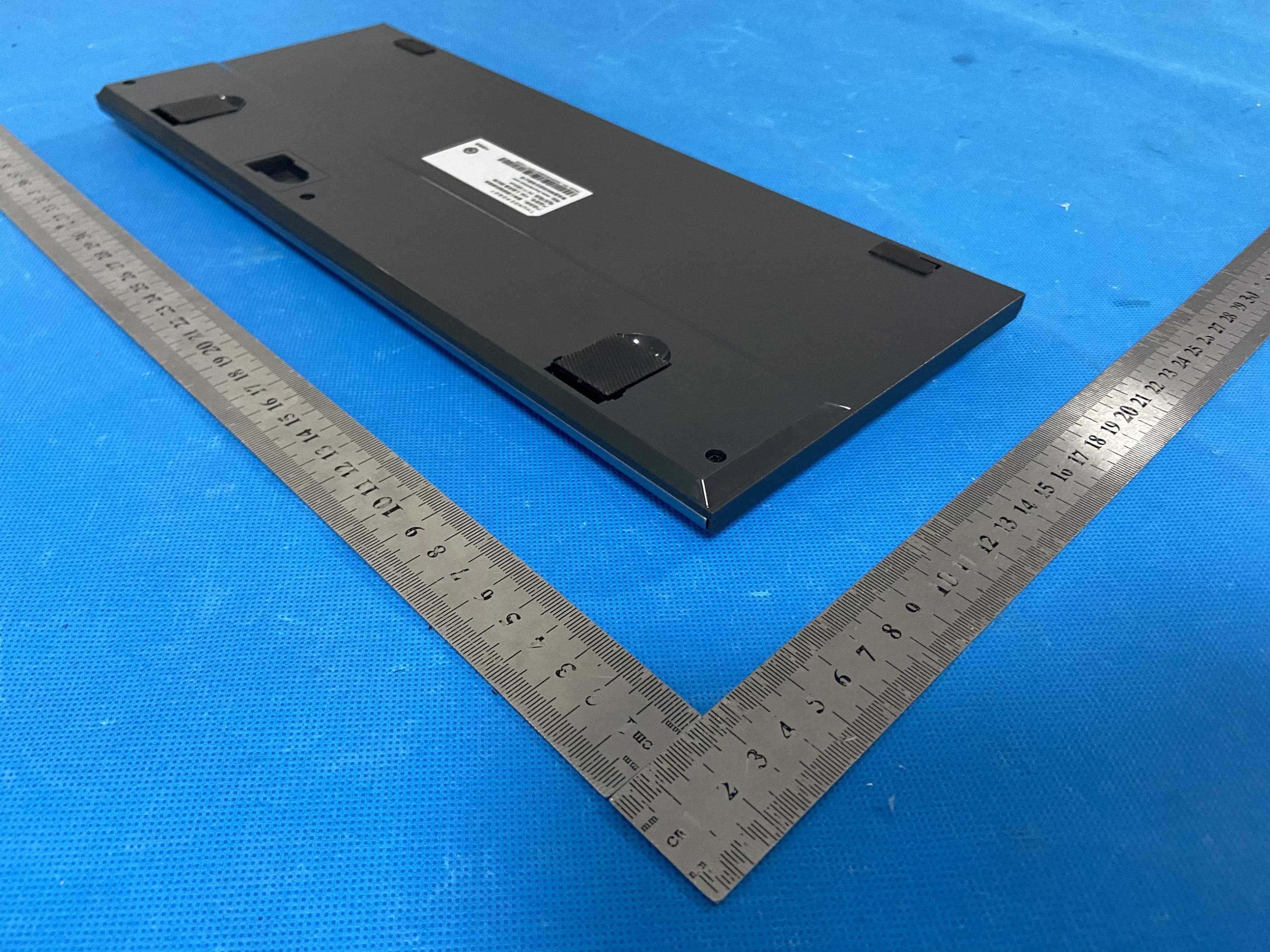
Click to zoom
Application Details
- Equipment Class
- DTS - Digital Transmission System
- Date of Grant
- Sep 04, 2024
- Application Purpose
- Original Equipment
- Date of Application
- Sep 03, 2024
- Equipment Note
- THUNDEROBOT KEYBOARD
- Frequency Range
- 2402.00000000 - 2480.00000000
- Country
- China
Documents & Files
Document Text
Text extracted from the exhibit documents filed with the FCC. Open a document above to read the original.
Users Manual
5 6 7 1 9 3 10 12 8 4 11 10 LAYOUT EN Interface Type: USB Interface Mode Product Type: Mechanical Keyboard Product Size: L360xW149xH22 mm Supported OS: Win XP/Win7/Win8/Win10/Win11/MAC Charging Voltage: DC 5V Working Current: Less than 580mA Key Count: 96 Keys SPECIFICATION KEYBOARD *1, USB CABLE *1, USER MANUAL *1, 2.4G DONGLE RECEIVER*1 PACKING LIST 1. Mode Selection: BT/2.4G/Wired: Wired Mode: Connect the TYPE-C USB cable to the computer, set the power switch to the OFF position, short press Fn + [5%] to switch to wired mode. 2.4G Mode: When the TYPE-C USB cable is connected to the computer, with the power switch in the ON or OFF position, short press Fn + [4$] to switch to 2.4G mode. When the USB cable is not connected to the computer, switch the power switch to ON, and short press Fn + [4$] to switch to 2.4G mode. Bluetooth Mode: When the TYPE-C USB cable is connected to the computer, with the power switch in the ON or OFF position, short press Fn + [1!]/[2@]/[3#] to switch to Bluetooth BT1/BT2/BT3 mode. When the TYPE-C USB cable is not connected to the computer, switch the power switch to ON, and short press Fn + [1!]/[2@]/[3#] to switch to Bluetooth BT1/BT2/BT3 mode. 2. Bluetooth/2.4G Pairing: Bluetooth: Long press Fn + [1!]/[2@]/[3#] for 3 seconds to enter the corresponding Bluetooth channel pairing mode. The M indicator will flash blue/cyan/pink to indicate pairing mode. Once paired, the indicator will stay on. 2.4G: Long press Fn + [4$] for 3 seconds to enter 2.4G pairing mode, then connect the receiver to the computer. Once paired, the M indicator will stay green. 3. M Indicator Definitions: •Charging: Red light on, turns off when fully charged and shows the current mode's color. •Low Battery: Red light flashes slowly. •BT Channel 1: Blue light; fast flash during pairing, slow flash during reconnection, solid light when paired. •BT Channel 2: Cyan light; fast flash during pairing, slow flash during reconnection, solid light when paired. •BT Channel 3: Purple light; fast flash during pairing, slow flash during reconnection, solid light when paired. •USB Wired Connection: White light. •2.4G: Green light; fast flash during pairing, slow flash during reconnection, solid light when paired. Note: When USB charging, BT pairing, and 2.4G pairing indicators take priority. During normal operation, charging indicators take priority. 4. Dynamic White Backlight Effects: Cycle through effects with Fn + Ins: Constant (default), Breathing, Windmill, Wave, Ripple, Right Column Wave, Left Column Wave, Click Extinguish, Full Brightness Starry Night, Single Point Delay Extinguish, Click Spread, Clockwise Running Horse, Boot Screen, Single Point Extinguish Delay Bright, Snake Running Horse, Starry Night, Wall Brushing, Left to Right Sweep, Sine Wave. Fn + Backspace for custom lighting (default is no light). 5. WINDOW Key Lock: Fn + Win to lock/unlock the Win key function (Note: No lock function under MAC system). 6. Backlight Speed Adjustment: Adjust dynamic backlight speed with Fn + arrow keys “/”. When reaching the limit, Num, CapsLock, and ScrLk lights flash 3 times. 5 levels adjustable. 7. Backlight Brightness Adjustment: Adjust backlight brightness with Fn + arrow keys “/”. When reaching the limit, Num, CapsLock, and ScrLk lights flash 3 times. 5 levels adjustable. 8. Volume/Backlight Adjustment Switch Key (Roller Up/Down): Default is volume adjustment. Press the key to toggle between volume and brightness adjustment. When adjusting brightness, rolling up increases brightness, rolling down decreases brightness. When reaching the limit, Num, CapsLock, and ScrLk lights flash 3 times. Press the key again to switch back to volume adjustment, rolling up increases volume, rolling down decreases volume. FUNCTION INTRODUCTION 9. MAC/WIN Function Key Swap: Default WIN system, press Fn + W to switch to WIN system, W key indicator flashes 3 times. Press Fn + A to switch to MAC system, A key indicator flashes 3 times. WIN System Multimedia Functions: Fn + F1: Decrease brightness (Win8 and above) Fn + F2: Increase brightness (Win8 and above) Fn + F3: Mail Fn + F4: Calculator Fn + F5: My Computer Fn + F6: Player Fn + F7: Previous track Fn + F8: Play/Pause Fn + F9: Next track Fn + F10: Mute Fn + F11: Decrease volume Fn + F12: Increase volume Fn + PrtSc: ScrLk MAC System Multimedia Functions: Fn + F1: Decrease brightness Fn + F2: Increase brightness Fn + F3: Mission Control Fn + F4: Siri Fn + F5: App Exposé Fn + F6: Search Fn + F7: Previous track Fn + F8: Play/Pause Fn + F9: Next track Fn + F10: Mute Fn + F11: Decrease volume Fn + F12: Increase volume Fn + PrtSc: ScrLk 10. Multimedia Functions: 11. Light Recording: Press Fn + Backspace to enter custom light mode, press again to start recording. Num, CapsLock, ScrLk lights flash continuously (end when done). Press any key to light up (press again to turn off), creating the desired backlight pattern. Press Fn + Backspace to save. When playing light macro, defined key lights will stay on (Fn key cannot be custom-lit). 12. Reset: Press Fn + Esc for 3 seconds to restore factory settings and clear all macros. 13. Wake Up (BT/2.4G/USB): Press any key to wake up (excluding roller). 14. Auto Sleep: Backlight turns off after 3 minutes of inactivity, keyboard enters sleep mode after 30 minutes of inactivity. 15. Low Battery Indicator: If battery voltage is below 3.3V, backlight turns off, red light flashes slowly with key actions; if battery voltage is equal to or below 3.0V, keyboard function shuts down. 16. Charging Indicator: When the TYPE-C USB cable is connected to a computer or charger, the keyboard charges. M indicator shows red light when charging, turns off when fully charged and displays the current mode's color. 17. Device Names: Wired: K96 Bluetooth: K96 3.0, K96 5.0 Copy FUNCTION ICON Switch window Return to desktop Cut Paste Next track FUNCTION ICON Previous track Stop playing Play/Pause Roller switch volume/backlight key EN EN EN RU Тип интерфейса: Режим…
Text truncated - open the document above for the full version.
Attestation Statements
C5266091_X24_Ed.2 1/1 “QingdaoThunderobotTechnologyCo.,Ltd.” TO: OfficeofEngineeringTechnology FederalCommunicationsCommission 7435OaklandMillsRoad Columbia,MD21046 TheCommissionadoptedrulesthatprohibitequipmentauthorizationfor“covered” telecommunicationsequipmentandvideosurveillanceequipmentproducedbyentitiesidentified ontheCommission’sCoveredList 1 ,whichisperiodicallyupdated.SeetheCoveredListformore details.ThisAttestationStatementistoconfirmthatwefollowtheSection2.911(d)(5)(i)-(ii) Applicant Companyname:QingdaoThunderobotTechnologyCo.,Ltd. Granteecode:2BFDF FCCID:2BFDF-K96 FRN:0035103605 ContactName:JennyTan Address:No.1,HaierRoad,LaoshanDistrict,Qingdao,China TelephoneNo:+8613088867187 FaxNo:+8613088867187 Email:[email protected] i.[QingdaoThunderobotTechnologyCo.,Ltd.](“theapplicant”)certifiesthatthe equipmentforwhichauthorizationissoughtisnot“covered”equipment prohibitedfromreceivinganequipmentauthorizationpursuanttosection 2.903oftheFCCrules.Theapplicantmustsignthiscertification. ii.[QingdaoThunderobotTechnologyCo.,Ltd.](“theapplicant”)certifiesthat,as ofthedateofthefilingoftheapplication,theapplicantisnot(asa specificallynamedentityoranyofitssubsidiariesoraffiliates)identifiedon theCoveredListasanentityproducing“covered”equipment.Theapplicant mustsignthiscertification. [QingdaoThunderobotTechnologyCo.,Ltd.](“theapplicant”)certifiesthat,asof thedateofthefilingofthe application,theapplicant[isnot]identifiedontheCoveredList asanentityproducing“covered” equipment. Date:31/08/2024 Applicant’sName:Qingdao ThunderobotTechnologyCo.,Ltd. Title:Manager Signature 1 TheCommission’sCoveredListispublishedbythePublicSafetyandHomelandSecurityBureauandpostedonthe Commission’swebsite.ThisCoveredList,whichisperiodicallyupdated,identifiesparticularequipment,producedby particularentities,thatconstitutes“covered”equipment.https://www.fcc.gov/supplychain/coveredlist
Attestation Statements
QingdaoThunderobotTechnologyCo.,Ltd ProductSimilarityDeclaration Productname:THUNDEROBOTKEYBOARD ModelNumber:TR-K96,TR-K96Purple,TR-K96Grey,K96Purple, K96Grey,K96,K96SD,K96GL,K96ES,K96PT FCCID:2BFDF-K96 We(QingdaoThunderobotTechnologyCo.,Ltd)herebystate thatallthemodelsareelectricalidenticalincludingthesame softwareparameterandhardwaredesign(i.e.,circuitdesign, PCBLayout,RFmodule/circuit,antennatype(s)andantenna location,componentsonPCB,etc.,),samemechanical structureanddesign(includingproductenclosure,materials, etc.,),TR-K96istestedmodel,othermodelsarederivative models.onlydifferentonthemodelnames Signature: Name:JennyTan Title:Manager Place,date:2024-8.31
Cover Letter(s)
C5266091_X8_Ed.1 1/1 LetterofAuthorization <QingdaoThunderobotTechnologyCo.,Ltd.> Company:QingdaoThunderobotTechnologyCo.,Ltd. ProductName:THUNDEROBOTKEYBOARD ModelNumber:TR-K96,TR-K96Purple,TR-K96Grey,K96Purple, K96Grey,K96,K96SD,K96GL,K96ES,K96PT FCCIdentifier:2BFDF-K96 WeauthorizeLGAITechnologicalCenterS.A.,RondadelaFontdelCarme,s/n, 08193Bellaterra,Spain,toactonourbehalfonallmattersconcerningthe abovenamedequipment. AnyindividualwithinLGAITechnologicalCenterS.A.isauthorizedtoactonour behalfandtakeactionontheapplication. WedeclarethatauthorizeLGAITechnologicalCenterS.A.,RondadelaFontdel Carme,s/n,08193Bellaterra,Spain,isallowedtoforwardallinformation relatedtotheapprovalprojecttotheFederalCommunicationCommissionand todiscussanyissuesconcerningtheapprovalapplication.Anyandallacts carriedoutbyLGAITechnologicalCenterS.A.onourbehalfshallhavethe sameeffectasactsofourown. Name:JennyTanDate:2024.08.31 Title:Manager Signatureofapplicant: Address:No.1,HaierRoad,LaoshanDistrict,Qingdao,China
Cover Letter(s)
C5266091_X10_Ed.2 1/1 <QingdaoThunderobotTechnologyCo.,Ltd.> OfficeofEngineeringTechnology FederalCommunicationsCommission 7435OaklandMillsRoad Columbia,MD21046 Date:2024-08-31 Subject:RequestforConfidentiality FCCID:2BFDF-K96 ToWhomItMayConcern, PursuanttotheprovisionsofSections0.457and0.459ofCommission'srules (47CFR0.457,0.459),wearerequestingtheCommissiontowithholdthefollowing attachment(s)asconfidentialdocumentfrompublicdisclosure. ExhibitsLong-Term Confidentiality Short-Term Confidentiality NOTE2 IDLabel/LocationNoNo AttestationStatementNoNo ExternalPhotosNo ☐ BlockDiagram ☒☐ Schematics ☒☐ TestReportNoNo TestSetupPhotosNo ☐ User’sManual ☐ NOTE 1 ☐ InternalPhotos ☐ NOTE 1 ☐ PartsList/TuneUp ☐☐ RFExposureInfoNoNo OperationalDescription ☒☐ CoverLetter(s)NoNo SDRSoftware/SecurityInfo ☐ No NOTE1:Long-TermConfidentialitymaybepermittedunderspecialconditions(SeeII.LONG-TERMCONFIDENTIALITY,Section3of KDB726920,uselastinforce) NOTE2:Short-TermConfidentialitycanberequestedforamaximumof180daysfromthedateofthegrant. Abovementioneddocumentcontainsdetailedsystemandequipmentdescriptionare consideredasproprietaryinformationinoperationoftheequipment.Thepublic disclosureofabovedocumentsmightbeharmfultoourcompanyandwouldgive competitoranunfairadvantageinthemarket. Incaseofshort-termConfidentiality,theapplicantrequeststheexhibitsselected abovearewithheldfrompublicviewforaperiodof180daysfromthedateofthe GrantofEquipmentAuthorizationandpriortomarketing. Itisourunderstandingthatallmeasurementtestreports,FCCIDlabelformatand correspondentduringcertificationreviewprocesscannotbegrantedasconfidential documentsandthoseinformationwillbeavailableforpublicreviewoncethegrantof equipmentauthorizationisissued. C5266091_X10_Ed.2 1/1 Sincerely, Signature: Name:JennyTan Title:Manager
External Photos
FCCID:2BFDF-K96 EUTPHOTOS(ExternalPhotos) FCCID:2BFDF-K96 FCCID:2BFDF-K96 FCCID:2BFDF-K96 FCCID:2BFDF-K96 ※※※※※ENDOFREPORT※※※※※
Internal Photos
FCCID:2BFDF-K96 EUTPHOTO(InternalPhotos) FCCID:2BFDF-K96 FCCID:2BFDF-K96 FCCID:2BFDF-K96 ANT FCCID:2BFDF-K96 ※※※※※ENDOFREPORT※※※※※
RF Exposure Info
FCCID:2BFDF-K96 RFExposureEvaluation AccordingtoKDB447498D01GeneralRFExposureGuidancev06andpart2.1093,Unless specificallyrequiredbythepublishedRFexposureKDBprocedures,standalone1-gheador bodyand10-gextremitySARevaluationforgeneralpopulationexposureconditions,by measurementornumericalsimulation,isnotrequiredwhenthecorrespondingSARTest ExclusionThresholdcondition(s),listedbelow,is(are)satisfied. For100MHzto6GHzandtestseparationdistances≤50mm,the1-gand10-gSARtest exclusionthresholdsaredeterminedbythefollowing: [(max.powerofchannel,includingtune-uptolerance,mW)/(min.testseparationdistance, mm)]·[√f (GHz) ]≤3.0for1-gSAR,and≤7.5for10-gextremitySAR,where f (GHz) istheRFchanneltransmitfrequencyinGHz PoweranddistanceareroundedtothenearestmWandmmbeforecalculation Theresultisroundedtoonedecimalplaceforcomparison Here, ForBluetoothand2.4G Mode Max Power (dBm) Tune-up power (dBm) Max Power (mW) Frequency(MHz) Min. Distance (mm) Calc. thresholds limit EDR1.351±11.58248050.49803.0 2.4G-9.81 -9±1 0.1624025 0.0496 3.0 EIRP=85.39-95.2=-9.81dBm SoaSARtestisnotrequired
Test Report
Antenna Specification Summary ITEM ANT SPEC Model Name 2.4G ANT MAX. Gain Polarization Horizontal and Vertical Azimuth Beam Pattern Omni-directional Impedance 50 Ohm Antenna Length 14.4mm Manufacture Qingdao Thunderobot Technology Co.,Ltd. Antenna Photo & Length (mm) Address Antenna Type: PCB Antenna No. 1, Haier Road, Laoshan District, Qingdao 2dBi 3 1.Test Results Gain and Efficiency Frequency(MHz)PeakGain(dBi)Efficiency(%) 2400 241 0.5717.44 0 242 0.6517.81 0 243 0.9118.56 0 244 0.8618.73 0 245 1.0218.92 0 246 1.3519.35 0 247 1.2118.60 02.00 248 18.74 0 249 1.0517.53 0 250 0.8216.86 00.4315.60 4 Phi02 1.2RadiationPattern D -5 Phi902D 0 Theta902D 0
Test Report
ProjectNo.:ZKT-240822L10316E Page 1 of 57 FCCTESTREPORT FCCID:2BFDF-K96 ReportNumber.....................................:ZKT-240822L10316E DateofTest...........................................:July26,2024toAug.16,2024 Dateofissue.........................................:Aug.16,2024 TestResult .......................................... :PASS TestingLaboratory...............................:ShenzhenZKTTechnologyCo.,Ltd. Address ............................................... :1/F,No.101,BuildingB,No.6,TangweiCommunityIndustrial Avenue,FuhaiStreet,Bao'anDistrict,Shenzhen,China Applicant'sname ................................ :QingdaoThunderobotTechnologyCo.,Ltd. Address ............................................... :No.1,HaierRoad,LaoshanDistrict,Qingdao,China Manufacturer'sname ......................... :QingdaoThunderobotTechnologyCo.,Ltd. Address...............................................:No.1,HaierRoad,LaoshanDistrict,Qingdao,China Testspecification: Standard ................................................ :FCCCFRTitle47Part15SubpartCSection15.247 Testprocedure......................................:KDB558074D0115.247MeasGuidancev05r02 ANSIC63.10:2013 Non-standardtestmethod ................ :N/A ThisdevicedescribedabovehasbeentestedbyZKT,andthetestresultsshowthattheequipmentunder test(EUT)isincompliancewiththeFCCrequirements.Anditisapplicableonlytothetestedsample identifiedinthereport. Thisreportshallnotbereproducedexceptinfull,withoutthewrittenapprovalofZKT,thisdocumentmay bealteredorrevisedbyZKT,personalonly,andshallbenotedintherevisionofthedocument. Productname.......................................:THUNDEROBOTKEYBOARD Trademark...........................................:THUNDEROBOT Model/Typereference ......................... : TR-K96,TR-K96Purple,TR-K96Grey,K96Purple,K96Grey,K96, K96SD,K96GL,K96ES,K96PT Modeldifference...................................: TR-K96istestedmodel,othermodelsarederivativemodels.The modelsareidenticalincircuit,onlydifferentonthemodelnames. SothetestdataofTR-K96canrepresenttheremainingmodels. Rating .................................................... ::Input:5V580mAorDC3.7Vpoweredbybattery ProjectNo.:ZKT-240822L10316E Page 2 of 57 Testingprocedureandtestinglocation: TestingLaboratory..........................................:ShenzhenZKTTechnologyCo.,Ltd. Address............................................................:1/F,No.101,BuildingB,No.6,TangweiCommunity IndustrialAvenue,FuhaiStreet,Bao'anDistrict, Shenzhen,China JimLiu Testedby(name+signature).......................: TomZou Reviewer(name+signature) ....................... : LakeXie Approved(name+signature) ....................... : ProjectNo.:ZKT-240822L10316E Page 3 of 57 TableofContentsPage 1.VERSION...................................................................................................................5 2.SUMMARYOFTESTRESULTS...............................................................................6 2.1TESTFACILITY.................................................................................................................7 2.2MEASUREMENTUNCERTAINTY....................................................................................7 3.GENERALINFORMATION........................................................................................8 3.1GENERALDESCRIPTIONOFEUT.................................................................................8 3.2DESCRIPTIONOFTESTMODES....................................................................................9 3.3TESTSETUPCONFIGURATION......................................................................................9 3.4DESCRIPTIONOFSUPPORTUNITS(CONDUCTEDMODE)........................................9 3.5EQUIPMENTSLISTFORALLTESTITEMS.................................................................11 4.EMCEMISSIONTEST.............................................................................................13 4.1CONDUCTEDEMISSIONMEASUREMENT..................................................................13 4.1.1POWERLINECONDUCTEDEMISSIONLimits...................................................13 4.1.2TESTPROCEDURE...............................................................................................13 4.1.3DEVIATIONFROMTESTSTANDARD..................................................................13 4.1.4TESTSETUP...........................................................................................................14 4.1.5EUTOPERATINGCONDITIONS...........................................................................14 4.1.6TESTRESULTS......................................................................................................15 4.2RADIATEDEMISSIONMEASUREMENT......................................................................17 4.2.1RADIATEDEMISSIONLIMITS...............................................................................17 4.2.2TESTPROCEDURE...............................................................................................18 4.2.3DEVIATIONFROMTESTSTANDARD..................................................................18 4.2.4TESTSETUP...........................................................................................................18 4.2.5EUTOPERATINGCONDITIONS...........................................................................19 5.RADIATEDBANDEMISSIONMEASUREMENT.....................................................25 5.1TESTREQUIREMENT:..............................................................................................25 5.2TESTPROCEDURE..................................................................................................25 5.3DEVIATIONFROMTESTSTANDARD.....................................................................25 5.4TESTSETUP..............................................................................................................26 5.5EUTOPERATINGCONDITIONS................................................................…
Text truncated - open the document above for the full version.
Test Setup Photos
FCCID:2BFDF-K96 EUTTESTPHOTOS FCCID:2BFDF-K96
Contact Information
Applicant
Jenny Tan
Technical Contact
Non-Technical Contact
Shenzhen ZKT Technology Co., Ltd.Lake Xie
[email protected]0086-4000009970
Test Firm
Shenzhen ZKT Technology Co., Ltd.Lake Xie
[email protected]0086-13620010775
Technical Specifications
| # | Rule Parts | Frequency Range | Power Output |
|---|---|---|---|
| 1 | 15C | 2.40 GHz - 2.48 GHz | 1.40 mW |
Other Applications from Qingdao Thunderobot Technology Co.,Ltd.
2BFDF-G608K
Jul 13, 2026Gaming Controller
Equipment Class
DTS - Digital Transmission System2BFDF-ZERO16
Nov 25, 2025Notebook
Equipment Class
6XD - 15E 6 GHz Low Power Indoor Client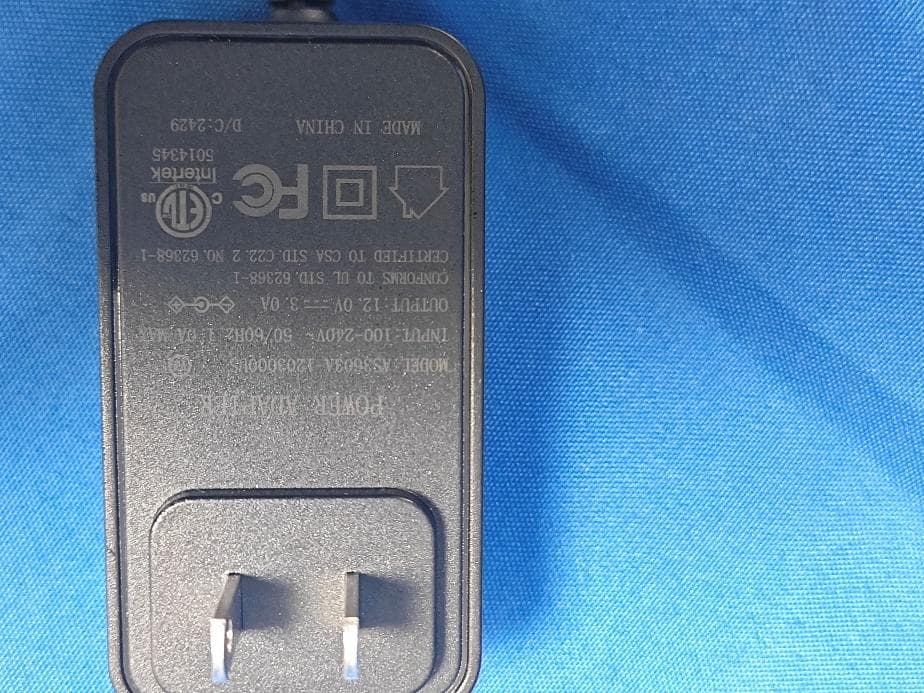
2BFDF-N17A
Sep 14, 2024NOTEBOOK COMPUTER
Equipment Class
DTS - Digital Transmission System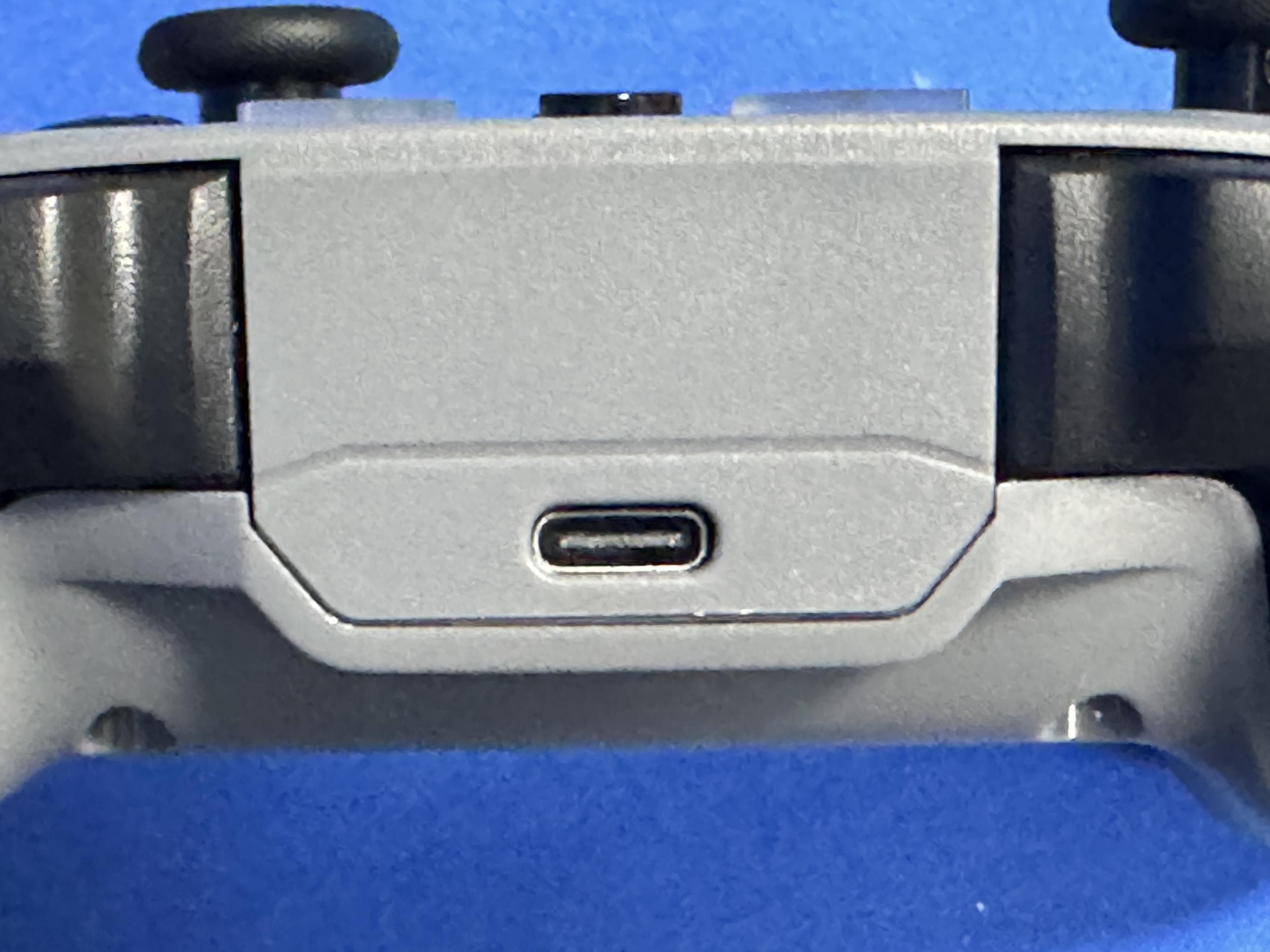
2BFDF-G30S
Apr 16, 2024Thunderobot gamepad
Equipment Class
DSS - Part 15 Spread Spectrum Transmitter