2BFMZ-PWRSHOT11083CPowerShot
Feel Group B.V.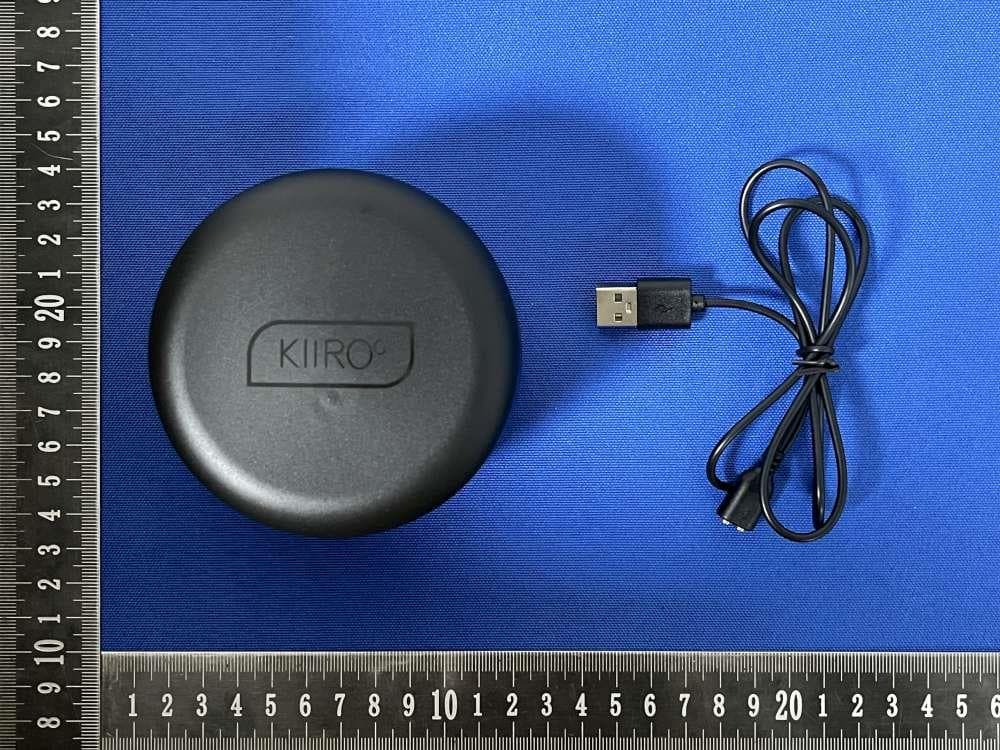
Click to zoom
Application Details
- Equipment Class
- DTS - Digital Transmission System
- Date of Grant
- Oct 01, 2025
- Application Purpose
- Original Equipment
- Equipment Note
- PowerShot
- Frequency Range
- 2402.00000000 - 2480.00000000
- Company
- Feel Group B.V.
- Country
- Netherlands
Documents & Files
Document Text
Text extracted from the exhibit documents filed with the FCC. Open a document above to read the original.
Users Manual
USER MANUALS Choose your language Click on one English Deutsch Español Français Software notice PowerShot by Kiiroo is to be used with the authorized FeelTechnology Software. Downloading any third-party applications to control or interact with the PowerShot that are not mentioned above is done entirely at your own risk. If a third-party application is downloaded, and it damages either the device software or hardware or leads to personal injury, neither Kiiroo, FeelRobotics nor any of their partners will be held liable. Hardware notice PowerShot was designed to be used alone or with compatible Kiiroo toys. The usage of any third-party hardware product in combination with PowerShot and violates the terms of usage and warranty, and Kiiroo will not be liable for any damage sustained. National deviation 7.12.Z1 This appliance contains batteries that are non-replaceable. For a part of class III construction supplied f rom a detachable power supply unit, the instructions state that the appliance is only to be used with the unit provided. The appliance is not to be used by persons with reduced physical, sensory or mental capabilities, or lack of experience and knowledge unless they have been given supervision or instruction. Kiiroo and FeelRobotics are constantly working to ensure their hardware and software are as secure as possible. 2 We recommend updating your app and device firmware every time there is an update. Keeping your device and app versions up-to-date ensures you have the newest features and guarantees your safety. Logo usage Apple and the Apple logo are trademarks of Apple Inc., registered in the U.S. and other countries. App Store is a service mark of Apple Inc., registered in the U.S. and other countries. Google Play and the Google Play logo are trade marks of Google Inc. The Bluetooth® word mark and logos are registered trademarks owned by the Bluetooth SIG, Inc. and any use of such marks by Kiiroo is under license. Other trademarks and trade names are those of their respective owners. 3 Table of contents 4 Setting up your device Charging and LED indicator Modes Bluetooth mode Custom mode set up Manual modes FeelConnect & Services Ways to use PowerShot Handling Lubrication Disclaimer and warnings Disposal specifications Aftercare and help Specifications & FAQ FCC statement, ISED statement 5 6 7 12 13 15 16 17 18 19 Set up your device Using the magnetic USB charger provided, charge your device for about 1 hour 45 mintues until the LED light turns solid green. *We recommend charging the device fully prior to the first use. The charging port can be found on the PowerShot (see picture). While your device is charging Download the FeelConnect App so you are ready to pair your PowerShot with your mobile phone once it is charged. Magnetic Charger SET UP YOUR DEVICE 5 Insert the USB cable into a wall charger/charging port. The other end of the charging cable is magnetic and attaches to the magnets located in the f ront of the PowerShot. Please note, a wall adapter is NOT included in the box. We recommend using a wall adapter to fully charge your PowerShot in about 1 hour 45 minutes. A computer USB port delivers limited current and can exceed that time. The LED light on PowerShot indicates the battery level and charging progress. When the LED indicator blinks red, the battery is approximately 20% charged. When the battery is over 20% but lower than 50% charged, the LED indicator will blink orange. When the battery is over 50% but lower than 80% charged, the LED indicator will blink yellow. When the battery is 95% charged, the LED indicator will blink green. The LED light will turn solid green when PowerShot is fully charged. Please disconnect the charger before use. CHARGING AND LED INDICATOR 6 MODES Quick start To turn on PowerShot, press and hold the Multifunctional button in the f ront (approximately 3 seconds) until the device turns on. When PowerShot is turned on, it automatically enters Bluetooth pairing mode, indicated by a blinking blue light. To access manual mode, click once—manual mode is indicated by a purple light. Continue clicking to cycle through the five preset manual modes or return to Bluetooth mode. To turn off PowerShot, press and hold the Multifunctional button (approximately 3 seconds) until the device turns off. Multifunctional Button 7 Please note: When PowerShot connects to the FeelConnect app, you may be asked to complete the wireless firmware update. After completion, PowerShot will turn off. Simply turn it back on by holding the Multifunctional button for 3 seconds, and it’s ready to use. We recommend you always update your PowerShot firmware when prompted and do not skip. Bluetooth Pairing Mode - indicated by a blinking blue light To use PowerShot with a partner or interactive webcam, please download the FeelConnect app on your mobile phone and follow the instructions on screen to pair your PowerShot to the app. When PowerShot is turned on, the LED light will blink blue, indicating that PowerShot is in Bluetooth Pairing Mode and ready to pair with the FeelConnect app. Follow the onboarding instructions in the FeelConnect app to connect and set up your PowerShot. Once you are paired with the app, the LED light will turn solid blue. MODES 8 Download the app Connecting to the FeelConnect App Make sure your PowerShot is in Bluetooth pairing mode—this is indicated by a blinking blue light. Open the FeelConnect app and select “Connect New Device”. Choose PowerShot f rom the list of available devices and follow the prompts to connect. Once paired, select “Test Connection” to confirm that your PowerShot is successfully linked. When the connection is confirmed, you'll be prompted to set up a custom mode. Tap “Let’s Get Started” to begin designing. 9 Custom Mode - indicated by a yellow light Once connected to the FeelConnect app, you can create a custom mode and save it directly to your PowerShot. After saving, you can disconnect f rom the app and use your custom mode …
Text truncated - open the document above for the full version.
Attestation Statements
Feel Group B.V. Covered Equipment Certification Attestation Letter 9/26/2025 Federal Communications Commission Authorization and Evaluation Division 7435 Oakland Mills Road Columbia, MD 21046 USA ATTN.: Reviewing Engineer FCC ID: 2BFMZ-PWRSHOT11083C Feel Group B.V. (“the applicant”) certifies that the equipment for which authorization is sought is not “covered” equipment prohibited from receiving an equipment authorization pursuant to section 2.903 of the FCC rules. Note: If the equipment for which the applicant seeks authorization is produced by any of the entities identified on the current Covered List, the applicant should include an explanation on why the equipment is not “covered” equipment. Feel Group B.V. (“the applicant”) certifies that, as of the date of the filing of the application, the applicant is not identified on the Covered List (as a specifically named entity or any of its subsidiaries or affiliates) as an entity producing “covered” equipment. Feel Group B.V. (“the applicant”) certifies that the equipment for which authorization is sought does not include cybersecurity or anti-virus software produced or provided by Kaspersky Lab, Inc. or any of its successors and assignees, including equipment with integrated Kaspersky Lab, Inc. (or any of its successors and assignees) cybersecurity or anti-virus software pursuant to DA-24-886 and KDB 986446 D01 Covered Equipment Guidance section B(2a). Signed: Printed name: Jamal Salloum Title: Manager Company Name: Feel Group B.V. Date: 9/26/2025
Attestation Statements
Feel Group B.V. U.S. Agent Letter of Attestation To: Federal Communications Commission 7435 Oakland Mills Road, Columbia, MD 21046, USA Date: September 26, 2025 Ref: Attestation Statement – Part 2.911(d)(7) filing FCC ID: 2BFMZ-PWRSHOT11083C Feel Group B.V.(“the applicant”) certifies that, as of the date of the filing of the application, CLF Import and Export Limited (“the agent”) is our designated U.S. agent for service of process for the above reference FCC ID. The applicant accepts to maintain an agent for service of process in the United States for no less than one year after either the grantee has permanently terminated all marketing and importation of the applicable equipment within the U.S., or the conclusion of any Commission-related administrative or judicial proceeding involving the equipment, whichever is later. The applicant further acknowledges it is our responsibility to inform the FCC whenever the agent information changes. CLF Import and Export Limited ("the agent) understand it is the agent's obligation to accept service of process in the United States for matters related to the applicable equipment, and at the physical U.S. address and email address. Designated U.S. Agent Company Name: CLF Import and Export Limited FRN: 0033489683 Address: 1312 17th Street #692, Denver, CO 80202, United States Signature: Contact Person: David Chen Tel: +1 949 254 2565 Email: [email protected] Applicant Feel Group B.V. FRN: 0035197805 Address: De Boelelaan 7, 4th Floor, Amsterdam, North, 1083 HJ, Netherlands Signature: Contact Person: Jamal Salloum Tel: 31641091844 Email: [email protected]
Cover Letter(s)
DATE: September 26, 2025 Equipment Autorisation Division Federal Communications Commission 7435 Oakland Mills Road Columbia, MD 21046 FCC ID: 2BFMZ-PWRSHOT11083C Product Name: PowerShot Request for Confidentiality Pursuant to Sections 0.457 and 0.459 of the commission’s rules, we hereby request that the following documents be held confidential: (List here the documents for which you are seeking confidentiality – for example ...) • Schematics • Block diagram • Operation description These materials contain trade secrets and proprietary information and are not customarily released to the public. The public disclosure of this information might be harmful to the company and provide unjustified benefits to our competitors. <Signature> Name: Jamal Salloum Title: Manager Company: Feel Group B.V.
Cover Letter(s)
Date: September 26, 2025 Federal Communications Commission Authorization & Evaluation Division 7345 Oakland Mills Road Columbia, Maryland 21046 RE: LETTER OF AGENT AUTHORIZATION To Whom It May Concern: We, the undersigned, hereby authorize Compliance Testing, LLC to act on our behalf in all matters relating to application for equipment authorization, including the signing of all documents relating to these matters. We also hereby certify that no party to the application authorized hereunder is subject to the denial of benefits, including FCC benefits, pursuant to Section 5301 of the Anti-Drug Abuse Act of 1988, 21 U.S.C.853(a). Sincerely, <Signature> Name: Jamal Salloum Title: Manager Company: Feel Group B.V.
Cover Letter(s)
DATE: September 26, 2025 Federal Communications Commission Authorization & Evaluation Division 7345 Oakland Mills Road Columbia, Maryland 21046 Authority to Act as Agent On our behalf, I appoint Shenzhen CCUT Quality Technology Co., Ltd. (1F, Building 35, Changxing Technology Indstrl Park Changzhen Community, Yutang Street,Shenzhen,China) to act as our agent in the preparation of this application for equipment certification. I certify that submitted documents properly describe the device or system for which equipment certification is sought. I also certify that each unit manufactured, imported or marketed, as defined in the Federal Communications Commission’s regulations will have affixed to it a label identical to that submitted for approval with this application. For instances where our authorized agent signs the application for certification on our behalf, I acknowledge that all responsibility for complying with the terms and conditions for certification, still resides with Feel Group B.V. (De Boelelaan 7, 4th Floor, Amsterdam, North, 1083 HJ, Netherlands). <Signature> Name: Jamal Salloum Title: Manager Applicant Company: Feel Group B.V.
External Photos
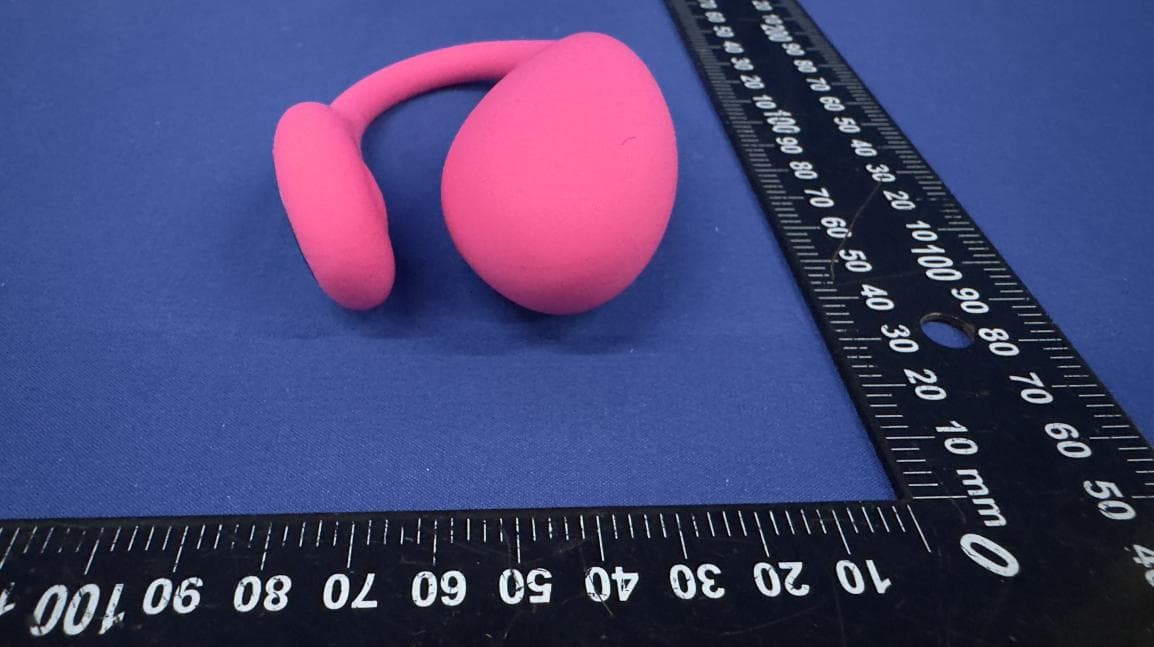
Report No: SSP25080397-1E FCC ID: 2BFMZ-PWRSHOT11083C Annex of Test Report Annex A. EUT External Photos Model: 11081-CO EUT View 1 EUT View 2 Report No: SSP25080397-1E FCC ID: 2BFMZ-PWRSHOT11083C Annex of Test Report EUT View 3 EUT View 4 Report No: SSP25080397-1E FCC ID: 2BFMZ-PWRSHOT11083C Annex of Test Report EUT View 5 EUT View 6 Report No: SSP25080397-1E FCC ID: 2BFMZ-PWRSHOT11083C Annex of Test Report EUT View 7 EUT View 8
ID Label/Location Info
Report No: SSP25080397-1E FCC ID: 2BFMZ-PWRSHOT11083C Annex of Test Report Annex D. Label and Information FCC Label Sample FCC Label Specifications Text is Black in color and is justified. Labels are printed in indelible ink on permanent adhesive backing or silk-screened onto the EUT or shall be affixed at a conspicuous location on the EUT. Where the EUT is constructed in two or more sections connected by wires and marketed together, the above statement is required to be affixed only to the main control unit. When the EUT is so small or for such use that it is not practicable to place the statement on it, the above information shall be placed in a prominent location in the instruction manual or pamphlet supplied to the user or, alternatively, shall be placed on the container in which the device is marketed. FCC Label Location
Internal Photos
Report No: SSP25080397-1E FCC ID: 2BFMZ-PWRSHOT11083C Annex of Test Report Annex B. EUT Internal Photos Model: 11081-CO EUT Internal View 1 EUT Internal View 2 PCB Antenna Report No: SSP25080397-1E FCC ID: 2BFMZ-PWRSHOT11083C Annex of Test Report EUT Internal View 3 EUT Internal View 4
RF Exposure Info
FCC ID: 2BFMZ-PWRSHOT11083C RF Exposure Evaluation According to KDB 447498 D01 General RF Exposure Guidance v06 and part 2.1093,Unless specifically required by the published RF exposure KDB procedures, standalone 1-g head or body and 10-g extremity SAR evaluation for general population exposure conditions, by measurement or numerical simulation, is not required when the corresponding SAR Test Exclusion Threshold condition(s), listed below, is (are) satisfied. For 100 MHz to 6 GHz and test separation distances ≤ 50 mm, the 1-g and 10-g SAR test exclusion thresholds are determined by the following: [(max. power of channel, including tune-up tolerance, mW) / (min. test separation distance, mm)] · [√f(GHz)] ≤ 3.0 for 1-g SAR, and ≤ 7.5 for 10-g extremity SAR, where f(GHz) is the RF channel transmit frequency in GHz Power and distance are rounded to the nearest mW and mm before calculation The result is rounded to one decimal place for comparison Here, The device has been evaluated to meet general RF exposure requirement. The device can be used in portable exposure condition without restriction. For BLE Max Conducted Power(dBm) Tune-up Power(dBm) Max Tune-up Power(dBm) Max Power(mW) Frequency(MHz) Min. distance(mm) Calc. thresholds limit 1.11 1(±1) 2 1.585 2402 5 0.4912 3.0 So a SAR test is not required
Test Report
Page 1 of 3 1. General Information 1.1 Product Information Manufacturer: Dongguan Conbridge Industry Co., Ltd. Address of Manufacturer: No.790 Jian'an Road,Chang'an town, Dongguan City, Guangdong, China Product Name: 2.4G Antenna Model Name: 11081-CO Frequency Range: 2400MHz - 2483.5MHz Type of Antenna: PCB Antenna Antenna Gain: 0dBi (Max.) Impedance: 50 ohm Antenna View: Length * Width (1.2cm * 0.5cm) Page 2 of 3 2. OTA Test 2.1 Gain Frequency Peak Gain (dBi) Polarity 2402MHz 0 Horizontal 2402MHz -0.43 Vertical 2442MHz -1.54 Horizontal 2442MHz -1.81 Vertical 2480MHz -1.97 Horizontal 2480MHz -2.15 Vertical Page 3 of 3 2.2 Radiation Pattern View
Test Report
Report No: SSP25080397-1E FCC Test Report Page 1 of 33 FCC TEST REPORT FCC ID: 2BFMZ-PWRSHOT11083C Report No. : SSP25080397-1E Applicant : Feel Group B.V. Product Name : PowerShot Model Name : 11081-CO Test Standard : FCC Part 15.247 Date of Issue : 2025-08-30 Shenzhen CCUT Quality Technology Co., Ltd. 1F, Building 35, Changxing Technology Industrial Park, Yutang Street, Guangming District, Shenzhen, Guangdong, China; (Tel.:+86-755-23406590 website: www.ccuttest.com) This test report is limited to the above client company and the product model only. It may not be duplicated without prior permitted by Shenzhen CCUT Quality Technology Co., Ltd. Report No: SSP25080397-1E FCC Test Report Page 2 of 33 Test Report Basic Information Applicant..................................: Feel Group B.V. Address of Applicant...............: De Boelelaan 7, 4th Floor, Amsterdam, North, 1083 HJ, Netherlands Manufacturer..........................: Dongguan Conbridge Industry Co., Ltd. Address of Manufacturer........: No.790 Jian'an Road,Chang'an town, Dongguan City, Guangdong, China Product Name.........................: PowerShot Brand Name.............................: - Main Model..............................: 11081-CO Series Models..........................: - Test Standard..........................: FCC Part 15 Subpart C KDB 558074 D01 15.247 Meas Guidance v05r02 ANSI C63.4-2014 ANSI C63.10-2013 Date of Test .............................: 2025-08-22 to 2025-08-30 Test Result...............................: PASS Tested By ................................: (Coke Huang) Reviewed By............................: (Lorzix Luo) Authorized Signatory............: (Lahm Peng) Note : This test report is limited to the above client company and the product model only. It may not be duplicated without prior permitted by Shenzhen CCUT Quality Technology Co., Ltd.. All test data presented in this test report is only applicable to presented test sample. Report No: SSP25080397-1E FCC Test Report Page 3 of 33 CONTENTS 1. General Information ....................................................................................................................................................5 1.1 Product Information .............................................................................................................................................5 1.2 Test Setup Information..........................................................................................................................................6 1.3 Compliance Standards ...........................................................................................................................................7 1.4 Test Facilities ........................................................................................................................................................7 1.5 List of Measurement Instruments ..........................................................................................................................8 1.6 Measurement Uncertainty .....................................................................................................................................9 2. Summary of Test Results ........................................................................................................................................... 10 3. Antenna Requirement ............................................................................................................................................... 11 3.1 Standard and Limit.............................................................................................................................................. 11 3.2 Test Result .......................................................................................................................................................... 11 4. Conducted Emissions ................................................................................................................................................ 12 4.1 Standard and Limit.............................................................................................................................................. 12 4.2 Test Procedure.................................................................................................................................................... 12 4.3 Test Data and Results .......................................................................................................................................... 13 5. Radiated Emissions ................................................................................................................................................... 16 5.1 Standard and Limit.............................................................................................................................................. 16 5.2 Test Procedure.................................................................................................................................................... 16 5.3 Test Data and Results .......................................................................................................................................... 18 6. Band-edge Emissions(Radiated) ............................................................................................................................... 22 6.1 Standard and Limit.............................................................................................................................................. 22 6.2 Test Procedure.................................................................................................................................................... 22 6.3 Test Data and Results .......................................................................................................................................... 22 7. Maximum Peak Conducted Output Power ..................................................................…
Text truncated - open the document above for the full version.
Test Setup Photos
Report No: SSP25080397-1E FCC ID: 2BFMZ-PWRSHOT11083C Annex of Test Report Annex C. Test Photos Conducted Emission Test View 1 Radiated Emission Test View Below 1GHz Report No: SSP25080397-1E FCC ID: 2BFMZ-PWRSHOT11083C Annex of Test Report Radiated Emission Test View Above 1GHz
Contact Information
Applicant
Jamal Salloum
[email protected]Fax: 31641091844
Test Firm
Shenzhen CCUT Quality Technology Co., Ltd.Lahm Peng
Technical Specifications
| # | Rule Parts | Frequency Range | Power Output |
|---|---|---|---|
| 1 | 15C | 2.40 GHz - 2.48 GHz | 1.30 mW |
Other Applications from Feel Group B.V.
2BFMZ-SP20
May 09, 2026Spot2.0
Equipment Class
DTS - Digital Transmission System