2BHAJ-DUO-1Greentouch Kosher Devices
Greentouch solutions Corp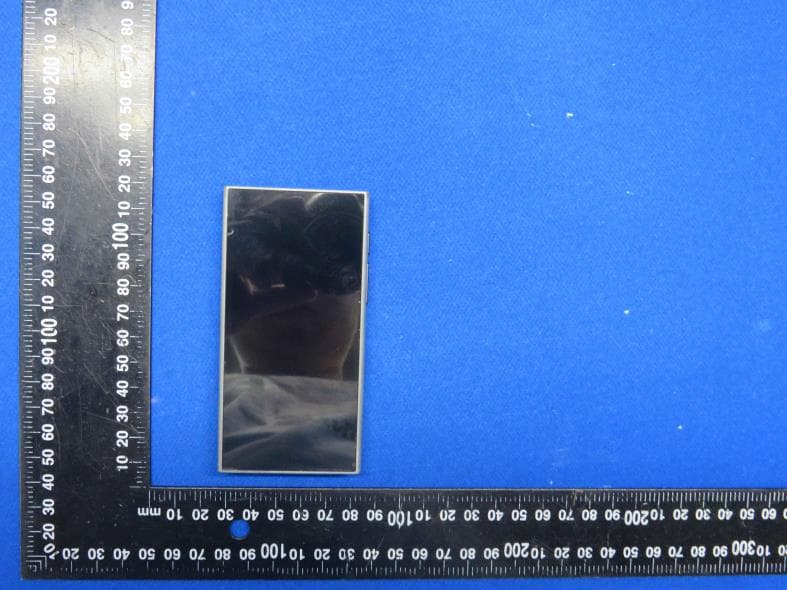
Click to zoom
Application Details
- Equipment Class
- NII - Unlicensed National Information Infrastructure TX
- Date of Grant
- Jul 18, 2024
- Application Purpose
- Original Equipment
- Date of Application
- Jul 18, 2024
- Equipment Note
- Greentouch Kosher Devices
- Frequency Range
- 5180.00000000 - 5240.00000000
- Company
- Greentouch solutions Corp
- Country
- United States
Documents & Files
Document Text
Text extracted from the exhibit documents filed with the FCC. Open a document above to read the original.
Users Manual
Thank you for purchasing your new ZING DUO Player. To enjoy the player to the fullest, please follow the instructions below. To activate your ZING Duo player for the first time please connect to any WiFi, including filtered WiFi. If you do not have access to WiFi, you can check our website for ZING WiFi points around the world you can connect to. Please note that to continue using the ZING Player, you must connect it to WiFi once every 30 days to assure your subscription remains active. • How to connect to WiFi Scroll down the screen from the top and press and hold the symbol. Select the network you wish to connect to. If the network is password protected, you will need to enter the password. Once entered, click on “Connect”. To turn the WiFi on or off press the symbol once. • How to connect a Bluetooth headset or speaker Scroll down the screen from the top and press and hold the symbol. Select the device you wish to connect to. If you are connecting a new device, make sure it is in "pairing" mode (refer to your device's manual). • How to change the language of the device Scroll down the screen from the top and click on the symbol. Select the "System" option and then select the "Language" option and choose the preferred option. Instructions for the app on the Player • Language Upon opening the app for the first time, you will be asked to select your preferred language. You can later change the language at any time in the app's settings. • Login: (existing account or new account) Existing Account: enter an existing email and password and click on “Log in”. If you previously created a ZING account on another device using the option of "Continue with Google" and not with an email and password, you must log off from the account on the other device and create a new ZING account on the other device using the email used previously. Your existing subscription and details will automatically be transferred to your new account. You can now connect on your ZING DUO with the same email and password. If you do not have a monthly or annual subscription, you will be asked to purchase a subscription. Please note the player only works with a Premium account. New Account: click on “Register” and follow the instructions. In the next step, you will be asked to purchase a monthly subscription. If you wish to purchase an annual subscription, you can purchase it on our website. • Agree to the terms Click on “Continue” at the bottom of the page and confirm the terms. • Selecting favorite artists (optional) In the next step, you can choose your favorite artists, then click on “Follow” or “Skip”. You are now ready to start enjoying the app! • Downloading songs to the Player To download Songs: Click on the 3 dots next to each song and select the “Download” option. To download Albums: Click on the 2 dots on the top and select the “Download” option. To download Playlists: Click on the symbol on the top. To view the downloads or to switch to offline mode, click on the symbol on the top of the screen If you downloaded an album or playlist and disconnected the device from the WIFI before it finished downloading, you must enter the album or playlist and click on the symbol next to each song to continue downloading (there will be a green next to the downloaded songs) To switch back to online mode, click on the symbol above (within the app) • Parental control Click on your profile image icon on the top right and select the option of parental control. The first time you log in you will have to enter an email address and password for parental control and confirm (It is recommended not to use an email that children have access to). If you forgot what email you used for the parental control or you want to change it, contact us at [email protected]. After confirming, you will be asked to enter the email and password again and then connect. After connecting, a will appear on the left side to turn parental control mode on or off. If you chose to activate the parental control mode, the switch will turn red. Your next step is to set what to block and what to leave unblocked. There are several options for filtering • Genres • Albums • Artists • Block radio stations available through the app (Kol Chai, Kol Beramah Music, etc.) Genres: In Genres there are 2 options 1. Block all genres and then open a specific genre For example: If you want your child to listen only to stories in English, then click on "Block all genres" and then manually allow only "Kids English Stories". With this option you can access all the tracks that are under the current category even if they are also associated with other categories that are blocked. 2. Block specific genres For example: if you don't want your child to listen to podcasts in Hebrew, then manually click only on "Hebrew Podcasts" and then even if the podcast is also associated with another category that is not blocked, it will still remain blocked. If you block a certain genre, all the albums associated with the genre you selected will be blocked and will not appear. If you want to allow access to a specific album in this genre, you should manually allow it in the albums list. Albums: In Albums there are 2 options 1. Block all albums (with the "Block All" button) and open specific albums 2. Manually select specific albums you want to block To block or allow a specific album, search for the name of the album in the search bar and select the Block/Unblock option through the 3 dots. Artists: In Artists there are 2 options 1. Block all artists (with the "Block All" button) and allow specific artists 2. Manually select specific artists you want to block To block or allow a specific artist, you can search for the name of the artist in the search bar and select the Block/Unblock option through the 3 dots. Radio: To block the option of playing the radio stations connected to the app, click the switch that appears next to it. For any question or issues, you can contact us either on our website www.zingmu…
Text truncated - open the document above for the full version.
Attestation Statements
Greentouch solutions Corp 3 Jackson avenue spring valley NY 10977 New York United States Federal Communications Commission Authorization and Evaluation Division Equipment Authorization Branch 7435 Oakland Mills Road Columbia, MD 21046 2024-7-18 To whom it may concern: We, Greentouch solutions Corp , hereby certify that the equipment for which authorization is sought (FCC ID: 2BHAJ-DUO-1) is not “covered” equipment prohibited from receiving an equipment authorization pursuant to § 2.903 of the FCC rules. We also certify that, as of the date of the filing of the application, we are not identified on the Covered List (https://www.fcc.gov/supplychain/coveredlist) as an entity producing “covered” equipment. By signing this form, we confirm the above and that we are aware of the application requirements listed under § 2.911(b) and (d)(5) and (6). The information provided in this letter is based on the referenced rule parts of Title 47 of the CFR as well as KDB 986446 D01. Sincerely, Signature Ari Greenfeld Manager Greentouch solutions Corp 62_[model] CoveredEqu_2.911(d)(5)(i) and (ii) - U, V03
Attestation Statements
Greentouch solutions Corp 3 Jackson avenue spring valley NY 10977 New York United States Federal Communications Commission Authorization and Evaluation Division Equipment Authorization Branch 7435 Oakland Mills Road Columbia, MD 21046 2024-7-18 U.S. Agent Designation Greentouch solutions Corp acknowledges their consent for the following contact located in the United States to act as their agent for service of process for the equipment for which authorization is sought (FCC ID: 2BHAJ-DUO-1): Name and company of U.S. agent: Greentouch solutions Corp Physical U.S. address of agent: 3 Jackson avenue spring valley NY 10977 New York United States FRN of U.S. agent: 0035614288 Email address of U.S. agent: [email protected] Greentouch solutions Corp acknowledges their obligation to accept service of process on behalf of Greentouch solutions Corp . Greentouch solutions Corp with the FRN [0035614288] accepts its obligation to maintain an agent for service of process in the United States for no less than one year after either the grantee has permanently terminated all marketing and importation of the applicable equipment within the U.S., or the conclusion of any Commission-related administrative or judicial proceeding involving the equipment, whichever is later. By signing this form, we confirm the above and that we are aware of the application requirements listed under § 2.911(d)(7). The information provided in this letter is based on the referenced rule parts of Title 47 of the CFR as well as KDB 986446 D01. An expiration date for this letter does not exist. In case the U.S. agent changes, the grantee is obligated to notify the FCC within 30 days via the granting TCB. Sincerely, Signature Ari Greenfeld Manager Greentouch solutions Corp Signature Ari Greenfeld Manager Greentouch solutions Corp 48_[mo del] US_Agent_2.911(d)(7) - U, V0 5
Cover Letter(s)
Greentouch solutions Corp Add: 3 Jackson avenue spring valley NY 10977 New York United States Date: 2024-7-18 FCC ID: 2BHAJ-DUO-1 Dear Sir/Madam, We, Greentouch solutions Corp Hereby declares the following statement for Federal Communications Commission, PCB board, circuit, structure and internal of these model(s) are the same, Only model number is different for these model: Product name: Greentouch Kosher Devices Model no.: DUO-1, DUO-2, DUO-3, DUO-4, DUO-5 Sincerely, Name/Title: Ari Greenfeld/Manager Company: Greentouch solutions Corp Address: 3 Jackson avenue spring valley NY 10977 New York United States Phone: (845) 587-1956 Fax: N/A E-Mail: [email protected]
Cover Letter(s)
CONFIDENTIALITY REQUEST for Certification Service in USA Federal Communication Commission Equipment Authorization Division, Application Processing Branch 7435 Oakland Mills Road Columbia, MD 21046 Date:<2024-7-18> Pursuant to Paragraphs §0.457 and 0.459 of the Commission’s Rules (47 C.F.R.) and Section §552(b)(4) of the Freedom of Information Act, we requests confidentiality for the following products: FCC ID Model name 2BHAJ-DUO-1 DUO-1 For the product stated above, we request that the following information be held confidential; Exhibits Long-Term Confidentiality Short-Term Confidentiality Short-Term Confidentiality Days External Photos Internal Photos Block Diagram Schematics Test Setup Photos User’s Manual Parts List Tune Up Operational Descriptions The long-term confidentiality exhibits contain our trade secrets and proprietary information that could be of benefit to our competitors. The short-term confidentiality on the basis of ensuring that business sensitive information remains confidential until the actual marketing of our new device. If you have any questions, please feel free to contact me at the address shown below. Sincerely, Name/Title: Ari Greenfeld/Manager Company: Greentouch solutions Corp Address: 3 Jackson avenue spring valley NY 10977 New York United States Phone: (845) 587-1956 Fax: N/A E-Mail: [email protected]
Cover Letter(s)
Greentouch solutions Corp 3 Jackson avenue spring valley NY 10977 New York United States Federal Communications Commission Authorization and Evaluation Division Equipment Authorization Branch 7435 Oakland Mills Road Columbia, MD 21046 2024-7-18 To whom it may concern: We, the undersigned, hereby authorize Eurofins Product Service GmbH to act on our behalf in all matters relating to applications for equipment authorization FCC ID: 2BHAJ-DUO-1 including the signing of all documents related to these matters. Any and all acts carried out by Eurofins Product Service GmbH on our behalf shall have the same effect as acts of our own. By signing this application form, we agree to Eurofins’ current valid General Terms and Conditions (AGB),Testing and Certification Regulations (PZO) which can be viewed on following website www.eurofins.de/ee or retrieved on request. We also hereby certify that no party to this application is subject to a denial of benefits, including FCC benefits, pursuant to Section 5301 of the Anti-Drug Abuse Act of 1988, 21 U.S.C. 862. Sincerely, Name/Title: Ari Greenfeld/Manager Company: Greentouch solutions Corp Address: 3 Jackson avenue spring valley NY 10977 New York United States Phone: (845) 587-1956 Fax: N/A E-Mail: [email protected]
Cover Letter(s)
Greentouch solutions Corp 3 Jackson avenue spring valley NY 10977 New York United States UNII Device Declaration Letter To whom it may concern: We have declared below featured for FCC equipment authorization, Device FCC ID: 2BHAJ-DUO-1 (1) DFS Device: Master Client with Radar detection capability N/A Client without radar detection capability, (2) Active / Passive Scanning , adhoc mode access point capability Frequency Band (MHz) Active Scanning (the device can transmit a probe (beacon)) passive scanning (where the device is can listen only with no probes) Ad Hoc Mode capability Access point capability 5180-5240 Yes No Yes No Yes No Yes No 5190-5230 Yes No Yes No Yes No Yes No (3) Country code selection ability Yes No If yes, pls explain how it was implemented: (4) Meet 15.202 requirement Yes No pls check below : A master device is defined as a device operating in a mode in which it has the capability to transmit without receiving an enabling signal. In this mode it is able to select a channel and initiate a network by sending enabling signals to other devices A client device is defined as a device operating in a mode in which the transmissions of the device are under control of the master. A device in client mode is not able to initiate a network. (5) For client devices that have software configuration control to operate in different modes (active scanning in some and passive scanning in others) in different bands (devices with multiple equipment classes or those that operate on non-DFS frequencies) or modular devices which configure the modes of operations through software, the application must provide software and operations description on how the software and / or hardware is implemented to ensure that proper operations modes cannot be modified by end user or an installer. Apply Does not apply (If apply, pls help to provide explanation on it was implement, and how software was controlled) Should you have any questions or comments regarding this matter, please have my best attention. Sincerely, (Signed) Name/Title: Ari Greenfeld/Manager Company: Greentouch solutions Corp Address: 3 Jackson avenue spring valley NY 10977 New York United States Phone: (845) 587-1956 Fax: N/A E-Mail: [email protected]
External Photos
Shenzhen HTT Technology Co., Ltd. Report No.: HTT202406408 Shenzhen HTT Technology Co.,Ltd. Tel: 0755-23595200 Fax: 0755-23595201 1F, Building B, Huafeng International Robotics Industrial Park,Hangcheng Road, Nanchang Community, Xixiang Street, Bao'an District, Guangdong Province, Shenzhen, China Page 1 of 3 Product Name: Greentouch Kosher Devices Model No.: DUO-1 EUT Constructional Details External Photo Report No.: HTT202406408 Shenzhen HTT Technology Co.,Ltd. Tel: 0755-23595200 Fax: 0755-23595201 1F, Building B, Huafeng International Robotics Industrial Park,Hangcheng Road, Nanchang Community, Xixiang Street, Bao'an District, Guangdong Province, Shenzhen, China Page 2 of 3 Report No.: HTT202406408 Shenzhen HTT Technology Co.,Ltd. Tel: 0755-23595200 Fax: 0755-23595201 1F, Building B, Huafeng International Robotics Industrial Park,Hangcheng Road, Nanchang Community, Xixiang Street, Bao'an District, Guangdong Province, Shenzhen, China Page 3 of 3 ------End------
ID Label/Location Info
Label and Location Size: L: 2.0cm*W: 1.0cm Label and Location FCC ID : 2BHAJ-DUO-1
Internal Photos
Shenzhen HTT Technology Co., Ltd. Report No.: HTT202406408 Shenzhen HTT Technology Co.,Ltd. Tel: 0755-23595200 Fax: 0755-23595201 1F, Building B, Huafeng International Robotics Industrial Park,Hangcheng Road, Nanchang Community, Xixiang Street, Bao'an District, Guangdong Province, Shenzhen, China Page 1 of 3 Product Name: Greentouch Kosher Devices Model No.: DUO-1 EUT Constructional Details Internal Photo ANTENNA Report No.: HTT202406408 Shenzhen HTT Technology Co.,Ltd. Tel: 0755-23595200 Fax: 0755-23595201 1F, Building B, Huafeng International Robotics Industrial Park,Hangcheng Road, Nanchang Community, Xixiang Street, Bao'an District, Guangdong Province, Shenzhen, China Page 2 of 3 Report No.: HTT202406408 Shenzhen HTT Technology Co.,Ltd. Tel: 0755-23595200 Fax: 0755-23595201 1F, Building B, Huafeng International Robotics Industrial Park,Hangcheng Road, Nanchang Community, Xixiang Street, Bao'an District, Guangdong Province, Shenzhen, China Page 3 of 3 ------End------
RF Exposure Info
RF Exposure evaluation FCC ID: 2BHAJ-DUO-1 1.1. Applicable Standard According to §1.1307(b)(1), systems operating under the provisions of this section shall be operated in a manner that ensures that the public is not exposed to radio frequency energy level in excess of the Commission’s guidelines. According to §1.1310 and §2.1093 RF exposure requirement KDB447498 v06: Mobile and Portable Devices RF Exposure Procedures and Equipment Authorization Policies 1.2. Requirement According to KDB447498 D01 General RF Exposure Guidance v06 Section 4.3.1 Standalone SAR test exclusion considerations: “Unless specifically required by the published RF exposure KDB procedures, standalone 1-g head or body and 10-g extremity SAR evaluation for general population exposure conditions, by measurement or numerical simulation, is not required when the corresponding SAR Test Exclusion Threshold condition, listed below, is satisfied. These test exclusion conditions are based on source-based time-averaged maximum conducted output power of the RF channel requiring evaluation, adjusted for tune-up tolerance, and the minimum test separation distance required for the exposure conditions.22 The minimum test separation distance is determined by the smallest distance from the antenna and radiating structures or outer surface of the device, according to the host form factor, exposure conditions and platform requirements, to any part of the body or extremity of a user or bystander (see 5) of section 4.1). To qualify for SAR test exclusion, the test separation distances applied must be fully explained and justified by the operating configurations and exposure conditions of the transmitter and applicable host platform requirements, typically in the SAR measurement or SAR analysis report, according to the required published RF exposure KDB procedures. When no other RF exposure testing or reporting is required, a statement of justification and compliance must be included in the equipment approval, in lieu of the SAR report, to qualify for the SAR test exclusion. When required, the device specific conditions described in the other published RF exposure KDB procedures must be satisfied before applying these SAR test exclusion provisions; for example, handheld PTT two-way radios, handsets, laptops & tablets etc.23 “ [(max. power of channel, including tune-up tolerance, mW)/ (min. test separation distance, mm)] · [√f (GHz)] ≤ 3.0 for 1-g SAR and ≤ 7.5 for 10-g extremity SAR, where: • f (GHz) is the RF channel transmit frequency in GHz • Power and distance are rounded to the nearest mW and mm before calculation • The result is rounded to one decimal place for comparison • 3.0 and 7.5 are referred to as the numeric thresholds in the step 2 below The test exclusions are applicable only when the minimum test separation distance is ≤ 50 mm and for transmission frequencies between 100 MHz and 6 GHz. When the minimum test separation distance is < 5 mm, a distance of 5 mm according to 5) in section 4.1 is applied to determine SAR test exclusion. 1.3. Manufacturing tolerance Mode Max. Peak Conducted Output Power (dBm) Max. tune-up BT 5.36 5.0±1 BLE 5.24 5.0±1 2.4GWIFI 8.76 8.0±1 Mode Max. Average Conducted Output Power (dBm) Max. tune-up 5.2GWIFI 5.77 5.0±1 Page 2 of 2 2. E v a l u a t i o n R e s u l t Evaluation Results Band/Mode f (GHz) Antenna Distance (mm) RF output power (including tune-up tolerance) SAR Test Exclusion Threshold SAR Test Exclusion dBm mW BT 2.450 5 6.0 3.9811 1.2463<3.0 Yes BLE 2.450 5 6.0 3.9811 1.246<3.0 Yes 2.4GWIFI 2.450 5 9.0 7.9433 2.4866<3.0 Yes 5.2GWIFI 5.2 5 6.0 3.9811 1.8156<3.0 Yes 3. C o n c l u s i o n The measurement results comply with the FCC Limit per 47 CFR 2.1093 for the uncontrolled RF Exposure and SAR Exclusion Threshold per KDB 447498 v06 .....................End of Report.........................
Test Report
深圳市千目通讯科技有限公司 ShenzhenQianmuCommunicationTechnologyCo.,Ltd. 联系人:王志强联系方式:13760153961电话:0755-21633653传真:0755-21633541 深圳市宝安区航城街道三围社区航空路华丰智谷-航城高科技产业园A座4层425、443号 天线承认书 适用型号 Z90 客户 深圳市锐族数码科技有限公司 规格描述 产品内容规格客户物料编码 规 格 描 述 天线 FPC/黑色/QM-Z90-V1.1 更改履历 序号日期版本更改内容简述 12024-06-13V1.0新项目 2 3 供应商样品确认 研发结构审核判定 PASS FAIL 客户样品确认 电子结构项目采购品质审核 拒收原因或其它注意事项: — 1 — 1、有源数据 WIFI2400~2500MHz802.11b11MBps Channel1611 TRP7.678.178.33 TIS-70.1-71.31-71.19 WIFI5000~5800MHz802.11a54MBps Channel36161165 TRP6.637.517.67 TIS-67.3-67.44-67.2 2、BT测试 室内测试:连接蓝牙耳机播放音乐15米左右无断续卡顿现象 — 2 — 3、天线增益效率 — 3 — 4、天线方向图 — 4 — — 5 — 5、天线实测 6、工程图
Test Report
Shenzhen HTT Technology Co., Ltd. Report No.: HTT202406408F02 This results shown in this test report refer only to the sample(s) tested, this test report cannot be reproduced, except in full, without prior written permission of the company. The report would be invalid without specific stamp of test institute and the signatures of compiler and approver. Page 1 of 33 TEST Report Applicant: Greentouch solutions Corp Address of Applicant: 3 Jackson avenue spring valley NY 10977 Manufacturer : Greentouch solutions Corp Address of Manufacturer : 3 Jackson avenue spring valley NY 10977 Equipment Under Test (EUT) Product Name: Greentouch Kosher Devices Model No.: DUO-1 Series model: DUO-2, DUO-3, DUO-4, DUO-5 Trade Mark: Zing FCC ID: 2BHAJ-DUO-1 Applicable standards: FCC CFR Title 47 Part 15 Subpart E Section 15.407 Date of sample receipt: Jun. 21, 2024 Date of Test: Jun. 21, 2024 ~ Jul. 02, 2024 Date of report issued: Jul. 02, 2024 Test Result : PASS * * In the configuration tested, the EUT complied with the standards specified above. Report No.: HTT202406408F02 Shenzhen HTT Technology Co.,Ltd. Tel: 0755-23595200 Fax: 0755-23595201 1F, Building B, Huafeng International Robotics Industrial Park, Hangcheng Road,Nanchang Community, Xixiang Street, Bao'an District, Shenzhen, Guangdong, China Page 2 of 33 1. Version Version No. Date Description 00 Jul. 02, 2024 Original Tested/ Prepared By Date: Jul. 02, 2024 Project Engineer Check By: Date: Jul. 02, 2024 Reviewer Approved By : Date: Jul. 02, 2024 Authorized Signature Report No.: HTT202406408F02 Shenzhen HTT Technology Co.,Ltd. Tel: 0755-23595200 Fax: 0755-23595201 1F, Building B, Huafeng International Robotics Industrial Park, Hangcheng Road,Nanchang Community, Xixiang Street, Bao'an District, Shenzhen, Guangdong, China Page 3 of 33 2. Contents Page 1. VERSION ........................................................................................................................................................ 2 2. CONTENTS .................................................................................................................................................... 3 3. TEST SUMMARY ........................................................................................................................................... 4 4. GENERAL INFORMATION ............................................................................................................................ 5 4.1. GENERAL DESCRIPTION OF EUT ................................................................................................................ 5 4.2. TEST MODE ............................................................................................................................................... 6 4.3. DESCRIPTION OF SUPPORT UNITS .............................................................................................................. 6 4.4. DEVIATION FROM STANDARDS .................................................................................................................... 6 4.5. ABNORMALITIES FROM STANDARD CONDITIONS ........................................................................................... 6 4.6. TEST FACILITY ........................................................................................................................................... 6 4.7. TEST LOCATION ......................................................................................................................................... 6 4.8. ADDITIONAL INSTRUCTIONS ........................................................................................................................ 7 5. TEST INSTRUMENTS LIST ........................................................................................................................... 7 6. TEST RESULTS AND MEASUREMENT DATA ........................................................................................... 9 6.1. CONDUCTED EMISSIONS ............................................................................................................................ 9 6.2. MAXIMUM CONDUCTED OUTPUT POWER ................................................................................................... 12 6.3. EMISSION BANDWIDTH ............................................................................................................................. 14 6.4. POWER SPECTRAL DENSITY ..................................................................................................................... 19 6.5. RADIATED EMISSION ................................................................................................................................ 23 6.6. FREQUENCY STABILITY ............................................................................................................................. 29 6.7. ANTENNA REQUIREMENT .......................................................................................................................... 32 7. TEST SETUP PHOTO .................................................................................................................................. 33 8. EUT CONSTRUCTIONAL DETAILS ........................................................................................................... 33 Report No.: HTT202406408F02 Shenzhen HTT Technology Co.,Ltd. Tel: 0755-23595200 Fax: 0755-23595201 1F, Building B, Huafeng International Robotics Industrial Park, Hangcheng Road,Nanchang Community, Xixiang Street, Bao'an District, Shenzhen, Guangdong, China Page 4 of 33 3. Test Summary Test Item Section in CFR 47 Result Antenna requirement 15.203 PASS AC Power Line Conducted Emission 15.207 PASS 26dB Bandwidth FCC §15.407(a) PASS Maximum Conducted Output Power 15.407(a) PASS Power Spectral Density 15.407(a) PASS Undesirable Emission FCC Part 15.407(b) PASS Radiated Emission FCC Part 15.407(b)/15.205/15.209 PASS Frequency Stability 15.407(g) PASS Remark: Pass: The EUT complies with the essen…
Text truncated - open the document above for the full version.
Test Setup Photos
Shenzhen HTT Technology Co., Ltd. Report No.: HTT202406408 Shenzhen HTT Technology Co.,Ltd. Tel: 0755-23595200 Fax: 0755-23595201 1F, Building B, Huafeng International Robotics Industrial Park,Hangcheng Road, Nanchang Community, Xixiang Street, Bao'an District, Guangdong Province, Shenzhen, China Page 1 of 2 Product Name: Greentouch Kosher Devices Model No.: DUO-1 Test Setup Photo Radiated Emission Report No.: HTT202406408 Shenzhen HTT Technology Co.,Ltd. Tel: 0755-23595200 Fax: 0755-23595201 1F, Building B, Huafeng International Robotics Industrial Park,Hangcheng Road, Nanchang Community, Xixiang Street, Bao'an District, Guangdong Province, Shenzhen, China Page 2 of 2 Conducted Emission ------End------
Contact Information
Applicant
Ari Greenfeld
Test Firm
Shenzhen HTT Technology Co.,Ltd.Kevin Yang
[email protected]86-755-23595200
Technical Specifications
| # | Rule Parts | Frequency Range | Power Output |
|---|---|---|---|
| 1 | 15E | 5.18 GHz - 5.24 GHz | 3.80 mW |