2BVJ8LBT2611YLEMON BLE verison
Care and Bloom Limited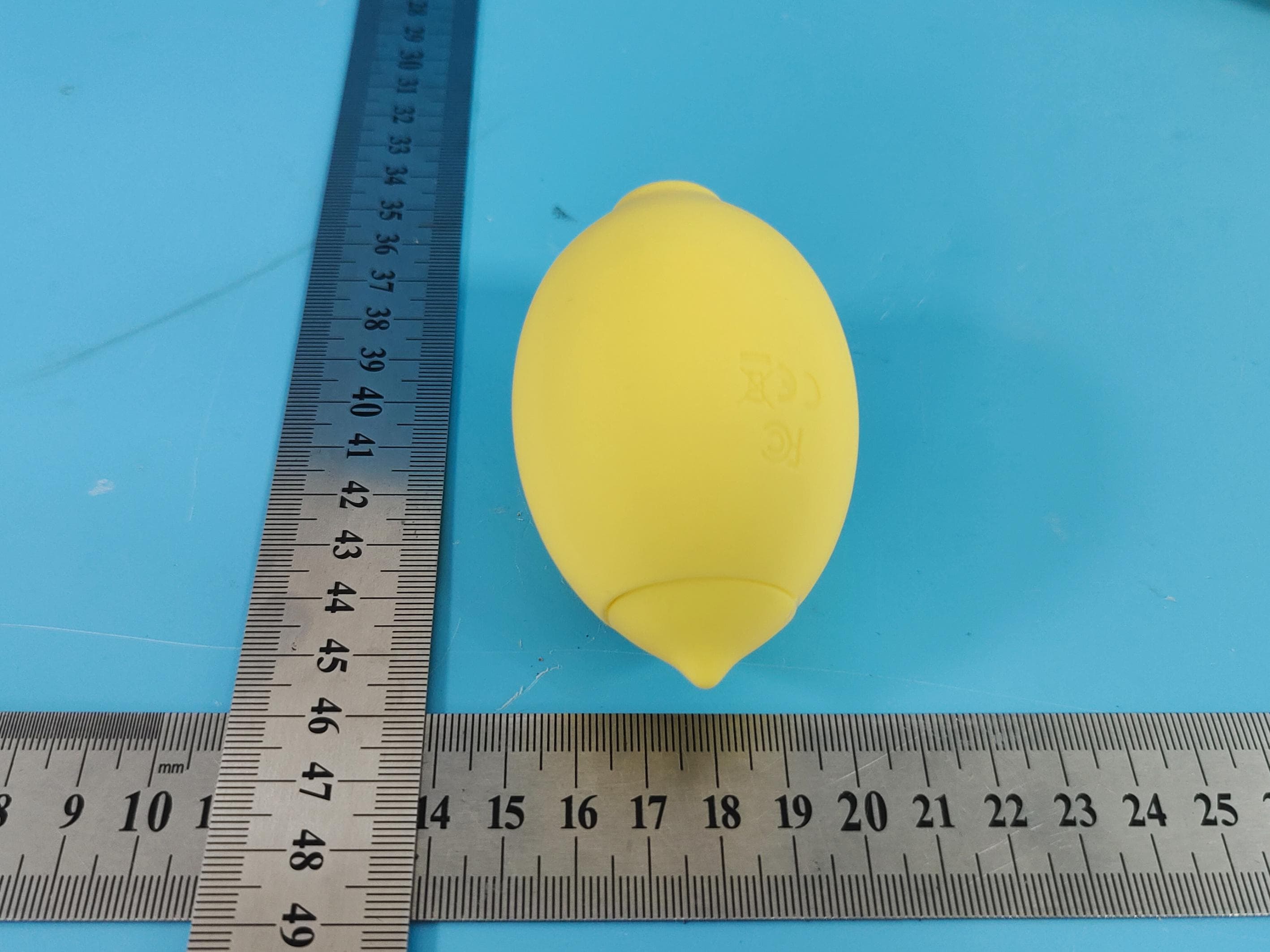
Click to zoom
Application Details
- Equipment Class
- DTS - Digital Transmission System
- Date of Grant
- Jun 23, 2026
- Application Purpose
- Original Equipment
- Equipment Note
- LEMON BLE verison
- Frequency Range
- 2402.00000000 - 2480.00000000
- Company
- Care and Bloom Limited
- Country
- United States
Documents & Files
Document Text
Text extracted from the exhibit documents filed with the FCC. Open a document above to read the original.
Users Manual
Nancy UserGuide ForiOS•TestFlightPreview Contents 1.GettingStarted 2.CreatingYourAccount 3.PairingYourNancyDevice 4.HomeScreenOverview 5.DirectControl 6.ControlModesExplained 7.Patterns 8.CreatingCustomPatterns 9.RemoteControl 10.Settings 11.Troubleshooting&Support 1.GettingStarted WelcometoNancy.ThisguidewalksyouthrougheveryscreenoftheHelloNancyapp,from firstlaunchthroughpairing,usingDirectControl,buildingcustompatterns,andsharing controlwithanotheruser. 1.1FirstLaunch Whenyouopentheappforthefirsttime,youwillseethesetupwelcomescreen.Theappwill askforpermissiontosendnotificationssoitcankeepyouinformedaboutdevicestatus, pairingevents,andremote-controlactivity. TapAllowtoenablenotifications,orDon'tAllowtoskip.Youcanchangethislaterinyour iPhoneSettings. 1.2PrivacyConfirmation Next,theappwillaskyoutoconfirmyourageandagreetotheTermsofServiceandPrivacy Policy.Thisstepisrequiredtoproceed. 1.Tapthecheckicontoconfirmyouare18yearsofageorolder. 2.ReviewthelinkedTermsandPrivacyPolicy. 3.TapGetstartedtocontinue. 2.CreatingYourAccount Anaccountletsyoupairdevices,savecustompatterns,anduseRemoteControl.Youcan signupwithanemailaddressandpassword,oruseContinuewithGoogleorContinuewith Appleforafastersign-in. Signupwithemail 4.EnteravalidemailaddressintheEmailIDfield. 5.Createastrongpassword.Usetheeyeiconontherightsideofthefieldtotoggle passwordvisibility. 6.TapSignUpatthebottomofthescreen. SignupwithGoogleorApple TapContinuewithGoogleorContinuewithAppleandfollowtheon-screenprompts.You mayseeasystemdialogaskingpermissionfor"NancySync"tousehellonancy.comtosignin —tapContinuetoproceed. Alreadyhaveanaccount? 3.PairingYourNancyDevice NancyconnectstoyourphoneoverBluetooth.Youonlyneedtopairadeviceonce—after that,theappwillreconnecttoitautomaticallywheneverbotharepoweredonandinrange. 3.1AllowBluetoothaccess BeforetheappcanfindyourNancydevice,iOSwillaskyoutograntBluetoothpermission. Thispermissionisrequired—Bluetoothishowtheappsearchesfor,connectsto,and controlsyourdeviceinrealtime. TapAllowwhenprompted. 3.2Preparethedevice TheLet'sGetConnectedscreenwalksyouthroughthreepreparationsteps: 7.MakesureBluetoothisenabledonyourphone. 8.Pressandholdthedevice'spowerbuttonuntilyouseetheindicatorlightblink—this putsthedeviceintopairingmode. 9.AllowBluetoothpermissionsforseamlesspairingwiththeNancyapp. Whenallthreestepsarecomplete,tapBeginPairing. 3.3Devicefound TheappwillscanfornearbyNancydevices.Onceyoursisdetected,you'llseeaDevice Found!confirmationwithananimatedpulseindicator. 3.4Paireddevices Afterpairing,thedeviceappearsinyourPaireddeviceslistandthestatusshowsConnected ingreen.Thetoggleontherightletsyoudisconnectorreconnectwithoutremovingthe pairing. Toaddanotherdevice,tapConnectanewdeviceandrepeatthepairingsteps. 4.HomeScreenOverview TheHomescreenisyourhubonceadeviceispaired.FromhereyoucanaccessPairing, RemoteControl,andDirectControl.AbottomnavigationbarletsyouswitchbetweenHome, DirectControl,andSettingsatanytime. Thegreenlinkiconinthetop-rightcornerindicatesactivedeviceconnectionstatus.Agreen iconmeansyourdeviceisconnectedandready. 5.DirectControl DirectControlletsyoucontrolyourNancydeviceinrealtimefromyourphone.Themain controlpadisalargedottedarealabeledFastatthetop,Mediuminthemiddle,andSlowat thebottom.Agreencursorrepresentsthecurrentoutputlevel. Readingthecontrolpad •Theverticalaxis(toptobottom)controlsintensity—Fastatthetop,Slowatthe bottom. •Thehorizontalaxis(lefttoright)representstime—yourmovementsarerecordedand playedbackinthepreviewareaabove. •Thepreviewgraphatthetopofthescreenshowsthepatternyou'recurrentlydrawing, alongwithasessiontimerinthecorner. •Twoactionbuttonsatthebottom—RepeatandHold—changehowyourinputis applied.Seethenextsectionfordetails. 6.ControlModesExplained Theappoffersthreewaystointeractwiththecontrolpad.Youcanaccessasummaryofall threeatanytimebytappingtheinformationiconontheDirectControlscreen. TouchMode Thedefaultmode.Dragthecursoracrossthecontrolpadtodesignsignalpatternsinstantly —whereveryourfingergoes,theoutputfollows,inrealtime. RepeatMode UseRepeattocycleyourpattern.Toactivate,tapRepeat,drawyourpatternonthecontrol pad,andrelease.Thepatternwillreplayonacontinuousloopuntilyoustopit. HoldMode UseHoldtomaintainafixedoutputlevel.Toactivate,tapHold,thenmovethecursortoyour desiredlevel.Theoutputwillremainfixedatthatleveluntilyoureleaseorswitchmodes. Ifyourunintoconnectionissueswhileusinganymode,tapthe"Connectionproblems?Tap hereforassistance"linkatthebottomoftheControlOptionsscreen. 7.Patterns TheMyPatternslibrarygivesyouinstantaccesstopresetpatternsplusanythingyou've savedyourself.It'sthefastestwaytostartwithouthavingtodrawanewpatternfromscratch. 7.1Presetpatterns Everyaccountstartswithtenbuilt-inpresets: •Slow—agentle,low-frequencywave •Medium—balancedmid-rangepattern •Fast—high-frequencyrhythm •Flash—short,punctuatedbursts •Tempo—rhythmic,beat-stylepattern •Climb—graduallyascendingintensity •Ripple—undulating,wave-likeoutput •Surge—sudden,powerfulpeaks •Frenzy—fast,chaoticpattern •Wave—smooth,rollingrhythm 7.2Playingapattern Tapanypresettobeginplayback.Theselectedpresethighlightsinsolidpink,anda waveformpreviewappearsatthetopofthescreenwithalivesessiontimer. Playbackcontrolssitunderthepreview: •Previous(leftarrow)—jumptoapreviouspattern •Pause/Play(center)—pauseorresumethecurrentpattern •Next(rightarrow)—advancetothenextpattern 8.CreatingCustomPatterns Ifnoneofthepresetsarequiteright,youcandesignandsaveyourown.Custompatterns appearintheMyPatternslibraryalongsidethepresetsandcanbereplayedwheneveryou want. Createanewcustompattern 10.OpenMyPatternsandtapAdd+nextto"Createacustompattern". 11.You'llseeablankCustomPatternscreenwiththefamiliarFast/Medium/Slow controlpadandRepeat/Holdbuttons. 12.Drawyourpatternbydraggingthegreencursoracrossthepad.Thepreviewatthe toprecordsyourinputinrealtimeandatimershowshowlongyourpatternlasts. 13.Whenyou'rehappywiththepattern,tapSaveinthetop-rightcorner. Saveyourpattern ASavePatterndialogappears.EnteranameforyourpatternandtapSave.TapCancelto discard. Playyoursavedpa…
Text truncated - open the document above for the full version.
Attestation Statements
CareandBloomLimited (2026.06.05) EurofinsElectricalandElectronicTestingNA,Inc. 914WestPatapscoAvenue Baltimore,MD21230 RE:AttestationStatementsPart2.911(d)(5)(i)requestfor(FCCID:2BVJ8LBT2611Y) [CareandBloomLimited](“theapplicant”)certifiesthattheequipmentforwhich authorizationissoughtisnot“covered”equipmentprohibitedfromreceivingan equipmentauthorizationpursuanttosection2.903oftheFCCrules. Wealsocertifythat,asofthedateofthefilingoftheapplication,theequipmentdoes notutilizecyber-securityoranti-virussoftwarefromKasperskyLab,Inc,oranyofits successorsandassignees,whichisalsoonthe“coveredlist”. Sincerely, (Applicantsignature) (Applicantprintedname)MrRonaldLee CareandBloomLimited (2026.06.05) EurofinsElectricalandElectronicTestingNA,Inc. 914WestPatapscoAvenue Baltimore,MD21230 RE:AttestationStatementsPart2.911(d)(5)(ii)requestfor(FCCID:2BVJ8LBT2611Y) [CareandBloomLimited](“theapplicant”)certifiesthat,asofthedateofthefilingof theapplication,theapplicantisnotidentifiedontheCoveredListasanentityproducing “covered”equipment. Sincerely, (Applicantsignature) (Applicantprintedname)MrRonaldLee
Cover Letter(s)
CareandBloomLimited AgentAuthorizationLetter 2026-06-05 EurofinsElectricalandElectronicTestingNA,Inc. 914WestPatapscoAvenue Baltimore,MD21230 USA RE:LETTEROFAGENTAUTHORIZATION ToWhomItMayConcern: We,theundersigned,herebyauthorizeShenzhenMostTechnologyServiceCo.,Ltd.toact onourbehalfinallmattersrelatingtoapplicationforequipmentauthorization,includingthe signingofalldocumentsrelatingtothesematters. Wealsoherebycertifythatnopartytotheapplicationauthorizedhereunderissubjecttothe denialofbenefits,includingFCCbenefits,pursuanttoSection5301oftheAnti-DrugAbuse Actof1988,21U.S.C.853(a). Thisagreementexpiresoneyearfromthecurrentdate. Sincerely, Name:MrRonaldLee Position:Finance CompanyName:CareandBloomLimited Address:205DeAnzaBlvd,#215SanMateo,CA94402,UnitedStates Tel/Fax(650)918-6638/N/A E-Mail:[email protected]
Cover Letter(s)
CareandBloomLimited LongTermConfidentialityRequestLetter 2026-06-05 EurofinsElectricalandElectronicTestingNA,Inc. 914WestPatapscoAvenue Baltimore,MD21230 USA RE:CONFIDENTIALITYREQUESTFOR(FCCID:2BVJ8LBT2611Y) ToWhomItMayConcern: Thisletterservesasanofficialrequestforconfidentialityundersections0.457and0.459of CFR47.Wehaverequestedthatthe -e.g.Blockdiagram -e.g.SCH -e.g.OperationalDescription requiredtobesubmittedwiththisapplicationbepermanentlywithheldfrompublicreview. Theabovedocumentsarecompanyproprietaryinformationthatcouldnevergetinto thepossessionofyourcompetition. Pleasecontactmeifthereisanyinformationyoumayneed. Sincerely, Name:MrRonaldLee Position:Finance CompanyName:CareandBloomLimited Address:205DeAnzaBlvd,#215SanMateo,CA94402,UnitedStates Tel/Fax(650)918-6638/N/A E-Mail:[email protected]
External Photos
ModelNo.:NVIB-LEM-2611Y FRONTVIEWOFSAMPLE BACKVIEWOFSAMPLE ModelNo.:NVIB-LEM-2611Y LEFTVIEWOFSAMPLE RIGHTVIEWOFSAMPLE ModelNo.:NVIB-LEM-2611Y TOPVIEWOFSAMPLE BOTTOMVIEWOFSAMPLE
ID Label/Location Info
Labellocation
Internal Photos
ModelNo.:NVIB-LEM-2611Y Page1of3 INTERNALPHOTOOFSAMPLE INTERNALPHOTOOFSAMPLEPCB ModelNo.:NVIB-LEM-2611Y Page2of3 INTERNALPHOTOOFSAMPLEPCB INTERNALPHOTOOFSAMPLEPCB ANTLocation ModelNo.:NVIB-LEM-2611Y Page3of3 BATTERYPHOTOOFSAMPLE
RF Exposure Info
ShenzhenMostTechnologyServiceCo.,Ltd. No.5,2ndLangshanRoad,NorthDistrict,Hi-techIndustrialPark,Nanshan, Shenzhen,Guangdong,China. RFExposureEvaluationReport ReportReferenceNo........................: FCCID.................................................: MTEB26050031-H 2BVJ8LBT2611Y Compiledby (position+printedname+signature) .. :FileadministratorsAlisaLuo Supervisedby (position+printedname+signature)..:TestEngineerSunnyDeng Approvedby (position+printedname+signature)..: ManagerYvetteZhou Dateofissue.........................................:May08,2026 RepresentativeLaboratoryName.:ShenzhenMostTechnologyServiceCo.,Ltd. Address.................................................: No.5,2ndLangshanRoad,NorthDistrict,Hi-techIndustrialPark, Nanshan,Shenzhen,Guangdong,China. Applicant’sname ............................... :CareandBloomLimited Address ................................................. :205DeAnzaBlvd,#215SanMateo,CA94402UnitedStates Testspecification/Standard ............ : 47CFRPart1.1307 47CFRPart2.1093 TRFOriginator......................................:ShenzhenMostTechnologyServiceCo.,Ltd. ShenzhenMostTechnologyServiceCo.,Ltd.Allrightsreserved. Thispublicationmaybereproducedinwholeorinpartfornon-commercialpurposesaslongasthe ShenzhenMostTechnologyServiceCo.,Ltd.isacknowledgedascopyrightownerandsourceofthe material.ShenzhenMostTechnologyServiceCo.,Ltd.takesnoresponsibilityforandwillnotassume liabilityfordamagesresultingfromthereader'sinterpretationofthereproducedmaterialduetoits placementandcontext. Testitemdescription........................: LEMONBLEverison TradeMark ............................................ : N/A Model/Typereference.........................: NVIB-LEM-2611Y ListedModels ...................................... : N/A ModulationType .................................. :GFSK OperationFrequency..........................:From2402MHzto2480MHz HardwareVersion.................................V1.0 SoftwareVersion...................................V1.0 Rating.....................................................: DC3.7VbyBattery DC5VbyUSBPort Result.....................................................: PASS ReportNo.:MTEB26050031-HPage 2 of 5 TESTREPORT EquipmentunderTest:LEMONBLEverison Model/Type:NVIB-LEM-2611Y ListedModels:N/A RemarkN/A Applicant: CareandBloomLimited Address: 205DeAnzaBlvd,#215SanMateo,CA94402UnitedStates Manufacturer:CareandBloomLimited Address : 205DeAnzaBlvd,#215SanMateo,CA94402UnitedStates TestResult : PASS Thetestreportmerelycorrespondstothetestsample. Itisnotpermittedtocopyextractsofthesetestresultwithoutthewrittenpermissionofthetest laboratory. ReportNo.:MTEB26050031-HPage 3 of 5 1.RevisionHistory RevisionIssueDateRevisionsRevisedBy 00 2026.05.08 InitialIssueAlisaLuo ReportNo.:MTEB26050031-HPage 4 of 5 2.SAREvaluation 2.1RFExposureComplianceRequirement 2.1.1StandardRequirement AccordingtoKDB447498D01GeneralRFExposureGuidancev06 4.3.1.StandaloneSARtestexclusionconsiderations UnlessspecificallyrequiredbythepublishedRFexposureKDBprocedures,standalone1-gheadorbodyand 10-gextremitySARevaluationforgeneralpopulationexposureconditions,bymeasurementornumerical simulation,isnotrequiredwhenthecorrespondingSARExclusionThresholdcondition,listedbelow,is satisfied. 2.1.2Limits The1-gand10-gSARtestexclusionthresholdsfor100MHzto6GHzattestseparationdistances≤50mm aredeterminedby: [(max.powerofchannel,includingtune-uptolerance,mW)/(min.testseparationdistance,mm)]·[√f(GHz)] ≤3.0for1-gSARand≤7.5for10-gextremitySAR,where Thetestexclusionsareapplicableonlywhentheminimumtestseparationdistanceis≤50mmand fortransmissionfrequenciesbetween100MHzand6GHz.Whentheminimumtestseparation distanceis<5mm,adistanceof5mmisappliedtodetermineSARtestexclusion ReportNo.:MTEB26050031-HPage 5 of 5 2.1.3EUTRFExposure MeasurementData BLE GFSK Testchannel PeakOutputPower (dBm) Tuneuptolerance (dBm) Maximumtune-upPower (dBm) Lowest(2402MHz)2.772.77±13.77 Middle(2440MHz)2.282.28±13.28 Highest(2480MHz)2.682.68±13.68 Worstcase: GFSK Channel MaximumPeak ConductedOutput Power (dBm) Maximumtune-up Power Calculated value Exclusion threshold SARTest Exclusion (dBm)(mW) Lowest(2402MHz)2.773.772.380.733.0Yes .......................THEENDOFREPORT.........................
Test Report
ShenzhenMostTechnologyServiceCo.,Ltd. No.5,2ndLangshanRoad,NorthDistrict,Hi-techIndustrialPark,Nanshan, Shenzhen,Guangdong,China. TESTREPORT FCCRulesPart15.247 ReportReferenceNo........................: FCCID................................................: MTEB26050031-R1 2BVJ8LBT2611Y Compiledby (position+printedname+signature)..:FileadministratorsAlisaLuo Supervisedby (position+printedname+signature)..:TestEngineerSunnyDeng Approvedby (position+printedname+signature)..: ManagerYvetteZhou Dateofissue.........................................:May08,2026 RepresentativeLaboratoryName.:ShenzhenMostTechnologyServiceCo.,Ltd. Address ................................................. : EastA,1/F.,NewAolinFactoryBuiding,LangshanErlu,North Area,Hi-TechIndustrialPark,NanshanDistrict,Shenzhen, Guangdong,China Applicant’sname...............................:CareandBloomLimited Address ................................................. :205DeAnzaBlvd,#215SanMateo,CA94402UnitedStates Testspecification/Standard ............ : FCCRulesPart15.247 TRFOriginator......................................:ShenzhenMostTechnologyServiceCo.,Ltd. ShenzhenMostTechnologyServiceCo.,Ltd.Allrightsreserved. Thispublicationmaybereproducedinwholeorinpartfornon-commercialpurposesaslongasthe ShenzhenMostTechnologyServiceCo.,Ltd.isacknowledgedascopyrightownerandsourceofthe material.ShenzhenMostTechnologyServiceCo.,Ltd.takesnoresponsibilityforandwillnotassume liabilityfordamagesresultingfromthereader'sinterpretationofthereproducedmaterialduetoits placementandcontext. Testitemdescription........................: LEMONBLEverison TradeMark...........................: N/A Model/Typereference.........................: NVIB-LEM-2611Y ListedModels ..................................... : N/A ModulationType .................................. :GFSK OperationFrequency..........................:From2402MHzto2480MHz HardwareVersion.................................V1.0 SoftwareVersion...................................V1.0 Rating.....................................................: DC3.7VbyBattery DC5VbyUSBPort Result.....................................................:PASS ReportNo.:MTEB26050031-R1Page 2 of 37 TESTREPORT EquipmentunderTest:LEMONBLEverison Model/Type:NVIB-LEM-2611Y ListedModels: N/A RemarkN/A Applicant:CareandBloomLimited Address: 205DeAnzaBlvd,#215SanMateo,CA94402UnitedStates Manufacturer:CareandBloomLimited Address : 205DeAnzaBlvd,#215SanMateo,CA94402UnitedStates TestResult:PASS Thetestreportmerelycorrespondstothetestsample. Itisnotpermittedtocopyextractsofthesetestresultwithoutthewrittenpermissionofthetest laboratory. ReportNo.:MTEB26050031-R1Page 3 of 37 Contents 1.REVISIONHISTORY.........................................................................................................................4 2.TESTSTANDARDS............................................................................................................................5 3.SUMMARY...............................................................................................................................................6 3.1.GeneralRemarks.........................................................................................................................................6 3.2.ProductDescription....................................................................................................................................6 3.3.EquipmentUnderTest................................................................................................................................6 3.4.ShortdescriptionoftheEquipmentunderTest(EUT)............................................................................6 3.5.EUToperationmode....................................................................................................................................7 3.6.BlockDiagramofTestSetup......................................................................................................................7 3.7.TestItem(EquipmentUnderTest)Description*.......................................................................................7 3.8.AuxiliaryEquipment(AE)Description.......................................................................................................7 3.9.AntennaInformation*..................................................................................................................................8 3.10.EUTconfiguration......................................................................................................................................8 3.11.Modifications..............................................................................................................................................8 4.TESTENVIRONMENT.......................................................................................................................9 4.1.Addressofthetestlaboratory...................................................................................................................9 4.2.Environmentalconditions...........................................................................................................................9 4.3.TestDescription.........................................................................................................................................10 4.4.Statementofthemeasurementuncertainty...........................................................................................10 4.5.EquipmentsUsedduringtheTest...........................................................................................................11 5.TESTCONDITIONSANDRESULTS.....................................................................................12 5.1.ACPowerConductedEmission...............................................................................................................12 5.2.RadiatedEmission...................................................................................................…
Text truncated - open the document above for the full version.
Test Report
ANTENNASPECIFICATION Summary ITEMANT SPEC Model Name2.4G ANT AntennaplatePCB antenna CenterFrequency 2400MHz2450MHz2500MHz 0 DB-0.01 DB-1.6 DB MAX. Gain0 DB PolarizationHorizontaland Vertical Impedance50Ohm Manufacture AntennaPhoto&Length(mm) Frequency (MHz) Gain(dBi) HorizontalVertical Max.MinMax.Min 24000-36.52-1.81-28.82 2450-0.01-30.31-1.92-18.95 2500-1.6-32.64-4.55-16.65
Test Setup Photos
ModelNo.:NVIB-LEM-2611Y CETESTSETUP RETESTSETUP ModelNo.:NVIB-LEM-2611Y RETESTSETUP
Contact Information
Applicant
Ronald Lee
[email protected]Fax: 4133755763
Technical Contact
UUX GROUP INCJack Fu
1312 17th Street #692 Denver CO 80202 United State · CO, Colorado, 80202 · United States
Test Firm
Shenzhen Most Technology Service Co., Ltd.Sunny Deng
Technical Specifications
| # | Rule Parts | Frequency Range | Power Output |
|---|---|---|---|
| 1 | 15C | 2.40 GHz - 2.48 GHz | 1.89 mW |