A3LGTS3802Phone with Bluetooth v3.0 and Edge Rx Only
Samsung Electronics Co Ltd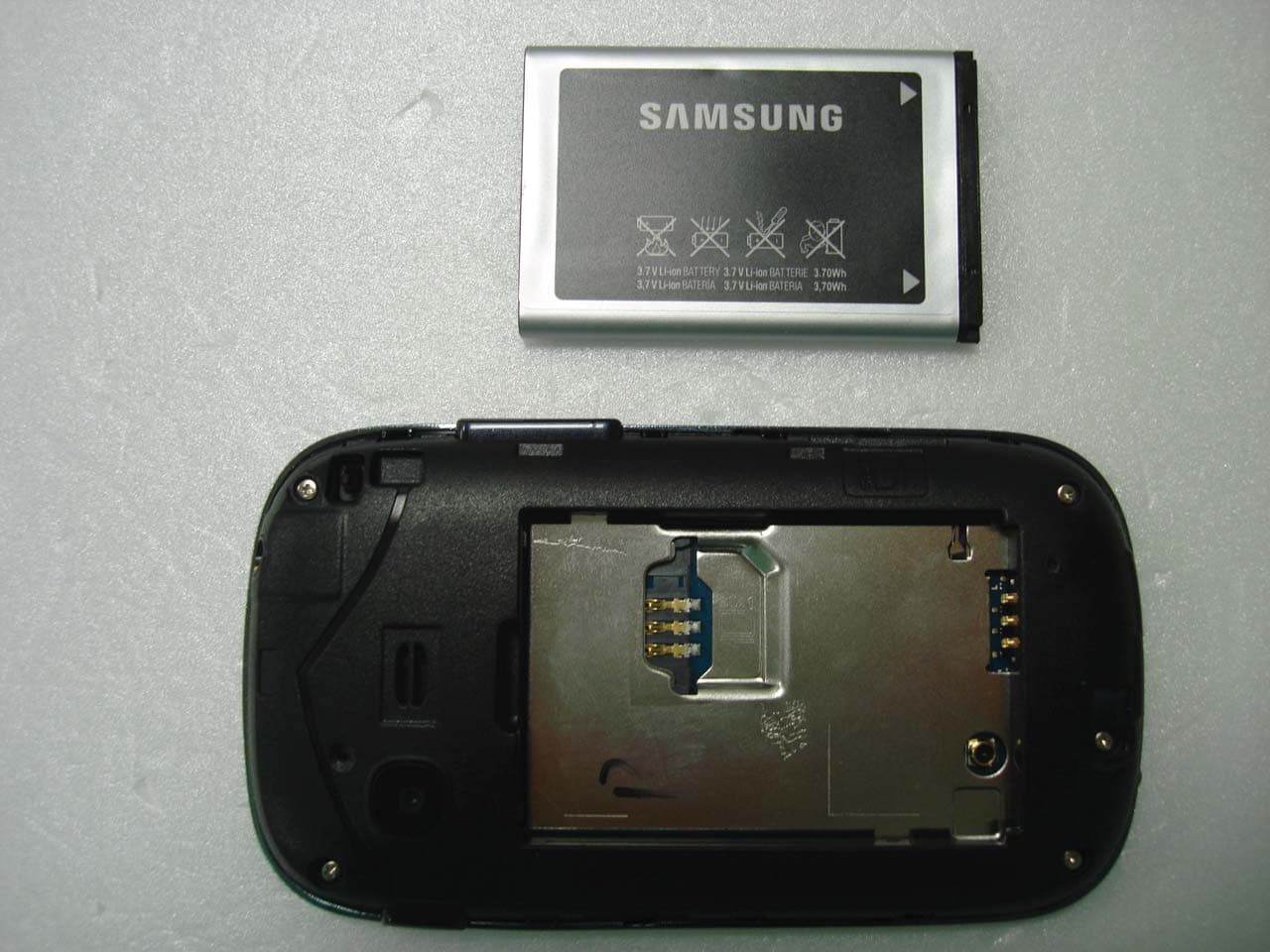
Click to zoom
Application Details
- Equipment Class
- JBP - Part 15 Class B Computing Device Peripheral
- Date of Grant
- Jan 28, 2013
- Application Purpose
- Original Equipment
- Date of Application
- Jan 28, 2013
- Equipment Note
- Phone with Bluetooth v3.0 and Edge Rx Only
- Company
- Samsung Electronics Co Ltd
- Country
- United States
Documents & Files
Document Text
Text extracted from the exhibit documents filed with the FCC. Open a document above to read the original.
Users Manual
Device layout GT-S3802 user manual www.samsung.com Printed in Korea GH68-XXXXXX English (SWA). 12/2012. Rev. 1.0 Some content may differ from your device depending on the region • or service provider. Third party services may be terminated or interrupted at any time, • and Samsung makes no representation or warranty that any content or service will remain available for any period of time. This product includes certain free/open source software. The exact • terms of the licences, disclaimers, acknowledgements and notices are available on the Samsung’s website opensource.samsung.com. 1 Volume button From the Home screen, adjust the device’s volume; Make a fake call (down); Send an SOS message See “Using the SOS message feature” 2 Dial button Make or answer a call; From the Home screen, retrieve recently dialled, missed, or received numbers 3 Back button In the Menu screen, cancel an input and return to the Home screen; Switch between SIM cards (press and hold) 4 Power button Turn the device on or off (press and hold) 5 End button End a call; In the Menu screen, cancel an input and return to the Home screen IconDescription No SIM card No signal Signal strength 1 Network searching EDGE network connected Battery power level Call in progress Call diverting activated New text message (SMS) New multimedia message (MMS) New voicemail message New push message SOS message feature activated IconDescription Normal profile activated Silent profile activated Bluetooth feature activated Browsing the web Connected to computer Alarm activated Music playback in progress Music playback paused FM radio on Roaming (outside of normal service area) Memory card inserted 10:00 Current time 1. The icon may vary depending on the SIM card setting. The device displays the following status indicators at the top of the screen: Installing the SIM cards and battery Remove the back cover and insert the SIM cards.1. Back cover Do not bend or twist the back cover excessively. Doing so may damage the cover. Insert the battery and replace the back cover.2. Charging the battery To electric socket Plug the small end of the charger into the multipurpose 1. jack of the device, and plug the large end of the charger into an electric socket. After fully charging, disconnect the device from the 2. charger. First unplug the charger from the device, and then unplug it from the electric socket. Use only Samsung-approved chargers, batteries, • and cables. Unapproved chargers or cables can cause battery to explode or damage the device. Do not remove the battery before removing the • charger. This may damage the device. To save energy, unplug the charger when not in • use. The charger does not have a power switch, so you must unplug the charger from the electric socket when not in use to avoid wasting power. The device should remain close to the electric socket while charging. If the device receives an unstable power supply • while charging, the touch screen may not function. If this happens, unplug the charger from the device. Inserting a memory card (optional) The device accepts memory cards with maximum capacities of 32 GB. Depending on the memory card manufacturer and type, some memory cards may not be compatible with the device. Memory card Insert the memory card as shown in the drawing. Formatting the memory card on a computer might • cause incompatibility with your device. Format the memory card only on the device. Frequent writing and erasing of data will shorten • the lifespan of memory cards. Do not use sharp tools to remove the memory card • from the device. Turning the device on or off Turning the device on Press and hold the Power button, and then enter the PIN, if necessary. Turning the device off Press and hold the Power button. If the battery is fully discharged or removed from the device, the time and date will be reset. Using the touch screen The device’s touch screen lets you easily select items or perform functions. Learn basic actions to use the touch screen. Do not use sharp tools to avoid scratching the touch screen. Ta p Touch the screen once to select or launch a menu, option, or application. Tap and hold Tap an item and hold for more than 2 seconds. Drag Tap and hold an item, then drag it to move. T9 mode Select the appropriate virtual buttons to enter an entire 1. word. When the word displays correctly, tap 2. to insert a space. If the correct word does not display, select to select an alternate word. ABC mode Select an appropriate virtual button until the character appears on the display. Number mode Select an appropriate virtual button to enter a number. Symbol mode Select an appropriate virtual button to enter a symbol. Other features for text input Tap Move the cursor. Tap Delete a character one by one. Tap and hold Delete characters quickly. Tap 1Enter punctuation marks. Tap Change to uppercase. Tap twice to type all words in uppercase. Accessing menus To access the device’s menus or options, Drag on the touch screen Scroll left or right to see another the Menu screen. Ta pLaunch a menu or an application. MenuOpen the Menu screen. Back buttonReturn to the previous screen. [ ] Close the menu or application and return to the Home screen. When you access a menu requiring the PIN2, you • must enter the PIN2 supplied by the SIM card. For details, contact your service provider. Samsung is not responsible for any loss of • passwords or private information or other damage caused by illegal software. Entering text Changing the text input mode Tap EnglishChange the input language. Tap T9 Switch between T9 and ABC mode. Depending on region, you might be able to access an input mode for your specific language. Tap 123 or symSwitch to Number or Symbol mode. Making or answering a call To make a call, tap • Keypad, enter a phone number and select or . To end a call, press [• ]. To call a recently dialled number, select • or to select a number, and select or again to dial the number. To make a call using the phonebook, tap …
Text truncated - open the document above for the full version.
Cover Letter(s)
January 23, 2013 Federal Communications Commission 7435 Oakland Mills Road Columbia MD 21046 Subject: Request for Confidentiality FCC ID: A3L GTS3802 To Whom It May Concern: Pursuant to the provisions of Sections 0.457 and 0.459 of the Commission’s rules (47 CFR §§ 0.457, 0.459), we are requesting the Commission to withhold the following attachments as confidential document from public disclosure indefinitely. Schematics Block Diagram Operational Description Antenna Specification Parts List Tune-Up Procedure Above mentioned document contains detailed system and equipment description are considered as proprietary information in operation of the equipment. The public disclosure of above documents might be harmful to our company and would give competitor an unfair advantage in the market. In additional to above mentioned documents, pursuant to Public Notice DA 04-1705 of the Commission’s policy, in order to comply with the marketing regulations in 47 CFR §2.803 and the importation rules in 47 CFR §2.1204, while ensuring that business sensitive information remains confidential until the actual marketing of newly authorized devices. We are requesting the commission to grant short-term confidentiality request on the following attachments until 180 days External Photos Internal Photos Test Setup Photos User Manual It is our understanding that all measurement test reports, FCC ID label format and correspondence during certification review process cannot be granted as confidential documents and such information will be available for public review once the grant of equipment authorization is issued. Best Regards Sang Kyung (Peter), Ra/ General Manager Samsung Electronics CO. LTD TEL: 310-900-5250 FAX: 310-537-5500 E-mail: [email protected]
Cover Letter(s)
416, Maetan-3 Dong , Yeongtong-Gu, Suwon-City, Gyeonggi-Do 443-742 South Korea Date: 04/09/2012 Compliance Certification Services Certification Division 47173 Benicia Street Fremont, CA 94538, USA To whom it may concern: I, the undersigned, hereby authorize Ms. Claire Hoque/Application Examiner of Compliance Engineering Services, Inc., d.b.a. Compliance Certification Services and hereafter referred to as CCS, to act on our behalf in all manners relating to application for equipment authorization, including signing of all documents relating to these matters. Any and all acts carried out by Ms. Claire Hoque of CCS on our behalf shall have the same effect as acts of our own. I, the undersigned, hereby certify that we are not subject to a denial of federal benefits, that includes FCC benefits, pursuant to Section 5301 of the Anti-Drug Abuse Act of 1988, 21 U.S.C. 853(a). In authorizing CCS as our agent, we still recognize that we are responsible to: a) comply with the relevant provisions of the certification program; b) make all necessary arrangements for the conduct of the evaluation, including provision for examining documentation and access to all areas, records (including internal audit reports) and personnel for the purposes of evaluation (e.g. testing, inspection, assessment, surveillance, reassessment) and resolution of complaints; c) make claims regarding certification only in respect of the scope for which certification has been granted; d) do not use our product certification in such a manner as to bring the Certification Division into disrepute and not make any statement regarding our product certification which the Certification Division may consider misleading or unauthorized; e) upon suspension or cancellation of certification, discontinue use of all advertising matter that contains any reference thereto and return any certification documents as required by the Certification Division; f) use certification only to indicate the products are certified as being in conformity with specified standards; g) endeavor to ensure that no certificate or report nor any part thereof is used in a misleading manner; h) ensure that any reference to our product certification in communication media such as documents, brochures or advertising, complies with the requirements of the Certification Division; i) keep a record of all complaints made known to the us relating to the product’s compliance with requirements of the relevant standard and to make these records available to the Certification Division when requested; j) take appropriate action with respect to such complaints and any deficiencies found in products or services that affect compliance with the requirements for certification; k) document the actions taken. This authorization is valid until further written notice from the applicant. Sincerely Yours, NAME: Sang Kyung(Peter), Ra TITLE: Head of QA Lab (General Manager) Applicant: Samsung Electronics America, Inc Address: 19 Chapin Rd, Building D. Pine Brook, NJ 07058
ID Label/Location Info
SAMSUNG ELECTRONICS CO., LTD 416,Maetan-3dong,Yeongtong-gu Suwon-si,Gyeonggi-do, 443-742 Korea January 23, 2013 Federal Communications Commission 7435 Oakland Mills Road Columbia, MD 21046 SUBJECT : Label Statement FCC ID : A3L GTS3802 Gentlemen: We hereby provide the label statement letter for the above-mentioned device by a new label statement policy instituted at the September 12, 2006, TCB-FCC Teleconference. The label statement is as follows: The FCC ID shown in the FCC ID label page will be readily visible at the time of purchase because the device will be marketed without the battery installed. The label is permanently attached by acrylic glue and not easily removed from the device. This statement could not be included in the label. So we inform you of it through this letter. Should you have any questions or comments concerning the above, please contact the undersigned. Sincerely Yours, Seoung Ho Park Senior Manager SAMSUNG ELECTRONICS CO.,LTD Telecommunication Network Business Mobile Communication Division Regulatory Compliance Group.
ID Label/Location Info
Label and Location Samsung Phone Model: GT-S3802 FCC ID: A3LGTS3802 Label: Location: Top Back plate of device Bottom Label is placed inside of the battery compartment. IMEI No. La bel
Test Report
-1/13- E E E M M M C C C T T T E E E S S S T T T R R R E E E P P P O O O R R R T T T Project No. LBE20130324 Issue No. 0 Applicant Name of organizationSamsung Electronics Co., Ltd. Address (Maetan dong) 129, Samsung-ro, Yeongtong-gu, Suwon-si, Gyeonggi-do, 443-742, Republic of Korea Date of application January 14, 2013 EUT Type of device Class B personal computers and peripherals All other devices Equipment authorization Declaration of Conformity Certification Verification FCC ID A3LGTS3802 Kind of product Mobile Phone Model No. GT-S3802 Variant Model No. Refer to clause 4.6 Manufacturer TSTC Samsung Telecommunication Co., Ltd. 300385 China Tianjin No.9 WeiWu Rd. Micro Electronic Industrial Park Xiqing Dist, Tianjin, China Applied Standards FCC Part 15, Subpart B, Class B / ANSI C63.4-2003 Test Period January 15, 2013 ~ January 17, 2013 Issue date January 19, 2013 Test result : Complied The equipment under test has found to be compliant with the applied standards. (Refer to the attached test result for more detail.) Tested by : Hee-Sung Kim Reviewed by : Tae-Young Jang The test results in this report only apply to the tested sample. This report must not be reproduced, except in full, without written permission from CS & Environment center. (Maetan dong) 129, Samsung-ro, Yeongtong-gu, Suwon-si, Gyeonggi-so, 443-742, Republic of Korea Tel: 82 31 279 1750, Fax: 82 31 279 1745 Project No. : LBE20130324 Mobile Phone : GT-S3802 - 2/13- This report must not be reproduced, except in full, without written permission from CS & Environment center. Form No.: SRA-TRF-46/0 Table of contents 1. Report Information 1.1 Revision history ------------------------------------------------------------------------------------------------------------------ 3 2. Summary of test results 2.1 Emission ------------------------------------------------------------------------------------------------------------------------------- 3 3. General Information 3.1 Test facility ---------------------------------------------------------------------------------------------------------------------------- 3 4. Test Configuration 4.1 Test Peripherals ----------------------------------------------------------------------------------------------------------------- 4 4.2 EUT operating mode -------------------------------------------------------------------------------------------------------- 4 4.3 Details of Sampling ----------------------------------------------------------------------------------------------------------- 4 4.4 Used cable description ---------------------------------------------------------------------------------------------------- 5 4.5 Test arrangement -------------------------------------------------------------------------------------------------------------- 5 4.6 EUT Description ----------------------------------------------------------------------------------------------------------------- 6 4.7 Clock Frequencies ------------------------------------------------------------------------------------------------------------ 6 4.8 Test configuration and condition ---------------------------------------------------------------------------------- 6 4.9 Measurement uncertainty ---------------------------------------------------------------------------------------------- 7 5. Result of individual tests 5.1 Conducted disturbance --------------------------------------------------------------------------------------------------- 8 5.2 Radiated disturbance ------------------------------------------------------------------------------------------------------- 10 Project No. : LBE20130324 Mobile Phone : GT-S3802 - 3/13- This report must not be reproduced, except in full, without written permission from CS & Environment center. Form No.: SRA-TRF-46/0 1. Report Information 1.1 Revision history No. Revised detailed information Issue 0 - LBE20130324 (SAMSUNG) 2. Summary of test results 1.1 Emission The EUT has been tested according to the following specifications: Applied Test type Applied standard Result Conducted Disturbance (Mains port) FCC Part 15 Subpart B / ANSI C63.4-2003 (Class B) Complied Radiated Disturbance Complied 3. General Information 3.1 Test facility The CS & Environment center is located on Samsung Electronics Co., Ltd. at (Maetan dong) 129, Samsung-ro, Yeongtong-gu, Suwon-si, Gyeonggi-do, Republic of Korea. All testing are performed in Semi-anechoic chambers conforming to the site attenuation characteristics defined by ANSI C63.4, CISPR 22, 16-1 and 16-2. and Shielded rooms. The CS & Environment center is operated as testing laboratory in accordance with the requirements of ISO/IEC 17025:2005. Project No. : LBE20130324 Mobile Phone : GT-S3802 - 4/13- This report must not be reproduced, except in full, without written permission from CS & Environment center. Form No.: SRA-TRF-46/0 4. Test Setup configuration 4.1 Test Peripherals The cables used for these peripherals are either permanently attached by the peripheral manufacturer or coupled with an assigned cable as defined below. The following is a listing of the EUT and peripherals utilized during the performance of EMC test: Mark Description Model No. Serial No. Manufacturer / Trademark FCC ID / DoC A Mobile Phone GT-S3802 - SAMSUNG A3LGTS3802 B Battery AB463651BULC1CB17FS/4-B SAMSUNG - C Headset EHS61ASFBE- SAMSUNG - D Data Cable ECC1DU5BBE- SAMSUNG - E Micro SD Card 16GB - SANDISK - F Desk-Top Computer HP Compaq dx2200 CNG7060LW0 HP DoC G LCD Monitor GH15LS N719HVELA11890L SAMSUNG DoC H Mouse N3+Optical K034729902 HP DoC I Keyboard SDM8500P 8M000131 SAMSUNG DoC J Router 3CGS U08 AB/ 9XRQAC00248253COM DoC K Power Supply PW150 KA1203N03 AULT DoC 4.2 EUT operating mode To achieve compliance applied standard specification, the following mode(s) were made during compliance testing: Operating Mode 1 USB Mode (Data Communication) 4.3 Details of Sampling Customer selected, single unit. Project No. : LBE20130324 Mobile Phone : GT-S3802 - 5/13- This report must not…
Text truncated - open the document above for the full version.
Test Setup Photos
Project No. : LBE20130324 Mobile Phone : GT-S3802 - 1/4- This report must not be reproduced, except in full, without written permission from CS & Environment center. Form No.: SRA-TRF-46/0 APPENDIX – Test Setup and EUT photography – Project No. : LBE20130324 Mobile Phone : GT-S3802 - 2/4- This report must not be reproduced, except in full, without written permission from CS & Environment center. Form No.: SRA-TRF-46/0 1. Photograph of Test Setup [ Conducted Disturbance – Front ] [ Conducted Disturbance – Rear ] Project No. : LBE20130324 Mobile Phone : GT-S3802 - 3/4- This report must not be reproduced, except in full, without written permission from CS & Environment center. Form No.: SRA-TRF-46/0 [ Radiated Disturbance for Below 1 GHz – Front ] [ Radiated Disturbance for Below 1 GHz – Rear ] Project No. : LBE20130324 Mobile Phone : GT-S3802 - 4/4- This report must not be reproduced, except in full, without written permission from CS & Environment center. Form No.: SRA-TRF-46/0 [ Radiated Disturbance for Above 1 GHz – Front ] [ Radiated Disturbance for Above 1 GHz – Rear ]
Contact Information
Applicant
Jenni Chun(General Manager)
Technical Contact
Compliance Certification ServicesGrace Persons
[email protected](510) 771-1000
47173 Benicia Street · Fremont, California
Non-Technical Contact
Compliance Certification ServicesGrace Persons
[email protected](510) 771-1000
Test Firm
HCT Co., LTDSang Lee
Technical Specifications
| # | Rule Parts | Frequency Range | Power Output |
|---|---|---|---|
| 1 | 15B | - | - |
Other Applications from Samsung Electronics Co Ltd
A3LSMS741B
Aug 05, 2026Portable Handset
Equipment Class
6VL - 15E 6 GHZ Very Low Power DeviceA3LSMX940
Jul 31, 2026BT,BLE Tablet DTS,UNII a,b,g,n,ac,ax,be and digitizer
Equipment Class
DTS - Digital Transmission SystemA3LSMS741U
Jul 30, 2026Portable Handset
Equipment Class
6CD - 15E 6 GHz Low Power Dual ClientA3LSMX840
Jul 27, 2026BT,BLE Tablet DTS,UNII a,b,g,n,ac,ax and Digitizer
Equipment Class
DSS - Part 15 Spread Spectrum TransmitterA3LSMX848U
Jul 27, 2026WCDMA, LTE, 5G NR Tablet BT,BLE, DTS,UNII a b g n ac ax and Digitizer
Equipment Class
JBP - Part 15 Class B Computing Device Peripheral