A3LGTS8600Cellular/PCS GSM Phone with WLAN and Bluetooth
Samsung Electronics Co Ltd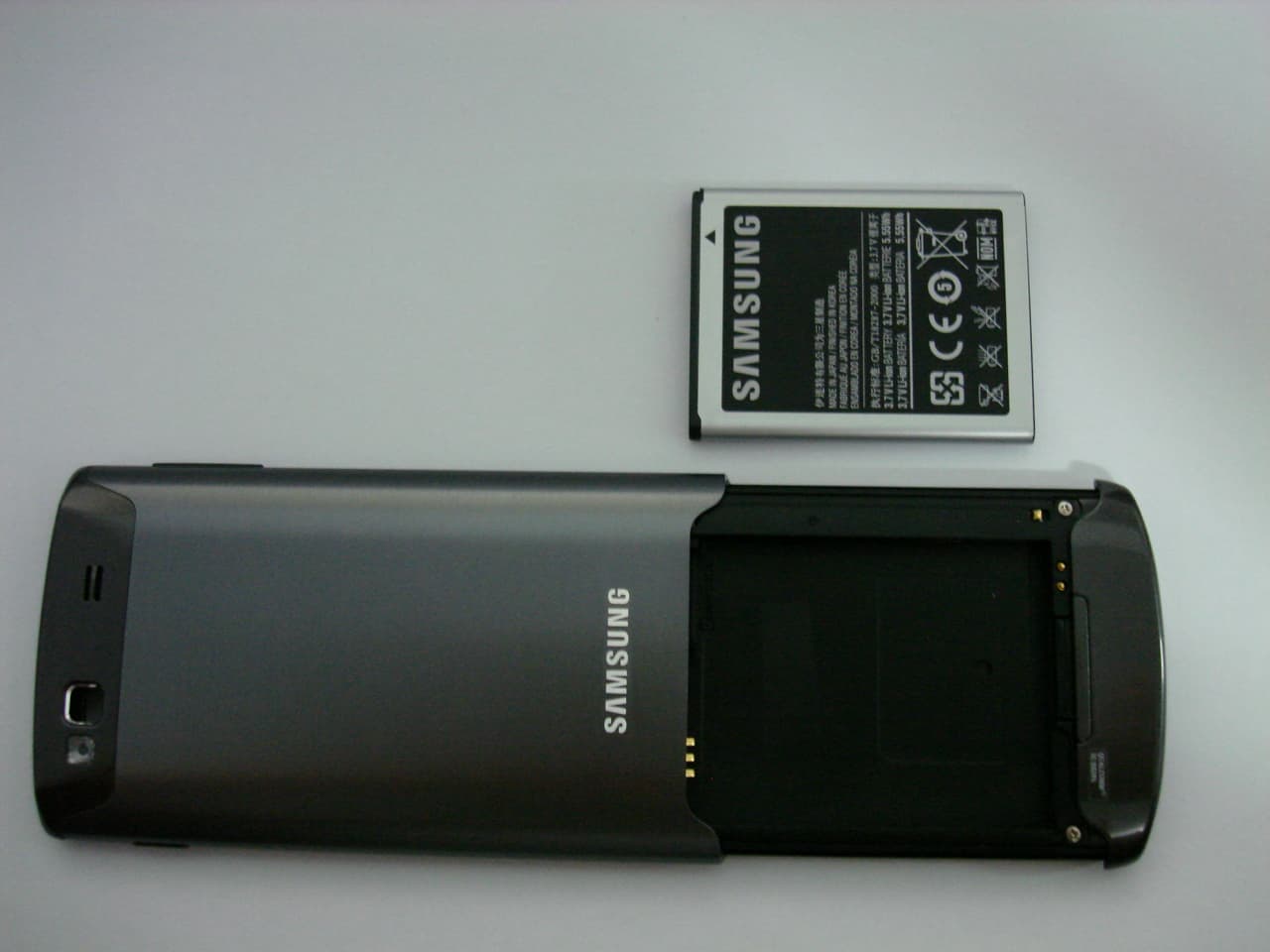
Click to zoom
Application Details
- Equipment Class
- JBP - Part 15 Class B Computing Device Peripheral
- Date of Grant
- Oct 04, 2011
- Application Purpose
- Original Equipment
- Date of Application
- Oct 04, 2011
- Equipment Note
- Cellular/PCS GSM Phone with WLAN and Bluetooth
- Company
- Samsung Electronics Co Ltd
- Country
- United States
Documents & Files
Document Text
Text extracted from the exhibit documents filed with the FCC. Open a document above to read the original.
Users Manual
User manual GT-S8600 Connectivity Connectivity Bluetooth Bluetooth is a short-range wireless communications technology capable of exchanging information over a distance of about 10 m without requiring a physical connection. You do not need to line up the devices to beam information with Bluetooth. If the devices are within range of one another, you can exchange information between them even if they are located in different rooms. Samsung is not responsible for the loss, interception, ● or misuse of data sent or received via the Bluetooth wireless feature. Always ensure that you share and receive data with ● devices that are trusted and properly secured. If there are obstacles between the devices, the operating distance may be reduced. Some devices, especially those that are not tested ● or approved by Bluetooth SIG, may be incompatible with your device. › Turn on the Bluetooth wireless feature In Menu mode, select 1 Settings → Connectivity → Bluetooth. Select 2 Bluetooth to turn on the Bluetooth wireless feature. Connectivity To allow other devices to locate your device, select 3 → Settings → My phone’s visibility → Always on → Set. If you selected Custom, enter duration that your device is visible and select Done. Once the Bluetooth wireless feature is active, select and use the following options: To change your device’s name, select ● Settings → My phone’s name. To set limits on browsing your files to others, select ● Settings → Secure mode. To check Bluetooth services available on your device and ● information about the services, select Bluetooth services. › Find and pair with other Bluetooth-enabled devices In Menu mode, select 1 Settings → Connectivity → Bluetooth → Search. Select a device. 2 Enter a PIN for the Bluetooth wireless feature or the other 3 device’s Bluetooth PIN, if it has one, and select Done. Alternatively, select Ye s to match the PIN between your device and the device. When the owner of the other device enters the same PIN or accepts the connection, pairing is complete. If the pairing is successful, the device will automatically search for available services. Some devices, especially headsets or hands-free car kits, may have a fixed Bluetooth PIN, such as 0000. If the other device has a PIN, you must enter it. Connectivity Once the device is paired with another Bluetooth-enabled device, the device icon will turn green. Select a paired device and use the following options: To browse files on the paired device, select ● Browse files. To view the service list of the paired device, select ● Service list. To change the paired device name, select ● Rename. To allow the paired device to access and browse your files, ● select Authorise device . To send your files to the paired device, select ● Send My files. To end the connection and delete the paired device, select ● Delete. › Send data using the Bluetooth wireless feature Select a file or item, such as a contact, calendar event, 1 memo, task, or media file, from an appropriate application or My files. Select 2 → an option for sending via Bluetooth. Search for and pair with a Bluetooth-enabled device. 3 › Receive data using the Bluetooth wireless feature Enter the PIN for the Bluetooth wireless feature and select 1 OK (if necessary). Select 2 Ye s to confirm that you are willing to receive data from the device (if necessary). Received data is saved to an appropriate application or folder according to its type. For example, a music or sound clip is saved to the sound folder and a contact to the phonebook. Connectivity › Use Remote SIM mode In Remote SIM mode, you can make or answer calls only with a connected Bluetooth hands-free car kit via the SIM or USIM card on your device. To activate Remote SIM mode, In Menu mode, select 1 Settings → Connectivity → Bluetooth. Select 2 → Settings → Remote SIM mode. To use Remote SIM mode, start the Bluetooth connection from a Bluetooth hands-free car kit. You must authorise the Bluetooth hands-free car kit. Wi-Fi Learn to use your device’s wireless networking capabilities to activate and connect to any wireless local area network (WLAN) compatible with the IEEE 802.11 b/g/n standards. You can connect to the internet or other network devices anywhere an access point or wireless hotspot is available. Your device uses non-harmonised frequency and is intended for use in all European countries. The WLAN can be operated in the EU without restriction indoors, but cannot be operated outdoors in France. › Activate the WLAN feature In Menu mode, select Settings → Connectivity → Wi-Fi. An active WLAN running in the background will consume battery power. To preserve battery power, activate the WLAN only when needed. Connectivity › Find and connect to a WLAN In Menu mode, select 1 Settings → Connectivity → Wi-Fi. The device will automatically search for available WLANs. Select the check box next to a network. 2 Enter a password for the network and select 3 Done (if necessary). Customise the connection profile › In Menu mode, select 1 Settings → Connectivity → Wi-Fi. Select the discovered WLAN AP. 2 The current connection profile for the network appears. Customise the connection profile of the selected WLAN: 3 OptionFunction NameView the name of the profile. Security typeView the security type of the WLAN AP. EAP method Select an EAP method. This option is available depending on the selected security type. User name Enter your user name. This option is available depending on the selected security type. Password Enter your password. This option is available depending on the selected security type. IP addressView your IP address of the WLAN AP. IP address type Select the IP address type of the WLAN A P. Connectivity OptionFunction Proxy address and port Enter the address and port number of the proxy server. AP MACView the MAC address of the WLAN AP. To delete all details of the connection profile, select Forget. › Connect to a WLAN using a Wi-Fi Protected Setup (WPS) In Menu mode, select 1 Settings →…
Text truncated - open the document above for the full version.
Cover Letter(s)
SAMSUNG ELECTRONICS AMERICA, INC. American QA Lab 18600 Broadwick St. Rancho Dominguez, CA 90220 Date: September 22, 2011 Federal Communications Commission Authorization and Evaluation Division 7435 Oakland Mills Road, Columbia, MD 21046 RE: Request of Confidentiality for FCC ID: A3LGTS8600 To Whom It May Concern: Pursuant to Sections 0.457 and 0.459 of the Commission’s Rules (CFR 47), and Section 552 (b) (4) of the Freedom of Information Act, SAMSUNG ELECTRONICS CO.,LTD. hereby requests confidentiality and treatment of certain information accompanying this application. The materials contain trade secrets and proprietary information not customarily released to the public. The public disclosure of these matters might be harmful to the Applicant and provide unjustified benefits to its competitors. We are also hereby request Short-Term Confidentiality for 180 days after the grant as outlined in Public Notice DA 04-1705. This provision will give SAMSUNG ELECTRONICS CO.,LTD. temporary confidentiality of commercially sensitive information prior to product release. The requested Permanent and Short-Term Confidential exhibits are listed as follows: PERMANENT AND SHORT-TERM CONFIDENTIAL LIST Exhibit Description 1 Block Diagram PERMANENT 2 Operational Description 3 External Photos 4 Internal Photos 5 Test-Setup Photos SHORT-TERM 6 Users Manual The Applicant understands that pursuant to Rule 0.457, disclosure of this application and all accompanying documentations, where applicable, will not be made public before the date of the Grant for this application. Sincerely, Peter Ra General Manager American QA Lab SAMSUNG Electronics America INC.
Cover Letter(s)
SAMSUNG ELECTRONICS CO., LTD 416,Maetan-3dong,Yeongtong-gu Suwon-si,Gyeonggi-do, 443-742 Korea Federal Communicat ions Commission 7435 Oakland Mills Road Colum bia, MD 21046 SUBJECT : Label Statement FCC ID : A3L Gentlemen: We hereby provide the label statement letter for the above-mentioned phone by a new label statement policy instituted at the September 12, 2006, TCB-FCC Teleconference. The label statement is as follows: The FCC ID shown in the FCC ID label page will be readily visible at the time of purchase because the phone will be marketed without the battery installed. This statement could not be included in the label. So we inform you of it through this letter. Should you have any questions or comments concerning the above, please contact the undersigned. Sincerely Yours, Seoung Ho Park Senior Manager SAMSUNG ELECTRONICS CO.,LTD Telecommunication Network Business Mobile Communication Division Regulatory Compliance Group.
External Photos
Samsung FCC ID: A3LGTS8600 Model: GT-S8600 External Photos EUT Type: Portable Handset Page 1 of 4 © 2011 PCTEST Engineering Laboratory Inc. EXTERNAL PHOTOGRAPHS Samsung FCC ID: A3LGTS8600 Model: GT-S8600 External Photos EUT Type: Portable Handset Page 2 of 4 © 2011 PCTEST Engineering Laboratory Inc. Samsung FCC ID: A3LGTS8600 Model: GT-S8600 External Photos EUT Type: Portable Handset Page 3 of 4 © 2011 PCTEST Engineering Laboratory Inc. Samsung FCC ID: A3LGTS8600 Model: GT-S8600 External Photos EUT Type: Portable Handset Page 4 of 4 © 2011 PCTEST Engineering Laboratory Inc.
ID Label/Location Info
2. Sample Label no]_TZ\][]h XXW_XX XXW_XX XXW_XX shilsTthpu n{Tz_]WWGOl|P {GoGrr GoGqvqGzGr {Gk XUG|G˄hpGVGwkm˅GG G˄zhtz|un˅GGGG YUGiGGG˄~op{l˅SGGGG˄ishjr˅G GGGGOGGzhtz|unGsvnvP ZUGiGGGGGGGGGGGU [UGuGGGGVG \UG{GGGGGGGGGyMkGn ]UG{GGGGGGNGGU ^UG{GGGGGGGyvss _UGyGGGGGGGGOP `UGkGGG GGGGGGOvxhTYW[`PU } GGGGGGGGGozpuz tvipslGwovul tvklsGaGn{Tz_]WW mjjGpkGaGhZsn{z_]WW zzuGaGTz_]WWnzto yh{lkGaGZU^G}GGGGGGGXWWWGh thklGpuGrvylhGiGzhtz|un b ZW ZW ^ zG GvwwG RG|}wGj vwwGsGX]GGG hG_ ~op{lGwvswyvwslulG_W hGY\ OWUXZ{·WUWXP \ QGyh{lkGᵆGX\WWGhGdeGXWWWGhGⷴᷱGOXXW_YZP 3. FCC ID Label Location tvipslGwovul tvklsGaGn{Tz_]WW mjjGpkGaGhZsn{z_]WW zzuGaGTz_]WWnzto yh{lkGaGZU^G}GGGGGGGXWWWGh thklGpuGrvylhGiGzhtz|un b \ {GGGGGG G
Test Report
FCC ID: A3LGTS8600 Report No.: HCTE1109FE12 Date: September 15, 2011 HCT CO., LTD. 105-1, JANGAM-RI, MAJANG-MYEON, ICHEON-SI, KYOUNGKI-DO, KOREA TEL: +82 31 645 6300 FAX: +82 31 645 6401 www.hct.co.kr Page 2 of 17 TABLE OF CONTENTS PAGE 1. GENERAL INFORMATION 1.1 Product description 3 1.2 Related submittal(s)/Grant(s) 3 1.3 Tested system details 4 1.4 Cable description 5 1.5 Noise suppression parts on cable. (I/O cable) 5 1.6 Test methodology 6 1.7 Test facility 6 1.8 Frequency Range of Radiated Measurements 6 2. SYSTEM TEST CONFIGURATION 2.1 Configuration of tested system 7 3. PRELIMINARY TEST 3.1 Conducted Emission test 8 3.2 Radiated Emission test 8 4. CONDUCTED AND RADIATED EMISSION TESTS SUMMARY 4.1 Conducted Emission test 9 4.2 Radiated Emission test 14 5. FIELD STRENGTH CALCULATION 15 6. TEST EQUIPMENT 16 7. CONCLUSION 17 ATTACHMENT: TEST SETUP PHOTOGRAPHS FCC ID: A3LGTS8600 Report No.: HCTE1109FE12 Date: September 15, 2011 HCT CO., LTD. 105-1, JANGAM-RI, MAJANG-MYEON, ICHEON-SI, KYOUNGKI-DO, KOREA TEL: +82 31 645 6300 FAX: +82 31 645 6401 www.hct.co.kr Page 3 of 17 1. GENERAL INFORMATION 1.1 Product Description Equipment Under Test (E.U.T) is 850/1900 GSM/GPRS Phone with Bluetooth, WLAN, EDGE Rx only, Model: GT-S8600 manufactured by SAMSUNG ELECTRONICS CO., LTD. Its basic purpose is used for communications. Model (s) GT-S8600 FCC ID A3LGTS8600 E.U.T Type 850/1900 GSM/GPRS Phone with Bluetooth, WLAN, EDGE Rx only TX Frequency 824.20 ㎒ to 848.80 ㎒ (GSM 850) 1 850.20 ㎒ to 1 909.80 ㎒ (GSM 1 900) RX Frequency 869.20 ㎒ to 893.80 ㎒ (GSM 850) 1 930.20 ㎒ to 1 989.80 ㎒ (GSM 1 900) 1.2 Related Submittal(s) / Grant(s) Original submittal only. FCC ID: A3LGTS8600 Report No.: HCTE1109FE12 Date: September 15, 2011 HCT CO., LTD. 105-1, JANGAM-RI, MAJANG-MYEON, ICHEON-SI, KYOUNGKI-DO, KOREA TEL: +82 31 645 6300 FAX: +82 31 645 6401 www.hct.co.kr Page 4 of 17 1.3 Tested System Details All equipment descriptions used in the tested system (including inserted cards) are: Device Type Manufacturer Model Number FCC ID / DoC Connected To 850/1900 GSM/GPRS Phone with Bluetooth, WLAN, EDGE Rx only SAMSUNG GT-S8600 A3LGTS8600 Notebook PC Notebook PC SAMSUNG NT-R519 DoC E.U.T Notebook PC adaptor Notebook PC adaptor DELTA (JIANG SU) SADP-90FH BAD-9019S - Notebook PC Mouse Microsoft Intellimouse optical USB and PS/2 compatible DoC Notebook PC Headset - - - E.U.T USB cable - APCBU10BBE - E.U.T Notebook PC SD card (8 GB) SanDisk - - E.U.T Keypad LG LK3200 DoC Notebook PC FCC ID: A3LGTS8600 Report No.: HCTE1109FE12 Date: September 15, 2011 HCT CO., LTD. 105-1, JANGAM-RI, MAJANG-MYEON, ICHEON-SI, KYOUNGKI-DO, KOREA TEL: +82 31 645 6300 FAX: +82 31 645 6401 www.hct.co.kr Page 5 of 17 1.4 Cable Description Product Name Port Power Cord Shielded (Y/N) I/O Cable Shielded (Y/N) Length (m) Headset jack - N (D)1.25 850/1900 GSM/ GPRS Phone with Bluetooth, WLAN, EDGE Rx only USB data N N (P,D)0.8 USB (Mouse) - Y (D)1.8 Notebook PC USB (Keypad) - Y (D)0.6 * The marked "(D)" means the data cable and "(P)" means the power cable. 1.5 Noise Suppression Parts on Cable. (I/O cable) Product Name Port Ferrite Bead (Y/N) Location Metal Hood (Y/N) Location Headset jack N - Y E.U.T End 850/1900 GSM/ GPRS Phone with Bluetooth, WLAN, EDGE Rx only USB data N - Y Both End USB (Mouse) Y Notebook PC End Y Notebook PC End Notebook PC USB (Keypad)N - Y Notebook PC End FCC ID: A3LGTS8600 Report No.: HCTE1109FE12 Date: September 15, 2011 HCT CO., LTD. 105-1, JANGAM-RI, MAJANG-MYEON, ICHEON-SI, KYOUNGKI-DO, KOREA TEL: +82 31 645 6300 FAX: +82 31 645 6401 www.hct.co.kr Page 6 of 17 1.6 Test Methodology Both Conducted and Radiated testing was performed according to the procedures in ANSI C63.4/2003. Radiated testing was performed at an antenna to E.U.T distance of 3 m 1.7 Test Facility The 10 m semi anechoic chamber used to collect the Conducted and Radiated is located at the 105-1, Jangam-Ri, Majang-Myeon, Icheon-Si, Kyoungki-Do, Korea. Those measurement facilities are constructed in conformance with the requirements of ANSI C63.4. Detailed description of test facilities was submitted to the Commission and accepted dated Sep. 03, 2010 (Registration Number: 90661) 1.8 Frequency Range of Radiated Measurements An unintentional radiator, including a digital device, the spectrum shall be investigated from the lowest radio frequency signal generated or used in the device, without going below the lowest frequency for which a Radiated Emission limit is specified, up to the frequency shown in the following table Highest frequency generated or used in the device or on which the device operates or tunes (㎒) Upper frequency of measurement range (㎒) Below 1.705 30 1.705 to 108 1 000 108 to 500 2 000 500 to 1 000 5 000 Above 1 000 5 th harmonic of the highest frequency or 40 ㎓, whichever is lower FCC ID: A3LGTS8600 Report No.: HCTE1109FE12 Date: September 15, 2011 HCT CO., LTD. 105-1, JANGAM-RI, MAJANG-MYEON, ICHEON-SI, KYOUNGKI-DO, KOREA TEL: +82 31 645 6300 FAX: +82 31 645 6401 www.hct.co.kr Page 7 of 17 2. SYSTEM TEST CONFIGURATION 2.1 Configuration of Test System Power Line Conducted test : E.U.T was connected to LISN via Notebook PC adaptor. Preliminary Power Line Conducted Emission tests were performed by using the procedure in ANSI C63.4/2003 7.2.3 to determine the worst operating conditions. Radiated Emission test : Preliminary Radiated Emission tests were performed by using the procedure in ANSI C63.4/2003 8.3.1.1 to determine the worst operating condition. Final Radiated Emission tests were performed at 10 m semi-anechoic chamber. [Configuration of Tested System] Power Line: 110VAC Non-Conductive Table Notebook PC adaptor Headset E.U.T Mouse Keypad Notebook PC FCC ID: A3LGTS8600 Report No.: HCTE1109FE12 Date: September 15, 2011 HCT CO., LTD. 105-1, JANGAM-RI, MAJANG-MYEON, ICHEON-SI, KYOUNGKI-DO, KOREA TEL: +82 31 645 6300 FAX: +82 31 645 6401 www.hct.co.kr Page 8 of 17 3. PRELIMINARY TEST 3.1 Conducted Emission Test ■ It was tested Data Communication…
Text truncated - open the document above for the full version.
Test Setup Photos
FCC ID: A3LGTS8600 Report No. HCTE1109FE12 Date: September 15, 2011 HCT CO., LTD. 105-1, JANGAM-RI, MAJANG-MYEON, ICHEON-SI, KYOUNGKI-DO, KOREA TEL: +82 31 645 6300 FAX: +82 31 645 6401 www.hct.co.kr Page 1 of 5 ATTACHMENT - TEST SETUP PHOTOS - FCC ID: A3LGTS8600 Report No. HCTE1109FE12 Date: September 15, 2011 HCT CO., LTD. 105-1, JANGAM-RI, MAJANG-MYEON, ICHEON-SI, KYOUNGKI-DO, KOREA TEL: +82 31 645 6300 FAX: +82 31 645 6401 www.hct.co.kr Page 2 of 5 1. CONDUCTED MEASUREMENT PHOTOS FCC ID: A3LGTS8600 Report No. HCTE1109FE12 Date: September 15, 2011 HCT CO., LTD. 105-1, JANGAM-RI, MAJANG-MYEON, ICHEON-SI, KYOUNGKI-DO, KOREA TEL: +82 31 645 6300 FAX: +82 31 645 6401 www.hct.co.kr Page 3 of 5 FCC ID: A3LGTS8600 Report No. HCTE1109FE12 Date: September 15, 2011 HCT CO., LTD. 105-1, JANGAM-RI, MAJANG-MYEON, ICHEON-SI, KYOUNGKI-DO, KOREA TEL: +82 31 645 6300 FAX: +82 31 645 6401 www.hct.co.kr Page 4 of 5 2. RADIATED MEASUREMENT PHOTOS FCC ID: A3LGTS8600 Report No. HCTE1109FE12 Date: September 15, 2011 HCT CO., LTD. 105-1, JANGAM-RI, MAJANG-MYEON, ICHEON-SI, KYOUNGKI-DO, KOREA TEL: +82 31 645 6300 FAX: +82 31 645 6401 www.hct.co.kr Page 5 of 5
Contact Information
Applicant
Jenni Chun(General Manager)
Technical Contact
PCTEST Engineering Lab., Inc.Randy Ortanez
[email protected]410-290-6652
6660-B Dobbin Road · Columbia, Maryland · United States
Test Firm
HCT Co., Ltd.Lee Yoon-Jung
Technical Specifications
| # | Rule Parts | Frequency Range | Power Output |
|---|---|---|---|
| 1 | 15B | - | - |
Other Applications from Samsung Electronics Co Ltd
A3LSMS741B
Aug 05, 2026Portable Handset
Equipment Class
6VL - 15E 6 GHZ Very Low Power DeviceA3LSMX940
Jul 31, 2026BT,BLE Tablet DTS,UNII a,b,g,n,ac,ax,be and digitizer
Equipment Class
DTS - Digital Transmission SystemA3LSMS741U
Jul 30, 2026Portable Handset
Equipment Class
6CD - 15E 6 GHz Low Power Dual ClientA3LSMX840
Jul 27, 2026BT,BLE Tablet DTS,UNII a,b,g,n,ac,ax and Digitizer
Equipment Class
DSS - Part 15 Spread Spectrum TransmitterA3LSMX848U
Jul 27, 2026WCDMA, LTE, 5G NR Tablet BT,BLE, DTS,UNII a b g n ac ax and Digitizer
Equipment Class
JBP - Part 15 Class B Computing Device Peripheral