A3LHA10S Band
Samsung Electronics Co Ltd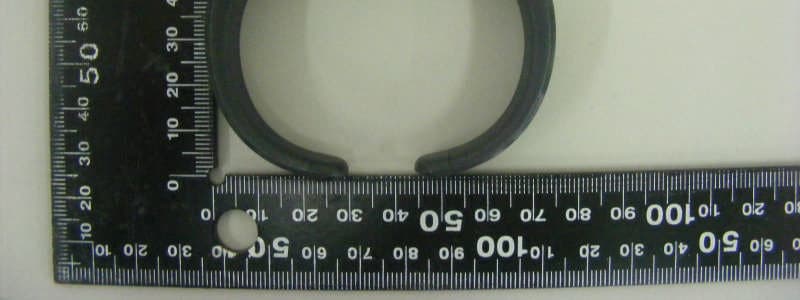
Click to zoom
Application Details
- Equipment Class
- DTS - Digital Transmission System
- Date of Grant
- Jul 17, 2013
- Application Purpose
- Original Equipment
- Date of Application
- Jul 17, 2013
- Equipment Note
- S Band
- Frequency Range
- 2402.00000000 - 2480.00000000
- Company
- Samsung Electronics Co Ltd
- Country
- United States
Documents & Files
Document Text
Text extracted from the exhibit documents filed with the FCC. Open a document above to read the original.
Users Manual
www.samsung.com Type E. AXXXXX 05/2013. Rev. 1.0 S Band User manual Contents English ................................................................................................................................1 1 English • This manual’s images and content may differ from the product and is subject to change without prior notice. • This product is only a health assisting device. It cannot be used for medical diagnostic purposes. Safety precautions Do not use the device for anything other than its intended use Do not disassemble, modify, or repair the device Any changes or modifications to the device can void your manufacturer’s warranty. For service, take the device to a Samsung Service Centre. When using the device, mind the following: • Humidity and liquids may damage parts or electronic circuits. • Do not store the device in hot areas. High temperature may cause damage to the device or shorten battery life. • Do not drop the device or cause impacts to it. English 2 Overview Check the product box for the following items: S Band, Micro USB cable, and user manual. The supplied items may vary depending on the region. Indicator light Micro USB cover Setting button 3 English Charging the S Band The device has a rechargeable internal battery which is non-removable. Make sure they are fully charged before using it for the first time. • Use only Samsung-approved chargers. • The travel adapter is sold separately. 4 1 Connect the travel adapter to the charging socket on the device. 2 Plug the travel adapter into the wall outlet. During charging, the indicator light will turn red. If the red indicator light flashes, unplug the travel adapter and plug it in again. 3 When fully charged, the indicator light turns green. Unplug the travel adapter from the device. • When the main power turns off by the internal battery discharge, the accumulated data in the device cannot be restored. • It is recommended to charge the device and sync with the smartphone before the battery is discharged. 5 English Wearing the S Band Stretch out both sides of the device, and wear it on your wrist. Do not pull or stretch out the device too hard to avoid damage of the device. 6 Pairing and Connecting with a smartphone Check physical activities and sleep patterns of daily life by connecting the device to the smartphone. To connect with the smartphone, the S Health application must be installed and launched on the smartphone. Connecting 1 Press and hold the setting button to enter Pairing mode until the indicator light flashes red, green, and blue for 30 seconds. 2 On the smartphone, launch the S Health application. 3 Tap Health board → Walking mate → → S Band. 7 English 4 Tap Scan to search for the device. 5 To pair with the smartphone, select the device from the list of available devices. • Once pairing is complete, the blue or white indicator light stays for 3 seconds, and then turns off. • When the device is connected, the green indicator light flashes for 5 seconds, and then turns off. • When the device is connected, the accumulated data can be managed on the smartphone. • At first connection, the device starts counting steps. Press and hold the button for 3 seconds to change into other function. • Physical activities may not be measured accurately when the Wi-Fi and Bluetooth features are turned on at the same time. 8 Disconnecting 1 On the smartphone, launch the S Health application. 2 Tap Health board → Walking mate → → S Band. 3 Tap Disconnect to disconnect the device from the smartphone. To check the disconnection, press the button. The blue or white indicator light stays for 30 seconds. Reconnecting If the connection is lost while in use, press the button and tap Sync on the screen. Make sure the smartphone’s Bluetooth feature is activated. 9 English Using modes The device can be used in two modes, walking mate and sleep monitor modes. In walking mate mode, steps can be counted, and sleep efficiency can be measured in sleep monitor mode. Changing and checking modes To switch between walking mate and sleep monitor modes, press and hold the button for 3 seconds. It is possible to check modes of the device with the indicator light’s colours. • Walking mate: Press the button shortly, and then the blue indicator light flashes. To ensure accurate counting, the device detects and counts the actual steps only when a certain motion continues for a while. • Sleep monitor: Press the button shortly, and then the white indicator light flashes. 10 Forgetting and Resetting the S Band The device needs to be unpaired and reset data to pair with other smartphones. Forgetting the device 1 On the smartphone, launch the S Health application. 2 Tap Health board → Walking mate → → S Band → Unpair. 3 Tap OK to forget the device on the smartphone. Resetting the device Press and hold the button for 10 seconds until the indicator light flashes red, green, and blue. 11 FCC Warning This device complies with part 15 of the FCC Rules. Operation is subject to the following two conditions: (1) This device may not cause harmful interference, and (2) this device must accept any interference received, including interference that may cause undesired operation. RF Exposure Statement (2.1091) This Equipment complies with FCC RF Radiation Exposure limits set forth for an uncontrolled environment. This device and its antenna must not be co-located or operating in conjunction with any other antenna or transmitter. 12 IC Warning "This device complies with Industry Canada licence-exempt RSS standard(s)." Operation is subject to the following conditions: (1) this device may not cause interference, and (2) this device mustaccept any interference, including interference that may cause undesired operation of the device. Le présent appareil est conforme aux CNR d'Industrie Canada applicables aux appareils radio exempts de licence.L'exploitation est autorisée aux deux conditions suivantes : (1) l'appareil ne doit pas provoquer de brouillage, et (2)l'appareil d…
Text truncated - open the document above for the full version.
Cover Letter(s)
129, Samsung‐Ro, Yeongtong‐Gu, Suwon‐City Gyeonggi‐Do, 443‐742, Korea July 05, 2013 Federal Communications Commission Authorization and Evaluation Division 7435 Oakland Mills Road, Columbia, MD 21046 LETTER OF AUTHORIZATION To whom it may concern: I, the undersigned, hereby authorize Lab Manager Feel. Jeong (or Logan. Lee) and of SGS Korea Co., Ltd. and hereafter referred to as SGS Korea, to act on our behalf in all manners relating to application for equipment authorization, including signing of all documents relating to these matters. Any and all acts carried out by Lab Manager Feel. Jeong (or Logan. Lee) of SGS Korea Co., Ltd. on our behalf shall have the same effect as acts of our own. I, the undersigned, hereby certify that we are not subject to a denial of federal benefits, that includes FCC benefits, pursuant to Section 5301 of the Anti‐Drug Abuse Act of 1988, 21 U.S.C. 853(a). In authorizing SGS Korea as our agent, we still recognize that we are responsible to: a) comply with the relevant provisions of the certification program; b) make all necessary arrangements for the conduct of the evaluation, including provision for examining documentation and access to all areas, records (including internal audit reports) and personnel for the purposes of evaluation (e.g. testing, inspection, assessment, surveillance, reassessment) and resolution of complaints; c) make claims regarding certification only in respect of the scope for which certification has been granted; d) do not use our product certification in such a manner as to bring the Certification Division into disrepute and not make any statement regarding our product certification which the Certification Division may consider misleading or unauthorized; e) upon suspension or cancellation of certification, discontinue use of all advertising matter that contains any reference thereto and return any certification documents as required by the Certification Division; f) use certification only to indicate the products are certified as being in conformity with specified standards; g) endeavor to ensure that no certificate or report nor any part thereof is used in a misleading manner; h) ensure that any reference to our product certification in communication media such as documents, brochures or advertising, complies with the requirements of the Certification Division; 129, Samsung‐Ro, Yeongtong‐Gu, Suwon‐City Gyeonggi‐Do, 443‐742, Korea i) keep a record of all complaints made known to the us relating to the product’s compliance with requirements of the relevant standard and to make these records available to the Certification Division when requested; j) take appropriate action with respect to such complaints and any deficiencies found in products or services that affect compliance with the requirements for certification; k) document the actions taken. This authorization is valid until further written notice from the applicant. Sincerely Yours Sang Kyung (Peter) Ra / General Manager Samsung Electronics Co., Ltd.
Cover Letter(s)
129, Samsun g‐Ro, Yeongtong‐Gu, Suwon‐City Gyeonggi‐Do, 443‐742, Korea July 05, 2013 Federal Communications Commission Authorization and Evaluation Division 7435 Oakland Mills Road, Columbia, MD 21046 REQUEST OF CONFIDENTIALITY for FCC ID: A3LHA10 To Whom It May Concern: Pursuant to Sections 0.457 and 0.459 of the Commission’s Rules (CFR 47), and Section 552 (b) (4) of the Freedom of Information Act, Samsung Electronics Co., Ltd. hereby requests confidentiality and treatment of certain information accompanying this application. The materials contain trade secrets and proprietary information not customarily released to the public. The public disclosure of these matters might be harmful to the Applicant and provide unjustified benefits to its competitors. We are also hereby request Short‐Term Confidentiality for 180 days after the grant as outlined in Public Notice DA 04‐1705. This provision will give Samsung Electronics Co., Ltd temporary confidentiality of commercially sensitive information prior to product release. The requested Permanent and Temporary Confidential exhibits are listed as follows: CONFIDENTIAL LIST Permanent 1 Block Diagram 2 Operational Descriptions 3 Schematics Short‐Term 4 External Photos 5 Internal Photos 6 Test‐Setup Photos 7 User’s Manual The Applicant understands that pursuant to Rule 0.457, disclosure of this application and all accompanying documentations, where applicable, will not be made public before the date of the Grant for this application. Sincerely Yours, Hanshil Choi, Senior Engineer Samsung Electronics Co., Ltd.
External Photos
Model :EI-HA10 External photos of EUT Model :EI-HA10 Top view of EUT Bottom view of EUT Model :EI-HA10 Side view of EUT
ID Label/Location Info
Label Drawing, Location S-BAND EI-HA10
Internal Photos
Model :EI-HA10 Internal photos of EUT Model :EI-HA10 Over view of EUT Top view of PCB Model :EI-HA10 Bottom view of PCB Antenna
RF Exposure Info
FCC ID : A3LHA10 According to KDB 447498 D01 General RF Exposure Guidance v05, section 4.3.1 At 100 ㎒ to 6 ㎓ and for test separation distances ≤ 50 mm, the SAR test exclusion threshold is determined according to the following a) [(max. power of channel, including tune-up tolerance, ㎽) / (min. test separation distance, mm)] x [√f (GHz) ] ≤ 3.0 1. SAR test exclusion threshold Frequency : 2 440 ㎒ (min. separation distances = 5 mm) SAR test exclusion thresholds(5 mm) = (3 x 5) / √ 2.44 = 9.60 ㎽ Max. conducted power(㎽) SAR Test Exclusion Thresholds(5 mm) (㎽) 2 9.60 Calculation value : 2(㎽) / 5(mm) x = 0.62 So, Calculation value ≤ 3.0 2. Conclusion : No SAR is required.
Test Report
Report Number : F690501/RF-RTL006713-1 Page: 2 of 30 The results shown in this test report refer only to the sample(s) tested unless otherwise stated. This test report cannot be reproduced, except in full, without prior written permission of the Company. SGS Korea Co., Ltd. (Gunpo Laboratory) 18-34, Sanbon-dong, Gunpo-si, Gyeonggi-do, Korea, 435-040 Tel. +82 31 428 5700 / Fax. +82 31 427 2371 www.ee.sgs.com/korea INDEX Table of Contents Page 1. General Information --------------------------------------------------------------------------------- 3 2. Transmitter Radiated Spurious Emissions and Conducted Spurious Emission------ 6 3. 6㏈ Bandwidth and 99% Occupied Bandwidth --------------------------------------------- 19 4. Maximum Conducted output power ------------------------------------------------------------- 24 5. Power Spectral Density ---------------------------------------------------------------------------- 27 6. Antenna Requirement ------------------------------------------------------------------------------ 30 Report Number : F690501/RF-RTL006713-1 Page: 3 of 30 The results shown in this test report refer only to the sample(s) tested unless otherwise stated. This test report cannot be reproduced, except in full, without prior written permission of the Company. SGS Korea Co., Ltd. (Gunpo Laboratory) 18-34, Sanbon-dong, Gunpo-si, Gyeonggi-do, Korea, 435-040 Tel. +82 31 428 5700 / Fax. +82 31 427 2371 www.ee.sgs.com/korea 1. General Information 1.1. Testing Laboratory SGS Korea Co., Ltd. (Gunpo Laboratory). - Wireless Div. 3FL, 18-34, Sanbon-dong, Gunpo-si, Gyeonggi-do, Korea 435-040 (Lab) - 400-2, Gomae-dong, Giheoung-gu, Yongin-si, Gyeonggi-do, Korea, 446-901 (Chamber) All SGS services are rendered in accordance with the applicable SGS conditions of service available on request and accessible at http://www.sgs.com/en/Terms-and-Conditions.aspx. Phone No. : +82 31 428 5700 Fax No. : +82 31 427 2371 1.2. Details of Applicant Applicant : Samsung Electronics Co., LTD. Address : 129, Samsung-ro, Yeongtong-gu, Suwon-si, Gyeonggi-do, 443-742 Republic of Korea Contact Person : Choi, Han-sil Phone No. : +82 31 301 0827 1.3. Description of EUT Kind of Product S Band Model Name EI-HA10 Serial Number N/A Power Supply DC 3.7 V Frequency Range 2 402 ㎒ ~ 2 480 ㎒ Modulation Technique GFSK Number of Channels 40 channels Channel separation 2 ㎒ Antenna Type Internal type Antenna Gain -1.32 ㏈i 1.4. Declaration by the manufacturer - This product is applied for only Bluetooth LE - EUT cannot transmit at the time of charging. Therefore, AC conducted emission test is not necessary . Report Number : F690501/RF-RTL006713-1 Page: 4 of 30 The results shown in this test report refer only to the sample(s) tested unless otherwise stated. This test report cannot be reproduced, except in full, without prior written permission of the Company. SGS Korea Co., Ltd. (Gunpo Laboratory) 18-34, Sanbon-dong, Gunpo-si, Gyeonggi-do, Korea, 435-040 Tel. +82 31 428 5700 / Fax. +82 31 427 2371 www.ee.sgs.com/korea 1.5. Test Equipment List Equipment Manufacturer Model S/N Cal Date Cal Interval Cal Due. Signal Generator R&S SMR40 100272 Aug. 23, 2012 Annual Aug. 23, 2013 Spectrum Analyzer Agilent N9030A US51350132 Oct. 30, 2012 Annual Oct. 30, 2013 Spectrum Analyzer R&S FSV30 100768 Mar. 28, 2013 Annual Mar. 28, 2014 Attenuator AEROFLEX / INMET 26A-10dB 3 Apr. 05, 2013 Annual Apr. 05, 2014 Band Rejection Filter Wainwright WRCT2402/2480- 2400/2483.5-30/20SS 22 Jul. 31, 2012 Annual Jul. 31, 2013 High Pass Filter Wainwright WHK3.0/18G-6SS 4 Aug. 01, 2012 Annual Aug. 01, 2013 High Pass Filter Wainwright WHK7.5/26.5G-6SS N/A Jul. 12, 2012 Annual Jul. 12, 2013 Low Pass Filter Mini circuits NLP-1200+ V9500401023-1 Aug. 01, 2012 Annual Aug. 01, 2013 Power Sensor R&S NRP-Z81 100669 Apr. 05. 2013 Annual Apr. 05. 2014 DC Power Supply Agilent U8002A MY50060028 Mar. 28, 2013 Annual Mar. 28, 2014 Preamplifier H.P. 8447D 1726A01265 Sep.17, 2012 Annual Sep.17, 2013 Preamplifier MITEQ Inc. JS44-18004000-35-8P 1546891 Jul. 12, 2012 Annual Jul. 12, 2013 Preamplifier MITEQ Inc. AFS42-00101800-25-S 900699 Jul. 07, 2012 Annual Jul. 07, 2013 Test Receiver R & S ESCI7 100778 Feb. 15, 2013 Annual Feb. 15, 2014 Bilog Antenna SCHWARZBEC K VULB9163 9163-390 Apr. 19, 2012 Biennial Apr. 19, 2014 Turn Table DT-3000S-3T INN-CO N/A N.C.R. N.C.R. N.C.R. Test Receiver ESCI7 R&S 100778 Feb. 15, 2013 Annual Feb. 15, 2014 Horn Antenna R&S HF906 100608 Aug. 13, 2012 Biennial Aug. 13, 2014 Horn Antenna SCHWARZBECK BBHA9170 BBHA9170431 May 15, 2012 Biennial May 15, 2014 Antenna Master MA4000-EP INN-CO N/A N.C.R. N.C.R. N.C.R. Anechoic Chamber SY Corporation L × W × H (21.5 m × 13.0 m × 9.0 m) N/A N.C.R. N.C.R. N.C.R. ▶ Support equipment Description Manufacturer Model Serial Number N/A - - - 1.6. Conclusion of worst-case The field strength of spurious emission was measured in three orthogonal EUT positions(X-axis, Y-axis and Z-axis). Worst case is Y-axis Report Number : F690501/RF-RTL006713-1 Page: 5 of 30 The results shown in this test report refer only to the sample(s) tested unless otherwise stated. This test report cannot be reproduced, except in full, without prior written permission of the Company. SGS Korea Co., Ltd. (Gunpo Laboratory) 18-34, Sanbon-dong, Gunpo-si, Gyeonggi-do, Korea, 435-040 Tel. +82 31 428 5700 / Fax. +82 31 427 2371 www.ee.sgs.com/korea 1.7. Summary of Test Results The EUT has been tested according to the following specifications: APPLIED STANDARD: FCC Part15 Subpart C § 15.247, RSS-210 Issue8, RSS-Gen Issue3 Standard section Test Item(s) Result 15.205 15.209 15.247(d) RSS-210 A8.5 Transmitter Radiated Spurious Emissions Conducted Spurious Emission Complied 15.247(a)(2) RSS-210 A8.2(a) RSS-Gen 4.6.1 6 ㏈ Bandwidth and 99% Occupied Bandwidth Complied 15.247(b)(3) RSS-210 A8.4(4) Maximum Conducted Output Power Complied 15.247(e) RSS-210 A8.3(2) Power Spectral Density Complied 1.8. Test Procedure(s) The measurement procedures described in the A…
Text truncated - open the document above for the full version.
Test Setup Photos
Test setup photos of EUT A. Photo of Spurious Emission Test
Contact Information
Applicant
Jenni Chun(General Manager)
Test Firm
SGS KOREA CO., Ltd.Jackie Jeon
Technical Specifications
| # | Rule Parts | Frequency Range | Power Output |
|---|---|---|---|
| 1 | 15C | 2.40 GHz - 2.48 GHz | 1.40 mW |
Other Applications from Samsung Electronics Co Ltd
A3LSMS741B
Aug 05, 2026Portable Handset
Equipment Class
6VL - 15E 6 GHZ Very Low Power DeviceA3LSMX940
Jul 31, 2026BT,BLE Tablet DTS,UNII a,b,g,n,ac,ax,be and digitizer
Equipment Class
DTS - Digital Transmission SystemA3LSMS741U
Jul 30, 2026Portable Handset
Equipment Class
6CD - 15E 6 GHz Low Power Dual ClientA3LSMX840
Jul 27, 2026BT,BLE Tablet DTS,UNII a,b,g,n,ac,ax and Digitizer
Equipment Class
DSS - Part 15 Spread Spectrum TransmitterA3LSMX848U
Jul 27, 2026WCDMA, LTE, 5G NR Tablet BT,BLE, DTS,UNII a b g n ac ax and Digitizer
Equipment Class
JBP - Part 15 Class B Computing Device Peripheral