A3LSCHF219Cellular CDMA Phone with Bluetooth
Samsung Electronics Co Ltd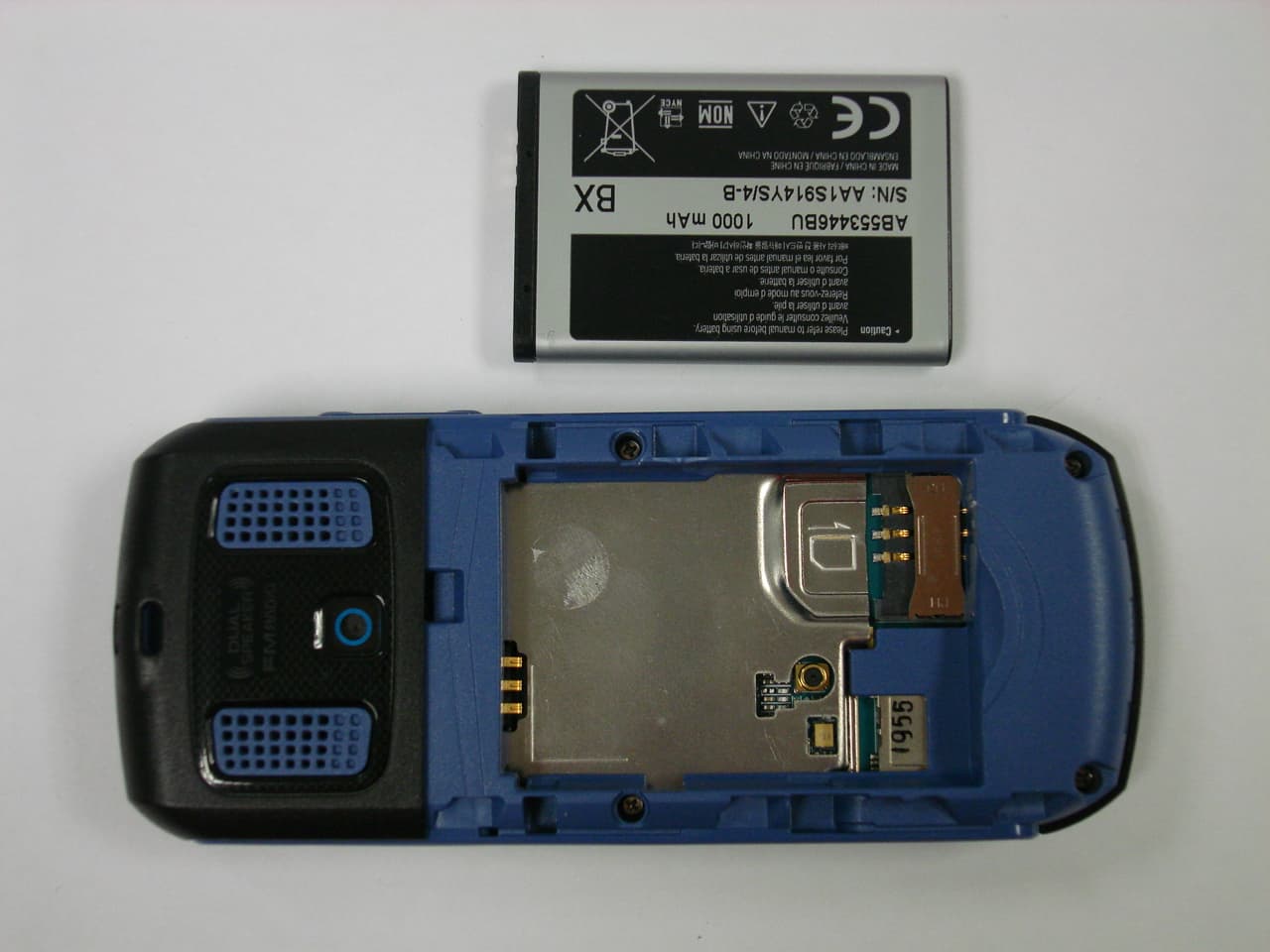
Click to zoom
Application Details
- Equipment Class
- TNE - Licensed Non-Broadcast Transmitter Held to Ear
- Date of Grant
- Nov 26, 2009
- Application Purpose
- Original Equipment
- Date of Application
- Nov 26, 2009
- Equipment Note
- Cellular CDMA Phone with Bluetooth
- Frequency Range
- 824.70000000 - 848.31000000
- Company
- Samsung Electronics Co Ltd
- Country
- United States
Documents & Files
Document Text
Text extracted from the exhibit documents filed with the FCC. Open a document above to read the original.
Users Manual
User manual SCH-F Draft 1 2009-- Only for Marketing using this manual This user manual has been specially designed to guide you through the functions and features of your mobile phone. To get started quickly, refer to “introducing your mobile phone,” “ 오류! 참조 원본을 찾을 수 없습니다.,” and “오류! 참조 원본을 찾을 수 없습니다. .” Instructional icons Before you start, familiarise yourself with the icons you will see in this manual: Warning—situations that could cause injury to yourself or others Caution—situations that could cause damage to your phone or other equipment Note—notes, usage tips, or additional information X Refer to—pages with related information; for example: X p. 12 (represents “see page 12”) Õ Followed by—the order of options or menus you must select to perform a step; for example: In Menu mode, select Messages Õ Create new message (represents Messages, followed by Create new message) [ ] Square brackets—phone keys; for example: [ ](represents the Power/ Menu exit key) < > Angled brackets—softkeys that control different functions at each screen; for example: <OK> (represents the OK softkey) Copyright information Rights to all technologies and products that comprise this device are the property of their respective owners: z Bluetooth ® is a registered trademark of the Bluetooth SIG, Inc. worldwide z Java™ is a trademark of Sun Microsystems, Inc. z Windows Media Player ® is a registered trademark of Microsoft Corporation. contents safety and usage information Safety warnings Safety precautions Important usage information introducing your mobile phone Unpack .. Phone layout Keys Display Icons assembling and preparing your mobile phone Install the UIM card and battery Charge the battery using basic functions Turn your phone on and off Access menus Customise your phone Use basic call functions Send and view messages Add and find contacts troubleshooting safety and usage information Comply with the following precautions to avoid dangerous or illegal situations and ensure peak performance of your mobile phone. Safety warnings Keep your phone away from small children and pets Keep your phone and all accessories out of the reach of small children or animals. Small parts may cause choking or serious injury if swallowed. Protect your hearing Listening to a headset at high volumes can damage your hearing. Use only the minimum volume setting necessary to hear your conversation or music. Install mobile phones and equipment with caution Ensure that any mobile phones or related equipment installed in your vehicle are securely mounted. Avoid placing your phone and accessories near or in an air bag deployment area. Improperly installed wireless equipment can cause serious injury when air bags inflate rapidly. Handle and dispose of batteries and chargers with care z Use only Samsung-approved batteries and chargers specifically designed for your phone. Incompatible batteries and chargers can cause serious injuries or damage to your phone. z Never dispose of batteries or phones in a fire. Follow all local regulations when disposing used batteries or phones. z Never place batteries or phones on or in heating devices, such as microwave ovens, stoves, or radiators. Batteries may explode when overheated. z Never crush or puncture the battery. Avoid exposing the battery to high external pressure, which can lead to an internal short circuit and overheating. Avoid interference with pacemakers Maintain a minimum of 15 cm (6 inches) between mobile phones and pacemakers to avoid potential interference, as recommended by manufacturers and the independent research group, Wireless Technology Research. If you have any reason to suspect that your phone is interfering with a pacemaker or other medical device, turn off the phone immediately and contact the manufacturer of the pacemaker or medical device for guidance. Turn off the phone in potentially explosive environments Do not use your phone at refuelling points (service stations) or near fuels or chemicals. Turn off your phone whenever directed by warning signs or instructions. Your phone could cause explosions or fire in and around fuel or chemical storage and transfer areas or blasting areas. Do not store or carry flammable liquids, gases, or explosive materials in the same compartment as the phone, its parts, or accessories. Reduce the risk of repetitive motion injuries When sending text messages or playing games on your phone, hold the phone with a relaxed grip, press the keys lightly, use special features that reduce the number of keys you have to press (such as templates and predictive text), and take frequent breaks. Safety precautions Drive safely at all times Avoid using your phone while driving and obey all regulations that restrict the use of mobile phones while driving. Use hands-free accessories to increase your safety when possible. Follow all safety warnings and regulations Comply with any regulations that restrict the use of a mobile phone in a certain area. Use only Samsung-approved accessories Using incompatible accessories may damage your phone or cause injury. Turn off the phone near medical equipment Your phone can interfere with medical equipment in hospitals or health care facilities. Follow all regulations, posted warnings, and directions from medical personnel. Turn off the phone or disable the wireless functions when in an aircraft Your phone can cause interference with aircraft equipment. Follow all airline regulations and turn off your phone or switch to a mode that disables the wireless functions when directed by airline personnel. Protect batteries and chargers from damage Avoid exposing batteries to very cold or very hot temperatures (below 0° C/32° F or above 45° C/ 113° F). Extreme temperatures can reduce the charging capacity and life of your batteries. Prevent batteries from contacting metal objects, as this can create a connection between the + and - terminals of your batteries and lead to temporary or permanent battery damage. Never use a dama…
Text truncated - open the document above for the full version.
ID Label/Location Info
SCH-F219 translucent opp laminating+uvp coating KIM TAE HUN KIM JUNE SOP Manufacture 090917090917 JO KYEONG WAN 090917HSINS MODEL : SCH-F219 FCC ID : A3LSCHF219 MADE BY SAMSUNG CDMA PHONE 41 * 사이즈 변경 (090917) 234.313.7 12.6 6.4 25 C2 MODEL : SCH-F219 FCC ID : A3LSCHF219 MADE BY SAMSUNG CDMA PHONE The label is placed inside the battery compartment
RF Exposure Info
of 32 SAMSUNG ELECTRONICS Co., Ltd., Regulatory Compliance Group IT R&D Center +82-31-301-8213 416, Maetan-3dong, Yeongtong-gu, Suwon-si, Gyeonggi-do, Korea 443-742 TEST REPORT ON SAR Model Tested: SCH-F219 FCC ID (Requested): A3LSCHF219 Job No: FG-311 Report No: FG-311-S1 Date issued: Nov.25, 2009 - Abstract – This document reports on SAR Tests carried out in accordance with FCC/OET Bulletin 65, Supplement C(July 2001). Prepared By KS PARK-Test Engineer Authorized By JD JANG-Technical Manager Report Number: FG-311-S1 2 of 32 Contents 1. GENERAL INFORMATION............................................................................................................. 3 2. DESCRIPTION OF DEVICE ........................................................................................................... 3 3. DESCRIPTION OF TEST EQUIPMENT ......................................................................................... 4 3.1 SAR Measurement Setup ......................................................................................................4 3.2 E-field Probe .......................................................................................................................... 5 3.3 Phantom ................................................................................................................................. 7 3.4 Brain & Muscle Simulating Mixture Characterization ............................................................. 8 3.5 Device Holder for Transmitters ..............................................................................................9 3.6 Validation Dipole .................................................................................................................... 9 3.7 Equipment Calibration.......................................................................................................... 10 4. SAR MEASUREMENT PROCEDURE ......................................................................................... 11 5. DESCRIPTION OF TEST POSITION ........................................................................................... 12 5.1 SAM Phantom Shape...........................................................................................................12 5.2 Cheek/Touch Position .......................................................................................................... 12 5.3 EAR/Tilt 15° Position ............................................................................................................ 14 5.4 Body Holster/Belt Clip Configurations.................................................................................. 15 6. MEASUREMENT UNCERTAINTY................................................................................................ 17 7. SYSTEM VERIFICATION ............................................................................................................. 18 7.1 Tissue Verification ................................................................................................................ 18 7.2 Test System Validation ......................................................................................................... 18 8. SAR MEASUREMENT RESULTS ................................................................................................ 19 8.1 Measurement Results(CDMA Right Head SAR - Touch) ..................................................... 22 8.2 Measurement Results(CDMA Right Head SAR - Tilt) .......................................................... 23 8.3 Measurement Results(CDMA Left Head SAR - Touch) ....................................................... 24 8.4 Measurement Results(CDMA Left Head SAR - Tilt) ............................................................ 25 8.5 Measurement Results(CDMA Body SAR without Holster)................................................... 26 9. CONCLUSION .............................................................................................................................. 27 10. REFERENCES ............................................................................................................................ 28 Report Number: FG-311-S1 3 of 32 1. GENERAL INFORMATION Test Sample : Single-Mode Cellular Phone Model Number : SCH-F219 Serial Number : Identical prototype (S/N : # FG-311-C) Manufacturer : SAMSUNG ELECTRONICS Co., Ltd. Address : CS KIM416 Maetan3-Dong, Yeongtong-gu, Suwon City Gyeonggi-Do, Korea 443-742 Test Standard : §2.1093; FCC/OET Bulletin 65, Supplement C(July 2001) FCC Classification : Licensed Non-Broadcast Transmitter Held to Ear (TNE) T est Dates : Nov.05, 2009 Tested for : FCC/TCB Certification 2. DESCRIPTION OF DEVICE Tx Freq. Range : 824.70 ~ 848.31 MHz (CDMA) Rx Freq. Range : 869.70 ~ 893.31 MHz (CDMA) Antenna Manufacturer : PARTRON Model No.: AISCHF219PA (SCH-F219) Antenna Dimensions : 40.27mm*14.45mm*4.73mm CDMA 2000 1x Support Report Number: FG-311-S1 4 of 32 3. DESCRIPTION OF TEST EQUIPMENT 3.1 SAR Measurement Setup Robotic System Measurements are performed using the DASY4 automated dosimetric assessment system. Which is made by Schmid & Partner Engineering AG (SPEAG) in Zurich, Switzerland and consists of high precision robotics system (Stäubli), robot controller, measurement server, Samsung computer, near- field probe, probe alignment sensor, and the SAM twin phantom containing the brain equivalent material. The robot is a six-axis industrial robot performing precise movements to position the probe to the location (points) of maximum electromagnetic field (EMF) (see Fig. 3.1). Figure 3.1 SAR Measurement System Setup System Hardware A cell controller system contains the power supply, robot controller, teach pendant (Joystick), and a remote control is used to drive the robot motors. The PC consists of the Samsung computer with Windows XP system and SAR Measurement Software DASY4, LCD monitor, mouse and keyboard. The Stäubli Robot is connected to the cell controller to allow softwa…
Text truncated - open the document above for the full version.
Test Setup Photos
SAMSUNG FCC ID: A3LSCHF219 Cellular CDMA Phone with Bluetooth
Test Setup Photos
© 2009 SAMSUNG ELECTRONICS Co., Ltd SAMSUNG FCC ID:A3LSCHF219 Single-Mode Cellular Phone © 2009 SAMSUNG ELECTRONICS Co., Ltd SAMSUNG FCC ID:A3LSCHF219 Single-Mode Cellular Phone 1.5cm © 2009 SAMSUNG ELECTRONICS Co., Ltd SAMSUNG FCC ID:A3LSCHF219 Single-Mode Cellular Phone © 2009 SAMSUNG ELECTRONICS Co., Ltd SAMSUNG FCC ID:A3LSCHF219 Single-Mode Cellular Phone © 2009 SAMSUNG ELECTRONICS Co., Ltd SAMSUNG FCC ID:A3LSCHF219 Single-Mode Cellular Phone © 2009 SAMSUNG ELECTRONICS Co., Ltd SAMSUNG FCC ID:A3LSCHF219 Single-Mode Cellular Phone © 2009 SAMSUNG ELECTRONICS Co., Ltd SAMSUNG FCC ID:A3LSCHF219 Single-Mode Cellular Phone © 2009 SAMSUNG ELECTRONICS Co., Ltd SAMSUNG FCC ID:A3LSCHF219 Single-Mode Cellular Phone
Contact Information
Applicant
Jenni Chun(General Manager)
Technical Contact
PCTEST Engineering Laboratory, Inc.Randy Ortanez
[email protected]410-290-6652
6660-B Dobbin Road · Columbia, Maryland · United States
Test Firm
SAMSUNG ELECTRONICS CO., LTD.Sang Rock Yoon
Technical Specifications
| # | Rule Parts | Frequency Range | Power Output | Emission | Tolerance |
|---|---|---|---|---|---|
| 1 | 22H | 824.7 MHz - 848.31 MHz | 116.00 mW | 1M29F9W | 2.5000000000 ppm |
Other Applications from Samsung Electronics Co Ltd
A3LSMS741B
Aug 05, 2026Portable Handset
Equipment Class
6VL - 15E 6 GHZ Very Low Power DeviceA3LSMX940
Jul 31, 2026BT,BLE Tablet DTS,UNII a,b,g,n,ac,ax,be and digitizer
Equipment Class
DTS - Digital Transmission SystemA3LSMS741U
Jul 30, 2026Portable Handset
Equipment Class
6CD - 15E 6 GHz Low Power Dual ClientA3LSMX840
Jul 27, 2026BT,BLE Tablet DTS,UNII a,b,g,n,ac,ax and Digitizer
Equipment Class
DSS - Part 15 Spread Spectrum TransmitterA3LSMX848U
Jul 27, 2026WCDMA, LTE, 5G NR Tablet BT,BLE, DTS,UNII a b g n ac ax and Digitizer
Equipment Class
JBP - Part 15 Class B Computing Device Peripheral