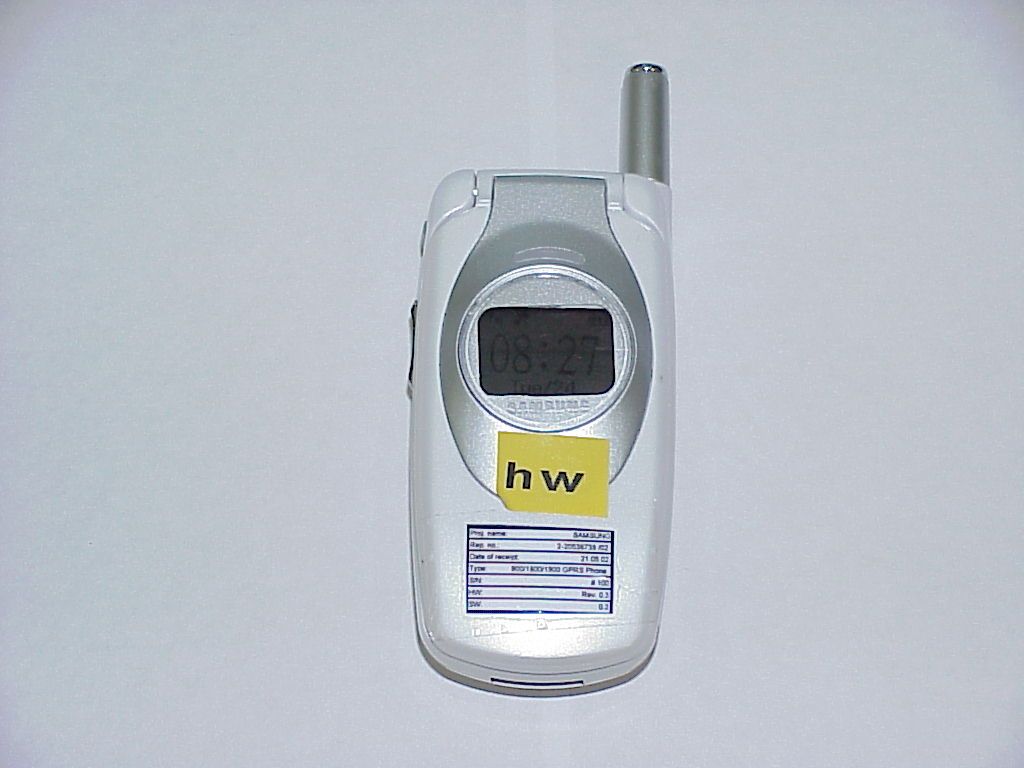
A3LSGHS300Triband GPRS Phone
Samsung Electronics Co Ltd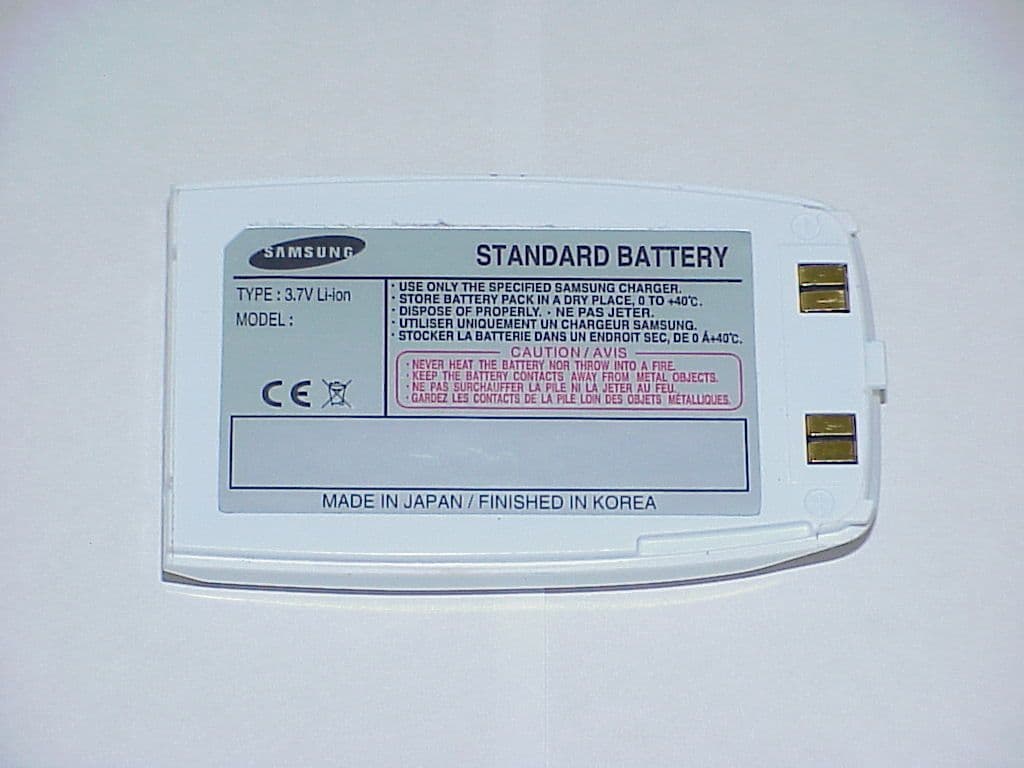
Click to zoom
Application Details
- Equipment Class
- PCE - PCS Licensed Transmitter held to ear
- Date of Grant
- Oct 27, 2002
- Application Purpose
- Original Equipment
- Date of Application
- Oct 27, 2002
- Equipment Note
- Triband GPRS Phone
- Frequency Range
- 1850.20000000 - 1909.80000000
- Company
- Samsung Electronics Co Ltd
- Country
- United States
Documents & Files
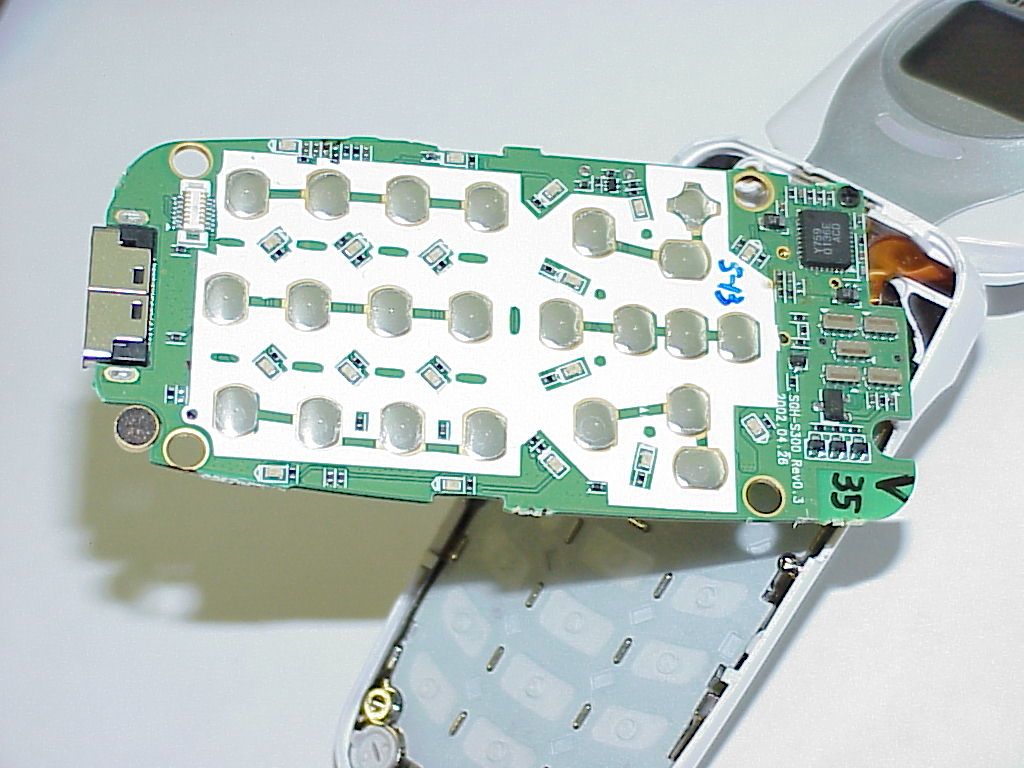
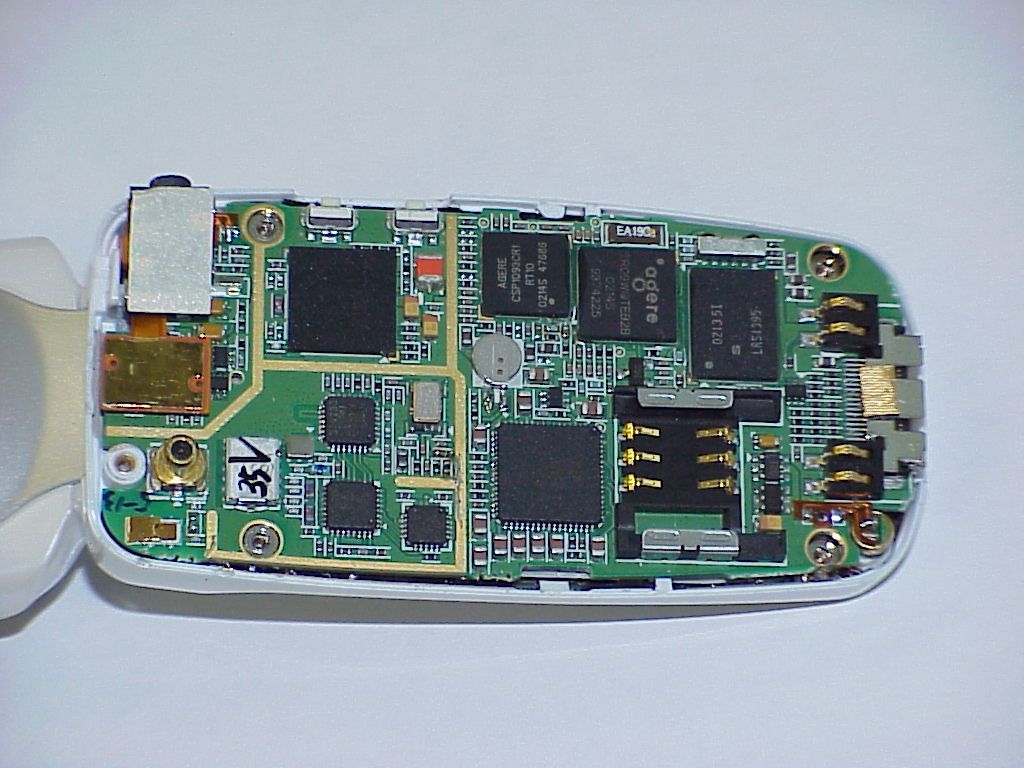
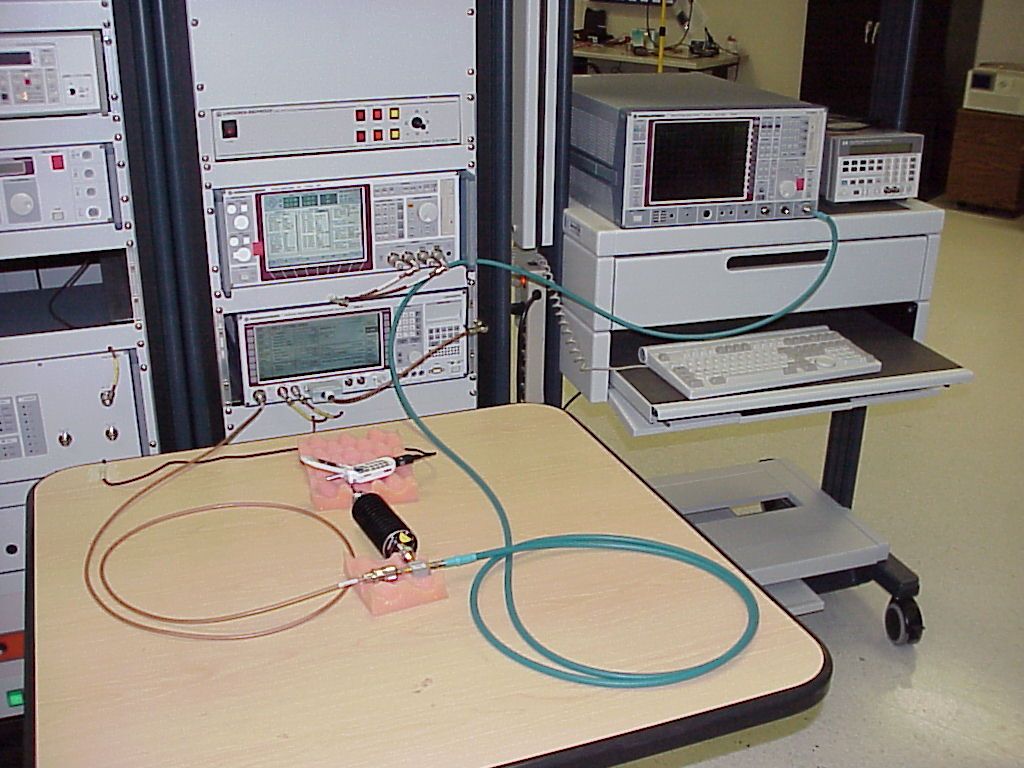
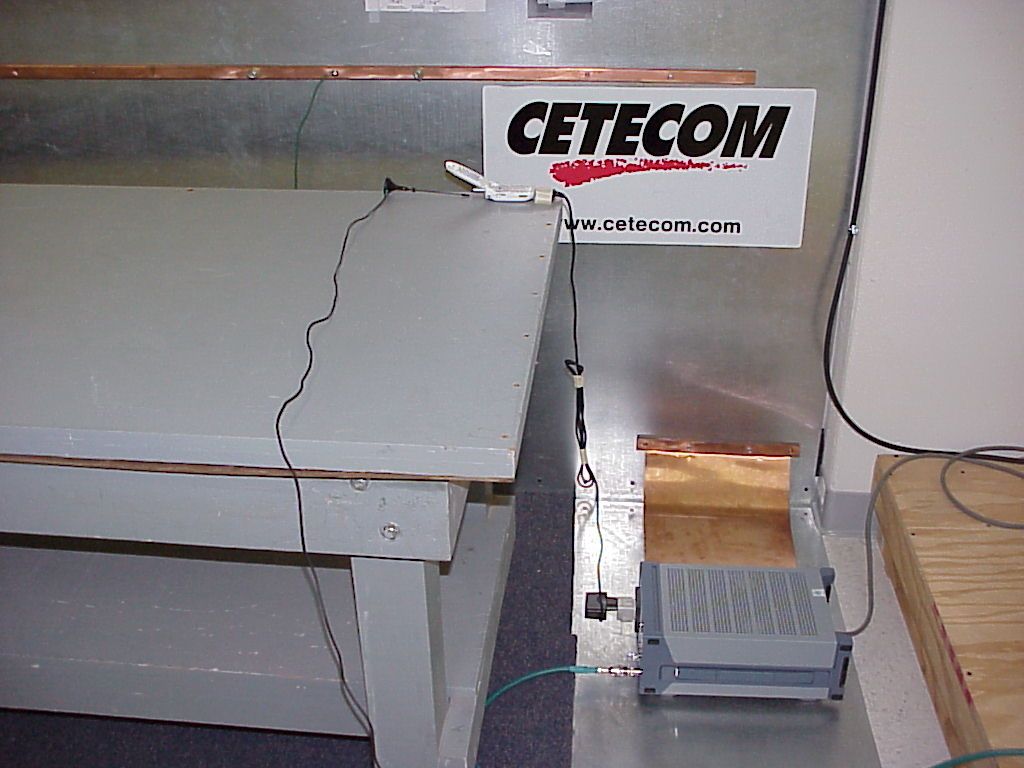
Document Text
Text extracted from the exhibit documents filed with the FCC. Open a document above to read the original.
Users Manual
* Some of the contents in this manual may differ from your phone, depending on the software installed or your service provider. ELECTRONICS World Wide Web http://www.samsungmobile.com Printed in Korea Code No.: GH68-xxxxxA English. 07/2002. Rev. 1.0 TRI BAND GPRS TELEPHONE SGH-S300 2 3 Contents Important Safety Precautions ...................... 7 Unpacking.................................................... 9 Your Phone ................................................ 10 Phone Layout................................................ 10 Display........................................................ 13 Service Light................................................ 16 Getting Started .......................................... 17 Installing the SIM Card.................................. 17 Charging a Battery........................................ 19 Switching the Phone On/Off............................ 21 Call Functions ............................................ 22 Making a Call................................................ 22 Adjusting the Volume.................................... 24 Answering a Call........................................... 25 Viewing Missed Calls...................................... 26 Switching Quickly to the Silent Mode................ 28 Selecting Functions and Options ................ 29 Example: Setting the Display Language............ 31 Phonebook................................................. 33 Storing a Number with a Name....................... 33 Using Phonebook Entry Options....................... 35 Searching for and Dialling a Number in the Phone- book............................................................ 37 Editing a Caller Group.................................... 39 Speed-Dialling.............................................. 40 Checking Memory Status................................ 41 Contents 4 Entering Text ............................................. 42 Changing the Text Input Mode........................ 43 Using the T9 Mode........................................ 44 Using the Upper/Lower-Case Character Mode............................................ 45 Using the Symbol Mode.................................. 47 Using the Number Mode................................. 47 In-Call Options........................................... 48 Putting a Call on Hold.................................... 48 Switching the Microphone Off (Mute)............... 49 Muting/Sending Key Tones............................. 50 Searching for a Number in the Phonebook........ 50 Using the SMS Service................................... 51 Answering a Second Call................................ 51 Making a Multiparty Call................................. 52 Using the Menus......................................... 54 Accessing Menu Functions by Scrolling............. 54 Accessing Menu Functions by Using Shortcuts... 55 List of Menu Functions................................... 55 Messages ................................................... 60 Read Messages (Menu 1.1).................................. 60 Write Messages (Menu 1.2)................................. 62 Templates (Menu 1.3)......................................... 64 Setup (Menu 1.4)................................................ 64 Broadcast (Menu 1.5).......................................... 66 Voice Mail (Menu 1.6).......................................... 67 My Contents (Menu 1.7)...................................... 68 Memory Status (Menu 1.8).................................. 68 Call Records ............................................... 69 Missed Calls (Menu 2.1)....................................... 69 Received Calls (Menu 2.2)................................... 69 Dialled Calls (Menu 2.3)...................................... 70 Call Time (Menu 2.4)........................................... 70 Call Cost (Menu 2.5)............................................ 71 Contents 5 Sound Settings........................................... 72 Ring Tone (Menu 3.1).......................................... 72 Ring Volume (Menu 3.2)...................................... 72 Alert Type (Menu 3.3)......................................... 73 Keypad Tone (Menu 3.4)..................................... 73 Message Tone (Menu 3.5)................................... 74 Extra Tones (Menu 3.6)....................................... 75 Phone Settings........................................... 76 Infrared Activate (Menu 4.1)............................... 76 My Settings (Menu 4.2)....................................... 77 Greeting Message (Menu 4.3).............................. 78 Own Number (Menu 4.4)..................................... 78 Language (Menu 4.5).......................................... 79 Security (Menu 4.6)............................................. 79 Display Settings (Menu 4.7)................................ 82 Extra Settings (Menu 4.8)................................... 84 ShortCut (Menu 4.9)............................................ 85 Reset Settings (Menu 4.10)................................. 85 Organiser................................................... 86 Calendar (Menu 5.1)............................................ 86 To Do List (Menu 5.2).......................................... 88 Time & Date (Menu 5.3)...................................... 91 Alarm (Menu 5.4)................................................ 92 Calculator (Menu 5.5).......................................... 93 Currency Exchange (Menu 5.6)........................... 94 Network Services....................................... 95 Call Diverting (Menu 6.1).................................... 95 Call Barring (Menu 6.2)....................................... 97 Call Waiting (Menu 6.3)....................................... 99 Network Selection (Menu 6.4)............................ 100 Caller ID (Menu 6.5)........................................... 101 Closed User Group (CUG) (Menu 6.6)................. 101 Band Selection …
Text truncated - open the document above for the full version.
Users Manual
TRI BAND GPRS TELEPHONE SGH-S300 ELECTRONICS * Some of the contents in this manual may differ from your phone, depending on the software installed or your service provider. Printed in Korea Code No.: GH68-03351A English. 01/2003. Rev. 1.0 World Wide Webhttp://www.samsungmobile.com 2 3 ContentsImportant Safety Precautions ...................... 7Unpacking .................................................... 9Your Phone ................................................ 10Phone Layout................................................ 10Display ........................................................ 13Service Light ................................................ 16Getting Started .......................................... 17Installing the SIM Card .................................. 17Charging the Battery ..................................... 19Switching the Phone On or Off ........................ 21Call Functions ............................................ 22Making a Call................................................ 22Adjusting the Volume .................................... 24Answering a Call ........................................... 25Viewing Missed Calls...................................... 26Switching Quickly to Silent Mode ..................... 28Selecting Functions and Options ................ 29Example: Setting the Display Language............ 31Phonebook ................................................. 33Storing a Number with a Name ....................... 33Using Phonebook Entry Options....................... 35Searching for and Dialling a Number in the Phone-book............................................................ 37Editing a Caller Group .................................... 39Speed-Dialling .............................................. 40Checking Memory Status................................ 41 Contents 4 Entering Text ............................................. 42Changing the Text Input Mode ........................ 43Using the T9 Mode ........................................ 44Using the Upper/Lower-CaseCharacter Mode ............................................ 45Using the Symbol Mode.................................. 47Using the Number Mode ................................. 47Options During a Call ................................. 48Putting a Call on Hold .................................... 48Switching the Microphone Off (Mute) ............... 49Muting/Sending Key Tones ............................. 50Searching for a Number in the Phonebook ........ 50Using the SMS Service ................................... 51Answering a Second Call ................................ 51Making a Multiparty Call ................................. 52Using the Menus......................................... 54Accessing Menu Functions by Scrolling ............. 54Accessing Menu Functions by Using Shortcuts ... 55List of Menu Functions ................................... 55Messages ................................................... 60Read Messages (Menu 1.1).................................. 60 Write Messages (Menu 1.2) ................................. 62 Templates (Menu 1.3) ......................................... 64 Setup (Menu 1.4) ................................................ 64 Broadcast (Menu 1.5) .......................................... 66 Voice Mail (Menu 1.6) .......................................... 67 My Contents (Menu 1.7) ...................................... 68 Memory Status (Menu 1.8) .................................. 68 Call Records ............................................... 69Missed Calls (Menu 2.1)....................................... 69 Received Calls (Menu 2.2) ................................... 69 Dialled Calls (Menu 2.3) ...................................... 70 Call Time (Menu 2.4) ........................................... 70 Call Cost (Menu 2.5)............................................ 71 Contents 5 Sound Settings........................................... 72Ring Tone (Menu 3.1) .......................................... 72 Ring Volume (Menu 3.2) ...................................... 72 Alert Type (Menu 3.3) ......................................... 73 Keypad Tone (Menu 3.4) ..................................... 73 Message Tone (Menu 3.5) ................................... 74 Folder Tone (Menu 3.6) ....................................... 75 Power On/Off (Menu 3.7) .................................... 75 Extra Tones (Menu 3.8) ....................................... 75 Phone Settings ........................................... 77Infrared Activate (Menu 4.1) ............................... 77 My Settings (Menu 4.2) ....................................... 78 Greeting Message (Menu 4.3).............................. 79 Own Number (Menu 4.4) ..................................... 79 Language (Menu 4.5) .......................................... 80 Security (Menu 4.6)............................................. 80 Display Settings (Menu 4.7)................................ 83 Extra Settings (Menu 4.8) ................................... 85 Short Cut (Menu 4.9) .......................................... 86 Reset Settings (Menu 4.10) ................................. 86 Organiser ................................................... 87Calendar (Menu 5.1)............................................ 87 To Do List (Menu 5.2) .......................................... 89 Time & Date (Menu 5.3) ...................................... 92 Alarm (Menu 5.4) ................................................ 93 Calculator (Menu 5.5) .......................................... 94 Currency Exchange (Menu 5.6) ........................... 95 Network Services ....................................... 96Call Diverting (Menu 6.1) .................................... 96 Call Barring (Menu 6.2) ....................................... 98 Call Waiting (Menu 6.3) ...................................... 100 Network Selection (Menu 6.4) ............................ 101 Call…
Text truncated - open the document above for the full version.
Cover Letter(s)
CETECOM Inc. 411 Dixon Landing Road Milpitas, CA 95035 U.S.A. Federal Communication Commission Equipment Authorization Division, Application Processing Branch 7435 Oakland Mills Road Columbia, MD 21048 October 25, 2002 TO WHOM IT MAY CONCERN Cetecom Inc., acting on behalf of Samsung Electronics Co., Ltd., makes the following request. Pursuant to Paragraphs §0.457 and 0.459 of the Commission’s Rules (47 C.F.R.) and Section §552(b)(4) of the Freedom of Information Act, confidentiality is requested for the following product: FCC ID Number Model A3LSGHS300 SGH-S300 For the product stated above, we request that the following information be held confidential: Exhibit Type File Name 1) Operational Description Operational_description_0724.pdf 2) Schematics Schematic1.pdf No other items submitted as part of the equipment authorization filing process are deemed confidential. The above exhibits contain Samsung Electronics Co., Ltd. trade secrets and proprietary information that could be of benefit to their competitors regarding the design of their mobile handset. This material is not customarily available to the general public and we request that it be withheld from public inspection. If you have any questions, please feel free to contact me at the address shown below. Sincerely, Peter Krebill Engineer Cetecom Inc. 10/25/02 Page 1 of 1 Phone: + 1 408 586 6200 Fax: + 1 408 586 6299 e-mail: [email protected] URL: www.cetecom.com
Cover Letter(s)
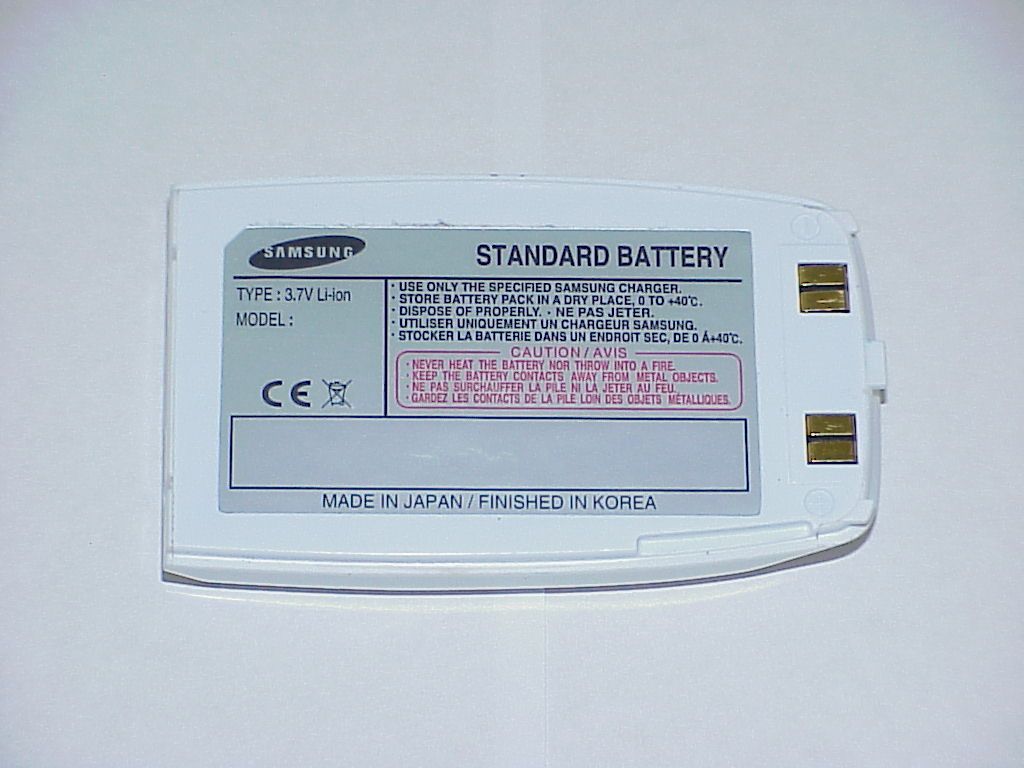
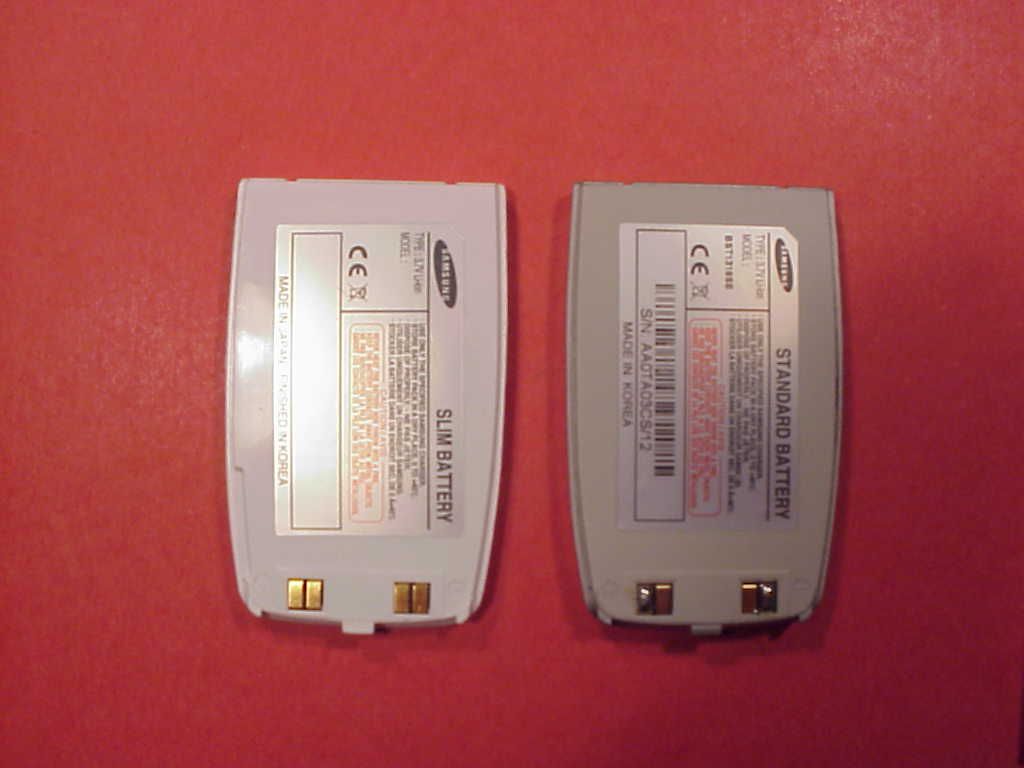
Item #1 DC Voltage range for normal operation is approximately 3.5V ~ 4.2V. Total current consumption of phone is about 310mA when max power radiated. and, peak current consumption of Tx slot is about 1.7A when max power radiated. Item #2 Application Initial Verify Test Set Verify Power Supply Test mode Write RTC AFC DAC Calibration EGSM Rx Again Calibration GSM Fixed Gain Calibration GSM Rx Frequency Compensation GSM Rx LNA off Calibration DCS Rx Gain Setup Test DCS Rx Again Calibration DCS Fixed Gain Calibration DCS Rx Frequency Compensation DCS Rx LNA off Calibration PCS Rx Gain Setup Test PCS Rx Again Calibration PCS Fixed Gain Calibration PCS Rx Frequency Compensation PCS Rx LNA off Calibration GSM Tx Power setup Test GSM900 Tx Calibration DCS Tx Power setup Test DCS1800 Tx Calibration PCS Tx Power setup Test PCS1900 Tx Calibration Store Calibration Data Item #3 The correct FCC ID is A3LSGHS300 Item #4 Difference of the two type is Rated Capacity Rated Capacity of standard battery is 800mAh Rated Capacity of slim battery is 570mAh Item # 5 to 12 Please refer to new SAR test report# 4-0674_1_1b
Parts List/Tune Up Info
Item #1 DC Voltage range for normal operation is approximately 3.5V ~ 4.2V. Total current consumption of phone is about 310mA when max power radiated. and, peak current consumption of Tx slot is about 1.7A when max power radiated. Item #2 Application Initial Verify Test Set Verify Power Supply Test mode Write RTC AFC DAC Calibration EGSM Rx Again Calibration GSM Fixed Gain Calibration GSM Rx Frequency Compensation GSM Rx LNA off Calibration DCS Rx Gain Setup Test DCS Rx Again Calibration DCS Fixed Gain Calibration DCS Rx Frequency Compensation DCS Rx LNA off Calibration PCS Rx Gain Setup Test PCS Rx Again Calibration PCS Fixed Gain Calibration PCS Rx Frequency Compensation PCS Rx LNA off Calibration GSM Tx Power setup Test GSM900 Tx Calibration DCS Tx Power setup Test DCS1800 Tx Calibration PCS Tx Power setup Test PCS1900 Tx Calibration Store Calibration Data Item #3 The correct FCC ID is A3LSGHS300 Item #4 Difference of the two type is Rated Capacity Rated Capacity of standard battery is 800mAh Rated Capacity of slim battery is 570mAh Item # 5 to 12 Please refer to new SAR test report# 4-0674_1_1b
Parts List/Tune Up Info
+4 -30 -70 dB 10810 10810 (147 bits) 542.8 ? s ramping up RF power 28 ? s ramping down RF power 28 ? s *BTS also uses pulsed Tx to reduce traffic *to idle state at other slots to avoid AM splash *burst time : 598.8 ? s *slot time : 577 ? s (ramping times are overlapped) *power off : -36dBm *burst strucure : 148 bits *both half bits at ends are used for RF on/off
RF Exposure Info
CETECOM ICT Services GmbH Untertuerkheimer Str. 6-10, 66117 Saarbruecken, GermanyPhone: +49 (0) 681 598-0Fax: -9075 SAR-LaboratoryPhone: +49 (0) 681 598-8454Fax: -8475 Test report no.:4-0674-01-01b/02 Type identification: SGH-S300 Test specification:Draft IEEE Std 1528-200X FCC-ID:A3LSGHS300 Accredited testing-laboratory DAR registration number: TTI-P-G-166/98 Federal Motor Transport Authority (KBA) DAR registration number: KBA-P 00070-97 CETECOM ICT Services GmbH Test report no.: 4-0674-01-01b/02date: 2002-09-30Page 2 of 39 Table of Contents 1 General Information ....................................................................................................... 3 1.1 Notes............................................................................................................................................... 3 1.2 Statement of Compliance ............................................................................................................... 3 1.3 Testing Laboratory.......................................................................................................................... 4 1.4 Details of applicant......................................................................................................................... 4 1.5 Application Details......................................................................................................................... 4 1.6 Test Item ......................................................................................................................................... 5 1.7 Test specifications .......................................................................................................................... 6 1.7.1 RF exposure limits .................................................................................................................. 6 2 Technical test .................................................................................................................. 7 2.1. Summary of test results ................................................................................................................. 7 2.2 Test environment ............................................................................................................................ 7 2.3 Test positions.................................................................................................................................. 7 2.4. Measurement system ..................................................................................................................... 8 2.4.1. System Description................................................................................................................. 8 2.4.2. Probe description .................................................................................................................... 9 2.4.3. Phantom description ............................................................................................................... 9 2.4.4. Scanning procedure .............................................................................................................. 10 2.4.5. Spatial Peak SAR Evaluation ............................................................................................... 11 2.4.6. Data Storage and Evaluation ................................................................................................ 12 2.4.7. Test equipment utilized ........................................................................................................ 14 2.5. Test results (Head SAR) .............................................................................................................. 15 2.6 Test results (Body SAR)............................................................................................................... 15 2.7 Conducted Power Measurement................................................................................................... 15 2.8 Tissue dielectric properties........................................................................................................... 16 2.9 Tissue parameters ......................................................................................................................... 16 2.10 Measurement uncertainties ......................................................................................................... 17 2.11 System validation ....................................................................................................................... 18 Appendix 1: System performance verification ............................................................... 19 Appendix 2: Measurement results (printout from DASY TM )......................................... 20 Appendix 3: Photo documentation.................................................................................. 28 CETECOM ICT Services GmbH Test report no.: 4-0674-01-01b/02date: 2002-09-30Page 3 of 39 1 General Information 1.1 Notes The test results of this test report relate exclusively to the test item specified in 1.6. The CETECOM ICT Services GmbH does not assume responsibility for any conclusions and generalisations drawn from the test results with regard to other specimens or samples of the type of the equipment represented by the test item. The test report may only be reproduced or published in full. Reproduction or publication of extracts from the report requires the prior written approval of the CETECOM ICT Services GmbH. 1.2 Statement of Compliance The SAR values found for the GSM phone SGH-S300 are below the maximum recommended levels of 1.6 W/Kg as averaged over any 1 g tissue according the FCC rule §2.1093, the ANSI/IEEE C 95.1:1992 and the NCRP Report Number 86 for uncontrolled environment. Tester operator: 2002-09-30Fabien Coulet DateNameSignature Technical responsibility for area of testing: 2002-09-30Ralf Hoehn DateNameSignature CETECOM ICT Services GmbH Test report no.: 4-0674-01-01b/02date: 200…
Text truncated - open the document above for the full version.
RF Exposure Info
CETECOM ICT Services GmbH Test report no.: 4-0674-01-01b/02date: 2002-09-30Page 21 of 39 CETECOM ICT Services GmbH Test report no.: 4-0674-01-01b/02date: 2002-09-30Page 22 of 39 CETECOM ICT Services GmbH Test report no.: 4-0674-01-01b/02date: 2002-09-30Page 23 of 39 CETECOM ICT Services GmbH Test report no.: 4-0674-01-01b/02date: 2002-09-30Page 24 of 39 CETECOM ICT Services GmbH Test report no.: 4-0674-01-01b/02date: 2002-09-30Page 25 of 39 CETECOM ICT Services GmbH Test report no.: 4-0674-01-01b/02date: 2002-09-30Page 26 of 39 CETECOM ICT Services GmbH Test report no.: 4-0674-01-01b/02date: 2002-09-30Page 27 of 39 CETECOM ICT Services GmbH Test report no.: 4-0674-01-01b/02date: 2002-09-30Page 28 of 39 Appendix 3: Photo documentation Photo 1: Measurement System DASY 3 CETECOM ICT Services GmbH Test report no.: 4-0674-01-01b/02date: 2002-09-30Page 29 of 39 Photo 2: cheek position
RF Exposure Info
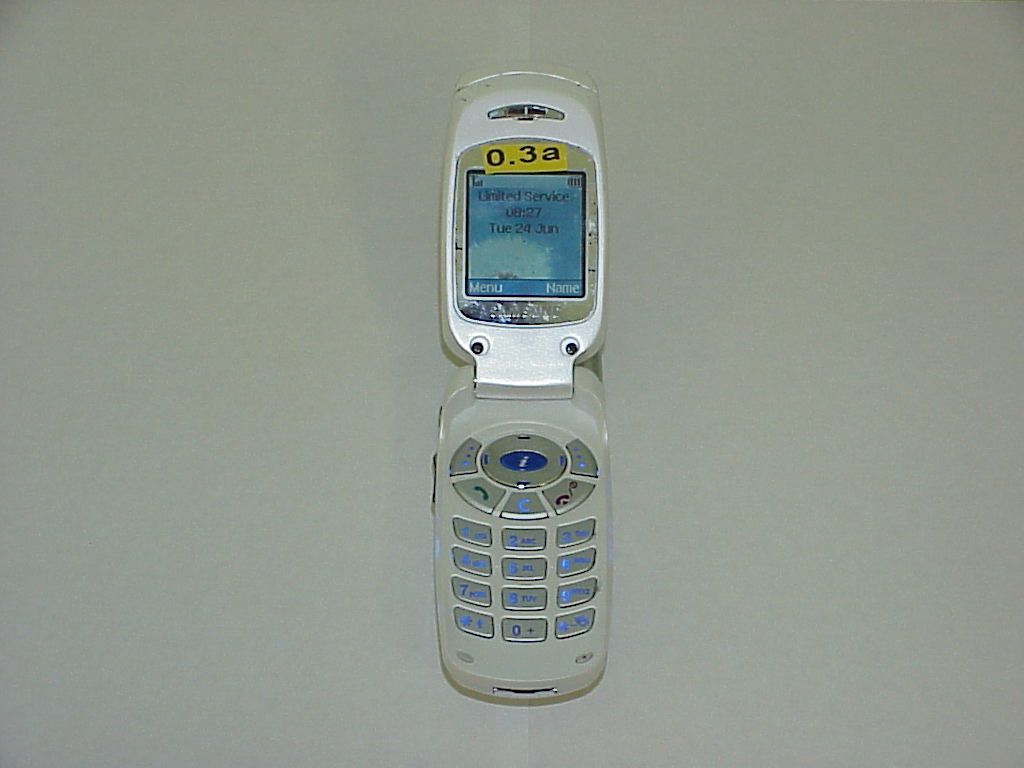
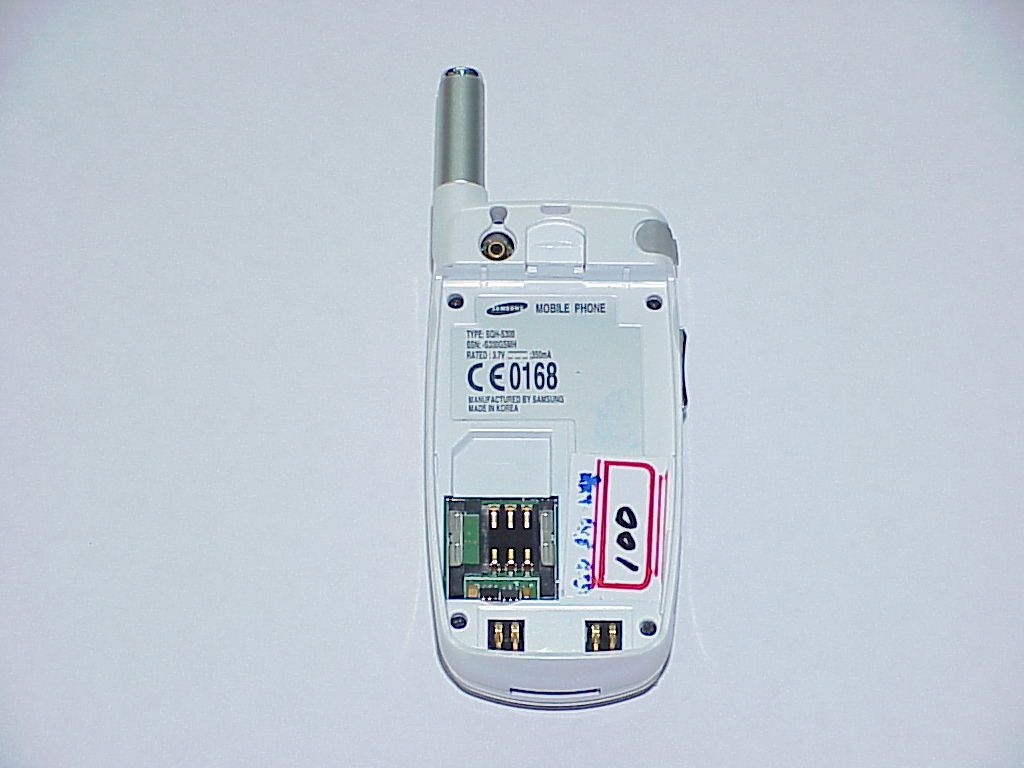
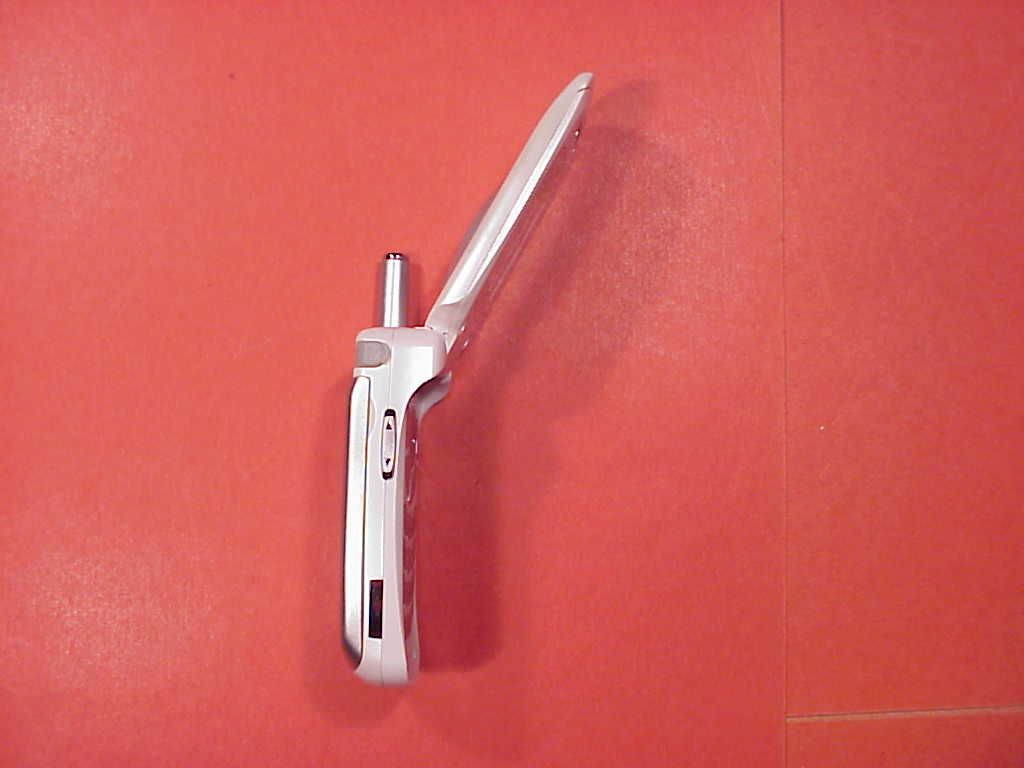
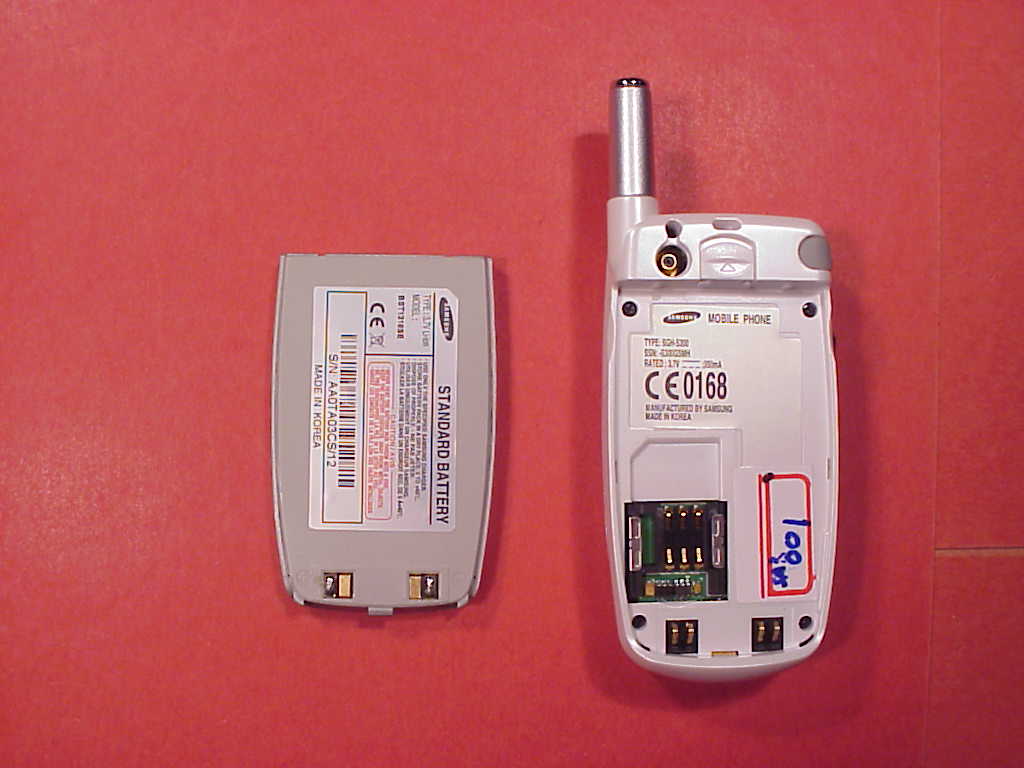
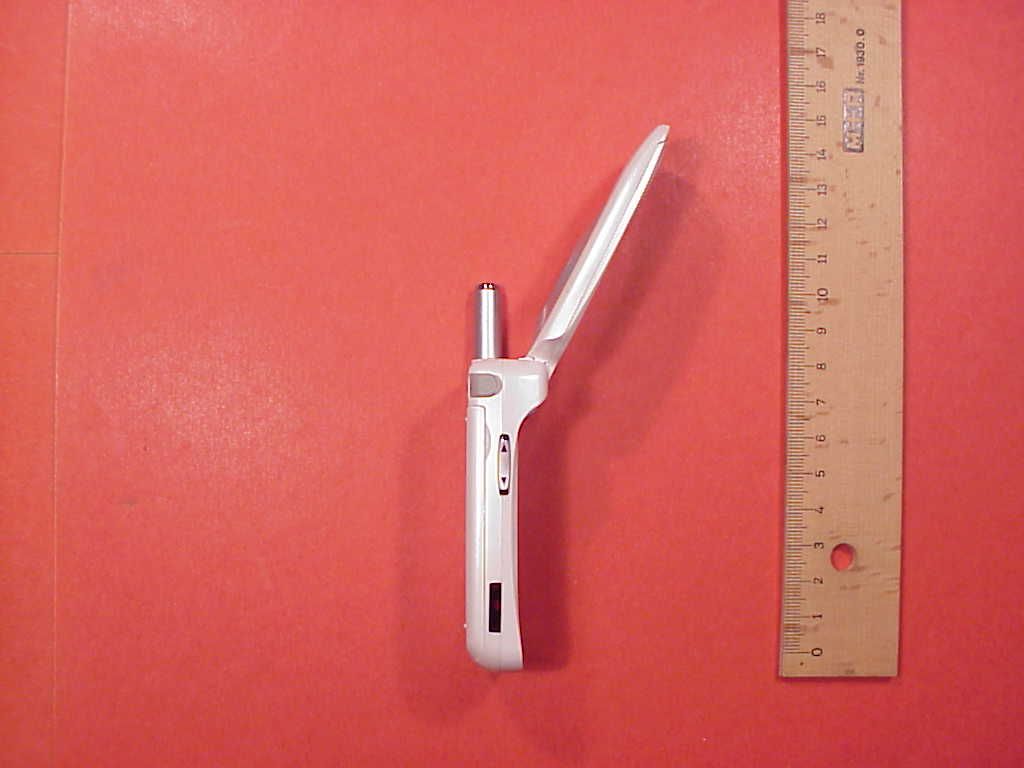
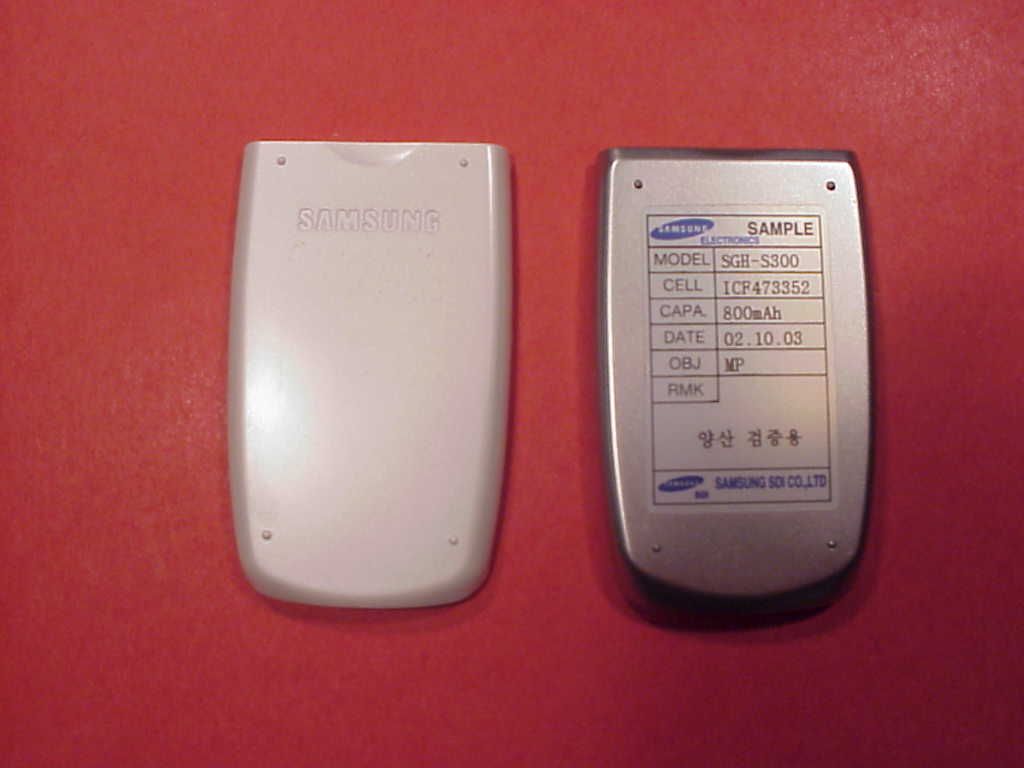
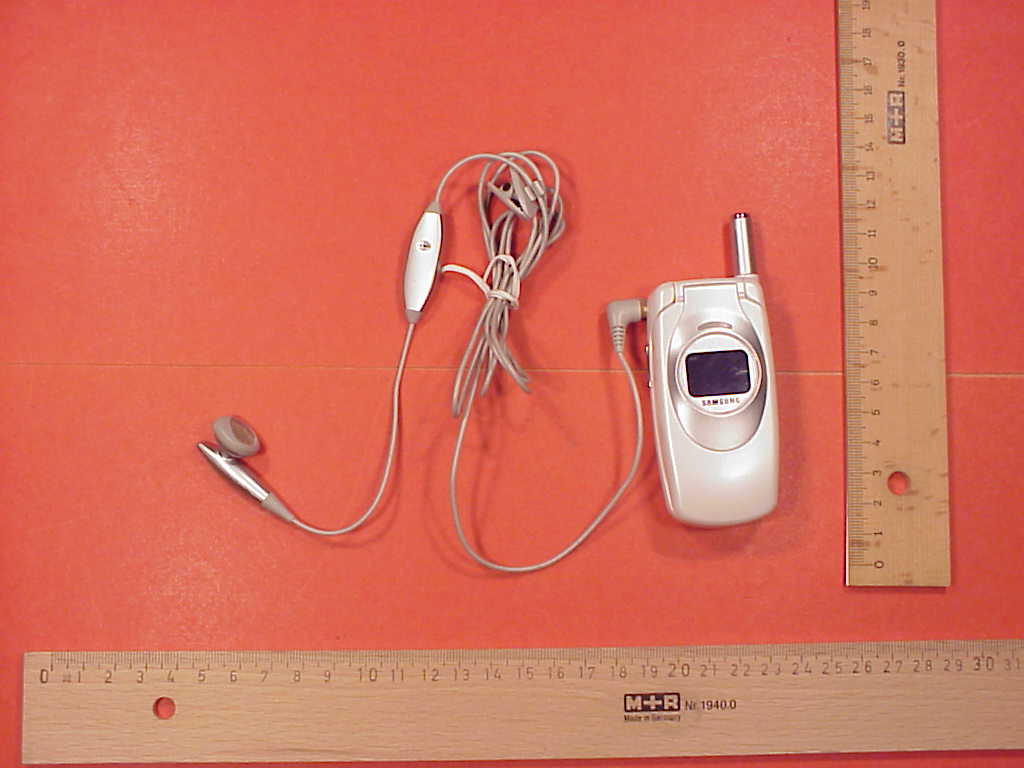
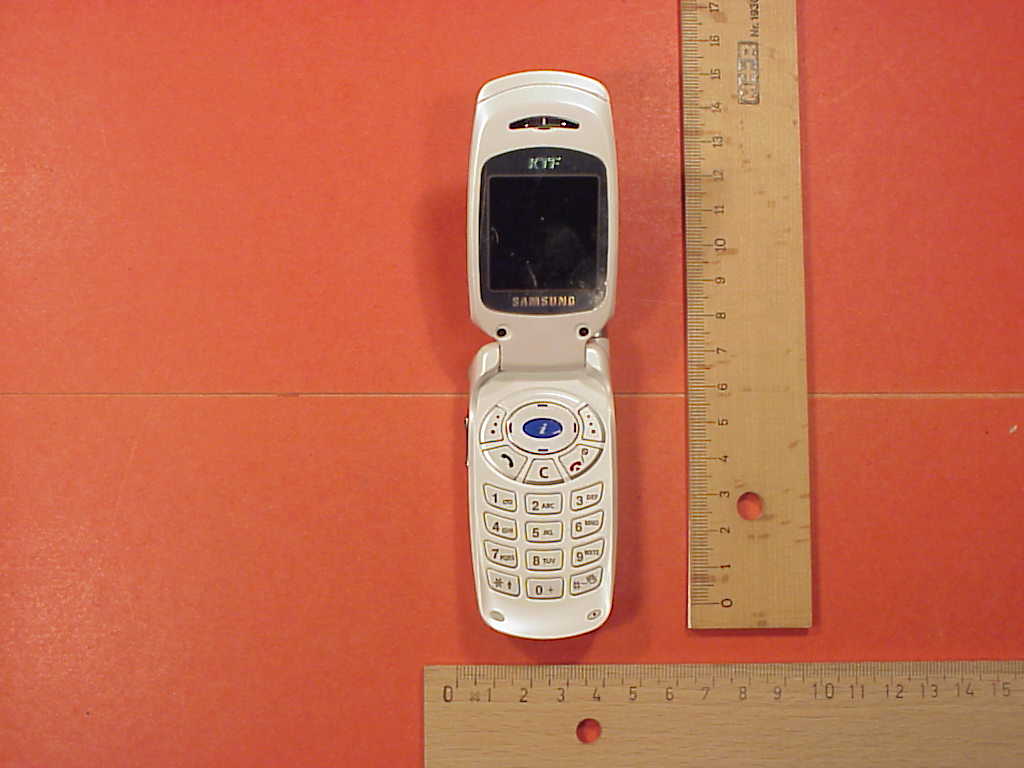
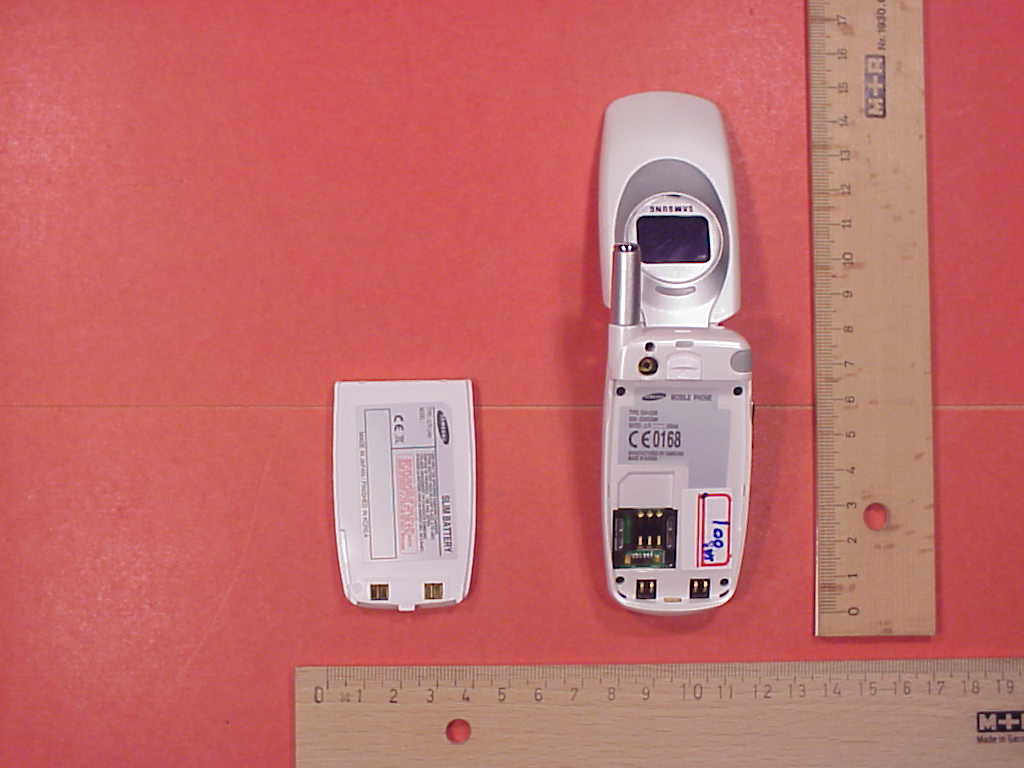
CETECOM ICT Services GmbH Test report no.: 4-0674-01-01b/02date: 2002-09-30Page 30 of 39 Photo 3: cheek position CETECOM ICT Services GmbH Test report no.: 4-0674-01-01b/02date: 2002-09-30Page 31 of 39 Photo 4: tilted 15° position CETECOM ICT Services GmbH Test report no.: 4-0674-01-01b/02date: 2002-09-30Page 32 of 39 Photo 5: tilted 15° position CETECOM ICT Services GmbH Test report no.: 4-0674-01-01b/02date: 2002-09-30Page 33 of 39 Photo 6 : test position at the flat phantom, rear side, test with headset 5mm CETECOM ICT Services GmbH Test report no.: 4-0674-01-01b/02date: 2002-09-30Page 34 of 39 Photo 7: test position at the flat phantom, front side, test with headset CETECOM ICT Services GmbH Test report no.: 4-0674-01-01b/02date: 2002-09-30Page 35 of 39 Photo 8: EUT front side CETECOM ICT Services GmbH Test report no.: 4-0674-01-01b/02date: 2002-09-30Page 36 of 39 Photo 9: EUT front side open CETECOM ICT Services GmbH Test report no.: 4-0674-01-01b/02date: 2002-09-30Page 37 of 39 Photo 10: Used battery and rear side CETECOM ICT Services GmbH Test report no.: 4-0674-01-01b/02date: 2002-09-30Page 38 of 39 Photo 11: Liquid depth 1900 MHz head tissue simulation CETECOM ICT Services GmbH Test report no.: 4-0674-01-01b/02date: 2002-09-30Page 39 of 39 Photo 12: Liquid depth 1900 MHz body tissue simulation
RF Exposure Info
CETECOM ICT Services GmbH Untertuerkheimer Str. 6-10, 66117 Saarbruecken, GermanyPhone: +49 (0) 681 598-0Fax: -8475 SAR-Laboratory Phone: +49 (0) 681 598-8454 . As of September 02, 2002Page 1 of 27 Accredited testing laboratory DAR registration number: TTI-P-G 166/98 Federal Motor Transport Authority (KBA) DAR registration number: KBA-P 00070-97 Appendix to the Report 4-0674-1-1b/02 Calibration Data, Phantom Certificate and detail Information of the DASY 3 System Test specification : CETECOM ICT Services GmbH Calibration Data and Phantom Information; Report No.: 4-0674-1-1b/02 As of September 30, 2002Page 2 of 27 Table of Content 1Calibration report “Probe ET3DV6” ..................................................................................................................................... 3 2Calibration report “1900 MHz System validation dipole”................................................................................................... 13 3Certificate of Conformity “SAM Twin Phantom V4.0/V4.0C”........................................................................................... 20 4Application Note Validation and system Check .................................................................................................................. 22 CETECOM ICT Services GmbH Calibration Data and Phantom Information; Report No.: 4-0674-1-1b/02 As of September 30, 2002Page 3 of 27 1 Calibration report “Probe ET3DV6” CETECOM ICT Services GmbH Calibration Data and Phantom Information; Report No.: 4-0674-1-1b/02 As of September 30, 2002Page 4 of 27 CETECOM ICT Services GmbH Calibration Data and Phantom Information; Report No.: 4-0674-1-1b/02 As of September 30, 2002Page 5 of 27 CETECOM ICT Services GmbH Calibration Data and Phantom Information; Report No.: 4-0674-1-1b/02 As of September 30, 2002Page 6 of 27 CETECOM ICT Services GmbH Calibration Data and Phantom Information; Report No.: 4-0674-1-1b/02 As of September 30, 2002Page 7 of 27 CETECOM ICT Services GmbH Calibration Data and Phantom Information; Report No.: 4-0674-1-1b/02 As of September 30, 2002Page 8 of 27 CETECOM ICT Services GmbH Calibration Data and Phantom Information; Report No.: 4-0674-1-1b/02 As of September 30, 2002Page 9 of 27 CETECOM ICT Services GmbH Calibration Data and Phantom Information; Report No.: 4-0674-1-1b/02 As of September 30, 2002Page 10 of 27 CETECOM ICT Services GmbH Calibration Data and Phantom Information; Report No.: 4-0674-1-1b/02 As of September 30, 2002Page 11 of 27 CETECOM ICT Services GmbH Calibration Data and Phantom Information; Report No.: 4-0674-1-1b/02 As of September 30, 2002Page 12 of 27 CETECOM ICT Services GmbH Calibration Data and Phantom Information; Report No.: 4-0674-1-1b/02 As of September 30, 2002Page 13 of 27 2 Calibration report “1900 MHz System validation dipole” CETECOM ICT Services GmbH Calibration Data and Phantom Information; Report No.: 4-0674-1-1b/02 As of September 30, 2002Page 14 of 27 CETECOM ICT Services GmbH Calibration Data and Phantom Information; Report No.: 4-0674-1-1b/02 As of September 30, 2002Page 15 of 27 CETECOM ICT Services GmbH Calibration Data and Phantom Information; Report No.: 4-0674-1-1b/02 As of September 30, 2002Page 16 of 27 CETECOM ICT Services GmbH Calibration Data and Phantom Information; Report No.: 4-0674-1-1b/02 As of September 30, 2002Page 17 of 27 CETECOM ICT Services GmbH Calibration Data and Phantom Information; Report No.: 4-0674-1-1b/02 As of September 30, 2002Page 18 of 27 CETECOM ICT Services GmbH Calibration Data and Phantom Information; Report No.: 4-0674-1-1b/02 As of September 30, 2002Page 19 of 27 CETECOM ICT Services GmbH Calibration Data and Phantom Information; Report No.: 4-0674-1-1b/02 As of September 30, 2002Page 20 of 27 3 Certificate of Conformity “SAM Twin Phantom V4.0/V4.0C” CETECOM ICT Services GmbH Calibration Data and Phantom Information; Report No.: 4-0674-1-1b/02 As of September 30, 2002Page 21 of 27 CETECOM ICT Services GmbH Calibration Data and Phantom Information; Report No.: 4-0674-1-1b/02 As of September 30, 2002Page 22 of 27 4 Application Note Validation and system Check 4.1.1.1 Purpose of validation The Validation and system check verify that the system operates within ist specifications. System and operator errors can be detected and corrected. It is recommended that the validation be performed prior to any usage of the system in order to guarantee reproducible results. The measurement of the Specific Absorption Rate (SAR) is a complicated task and the resultdepends on the proper functioning of many components and the correct settings of manyparameters. Faulty results due to drift, failures or incorrect parameters might not berecognized, since they often look similar in distribution to the correct ones. The DosimetricAssessment System DASY3 incorporates a validation procedure to test the properfunctioning of the system. The system validation uses normal SAR measurements in asimplified setup (the flat phantom section of the Generic Twin Phantom) with a wellcharacterized source (a matched dipole of a specified distance). This setup was selected to give a high sensitivity to all parameters that might fail or vary over time (e.g. probe, liquid parameters, and software settings) and a low sensitivity to external effects inherent in the system (e.g. positioning uncertainty of the device holder). The validation does not replace the calibration of the components. The accuracy of the validation is not sufficient for calibration purposes. It is possible to calculate the field quite accurately in this simple setup; however, due to the open field situation some factors (e.g. laboratory reflections) cannot be accounted for. Calibrations in the flat phantom are possible…
Text truncated - open the document above for the full version.
Contact Information
Applicant
Jenni Chun(General Manager)
Technical Contact
CETECOM Inc.Lothar Schmidt
[email protected]408-586-6214
411 Dixon Landing · Milpitas, California · United States
Non-Technical Contact
CETECOM Inc.Lothar Schmidt
[email protected]408-586-6214
Test Firm
Cetecom Inc.Lothar Schmidt
Technical Specifications
| # | Rule Parts | Frequency Range | Power Output | Emission | Tolerance |
|---|---|---|---|---|---|
| 1 | 24E | 1.85 GHz - 1.91 GHz | 1.87 W | 278KGXW | 0.0941000000 ppm |
Other Applications from Samsung Electronics Co Ltd
A3LSMU600
Sep 15, 2026Bluetooth Headset
Equipment Class
DTS - Digital Transmission SystemA3LSMA185G
Sep 08, 2026Portable Handset
Equipment Class
CXX - Communications Rcvr for use w/ licensed Tx and CBsA3LSMS741B
Aug 05, 2026Portable Handset
Equipment Class
6VL - 15E 6 GHZ Very Low Power DeviceA3LSMX940
Jul 31, 2026BT,BLE Tablet DTS,UNII a,b,g,n,ac,ax,be and digitizer
Equipment Class
DTS - Digital Transmission SystemA3LSMS741U
Jul 30, 2026Portable Handset
Equipment Class
6CD - 15E 6 GHz Low Power Dual Client