A3LSMA146MGSM/WCDMA/LTE/5G NR Phone + BT/BLE, DTS/UNII a/b/g/n/ac
Samsung Electronics Co Ltd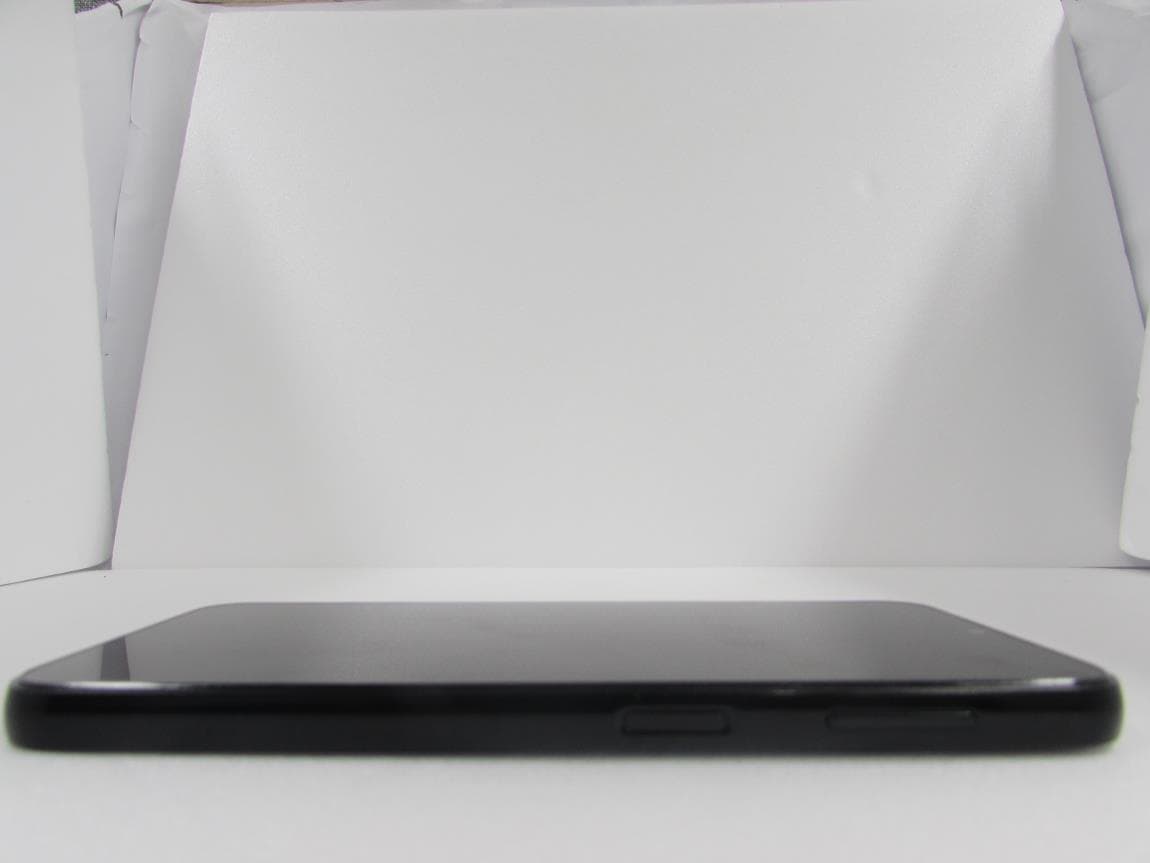
Click to zoom
Application Details
- Equipment Class
- JBP - Part 15 Class B Computing Device Peripheral
- Date of Grant
- Dec 05, 2022
- Application Purpose
- Original Equipment
- Date of Application
- Dec 01, 2022
- Equipment Note
- GSM/WCDMA/LTE/5G NR Phone + BT/BLE, DTS/UNII a/b/g/n/ac
- Company
- Samsung Electronics Co Ltd
- Country
- United States
Documents & Files
Document Text
Text extracted from the exhibit documents filed with the FCC. Open a document above to read the original.
Users Manual
www.samsung.com USER MANUAL English (LTN). 12/2022. Rev.1.0 SM-A146M SM-A146M/DS 2 Table of Contents Getting started 4 Device layout and functions 7 Charging the battery 10 SIM or USIM card (nano-SIM card) 12 Memory card (microSD card) 14 Turning the device on and off 15 Initial setup 15 Samsung account 16 Tr ansferring data from your previous device (Smart Switch) 19 Understanding the screen 28 Notification panel 30 Entering text Apps and features 32 Installing or uninstalling apps 33 Phone 36 Contacts 38 Messages 39 Camera 49 Gallery 53 AR Zone 57 Multi window (Using multiple apps at once) 60 Samsung Internet 61 Samsung Health 62 Samsung Notes 62 Samsung Members 63 Samsung Kids 63 Samsung Global Goals 63 Samsung TV Plus 64 Galaxy Shop 64 Galaxy Wearable 64 C alendar 65 Reminder (R eceiving notifications for to-do items) 66 Radio 67 Voic e Recorder 67 My Files (Checking and managing the files) 67 Clock 68 Cal culator 68 Game Launcher 69 Smart Things 69 Sharing cont ent 71 Google apps Table of Contents 3 94 Advanced features 95 Motions and gestur es 95 Dual Messenger 96 Digital Wellbeing and parental controls 97 Battery and device care 97 Optimizing your device 97 Battery 98 Storage 98 Memory 98 De vice protection 98 Auto optimization 98 Software update 99 Diagnostics 99 Ultra data saving 99 Apps 100 General management 1 01 Accessibility 102 Sof tware update 102 Remot e support 103 About phone Usage notices 104 Precautions for using the device 106 Notes on pack age contents and accessories 107 Device overheating situations and solutions Appendix 110 Troubleshooting 116 About Hearing Aid Compatibility (HAC) Settings 72 Introduction 72 Samsung account 72 Connections 74 Wi-Fi 75 Bluetooth 76 Data saver 77 Mobile data only apps 77 Mobil e Hotspot 78 More connection settings 79 Connected devices 79 Modes and R outines 79 Using modes 80 Using routines 81 Sounds and vibration 82 Sound quality and effects 82 Separate app sound 82 Notific ations 83 Displa y 84 Motion smoothness 84 Wallpaper and style 84 Themes 84 Home screen 85 Lock screen 86 Smart Lock 86 Sec urity and privacy 87 Fac e recognition 89 Fingerprint recognition 91 L ocation 92 Safety and emergency 92 Accounts and backup 93 Samsung Cloud 9 4 Googl e 4 Getting started Device layout and functions Speaker Side key (Fingerprint recognition sensor) Volume key Touchscreen Front camera Multipurpose jack (USB Type-C) Earphone jack SIM card / Memory card tray Getting started 5 Rear camera Flash Microphone Main antenna Speaker Microphone GPS antenna • When using the speakers, such as when playing media files or using speakerphone, do not place the device close to your ears. • Be careful not to expose the camera lens to a strong light source, such as direct sunlight. If the camera lens is exposed to a strong light source, such as direct sunlight, the camera image sensor may be damaged. A damaged image sensor is irreparable and will cause dots or spots in pictures. • If you use the device with its glass or acrylic body broken, there may be a risk of injury. Use the device only after it has been repaired at a Samsung Service Center or an authorized service center. • If dust or foreign materials enter the microphone, speaker, or receiver, the device’s sound may become quiet or certain features may not work. If you attempt to remove the dust or foreign materials with a sharp object, the device may be damaged and its appearance may be affected. Getting started 6 • Connectivity problems and battery drain may occur in the following situations: ‒ If you attach metallic stickers on the antenna area of the device ‒ If you attach a device cover made with metallic material to the device ‒ If you cover the device’s antenna area with your hands or other objects while using certain features, such as calls or the mobile data connection • Do not allow water to contact the touchscreen. The touchscreen may malfunction in humid conditions or when exposed to water. Hard keys KeyFunction Side key • Press and hold to turn the device on or off. • Press to turn on or lock the screen. • Press twice to launch the app or feature you set. Side key + Volume Down key • Press simultaneously to capture a screenshot. • Press and hold simultaneously to turn off the device. Setting the Side key Select an app or feature to launch by pressing the Side key twice. Launch the Settings app, tap Advanced features → Side key, and then select an option you want. Soft buttons Back button Home button Recents button When you turn on the screen, the soft buttons will appear at the bottom of the screen. Refer to Navigation bar (soft buttons) for more information. Getting started 7 Charging the battery Charge the battery before using it for the first time or when it has been unused for extended periods. Wired charging Connect the USB cable to the USB power adaptor and plug the cable into the device’s multipurpose jack to charge the battery. After fully charging, disconnect the charger from the device. Quick charging Launch the Settings app, tap Battery and device care → Battery → More battery settings , and then activate the feature you want. • Fast charging: To use the fast charging feature, use a battery charger that supports Adaptive fast charging. You can charge the battery more quickly while the device or its screen is turned off. Getting started 8 Charging other devices Use the USB cable to charge another mobile device with your device’s battery. Connect your device and the other device using your device’s USB cable. A USB connector may be needed depending on the other device. When charging starts, the battery charging icon will appear on the other device’s screen. The app selection pop-up window that appears on your device is for data transfer. Do not select an app from the pop-up window. Reducing the battery consumption Your device provides various options that help you conserve battery power. • Optimize the device using the device care feature. • When you are not using the device, turn…
Text truncated - open the document above for the full version.
Cover Letter(s)
Date : Nov. 09, 2017 Rev : 3.0 HACS-F003 FCC Confidentiality Request Letter HCT America LLC ([email protected]) 1726 Ringwood Avenue San Jose, CA 95131 TEL: +1.510.933.8848, Fax: +1.510.933.8849 Page 1 of 2 This document is electronically controlled. Hard copy documents are uncontrolled. Please check all hard copies against the controlled electronic copy to ensure validity. This document is the confidential property of HCT America LLC. It may not be forwarded or reproduced in whole or in part without written permissions from HCT America LLC FCC Confidentiality Request Letter Date : Nov. 09, 2017 Rev : 3.0 HACS-F003 FCC Confidentiality Request Letter HCT America LLC ([email protected]) 1726 Ringwood Avenue San Jose, CA 95131 TEL: +1.510.933.8848, Fax: +1.510.933.8849 Page 2 of 2 This document is electronically controlled. Hard copy documents are uncontrolled. Please check all hard copies against the controlled electronic copy to ensure validity. This document is the confidential property of HCT America LLC. It may not be forwarded or reproduced in whole or in part without written permissions from HCT America LLC REVISION TABLE Rev Description of Change Date Approved 1.0 Original Release(Obsolete) 06/14/2012 QM 2.0 Updated template(Obsolete) 10/01/2012 QM 2.1 Updated address(Obsolete) 01/10/2014 QM 2.2 Updated address 11/18/2016 QM 3.0 Updated LTC and STC Confidentiality table 11/09/2017 QM HACS-F003 FCC Confidentiality Request Letter Rev : 3.0 DATE : November 28, 2022 To: Federal Communications Commission Authorization and Evaluation Division 7435 Oakland Mills Road Columbia, MD SUBJECT: Request for Confidentiality for FCC ID: A3LSMA146M We hereby request confidential treatment of the information accompanying this application as outlined below: LONG-TERM AND SHORT-TERM CONFIDENTIAL LIST LONG-TERM CONFIDENTIAL Exhibit Description 1 Block Diagram 2 Operational Description 3 Parts List/ Tune-up procedure 4 Schematics SHORT-TERM CONFIDENTIAL (180 DAYS) 5 External Photos 6 Internal Photos 7 Test-Setup Photos 8 User’s Manual The above materials contain trade secrets and proprietary information not customarily released to the public. The public disclosure of these materials may be harmful to the applicant and provide unjustified benefits to its competitors. The applicant understands that pursuant to Section 0.457 & 0.459 of the Rules, disclosure of this application and all accompanying documentation will not be made before the date of the Grant for this application. Sincerely, Signed by: Jenni Chun / General Manager Samsung Electronics America, Inc. Address: 19 Chapin Rd., Building D Pine Brook, NJ 07058 Tel: 1-973-808-6375
Cover Letter(s)
Date : Nov. 9, 2017 Rev : 2.3 HACS-F004 FCC Agent Authorization Letter HCT America LLC ([email protected]) 1726 Ringwood Avenue San Jose, CA 95131 TEL: +1.510.933.8848, Fax: +1.510.933.8849 Page 1 of 2 This document is electronically controlled. Hard copy documents are uncontrolled. Please check all hard copies against the controlled electronic copy to ensure validity. This document is the confidential property of HCT America LLC. It may not be forwarded or reproduced in whole or in part without written permissions from HCT America LLC FCC Agent Authorization Letter Date : Nov. 9, 2017 Rev : 2.3 HACS-F004 FCC Agent Authorization Letter HCT America LLC ([email protected]) 1726 Ringwood Avenue San Jose, CA 95131 TEL: +1.510.933.8848, Fax: +1.510.933.8849 Page 2 of 2 This document is electronically controlled. Hard copy documents are uncontrolled. Please check all hard copies against the controlled electronic copy to ensure validity. This document is the confidential property of HCT America LLC. It may not be forwarded or reproduced in whole or in part without written permissions from HCT America LLC REVISION TABLE Rev Description of Change Date Approved 1.0 Original Release(Obsolete) 06/14/2012 QM 2.0 Updated template(Obsolete) 10/01/2012 QM 2.1 Updated address(Obsolete) 01/10/2014 QM 2.2 Updated address 11/18/2016 QM 2.3 Fixed Typo “Agent” 11/09/2017 QM HACS-F004 FCC Agent Authorization Letter Rev : 2.3 DATE : November 28, 2022 To: Federal Communications Commission Authorization and Evaluation Division 7435 Oakland Mills Road Columbia, MD To whom it may concern: Subject : FCC Agent Authorization Letter for FCC ID: A3LSMA146M We, the undersigned, hereby authorize HCT CO., LTD. to act on our behalf in all manners relating to application for equipment authorization, including signing of all documents relating to these matters. Any and all acts carried out by HCT CO., LTD. on our behalf shall have the same effect as acts of our own. We, the undersigned, hereby certify that we are not subject to a denial of federal benefits, that includes FCC benefits, pursuant to Section 5301 of the Anti-Drug Abuse Act of 1988, 21 U.S.C. 853(a). We recognize that we are still responsible for the terms and conditions outlined in the HCT America Client Services Agreement. This authorization is valid until further written notice from the applicant. Sincerely, Signed by: Jenni Chun / General Manager Samsung Electronics America, Inc. Address: 19 Chapin Rd., Building D Pine Brook, NJ 07058 Tel: 1-973-808-6375
External Photos
FCC ID: A3LSMA146M F-TP22-03 (Rev.00) 1 / 7 HCT CO.,LTD. - EXTERNAL PHOTOGRAPHS FCC ID: A3LSMA146M F-TP22-03 (Rev.00) 2 / 7 HCT CO.,LTD. 1. External Photo (Front view) FCC ID: A3LSMA146M F-TP22-03 (Rev.00) 3 / 7 HCT CO.,LTD. 2. External Photo (Rear view) FCC ID: A3LSMA146M F-TP22-03 (Rev.00) 4 / 7 HCT CO.,LTD. 3. External Photo (Left side view) FCC ID: A3LSMA146M F-TP22-03 (Rev.00) 5 / 7 HCT CO.,LTD. 4. External Photo (Right side view) FCC ID: A3LSMA146M F-TP22-03 (Rev.00) 6 / 7 HCT CO.,LTD. 5. External Photo (Top view) FCC ID: A3LSMA146M F-TP22-03 (Rev.00) 7 / 7 HCT CO.,LTD. 6. External Photo (Bottom view)
ID Label/Location Info
Description of the E-label Nov. 28, 2022 FCC ID : A3LSMA146M This model is applied E-label, please find description of E-label below. Depending on the region or model, some devices are required to receive approval from the Federal Communications Commission(FCC). If your device is approved by the FCC, you can view the FCC ID or the device. To view the FCC ID, tap Settings > About phone > Status information <Device Display Screen>
ID Label/Location Info
Samsung Electronics Co., LTD. 12 9, Sa msu ng -ro , Yeongton g-gu Suwon-City, Gyeong gi-d o, 16677, Ko rea Date: Nov. 28, 2022 Federal Communications Commission 7435 Oakland Mills Road Columbia, MD 21046 Subject: Label Statement FCC ID: A3LSMA146M To Whom it Ma y Concern We hereby provide the following attestations according to CFR 2.935 and FCC KDB 784748 D02: At the time of purchase, the FCC ID is readily and physically visible to the purchaser on the exterior package per CFR 2.935(f). The FCC ID will be readily legible without the aid of magnification according to CFR 2.935(d). The literature in the package describes how to access the electr onic display to find the FCC ID per CFR 2. 935(b) and FCC KDB 784748. Per CFR 2.935(c), the user will be able to access this information within a maximum of 3 steps. The user will be able to access this information without a SIM card, special accessories or supplemental plug- ins. Per CFR 2.935(e), We, Samsung have programmed the e- label and it is not able to be modified by any third party. Per CFR 2.935(f), the FCC ID will be able to survive normal shipping and handling so it is visible for in spection at the time of import. Shou ld you have any questions or comments concern ing the abov e, please contact the undersigned. Sincerely, ---------------------------------------------------- Jenni Chun / General Manager Samsung Electronics America, Inc. Address: 19 Chapin Rd., Building D Pine Brook, NJ 07058 Tel: 1-973-808-6375
Internal Photos
FCC ID: A3LSMA146M F-TP22-03 (Rev.00) 1 / 14 HCT CO.,LTD. - INTERNAL PHOTOGRAPHS FCC ID: A3LSMA146M F-TP22-03 (Rev.00) 2 / 14 HCT CO.,LTD. ■ Main / Bluetooth & WLAN Antenna Internal Photo FCC ID: A3LSMA146M F-TP22-03 (Rev.00) 3 / 14 HCT CO.,LTD. 1. Internal Photo FCC ID: A3LSMA146M F-TP22-03 (Rev.00) 4 / 14 HCT CO.,LTD. 2. Internal Photo FCC ID: A3LSMA146M F-TP22-03 (Rev.00) 5 / 14 HCT CO.,LTD. 3. Internal Photo FCC ID: A3LSMA146M F-TP22-03 (Rev.00) 6 / 14 HCT CO.,LTD. 4. Internal Photo FCC ID: A3LSMA146M F-TP22-03 (Rev.00) 7 / 14 HCT CO.,LTD. 5. Internal Photo FCC ID: A3LSMA146M F-TP22-03 (Rev.00) 8 / 14 HCT CO.,LTD. 6. Internal Photo FCC ID: A3LSMA146M F-TP22-03 (Rev.00) 9 / 14 HCT CO.,LTD. 7. Internal Photo FCC ID: A3LSMA146M F-TP22-03 (Rev.00) 10 / 14 HCT CO.,LTD. 8. Internal Photo FCC ID: A3LSMA146M F-TP22-03 (Rev.00) 11 / 14 HCT CO.,LTD. 9. Internal Photo FCC ID: A3LSMA146M F-TP22-03 (Rev.00) 12 / 14 HCT CO.,LTD. 10. Internal Photo FCC ID: A3LSMA146M F-TP22-03 (Rev.00) 13 / 14 HCT CO.,LTD. 11. Internal Photo FCC ID: A3LSMA146M F-TP22-03 (Rev.00) 14 / 14 HCT CO.,LTD. 12. Internal Photo
Test Report
Project No. : LBE20220500 Mobile Phone: SM-A146M/DS - 2/26- This report must not be reproduced, except in full, without written permission from Global CS Center. Form No.: SRA-TRF-46/11 Table of Contents 1. Report Information ........................................................................................................................... 3 1.1 Revision history ................................................................................................................................ 3 2. Summary of test results ............................................................................................................... 3 2.1 Emission .............................................................................................................................................. 3 3. General Information ........................................................................................................................ 3 3.1 Test facility .......................................................................................................................................... 3 4. Test Setup configuration ............................................................................................................. 4 4.1 Test Peripherals ................................................................................................................................ 4 4.2 EUT operating mode ....................................................................................................................... 5 4.3 Details of Sampling .......................................................................................................................... 5 4.4 Used cable description ................................................................................................................... 6 4.5 Test arrangement ............................................................................................................................. 7 4.6 EUT Description .............................................................................................................................. 10 4.7 EUT Frequencies ........................................................................................................................... 10 4.8 Test configuration and condition ................................................................................................ 11 4.9 Measurement uncertainty ............................................................................................................ 11 5. Results of individual test .......................................................................................................... 12 5.1 Conducted Emission ..................................................................................................................... 12 5.2 Radiated Emission ......................................................................................................................... 17 Project No. : LBE20220500 Mobile Phone: SM-A146M/DS - 3/26- This report must not be reproduced, except in full, without written permission from Global CS Center. Form No.: SRA-TRF-46/11 1. Report Information 1.1 Revision history No. Date of Issue Revised detailed information Issue 0 November 23, 2022 There are no revisions and this version is basic test report. Issue 1 November 24, 2022 Revised the EUT description by customer's request (EUT Frequencies) ※ Remark Only compliance with Part 15B (Section 15.107 Conducted limits) requirements for the receiver part of the licensed transmitter (equipment code CXX) is covered by this report. 2. Summary of test results 2.1 Emission The EUT has been tested according to the following specifications: Applied Test type Applied standard Result ■ Conducted Emission (Mains port) 47 CFR Part 15 Subpart B / ANSI C63.4-2014 (Class B) Complied ■ Radiated Emission Complied 3. General Information 3.1 Test facility The Global CS Center is located on Samsung Electronics Co., Ltd. at (Maetan-dong) 129, Samsung-ro, Yeongtong-gu, Suwon-si, Gyeonggi-do, 16677, Korea. All testing are performed in Semi-anechoic chambers conforming to the site attenuation characteristics defined by ANSI C63.4, CISPR 32, CISPR 16-1-4 and Shielded rooms. And all antennas are properly calibrated using ANSI C63.5:2017. The Global CS Center is an ISO/IEC 17025 accredited testing laboratory by the National Radio Research Agency with designation No. KR0004. for EMC testing. Project No. : LBE20220500 Mobile Phone: SM-A146M/DS - 4/26- This report must not be reproduced, except in full, without written permission from Global CS Center. Form No.: SRA-TRF-46/11 4. Test Setup configuration 4.1 Test Peripherals The cables used for these peripherals are either permanently attached by the peripheral manufacturer or coupled with an assigned cable as defined below. The following is a listing of the EUT and peripherals utilized during the performance of EMC test: Description Model No. Serial No. Manufacturer / Trademark FCC ID Mobile Phone SM-A146M/DS - SAMSUNG A3LSMA146M Travel Adapter EP-TA200 R37N2L16BN1SE3 SOLU-M - Battery EB-BA146ABY - SDI - Headset EHS64AVFWE - CRESYN - Data Cable EP-DR140 - SOLU-M - Micro SD Card 64GB - SAMSUNG - Laptop Computer Latitude5580 1WYRYM2 Dell DoC D3HRYM2 Dell DoC Laptop AC Adapter LA65NM130 5DEA Dell DoC 5B3C Dell DoC Mouse AA-SM7PCPB CN57BA5903634AD V8JJCD4371 SAMSUNG DoC SMH-210UB TAKGA05788 Z SAMSUNG DoC Router DIR-806A RF0F1D8018454 D-Link DoC RF0F1D8011504 D-Link DoC Project No. : LBE20220500 Mobile Phone: SM-A146M/DS - 5/26- This report must not be reproduced, except in full, without written permission from Global CS Center. Form No.: SRA-TRF-46/11 4.2 EUT operating mode To achieve compliance applied standard specification including CXX, JAB and JBP requirement, the following mode(s) were made during compliance testing: 4.2.1 Conducted Emission No. Operating mode 1 Camera (Rear) + Charging (w/TA) + Cellular receiver (LTE FDD26 …
Text truncated - open the document above for the full version.
Test Report
Project No. : LBE20220545 Mobile Phone: SM-A146M/DS -2/26- This report must not be reproduced, except in full, without written permission from Global CS Center. Form No.: SRA-TRF-46/11 Table of Contents 1. Report Information ........................................................................................................................... 3 1.1 Revision history ................................................................................................................................ 3 2. Summary of test results ............................................................................................................... 3 2.1 Emission.............................................................................................................................................. 3 3. General Information ........................................................................................................................ 3 3.1 Test facility .......................................................................................................................................... 3 4. Test Setup configuration ............................................................................................................. 4 4.1 Test Peripherals ................................................................................................................................ 4 4.2 EUT operating mode ....................................................................................................................... 5 4.3 Details of Sampling .......................................................................................................................... 5 4.4 Used cable description ................................................................................................................... 6 4.5 Test arrangement ............................................................................................................................. 7 4.6 EUT Description .............................................................................................................................. 10 4.7 EUT Frequencies ........................................................................................................................... 10 4.8 Test configuration and condition ................................................................................................ 11 4.9 Measurement uncertainty ............................................................................................................ 11 5. Results of individual test .......................................................................................................... 12 5.1 Conducted Emission ..................................................................................................................... 12 5.2 Radiated Emission ......................................................................................................................... 17 Project No. : LBE20220545 Mobile Phone: SM-A146M/DS -3/26- This report must not be reproduced, except in full, without written permission from Global CS Center. Form No.: SRA-TRF-46/11 1. Report Information 1.1 Revision history No. Date of Issue Revised detailed information Issue 0 November 16, 2022 There are no revisions and this version is basic test report. ※ Remark Only compliance with Part 15B (Section 15.107 Conducted limits) requirements for the receiver part of the licensed transmitter (equipment code CXX) is covered by this report. 2. Summary of test results 2.1 Emission The EUT has been tested according to the following specifications: Applied Test type Applied standard Result ■ Conducted Emission (Mains port) 47 CFR Part 15 Subpart B / ANSI C63.4-2014 (Class B) Complied ■ Radiated Emission Complied 3. General Information 3.1 Test facility The Global CS Center is located on Samsung Electronics Co., Ltd. at (Maetan-dong) 129, Samsung-ro, Yeongtong-gu, Suwon-si, Gyeonggi-do, 16677, Korea. All testing are performed in Semi-anechoic chambers conforming to the site attenuation characteristics defined by ANSI C63.4, CISPR 32, CISPR 16-1-4 and Shielded rooms. And all antennas are properly calibrated using ANSI C63.5:2017. The Global CS Center is an ISO/IEC 17025 accredited testing laboratory by the National Radio Research Agency with designation No. KR0004. for EMC testing. Project No. : LBE20220545 Mobile Phone: SM-A146M/DS -4/26- This report must not be reproduced, except in full, without written permission from Global CS Center. Form No.: SRA-TRF-46/11 4. Test Setup configuration 4.1 Test Peripherals The cables used for these peripherals are either permanently attached by the peripheral manufacturer or coupled with an assigned cable as defined below. The following is a listing of the EUT and peripherals utilized during the performance of EMC test: Description Model No. Serial No. Manufacturer / Trademark FCC ID Mobile Phone SM-A146M/DS - SAMSUNG A3LSMA146M Battery EB-BA146ABY - SDI - Headset EHS64AVFWE - ALMUS - Data Cable EP-DN980 - SOLU-M - Laptop Computer Latitude5580 1WYRYM2 Dell DoC Laptop Computer Latitude5580 D3HRYM2 Dell DoC Laptop AC Adapter LA65NM130 5DEA Dell DoC Laptop AC Adapter LA65NM130 5B3C Dell DoC Mouse AA-SM7PCPB CN57BA5903634AD V8JJCD4371 SAMSUNG DoC Mouse SMH-210UB TAKGA05788Z SAMSUNG DoC Router DIR-806A RF0F1D8018454 D-Link DoC Router DIR-806A RF0F1D8011504 D-Link DoC Travel Adapter EP-TA800 R37T535014ADK3 DONGYANG - Micro SD Card 64GB - SAMSUNG - Project No. : LBE20220545 Mobile Phone: SM-A146M/DS -5/26- This report must not be reproduced, except in full, without written permission from Global CS Center. Form No.: SRA-TRF-46/11 4.2 EUT operating mode To achieve compliance applied standard specification including CXX, JAB and JBP requirement, the following mode(s) were made during compliance testing: 4.2.1 Conducted Emission No. Operating mode 1 Camera (Rear) + Charging (w/TA) + Cellular receiver (LTE FDD26 Center Frequency) 2 …
Text truncated - open the document above for the full version.
Test Setup Photos
Project No. : LBE20220500 Mobile Phone : SM-A146M/DS - 1/9- This report must not be reproduced, except in full, without written permission from Global CS Center. Form No.: SRA-TRF-46/11 APPENDIX – Test Setup and EUT photographs – Project No. : LBE20220500 Mobile Phone : SM-A146M/DS - 2/9- This report must not be reproduced, except in full, without written permission from Global CS Center. Form No.: SRA-TRF-46/11 1. Photograph of Test Setup □ Conducted Disturbance [ Mode 1 - 3 : Front ] [ Mode 1 - 3 : Rear ] Project No. : LBE20220500 Mobile Phone : SM-A146M/DS - 3/9- This report must not be reproduced, except in full, without written permission from Global CS Center. Form No.: SRA-TRF-46/11 [ Mode 4 : Front ] [ Mode 4 : Rear ] Project No. : LBE20220500 Mobile Phone : SM-A146M/DS - 4/9- This report must not be reproduced, except in full, without written permission from Global CS Center. Form No.: SRA-TRF-46/11 □ Radiated Disturbance for Below 1 GHz [ Mode 1 : Front ] [ Mode 1 : Rear ] Project No. : LBE20220500 Mobile Phone : SM-A146M/DS - 5/9- This report must not be reproduced, except in full, without written permission from Global CS Center. Form No.: SRA-TRF-46/11 [ Mode 2 - 3 : Front ] [ Mode 2 - 3 : Rear ] Project No. : LBE20220500 Mobile Phone : SM-A146M/DS - 6/9- This report must not be reproduced, except in full, without written permission from Global CS Center. Form No.: SRA-TRF-46/11 [ Mode 4 : Front ] [ Mode 4 : Rear ] Project No. : LBE20220500 Mobile Phone : SM-A146M/DS - 7/9- This report must not be reproduced, except in full, without written permission from Global CS Center. Form No.: SRA-TRF-46/11 □ Radiated Disturbance for Above 1 GHz [ Mode 1 : Front ] [ Mode 1 : Rear ] Project No. : LBE20220500 Mobile Phone : SM-A146M/DS - 8/9- This report must not be reproduced, except in full, without written permission from Global CS Center. Form No.: SRA-TRF-46/11 [ Mode 2 - 3 : Front ] [ Mode 2 - 3 : Rear ] Project No. : LBE20220500 Mobile Phone : SM-A146M/DS - 9/9- This report must not be reproduced, except in full, without written permission from Global CS Center. Form No.: SRA-TRF-46/11 [ Mode 4 : Front ] [ Mode 4 : Rear ]
Test Setup Photos
Project No. : LBE20220545 Mobile Phone : SM-A146M/DS -1/9- This report must not be reproduced, except in full, without written permission from Global CS Center. Form No.: SRA-TRF-46/11 APPENDIX – Test Setup and EUT photographs – Project No. : LBE20220545 Mobile Phone : SM-A146M/DS -2/9- This report must not be reproduced, except in full, without written permission from Global CS Center. Form No.: SRA-TRF-46/11 1. Photograph of Test Setup □ Conducted Disturbance [ Mode 1 - 3 : Front ] [ Mode 1 - 3 : Rear ] Project No. : LBE20220545 Mobile Phone : SM-A146M/DS -3/9- This report must not be reproduced, except in full, without written permission from Global CS Center. Form No.: SRA-TRF-46/11 [ Mode 4 : Front ] [ Mode 4 : Rear ] Project No. : LBE20220545 Mobile Phone : SM-A146M/DS -4/9- This report must not be reproduced, except in full, without written permission from Global CS Center. Form No.: SRA-TRF-46/11 □ Radiated Disturbance for Below 1 GHz [ Mode 1 : Front ] [ Mode 1 : Rear ] Projec…
Text truncated - open the document above for the full version.
Contact Information
Applicant
Jenni Chun(General Manager)
Test Firm
Samsung Electronics Co., Ltd. Global CS CenterPark No cheon
Technical Specifications
| # | Rule Parts | Frequency Range | Power Output |
|---|---|---|---|
| 1 | 15B | - | - |
Other Applications from Samsung Electronics Co Ltd
A3LSMU600
Sep 15, 2026Bluetooth Headset
Equipment Class
DTS - Digital Transmission SystemA3LSMA185G
Sep 08, 2026Portable Handset
Equipment Class
CXX - Communications Rcvr for use w/ licensed Tx and CBsA3LSMS741B
Aug 05, 2026Portable Handset
Equipment Class
6VL - 15E 6 GHZ Very Low Power DeviceA3LSMX940
Jul 31, 2026BT,BLE Tablet DTS,UNII a,b,g,n,ac,ax,be and digitizer
Equipment Class
DTS - Digital Transmission SystemA3LSMS741U
Jul 30, 2026Portable Handset
Equipment Class
6CD - 15E 6 GHz Low Power Dual Client