A3LSMA236VGSM/WCDMA/LTE/5G NR Phone + BT/BLE, DTS/UNII a/b/g/n/ac and NFC
Samsung Electronics Co Ltd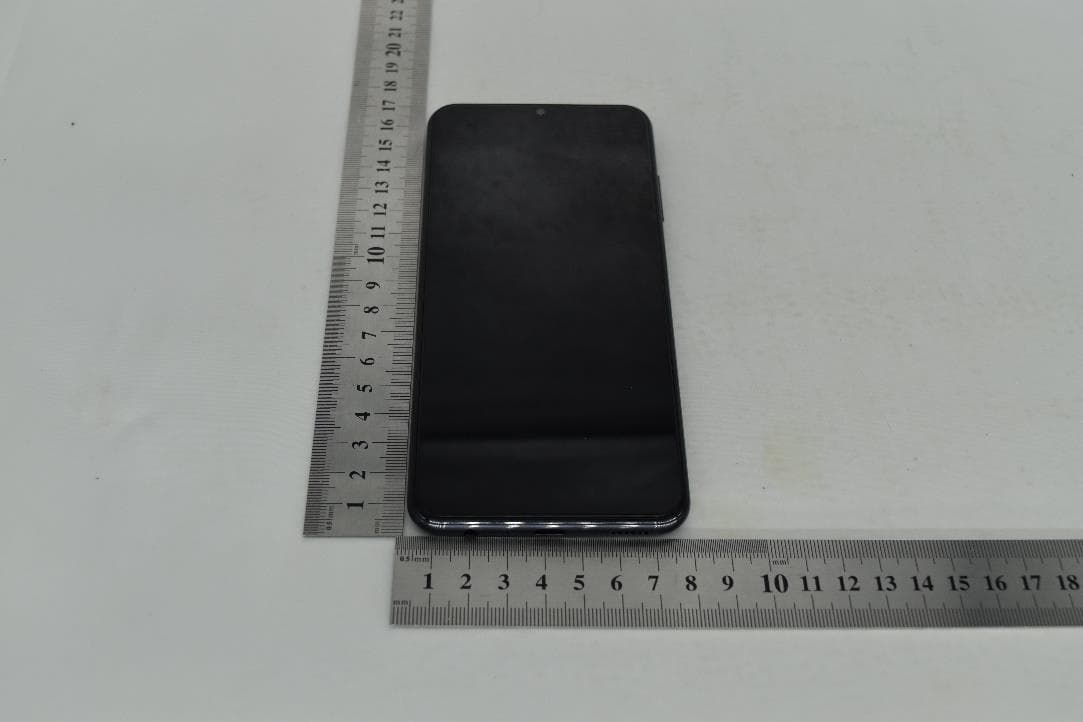
Click to zoom
Application Details
- Equipment Class
- DXX - Part 15 Low Power Communication Device Transmitter
- Date of Grant
- Dec 12, 2022
- Application Purpose
- Original Equipment
- Date of Application
- Nov 28, 2022
- Equipment Note
- GSM/WCDMA/LTE/5G NR Phone + BT/BLE, DTS/UNII a/b/g/n/ac and NFC
- Frequency Range
- 13.56000000 - 13.56000000
- Company
- Samsung Electronics Co Ltd
- Country
- United States
Documents & Files
Document Text
Text extracted from the exhibit documents filed with the FCC. Open a document above to read the original.
Users Manual
DRAFT–FOR INTERNAL USE ONLY GH68-55090A Printed in Korea Quick Start Guide and Terms & Conditions Additional information Your wireless device and third‑party services Verizon Wireless is the mobile carrier associated with this wireless device, but many services and features offered through this device are provided by or in conjunction with third parties. Verizon Wireless is not responsible for your use of this device or any non-Verizon Wireless applications, services and products, including any personal information you choose to use, submit or share with others. Specific third-party terms and conditions, terms of use and privacy policies apply. Please review carefully all applicable terms, conditions and policies prior to using this wireless device and any associated application, product or service. Manage your account My Verizon Mobile app Manage your account, track your usage, edit account information, pay your bill and more. International travel For features and rates when outside the US, visit : verizon.com/plans/international/ Customer service Call 800.922.0204 Twitter @VerizonSupport Download a User Guide from verizon.com/support Set up your device Get help samsung.com/us/support youtube.com/samsungcare samsung.com/us/support/simulators Scan the code using your old device for more information on how to switch or visit kaywa.me/switchtogalaxy Yo u r d evi ce Use only Samsung approved charging devices and accessories. Damage caused by use of accessories which are not approved may not be covered by warranty. Get started Follow the prompts to start using your new device Insert a SIM card in the SIM card tray as shown Use the SIM tool to open the SIM tray SIM cardSIM tool Insert the SIM card in the tray 1 2 Camera Volume Side key On/Off Lock/Unlock USB/Charging port SIM/microSD card tray Fingerprint sensor Read this document before operating the mobile device, accessories, or software (defined collectively and individually as the “Product”) and keep it for future reference. This document contains important Terms and Conditions. Electronic acceptance, opening the packaging, use, or retention of the Product constitutes acceptance of these Terms and Conditions. Do more Find the user manual on your device SettingsUser manual Camera Headphone jack Charge your device Use the included USB cable and a USB Type-C adapter (sold separately). Turn the device on Press and hold the Side key for a few seconds. microSD ™ card sold separately. This document is watermarked because certain important information in the document has not yet been verified. This document has been sent to you as a draft and for informational purposes only. The document should only be used for internal purposes and may not be distributed outside of the company. Distributing the document outside of the company could result in legal exposure to the company if the preliminary, unverified information in the draft turns out to be inaccurate. A3LSMA236V DRAFT–FOR INTERNAL USE ONLY Samsung Electronics America, Inc. 85 Challenger Road Ridgefield Park, NJ 07660 Phone: 1.800.SAMSUNG (726-7864) Internet: www.samsung.com © 2023 Samsung Electronics America, Inc. Samsung & Samsung Galaxy are registered trademarks of Samsung Electronics Co., Ltd. Other company and product names mentioned herein may be trademarks of their respective owners. Screen images simulated. Appearance of device may vary. Images shown are for reference only. If you use a screen protector, make sure it allows for use of touch screen features. The Arbitration Agreement, Standard One- year Limited Warranty, End User License Agreement (EULA), and additional Health, Safety and Device care information, including: •Device Temperature •Samsung Knox security platform •Maintaining Dust and Water Resistance (IP rating) •Location, Navigation, GPS and AGPS •Wireless Emergency Alerts (WEA) are available at: English: www.samsung.com/us/support/legal/mobile Spanish: www.samsung.com/us/support/legal/mobile-sp This information is also on the device: Settings > About phone or About device or About watch or About tablet > Legal information > Samsung legal o r, search for “Legal” You can view the Federal Communications Commission (FCC) certification, if applicable, by opening Settings > About phone or About device or About watch or About tablet > Status or Status information Diagnostic software This device may be equipped with diagnostic software reporting usage and performance information used to assess, deliver and improve network quality and the overall device experience to wireless customers. Please refer to your service provider’s terms and conditions or privacy policy for more information. Specific Absorption Rate (SAR) certification information Body-worn operation is restricted to be belt clip, hols ters, or similar accessories that have no metallic components and must provide at least 1.5cm of s eparation between the device and the user's body. For information visit: • www.fcc.gov/general/radio-frequency-safety-0 •www.fcc.gov/encyclopedia/specific- absorption-rate-sar-cellular-telephones • www.samsung.com/sar Exposure to Radio Frequency (RF) signals For information, visit www.samsung.com/us/ support/legal/mobile then select Health and Safety Information > Radio Frequency (RF) signals Samsung mobile products and recycling WARNING! Never dispose of batteries in a fire be- cause they may explode. Do not disassemble, crush, puncture, heat, burn or reuse batteries. For more information, visit: www.samsung.com/ recycling or call 1-800-SAMSUNG. FCC Part 15 Information and Notices This device complies with part 15 of the FCC Rules. Operation is subject to conditions: (1) This device may not cause harmful interference, and (2) this device must accept any interference received, including interference that may cause undesired operation. Operate devices that support wireless power sharing at least 8 inches/20 cm away from your body. FCC Hearing Aid Compatibility (HAC) regulations for wireless d…
Text truncated - open the document above for the full version.
Users Manual
11/2021. Rev.1.9.2www.samsung.com Safety information A3LSMA236V 1 English ................................................2 Shqip .................................................15 العربية ...................................................27 Azərbaycan (latin) ............................ 39 বাংলা .................................................51 Български .......................................63 繁體中文 (香港) ..................................76 简体中文 ............................................87 繁體中文 (台灣) ..................................98 Hrvatski ..........................................110 Čeština ............................................ 122 Dansk ..............................................134 Nederlands .....................................146 Eesti .................................................158 فارسی .................................................170 Suomi ..............................................182 Français ..........................................194 ქართული .....................................206 Deutsch ..........................................218 Ελληνικά .........................................230 עברית ...............................................242 हिन्दी .................................................254 Magyar ............................................266 Bahasa Indonesia ..........................278 Italiano ............................................290 日本語 ..............................................303 Қа зақ тілі ........................................315 ខ្មែ�ែរ ....................................................327 한국어 ...............................................339 ລາວ ..................................................352 Latviešu ..........................................364 Lietuvių kalba ................................. 376 Македонски ...................................388 Монгол ............................................400 ျမန္္မာ ................................................412 Norsk ..............................................424 Polski ..............................................436 Português .......................................449 Português (Brasil) ..........................461 Română ..........................................474 Ру сский ..........................................486 Srpski ..............................................499 Slovenčina ......................................511 Slovenščina .................................... 523 Español ........................................... 535 Español (Estados Unidos) .............547 Svenska ..........................................559 ไทย ...................................................571 Türkçe ..............................................583 Українська .....................................595 اردو ...................................................607 O'zbek .............................................619 T iếng Việt .......................................631 English 2 Safety information Please read this important safety information before you use the device. It contains general safety information for devices and may include content that does not apply to your device. Follow the warning and caution information to prevent injury to yourself or others and to prevent damage to your device. The term ‘device’ refers to the product and its battery, the items supplied with the product, and any Samsung-approved accessories used with the product. Warning Failure to comply with safety warnings and regulations can cause serious injury or death Your device contains magnets. Keep a safe distance between your device and objects that may be affected by magnets such as credit cards and implantable medical devices. If you have an implantable medical device, consult your physician before use Do not use damaged power cords or plugs, or loose electrical sockets Unsecured connections can cause electric shock or fire. Do not touch the device, power cords, plugs, or the electric socket with wet hands or other wet body parts Doing so may cause electric shock. Do not pull the power cord excessively when disconnecting it Doing so may cause electric shock or fire. Do not bend or damage the power cord Doing so may cause electric shock or fire. Do not use the device with wet hands while the device is charging Doing so may cause electric shock. Do not directly connect together the charger’s positive and negative terminals Doing so may cause fire or serious injury. English 3 Do not use your device outdoor during a thunderstorm Doing so may result in electric shock or device malfunction. Use manufacturer-approved batteries, chargers, accessories, and supplies • Using generic batteries or chargers may shorten the life of your device or cause the device to malfunction. They may also cause a fire or cause the battery to explode. • Use only Samsung-approved battery, charger, and cable specifically designed for your device. Incompatible battery, charger, and cable can cause serious injuries or damage to your device. • Samsung cannot be responsible for the user’s safety when using accessories or supplies that are not approved by Samsung. Do not carry your device in your back pockets or on your waist • The device may be damaged, explode, or result in a fire if too much pressure is applied to it. • You may be injured if you are bumped or fall. Do not drop or cause excessive impact to the device • This may damage your device or battery, cause the device to malfunction, or shorten its lifespan. • This may also cause overheating, combustion, fire, or other hazards. Handle and dispose of the device and charger with care • Never dispose of the battery or device in a fire. Never place the battery or device on or in heating devices, such as microwave ovens, stoves, or radiators. The device may explode when overheated. Follow all local regulations when disposing of used battery or device. • Never crush or puncture the device. • Avoid exposing the device to high external pressur…
Text truncated - open the document above for the full version.
Users Manual
A3LSMA236V User manual Contents Features Biometric security | Dark mode Getting started Device layout: Galaxy A23 5G Set up your device: Charge the battery Start using your device: Turn on your device | Use the Setup Wizard | Bring data from an old device | Lock or unlock your device | Side key settings | Accounts | Set up voicemail | Navigation | Navigation bar | Customize your home screen | Digital wellbeing and parental controls | Biometric security | Mobile continuity | Multi window | Edge panels | Enter text | Emergency mode Customize your home screen: App icons | Wallpaper | Themes | Icons | Widgets | Home screen settings | Easy mode | Status bar | Notification panel | Quick settings Camera and Gallery Camera: Navigate the camera screen | Configure shooting mode | AR Zone | Record videos | Camera settings Gallery: View pictures | Edit pictures | Play video | Edit video | Share pictures and videos | Delete pictures and videos | Group similar images | Take a screenshot Samsung apps AR Zone | Galaxy Store | Game Launcher | Samsung Free | Samsung Global Goals | Samsung Members | SmartThings | Calculator | Calendar | Clock | Contacts | Internet | Messages | My Files | Phone | Samsung Health | Samsung Notes | Samsung Pay 2 SAM_ A236_ EN_ UM_ TN_ VG6_ 080522_ FINAL Google apps Chrome | Drive | Duo | Gmail | Google | GPay | Google TV | Maps | Messages | Photos | Play Store | YouTube | YT Music Microsoft apps Outlook | Office | OneDrive Settings Connections: Wi-Fi | Bluetooth | NFC and payment | Airplane mode | Mobile networks | Data usage | Mobile hotspot | Tethering | Nearby device scanning | Connect to a printer | Virtual Private Networks | Private DNS | Ethernet Customization: Display | Notifications | Sounds and vibration Security: Lock screen and security | Face recognition | Fingerprint scanner Accounts: Add an account | Account settings | Remove an account | Backup and restore | Google settings Backup: Samsung account | Google Account | External storage transfer Accessibility: Recommended for you | TalkBack | Visibility enhancements | Hearing enhancements | Interaction and dexterity | Advanced settings | Installed apps | About Accessibility | Contact us Other: User manual | Android Auto | Dual Messenger | Medical info | Quick Share | Labs | About phone Learn more Legal information Contents 3 Getting started Galaxy A23 5G Set up your device Start using your device 4 Galaxy A23 5G Rear camera USB charger Flash Headset jack Front camera Volume keys Side key/ Fingerprint scanner Gettingstarted 5 Devices and software are constantlyevolving — the illustrationsyou see here are for referenceonly. Set up your device Charge the battery Your device uses a nano-SIM card. A SIM card may be preinstalled, or you may be able to use your previous SIM card. Network indicators for 5G service are based on your carrier’s specifications and network availability. Contact your carrier for more details. Install SIM/microSD card Place the SIM card and optional microSD ™ card (sold separately) into the tray with the gold contacts facing down. Charge your device Before turning on your device, charge it fully. SIM microSD 100% Gettingstarted 6 Devices and software are constantlyevolving — the illustrationsyou see here are for referenceonly. Charge the battery Your device is powered by a rechargeable battery. NOTE Wall charger sold separately. Use only Samsung-approved chargers and cables. To avoid injury or damage to your device, do not use incompatible, worn or damaged batteries, chargers or cables. Using other charging devices and batteries may not be covered under warranty and may cause damage. For more information on your device, including charging compatibility, please visit samsung.com. TIP While charging, the device and the charger may become hot and stop charging. This usually does not affect the device’s lifespan or performance and is in the device’s normal range of operation. Disconnect the charger from the device and wait for the device to cool down. For more information, visit samsung.com/us/support/answer/ANS00076952. Start using your device Turn on your device | Use the Setup Wizard | Bring data from an old device | Lock or unlock your device | Side key settings | Accounts | Set up voicemail | Navigation | Navigation bar | Customize your home screen | Digital wellbeing and parental controls | Biometric security | Mobile continuity | Multi window | Edge panels | Enter text | Emergency mode Turn on your device Use the Side key to turn your device on. Do not use the device if the body is cracked or broken. Use the device only after it has been repaired. ◌ Press and hold the Side key to turn the device on. • To turn the device off, press and hold the Side and Volume down keys at the same time, and tap Power off. Confirm when prompted. • To restart your device, press and hold the Side and Volume down keys at the same time, and tap Restart. Confirm when prompted. 7 Gettingstarted NOTE Best 5G performance requires optimal 5G connection and unobstructed antennas (rear of device); see carrier for network availability; 5G performance may be impacted by a case or cover. Use the Setup Wizard The first time you turn your device on, the Setup Wizard guides you through the basics of setting up your device. Follow the prompts to choose a default language, connect to a Wi-Fi ® network, set up accounts, choose location services, learn about your device’s features, and more. Bring data from an old device Download Smart Switch ™ to transfer contacts, photos, music, videos, messages, notes, calendars, and more from your old device. Smart Switch can transfer your data via USB cable, Wi-Fi, or computer. Visit samsung.com/smartswitch for more information. 1. From Settings, tap Accounts and backup > Bring data from old device. 2. Follow the prompts and select the content to transfer. 8 Gettingstarted Lock or unlock your device Use your device’s screen lock features to secure your device. By default, the device locks autom…
Text truncated - open the document above for the full version.
Users Manual
Decline a call You can choose to decline an incoming call. If you are using an app, a pop-up screen is displayed for the incoming call. ◌ On the incoming call screen, drag Decline to the left to reject the call and send it to your voicemail. TIP On the incoming pop-up screen, tap Decline to reject the call and send it to your voicemail. Decline with a message You can choose to decline an incoming call with a text message response. ◌ On the incoming call screen, drag Send message upward and select a message. TIP On the incoming call pop-up screen, tap Send message and select a message. End a call ◌ Tap End call when you are ready to end your call. Actions while on a call You can adjust call volume, switch to a headset or speaker, and even multitask while on a call. ◌ Press the Volume keys to increase or decrease the volume. Switch to headset or speaker Listen to the call using the speaker or through a Bluetooth ® headset (not included). ◌ Tap Speaker to hear the caller using the speaker or tap Bluetooth to hear the caller using a Bluetooth headset. 81 Apps Multitask If you exit the call screen to use another app, your active call is indicated in the Status bar. To return to the call screen: ◌ Drag the Status bar down to display the Notification panel and tap the call. To end a call while multitasking: ◌ Drag the Status bar down to display the Notification panel, and then tap End call. Call background Select a picture or video to show when you make or receive a call. ◌ From Phone, tap More options > Settings > Call background for the following options: • Layout: Choose how to show caller info when the person has a profile picture. • Background: Choose a photo to display during a call. Call pop-up settings When calls are received while using other apps, they can be displayed as pop-ups. ◌ From Phone, tap More options > Settings > Call display while using apps. The following options are available: • Full screen: Display an incoming call in the full screen Phone app. • Small pop-up: Display an incoming call as a pop-up at the top of the screen. • Mini pop-up: Display an incoming call as a smaller pop-up. • Keep calls in pop-up: Enable this option to keep calls in the pop-up after they are answered. 82 Apps Manage calls Your calls are recorded in a call log. You can set up speed dials, block numbers, and use voicemail. Call log The numbers of the calls you have dialed, received, or missed are stored in the Call log. ◌ From Phone, tap Recents. A list of recent calls is displayed. If the caller is in your Contacts list, the caller’s name is displayed. Save a contact from a recent call Use recent call information to create a contact or update your Contacts list. 1. From Phone, tap Recents. 2. Tap the call that contains the information that you want to save to your Contacts list, and tap Add to contacts. 3. Tap Create new contact or Update existing contact. Delete call records To delete Call log entries: 1. From Phone, tap Recents. 2. Touch and hold the call you want to delete from the Call log. 3. Tap Delete. Block a number By adding a caller to your Block list, future calls from this number are sent directly to your voicemail, and messages are not received. 1. From Phone, tap Recents. 2. Tap the caller you want to add to the Block list, and then tap Details. 3. Tap Block , or More > Block contact and confirm when prompted. TIP You can also modify your Block list in Settings. From Phone, tap More options > Settings > Block numbers. 83 Apps Speed dial You can assign a shortcut number to a contact for speed dialing their default number. 1. From Phone, tap Keypad > More options > Speed dial numbers. The Speed dial numbers screen displays the reserved speed dial numbers. 2. Tap an unassigned number. • Tap Menu to select a different Speed dial number than the next one in sequence. • Number 1 is reserved for Voicemail. 3. Type in a name or number, or tap Add from Contacts to assign a contact to the number. • The selected contact is displayed in the Speed dial number box. Make a call with Speed dial You can make a call using Speed dial. ◌ From Phone, touch and hold the Speed dial number. • If the Speed dial number is more than one digit long, enter the first digits, and then hold the last digit. Remove a Speed dial number You can remove an assigned Speed dial number. 1. From Phone, tap More options > Speed dial numbers. 2. Tap Delete by the contact you want to remove from Speed dial. Emergency calls You can dial the emergency telephone number in your region regardless of the phone’s service status. If your phone is not activated, you can only make an emergency call. 1. From Phone, enter the emergency telephone number (911 in North America) and tap Call . 2. Complete your call. During this type of call, you have access to most in-call features. 84 Apps TIP The emergency telephone number can be dialed even if the phone is locked, allowing anyone to use your phone to call for help in an emergency. When accessed from a locked screen, only the emergency calling feature is accessible to the caller. The rest of the phone remains secured. Phone settings These settings allow you to modify settings associated with the Phone app. ◌ From Phone, tap More options > Settings. Optional calling services Your wireless carrier and service plan may support the following calling services. Place a multi-party call Make another call while a call is in progress. Options may vary by carrier. 1. From the active call, tap Add call to dial the second call. 2. Dial the new number and tap Call . When the call is answered: • Tap Swap or the On hold number to switch between the two calls. • Tap Merge to hear both callers at once (multi-conferencing). Video calls To make Video calls: ◌ Tap Phone, enter a number, and then tap Video call or Video call or Video call. NOTE Not all devices support video calling. The receiver has the option to accept the video call or answer the call as a regular voice call. 85 Apps Real Time Text (RTT) Type…
Text truncated - open the document above for the full version.
Cover Letter(s)
Date: October 17, 2022 UL Korea, Ltd. Suwon Laboratory 218 Maeyeong-ro, Yeongtong-gu, Suwon-si, Gyeonggi-do, 16675, Korea To whom it may concern: I, the undersigned, hereby authorize UL Korea, Ltd. Suwon Laboratory, to ac t on our behalf in all manners relating to application for equipment authorization, including signing of all documents relating to these matters. Any and all acts carried out by UL Korea, Ltd. Suwon Laboratory on our behalf shall have the same effect as acts of our own. In authorizing UL Korea as our agent, we still recognize that we are responsible to: a) comply with the relevant provisions of the certification program; b) make all necessary arrangements for the conduct of the evaluation, including provision for examining documentation and access to all areas, records (including internal audit reports) and personnel for the purposes of evaluation (e.g. testing, inspection, assessment, surveillance, reassessment) and resolution of complaints; c) make claims regarding certification only in respect of the scope for which certification has been granted; d) do not use our product certification in such a manner as to bring the Certification Division into disrepute and not make any statement regarding our product certification which the Certification Division may consider misleading or unauthorized; e) upon suspension or cancellation of certification, discontinue use of all advertising matter that contains any reference thereto and return any certification documents as required by the Certification Division; f) use certification only to indicate the products are certified as being in conformity with specified standards; g) endeavor to ensure that no certificate or report nor any part thereof is used in a misleading manner; h) ensure that any reference to our product certification in communication media such as documents, brochures or advertising, complies with the requirements of the Certification Division; i) keep a record of all complaints made known to the us relating to the product’s compliance with requirements of the relevant standard and to make these records available to the when requested; j) take appropriate action with respect to such complaints and any deficiencies found in products or services that affect compliance with the requirements for certification; k) document the actions taken. l) the undersigned, hereby certify that we are not subject to a denial of federal benefits, that includes FCC benefits, pursuant to Section 5301 of the Anti-Drug Abuse Act of 1988, 21 U.S.C. 853(a). This authorization is valid until further written notice from the applicant. Sincerely Yours, Ms. Jenni Chun General Manager Samsung Electronics America, Inc. TEL: +1-973-808-6375 E-mail: [email protected]
Cover Letter(s)
June 15, 2022 Federal Comm unications Commission 7435 Oakland Mills Road Columbia MD 21046 Subject: FCC ID: Request for Confidentiality A3LSMA236V To Whom It May Concern: Pursuant to the provisions of Sections 0.457 and 0.459 of the Commission’s rules (47 CFR §§ 0. 457, 0.459), we are requesting the Commission to withhold the following attachments as confidential document from public disclosure indefinitely. Schematics Block Diagram Operational Description Parts List Tune-Up Procedure Above mentioned document contains detailed system and equipment description are c onsidered as proprietary information in operation of the equipment. The public disclosure of above documents might be harmful to our company and would give competitor an unfair advantage in the market. In additional to above mentioned documents, pursuant to Public Notice DA 04-1705 of the Commission’s policy, in order to comply with the marketing regulations in 47 CFR §2.803 and the importation rules in 47 CFR §2.1204, while ensuring that business sensitive information remains confidential until the actual marketing of newly authorized devices. We are requesting the commission to grant short-term confidentiality request on the following attachments until 180 days External Photos Internal Photos Test Setup Photos User Manual It is our understanding that all measurement test reports, FCC ID label format and correspondence during certification review process cannot be granted as confidential documents and such information will be available for public review once the grant of equipment authorization is issued. Best Regards Ms. Jenni Chun General Manager Samsung Electronics America, Inc. TEL: +1-973-808-6375 E-mail: [email protected]
External Photos
External Photo Applicant : SAMSUNG ELECTRONICS CO., LTD. 129 SAMSUNG-RO, YEONGTONG-GU, SUWON-SI, GYEONGGI-DO, 16677, KOREA Model : SM-A236V FCC ID : A3LSMA236V Date Of Issue: 2022-11-11 Prepared by: UL Korea, Ltd. 26th floor, 152, Teheran-ro, Gangnam-gu Seoul, 06236, Korea Suwon Test Site: UL Korea, Ltd. Suwon Laboratory 218 Maeyeong-ro, Yeongtong-gu, Suwon-si, Gyeonggi-do, 16675, Korea TEL: (031) 337-9902 FAX: (031) 213-5433 Testing Laboratory TL-637 FCC ID: A3LSMA236V DATE: 2022-11-11 UL Korea, Ltd. Suwon Laboratory FORM ID: FCC_15B(04) 218 Maeyeong-ro, Yeongtong-gu, Suwon-si, Gyeonggi-do, 16675, Korea TEL: (031) 337-9902 FAX: (031) 213-5433 UL Korea, Ltd. Confidential This report shall not be reproduced except in full, without the written approval of UL Korea, Ltd. External Photo FCC ID: A3LSMA236V DATE: 2022-11-11 UL Korea, Ltd. Suwon Laboratory FORM ID: FCC_15B(04) 218 Maeyeong-ro, Yeongtong-gu, Suwon-si, Gyeonggi-do, 16675, Korea TEL: (031) 337-9902 FAX: (031) 213-5433 UL Korea, Ltd. Confidential This report shall not be reproduced except in full, without the written approval of UL Korea, Ltd. FCC ID: A3LSMA236V DATE: 2022-11-11 UL Korea, Ltd. Suwon Laboratory FORM ID: FCC_15B(04) 218 Maeyeong-ro, Yeongtong-gu, Suwon-si, Gyeonggi-do, 16675, Korea TEL: (031) 337-9902 FAX: (031) 213-5433 UL Korea, Ltd. Confidential This report shall not be reproduced except in full, without the written approval of UL Korea, Ltd. The End
ID Label/Location Info
Description of E-label on the A3LSMA236V Date: November 1 th , 2022 FCC ID…
Text truncated - open the document above for the full version.
Contact Information
Applicant
Jenni Chun(General Manager)
Technical Contact
UL KoreaDaYe Baek
[email protected]+82-31-337-9936
218, Maeyeong-ro Yeongtong-gu, · Suwon · South Korea
Test Firm
UL Korea, Ltd.Junwhan Lee
Technical Specifications
| # | Rule Parts | Frequency Range | Power Output |
|---|---|---|---|
| 1 | 15C | 13.56 MHz - 13.56 MHz | - |
Other Applications from Samsung Electronics Co Ltd
A3LSMU600
Sep 15, 2026Bluetooth Headset
Equipment Class
DTS - Digital Transmission SystemA3LSMA185G
Sep 08, 2026Portable Handset
Equipment Class
CXX - Communications Rcvr for use w/ licensed Tx and CBsA3LSMS741B
Aug 05, 2026Portable Handset
Equipment Class
6VL - 15E 6 GHZ Very Low Power DeviceA3LSMX940
Jul 31, 2026BT,BLE Tablet DTS,UNII a,b,g,n,ac,ax,be and digitizer
Equipment Class
DTS - Digital Transmission SystemA3LSMS741U
Jul 30, 2026Portable Handset
Equipment Class
6CD - 15E 6 GHz Low Power Dual Client