A3LSMP901Multi-Band GSM/ EDGE/ WCDMA Tablet with WLAN, Bluetooth and ANT+
Samsung Electronics Co Ltd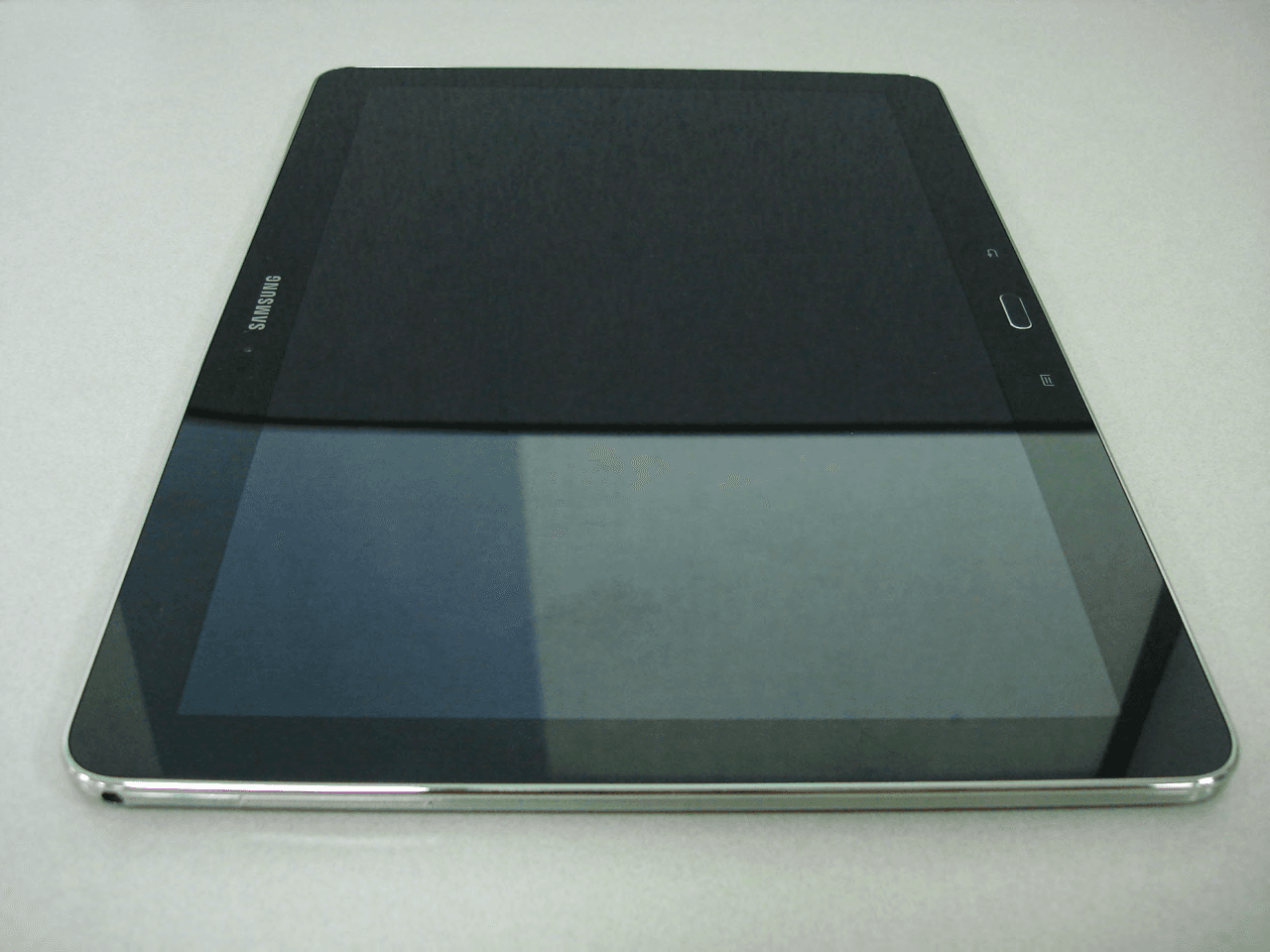
Click to zoom
Application Details
- Equipment Class
- JBC - Part 15 Class B Computing Device/Personal Computer
- Date of Grant
- Nov 10, 2013
- Application Purpose
- Original Equipment
- Date of Application
- Nov 10, 2013
- Equipment Note
- Multi-Band GSM/ EDGE/ WCDMA Tablet with WLAN, Bluetooth and ANT+
- Company
- Samsung Electronics Co Ltd
- Country
- United States
Documents & Files
Document Text
Text extracted from the exhibit documents filed with the FCC. Open a document above to read the original.
Users Manual
User manual SM-P901 Draft 6.1 2013-10-23 Only for Approval using this manual This user manual has been specially designed to guide you through the functions and features of your mobile device. To get started quickly, refer to “introducing your mobile device, Instructional icons Before you start, familiarise yourself with the icons you will see in this manual: Warning—situations that could cause injury to yourself or others Caution—situations that could cause damage to your dev ice or other equipment Note—notes, usage tips, or additional information Refer to—pages with related information; for example: p. 12 (represents “see page 12”) Õ Followed by—the order of options or menus you must select to perform a step; for example: In Menu mode, select Messages Õ Create new message (represents Messages, followed by Create new message) [ ] Square brackets—phone keys; for example: [ ](represents the Power/ Menu exit key) < > Angled brackets—softkeys that control different functions at each screen; for example: <OK> (represents the OK softkey) Copyright information Rights to all technologies and products that comprise this device are the property of their respective owners: Bluetooth ® is a registered trademark of the Bluetooth SIG, Inc. worldwide Java™ is a trademark of Sun Microsystems, Inc. Windows Media Player ® is a registered trademark of Microsoft Corporation. contents safety and usage information Safety warnings Safety precautions Important usage information introducing your mobile device Unpack .. Device layout Keys Dis play Icons assembling and preparing your mobile device Install the SIM card and battery Charge the battery using basic functions Turn your device on and off Access menus Customise your device Use basic call functions Send and view messages A dd and find contacts troubleshooting safety and usage information Comply with the following precautions to avoid dangerous or illegal situations and ensure peak performance of your mobile device. Safety warnings Keep your device away from small children and pets K eep your device and all accessories out of the reach of small children or animals. Small parts may cause choking or serious injury if swallowed. Protect your hearing Excessive exposure to sound at high volumes can cause hearing damage. Always turn the volume down before plugging the earphones into an audio source and use only the minimum volume setting necessary to hear your conversation or music. Install mobile device and equipment with caution Ensure that any mobile phones or related equipm ent installed in your vehicle are s ecurely mounted. Avoid placing your device and accessories near or in an air bag deployment area. Improperly installed wireless equipment can cause serious injury when air bags inflate rapidly. Handle and dispose of batteries and chargers with care Us e only Samsung-approved batteries and chargers specifically designed for your device. Incompatible batteries and chargers can cause serious injuries or damage to your device. Never dispose of batteries or phones in a fire. Follow all local regulations when disposing used batteries or phones. Never place batteries or phones on or in heating devices, such as microwave ovens, stoves, or radiators. Batteries may explode when overheated. Never crush or puncture the battery. Avoid exposing the battery to high external pressure, which can lead to an internal short circuit and overheating. A void interference with pacemakers Maintain a minimum of 15 cm (6 inches) between mobile phones and pacemakers to avoid potential interference, as recommended by manufacturers and the independent research group, Wireless Technology Research. If you have any reason to suspect that your device is interfering with a pacemaker or other medical device, turn off the device immediately and contact the manufacturer of the pacemaker or medical device for guidance. Turn off the device in potentially explosive environments Do not use your devic e at refuelling points (service stations) or near fuels or chemicals. Turn off your device whenever directed by warning signs or instructions. Your device could cause explosions or fire in and around fuel or chemical storage and transfer areas or blasting areas. Do not store or carry flammable liquids, gases, or explosive materials in the same compartment as the device, its parts, or accessories. Reduce the risk of repetitive motion injuries When sending text messages or playing games on y our device, hold the device with a relaxed grip, press the keys lightly, use spec ial features that reduce the number of keys you have to press (such as templates and predictive text), and take frequent breaks. Safety precautions Dr ive safely at all times A void using your device while driving and obey all regulations that restrict the use of mobile phones while driving. Use hands-free accessories to increase your safety when possible. Follow all safety warnings and regulations Com ply with any regulations that restrict the use of a mobile device in a certain area. Use only Samsung-approv ed accessories Using incompatible accessories may damage your device or cause injury. Turn off the devic e near medical equipment Your device can interfere with medical equipment in hospitals or health care facilities. Follow all regulations, posted warnings, and directions from medical personnel. Turn off the device or disable the wireless functions when in an aircraft Your device can cause interference with aircraft equipment. Follow all airline regulations and turn off your device or switch to a mode that disables the wireless functions when directed by airline per sonnel. Protect batteries and chargers from damage Avoid exposing batteries to very cold or very hot temperatures (below 0° C/32° F or above 45° C/ 113° F). Extreme temperatures can reduce the charging capacity and life of your batteries. Prevent batteries from contacting metal objects, as this can create a connection between the + and - terminals of your …
Text truncated - open the document above for the full version.
Attestation Statements
SAMSUNG ELECTRONICS CO., LTD 129, Samsung-ro,Yeongtong-gu Suwon-si,Gyeonggi-do, 443-742 Korea October 18, 2013 Federal Communications Commission 7435 Oakland Mills Road Columbia, MD 21046 SUBJECT : Label Statement FCC ID : A3LSMP901 Gentlemen: We hereby provide the label statement letter for the above-mentioned device by a new label statement policy of KDB 784748 D01.. The label statement is as follows: The FCC ID label is located on the rear of the device with the battery installed. At this time the FCC ID is readily visible to the user. The label is permanently engraved by laser and not easily removed from the device. This statement could not be included in the label. So we inform you of it through this letter. Should you have any questions or comments concerning the above, please contact the undersigned. Sincerely Yours, Seoung Ho Park Senior Manager SAMSUNG ELECTRONICS CO.,LTD Telecommunication Network Business Mobile Communication Division Regulatory Compliance Group.
Attestation Statements
Samsung Electronics America, Inc 19 Chapin Rd, Building D. Pine Brook, NJ 07058 Date: Oct. 27th, 2013 To whom it may concern: We, the undersigned, hereby authorize PCTEST Engineering Laboratory Inc., to act on our behalf in all matters relating to applications for equipment authorization, including the signing of all documents relating to these matters. Any and all acts carried out by PCTEST Engineering Laboratory, Inc. on our behalf shall have the same effect as acts of our own. We also hereby certify that no party to any application is subject to a denial of benefits, including FCC benefits, pursuant to Section 5301 of the Anti-Drug Abuse Act of 1988, 21 U.S. C. 862. Sincerely, Signature Sang Kyung (Peter), Ra General Manager Samsung Electronics America, Inc FCC ID: A3LSMP901
Cover Letter(s)
SAMSUNG ELECTRONICS AMERICA, INC. American QA Lab 19 Chapin Rd, Building D. Pine Brook, NJ 07058 Date: October 28, 2013 Federal Communications Commission Authorization and Evaluation Division 7435 Oakland Mills Road, Columbia, MD 21046 RE: Request of Confidentiality for FCC ID: A3LSMP901 To Whom It May Concern: Pursuant to Sections 0.457 and 0.459 of the Commission’s Rules (CFR 47), and Section 552 (b) (4) of the Freedom of Information Act, SAMSUNG ELECTRONICS CO.,LTD. hereby requests confidentiality and treatment of certain information accompanying this application. The materials contain trade secrets and proprietary information not customarily released to the public. The public disclosure of these matters might be harmful to the Applicant and provide unjustified benefits to its competitors. We are also hereby request Short-Term Confidentiality for 180 days after the grant as outlined in Public Notice DA 04-1705. This provision will give SAMSUNG ELECTRONICS CO.,LTD. temporary confidentiality of commercially sensitive information prior to product release. The requested Permanent and Short-Term Confidential exhibits are listed as follows: PERMANENT AND SHORT-TERM CONFIDENTIAL LIST Exhibit Description 1 Block Diagram PERMANENT 2 Operational Description 3 External Photos 4 Internal Photos 5 Test-Setup Photos SHORT-TERM 6 Users Manual The Applicant understands that pursuant to Rule 0.457, disclosure of this application and all accompanying documentations, where applicable, will not be made public before the date of the Grant for this application. Sincerely, Peter Ra General Manager American QA Lab SAMSUNG Electronics America INC.
ID Label/Location Info
Label and Location Samsung EUT Model: SM-P901 FCC ID:A3LSMP901 Label Location Top Back of EUT Bottom FCC ID is printed on bottom of the EUT
Test Report
Project No. : LBE20134982 Portable Device : SM-P901 - 2/13- This report must not be reproduced, except in full, without written permission from CS & Environment center. Form No.: SRA-TRF-46/0 Table of contents 1. Report Information 1.1 Revision history ------------------------------------------------------------------------------------------------------------------ 3 2. Summary of test results 2.1 Emission ------------------------------------------------------------------------------------------------------------------------------- 3 3. General Information 3.1 Test facility ---------------------------------------------------------------------------------------------------------------------------- 3 4. Test Configuration 4.1 Test Peripherals ----------------------------------------------------------------------------------------------------------------- 4 4.2 EUT operating mode -------------------------------------------------------------------------------------------------------- 4 4.3 Details of Sampling ----------------------------------------------------------------------------------------------------------- 4 4.4 Used cable description ---------------------------------------------------------------------------------------------------- 5 4.5 Test arrangement -------------------------------------------------------------------------------------------------------------- 5 4.6 EUT Description ----------------------------------------------------------------------------------------------------------------- 6 4.7 Clock Frequencies ------------------------------------------------------------------------------------------------------------ 6 4.8 Test configuration and condition ---------------------------------------------------------------------------------- 7 4.9 Measurement uncertainty ---------------------------------------------------------------------------------------------- 7 5. Result of individual tests 5.1 Conducted disturbance --------------------------------------------------------------------------------------------------- 8 5.2 Radiated disturbance ------------------------------------------------------------------------------------------------------- 10 Project No. : LBE20134982 Portable Device : SM-P901 - 3/13- This report must not be reproduced, except in full, without written permission from CS & Environment center. Form No.: SRA-TRF-46/0 1. Report Information 1.1 Revision history No Revised detailed information Issue 0 - LBE20134982 (SAMSUNG) 2. Summary of test results 1.1 Emission The EUT has been tested according to the following specifications: Applied Test type Applied standard Result Conducted Disturbance (Mains port) FCC Part 15 Subpart B / ANSI C63.4-2009 (Class B) Complied Radiated Disturbance Complied 3. General Information 3.1 Test facility The CS & Environment center is located on Samsung Electronics Co., Ltd. at ( Maetan-dong) 129, Samsung-ro, Yeongtong-gu, Suwon-si, Gyeonggi-do, 443-742, Republic of Korea. All testing are performed in Semi-anechoic chambers conforming to the site attenuation characteristics defined by ANSI C63.4, CISPR 22, 16-1 and 16-2. and Shielded rooms. The CS & Environment center is operated as testing laboratory in accordance with the requirements of ISO/IEC 17025:2005. Project No. : LBE20134982 Portable Device : SM-P901 - 4/13- This report must not be reproduced, except in full, without written permission from CS & Environment center. Form No.: SRA-TRF-46/0 4. Test Setup configuration 4.1 Test Peripherals The cables used for these peripherals are either permanently attached by the peripheral manufacturer or coupled with an assigned cable as defined below. The following is a listing of the EUT and peripherals utilized during the performance of EMC test: Mark Description Model No. Serial No. Manufacturer / Trademark FCC ID / DoC A Portable Device SM-P901 - SAMSUNG A3LSMP901 C Headset EO-HS3303WE- SAMSUNG - D Data Cable ET-DQ10Y0WE- SAMSUNG - E microSD Card 16GB - SANDISK - F Desk-Top Computer DM300S3A EBDEDC6FFD SAMSUNG DoC - SAMSUNG DoC G LCD TV Monitor UN22ES5003 ZV8R33EC701372M SAMSUNG DoC EF23TS EM23H1LS300070L SAMSUNG DoC H Mouse SML-210PB TAKD125021R SAMSUNG DoC I Keyboard SDM8500P 8M001183 SAMSUNG DoC J Gigabit Switch 8 J9794A CN33FQ71XK HP DoC K Power Supply EADP-15DC A DIKD1245096576 Delta DoC L Battery T9500E - SAMSUNG - 4.2 EUT operating mode To achieve compliance applied standard specification, the following mode(s) were made during compliance testing: Operating Mode 1 USB Mode (Data Communication) 4.3 Details of Sampling Customer selected, single unit. Project No. : LBE20134982 Portable Device : SM-P901 - 5/13- This report must not be reproduced, except in full, without written permission from CS & Environment center. Form No.: SRA-TRF-46/0 4.4 Used cable description The EUT is configured, installed, arranged and operated in a manner consistent with typical applications. Interface cables/loads/devices are connected to at least one of each type of interface port of the EUT, and where practical, each cable shall be terminated in a device typical of actual usage. The type(s) of interconnecting cables to be used and the interface port (of the EUT) to which these were connected: No. Connected cable Length [m] Shielded [Y/N] Note 1 Data Cable 1.0 Yes From EUT to Desktop PC 2 Headset 1.2 No For EUT 3 PS/2 1.8 Yes For Keyboard 4 PS/2 1.8 Yes For Mouse 5 Power 1.8 No For Desktop PC 6 Power 1.8 No For LCD Monitor 7 Power 1.8 No From Gigabit Switch 8 to Power Supply 8 Power 1.8 No For Power Supply 9 RGB Cable 1.8 Yes From Monitor to Desktop PC 10 LAN cable 1.5 Yes From Desktop PC to Router 11 LAN cable 1.5 Yes From Router to Local Area Network 4.5 Test arrangement This tablet device does not contain the minimum number of ports required for personal computer testing per ANSI C63.4, but the EUT is attached to a computer through its only available port, which represents worst case emissions. All other aspects of C63.4 testing requirements we…
Text truncated - open the document above for the full version.
Test Setup Photos
Project No. : LBE20134982 Portable Device : SM-P901 - 1/4- This report must not be reproduced, except in full, without written permission from CS & Environment center. Form No.: SRA-TRF-46/0 APPENDIX – Test Setup and EUT photography – Project No. : LBE20134982 Portable Device : SM-P901 - 2/4- This report must not be reproduced, except in full, without written permission from CS & Environment center. Form No.: SRA-TRF-46/0 1. Photograph of Test Setup [ Conducted Disturbance – Front ] [ Conducted Disturbance – Rear ] Project No. : LBE20134982 Portable Device : SM-P901 - 3/4- This report must not be reproduced, except in full, without written permission from CS & Environment center. Form No.: SRA-TRF-46/0 [ Radiated Disturbance for Below 1 GHz – Front ] [ Radiated Disturbance for Below 1 GHz – Rear ] Project No. : LBE20134982 Portable Device : SM-P901 - 4/4- This report must not be reproduced, except in full, without written permission from CS & Environment center. Form No.: SRA-TRF-46/0 [ Radiated Disturbance for Above 1 GHz – Front ] [ Radiated Disturbance for Above 1 GHz – Rear ]
Contact Information
Applicant
Jenni Chun(General Manager)
Technical Contact
PCTEST Engineering Lab., Inc.Randy Ortanez
[email protected]410-290-6652
6660-B Dobbin Road · Columbia, Maryland · United States
Test Firm
Samsung Electronics Co., Ltd. Global CS CenterPark No cheon
Technical Specifications
| # | Rule Parts | Frequency Range | Power Output |
|---|---|---|---|
| 1 | 15B | - | - |
Other Applications from Samsung Electronics Co Ltd
A3LSMS741B
Aug 05, 2026Portable Handset
Equipment Class
6VL - 15E 6 GHZ Very Low Power DeviceA3LSMX940
Jul 31, 2026BT,BLE Tablet DTS,UNII a,b,g,n,ac,ax,be and digitizer
Equipment Class
DTS - Digital Transmission SystemA3LSMS741U
Jul 30, 2026Portable Handset
Equipment Class
6CD - 15E 6 GHz Low Power Dual ClientA3LSMX840
Jul 27, 2026BT,BLE Tablet DTS,UNII a,b,g,n,ac,ax and Digitizer
Equipment Class
DSS - Part 15 Spread Spectrum TransmitterA3LSMX848U
Jul 27, 2026WCDMA, LTE, 5G NR Tablet BT,BLE, DTS,UNII a b g n ac ax and Digitizer
Equipment Class
JBP - Part 15 Class B Computing Device Peripheral