A3LSMT377AMulti-band UMTS/LTE Tablet with WLAN, Bluetooth, and ANT+
Samsung Electronics Co Ltd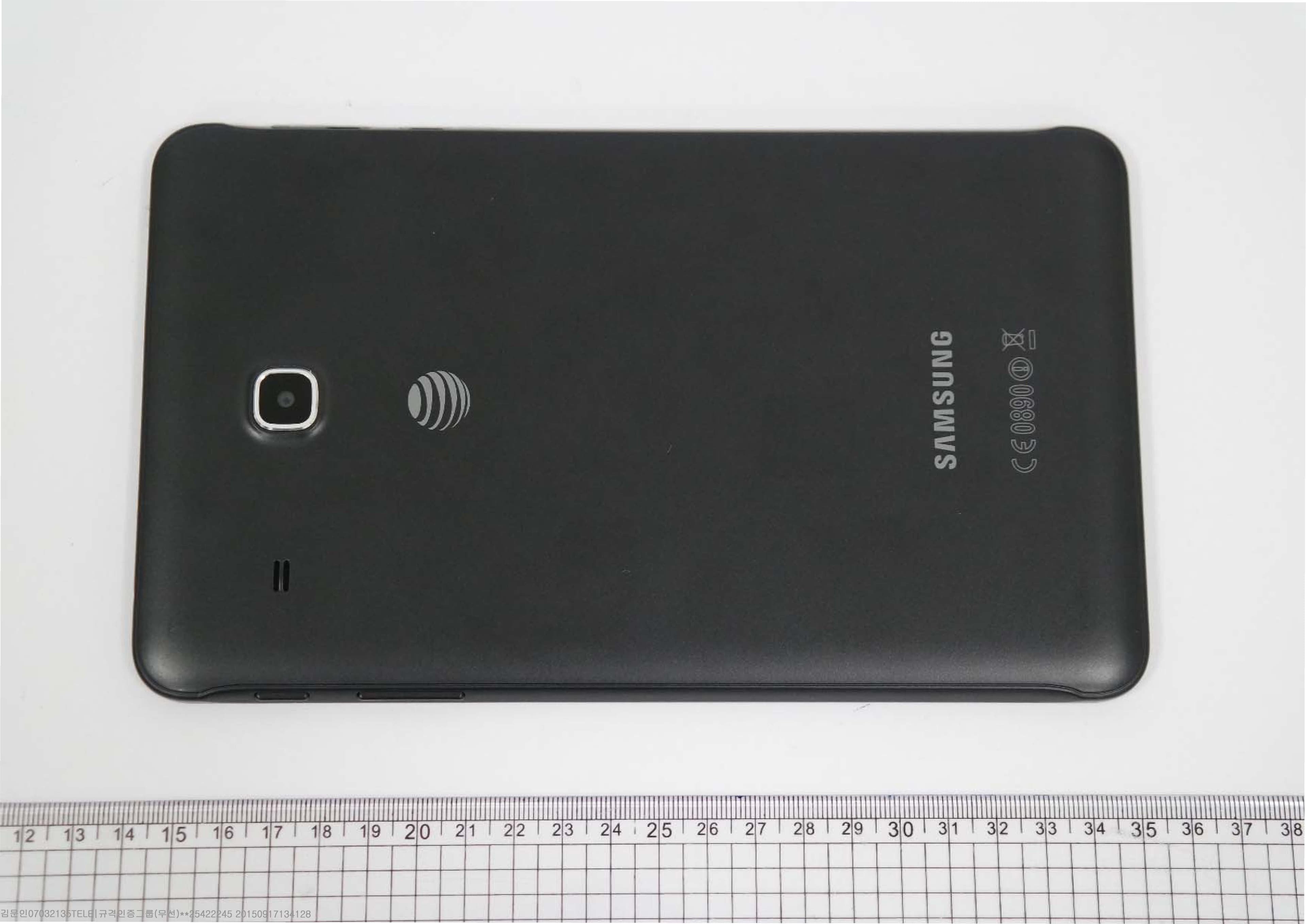
Click to zoom
Application Details
- Equipment Class
- DXX - Part 15 Low Power Communication Device Transmitter
- Date of Grant
- Sep 29, 2015
- Application Purpose
- Original Equipment
- Date of Application
- Sep 29, 2015
- Equipment Note
- Multi-band UMTS/LTE Tablet with WLAN, Bluetooth, and ANT+
- Frequency Range
- 2402.00000000 - 2480.00000000
- Company
- Samsung Electronics Co Ltd
- Country
- United States
Documents & Files
Document Text
Text extracted from the exhibit documents filed with the FCC. Open a document above to read the original.
Users Manual
T A BLET User Manual Please read this manual befor e operating your devic e and keep it for fut ur e r efer ence. DRAFT FOR INTERNAL USE ONLY This document is watermarked because certain important information in the document has not yet been verified. This document has been sent to you as a draft and for informational purposes only. The document should only be used for internal purposes and may not be distributed outside of the company. Distributing the document outside of the company could result in legal exposure to the company if the preliminary, unverified information in the draft turns out to be inaccurate. i Legal NoticesATT_T377A_EN_UM_TN_OH9_092315_R0 Warning: This product contains chemicals known to the State of California to cause cancer, birth defects, or other reproductive harm. For more information, please call 1-800-SAMSUNG (726-7864). Intellectual Property All Intellectual Property, as defined below, owned by or which is otherwise the property of Samsung or its respective suppliers relating to the SAMSUNG mobile device, including but not limited to, accessories, parts, or software relating thereto (the “mobile device”), is proprietary to Samsung and protected under federal laws, state laws, and international treaty provisions. Intellectual Property includes, but is not limited to, inventions (patentable or unpatentable), patents, trade secrets, copyrights, software, computer programs, and related documentation and other works of authorship. You may not infringe or otherwise violate the rights secured by the Intellectual Property. Moreover, you agree that you will not (and will not attempt to) modify, prepare derivative works of, reverse engineer, decompile, disassemble, or otherwise attempt to create source code from the software. No title to or ownership in the Intellectual Property is transferred to you. All applicable rights of the Intellectual Property shall remain with SAMSUNG and its suppliers. Open Source Software Some software components of this product incorporate source code covered under GNU General Public License (GPL), GNU Lesser General Public License (LGPL), OpenSSL License, BSD License and other open source licenses. To obtain the source code covered under the open source licenses, please visit: opensource. samsung.com. Legal Notices Disclaimer of Warranties; Exclusion of Liability EXCEPT AS SET FORTH IN THE EXPRESS WARRANTY CONTAINED ON THE WARRANTY PAGE ENCLOSED WITH THE PRODUCT, THE PURCHASER TAKES THE PRODUCT “AS IS”, AND SAMSUNG MAKES NO EXPRESS OR IMPLIED WARRANTY OF ANY KIND WHATSOEVER WITH RESPECT TO THE PRODUCT, INCLUDING BUT NOT LIMITED TO THE MERCHANTABILITY OF THE PRODUCT OR ITS FITNESS FOR ANY PARTICULAR PURPOSE OR USE; THE DESIGN, CONDITION OR QUALITY OF THE PRODUCT; THE PERFORMANCE OF THE PRODUCT; THE WORKMANSHIP OF THE PRODUCT OR THE COMPONENTS CONTAINED THEREIN; OR COMPLIANCE OF THE PRODUCT WITH THE REQUIREMENTS OF ANY LAW, RULE, SPECIFICATION OR CONTRACT PERTAINING THERETO. NOTHING CONTAINED IN THE INSTRUCTION MANUAL SHALL BE CONSTRUED TO CREATE AN EXPRESS OR IMPLIED WARRANTY OF ANY KIND WHATSOEVER WITH RESPECT TO THE PRODUCT. IN ADDITION, SAMSUNG SHALL NOT BE LIABLE FOR ANY DAMAGES OF ANY KIND RESULTING FROM THE PURCHASE OR USE OF THE PRODUCT OR ARISING FROM THE BREACH OF THE EXPRESS WARRANTY, INCLUDING INCIDENTAL, SPECIAL OR CONSEQUENTIAL DAMAGES, OR LOSS OF ANTICIPATED PROFITS OR BENEFITS. Modification of Software SAMSUNG IS NOT LIABLE FOR PERFORMANCE ISSUES OR INCOMPATIBILITIES CAUSED BY YOUR EDITING OF REGISTRY SETTINGS, OR YOUR MODIFICATION OF OPERATING SYSTEM SOFTWARE. USING CUSTOM OPERATING SYSTEM SOFTWARE MAY CAUSE YOUR DEVICE AND APPLICATIONS TO WORK IMPROPERLY. YOUR CARRIER MAY NOT PERMIT USERS TO DOWNLOAD CERTAIN SOFTWARE, SUCH AS CUSTOM OS. DRAFT FOR INTERNAL USE ONLY ii Legal Notices IF YOUR CARRIER PROHIBITS THIS, IF YOU ATTEMPT TO DOWNLOAD SOFTWARE ONTO THE DEVICE WITHOUT AUTHORIZATION, YOU WILL BE NOTIFIED ON THE SCREEN THAT UNAUTHORIZED SOFTWARE HAS BEEN DETECTED. YOU SHOULD THEN POWER DOWN THE DEVICE AND CONTACT YOUR CARRIER TO RESTORE THE DEVICE TO THE CARRIER AUTHORIZED SETTINGS. Diagnostic Software This device is equipped with diagnostic software reporting usage and performance information used solely to deliver improved network quality and overall device experience to AT&T customers. Please refer to your AT&T Wireless Customer Agreement and/or the AT&T Privacy Policy (att.com/privacy) for more information. Notice from AT&T This device is intended for use exclusively on AT&T’s system. You agree that you won’t make any modifications to the Equipment or programming to enable the Equipment to operate on any other system. A voice plan is required on all voice-capable devices, unless specifically noted otherwise in the terms governing your agreement. Some devices or plans may require you to subscribe to a data plan. Your device is designed to make it easy for you to access a wide variety of content. For your protection, AT&T wants you to be aware that some applications that you enable may involve the location of your device being shared. For applications available through AT&T, AT&T offers privacy controls that let you decide how an application may use the location of your device and other devices on your account. However, AT&T’s privacy tools do not apply to applications available outside of AT&T. Please review the terms and conditions and the associated privacy policy for each location-based service to learn how location information will be used and protected. Your device may be used to access the Internet and to download, and/or purchase goods, applications, and services from AT&T or elsewhere from third parties. AT&T provides tools for you to control access to the Internet and certain Internet content. These controls may not be available for certain devices which bypass AT&T controls. AT&T may collect certain types of information from your device when you use AT&T services to provide customer support and to improve its…
Text truncated - open the document above for the full version.
Users Manual
48 Music PlayerApplications Music Player Listen to your favorite songs with the Music player. Navigate through your music library, play songs, and create customized playlists. Playback controls Favorite Playback position Time elapsed Volume Options Song queue Song length Sound quality and effects • Favorite: Tap to tag this song as a favorite. • Options: Tap to view more options. • Playback controls: Tap the icons to change shuffle or repeat modes, fast-forward or rewind, or play or pause the current song. • Playback position: Drag to skip to another part of the current song. • Song length: Length of the song. • Song queue: Tap to view the current song list being played. • Sound quality and effects: Tap for options to adjust sound effects. • Time elapsed: Time elapsed for the current song. • Volume: Tap to adjust the volume. DRAFT FOR INTERNAL USE ONLY 49 Music PlayerApplications Listen to Music 1. From a Home screen, tap Apps > Music. 2. Tap a library category at the top of the screen to view your music files. 3. Scroll through the list of songs and tap an entry to begin playback. 4. While playing music, use these controls: • Tap Pause to pause playback. To start playback again, tap Play. • Tap Rewind to move to the previous song. Touch and hold Rewind to rewind through the song. Tap Fast-forward to move to the next song. Touch and hold Fast-forward to move forward through the song. • Tap the repeat button to control playback. Choose Repeat off to play all songs once, Repeat all to repeat all songs, or Repeat 1 to repeat the current song. • Tap the shuffle button to control the order songs are played. Choose Shuffle off to play songs in the order they appear in the list or Shuffle on to play songs in random order. • Tap Favorite to mark a song as a favorite. Whenever a song is a favorite, the star is gold. Favorite songs are included in the Favorites playlist. • Tap Sound effects to access sound quality and effects settings. For more information, see Sound Quality. • Tap Volume to set the volume. You can also set volume by pressing the Volume key on the side of the tablet. Note: When you close the Music screen, playback continues in the background, allowing you to listen to music while using other features of your tablet. When music is playing in the background, you can access playback controls from the Notification panel. DRAFT FOR INTERNAL USE ONLY 50 My FilesApplications My Files Access files stored on your device, including images, videos, songs, and sound clips. View Files To view files in My Files: ►From a Home screen, tap Apps > My Files. Files stored in the device are organized into the following groups: • Recent files: View recently accessed files. • Category: Files are grouped into the following categories: - Images: View image files. - Videos: View video files. - Audio: View audio files. - Documents: View document files. - Download history: View all apps and files that have been downloaded to the device. • Local storage: View folders and files in their storage locations. - Device storage: View folders and files located on the device. - SD card: View folders and files located on an optional microSD memory card (not included). • Cloud storage: View shortcuts to FTP servers or other cloud storage locations that you have added. - Google Drive: View files saved to your Google Drive account. • STORAGE USAGE: Tap to view memory information for your device. Recent Files Options On the main My Files screen, the following options are available for recently accessed files: • SEARCH: Search for a file or folder. • MORE: Tap for the following options: - Edit: Edit files shown in Recent files. - Clear recent file history: Clear the Recent files category. - Show/Conceal hidden files: Show or conceal hidden files. Note: The Edit and Clear recent file history options become available only after one or more files have been accessed recently. Category Options 1. From a Home screen, tap Apps > My Files. 2. Tap a category for the following options: • SEARCH: Search for a file in the selected category. • VIEW AS: Change the list style. • MORE: Tap for the following options: - Edit: Select files or folders. - Share: Share files or folders. - Sort by: Change the sort order of the files. - Show/Conceal hidden files: Show or conceal hidden files. Note: Options vary by category and folder. DRAFT FOR INTERNAL USE ONLY 51 My FilesApplications Options for Selected Files and Folders 1. From a Home screen, tap Apps > My Files. 2. Tap a folder in Local storage. 3. Tap MORE > Edit, and then tap one or more files or folders. The following functions are available: • DELETE: Delete files or folders. • MOVE: Move files or folders to another folder. • MORE: Select one of the following options: - Copy: Copy files or folders to another folder - Rename: Rename a file or folder. This option only appears when just one file or folder is selected. - Add shortcut on Home screen: Add a shortcut to the folder/file on the main Home screen. - Compress: Create a zip folder containing the selected files. This option only appears in Local Storage categories. A selected zip folder has the additional options of Extract and Extract to current folder. - Details: View details of the selected files or folders. Note: Options vary by category and folder. DRAFT FOR INTERNAL USE ONLY 52 Video PlayerApplications Video Player Play and manage videos stored on your device. File name More options Video list Volume Rewind Pop-up player Pause or Play Playback position Screen ratio Move controls Fast-forward Move controls Time elapsed Video length • Fast-forward: Tap to skip to the next video. Touch and hold to fast-forward the current video. • File name: Name of the video file. • More options: Tap to view more options. • Move controls: Tap to move the Video player controls to the right or to the left (landscape orientation only). • Pause or Play: Tap to pause or play the current video. • Playback position: Drag to skip to another part of the vid…
Text truncated - open the document above for the full version.
Users Manual
User manual SM-T3 77A Draft Important safety precautions Failure to comply with the following precautions may be dangerous or illegal. Copyright information ●Bluetooth? is a registered trademark of the Bluetooth SIG, Inc. worldwide. ●JavaTM is a trademark or registered trademark of Sun Microsystems, Inc. ●Picsel and Picsel ViewerTM are trademarks of Picsel Technologies, Inc. Drive safely at all times Do not use a hand-held phone while driving. Park your vehicle first. Switch off the phone when refuelling Do not use the phone at a refuelling point (service station) or near fuels or chemicals. Switch off in an aircraft Wireless phones can cause interference. Using them in an aircraft is both illegal and dangerous. Switch off the phone near all medical equipment Hospitals or health care facilities may be using equipment that could be sensitive to external radio frequency energy. Follow any regulations or rules in force. Interference All wireless phones may be subject to interference, which could affect their performance. Be aware of special regulations Meet any special regulations in force in any area and always switch off your phone whenever it is forbidden to use it, or when it may cause interference or danger. Water resistance Your phone is not water-resistant. Keep it dry. Sensible use Use only in the normal position (held to your ear). Avoid unnecessary contact with the antenna when the phone is switched on. Emergency calls Key in the emergency number for your present location, then press []. Keep your phone away from small children Keep the phone and all its parts, including accessories, out of the reach of small children. Accessories and batteries Use only Samsung-approved batteries and accessories, such as headsets and PC data cables. Use of any unauthorised accessories could damage you or your phone and may be dangerous. Qualified service Only qualified service personnel may repair your phone. For more detailed safety information, see ¡°Health and safety information¡± on page 20. •The phone could explode if the battery is replaced with an incorrect type. •Dispose of used batteries according to the manufactureri’s instructions. Excessive exposure to sound at high volumes can cause hearing damage. Always turn the volume down before plugging the earphones into an audiosource and use only the minimum volume setting necessary to hear your conversation or music. Unpack Make sure you have each item • Phone • Adapter • Stereo headset • Battery • Battery travel holder • User’s manual Suitable Adapter or Charger, certified according to the relevant safety standard, will be provided for each country in use. You can obtain the following accessories for your phone from your local Samsung dealer. • Multi adapter • Travel charger • Car charger • PC data cable • Portable battery kit • Portable PC data cable • Music controller • Bluetooth mono/ stereop headset kit Get started First steps to operate your phone Install and charge the phone 1. Install the battery: To remove the battery, slide the battery catch toward the top of the phone and hold it. 2. Plug the adapter into the phone. 3. Plug the adapter into a standard AC wall outlet. 4. When the phone is completely charged (the battery icon stops blinking), unplug the adapter from the power outlet. 5. Remove the adapter from the phone. Low battery indicator When the battery is low: • a warning tone sounds, • the battery low message displays, and • the empty battery icon [ ] blinks. If the battery level becomes too low, the phone automatically turns off. Recharge your battery. Keys and display Buttons Function Power •Press and hold to turn the device on or off. •Press and hold for more than 7 seconds to reset the device if it has fatal errors or hang-ups, or freezes. •Press to lock or unlock the device. The device goes into lock mode when the touch screen turns off. Menu •Tap to open a list of options available for the current screen. •Tap and hold on the Home screen to launch Google application. Home •Press to return to the Home screen. •Press twice to launch S Voice application. •Press and hold to open the list of recent applications. Back •Tap to return to the previous screen. Volume •Press to adjust the device volume. Overview of menu functions To access Menu mode, press setting in ldle mode. T service ChatON Maps Call log Samsung LinkLocal Phone Group PlayNavigation Contacts S Health Downloads Messaging S Voice Optical Reader Samsung Hub S Memo Messenger Samsung Apps S Translator Play Books WatchON Email Play Movies & TV Camera Shopping & wallet T nao Gallery T cloud App Guide Story Albumhoppin T Membership DMB MelOn Remote Care T store Chrome T world T LTE Pack Gmail 11st Music Google SmartWallet Video Voice Search NATE Internet YouTube Calculator Clock Talk Voice Recorder S Planner Google+ Dictionary Settings Play Store My Files B tv mobile Pickat Basket Cyworld SmartTouch Cymera NateOnUC Dropbox Samsung service V3 Mobile 2.0 Help Google Settings Solve problems Help and personal needs To save the time and expense of an unnecessary service call, perform the simple checks in this section before contacting a service professional. When you switch on your phone, the following messages may appear: “Insert USIM card” • Be sure that the USIM card is correctly installed. “Phone locked Enter password” • The automatic locking function has been enabled. You must enter the phone¡ ̄s password before you can use the phone. “Enter PIN1” • You are using your phone for the first time. You must enter the PIN1 supplied with the USIM card. • The PIN1 Check feature is enabled. Every time the phone is switched on, the PIN1 has to be entered. To disable this feature, use the PIN check menu. “Enter PUK” • The PIN1 code has been entered incorrectly three times in succession, and the phone is now blocked. Enter the PUK1 supplied by your service provider. “No Service” “Network Failure,” or “Not Done” displays • The network connection has been lost. You may be in a weak …
Text truncated - open the document above for the full version.
Attestation Statements
Samsung Electronics America, Inc 19 Chapin Rd, Building D. Pine Brook, NJ 07058 Date: September 18, 2015 FCC ID: A3LSMT377A To whom it may concern: We, the undersigned, hereby authorize PCTEST Engineering Laboratory Inc., to act on our behalf in all matters relating to applications for equipment authorization, including the signing of all documents relating to these matters. Any and all acts carried out by PCTEST Engineering Laboratory, Inc. on our behalf shall have the same effect as acts of our own. We also hereby certify that no party to any application is subject to a denial of benefits, including FCC benefits, pursuant to Section 5301 of the Anti-Drug Abuse Act of 1988, 21 U.S. C. 862. Sincerely, CHANHO, YOUN General Manager Samsung Electronics CO. LTD TEL: +1-973-808-6362 E-mail: [email protected]
Attestation Statements
SAMSUNG ELECTRONICS CO., LTD 129, Samsung-ro,Yeongtong-gu Suwon-si,Gyeonggi-do, 443-742 Korea SUBJECT : Label Statement FCC ID : A3LSMT377A Gentlemen: The device is compliant in accordance to the FCC rules about identification of equipment, stated in 47 CFR Part 2.925(d). The label st atement is as follows: The FCC ID label is l ocated on th e rear bottom of the device. At this time the FCC ID is readily visible to the user. The label is permanently engraved by laser and not easily removed from the device. This statement could not be included in the label. So we inform you of it through this le tter. Should you hav e any questions or comments concerning the above, please contact the undersigned. Sincerely Yours, KIM DAEJUNG Engineer Samsung Electronics CO. LTD TEL: +82-10-8108-0310 E-mail: [email protected] PCTEST Engineering Laboratory, Inc. 7185 Oakland Mills Road| Columbia, MD 21046 USA
Cover Letter(s)
SAMSUNG ELECTRONICS AMERICA, INC. American QA Lab 19 Chapin Rd, Building D. Pine Brook, NJ 07058 Date: September 18, 2015 Federal Communications Commission Authorization and Evaluation Division 7435 Oakland Mills Road, Columbia, MD 21046 RE: Request of Confidentiality for FCC ID: A3LSMT377A To Whom It May Concern: Pursuant to Sections 0.457 and 0.459 of the Commission’s Rules (CFR 47), and Section 552 (b) (4) of the Freedom of Information Act, SAMSUNG ELECTRONICS CO.,LTD. hereby requests confidentiality and treatment of certain information accompanying this application. The materials contain trade secrets and proprietary information not customarily released to the public. The public disclosure of these matters might be harmful to the Applicant and provide unjustified benefits to its competitors. We are also hereby request Short-Term Confidentiality for 180 days after the grant as outlined in Public Notice DA 04-1705. This provision will give SAMSUNG ELECTRONICS CO.,LTD. temporary confidentiality of commercially sensitive information prior to product release. The requested Permanent and Short-Term Confidential exhibits are listed as follows: PERMANENT AND SHORT-TERM CONFIDENTIAL LIST Exhibit Description PERMANENT 1 Block Diagram 2 Operational Description 3 Schematics SHORT-TERM 4 External Photos 5 Internal Photos 6 Test-Setup Photos 7 Users Manual The Applicant understands that pursuant to Rule 0.457, disclosure of this application and all accompanying documentations, where applicable, will not be made public before the date of the Grant for this application. Sincerely, CHANHO, YOUN General Manager American QA Lab SAMSUNG Electronics America INC.
ID Label/Location Info
Label and Location Model: SM-T377A FCC I D: A3LSMT377A Label: Location: Top Back of d evice Bottom Tablet : FCC I D is engraved o n botto m o f th e device Label
Test Report
FCC ID: A3LSMT377A FCC Pt. 15.249 ANT+ TEST REPORT (CERTIFICATION) Reviewed by: Quality Manager Test Report S/N: Test Dates: EUT Type: Page 1 of 22 0Y1508031472.A3L 8/3-8/10/2015 Portable Tablet © 2015 PCTEST Engineering Laboratory, Inc. V 3.0 08/10/2015 Applicant Name: Date of Testing: Samsung Electronics Co., Ltd. 8/3-8/10/2015 129, Samsung-ro, Test Site/Location: Yeongtong-gu, Suwon-si PCTEST Lab. Columbia, MD, USA Gyeonggi-do, 16677, Korea Test Report Serial No.: 0Y1508031472.A3L FCC ID: A3LSMT377A APPLICANT: Samsung Electronics Co., Ltd. Application Type: Certification Model(s): SM-T377A EUT Type: Portable Tablet Frequency Range: 2402 – 2480MHz FCC Classification: Low Power Communications Device Transmitter (DXX) FCC Rule Part(s): Part 15 Subpart C (15.249) Test Procedure(s): ANSI C63.10-2009 This equipment has been shown to be capable of compliance with the applicable technical standards as indicated in the measurement report and was tested in accordance with the measurement procedures specified in ANSI C63.10-2009. Test results reported herein relate only to the item(s) tested. I attest to the accuracy of data. All measurements reported herein were performed by me or were made under my supervision and are correct to the best of my knowledge and belief. I assume full responsibility for the completeness of these measurements and vouch for the qualifications of all persons taking them. PCTEST ENGINEERING LABORATORY, INC. 7185 Oakland Mills Road, Columbia, MD 21046 USA Tel. 410.290.6652 / Fax 410.290.6654 http://www.pctestlab.com MEASUREMENT REPORT FCC PART 15.249 ANT+ FCC ID: A3LSMT377A FCC Pt. 15.249 ANT+ TEST REPORT (CERTIFICATION) Reviewed by: Quality Manager Test Report S/N: Test Dates: EUT Type: Page 2 of 22 0Y1508031472.A3L 8/3-8/10/2015 Portable Tablet © 2015 PCTEST Engineering Laboratory, Inc. V 3.0 08/10/2015 T A B L E O F C O N T E N T S FCC PART 15.249 MEASUREMENT REPORT .................................................................................................. 3 1.0 INTRODUCTION ...................................................................................................................................... 4 1.1 Scope ............................................................................................................................................................. 4 1.2 PCTEST Test Location ................................................................................................................................... 4 2.0 PRODUCT INFORMATION ..................................................................................................................... 5 2.1 Equipment Description ................................................................................................................................... 5 2.2 Device Capabilities ......................................................................................................................................... 5 2.3 Test Configuration .......................................................................................................................................... 5 2.4 EMI Suppression Device(s)/Modifications ...................................................................................................... 5 3.0 DESCRIPTION OF TESTS ...................................................................................................................... 6 3.1 Evaluation Procedure ..................................................................................................................................... 6 3.2 AC Line Conducted Emissions ....................................................................................................................... 6 3.3 Radiated Emissions ........................................................................................................................................ 7 3.4 Environmental Conditions .............................................................................................................................. 7 4.0 ANTENNA REQUIREMENTS .................................................................................................................. 8 5.0 TEST EQUIPMENT CALIBRATION DATA .............................................................................................. 9 6.0 TEST RESULTS ....................................................................................................................................10 6.1 Summary ...................................................................................................................................................... 10 6.2 Occupied Bandwidth Measurement.............................................................................................................. 11 6.3 Duty Cycle Calculation ................................................................................................................................. 12 6.4 Fundamental Field Strength Level Measurement ......................................................................................... 14 6.5 Radiated Spurious Emission Measurements ................................................................................................ 15 6.6 Radiated Restricted Band Edge Measurements .......................................................................................... 18 6.7 Line Conducted Measurement Data ............................................................................................................. 20 7.0 CONCLUSION .......................................................................................................................................22 FCC ID: A3LSMT377A FCC Pt. 15.249 ANT+ TEST REPORT (CERTIFICATION) Reviewed by: Quality Manager Test Report S/N: Test Dates: EUT Type: Page 3 of 22 0Y1508031472.A3L 8/3-8/10/2015 Portable Tablet © 2015 PCTEST Engineering Laboratory, Inc. V 3.0 08/10/2015 MEASUREMENT REPORT FCC Part 15.249 § 2.1033 Genera…
Text truncated - open the document above for the full version.
Test Setup Photos
Samsung Electronics Co., Ltd. FCC ID: A3LSMT377A Model: SM-T377A Test Set-Up Photos EUT Type: Portable Tablet Page 1 of 3 © 2015 PCTEST Engineering Laboratory, Inc. V 3.0 08/10/2015 T E S T S E T U P P H O T O G R A PH S Samsung Electronics Co., Ltd. FCC ID: A3LSMT377A Model: SM-T377A Test Set-Up Photos EUT Type: Portable Tablet Page 2 of 3 © 2015 PCTEST Engineering Laboratory, Inc. V 3.0 08/10/2015 Samsung Electronics Co., Ltd. FCC ID: A3LSMT377A Model: SM-T377A Test Set-Up Photos EUT Type: Portable Tablet Page 3 of 3 © 2015 PCTEST Engineering Laboratory, Inc. V 3.0 08/10/2015
Contact Information
Applicant
Jenni Chun(General Manager)
Technical Contact
PCTEST Engineering Laboratory, Inc.Randy Ortanez
[email protected]410-290-6652
6660-B Dobbin Road · Columbia, Maryland · United States
Test Firm
PCTEST Engineering Laboratory, Inc.Randy Ortanez
Technical Specifications
| # | Rule Parts | Frequency Range | Power Output |
|---|---|---|---|
| 1 | 15C | 2.40 GHz - 2.48 GHz | - |
Other Applications from Samsung Electronics Co Ltd
A3LSMS741B
Aug 05, 2026Portable Handset
Equipment Class
6VL - 15E 6 GHZ Very Low Power DeviceA3LSMX940
Jul 31, 2026BT,BLE Tablet DTS,UNII a,b,g,n,ac,ax,be and digitizer
Equipment Class
DTS - Digital Transmission SystemA3LSMS741U
Jul 30, 2026Portable Handset
Equipment Class
6CD - 15E 6 GHz Low Power Dual ClientA3LSMX840
Jul 27, 2026BT,BLE Tablet DTS,UNII a,b,g,n,ac,ax and Digitizer
Equipment Class
DSS - Part 15 Spread Spectrum TransmitterA3LSMX848U
Jul 27, 2026WCDMA, LTE, 5G NR Tablet BT,BLE, DTS,UNII a b g n ac ax and Digitizer
Equipment Class
JBP - Part 15 Class B Computing Device Peripheral