A3LXE503C32Notebook with Bluetooth/BLE and 802.11a/b/g/n/ac
Samsung Electronics Co Ltd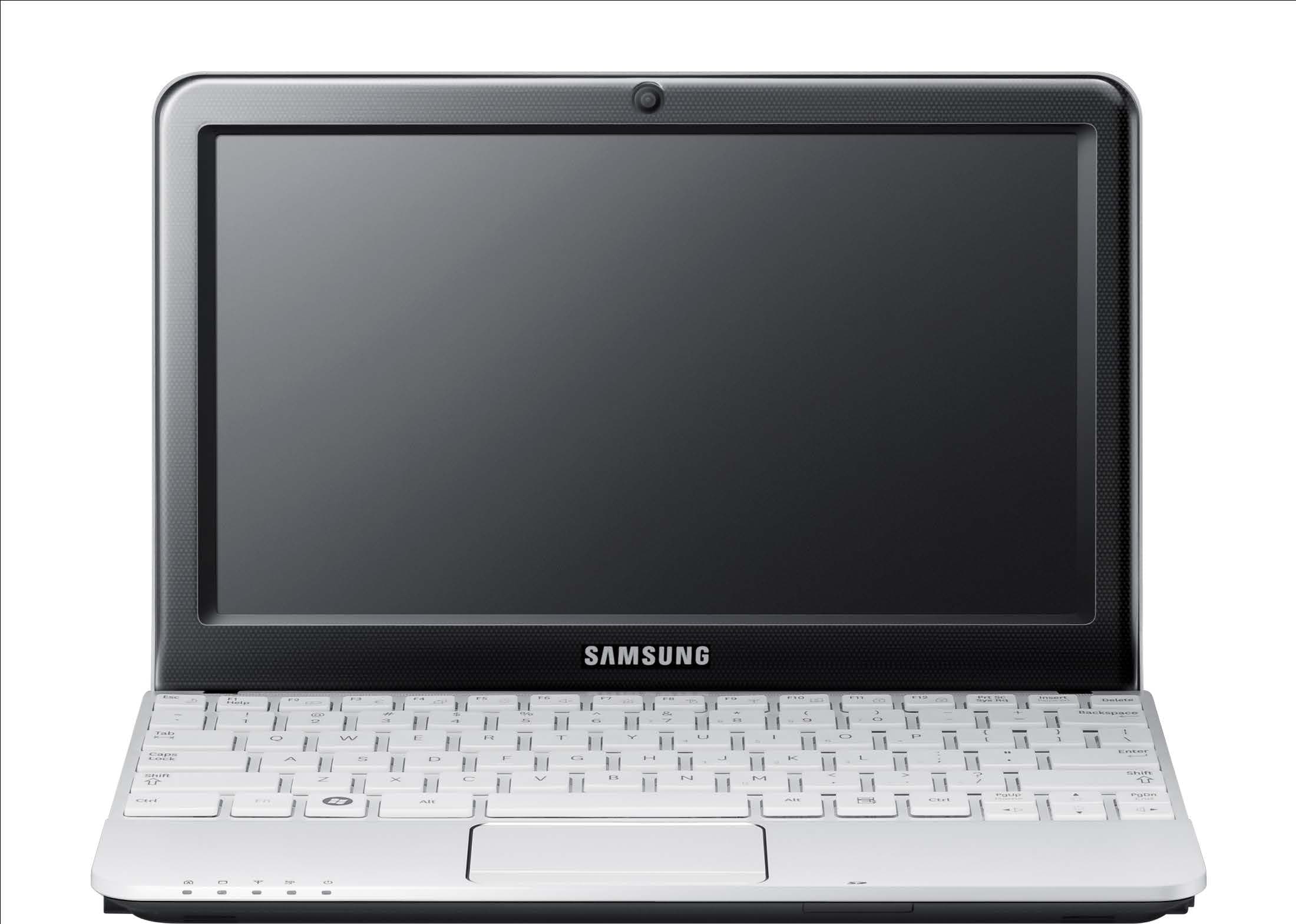
Click to zoom
Application Details
- Equipment Class
- DSS - Part 15 Spread Spectrum Transmitter
- Date of Grant
- Mar 26, 2014
- Application Purpose
- Original Equipment
- Date of Application
- Mar 26, 2014
- Equipment Note
- Notebook with Bluetooth/BLE and 802.11a/b/g/n/ac
- Frequency Range
- 2402.00000000 - 2480.00000000
- Company
- Samsung Electronics Co Ltd
- Country
- United States
Documents & Files
Document Text
Text extracted from the exhibit documents filed with the FCC. Open a document above to read the original.
Users Manual
User Manual 503C12 / 503C32 1 Chapter 1 Getting Started Contents Chapter 1. Getting Started 3 Before You Start 7 Safety Precautions 23 Proper Posture During Computer Use 26 Overview 29 Turn the Computer On and Off Chapter 2. Using the Computer 31 Keyboard 33 To u c h p ad 36 Multi-Card Slot (Optional) 38 Connecting an External Display Device (Optional) 40 Network (Optional) 41 LCD Brightness Control 42 Battery Chapter 3. Chrome OS 45 All about Chrome OS 47 Get on the web 49 Discover web apps 50 FAQ 51 Recovery (Optional) Chapter 4. Appendix 53 Important Safety Information 55 Replacement Parts and Accessories 57 Regulatory Compliance Statements 69 WEEE Symbol Information 70 Samsung Packaging Take-Back Program 71 Product Specifi cations Before You Start 3 Safety Precautions 7 Proper Posture During Computer Use 23 Overview 26 Turn the Computer On and Off 29 Chapter 1. Getting Started 3 Chapter 1 Getting Started Before You Start Before reading the User Guide, fi rst check the following information. Optional items, some devices and software referred to in • the User Guide may not be provided and/or changed by upgrade. Note that the computer environment referred in the User Guide may not be the same as your own environment. The pictures used for the cover and the main body in the • User Manual are those of the representative model of each series and may diff er from the actual appearance of the product. This manual decribes procedures for using both the mouse • and the touchpad. The User manual supplied with this computer may vary • depending on your model. Safety Precaution Notations IconNotationDescription Warning Failure to follow instructions marked with this symbol, may cause personal injury and or fatality. Caution Failure to follow instructions marked with this symbol, may cause slight injury to yourself or damage your property. Text Notations IconNotationDescription Caution Content included in this section includes information required about the function. Note Content included in this section includes helpful information to use the function. 4 Chapter 1 Getting Started Before You Start To service your computer For inquiries about the Chrome operating system or applications, visit http://www.google.com/support/chromeos. If you have a problem while using the Chromebook hardware, please contact our Customer Care Center below or visit http:// www.samsung.com/global/notepc. SubTEL U.K 0330-SAMSUNG (726-7864) USA 1-800-SAMSUNG (726-7864) Canada 1-800-SAMSUNG (726-7864) / 1-905-696-9011(Toronto) / 1-604-273-0680 (Vancouver) Ireland 0818 717100 France 01 48 63 00 00 Germany 01805-SAMSUNG (726-7864) Italy 800-SAMSUNG (726-7864) Spain 9 02-17 2- 678 Netherlands 0900-SAMSUNG (0900-726-7864) Belgium 02-201-2418 (lokaal tarief) Sweden 0771-SAMSUNG (0771-7267864) Norway 81556 4 8 0 Finland 30 6227515 Denmark 70701970 Switzerland 0848 / 72 67 864 Russia 8-800 -555-5555 Hong Kong (852) 3698-4698 Australia 13 0 0 -3 62- 6 03 New Zealand 0800 726 786 Singapore 1-800-SAMSUNG (726-7864) Malaysia 1-800-88-9999 Mexico 1-800-SAMSUNG (726-7864) Brazil 4004-0000 / 0800-124421 India 1-800-3000-8282 / 1800-266-8282 Since this product operates on the Chrome operating system, a replacement or upgrade of the hardware is not possible due to restrictions of the Chrome operating system. If you replace or upgrade the hardware yourself, the Chrome operating system will not be automatically updated and the product will not work properly. 45 Chapter 1 Getting Started Before You Start Copyright © 2013 Samsung Electronics Co., Ltd. Samsung Electronics Co., Ltd. owns the copyright of this manual. No part of this manual may be reproduced or transmitted in any form or by any means, electronic or mechanical, without the consent of Samsung Electronics Co., Ltd. The information in this document is subject to change without notice due to improving the performance of the product. Samsung Electronics shall not be liable for any data loss. Please take care to avoid losing any important data and backup your data to prevent any such data loss. Since the information about countries where the product • has been released is subject to change without prior notice, please refer to the warranty card supplied with the product for more information. For the international warranty information, please refer • to the warranty card supplied with the product or the International Warranty banner at http://www.samsung. com/global/notepc. Precautions for Operating System Support If a problem occurs because of the reinstallation of other operating systems(OS) or a previous version of an OS pre-installed on this computer, or a software that does not support the OS, the company will not provide technical support, a replacement or refund, and if our service engineer visits you due to this problem, a service charge will be applied. Performance Restrictions Online games and some games(3D,2D) may not be supported and Full HD video and some high bit rate HD video playback may be slow and stutter on this computer. 6 Chapter 1 Getting Started Before You Start About the Product Capacity Representation Standard About Memory Capacity Representation The memory capacity reported in the Chrome OS is less than the actual capacity of memory. This is because BIOS or a video adapter uses a portion of memory or claims it for further use. (E.g. For 1GB(=1,024MB) memory installed, OS(Windows, Chrome, etc.) may report the capacity as 1,022MB or less) 67 Chapter 1 Getting Started Installation Related Do not install the product in places exposed to humidity such as bathrooms. There is a danger of electric shock. Use the product within the operating conditions specifi ed in the Manufacturers user manual. Keep the plastic bags out of the reach of children. There is a danger of suff ocation. Safety Precautions Keep a distance of 15cm or more between the computer and the wall and do not place any objects between them. This may increase the internal temperature of the computer and m…
Text truncated - open the document above for the full version.
Users Manual
Keyboard 31 Touchpad 33 Multi-Card Slot (Optional) 36 Connecting an External Display Device (Optional) 38 Network (Optional) 40 LCD Brightness Control 41 Battery 42 Chapter 2. Using the computer 31 Chapter 2 Using the computer K e y b o a r d Shortcut key functions and procedures are discussed in the following sections. The keyboard image may diff er from the actual keyboard.• The keyboard may diff er depending on your country. The following mainly describes the shortcut keys.• Shortcut Keys Here is an overview of the shortcut keys on the top row of the keyboard. Shortcut KeysFunction Go to the previous page in your browser history. Go to the next page in your browser history. Reload your current page. Open your page in full-screen mode. Switch to your next window. 32 Chapter 2 Using the computer Keyboard Shortcut KeysFunction Decrease screen brightness. Increase screen brightness. Mutes the sound. In Mute mode, press the key to cancel the Mute function. Decrease the volume. Increase the volume. Shift key Hold the Shift key down to enter upper case letters. shift Hot key function Press the following keys at the same time. You can check the hot keys in Chrome OS. ctrl + alt + ? / Search key Where you’d find the Caps Lock key on a traditional keyboard, we’ve put the Search key. Press the Search key to move the pointer to the address bar of the apps list. If you really need Caps Lock, go to the Settings page to make the Search key behave like a Caps Lock key. 3233 Chapter 2 Using the computer Touch the touchpad with your fi ngers only. • Anything other than your fi ngers, such as a ball-point pen, will not be recognized by the touchpad. The pictures in this manual may diff er from the actual • screenshots and the appearance of the touchpad may diff er depending on the model. Basic Touchpad Functions Moving the cursor on the screen Place your fi nger on the touchpad slightly and move your fi nger. The mouse cursor will move accordingly. Move your fi nger in the direction you wish to move the cursor. Touchpad 34 Chapter 2 Using the computer Click Function To click on an item, place a fi nger on the touch area and tap once. You can also do this by clicking once on the click area. Ta p Click or Double-Click Function To select an item, place a fi nger on the touch area and quickly tap twice. You can also do this by quickly clicking twice on the click area. ClickClick Ta pTa p or Right Button Function To right-click, place two fi ngers on the touch area and tap once. You can also do this by placing two fi ngers on the click area and clicking once. Ta p Click or Drag Function Dragging refers to moving an item to another place after selecting it. To drag an item to a new location, press the click area and hold while dragging the item to the new location. While holding the click area down Move Touchpad 3435 Chapter 2 Using the computer Adjusting your Touchpad Settings If your touchpad is too sensitive, you can adjust your settings by following these steps: 1 Click the list icon on the top-right corner of your browser. 2 Select Settings. 3 Go to Device > Touchpad speed, and change the settings as appropriate. Touchpad 36 Chapter 2 Using the computer Multi-Card Slot (Optional) Using the multi-card slot, you can read and write data on various types of memory cards. When you insert a memory card, make sure to insert the memory card in the correct direction. Pushing an incorrectly inserted memory card may damage the card itself or the slot. You can use memory cards as a removable disk and • conveniently exchange data with digital devices such as a digital camera, etc. Separately purchase memory cards of your desired • capacity. The color of the multi-card slot may diff er from the picture • in this manual. Before using the slot, remove the dummy card from inside • the slot. (Only for models providing dummy cards.) Insert the memory card into the multi-card slot in the • direction printed on the slot. The data transfer rate may diff er depending on the • specifi cation of the memory card. Using the card 1 Insert a memory card into the multi-card slot in the correct direction. ex) micro SD card Memory Card Naming The following table shows the full names of memory cards for each abbreviation. AbbreviationMemory Card’s Name *mini SDmini Secure Digital *micro SDmicro Secure Digital *mini SDHCmini Secure Digital High Capacity *micro SDHCmicro Secure Digital High Capacity *micro SDXCmicro Secure Digital eXtended Capacity 2 A new tab opens and the list of fi les on the card appears. Click on a fi le to read the data for the fi le. 3637 Chapter 2 Using the computer Multi-Card Slot (Optional) To remove a memory card Gently push the tip of the memory card in to pop it out. Take the tip of the card, and remove it. Available data formats depend on the current version of • the Chrome operating system. Data on the card can be saved to the Download folder • under Apps list > Files. The maximum fi le size to save is 3 GB.• 38 Chapter 2 Using the computer Connecting an External Display Device (Optional) If you connect an external display device such as a monitor, TV, projector, etc., you can view the picture on the wider screen of the external device when you give a presentation or watch a video or movie. Before you start, check the port and cable of the external display device and then connect the display device to the computer. About the Connection Cable Users should additionally purchase the necessary connection cables. HDMI Cable 3839 Chapter 2 Using the computer Connecting an External Display Device (Optional) Connecting through the HDMI port (Optional) By connecting the computer to a TV with a HDMI port, you can enjoy both a high visual quality and a high sound quality. After connecting a TV through HDMI, you have to confi gure the screen and sound. 1 Connect the HDMI cable to the HDMI port of the TV. External Monitor TV Projector This is only supported for models that support a TV output • port (HDMI). When a TV pr…
Text truncated - open the document above for the full version.
Cover Letter(s)
416 Maetan-Dong, Young-Tong-Gu, Suwon City, Gyungki-Do, 443-742 Korea Federal Communications Commission 7435 Oakland Mills Road Columbia MD 21046 Subject: Request for Confidentiality FCC ID: A3LXE503C32 To Whom It May Concern: Pursuant to the provisions of Sections 0.457 and 0.459 of the Commission’s rules (47 CFR §§ 0.457, 0.459), we are requesting the Commission to withhold the following attachments as confidential document from public disclosure indefinitely. Schematic Diagram Block Diagram Theory of Operation Antenna Specification Part s list Tune-Up Procedure Above mentioned document contains detailed system and equipment description are considered as proprietary information in operation of the equipment. The public disclosure of above documents might be harmful to our company and would give competitor an unfair advantage in the market. In additional to above mentioned documents, pursuant to Public Notice DA 04-1705 of the Commission’s policy, in order to comply with the marketing regulations in 47 CFR §2.803 and the importation rules in 47 CFR §2.1204, while ensuring that business sensitive information remains confidential until the actual marketing of newly authorized devices. We are requesting the commission to grant short-term confidentiality request on the following attachments until 180 days. External Photos Internal Photos Test Setup Photos User Manual It is our understanding that all measurement test reports, FCC ID label format and correspondent during certification review process cannot be granted as confidential documents and those information will be available for public review once the grant of equipment authorization is issued. Best Regards John SC Lee Manager Samsung Electronics Co., Ltd. Mar 14 th 2014
Cover Letter(s)
129, Samsung-Ro, Yeongtong-Gu, Suwon-Si, Gyeonggi-Do, KOREA Date : October 22 nd , 2013 UL Verification Services Inc. Certification Division 47173 Benicia Street Fremont, CA 94538, USA To whom it may concern: I, the undersigned, hereby authorize UL Verification Services Inc. to act on our behalf in all manners relating to application for equipment authorization, including signing of all documents relating to these matters. Any and all acts carried out by UL Verification Services Inc. on our behalf shall have the same effect as acts of our own. I, the undersigned, hereby certify that we are not subject to a denial of federal benefits, that includes FCC benefits, pursuant to Section 5301 of the Anti-Drug Abuse Act of 1988, 21 U.S.C. 853(a). In authorizing UL Verification Services Inc. as our agent, we still recognize that we are responsible to: comply with the relevant provisions of the certification program; b) make all necessary arrangements for the conduct of the evaluation, including provision for examining documentation and access to all areas, records (including internal audit reports) and personnel for the purposes of evaluation (e.g. testing, inspection, assessment, surveillance, reassessment) and resolution of complaints; c) make claims regarding certification only in respect of the scope for which certification has been granted; d) do not use our product certification in such a manner as to bring the Certification Division into disrepute and not make any statement regarding our product certification which the Certification Division may consider misleading or unauthorized; e) upon suspension or cancellation of certification, discontinue use of all advertising matter that contains any reference thereto and return any certification documents as required by the Certification Division; 129, Samsung-Ro, Yeongtong-Gu, Suwon-Si, Gyeonggi-Do, KOREA f) use certification only to indicate the products are certified as being in conformity with specified standards; g) endeavor to ensure that no certificate or report nor any part thereof is used in a misleading manner; h) ensure that any reference to our product certification in communication media such as documents, brochures or advertising, complies with the requirements of the Certification Division; i) keep a record of all complaints made known to the us relating to the product’s compliance with requirements of the relevant standard and to make these records available to the Certification Division when requested; j) take appropriate action with respect to such complaints and any deficiencies found in products or services that affect compliance with the requirements for certification; k) document the actions taken. This authorization is valid until further written notice from the applicant. Sincerely Yours, Sang Kyung (Peter), RA Head of QA Lab (General Manager) Samsung Electronics America, Inc 19 Chapin Rd, Bldg D Pine Brook, NJ 07058
External Photos
Samsung Electronics Co., Ltd. Photos of Product (Ext) Name of ModelXE503C32 Right Top Left FrontBack Bottom
ID Label/Location Info
FCC/IC ID LABEL AND LOCATION FCC/IC ID Label Location Bottom of Host PC
Internal Photos
205 mm 320 mm 30 18 WLAN(Main/Port1/Tx /Rx) WLAN(Aux/Port2/Tx /Rx/BT) 30 227 15 Aux ant Main ant
Internal Photos
Main Board TopMain Board Bottom Samsung Electronics Co., Ltd. Photos of Product (Int) Name of ModelXE503C32 Product FrontProduct Bottom WLAN/BT WLAN/BT Main board WLAN/BT Antennas
Test Report
Report Number:F690501/RF-RTL007476Page:2of65 The results shown in this test report refer only to the sample(s) tested unless otherwise stated. This test report cannot be reproduced, except in full, without prior written permission of the Company. SGSKoreaCo.,Ltd.(GunpoLaboratory)4, LS-ro 182beon-gil, Gunpo-si, Gyeonggi-do, Korea, 435-040 http://www.sgsgroup.kr RTT5041-20(2014.01.20)(2)Tel. +82 31 428 5700 / Fax. +82 31 427 2370 A4(210mmx297mm) INDEX Table of ContentsPage 1. General Information ---------------------------------------------------------------------------------3 2. Transmitter Radiated Spurious Emissions and Conducted Spurious Emission ------7 3. 20㏈Bandwidth and 99% BW ------------------------------------------------------------------- 30 4. Maximum Peak Output Power -------------------------------------------------------------------38 5. Hopping Channel Separation ---------------------------------------------------------------------40 6. Number of Hopping Frequency ------------------------------------------------------------------43 7. Time of Occupancy(Dwell Time) -----------------------------------------------------------------47 8. Transmitter AC Power Line Conducted Emission -------------------------------------------60 9. Antenna Requirement ------------------------------------------------------------------------------65 Report Number:F690501/RF-RTL007476Page:3of65 The results shown in this test report refer only to the sample(s) tested unless otherwise stated. This test report cannot be reproduced, except in full, without prior written permission of the Company. SGSKoreaCo.,Ltd.(GunpoLaboratory)4, LS-ro 182beon-gil, Gunpo-si, Gyeonggi-do, Korea, 435-040 http://www.sgsgroup.kr RTT5041-20(2014.01.20)(2)Tel. +82 31 428 5700 / Fax. +82 31 427 2370 A4(210mmx297mm) 1. General Information 1.1. Testing Laboratory SGS Korea Co., Ltd. (Gunpo Laboratory). -Wireless Div. 3FL, 4, LS-ro 182beon-gil, Gunpo-si, Gyeonggi-do, Korea, 435-040 All SGS services are rendered in accordance with the applicable SGS conditions of service available on request and accessible athttp://www.sgs.com/en/Terms-and-Conditions.aspx. Phone No.:+82 31 428 5700 Fax No.:+82 31 427 2370 1.2. Details of Applicant Applicant:SAMSUNG ELECTRONICS CO., LTD. Address:129, Samsung-Ro, Yeongtong-Gu, Suwon-Si, Gyeonggi-Do, Korea Contact Person:Lee, Sang-Cheong Phone No.:+82 31 277 4784 Fax No.:+82 31 277 9247 1.3. Description of EUT Kind ofProduct SAMGSUNG NOTE PC Model Name XE503C32 Power Supply DC 7.6 V Frequency Range 2 402㎒~ 2 480㎒(BT, BT LE), 2 412㎒~ 2 462㎒(11b/g/n_HT20), 2 422㎒~ 2 452㎒(11n_HT40), 5 745㎒~ 5 825㎒(11a/n_HT20, 11ac_VHT20), 5 755㎒~ 5 795㎒(11n_HT40, 11ac_VHT40), 5 775㎒(11ac_VHT80), 5 180㎒~ 5 240㎒(11a/n_HT20 – Non DFS, 11ac_VHT20 – Non DFS), 5 190㎒~ 5 230㎒(11n_HT40 – Non DFS, 11ac_VHT40 – Non DFS), 5 210㎒(11ac_VHT80 – Non DFS), 5 260㎒~ 5 320㎒(11a/n_HT20 – DFS, 11ac_VHT20 – DFS), 5 270㎒~ 5 310㎒(11n_HT40 – DFS, 11ac_VHT40 – DFS), 5 290㎒(11ac_VHT80 – DFS), 5 500㎒~ 5 720㎒(11a/n_HT20 – DFS, 11ac_VHT20 – DFS), 5 510㎒~ 5 710㎒(11n_HT40 – DFS, 11ac_VHT40 – DFS), 5 530㎒~ 5 690㎒(11ac_VHT80 – DFS) Modulation Technique DSSS, OFDM, GFSK, π/4DQPSK, 8DPSK Number of Channels 11 channel (11b/g/n_HT20), 7 channel (11n_HT40), 5 channel (11a/n_HT20, 11ac_VHT20), 2 channel (11n_HT40, 11ac_VHT40), 1 channel (11ac_VHT80), 4 channel (11a/n_HT20–Non DFS, 11ac_VHT20–Non DFS), 2 channel (11n_HT40 – Non DFS, 11ac_VHT40–Non DFS), 1 channel (11ac_VHT80–Non DFS), 9 channel (11a/n_HT20 – DFS, 11ac_VHT20 – DFS), 7 channel (11n_HT40 – DFS, 11ac_VHT40 – DFS), 3 channel (11ac_VHT80 – DFS), 79 channel (BT,), 40 channel (BT LE) Antenna Type Internal type (MIMO) Antenna Gain ANT0 (Main) 2 402㎒~ 2 480㎒, 2 412㎒~ 2 472㎒: -2.60㏈i, 5 180㎒~ 5 320㎒: -1.88㏈i,5 500㎒~ 5 700㎒: -3.55㏈i, 5 745㎒~ 5 805㎒: -3.99㏈i ANT1 (Aux) 2 402㎒~ 2 480㎒, 2 412㎒~ 2 472㎒: -3.08㏈i, 5 180㎒~ 5 320㎒: -3.29㏈i,5 500㎒~ 5 700㎒: -3.77㏈i, 5 745㎒~ 5 805㎒: -3.97㏈i Report Number:F690501/RF-RTL007476Page:4of65 The results shown in this test report refer only to the sample(s) tested unless otherwise stated. This test report cannot be reproduced, except in full, without prior written permission of the Company. SGSKoreaCo.,Ltd.(GunpoLaboratory)4, LS-ro 182beon-gil, Gunpo-si, Gyeonggi-do, Korea, 435-040 http://www.sgsgroup.kr RTT5041-20(2014.01.20)(2)Tel. +82 31 428 5700 / Fax. +82 31 427 2370 A4(210mmx297mm) 1.4. Declaration by the manufacturer - Adaptive Frequency Hopping is supported and use at least 20 channels 1.5. Information about the FHSS characteristics: 1.5.1. Pseudorandom Frequency Hopping Sequence The channel is represented by a pseudo-random hopping sequence hopping through the 79 RF channels. The hopping sequence is unique for the piconet and is determined by the Bluetooth device address of the master; the phase in the hopping sequence is determined by the Bluetooth clock of the master. The channel is divided into time slots where each slot corresponds to an RF hop frequency. Consecutive hops correspond to different RF hop frequencies. The nominal hop rate is 1 600 hops/s. 1.5.2. Equal Hopping Frequency Use All Bluetooth units participating in the piconet are time and hop-synchronized to the channel. 1.5.3. Example of a 79 hopping sequence in data mode: 40, 21, 44, 23, 42, 53, 46, 55, 48, 33, 52, 35, 50, 65, 54, 67, 56, 37, 60, 39, 58, 69, 62, 71, 64, 25, 68, 27, 66, 57, 70, 59, 72, 29, 76, 31, 74, 61, 78, 63, 01, 41, 05, 43, 03, 73, 07, 75, 09, 45, 13, 47, 11, 77, 15, 00, 64, 49, 66, 53, 68, 02, 70, 06, 01, 51, 03, 55, 05, 04 1.5.4. System Receiver Input Bandwidth Each channel bandwidth is 1㎒ 1.5.5. Equipment Description 15.247(a)(1) that the rx input bandwidths shift frequencies in synchronization with the transmitted 15.247(g): In accordance with the Bluetooth Industry Standard, the system is designed to comply with all of the regulations in Section 15.247 when the transmitter is presented with a continuous data (or information) system. 15.247(h): In accordance with the Blue…
Text truncated - open the document above for the full version.
Test Setup Photos
Test setup photos of EUT A. The photo of Radiated Emission C. Transmitter AC Power Line Conducted Emission(BT) C. Transmitter AC Power Line Conducted Emission(WLAN)
Contact Information
Applicant
Jenni Chun(General Manager)
Test Firm
SGS KOREA CO., Ltd.Jackie Jeon
Technical Specifications
| # | Rule Parts | Frequency Range | Power Output |
|---|---|---|---|
| 1 | 15C | 2.40 GHz - 2.48 GHz | 18.00 mW |
Other Applications from Samsung Electronics Co Ltd
A3LSMS741B
Aug 05, 2026Portable Handset
Equipment Class
6VL - 15E 6 GHZ Very Low Power DeviceA3LSMX940
Jul 31, 2026BT,BLE Tablet DTS,UNII a,b,g,n,ac,ax,be and digitizer
Equipment Class
DTS - Digital Transmission SystemA3LSMS741U
Jul 30, 2026Portable Handset
Equipment Class
6CD - 15E 6 GHz Low Power Dual ClientA3LSMX840
Jul 27, 2026BT,BLE Tablet DTS,UNII a,b,g,n,ac,ax and Digitizer
Equipment Class
DSS - Part 15 Spread Spectrum TransmitterA3LSMX848U
Jul 27, 2026WCDMA, LTE, 5G NR Tablet BT,BLE, DTS,UNII a b g n ac ax and Digitizer
Equipment Class
JBP - Part 15 Class B Computing Device Peripheral