B94ZT1000BTBluetooth Transmitter
HP Inc.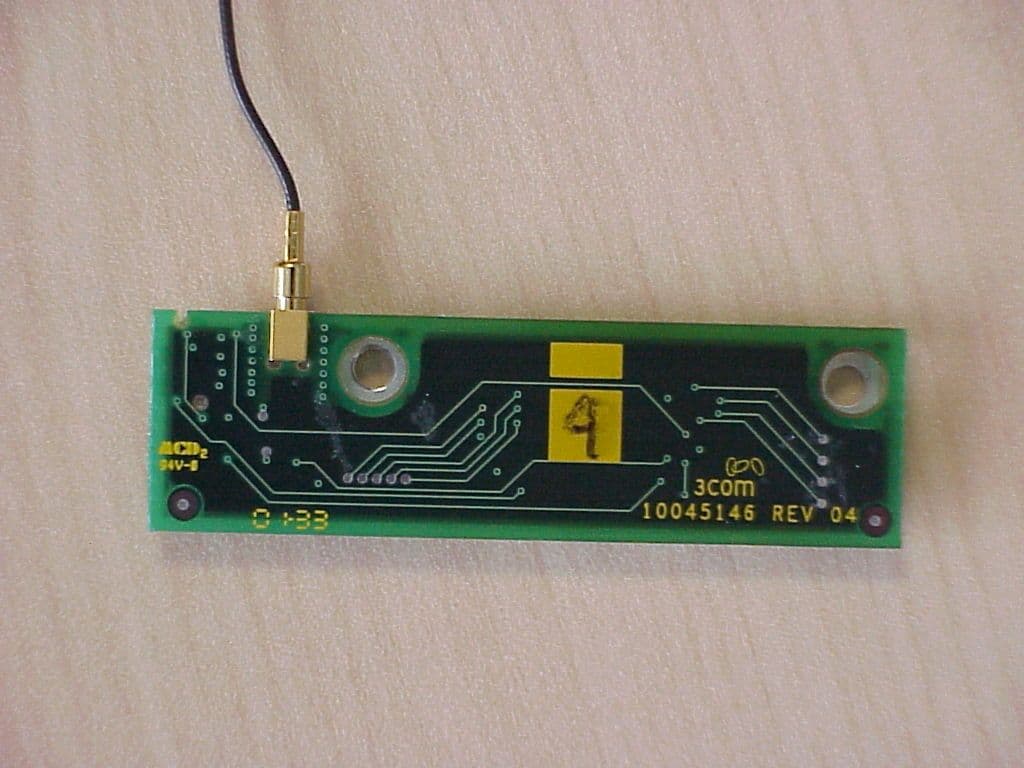
Click to zoom
Application Details
- Equipment Class
- DSS - Part 15 Spread Spectrum Transmitter
- Date of Grant
- Jan 06, 2002
- Application Purpose
- Original Equipment
- Date of Application
- Jan 06, 2002
- Equipment Note
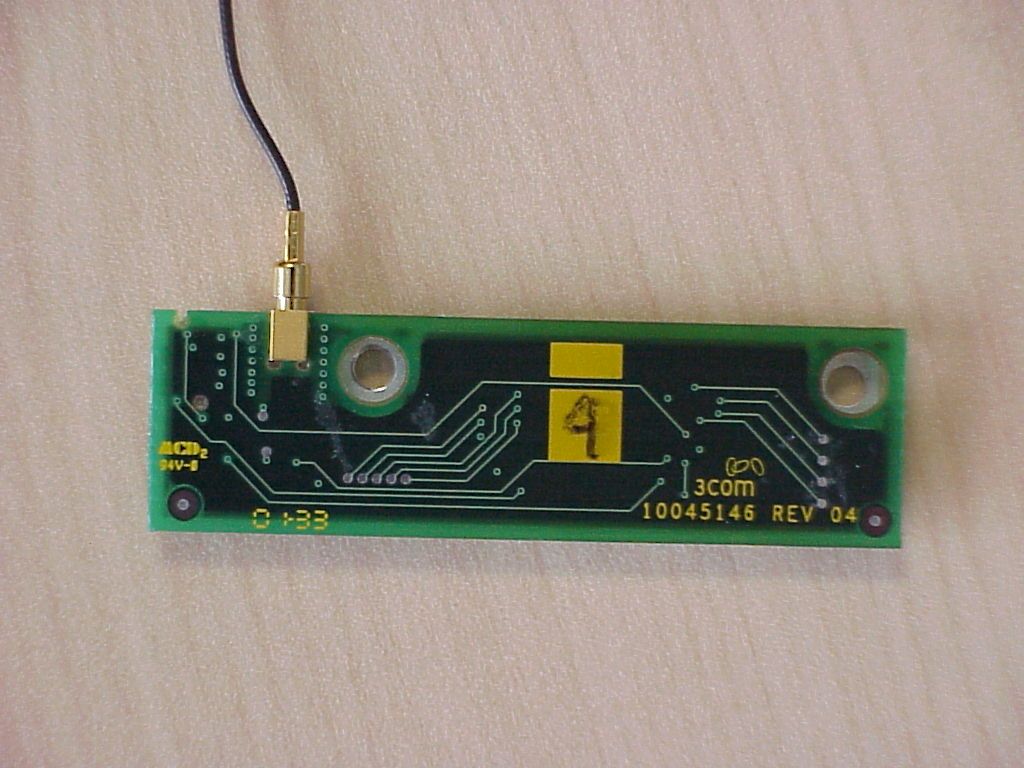
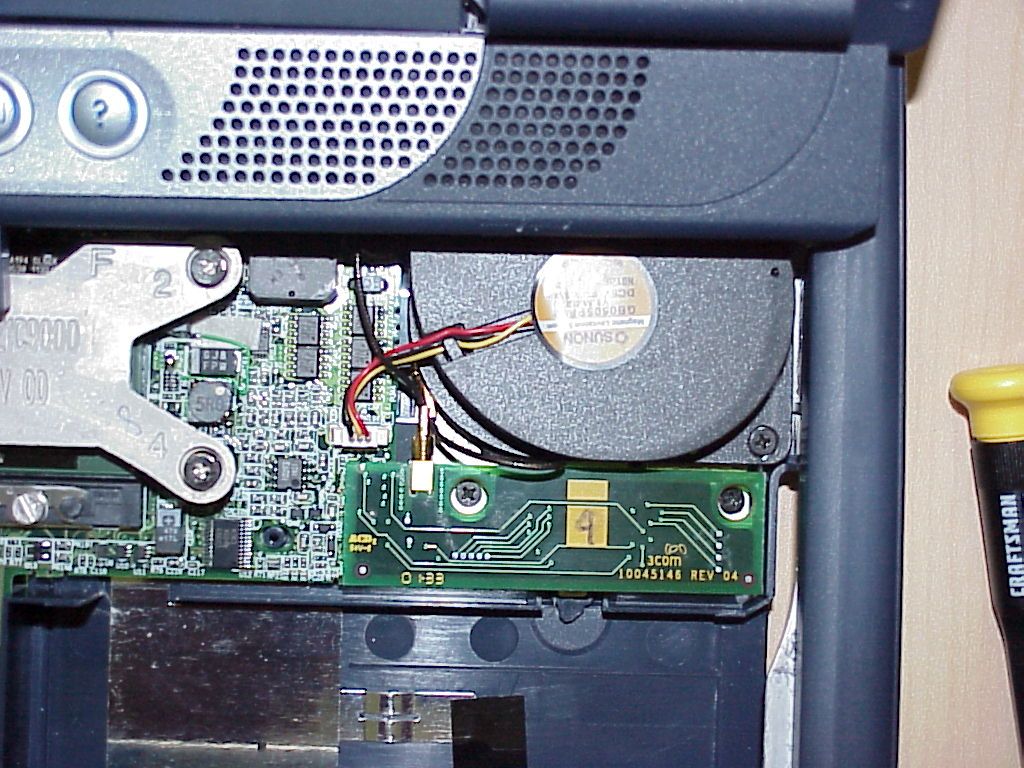
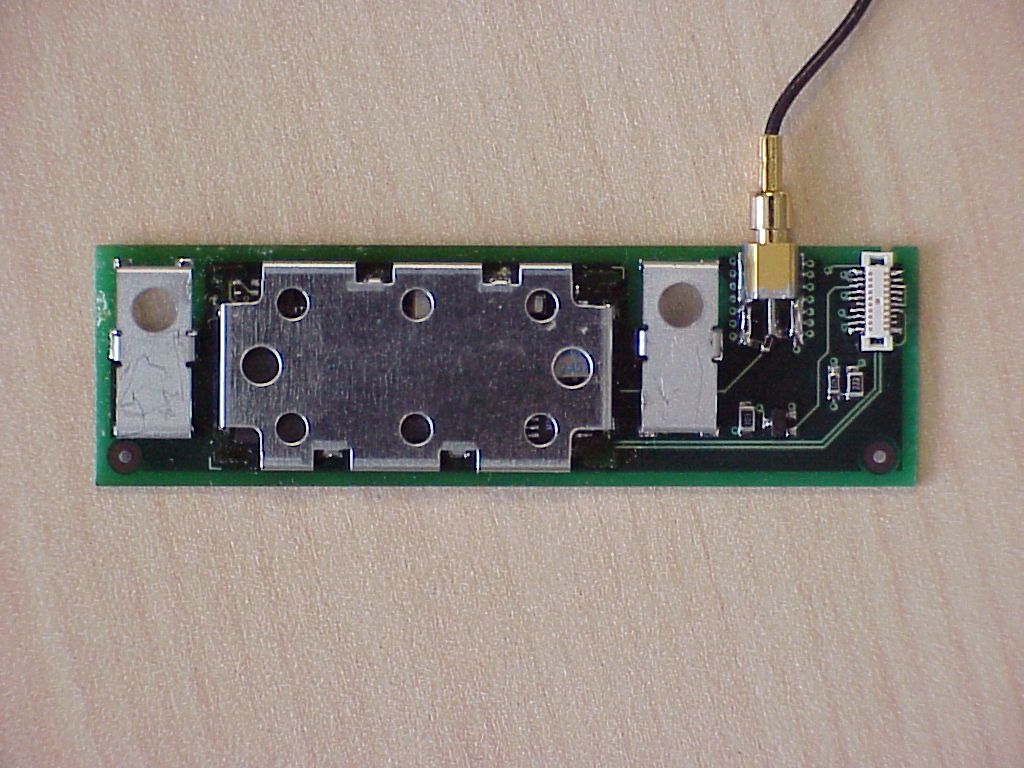
- Bluetooth Transmitter
- Frequency Range
- 2402.00000000 - 2480.00000000
- Company
- HP Inc.
- Country
- United States
Documents & Files
Document Text
Text extracted from the exhibit documents filed with the FCC. Open a document above to read the original.
Users Manual
http://www.3com.com/ http://www.3com.com/productreg Bluetooth™ Wireless USB Device User Guide Published April 2001 Version 1.1.2 SL-1020, SL-1021 3Com Corporation n 5400 Bayfront Plaza n Santa Clara, California n 95052-8145 Copyright © 2001 3Com Corporation. All rights reserved. No part of this documentation may be reproduced in any form or by any means or used to make any derivative work (such as translation, transformation, or adaptation) without written permission from 3Com Corporation. 3Com Corporation reserves the right to revise this documentation and to make changes in content from time to time without obligation on the part of 3Com Corporation to provide notification of such revision or change. 3Com Corporation provides this documentation without warranty, term, or condition of any kind, either implied or expressed, including, but not limited to, the implied warranties, terms or conditions of merchantability, satisfactory quality, and fitness for a particular purpose. 3Com may make improvements or changes in the product(s) and/or the program(s) described in this documentation at any time. If there is any software on removable media described in this documentation, it is furnished under a license agreement included with the product as a separate document, in the hard copy documentation, or on the removable media in a directory file named LICENSE.TXT or !LICENSE.TXT. If you are unable to locate a copy, please contact 3Com and a copy will be provided to you. UNITED STATES GOVERNMENT LEGEND If you are a United States government agency, then this documentation and the software described herein are provided to you subject to the following: All technical data and computer software are commercial in nature and developed solely at private expense. Software is delivered as “Commercial Computer Software” as defined in DFARS 252.227-7014 (June 1995) or as a “commercial item” as defined in FAR 2.101(a) and as such is provided with only such rights as are provided in 3Com’s standard commercial license for the Software. Technical data is provided with limited rights only as provided in DFAR 252.227-7015 (Nov 1995) or FAR 52.227-14 (June 1987), whichever is applicable. You agree not to remove or deface any portion of any legend provided on any licensed program or documentation contained in, or delivered to you in conjunction with, this User Guide. Unless otherwise indicated, 3Com registered trademarks are registered in the United States and may or may not be registered in other countries. 3Com is a registered trademark and the 3Com logo is a trademark of 3Com Corporation. The Bluetooth trademarks are owned by their proprietor and used by 3Com Corporation under license. Microsoft and Windows are registered trademarks of Microsoft Corporation. XTNDConnect PC is a registered trademark of Extended Systems. All other company and product names may be trademarks of the respective companies with which they are associated. C ONTENTS I NTRODUCTION TO B LUETOOTH W IRELESS T ECHNOLOGY Overview Bluetooth Wireless USB Device Optimized Antenna Software and Firmware Upgrades I NSTALLING Y OUR B LUETOOTH USB D EVICE AND C ONNECTION M ANAGER Bluetooth Installation CD Installing Your External Bluetooth USB Device and Virtual COM Ports Using Bluetooth Connection Manager Confirming Device Installation Reinstalling Drivers for Your Internal Bluetooth USB Device Uninstalling Your Bluetooth USB Device and Virtual COM Ports Uninstalling Bluetooth Connection Manager Technical Support R EGULATORY I NFORMATION 1 I NTRODUCTION TO B LUETOOTH W IRELESS T ECHNOLOGY Overview Bluetooth™ wireless technology allows you to make short-range wireless connections between Bluetooth devices such as cellular phones, personal digital assistants (PDA), and desktop and notebook computers. Because Bluetooth wireless technology uses radio transmission, voice and data are transmitted almost immediately. Bluetooth transmission ensures both protection from interference and secure data transfers. You might use Bluetooth wireless technology in these ways: n Dial up to the Internet on your notebook over your Bluetooth cellular phone. n Send a fax from your notebook over your Bluetooth cellular phone. n Synchronize your Bluetooth PDA with your notebook. n Send your business card to anyone in a meeting who has a Bluetooth device. n Send or receive files to or from anyone in a meeting who has a Bluetooth notebook or PDA. n Chat with anyone in a meeting who has a Bluetooth notebook. n Play a one-on-one serial game without a cable. n Send an e-mail from your training session without being wired to the network. Bluetooth Wireless USB Device The Bluetooth USB device uses an ISM band of radio frequencies to transmit data wirelessly. Optimized Antenna The Bluetooth antenna provides powerful performance in all directions. Software and Firmware Upgrades Current software and firmware upgrades are available on the 3Com Web site at: www.support.3com.com 2 C HAPTER 1: I NTRODUCTION TO B LUETOOTH W IRELESS T ECHNOLOGY 2 I NSTALLING Y OUR B LUETOOTH USB D EVICE AND C ONNECTION M ANAGER Bluetooth Installation CD The Bluetooth Installation CD contains the following: n Setup programs and drivers for Microsoft Windows 98 Second Edition (SE), Windows Millennium Edition (Me), and Windows 2000 n Bluetooth Connection Manager n XTNDConnect PC mobile synchronization and management software n 3Com Mobile Connection Manager n README.TXT file with updated information about your Bluetooth Wireless USB device n This Bluetooth Wireless USB Device User Guide n Adobe Acrobat Reader Installing Your External Bluetooth USB Device and Virtual COM Ports If you are accessing this manual as part of the installation of your Bluetooth USB device, skip to step 3 below. 1 With the computer on and Windows 98 SE, Me, or 2000 running, insert the Bluetooth Installation CD into the CD-ROM drive. The auto-start feature starts the installation. If auto-start is disabled on your computer, click Start>…
Text truncated - open the document above for the full version.
Users Manual
HP Notebook PC Reference Guide 2 Reference Guide Notice This manual and any examples contained herein are provided “as is” and are subject to change without notice. Hewlett-Packard Company makes no warranty of any kind with regard to this manual, including, but not limited to, the implied warranties of merchantability and fitness for a particular purpose. Hewlett-Packard Co. shall not be liable for any errors or for incidental or consequential damages in connection with the furnishing, performance, or use of this manual or the examples herein. Consumer transactions in Australia and the United Kingdom: The above disclaimers and limitations shall not apply to Consumer transactions in Australia and the United Kingdom and shall not affect the statutory rights of Consumers. © Copyright Hewlett-Packard Company 2000–2001. All rights reserved. Reproduction, adaptation, or translation of this manual is prohibited without prior written permission of Hewlett-Packard Company, except as allowed under the copyright laws. The programs that control this product are copyrighted and all rights are reserved. Reproduction, adaptation, or translation of those programs without prior written permission of Hewlett-Packard Co. is also prohibited. Portions of the programs that control this product may also be copyrighted by Microsoft Corporation, SystemSoft Corp., Insyde Software Corporation, S3 Graphics Incorporated, and Adobe Systems Incorporated. See the individual programs for additional copyright notices. This product incorporates copyright protection technology that is protected by method claims of certain U.S. patents and other intellectual property rights owned by Macrovision Corporation and other rights owners. Use of this copyright protection technology must be authorized by Macrovision Corporation and is intended for home and other limited viewing uses only unless otherwise authorized by Macrovision Corporation. Reverse engineering or disassembly is prohibited. Microsoft®, MS-DOS®, and Windows® are U.S. registered trademarks of Microsoft Corporation. Pentium® and the Intel Inside logo are U.S. registered trademarks and Celeron™ and SpeedStep™ are U.S. trademarks of Intel Corporation. Adobe® and Acrobat® are trademarks of Adobe Systems Incorporated. Hewlett-Packard Company HP Notebook Customer Care 1000 NE Circle Blvd., MS 425E Corvallis, OR 97330 Reference Guide 3 Important Safety Information CAUTION To reduce the risk of fire, use only No. 26 AWG or larger telecommunications line cord to connect a modem to the telephone wall jack. When using your computer with a telephone connection, always follow basic safety precautions to reduce the risk of fire, electric shock, and injury to persons: • Do not use this product with a telephone connection near water (for example, near a bathtub, sink, swimming pool, or in a wet basement). • Avoid using a telephone connection (other than a cordless type) during an electrical storm. There may be a remote risk of electric shock from lighting. • Do not use a telephone connection of any type to report a gas leak while in the vicinity of the leak. • Use only the power cord and batteries indicated in this manual. Do not dispose of batteries in a fire. They may explode. Check with local codes for possible special disposal instructions. HP Software Product License Agreement Your HP product contains software programs. CAREFULLY READ THIS LICENSE AGREEMENT BEFORE PROCEEDING TO OPERATE THIS EQUIPMENT. RIGHTS IN THE SOFTWARE ARE OFFERED ONLY ON THE CONDITION THAT THE CUSTOMER AGREES TO ALL TERMS AND CONDITIONS OF THE LICENSE AGREEMENT. PROCEEDING TO OPERATE THE EQUIPMENT INDICATES YOUR ACCEPTANCE OF THESE TERMS AND CONDITIONS. IF YOU DO NOT AGREE WITH THE TERMS OF THE LICENSE AGREEMENT, YOU MUST NOW EITHER REMOVE THE SOFTWARE FROM YOUR HARD DISK DRIVE AND DESTROY THE MASTER DISKETTES, OR RETURN THE COMPLETE HP PRODUCT AND SOFTWARE FOR A FULL REFUND. PROCEEDING WITH CONFIGURATION SIGNIFIES YOUR ACCEPTANCE OF THE LICENSE TERMS. UNLESS OTHERWISE STATED BELOW, THIS HP SOFTWARE LICENSE AGREEMENT SHALL GOVERN THE USE OF ALL SOFTWARE THAT IS PROVIDED TO YOU AS PART OF THE HP PRODUCT AND SHALL SUPERSEDE ANY OTHER SOFTWARE WARRANTY STATEMENT THAT MAY BE INCLUDED IN THIS HP PRODUCT OR MAY BE FOUND ONLINE. Operating system and software applications by Microsoft are licensed to you under the Microsoft License Agreement contained in the Microsoft documentation or displayed on your screen when Microsoft Software Products are launched. 4 Reference Guide For a PC supplied with a Microsoft operating system: When you start the PC and accept the Microsoft End-user License Agreement (“EULA”), your license rights are valid only if a Certificate of Authenticity (“COA”) label corresponding to your Microsoft operating system is provided with your PC. The COA label can usually be found on the bottom of the computer. If the COA label does not correspond to your Microsoft operating system or is missing, contact your HP reseller for details. Other non-HP Software and Operating Systems are covered by the appropriate vendor license. The following License Terms govern the use of the HP software: USE. Customer may use the software on any one HP product. Customer may not network the software or otherwise use it on more than one HP product. Customer may not reverse assemble or decompile the software unless authorized by law. COPIES AND ADAPTATIONS. Customer may make copies or adaptations of the software a) for archival purposes or (b) when copying or adaptation is an essential step in the use of the software with an HP product so long as the copies and adaptations are used in no other manner. OWNERSHIP. Customer agrees that he/she does not have any title or ownership of the software, other than ownership of the physical media. Customer acknowledges and agrees that the software is copyrighted and protected under the copyright laws. Customer acknowledges and agrees that the software may have been developed by a th…
Text truncated - open the document above for the full version.
Block Diagram
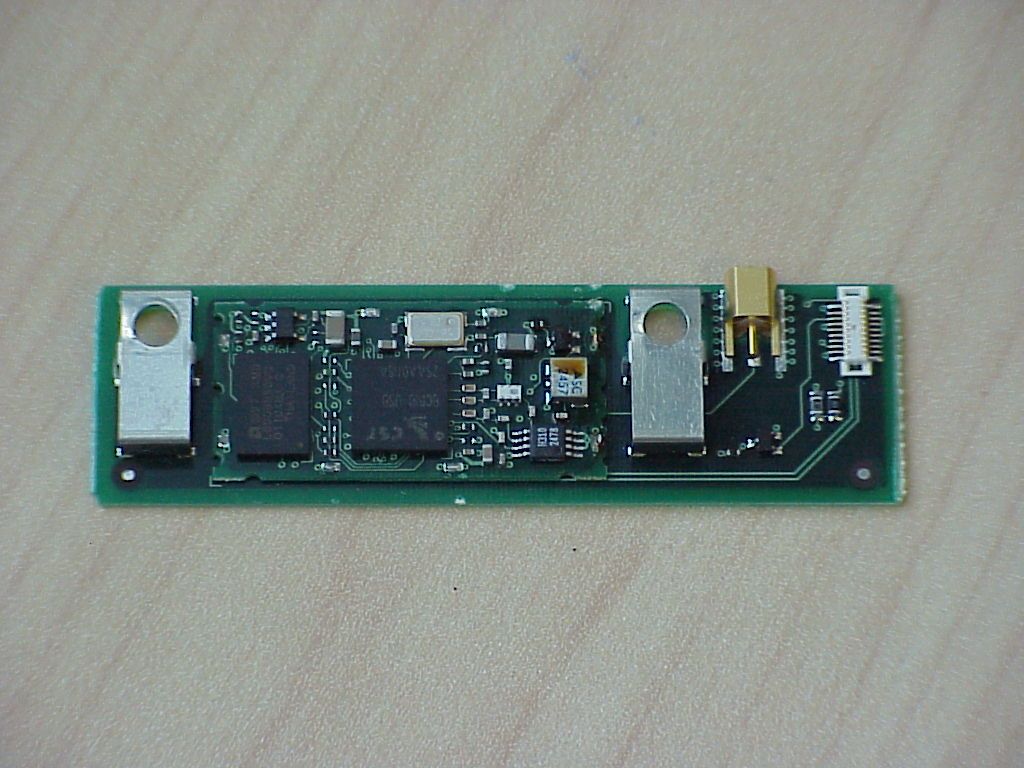
USB Internal USB Bluetooth Device Technical Product Description This device is a USB Bluetooth peripheral designed for use in a host platform that can provide a standard USB (1.1 ) interface, 5V power, and host software to exercise the device according to published structures. The design is based around a single Baseband/Radio RF chip. Using firmware stored in the Flash ROM, it encodes and packetizes the data in accordance with the Bluetooth Specification and then transmits the data over an established radio link to another Bluetooth capable device. All the RF parameters (transmit power, hopping frequency and order, protocols, etc.) are in accordance with the Bluetooth Specification. SIS Block Diagram Bluetooth IC: Baseband Processor Radio Transceiver Interface management USB/Power Connector Voltage Re gulator Flash Memory RF Match PA/LNA/ Switch Filter Antenna Connecto r SIS Board BT Module 16Mhz Cr ystal
Cover Letter(s)
Federal Communication Commission Equipment Authorization Division, Application Processing Branch 7435 Oakland Mills Road Columbia, MD 21048 November 15, 2001 TO WHOM IT MAY CONCERN Pursuant to Paragraphs §0.457 and 0.459 of the Commission’s Rules (47 C.F.R.) and Section §552(b)(4) of the Freedom of Information Act, Hewlett Packard requests confidentiality for the following products: FCC ID B94zt1000BT For the product stated above, we request that the following information be held confidential: 1) Electrical Schematics of the Circuitry No other items submitted as part of the equipment authorization filing process are deemed confidential. The above exhibits contain Hewlett Packard trade secrets and proprietary information that could be of benefit to our competitors regarding the design of our mobile handset. This material is not customarily available to the general public and we request that it be withheld from public inspection. If you have any questions, please feel free to contact me at the address shown below. Sincerely, Lothar Schmidt Technical Manager EMC/Radio
ID Label/Location Info
F C C S ta nda rds F or T es ted comply With operation of the device. FCC ID : B94zt1000WLAN or B94zt1000BT any interference ,including interference that may cause undesired Operation is subject to the following two conditions :(1) this device may cause interference ,and (2) this device must accept This device contain a radio. ( refer to manual ) CANADA : xxxx xxxx xxxx or xxxx xxxx xxxx Modem L a bel on the la ptop Wireles s L a bel on the la ptop
ID Label/Location Info
287.629 mm INPUT: 3.16-3.30A (3,16-3,30A) 19 V Apparatus Claims of U.S. Patent Nos. 4,631,603, 4,577,216, 4,819,098, and 4,907,093 licensed for limited viewing uses only. SEE MANUAL FOR BATTERY AND AC ADAPTER INFORMATION. PREL1 + - COMPLIES WITH CANADIAN EMC CLASS B REQUIREMENTS. Conforme à la classe B des normes Canadiennes de compatibilité électromagnétiques <<CEM>>. hp omnibook xt1000 MP 3 fn * 7 8 9 - 5 6 4 + 1 2 3 0 / . f1 f2 f3 f4 f5 f6 esc f7 f8 f9 f10 f11 f12 Q W E R T U I O P A SD F G H J K L X C V B N M 2 3 Z sys rq break prt sc pause home end 6 7 Y 8 9 0 ^ * ( ) _ - + = { [ " ' < , > . ? / ctrl altalt } ] | \ 1 4 5 insert delete : ; ~ ` ctrl # & ! $ % @ ROM R O M ROM PROCESSOR LABEL, 3rd party *Intel *AMD *Other . . . Microsoft OS Label *Pentium II *Pentium III *Celeron *Other Line up ng hp omnibook x t1000 hp omnibook x t1000 hp pavilion z t1000 Identity, Printed & Molded Icons, Bottom Case Label Layout, & Product Color Reference Graphic Plan 1x F____-______ J ZINFANDEL N. Buchanan 03.16.00 1 1 A As ISSUED Art Work 02.28.01 go,ds TITLE PROGRAM PART NUMBER DESIGNER SCALE DATE SHEET #1 IS ARTWORK SPECIFICATION DRAWING SHEET REVISION hp mcd user interaction design SYM REVISIONS APPROVEDDATE FILENAME: /ZIN_GPrJ.eps ID -1860 Artwork Number OF COLOR REQUIREMENTS: ZINFANDEL - Graphics Plan _________________________________________________ Identity, Icon Graphics, Bottom Case Labels, Graphics & Product Color Plan FRONT BUTTON MARKINGS: @ 90 degree projection. rev.J illustrator rendering reference - 06.28.01 hp restricted View 2: Inside Surfaces View 6: I/O Panel View 3: Top Case View 8: Front View 5: Right End View 7: Bottom Case View 4: CD Player Detail (90 degree projection for 1:1 graphic application) parallel vga (2) usb s-video mic line out dc power in COLOR CODED (MicroSoft Standard) CONNECTORS I/O Icons PRINTED = PMS 538C, blue white MODEM Icons PRINTED = PMS 538C, blue white PLASTIC = ZIN Blue PLASTIC = ZIN Blue FIREWIRE Icon PRINTED = PMS 538C, blue white USB & Wireless Icon PRINTED = PMS 538C, blue white (color coded MS tandard connector) AUDIO Icon PRINTED: = PMS 538C, blue white (color coded MS standard connector) KENSINGTON Lock Icon PRINTED: = Caribbean Light Blue hp pn 6009-0260 PRIMARY KyBd Legends PRINTED = PMS 538C (see keyboard layout specifications) FN Shift Legends PRINTED = PMS 646C, blue (see keyboard layout specifications) KEY CAP PLASTIC = ZIN Blue KEYBOARDS: NEW Revised 'fonts & icons' (see individual local language keyboard art work for specifications) 24x LOCAL LANGUAGES: = current localization mix AUDIO Icons PRINTED = PMS 538C, blue white PLASTIC = ZIN Blue AUDIO BUTTONS = ZIN Blue CD Marking MOLDED: 0.3mm recessed LED Icons: BLUE HOT KEY BUTTONS: Button Plastic = William Silver 2 Ring Plastic = CLEAR Lighted Ring LED = Blue Legend Icons = ZIN Blue hp LOGO PRINTED = ZIN Blue SPEAKER HOLE AREA (B) = ZIN Blue SPEAKER HOLE AREA (A): Painted, = William Silver 2 POWER Icon PRINTED = PMS 8001C, metalic silver POWER BUTTON: Button Plastic = Ashley Blue FRONT BUTTON MARKINGS: SEE VIEW #4 FOR ARTWORK SPECIFIC GRAPHICS APPLICATION FRONT BUTTON MARKINGS: SEE VIEW #4 FOR ARTWORK SPECIFIC GRAPHICS APPLICATION FRONT BUTTON MARKINGS: SEE VIEW #4 FOR ARTWORK SPECIFIC GRAPHICS APPLICATION SCROLL Graphic PRINTED = PMS 653C, blue hp s ub-brand : Printed p lastic part for insertion (not a label), 1) P LASTIC PART = ZIN Blue 2) SUB-BRAND IDNETITY PRINTED = Caribbean L ig ht Blue, hp p n 6009-0260 TRACKPAD OFF Icon PRINTED = ZIN Blue 3rd PARTY LABEL Placement: 1) Intel Processor Label 2) Microsoft OS Label RESET ICON PRINTED = PMS 538C, blue white PolkAudio Logo PRINTED = Caribbean Light Blue, hp pn 6009-0260 Bar-Code Label, Stepped SurfaceLabel area:1 7.0 x 51.0 mm (bottom case surface)Clear Window area: 24.0 x 57.0 mm with a 3.5mm shelf standing above bottom case surface( plus a standing rib, 1.0 mm wide x 0.3mm tallthat stands above shelf surface at the outside dimen.) TELECOM LABELING: 1.0 mm wide x 0.6 mm tall standing rib above the surface with 0.15mm tolerance on each side for the application of a 62.0mm Wide X 60.0mm Tall label. GENERIC Regulatory Label 1) Label background = ZIN Blue 2) Label Content = Caribbean Light Blue 1.0 mm wide x 0.3 mm tall standing rib above the surface HP Bar-Code Label location: Label applied to recess area, clear protective film applied to stepped area between product surface and standing rib. View 1: Left End hp LOGO Molded, 0.3mm recessed & polished PLASTIC = ZIN Blue PLASTIC = ZIN Blue PLASTIC = ZIN Blue RUBBER FOOT = ZIN Blue RUBBER FOOT = ZIN Blue BATTERY LATCH BUTTON = ZIN Blue RUBBER FOOT = ZIN Blue RUBBER FOOT = ZIN Blue lATCH BUTTON = ZIN Blue PLASTIC = ZIN Blue PLASTIC = ZIN Blue PLASTIC = ZIN Blue PAINTED: = William Silver 2 PAINTED: William Silver 2 LATCH Plastic = ZIN Blue PAINTED = William Silver 2 PLASTIC = ZIN Blue PLASTIC = ZIN Blue PLASTIC = ZIN Blue BUTTON = ZIN Blue PAINTED = William Silver 2 BUTTONS PAINTED = William Silver 2 PAINTED = William Silver 2 LED ICONS = ZIN Blue BUTTONS PAINTED = William Silver 2 MODE BUTTON: William Silver 2 TRACK PAD & SCROLL: Lexan Printed = = William Silver 2 LED: Green LENS Color = Clear Surrounding LENS Window = William Silver 2 CD BUTTON ICONS: = ZIN Blue PLASTIC = ZIN Blue LED = Clear Lens LED WINDOW = Clear Lens TRACK PAD ON/OFF BUTTON = William Silver 2 TRACK L&R SHOLDERS: Clear Lens PLASTIC = ZIN Blue RUBBER PLUG = ZIN Blue PLASTIC = ZIN Blue SCREEN BEZEL: Painted = William Silver 2 RUBBER PLUG = ZIN Blue RUBBER PLUG = ZIN Blue SCREEN BEZEL: Painted = William Silver 2 RUBBER PLUG = ZIN Blue SUSPEND SWITCH = ZIN Blue LATCH Plastic = ZIN Blue WIRELESS Button PLASTIC: Clear Lens Button GRAPHIC: Molded, raised 0.3mm STANDARD REGULATORY SYMBOL LABEL (62.0mm Wide X 37.75mm Tall) Regulatory Symbol Label & HP Prime Label Location. 1) Label background = ZIN Blue 2) Label Content: = Caribbean Light Blue, hp pn 6009-0260 1.0 mm wide x 0.6mm tall standing rib above the surface with 0.15 toler…
Text truncated - open the document above for the full version.
Operational Description
What is Bluetooth* Wireless Technology ? Bluetooth* wireless technology is an open, global standard for radio links that provides affordable wireless connections between PCs, handhelds, mobile phones, and many other devices. Bluetooth* radios can be incorporated into most any electronic device offering a universal communications link that provides flexibility and instant use through a “cableless” high speed connection. Automatic search and indentifying capability enables from two up to seven devices to be connected in a Personal Area Network or PAN with a maximum distance of 10 metres. Speeds of up to 720 Kbps can be achieved and using a technique known as FHSS (Frequency Hopping Spread Spectrum) interference in minimized and security is enhanced. What type of products will feature Bluetooth Technology ? Currently, Bluetooth-enabled products include mobile phones, notebooks PCs, handheld computers and printers. It is expected that in the near future such products as camera’s, remote controls, gaming devices and audio visual equipments will have this capability. Having several advantages over Infra Red connectivity it is expected that Bluetooth* will quickly permuate through the IT and Consumer electronics product sectors. What does this mean to the Notebook PC user ? By using either a Bluetooth* PC card with an existing notebook or eventually a notebook with a built-in Bluetooth* radio the user will have greater flexibility. The user can also take advantage facilities such as “ad hoc” printing, and anytime anywhere connectivity via a cell phone in GSM or GPRS mode or soon to be available Bluetooth Access Points. Certainly Notebook PC’s with Bluetooth capability will enhance the users perception of the notebook as a “take with you” device and its use is expected to be equally attractive in the corporate as well as the home environment. Bluetooth TM Connectivity
RF Exposure Info
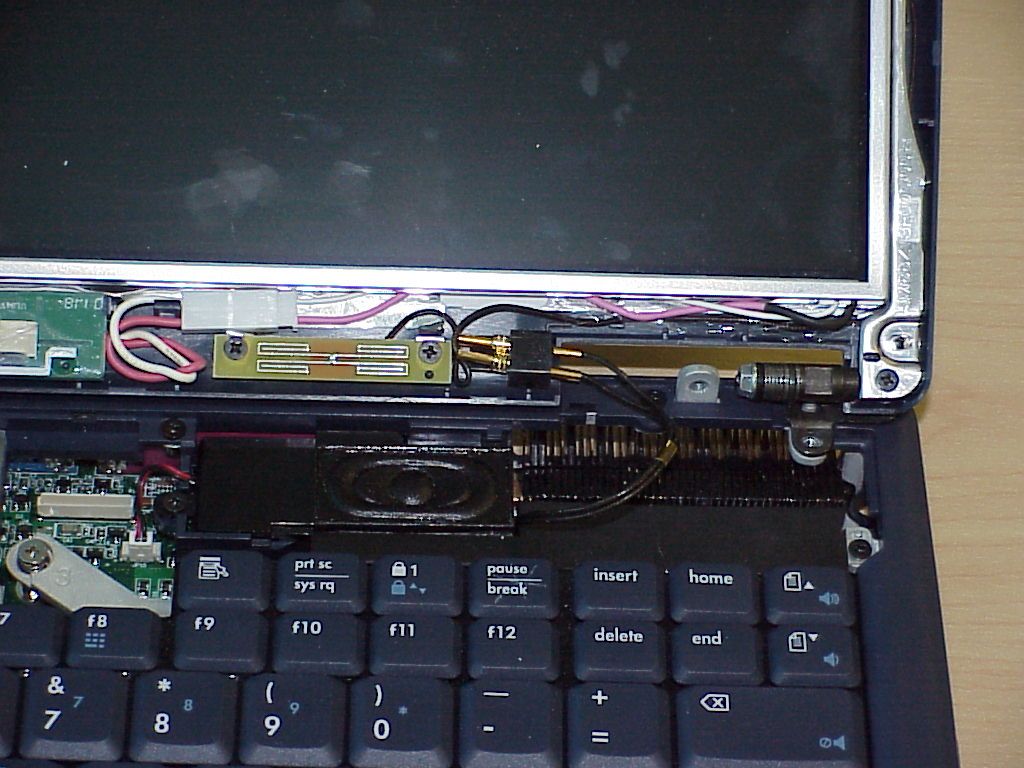
CETECOM Inc. 411 Dixon Landing Road Milpitas, CA 95035 Federal Communication Commission Authorization and Evaluation Division 7435 Oakland Mills Road Columbia, MD 21046 Attention: Reviewing Engineer The 3 Co m Bl ue tooth card use d i n t he HP note books is a regular Bluetoo th Card using spread spectrum technique for wireless access of a PC to other devices using an USB interface inside the PC. Due to the construction and the intended use of the of a the HP notebooks with the built in Bluetooth Card, the radio installation is done in the factory and not user installed. Due to the construction of the notebook and the location of the antennas (TX and RX) a minimum distance under normal operating conditions of more than 2.5 cm (2.8 to 3 cm depending on the angle of the screen) is guaranteed. The calculation was made for this worst case see blue column. The maximum peak output power for this device is 3.55 mW (5.5 dBm) equivalent to 13.05 V/m Calculation of EIRP of the equipment for 20 dBm (0.0100 W); equivalent to 8.66 V/m in 20 cm distance Regarding MPE limits, GPUC environment limits maximum exposure to 1 mW/cm 2. The power density is: at 20 centimeters from an antenna for 100mW S = E 2 /3770=-13 H 2 = 0.01989 mW/cm 2 < 1 mW/cm 2 at 10 centimeters from an antenna for 100mW S = E 2 /3770=-13 H 2 = 0.0795 mW/cm 2 < 1 mW/cm 2 at 2.5 centimeters from an antenna for the actual power (3.55mW) S = E 2 /3770=-13 H 2 = 0.0451 mW/cm 2 < 1 mW/cm 2 Where: S = Power density (mW/cm 2) E = electrical field strength (V/m) Calculations are based on standard formula for calculating field strength at a distance and converting power density using free space impedance. Compliance is shown for the built in module, which has an internal antenna with a unique connector. T he module and the antenna are not accessible for the user of the notebook. The minimum distance of 2.5 is given by the position of the antenna in the lower part of the Displays as worst case of the different variant tested. If you should have any questions regarding this submission, please feel free to contact the undersigned. Yours tr ul y, Lothar Schmidt Technical Manager EMC/Radio CETECOM Inc.
Test Report
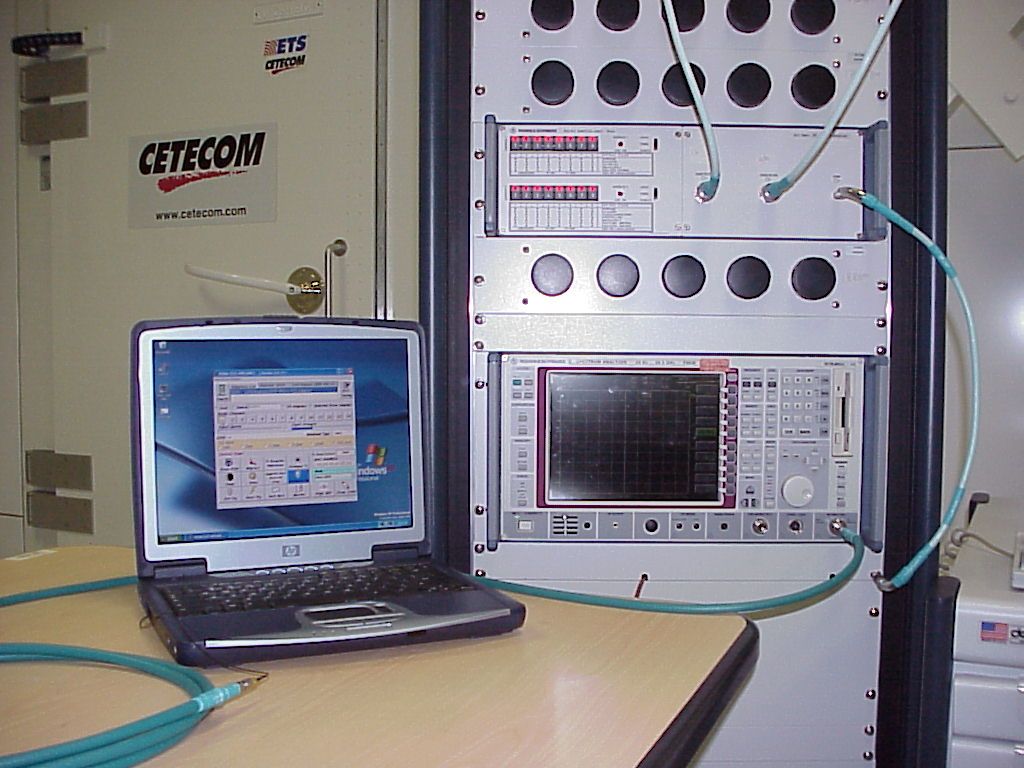
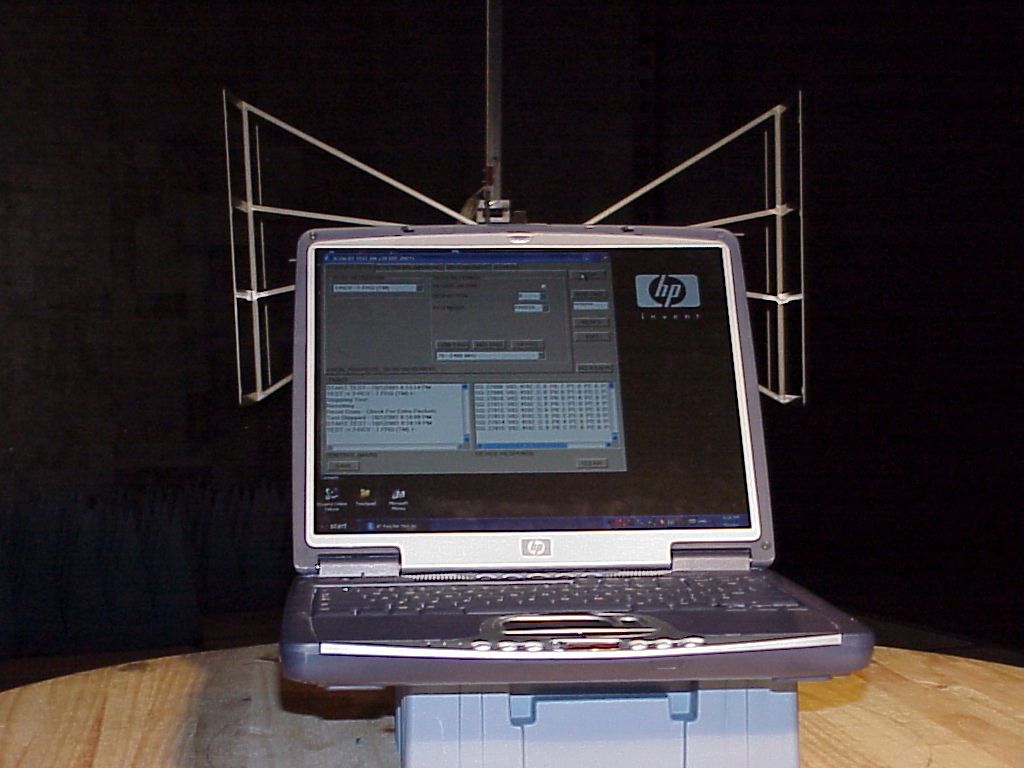
CETECOM Inc. CETECOM Inc. 411 Dixon Landing Road, Milpitas, CA-95035, USA Phone: +1 408 586 6200 Fax: +1 408 586 6299 www.cetecom.com Issued test report consists of 50 Pages Page 1 (50) Test report no.: 173FCC/2001_2BT FCC Part 15.247 FCC ID: B94xt1000bt (HP Omnibook xt1000) FCC LISTED, REG. NO.: 101450 & RECOGNIZED BY INDUSTRY CANADA IC – 3925 CETECOM Inc. Test report no.:173FCC/2001_2BT Issue date:2001-11-07 Page 2 (50) Table of Contents 1 General information 1.1 Notes 1.2 Testing laboratory 1.3 Details of applicant 1.4 Application details 1.5 Test item 1.6 Test standards 2 Technical test 2.1 Summary of test results 2.2 Test report 1 General information 1.1 Notes The test results of this test report relate exclusively to the test item specified in 1.5. The CETECOM Inc. USA does not assume responsibility for any conclusions and generalisations drawn from the test results with regard to other specimens or samples of the type of the equipment represented by the test item. The test report may only be reproduced or published in full. Reproduction or publication of extracts from the report requires the prior written approval of the CETECOM Inc USA. TEST REPORT PREPARED BY: EMC & Radio Engineer: Harpreet Sidhu 1.2 Testing laboratory CETECOM Inc. 411 Dixon Landing Road, Milpitas, CA-95035, USA Phone: +1 408 586 6200 Fax: +1 408 586 6299 E-mail: [email protected] Internet: www.cetecom.com CETECOM Inc. Test report no.:173FCC/2001_2BT Issue date:2001-11-07 Page 3 (50) 1.3 Details of applicant Name : Hewlett Packard Street : 19310 Pruneridge Ave. City : Cupertino CA Country : Contact : USA Richard Barbin Telephone : 408 343 7972 Telefax : 408 343 7366 e-mail : [email protected] 1.4 Application details Date of receipt of application : 2001-07-10 Date of receipt of test item : 2001-10-01 Date of test : 2001-10-01/02/04 1.5 Test item Manufacturer : 3 COM Name of EUT : SL-1021 installed into HP Omnibook xt1000 Description : Bluetooth wireless Module Model No. SL-1021 Serial No. : FCC ID : N/A B94xt1000BT Additional information Frequency : 2.4 – 2.48 GHz Type of modulation : Bluetooth Standard Number of channels : 79 Antenna : Internal Power supply : 5V Output power : 0 dBm Extreme Vol. Limits : Extreme Temp. Limits : 0°C - +40°C 1.6 Test standards: FCC Part 15 §15.247 CETECOM Inc. Test report no.:173FCC/2001_2BT Issue date:2001-11-07 Page 4 (50) 2 Technical test 2.1 Summary of test results No deviations from the technical specification(s) were ascertained in the course of the tests performed. Technical responsibility for area of testing : 2001-11-07 EMC & Radio Lothar Schmidt Date Section Name Signature CETECOM Inc. Test report no.:173FCC/2001_2BT Issue date:2001-11-07 Page 5 (50) 2.2 Testreport TEST REPORT Test report no. : 173FCC/2001_2BT FCC ID: B94xt1000BT (HP Omnibook xt1000) CETECOM Inc. Test report no.:173FCC/2001_2BT Issue date:2001-11-07 Page 6 (50) TEST REPORT REFERENCE LIST OF MEASUREMENTS Paragraph PARAMETER TO BE MEASURED PAGE Transmitter parameters § 15.204 Antenna gain 7 § 15.247 (a) Carrier frequency separation 8 § 15.247 (a) Number of hopping channels 9 § 15.247 (a) Time of occupancy (dwell time) 13 § 15.247 (a)(1) Spectrum Bandwith of a FHSS System 16 § 15.247 (b)(2) Maximum peak output power 20 §15.247 Band edge compliance 28 § 15.247 (c)(1) Emission limitations 30 § 15.107/207 AC Line Conducted Emission 43 Receiver parameters § 15.209 Spurious radiations - Radiated 45 Test equipment listing 50 CETECOM Inc. Test report no.: 173FCC/2001_2BT Issue Date: 2001-11-07 Page 7 (50) Antenna Gain SUBCLAUSE § 15.204 The max gain is +1.2dBi (measured effectiv radiated power – measured conducted power with a temporary RF-connector) CETECOM Inc. Test report no.: 173FCC/2001_2BT Issue Date: 2001-11-07 Page 8 (50) CARRIER FREQUENCY SEPERATION §15.247(a) CETECOM Inc. Test report no.: 173FCC/2001_2BT Issue Date: 2001-11-07 Page 9 (50) NUMBER OF HOPPING CHANNELS §15.247(a) The number of hopping channels is 79 (see next 4 plots) The right red line corresponds to the left red line from the next plot. Plot 1: Total 23 CETECOM Inc. Test report no.: 173FCC/2001_2BT Issue Date: 2001-11-07 Page 10 (50) Plot 2: Total 25 CETECOM Inc. Test report no.: 173FCC/2001_2BT Issue Date: 2001-11-07 Page 11 (50) Plot 3: Total 19 CETECOM Inc. Test report no.: 173FCC/2001_2BT Issue Date: 2001-11-07 Page 12 (50) Plot 4: Total 12 CETECOM Inc. Test report no.: 173FCC/2001_2BT Issue Date: 2001-11-07 Page 13 (50) TIME OF OCCUPANCY (DWELL TIME) FOR DH1 §15.247(a) The system makes worst case 1600 hops per second or 1 time slot has a length of 625μs with 79 channels. A DH1 Packet need 1 time slot for transmitting and 1 time slot for receiving. Then the system makes worst case 800 hops per second with 79 channels. So you have each channel 10.13 times per second and so for 30 seconds you have 303.9 times of appearence . Each Tx-time per appearence is 376.75 μs. So we have 303.9 * 376.75 μs = 114.49 ms per 30 seconds. CETECOM Inc. Test report no.: 173FCC/2001_2BT Issue Date: 2001-11-07 Page 14 (50) TIME OF OCCUPANCY (DWELL TIME) FOR DH3 §15.247(a) A DH3 Packets need 3 time slots for transmit and 1 for receicing, then the system makes worst case 400 hops per second with 79 channels. So you have each channel 5.1 times per second and so for 30 seconds you have 153 times of appearence . Each Tx-time per appearence is 1.65 ms. So we have 153 * 1.65 ms = 252.45 ms per 30 seconds. CETECOM Inc. Test report no.: 1…
Text truncated - open the document above for the full version.
Contact Information
Applicant
Richard P Tarsio(US Canada Technical Regulations)
Technical Contact
CETECOM Inc.Lothar Schmidt
[email protected]408-586-6214
411 Dixon Landing · Milpitas, California · United States
Non-Technical Contact
CETECOM Inc.Lothar Schmidt
[email protected]408-586-6214
Test Firm
Cetecom Inc.Lothar Schmidt
Technical Specifications
| # | Rule Parts | Frequency Range | Power Output |
|---|---|---|---|
| 1 | 15C | 2.40 GHz - 2.48 GHz | 3.55 mW |
Other Applications from HP Inc.
B94HNI70CBVN
Aug 14, 2026Model HSN-I70C
Equipment Class
CBE - Citizens Band End User DevicesB94HNQ38C3BEK
Jun 03, 2026Notebook PC
Equipment Class
TNB - Licensed Non-Broadcast Station TransmitterB94HNI65C4BLV
Apr 23, 2026Notebook Computer HSN-I65C-4
Equipment Class
PCB - PCS Licensed TransmitterB94HNI67C4BLV
Apr 23, 2026Notebook Computer HSN-I67C-4
Equipment Class
CBE - Citizens Band End User DevicesB94HNI66C4SPY
Feb 03, 2026Model HSN-I66C-4
Equipment Class
PCB - PCS Licensed Transmitter