C3K1657Portable Computing Device
Microsoft Corporation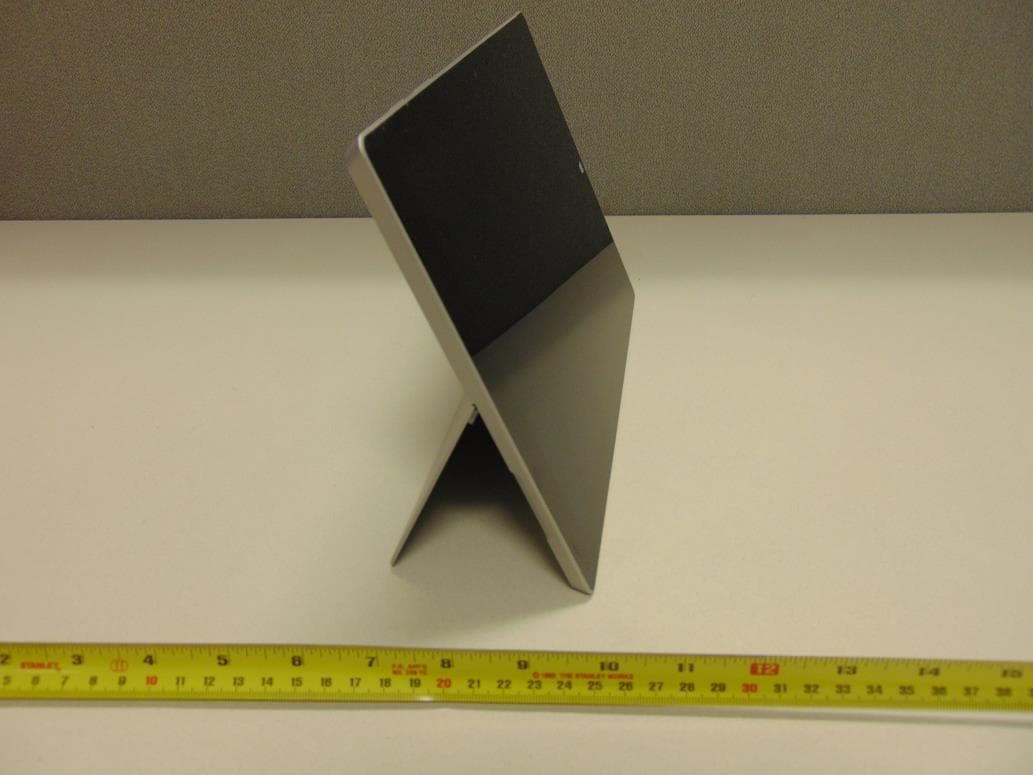
Click to zoom
Application Details
- Equipment Class
- NII - Unlicensed National Information Infrastructure TX
- Date of Grant
- May 19, 2015
- Application Purpose
- Original Equipment
- Date of Application
- May 13, 2015
- Equipment Note
- Portable Computing Device
- Frequency Range
- 5745.00000000 - 5825.00000000
- Company
- Microsoft Corporation
- Country
- United States
Documents & Files
Document Text
Text extracted from the exhibit documents filed with the FCC. Open a document above to read the original.
Users Manual
X19-94174-01 3 surface.com/support surface.com/userguides © 2015 Microsoft Corporation SilverBlackSilver Power button Bouton d’alimentation Botón de encendido Nano SIM card tray Plateau de carte Nano SIM Bandeja de la tarjeta Nano SIM Cover connectors Connecteurs de la housse Conectores de teclado Headset jack Sortie casque Conexión de auriculares Kickstand Pied Soporte microSD™ for additional storage microSD™ pour ajouter de l’espace de stockage Puerto microSD™ para almacenamiento adicional Micro USB charging port Port de chargement micro USB Puerto de carga micro USB Mini DisplayPort for video out Mini DisplayPort pour sortie vidéo Puerto de video Mini DisplayPort Volume Volume Volumen USB 3.0 CyanBlack CyanBlack 1. Get ready To set up your Surface 3, we recommend you have: • Wi-Fi network access (and the password if it is secured). • A Microsoft account (use an existing account, such as Hotmail, Outlook.com or Xbox, or sign up during setup). For more information on the benefts of using a Microsoft account with Surface, visit windows.microsoft.com/account 2. Set up Flip out the Kickstand • Place your thumb in the groove on the side of the device and push out to engage the Kickstand. Choose from three positions for the best angle. Click in the optional keyboard cover • Use the keyboard cover fat on tables or fold the keyboard edge against the screen for better stability on your lap. Plug in the power supply and tap the Power button (wait a few seconds for text to appear on screen) English Silver CyanBlack 3. Sign in Follow the on-screen instructions and enter (or sign up for) your Microsoft account info when prompted. 4. Install Nano SIM card 1. Insert the enclosed SIM ejector tool into the hole of the SIM card tray and push to eject. 2. Place your mobile operator’s Nano SIM card into the SIM card tray. 3. Reinsert the SIM card tray. Note: A Nano SIM card and cellular service are required in order to use Surface 3 on a cellular network. 5. Connect to the cellular network 1. Swipe in from the right side of the screen, and then tap Settings. 2. Tap the network icon. 3. Under Mobile broadband, tap the name of your mobile operator, and then tap Connect. Note: for help with your SIM card or cellular service, contact your mobile operator. Black Eraser button Right-click button Top button Pairing light 6. Pair the optional Pen 1. Unscrew the top of the Pen and insert the battery (“+” end facing down). 2. Swipe in from the right edge of the screen, open the Settings charm, and then tap Change PC settings at the bottom of the screen. 3. Tap PC and devices > Bluetooth. Swipe Bluetooth to On. 4. Press and hold the top button on the Pen until the LED light fashes to turn on Bluetooth wireless technology. 5. Tap Surface Pen in the list of Bluetooth devices. CyanBlack Use optional Pen with OneNote You can click the top button on Pen to open OneNote • If Surface was asleep when you clicked the top button, you can view and edit your notes in OneNote by tapping Unlock . For more information on using OneNote with Surface Pen, visit surface.com/support/onenote Install all updates Updates to Surface and Windows are released regularly to improve performance. After you set up your Surface for the frst time, check for updates: 1. Swipe in from the right edge of the screen, and then tap Settings. 2. Tap Change PC settings, tap Update and recovery, and then tap Windows Update. 3. Tap Check now. If there are updates available, tap Install or View details. Black To troubleshoot or learn more If you’re having trouble with your device visit surface.com/support If you’d like to learn more about Windows, visit windows.microsoft.com/how-to for Windows 8.1 tutorials Black Français canadien 1. Préparation Pour confgurer votre Surface 3, nous vous recommandons de disposer des éléments suivants : • un accès à un réseau Wi-Fi (ainsi que le mot de passe si ce réseau est sécurisé); • un compte Microsoft (utilisez un compte existant, comme Hotmail, Outlook.com ou Xbox, ou créez-en un pendant la confguration). Pour en savoir plus sur les avantages liés à l’utilisation d’un compte Microsoft avec Surface, consultez la page windows.microsoft.com/fr-ca/account. 2. Confguration Dépliez le pied. • Placez votre pouce dans la rainure du côté de l’appareil et poussez vers l’extérieur pour caler le pied. Choisissez la position qui vous convient parmi les trois angles possibles. Accrochez la housse clavier (facultatif). • Placez le clavier à plat si vous travaillez sur une table, ou pliez-en le bord contre l’écran pour bénéfcier d’une meilleure stabilité si la tablette est posée sur vos genoux. Branchez l’alimentation et touchez le bouton d’alimentation. Attendez quelques secondes que du texte apparaisse à l’écran. Silver CyanBlack 3. Connexion Suivez les instructions à l’écran et connectez-vous à votre compte Microsoft (ou créez-en un) lorsque vous y êtes invité. 4. Installez une carte Nano SIM 1. Insérez l’outil d’éjection fourni de la carte SIM dans la fente du plateau de la carte SIM et poussez pour éjecter. 2. Placez la carte Nano SIM de votre opérateur de services mobiles dans le plateau de carte SIM. 3. Réinsérez le plateau de la carte SIM. Remarque : Une carte Nano SIM et un service cellulaire sont requis afn d’utiliser la Surface 3 sur un réseau cellulaire. 5. Connectez-vous au réseau cellulaire 1. Balayez du doigt vers le centre depuis le côté droit de l’écran, puis appuyez sur Paramètres. 2. Appuyez sur l’icône réseau. 3. Sous Large bande mobile, appuyez sur le nom de votre opérateur mobile, puis sur Connecter. Remarque : Pour obtenir de l’aide avec votre carte SIM ou votre service cellulaire, contactez votre opérateur mobile. Black Bouton gomme Bouton clic droit Bouton supérieur Lumière de jumelage 6. Jumelez le stylet (facultatif). 1. Dévissez la partie supérieure du stylet et insérez la batterie (côté « + » vers le bas). 2 Effectuez un balayage à partir du bord droit de l’écran, ouvrez l’icône Paramètres, puis appuyez sur M…
Text truncated - open the document above for the full version.
Users Manual
2. English 11. Français 22. Español 2 Surface CLEANING & USAGE INSTRUCTIONS Always handle your device with care to maintain its appearance. To clean, wipe the outer surface with a soft, lint-free cloth. This symbol identifies safety and health messages in this Device Guide WARNING: Read Safety & Health Info Read this guide for important safety and health information and the terms of the Limited Warranty that apply to the Microsoft ® device that you have purchased. Keep all printed guides for future reference. Failure to follow instructions and properly set up, use, and care for this product can increase the risk of serious injury or death, or damage to the device or devices. For an online version of this guide go to: www.surface.com/support Warning: Do Not Attempt Repairs Do not attempt to take apart, open, service, or modify the product, accessories, or power supply. Doing so could present the risk of electric shock or other hazard. Any evidence of any attempt to open and/or modify this device, including any peeling, puncturing, or removal of any of the labels, will void the Limited Warranty. Warning: AC Adapter Safety Failure to take the following precautions can result in serious injury or death from electric shock or fire or in damage to the device. To select an appropriate power source for your device: • Use only the power supply unit and AC power cord that came with your device or that you received from an authorized Microsoft retailer. • Do not use non-standard power sources, such as generators or inverters, even if the voltage and frequency appear acceptable. Only use AC power provided by a standard wall outlet. • Do not overload your wall outlet, extension cord, power strip, or other electrical receptacle. Confirm that they are rated to handle the total current (in amps [A]) drawn by the device (indicated on the power supply unit) and any other devices that are on the same circuit. • On devices where the AC prongs may be folded for storage, before plugging the AC adapter into a power outlet, make sure its prongs are fully extended. • On devices where the AC prongs are removable and where the power supply uses a universal adapter, before plugging the AC adapter into a power outlet, make sure the prong assembly is of the proper configuration for the power outlet and fully seated into the adapter. Caution: Cable and cord safety Arrange all cables and cords so that people and pets are not likely to trip over or accidentally pull on them as they move around or walk through the area. Do not allow children to play with cables and cords. To avoid damaging the power cords and power supply: • Protect the power cords from being walked on. • Protect cords from being pinched or sharply bent, particularly where they connect to the power outlet, the power supply unit, and the device. • Do not jerk, knot, sharply bend, or otherwise abuse the power cords. • Do not expose the power cords to sources of heat. • Keep children and pets away from the power cords. Do not allow them to bite or chew on them. • When disconnecting the power cords, pull on the plug—do not pull on the cord. • If a power cord or power supply becomes damaged in any way, stop using it immediately. • Unplug your device during lightning storms or when unused for long periods of time. • For devices with an AC power cord that connects to the power supply, always connect the power cord according to the following instructions: 1 Plug the AC power cord into the power supply until it seats fully. 2 Plug the other end of the AC power cord into the wall outlet. 3 Warning: Battery Safety Information This device contains a built-in battery, improper use of which may result in explosion. Do not heat, open, puncture, mutilate, or dispose of the product in fire. Do not leave the device in direct sunlight for an extended period of time, which could cause melting or battery damage. The battery in this device is not user replaceable and should only be replaced by Microsoft or a Microsoft Authorized Service Provider. See www.surface.com/support for additional details. • Do not disassemble or open, crush, bend or deform, puncture or shred • Do not modify or remanufacture, attempt to insert foreign objects into the battery, immerse or expose to water or other liquids, expose to fire, explosion or other hazard. • Only use the battery with a charging system that has been qualified with the system per CTIA Certification Requirements for Battery System Compliance to IEEE 1725. Use of an unqualified battery or charger may present a risk of fire, explosion, leakage, or other hazard. • Promptly dispose of used batteries in accordance with local regulations • Avoid dropping the device or battery. If the device or battery is dropped, especially on a hard surface, and the user suspects damage, take it to a service center for inspection. • Improper battery use may result in a fire, explosion or other hazard. • This device shall only be connected to CTIA certified adapters, products that bear the USB-IF logo or products that have completed the USB-IF compliance program. Warning: Use Near Water To reduce the risk of fire or shock, do not use this device near water and do not expose it to rain or moisture. Do not attempt to dry device with a hair dryer or a microwave oven. Warning: Hearing Safety Set the volume loud enough to hear clearly in quiet surroundings, and no louder. Do not increase the volume after you start listening. Your ears can adapt over time so that high volume sounds normal, but the high volume may still damage your hearing. • Do not increase the volume to block out outside noise. The combination of outside noise and sound from your headphones can damage your hearing. Sealed or noise-canceling headphones can reduce outside noise so that you don’t have to turn up the volume. If you can’t understand someone nearby speaking normally, turn down the volume. Sound that drowns out normal speech can damage your hearing. Even with sealed or noise-cancel…
Text truncated - open the document above for the full version.
Attestation Statements
Microsoft Corporation is an equal opportunity employer. May 7, 2015 Federal Communications Commission Authorization and Evaluation Division 7435 Oakland Mills Road Columbia, Maryland 21046 Agency Authorization Letter To whom it may concern: We, the undersigned Microsoft ® Corporation hereby authorize PCTEST Engineering Laboratory Inc. to act on our behalf in all matters relating to all processes required in the relevant FCC Rule parts approval and any communication needed with the national authority. Any and all acts carried out by PCTEST Engineering Laboratory Inc. on our behalf shall have the same effects as acts of our own. This authorization is limited to the following products: Microsoft Model No:1657 If you have any questions regarding the authorization, please don’t hesitate to contact us. Thank you! Sincerely, Jennifer Liu Compliance Engineer, EMC-SI-RF Compliance Microsoft Corporation is an equal opportunity employer. Subject: Authorized signatories May 1, 2015 Federal Communications Commission Authorization and Evaluation Division 7435 Oakland Mills Road Columbia, Maryland 21046 AGENCY AUTHORIZATION LETTER FOR MICROSOFT EMPLOYEES To whom it may concern, We, the undersigned, Microsoft® Corporation hereby authorize the following, to act on our behalf, as our agent, in all matters relating to all processes required according to all relevant FCC Rule Parts (e.g. Part 15) for Microsoft® Corporation products (Grantee Code:C3K): Hasnain Syed Brad Sybouts Kitty Tam Anindita Mitra David Johnson Michael Boucher Pamela Galvan Sajay Jose Jennifer Liu Elaine Reeves Jojo Malliyakal Wei Sun Zachary Gray Daniel Salinas Shoaib Khan Johnny Deng Robert Towne Chip Schulman Eugene Wong Bill Huang Albert Huang Tim Calland Joy Alegria Ellis Lee Angus McGill If you have any questions regarding the authorization, please don’t hesitate to contact me. Sincerely, Stephen M. Stegner Compliance Engineer Microsoft Corporation
Cover Letter(s)
Microsoft Corporation is an equal opportunity employer. April 27, 2015 Federal Communications Commission Authorization and Evaluation Division 7435 Oakland Mills Road Columbia, Maryland 21046 Subject: Confidentiality request regarding application for certification of FCC ID: C3K1657 TO WHOM IT MAY CONCERN Pursuant to Sections 0.457 and 0.459 of the Commission’s Rules, the Applicant hereby requests confidential treatment of information accompanying this Application as outlined below: Block Diagram Schematics Operational Description The above materials contain trade secrets and proprietary information not customarily released to the public. The public disclosure of these matters might be harmful to the Applicant and provide unjustified benefits to its competitors. The Applicant understands that pursuant to Rule 0.457, disclosure of this Application and all accompanying documentation will not be made before the date of the Grant for this application. Sincerely, Jennifer Liu Compliance Engineer Microsoft Corporation
Cover Letter(s)
Microsoft Corporation is an equal opportunity employer. April 27, 2015 Federal Communications Commission Authorization and Evaluation Division 7435 Oakland Mills Road Columbia, Maryland 21046 Subject: Short-term confidentiality request regarding application for certification of FCC ID: C3K1657 TO WHOM IT MAY CONCERN Pursuant to DA 04-1705 of the Commission’s public notice, we request short-term confidential treatment for the following information until November 11, 2015 in order to ensure sensitive business information remains confidential until the actual marketing of the device: • External Photos • Test Setup Photos • User’s Manual • Internal Photos Sincerely, Jennifer Liu Compliance Engineer Microsoft Corporation
External Photos
Page 1 of 5 Model 1657 External Pictures Figure 1 Top Figure 2 Back Page 2 of 5 Figure 3 Top Edge Figure 4 Bottom Edge Page 3 of 5 Figure 5 Left Edge Figure 6 Right Edge Page 4 of 5 Figure 7 Right side with Kickstand Figure 8 Left side with Kickstand Page 5 of 5 Figure 9 Back with Kickstand
ID Label/Location Info
Model 1657 Label Content Microsoft Corporation Model: 1657 FCC ID: C3K1657 IC: 3048A-1657 The FCC/IC Label will be visible at the time of purchase. This device complies with part 15 of the FCC Rules. Operation is subject to the following two conditions: (1) This device may not cause harmful interference, and (2) this device must accept any interference received, including interference that may cause undesired operation.
Internal Photos
Page 1 of 7 Model 1657 Internal Pictures Figure 1 Display Figure 2 Antenna/Motherboard/Battery Page 2 of 7 Figure 3 Antenna, motherboard, battery removed Figure 4 Motherboard (front) Page 3 of 7 Figure 5 Motherboard (front) with shield cans removed Figure 6 Motherboard (back) Page 4 of 7 Figure 7 Motherboard (back) with shield cans removed Figure 8 Antennas (front) Page 5 of 7 Figure 9 Antennas (Back) Figure 10 Cellular (Main) Antenna Page 6 of 7 Figure 11 Cellular (Diversity) Antenna Figure 12 Wifi Antennas (Main and Aux) Page 7 of 7 Figure 13 GPS (Receive) Antenna
RF Exposure Info
Report V2.0 SAR TEST REPORT for MODEL NO. 1657 FCC ID: C3K1657 Test Report No. S-TR13-FCCSAR-2 Issue Date: 5-11-2015 FCC CFR 47 PART 2.1093 FCC KDB’s 865664 D01, 447498 D01, 616217 D04, 248227 D01 v01r02 Prepared by Microsoft EMC Laboratory 17760 NE 67th Ct, Redmond WA, 98052, U.S.A. 425-421-9799 [email protected] TESTING CERT #3472.01 Test Report#: S-TR13-FCCSAR-2 Issued: 05/11/2015 Page 2 of 53 Microsoft EMC Laboratory 1 Record of Revisions Revision Date Section Page(s) Summary of Changes Author/Revised By: 1.0 05/06/2015 All All First Version Z. Gray 2.0 05/11/2015 Cover, 7 1, 6 Removed references to IEEE 1528-2013 Z. Gray 8 16, 17, 18, 19, 21 Removed conducted values for MIMO in 802.11 a/b/g modes. Corrected 5.2, 5.3 GHz max power. 11.5 31 Added justification for testing 5GHz WLAN MIMO in HT40 mode. 14.1 46 Adjusted 3/8/15 5.8 GHz verification result to match the SAR value from corrected plot. Added probe SNs. 15.2 49 Fixed incorrect conductivity value to match that in plot 10. Test Report#: S-TR13-FCCSAR-2 Issued: 05/11/2015 Page 3 of 53 Microsoft EMC Laboratory Table of Contents 1 Record of Revisions ............................................................................................................ 2 2 Deviations from Standard .................................................................................................... 7 3 Facilities and Accreditation ................................................................................................. 7 3.1 TEST FACILITY ........................................................................................................... 7 3.2 ACCREDITATIONS ..................................................................................................... 7 3.3 Test Equipment ............................................................................................................ 7 4 Product Description ............................................................................................................. 8 4.1 TEST CONFIGURATIONS .......................................................................................... 9 4.2 ENVIRONMENTAL CONDITIONS ............................................................................... 9 4.3 EQUIPMENT MODIFICATIONS .................................................................................. 9 4.4 EQUIPMENT UNDER TEST ........................................................................................ 9 4.5 Supported Air Interfaces and Transmission Configurations .........................................10 4.5.1 Supported Air Interfaces ......................................................................................10 4.5.2 Transmission Configurations ................................................................................11 5 Highest Reported SAR Values ...........................................................................................12 5.1 SAR Limits ..................................................................................................................12 6 Test Equipment List ...........................................................................................................13 7 Test Methodology ..............................................................................................................14 8 Conducted RF Average Output Power Measurements .......................................................15 8.1 Bluetooth Conducted Output Power Measurements ....................................................15 8.2 Bluetooth LE Conducted Output Power Measurements ..............................................15 8.3 WLAN 2.4 GHz Conducted Output Power Measurements ..........................................16 8.4 WLAN 5 GHz Conducted Output Power Measurements .............................................17 8.4.1 5.2 GHz Conducted Measurements (U-NII-1) ......................................................17 8.4.2 5.3 GHz Conducted Measurements (U-NII-2A) ....................................................18 8.4.3 5.6 GHz Conducted Measurements (U-NII-2C) ....................................................19 5.6 GHz Conducted Measurements (U-NII-2C) Continued .................................................20 8.4.4 5.8 GHz Conducted Measurements (U-NII-3) ......................................................21 8.5 Power Measurements at Higher Data Rates ...............................................................22 8.5.1 WLAN 2.4 GHz Conducted Power Measurements at Higher Data Rates .............22 8.5.2 WlAN 5 GHz Conducted Power Measurements at Higher Data Rates .................23 9 Test Configurations ............................................................................................................24 9.1 Evaluation of Required Test Configurations ................................................................25 Test Report#: S-TR13-FCCSAR-2 Issued: 05/11/2015 Page 4 of 53 Microsoft EMC Laboratory 9.2 Test Positions .............................................................................................................26 10 SAR Test Procedures .....................................................................................................27 11 SAR Test Results ...........................................................................................................29 11.1 General SAR Testing Notes ........................................................................................29 11.2 WLAN 2.4 GHz SAR Testing Notes ............................................................................29 11.3 WLAN 2.4 GHz Main Antenna (Path B) SAR Test Results ..........................................30 11.4 WLAN 2.4 GHz Aux. Antenna (Path A) SAR Test Results ..........................................30 11.5 WLAN 5 GHz SAR Testing Notes ...............................................................................31 11.6 WLAN 5.2 GHz Main Antenna (Path B) SAR Test Results ....................…
Text truncated - open the document above for the full version.
RF Exposure Info
Test Report#: S-TR13-FCCSAR-1.1 Issued: 05/11/2015 Page 1 of 11 Microsoft EMC Laboratory Plot 1 Date/Time: 2/27/2015 9:45:23 PM Test Laboratory: Microsoft EMC 802.11n_Ant A_Back 0mm_2462 MHz DUT: 1657; Type: Handheld Computing Device; Serial: 000085145252 Communication System: UID 0, 802.11 2.4 GHz (0); Communication System Band: 802.11 2.4 GHz; Frequency: 2462 MHz;Communication System PAR: 0 dB; PMF: 1 Medium parameters used: f = 2462 MHz; σ = 1.974 S/m; ε r = 51.05; ρ = 1000 kg/m 3 Phantom section: Flat Section Measurement Standard: DASY5 (IEEE/IEC/ANSI C63.19-2007) DASY Configuration: Probe: EX3DV4 - SN3939; ConvF(6.9, 6.9, 6.9); Calibrated: 7/17/2014; Sensor-Surface: 2mm (Mechanical Surface Detection), z = 1.0, 31.0 Electronics: DAE4 Sn1383; Calibrated: 7/11/2014 Phantom: ELI v5.0 - Front; Type: QDOVA002AA; Serial: TP:xxxx DASY52 52.8.7(1137); SEMCAD X 14.6.10(7164) Flat-Section MSL/02/27/15 HT20 mode Chain A Back 0mm 2462 MHz Repeat/Area Scan (7x7x1): Measurement grid: dx=12mm, dy=12mm Maximum value of SAR (measured) = 1.44 W/kg Flat-Section MSL/02/27/15 HT20 mode Chain A Back 0mm 2462 MHz Repeat/Zoom Scan (7x7x7)/Cube 0: Measurement grid: dx=5mm, dy=5mm, dz=5mm Reference Value = 29.375 V/m; Power Drift = -0.02 dB Peak SAR (extrapolated) = 2.80 W/kg SAR(1 g) = 0.917 W/kg; SAR(10 g) = 0.307 W/kg Maximum value of SAR (measured) = 1.68 W/kg Test Report#: S-TR13-FCCSAR-1.1 Issued: 05/11/2015 Page 2 of 11 Microsoft EMC Laboratory Plot 2 Date/Time: 3/17/2015 2:31:09 PM Test Laboratory: Microsoft EMC 802.11n HT40_Ant B_Top 0mm_5190 MHz DUT: 1657; Type: Handheld Computing Device; Serial: 000085145252 Communication System: UID 0, CW (0); Communication System Band: D5GHz (5000.0 - 6000.0 MHz); Frequency: 5190 MHz;Communication System PAR: 0 dB; PMF: 1 Medium parameters used: f = 5190 MHz; σ = 5.454 S/m; ε r = 48.628; ρ = 1000 kg/m 3 Phantom section: Flat Section Measurement Standard: DASY5 (IEEE/IEC/ANSI C63.19-2007) DASY Configuration: Probe: EX3DV4 - SN3939; ConvF(4.38, 4.38, 4.38); Calibrated: 7/17/2014; Sensor-Surface: 2mm (Mechanical Surface Detection), z = 1.0, 23.0 Electronics: DAE4 Sn1383; Calibrated: 7/11/2014 Phantom: ELI v5.0 - Front; Type: QDOVA002AA; Serial: TP:xxxx DASY52 52.8.7(1137); SEMCAD X 14.6.10(7164) Flat-Section MSL/03/17/15 HT40 mode Chain B Top 0 mm 5190 MHz Repeat/Area Scan (9x9x1): Measurement grid: dx=10mm, dy=10mm Maximum value of SAR (measured) = 1.60 W/kg Flat-Section MSL/03/17/15 HT40 mode Chain B Top 0 mm 5190 MHz Repeat/Zoom Scan (7x7x12)/Cube 0: Measurement grid: dx=4mm, dy=4mm, dz=2mm Reference Value = 20.949 V/m; Power Drift = -0.14 dB Peak SAR (extrapolated) = 4.62 W/kg SAR(1 g) = 0.823 W/kg; SAR(10 g) = 0.163 W/kg Maximum value of SAR (measured) = 2.07 W/kg Test Report#: S-TR13-FCCSAR-1.1 Issued: 05/11/2015 Page 3 of 11 Microsoft EMC Laboratory Plot 3 Date/Time: 3/5/2015 11:20:35 PM Test Laboratory: Microsoft EMC 802.11n HT40_Ant B_Top 0mm_5270 MHz DUT: 1657; Type: Handheld Computing Device; Serial: 000085145252 Communication System: UID 0, CW (0); Communication System Band: D5GHz (5000.0 - 6000.0 MHz); Frequency: 5270 MHz;Communication System PAR: 0 dB; PMF: 1 Medium parameters used: f = 5270 MHz; σ = 5.49 S/m; ε r = 47.796; ρ = 1000 kg/m 3 Phantom section: Flat Section Measurement Standard: DASY5 (IEEE/IEC/ANSI C63.19-2007) DASY Configuration: Probe: EX3DV4 - SN3939; ConvF(4.11, 4.11, 4.11); Calibrated: 7/17/2014; Sensor-Surface: 2mm (Mechanical Surface Detection), z = 1.0, 23.0 Electronics: DAE4 Sn1383; Calibrated: 7/11/2014 Phantom: ELI v5.0 - Front; Type: QDOVA002AA; Serial: TP:xxxx DASY52 52.8.7(1137); SEMCAD X 14.6.10(7164) Flat-Section MSL/03/05/15 HT40 mode Chain B Top 0 mm 5270 MHz/Area Scan (9x9x1): Measurement grid: dx=10mm, dy=10mm Maximum value of SAR (measured) = 1.40 W/kg Flat-Section MSL/03/05/15 HT40 mode Chain B Top 0 mm 5270 MHz/Zoom Scan (7x7x12)/Cube 0: Measurement grid: dx=4mm, dy=4mm, dz=2mm Reference Value = 17.115 V/m; Power Drift = -0.02 dB Peak SAR (extrapolated) = 4.72 W/kg SAR(1 g) = 0.844 W/kg; SAR(10 g) = 0.176 W/kg Maximum value of SAR (measured) = 1.98 W/kg Test Report#: S-TR13-FCCSAR-1.1 Issued: 05/11/2015 Page 4 of 11 Microsoft EMC Laboratory Plot 4 Date/Time: 3/6/2015 10:23:05 PM Test Laboratory: Microsoft EMC 802.11n HT40_Ant B_Top 0mm_5670 MHz DUT: 1657; Type: Handheld Computing Device; Serial: 000100645252 Communication System: UID 0, 802.11 5GHz (0); Communication System Band: 5 GHz; Frequency: 5670 MHz;Communication System PAR: 0 dB; PMF: 1 Medium parameters used: f = 5670 MHz; σ = 5.88 S/m; ε r = 46.364; ρ = 1000 kg/m 3 Phantom section: Flat Section Measurement Standard: DASY5 (IEEE/IEC/ANSI C63.19-2007) DASY Configuration: Probe: EX3DV4 - SN3940; ConvF(3.77, 3.77, 3.77); Calibrated: 7/17/2014; Sensor-Surface: 2mm (Mechanical Surface Detection), z = 1.0, 23.0 Electronics: DAE4 Sn1384; Calibrated: 7/11/2014 Phantom: ELI v5.0 - Front; Type: QDOVA002AA; Serial: TP:xxxx DASY52 52.8.7(1137); SEMCAD X 14.6.10(7164) Flat-Section MSL_Chain B/Chain B_802.11n HT40_Top 0mm_5670 MHz_Repeat/Area Scan (6x28x1): Measurement grid: dx=10mm, dy=10mm Maximum value of SAR (measured) = 1.45 W/kg Flat-Section MSL_Chain B/Chain B_802.11n HT40_Top 0mm_5670 MHz_Repeat/Zoom Scan (7x7x12)/Cube 0: Measurement grid: dx=4mm, dy=4mm, dz=2mm Reference Value = 19.486 V/m; Power Drift = 0.11 dB Peak SAR (extrapolated) = 4.99 W/kg SAR(1 g) = 0.834 W/kg Maximum value of SAR (measured) = 2.14 W/kg Test Report#: S-TR13-FCCSAR-1.1 Issued: 05/11/2015 Page 5 of 11 Microsoft EMC Laboratory Plot 5 Date/Time: 3/8/2015 4:29:43 PM Test Laboratory: Microsoft EMC 802.11n HT40_Ant B_Top 0mm_5755 MHz DUT: 1657; Type: Handheld Computing Device; Serial: 000100645252 Communication System: UID 0, 802.11 5GHz (0); Frequency: 5755 MHz Medium parameters used (interpolated): f = 5755 MHz; σ = 6.149 S/m; ε r = 47.984; ρ = 1000 kg/m 3 Phantom section: Flat Section Measurement Standard: DASY5 (IEEE/IEC/ANSI C63.19-2007) DASY Configu…
Text truncated - open the document above for the full version.
RF Exposure Info
Dipole D5GHzV2-1159 Calibration Extension The dipole D5GHzV2-1159 was used under an extended calibration by way of the rules of FCC KDB 865664 D01 v01r03 Section 3.2.2, which say: However, instead of the typical annual calibration recommended by measurement standards, longer calibration intervals of up to three years may be considered when it is demonstrated that the SAR target, impedance and return loss of a dipole have remain stable according to the following requirements. 1) The test laboratory must ensure that the required supporting information and documentation are included in the SAR report to qualify for the three-year extended calibration interval; otherwise, the IEEE Std 1528-2003 recommended annual calibration applies. 2) Immediate re-calibration is required for the following conditions. a) After a dipole is damaged and properly repaired to meet required specifications. b) When the measured SAR deviates from the calibrated SAR value by more than 10% due to changes in physical, mechanical, ele…
Text truncated - open the document above for the full version.
Contact Information
Applicant
Hasnain Syed(SR. DIR EMC/SI&RF COMPLIANCE)
Technical Contact
PCTEST Engineering Laboratory, Inc.Randy Ortanez
[email protected]410-290-6652
6660-B Dobbin Road · Columbia, Maryland · United States
Test Firm
UL Verification Services Inc. (formerly UL CCS)Jay Kogoma
Technical Specifications
| # | Rule Parts | Frequency Range | Power Output |
|---|---|---|---|
| 5 | 15E | 5.75 GHz - 5.83 GHz | 13.00 mW |
Other Applications from Microsoft Corporation
C3K2147
Aug 28, 2026Wireless input device
Equipment Class
DTS - Digital Transmission SystemC3K2148
Aug 12, 2026Portable Computing Device
Equipment Class
DXX - Part 15 Low Power Communication Device TransmitterC3K2149
Aug 12, 2026Portable Computing Device
Equipment Class
DXX - Part 15 Low Power Communication Device TransmitterC3K2152
Aug 11, 2026Wireless Accessory
Equipment Class
DTS - Digital Transmission SystemC3K2150
Aug 06, 2026Portable Computing Device
Equipment Class
DXX - Part 15 Low Power Communication Device Transmitter