E8HKT-1155Bluetooth Keyboard
Chicony Electronics Co Ltd
Click to zoom
Application Details
- Equipment Class
- DSS - Part 15 Spread Spectrum Transmitter
- Date of Grant
- Oct 10, 2011
- Application Purpose
- Original Equipment
- Date of Application
- Oct 10, 2011
- Equipment Note
- Bluetooth Keyboard
- Frequency Range
- 2402.00000000 - 2480.00000000
- Company
- Chicony Electronics Co Ltd
- Country
- Taiwan
Documents & Files
Document Text
Text extracted from the exhibit documents filed with the FCC. Open a document above to read the original.
Users Manual
Bluetooth Keyboard Users Manual Getting Start Thank you for choosing this ultra thin keyboard with Bluetooth technology to ensure no hinder communication between the keyboard and your computer without connecting cable. The transmission and receiving of keyboard are free from angle restriction. Package Content When you purchase the keyboard, it contains: 1x Bluetooth Keyboard 2x AAA Battery Keyboard Bottom View LED Indication ¾ Battery Status Battery low : Red Led flashes slowly ¾ Connect Status Power On: Green Led brighten for few seconds Pairing :Green Led flashes for approximately 3 minutes and will stop flash while pairing is successful. Searching: Green Led flashes till search is finished Replacing the batteries When you purchase this keyboard, the package includes 2 AAA batteries. When the batteries run out of the power, please replace them with new batteries (Please refer to Battery LED indicator). When replacing the batteries, please open the compartment cover and slide the batteries into it. Please don’t mix old batteries with new batteries or different types of battery together. Battery power consumption is low during off mode, so we suggest turning the switch (in the bottom of the keyboard) to “OFF” if you will not use it for a while. Warning: Please keep the batteries out of reach of children, and do not expose them to fire, high temperatures or water. Hot Keys Function Mute the sound Decrease volume Increase volume Go to Internet Backward Forward Activate default search function Go to previous track Stop Play/Pause Go to next track Battery indicator Connector Indicator Pairing the keyboard 1. Put batteries into keyboard and set power switch to On. 2. Turn on Bluetooth connecting function on device. 3. Start the PC's Bluetooth add device dialog. 4. Press Connect Button on the keyboard. You will see a Green Led flashing on the F12 Key. 5. Choose PC's Bluetooth keyboard device icon. 6. Enter password as PC's requested and click "Enter". 7. When the keyboard is connected, you will see the information on the screen. Troubleshooting and Tips The keyboard does not operate following installation or is not recognized. • Make sure the batteries are not too weak. • To determine whether the keyboard or computer causes the problem test the keyboard on a second computer if possible; or test another keyboard on your current computer. If you are still unable to solve the problem, please contact your point of sale or your dealer. If you need to exchange the keyboard, please note that you must return it to your dealer in its original packaging and also a produce proof of purchase (receipt). Keep your receipt in a safe place after purchase. FEDERAL COMMUNICATIONS COMMISSION (FCC) STATEMENT This equipment has been tested and found to comply with the limits for a Class B digital device, Pursuant to Part 15 the FCC rules. These limits are designed to provide reasonable protection against harmful interference in a residential installation. This equipment generates, uses and can radiate radio frequency energy and, if not installed and used in accordance with the instructions, may cause harmful interference to radio communications. However, there is no guarantee that interference wil not occur in a particular installation. If this equipment does cause harmful interference will not occur in a particular installation. If this equipment does cause harmful interference to radio or television reception, which can be determined by turning the equipment off and on, the user is encouraged to try to correct the interference by one or more of the following measures: • Reorient or relocate the receiving antenna. • Increase the separation between the equipment and receiver. • Connect the equipment into an outlet on a circuit different from that to which the receiver is connected. • Consult the dealer or an experienced radio/TV technician for help. This device complies with part 15 of the FCC rules. Operation is subject to the following two conditions: (1) This device may not cause harmful Interference, and (2) This device must accept any interference received, including interference that may cause undesired operation. WARNING: You are cautioned that changes or modifications not expressly approved by the party responsible for compliance could void your authority to operate the equipment. CAUTION: AVOID PROLONGED USE OF THE KEYBOARD WITHOUT BREAKS. Take regular breaks and keep a good posture. Consult your physician promptly if you notice any lost of motion or pain in your wrist when using the keyboard.
Cover Letter(s)
Chicony Electronics Co., Ltd. No.25 Wu-Gong 6 Th Rd. Wu-Ku Industrial Park, Taipei, Taiwan, R.O.C. Tel: 886-2-22988120 Fax: 886-2-22989745 Federal Communications Commission Authorization and Evaluation Division Date: 10/5/2011 Confidentiality Request FCC ID: E8HKT-1155 Pursuant to Sections 0.457 and 0.459 of the Commission’s Rules, the Applicant hereby requests confidential treatment of information accompanying this Application as outlined below: Schematics Block Diagram The above materials contain trade secrets and proprietary information not customarily released to the public. The public disclosure of these matters might be harmful to the Applicant and provide unjustified benefits to its competitors. The Applicant understands that pursuant to Rule 0.457, disclosure of this Application and all accompanying documentation will not be made before the date of the Grant for this application. Thank you! Sincerely yours, ------------------------------------------ T.S.Chen / Manager Chicony Electronics Co., Ltd. Tel: +886 2-2298-8120 Fax: +886 2-2298-9745 E-mail : [email protected]
Cover Letter(s)
Chicony Electronics Co., Ltd. No.25 Wu-Gong 6 Th Rd. Wu-Ku Industrial Park, Taipei, Taiwan, R.O.C. Tel: 886-2-22988120 Fax: 886-2-22989745 Power of Attorney To whom it may concern: Date: October 5, 2011 We, the undersigned, Chicony Electronics Co., Ltd., hereby authorize Bureau Veritas Consumer Products Services(H.K.) Ltd., Taoyuan Branch (BV CPS Taoyuan) of Taiwan to act on our behalf in all matters relating to all processes required in the FCC Part 15C approval and any communication needed with the national authority. Any and all acts carried out by BV CPS Taoyuan on our behalf shall have the same effects as acts of our own. Product Name Model FCC ID Bluetooth Keyboard KT-1155 E8HKT-1155 If you have any questions regarding the authorization, please don’t hesitate to contact us. Thank you! Sincerely yours, ------------------------------------------ T.S.Chen / Manager Chicony Electronics Co., Ltd. Tel: +886 2-2298-8120 Fax: +886 2-2298-9745 E-mail : [email protected]
External Photos
Page 1 CONSTRUCTION PHOTOS OF EUT
ID Label/Location Info
FCC LABEL LOCATION The label will be permanently affixed at a conspicuous location on the device. Label
Internal Photos
Page 2 Page 3 Page 4 Page 5 Page 6
Operational Description
FCC ID: E8HKT-1155 Report No.: RF110927D11 Operational Description The device is a Frequency Hopping device with 79 hopping frequencies. The antenna type is Printed antenna and there is no antenna connector used. The EUT is a unit that contains a Bluetooth radio module. Bluetooth is a short-range wireless technology operating in the 2.4GHz band. It enables devices to have the ability to form networks and exchange information. The other instruction, please have a look at the user’s manual.
RF Exposure Info
Report No: SA110927D11 1 Report Format Version 4.0.0 RF EXPOSURE REPORT REPORT NO.: SA110927D11 MODEL NO.: KT-1155 FCC ID: E8HKT-1155 RECEIVED: Sep. 27, 2011 TESTED: Sep. 30 ~ Oct. 3, 2011 ISSUED: Oct. 7, 2011 APPLICANT: Chicony Electronics Co., Ltd. ADDRESS: No. 25, Wu-Gong 6th Rd., Wu Ku Industrial Park, Taipei Hsien, Taiwan, R.O.C. ISSUED BY: Bureau Veritas Consumer Products Services (H.K.) Ltd., Taoyuan Branch LAB LOCATION: No. 47, 14th Ling, Chia Pau Vil., Lin Kou Dist., New Taipei City, Taiwan ( R.O.C ) This test report consists of 5 pages in total. It may be duplicated completely for legal use with the approval of the applicant. It should not be reproduced, except in full, without the written approval of our laboratory. The client should not use it to claim product certification, approval or endorsement by any government agency. The test results in the report only apply to the tested sample. Report No: SA110927D11 2 Report Format Version 4.0.0 TABLE OF CONTENTS RELEASE CONTROL RECORD....................................................................................3 1. CERTIFICATION..............................................................................................4 2. CONCLUSION.................................................................................................5 Report No: SA110927D11 3 Report Format Version 4.0.0 RELEASE CONTROL RECORD ISSUE NO. REASON FOR CHANGE DATE ISSUED SA110927D11 Original release Oct. 7, 2011 Report No: SA110927D11 4 Report Format Version 4.0.0 1. CERTIFICATION PRODUCT: Bluetooth Keyboard BRAND NAME: Chicony MODEL NO.: KT-1155 APPLICANT: Chicony Electronics Co., Ltd. TESTED: Sep. 30 ~ Oct. 3, 2011 TEST ITEM: ENGINEERING SAMPLE STANDARDS: FCC Part 2 (Section 2.1091) FCC OET Bulletin 65, Supplement C (01-01) IEEE C95.1 The above equipment has been tested by Bureau Veritas Consumer Products Services (H.K.) Ltd., Taoyuan Branch, and found compliance with the requirement of the above standards. The test record, data evaluation & Equipment Under Test (EUT) configurations represented herein are true and accurate accounts of the measurements of the sample’s EMC characteristics under the conditions specified in this report. PREPARED BY : , DATE: ( Annie Chang / Senior Specialist ) APPROVED BY : , DATE: ( Ken Liu / Manager ) Report No: SA110927D11 5 Report Format Version 4.0.0 2. CONCLUSION No Evaluation Required if power is below this threshold: F(GHz) mW Low 2.402 High 2.480 24.58 Maximum measured transmitter power: Pout (dBm) Pout (mW) Conducted Power -0.9 0.8 EIRP Power -7.7 0.2 *Note: The antenna is Printed antenna with -6.79dBi gain Threshold for no SAR evaluation is 24.58mW Transmitter power is 0.8mW Conclusion: No SAR evaluation required since Transmitter Pout is below FCC threshold ---END---
Test Report
Report No.: RF110927D11 1 Report Format Version 4.0.0 FCC TEST REPORT REPORT NO.: RF110927D11 MODEL NO.: KT-1155 FCC ID: E8HKT-1155 RECEIVED: Sep. 27, 2011 TESTED: Sep. 30 ~ Oct. 3, 2011 ISSUED: Oct. 7, 2011 APPLICANT: Chicony Electronics Co., Ltd. ADDRESS: No. 25, Wu-Gong 6th Rd., Wu Ku Industrial Park, Taipei Hsien, Taiwan, R.O.C. ISSUED BY: Bureau Veritas Consumer Products Services (H.K.) Ltd., Taoyuan Branch LAB LOCATION: No. 47, 14th Ling, Chia Pau Vil., Lin Kou Dist., New Taipei City, Taiwan ( R.O.C ) This test report consists of 46 pages in total. It may be duplicated completely for legal use with the approval of the applicant. It should not be reproduced except in full, without the written approval of our laboratory. The client should not use it to claim product endorsement by TAF or any government agencies. The test results in the report only apply to the tested sample. Report No.: RF110927D11 2 Report Format Version 4.0.0 TABLE OF CONTENTS RELEASE CONTROL RECORD................................................................................4 1. CERTIFICATION........................................................................................5 2. SUMMARY OF TEST RESULTS...............................................................6 2.1 MEASUREMENT UNCERTAINTY.............................................................7 3. GENERAL INFORMATION........................................................................8 3.1 GENERAL DESCRIPTION OF EUT..........................................................8 3.2 DESCRIPTION OF TEST MODES............................................................9 3.2.1 CONFIGURATION OF SYSTEM UNDER TEST........................................9 3.2.2 TEST MODE APPLICABILITY AND TESTED CHANNEL DETAIL...........10 3.3.3 GENERAL DESCRIPTION OF APPLIED STANDARDS..........................12 3.3.4 DESCRIPTION OF SUPPORT UNITS.....................................................12 4. TEST TYPES AND RESULTS..................................................................13 4.1 CONDUCTED EMISSION MEASUREMENT...........................................13 4.2 RADIATED EMISSION MEASUREMENT................................................13 4.2.1 LIMITS OF RADIATED EMISSION MEASUREMENT.............................13 4.2.2 TEST INSTRUMENTS.............................................................................14 4.2.3 TEST PROCEDURES.............................................................................15 4.2.4 DEVIATION FROM TEST STANDARD....................................................15 4.2.5 TEST SETUP...........................................................................................16 4.2.6 EUT OPERATING CONDITIONS.............................................................16 4.2.7 TEST RESULTS......................................................................................17 4.3 NUMBER OF HOPPING FREQUENCY USED........................................24 4.3.1 LIMIT OF HOPPING FREQUENCY USED..............................................24 4.3.2 TEST INSTRUMENTS.............................................................................24 4.3.3 TEST PROCEDURES.............................................................................24 4.3.4 DEVIATION FROM TEST STANDARD....................................................25 4.3.5 TEST SETUP...........................................................................................25 4.3.6 TEST RESULTS......................................................................................25 4.4 DWELL TIME ON EACH CHANNEL........................................................27 4.4.1 LIMIT OF DWELL TIME USED................................................................27 4.4.2 TEST INSTRUMENTS.............................................................................27 4.4.3 TEST PROCEDURES.............................................................................27 4.4.4 DEVIATION FROM TEST STANDARD....................................................27 4.4.5 TEST SETUP...........................................................................................28 4.4.6 TEST RESULTS......................................................................................28 4.5 CHANNEL BANDWIDTH.........................................................................32 4.5.1 LIMITS OF CHANNEL BANDWIDTH.......................................................32 4.5.2 TEST INSTRUMENTS.............................................................................32 4.5.3 TEST PROCEDURE................................................................................32 4.5.4 DEVIATION FROM TEST STANDARD....................................................33 4.5.5 TEST SETUP...........................................................................................33 4.5.6 EUT OPERATING CONDITION...............................................................33 4.5.7 TEST RESULTS......................................................................................34 Report No.: RF110927D11 3 Report Format Version 4.0.0 4.6 HOPPING CHANNEL SEPARATION.......................................................35 4.6.1 LIMIT OF HOPPING CHANNEL SEPARATION.......................................35 4.6.2 TEST INSTRUMENTS.............................................................................35 4.6.3 TEST PROCEDURES.............................................................................35 4.6.4 DEVIATION FROM TEST STANDARD....................................................35 4.6.5 TEST SETUP...........................................................................................35 4.6.6 TEST RESULTS......................................................................................36 4.7 MAXIMUM PEAK OUTPUT POWER.......................................................37 4.7.1 LIMITS OF MAXIMUM PEAK OUTPUT POWER MEASUREMENT........37 4.7.2 TEST INSTRUMENTS............................................…
Text truncated - open the document above for the full version.
Test Setup Photos
Report No.: RF110927D11 1 Report Format Version 4.0.0 PHOTOGRAPHS OF THE TEST CONFIGURATION RADIATED EMISSION TEST
Contact Information
Applicant
T. S. Chen(Manager)
Technical Contact
Bureau Veritas CPS (H.K.) Ltd. Taoyuan BranchKen Liu
[email protected]886-2-2605-2180
No. 47, 14 Ling, Chia Pau Tsuen, Lin Kou Hsiang, · Linkou, Taipei · Taiwan
Non-Technical Contact
Bureau Veritas CPS (H.K.) Ltd. Taoyuan BranchNatacha Chen
[email protected]886-3-3183232
Test Firm
Bureau Veritas CPS (H.K.) Ltd. Taoyuan BranchTommy Wu
Technical Specifications
| # | Rule Parts | Frequency Range | Power Output |
|---|---|---|---|
| 1 | 15C | 2.40 GHz - 2.48 GHz | 1.00 mW |
Other Applications from Chicony Electronics Co Ltd
E8HWBS23B5LUB
Sep 19, 2023USI Rechargeable Active Pen
Equipment Class
DXX - Part 15 Low Power Communication Device Transmitter
E8HRG-2308
Sep 19, 2023Dongle
Equipment Class
DXX - Part 15 Low Power Communication Device Transmitter
E8HMG-2308
Sep 19, 2023Gaming Mouse
Equipment Class
DXX - Part 15 Low Power Communication Device Transmitter
E8HKC-2227
Feb 01, 2023Gaming Keyboard
Equipment Class
DTS - Digital Transmission System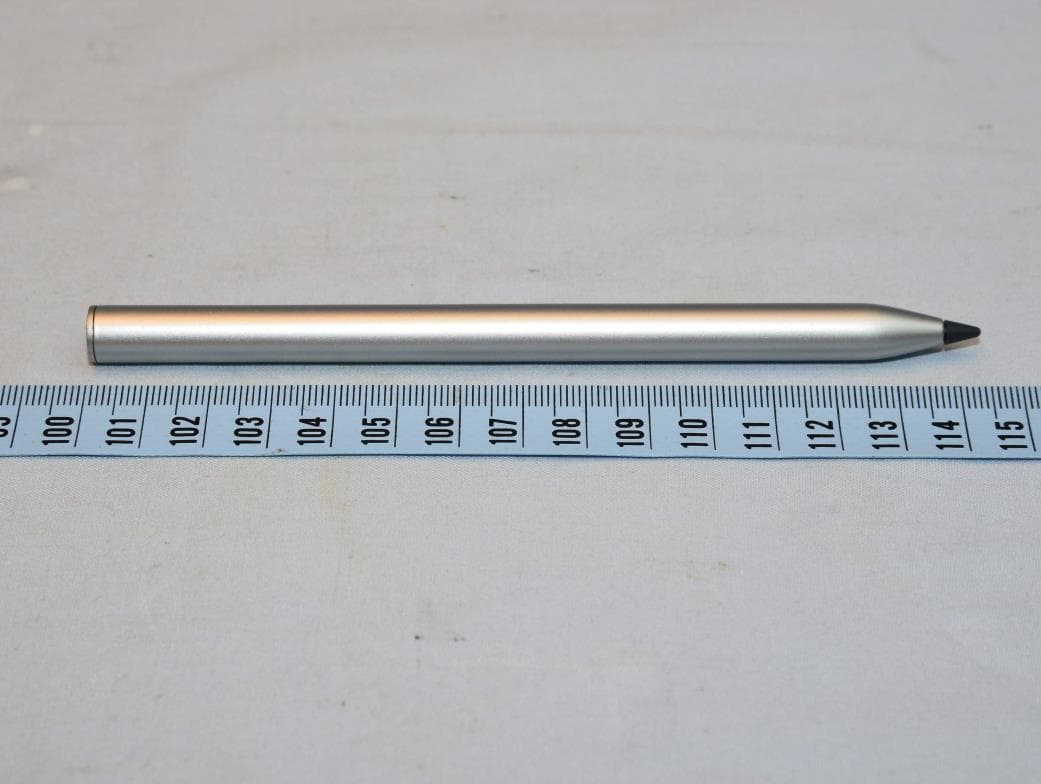
E8HTPA-C002P
Aug 09, 2021HP Wireless Rechargeable USI Pen
Equipment Class
DXX - Part 15 Low Power Communication Device Transmitter