E8HKT-1255Bluetooth Keyboard
Chicony Electronics Co Ltd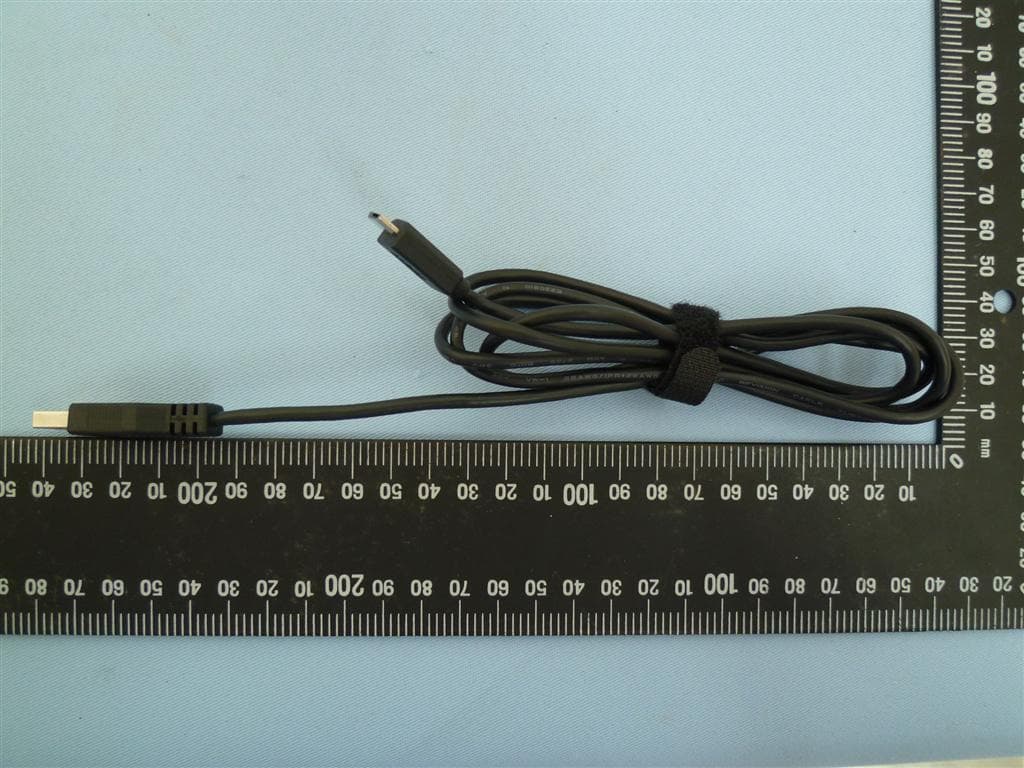
Click to zoom
Application Details
- Equipment Class
- DSS - Part 15 Spread Spectrum Transmitter
- Date of Grant
- Apr 02, 2013
- Application Purpose
- Original Equipment
- Date of Application
- Apr 01, 2013
- Equipment Note
- Bluetooth Keyboard
- Frequency Range
- 2402.00000000 - 2480.00000000
- Company
- Chicony Electronics Co Ltd
- Country
- Taiwan
Documents & Files
Document Text
Text extracted from the exhibit documents filed with the FCC. Open a document above to read the original.
Users Manual
UserGuide ThinkPadCompactUSBKeyboardwithTrackPointandThinkPad CompactBluetoothKeyboardwithTrackPoint http://www.lenovo.com/safety Note:Beforeinstallingtheproduct,besuretoreadthewarrantyinformationinAppendixB“LenovoLimited Warranty”onpage27 . FirstEdition(April2013) ©CopyrightLenovo2013. LIMITEDANDRESTRICTEDRIGHTSNOTICE:IfdataorsoftwareisdeliveredpursuantaGeneralServicesAdministration “GSA”contract,use,reproduction,ordisclosureissubjecttorestrictionssetforthinContractNo.GS-35F-05925. Contents Chapter1.Abouttheuserguide....1 Chapter2.ThinkPadCompactUSB KeyboardwithTrackPoint.......3 Productdescription..............3 Frontview................3 Rearview................4 Systemrequirements.............4 InstallingtheUSBkeyboard..........5 InstallingthedevicedriveronWindowsoperating systems..................5 UninstallingthedevicedriverfromWindows operatingsystems..............5 UsingtheUSBkeyboard............6 UsingtheTrackPoint...........6 Replacingthepointingstickcap.......7 Changingthepointingsticksensitivity....7 UsingtheThinkPadpreferredscrolling function................7 Usingthefunctionkeys..........7 Troubleshooting...............9 Productspecifications............11 Chapter3.ThinkPadCompact BluetoothKeyboardwith TrackPoint...............13 Productdescription.............13 Frontview...............13 Rearview...............14 Systemrequirements............15 PairingtheBluetoothkeyboardwiththe computer.................15 InstallingthedevicedriveronWindowsoperating systems.................17 UninstallingthedevicedriverfromWindows operatingsystems.............17 UsingtheBluetoothkeyboard.........18 UsingtheTrackPoint..........18 Replacingthepointingstickcap......19 Changingthepointingsticksensitivity...19 UsingtheThinkPadpreferredscrolling function...............19 ChargingtheBluetoothkeyboard.....19 Usingthefunctionkey..........19 Troubleshooting..............21 Productspecifications............24 AppendixA.ServiceandSupport...25 Onlinetechnicalsupport...........25 Telephonetechnicalsupport.........25 AppendixB.LenovoLimited Warranty................27 Part1-GeneralTerms...........27 Part2-Country-specificTerms........30 Part3-WarrantyServiceInformation......32 SuplementodeGarantíaparaMéxico......33 AppendixC.Electronicemission notices................35 FederalCommunicationsCommissionDeclaration ofConformity...............35 AppendixD.Notices..........39 Trademarks................39 Recyclinginformation............39 RecyclinginformationforBrazil........40 AppendixE.RestrictionofHazardous SubstancesDirective(RoHS).....41 EuropeanUnionRoHS...........41 ChinaRoHS................41 TurkishRoHS...............41 UkraineRoHS...............41 IndiaRoHS................41 ©CopyrightLenovo2013 i iiUserGuide Chapter1.Abouttheuserguide Thisuserguidecontainsproductdescriptionsandinstructionsforinstallingandusingthefollowingproducts: •ThinkPad ® CompactUSBKeyboardwithTrackPoint ® •ThinkPadCompactBluetoothKeyboardwithTrackPoint ©CopyrightLenovo2013 1 2UserGuide Chapter2.ThinkPadCompactUSBKeyboardwithTrackPoint ThischapterprovidesinformationabouttheThinkPadCompactUSBKeyboardwithTrackPoint(hereafter calledtheUSBkeyboard). TheUSBkeyboardhasthefollowingfeatures: •Asmartsizesavesyourdeskspace •AnintegratedTrackPointconsistingofapointingstickandthreeclickbuttonseliminatestheneeds foranexternalmouse •Functionkeysprovideshortcutsforsomecommoncomputerfunctions Theoptionpackageincludes: •ThinkPadCompactUSBKeyboardwithTrackPoint •Setupandwarrantyposter •Cable Productdescription ThistopicprovidesageneraldescriptionoftheUSBkeyboard. Frontview Figure1.FrontviewoftheUSBkeyboard 1Hotkeys Usedasshortcutsforsomecommoncomputerfunctions.Formoreinformation,see“UsingtheFn functions”onpage7. 2TrackPoint TheTrackPointconsistsofapointingstickandthreeclickbuttons.Formoreinformation,see““Usingthe TrackPoint”onpage6. ©CopyrightLenovo2013 3 Rearview Figure2.RearviewoftheUSBkeyboard 1Non-skidfeet UsedtopreventtheUSBkeyboardfromunexpectedmoving. 2Statusindicator WhentheUSBkeyboardissuccessfullyconnectedwiththecomputer,thestatusindicatorissolidon. 3MicroUSBconnector UsedtoconnecttheUSBkeyboardtoacomputer.Formoreinformation,see“InstallingtheUSBkeyboard” onpage5. 4Identificationlabel Containsthepartnumber,versionnumber,andsomeotherproductinformation. 5Tiltfeet Usedtoadjusttheangleofthekeyboardtoprovidecomfort. Systemrequirements BeforeinstallingtheUSBkeyboard,ensurethatyourcomputermeetsthefollowingrequirements: •ThereisanavailableUSBconnectoronyourcomputer. •Yourcomputerhasoneofthefollowingoperatingsystemsinstalled: –Microsoft ® Windows ® XP(32-bit) –MicrosoftWindowsVista(32-bitor64-bit) –MicrosoftWindows7(32-bitor64-bit) –MicrosoftWindows8(32-bitor64–bit) 4UserGuide BeforeinstallingtheUSBkeyboard,itisrecommendedthatyouchecktheLenovo ® SupportWebsiteforthe latestsoftwareupdates,includingupdatedbasicinput/outputsystemcode(BIOS),utilityprograms,device drivers,andothersoftwareupdates.YoucanfindtheLenovoSupportWebsiteat: http://www.lenovo.com/support YouareresponsiblefordownloadingandinstallingdesignatedsoftwareupdatesfromtheSupportWebsite orotherelectronicmedia,andfollowingtheinstructionsprovidedbyyourServiceProvider. InstallingtheUSBkeyboard ToinstalltheUSBkeyboard,dothefollowing: 1.Adjustthetiltfeettosetthekeyboardnearyourcomputertoyourpreference. 2.ConnecttheprovidedcabletoanavailableUSBconnectoronyourcomputer.Aftertheoperating systemidentifiestheUSBkeyboard,thestatusindicatorontheUSBkeyboardturnson.TheUSB keyboardisreadyforuse. Note:ItisrecommendedthatyouinstalltheUSBkeyboardbeforetheThinkPadCompactKeyboardwith TrackPointdriver(hereaftercalledtheThinkpadKeyboardSuite). InstallingthedevicedriveronWindowsoperatingsystems ItisrecommendedthatyouinstalltheThinkPadKeyboardSuitetocustomizeadvancedsettingsbeforeyou usetheUSBkeyboard. IfyouareusingtheWindows7orWindows8operatingsystem,andyourcomputerisconnectedtothe Internet,whenyouconnecttheUSBkeyboardtoyourcomputerforthefirsttime,amessagewillbe displayedaskingifyouwanttoinstalltheThinkPadKeyb…
Text truncated - open the document above for the full version.
External Photos
ATTACHMENT Photo Documentation Page 1 of 8 Report No.: 10040968 001 Product: ThinkPad Compact Bluetooth Keyboard with TrackPoint Type Designation: KT-1255 ATTACHMENT Photo Documentation Page 2 of 8 Report No.: 10040968 001 Product: ThinkPad Compact Bluetooth Keyboard with TrackPoint Type Designation: KT-1255
ID Label/Location Info
25mm 130.5mm Mylar label Symbols and text: PMS Cool Gray 9C - Background Raven Black - Matte Texture Made in China The Windows logo is a registered trademark of Microsoft Corporation Title: ThinkPad Wireless Keyboard bottom label Designer: Peter Rane Scale: 1:1 Date: 1/30/2013 Project: ThinkPad Wireless N14608
Internal Photos
ATTACHMENT Photo Documentation Page 3 of 8 Report No.: 10040968 001 Product: ThinkPad Compact Bluetooth Keyboard with TrackPoint Type Designation: KT-1255 ATTACHMENT Photo Documentation Page 4 of 8 Report No.: 10040968 001 Product: ThinkPad Compact Bluetooth Keyboard with TrackPoint Type Designation: KT-1255 ATTACHMENT Photo Documentation Page 5 of 8 Report No.: 10040968 001 Product: ThinkPad Compact Bluetooth Keyboard with TrackPoint Type Designation: KT-1255 ATTACHMENT Photo Documentation Page 6 of 8 Report No.: 10040968 001 Product: ThinkPad Compact Bluetooth Keyboard with TrackPoint Type Designation: KT-1255 ATTACHMENT Photo Documentation Page 7 of 8 Report No.: 10040968 001 Product: ThinkPad Compact Bluetooth Keyboard with TrackPoint Type Designation: KT-1255 ATTACHMENT Photo Documentation Page 8 of 8 Report No.: 10040968 001 Product: ThinkPad Compact Bluetooth Keyboard with TrackPoint Type Designation: KT-1255
Test Report
Produkte Products Prüfbericht - Nr.: Test Report No. 10040968 001 Seite 2 von 37 Page 2 of 37 TEST SUMMARY 5.1.1 ANTENNA REQUIREMENT RESULT: Passed 5.1.2 P EAK OUTPUT POWER RESULT: Passed 5.1.3 20 DB BANDWIDTH RESULT: Passed 5.1.4 99% BANDWIDTH RESULT: Passed 5.1.5 C ONDUCTED SPURIOUS EMISSIONS AND FREQUENCY BAND EDGE MEASURED IN 100KHZ BANDWIDTH RESULT: Passed 5.1.6 S PURIOUS EMISSION RESULT: Passed 5.1.7 F REQUENCY SEPARATION RESULT: Passed 5.1.8 N UMBER OF HOPPING FREQUENCY RESULT: Passed 5.1.9 T IME OF OCCUPANCY RESULT: Passed 6.1.1 E LECTROMAGNETIC FIELDS RESULT: Passed Produkte Products Prüfbericht - Nr.: Test Report No. 10040968 001 Seite 3 von 37 Page 3 of 37 Contents 1. GENERAL REMARKS ......................................................................................................... 4 1.1 C OMPLEMENTARY MATERIALS .......................................................................................... 4 2. T EST SITES ...................................................................................................................... 5 2.1 T EST FACILITIES ............................................................................................................... 5 2.2 L IST OF TEST AND MEASUREMENT INSTRUMENTS ............................................................... 6 2.3 T RACEABILITY .................................................................................................................. 6 2.4 C ALIBRATION ................................................................................................................... 7 2.5 M EASUREMENT UNCERTAINTY........................................................................................... 7 3. G ENERAL PRODUCT INFORMATION .................................................................................... 8 3.1 P RODUCT FUNCTION AND INTENDED USE ........................................................................... 8 3.2 R ATINGS AND SYSTEM DETAILS ........................................................................................ 8 3.3 I NDEPENDENT OPERATION MODES .................................................................................... 9 3.4 N OISE GENERATING AND NOISE SUPPRESSING PARTS ..................................................... 10 3.5 S UBMITTED DOCUMENTS ................................................................................................ 10 4. T EST SET-UP AND OPERATION MODES ............................................................................ 11 4.1 P RINCIPLE OF CONFIGURATION SELECTION ...................................................................... 11 4.2 T EST OPERATION AND TEST SOFTWARE .......................................................................... 11 4.3 S PECIAL ACCESSORIES AND AUXILIARY EQUIPMENT ........................................................ 11 4.4 C OUNTERMEASURES TO ACHIEVE EMC COMPLIANCE ....................................................... 12 4.5 T EST SETUP DIAGRAM .................................................................................................... 12 5. T EST RESULTS ............................................................................................................... 14 5.1 T RANSMITTER REQUIREMENT & TEST SUITES .................................................................. 14 5.1.1 Antenna Requirement ................................................................................................................ 14 5.1.2 Peak Output Power .................................................................................................................... 15 5.1.3 20dB Bandwidth ......................................................................................................................... 18 5.1.4 99% Bandwidth .......................................................................................................................... 21 5.1.5 Conducted spurious emissions and Frequency Band Edge measured in 100kHz Bandwidth .. 24 5.1.6 Spurious Emission ..................................................................................................................... 27 5.1.7 Frequency Separation ................................................................................................................ 28 5.1.8 Number of hopping frequency .................................................................................................... 30 5.1.9 Time of Occupancy .................................................................................................................... 32 6. S AFETY HUMAN EXPOSURE ............................................................................................. 34 6.1 R ADIO FREQUENCY EXPOSURE COMPLIANCE ................................................................... 34 6.1.1 Electromagnetic Fields ............................................................................................................... 34 7. P HOTOGRAPHS OF THE TEST SET-UP .............................................................................. 35 8. L IST OF TABLES ............................................................................................................. 37 9. L IST OF PHOTOGRAPHS .................................................................................................. 37 Produkte Products Prüfbericht - Nr.: Test Report No. 10040968 001 Seite 4 von 37 Page 4 of 37 1. General Remarks 1.1 Complementary Materials All attachments are integral parts of this test report. This applies especially to the following appendix: Appendix 1: Photo (File:10040968APPENDIX1) Appendix 2: Test Result of Radiated Emissions (File:10040968APPENDIX2) Test Specifications The following standards were applied (in bold: product standards, otherwise: basic standards). Table 1: Applied Standard and Test Levels Radio FCC CFR47 Part 15: Subpart C Section 15.247 Produkte Products Prüfbericht - Nr.: Test Report No. 10040968 001 Seite 5 von 3…
Text truncated - open the document above for the full version.
Test Setup Photos
Produkte Products Prüfbericht - Nr.: Test Report No. 10040968 001 Seite 35 von 37 Page 35 of 37 7. Photographs of the Test Set-Up Photograph 1: Set-up for Spurious Emissions (Front View) Photograph 2: Set-up for Spurious Emissions (Back View 1) Produkte Products Prüfbericht - Nr.: Test Report No. 10040968 001 Seite 36 von 37 Page 36 of 37 Photograph 3: Set-up for Spurious Emissions (Back View 2) Photograph 4: Set-up for Conducted testing
Contact Information
Applicant
T. S. Chen(Manager)
Test Firm
TUV Rheinland Taiwan Ltd.Spring Wang
Technical Specifications
| # | Rule Parts | Frequency Range | Power Output |
|---|---|---|---|
| 1 | 15C | 2.40 GHz - 2.48 GHz | 1.80 mW |
Other Applications from Chicony Electronics Co Ltd
E8HWBS23B5LUB
Sep 19, 2023USI Rechargeable Active Pen
Equipment Class
DXX - Part 15 Low Power Communication Device Transmitter
E8HRG-2308
Sep 19, 2023Dongle
Equipment Class
DXX - Part 15 Low Power Communication Device Transmitter
E8HMG-2308
Sep 19, 2023Gaming Mouse
Equipment Class
DXX - Part 15 Low Power Communication Device Transmitter
E8HKC-2227
Feb 01, 2023Gaming Keyboard
Equipment Class
DTS - Digital Transmission System
E8HTPA-C002P
Aug 09, 2021HP Wireless Rechargeable USI Pen
Equipment Class
DXX - Part 15 Low Power Communication Device Transmitter