E8HMR-0238TWireless Mouse
Chicony Electronics Co Ltd
Click to zoom
Application Details
- Equipment Class
- DXX - Part 15 Low Power Communication Device Transmitter
- Date of Grant
- Aug 29, 2006
- Application Purpose
- Original Equipment
- Date of Application
- Aug 29, 2006
- Equipment Note
- Wireless Mouse
- Frequency Range
- 26.99500000 - 27.04500000
- Company
- Chicony Electronics Co Ltd
- Country
- Taiwan
Documents & Files
Document Text
Text extracted from the exhibit documents filed with the FCC. Open a document above to read the original.
Users Manual
A. FEDERAL COMMUNICATIONS COMMISSION (FCC) STATEMENT This equipment has been tested and found to comply with the limits for a Class B digital device, Pursuant to Part 15 the FCC rules. These limits are designed to provide reasonable protection against harmful interference in a residential installation. This equipment generates, uses and can radiate radio frequency energy and, if not installed and used in accordance with the instructions, may cause harmful interference to radio communications. However, there is no guarantee that interference will not occur in a particular installation. If this equipment does cause harmful interference will not occur in a particular installation. If this equipment does cause harmful interference to radio or television reception, which can be determined by turning the equipment off and on, the user is encouraged to try to correct the interference by one or more of the following measures: • Reorient or relocate the receiving antenna. • Increase the separation between the equipment and receiver. • Connect the equipment into an outlet on a circuit different from that to which the receiver is connected. • Consult the dealer or an experienced radio/TV technician for help. This device complies with part 15 of the FCC rules. Operation is subject to the following two conditions: (1) This device may not cause harmful interference, and (2) This device must accept any interference received, including interference that may cause undesired operation. WARNING: Use only shielded cables to connect I/O devices to this equipment. You are cautioned that changes or modifications not expressly approved by the party responsible for compliance could void your authority to operate the equipment. CAUTION: AVOID PROLONGED USE OF THE KEYBOARD WITHOUT BREAKS. Take regular breaks and keep a good posture. Consult your physician promptly if you notice any lost of motion or pain in your wrist when using the keyboard. INFORMATION FOR OPTICAL POINTING DEVICES ONLY : User-observable light is 15 micro-watts in normal operation. This product has been tested to comply with international Standard IEC 60825-1:(1993), incid. Amd.2(2001). This product uses LEDs that are inherently Class 1. Class 1 LED Product Contents Getting Started Features Preparing Keyboard, mouse and receiver Hardware Installation -- Connect the receiver +--- USB Interface -- Inserting batteries +--- Inserting batteries into mouse +--- Inserting batteries into keyboard -- Setting frequency channel or ID +--- Setting frequency channel on keyboard and mouse +--- Setting ID on keyboard and mouse Software Installation -- Installing software for mouse -- Installing software for keyboard Displaying keyboard Modes Working with keyboard and mouse -- Using mouse wheel -- Keyboard battery indicator -- Writing using the keyboard -- Cleaning the keyboard and the mouse Product Specification Troubleshooting and tips Getting Started Thank you for choosing this Wireless keyboard and Mouse Kits. It operates with digital radio technology to ensure no hinder communication between the keyboard, the mouse and your computer without connecting cable. The transmission and receiving of keyboard and mouse are free from angle restriction. There are two frequency channels each for keyboard and mouse to prevent malfunctions when you operate several radio transmission devices simultaneously. Features . Complies with Directive 1995/5/EC of the European Parliament and Commission. . Complies with the mutual recognition of conformity 1999 for radio and telecommunications Equipment. . Manufactured with environmental friendly recycled materials. . Fully compliant with original USB version 1.0 and 1.1. Preparing Keyboard, mouse and receiver Before working with your new keyboard and mouse, look at the “Hardware Installation” , and take a few one-time preparations. Hardware Installation Place the receiver at least 20 cm from other electrical devices (e.g. monitor) to achieve optimum performance. The distance between the keyboard, mouse and receiver should not exceed 5 feet. Do not place the receiver on metal surfaces. Step 1: Connect the receiver 1. Plug the receiver connector into an USB port. 2. SYSTEM will take around 10 sec to find your keyboard and mouse automatically. (PS : If your OS is Windows® 98, please follow the screen instruction to complete your keyboard and mouse installation) 3. Please keep your receiver from the other electrical devices about 8 inches. The other electrical devices may influence your receiver sensitivity. 4. Put two batteries into your keyboard battery chamber, and another two batteries into your mouse battery chamber. Setp 2: Insert batteries . Inserting batteries in mouse The mouse requires two alkaline batteries (AA or AAA). (1) Please remove the battery compartment cover on the bottom of the mouse. (2) Insert the two alkaline batteries (AA or AAA) in the battery compartment. (3) Fix the battery compartment cover (1) on the bottom of mouse again Dangerous!! Please only use batteries of the same type. . Inserting batteries in keyboard The keyboard requires two alkaline batteries (AA). (1) Remove the battery compartment cover (1) on the bottom of the keyboard by pushing it in the direction of arrow. (2) Insert two AA batteries. The illustration in the battery compartment (2) shows how to insert the batteries properly. (3) Recover the battery compartment by pushing the locking lug (2) under the battery compartment. Note: Please do not push the channel setting button (3) at one side of the battery compartment cover. It may cause the channel or ID change. It is the same to mouse and keyboard. Setp 3: Setting frequency channel or ID For the radio connection, set the keyboard to receiver, and mouse to receiver, with the same frequency channel and ID. Different ID can keep the keyboard and mouse working well in the same frequency or channel. There are 255 IDs for both keyboard and mouse. Change the frequency or channel may prevent interf…
Text truncated - open the document above for the full version.
External Photos
Page 1 CONSTRUCTION PHOTOS OF EUT
ID Label/Location Info
FCC ID: E8HMR-0238T FCC LABEL LOCATION The label will be permanently affixed at a conspicuous location on the device. LABEL
Internal Photos
Page 2 Page 3 Page 4 Page 5
Operational Description
FCC ID: E8HMR-0238T Report No.: RF950811A13 Operational Description The transmitter of the EUT (Wireless Mouse) is powered by 3.0Vdc batteries. The type of antenna is Printed antenna. The output power of this device is very low. Under normal use condition, the transmitter and the receiver are quite close, so high EIRP power is neither necessary nor allowed because of interference.
Test Report
Report No.: RF950811A131Report Format Version 2.0.5 FCC TEST REPORT REPORT NO.: RF950811A13 MODEL NO.: MSR0238T RECEIVED: Aug. 11, 2006 TESTED: Aug. 15, 2006 ISSUED: Aug. 18, 2006 APPLICANT:Chicony Electronics Co., Ltd. ADDRESS: No. 25, Wu-Gong 6th Rd., Wu Ku Industrial Park, Taipei Hsien, Taiwan, R.O.C. ISSUED BY: Advance Data Technology Corporation LAB ADDRESS: No. 47, 14th Ling, Chia Pau Tsuen, Lin Kou Hsiang 244, Taipei Hsien, Taiwan, R.O.C. This test report consists of 15 pages in total. It may be duplicated completely for legal use with the approval of the applicant. It should not be reproduced except in full, without the written approval of our laboratory. The client should not use it to claim product endorsement by CNLA, A2LA or any government agencies. The test results in the report only apply to the tested sample. Report No.: RF950811A132Report Format Version 2.0.5 Table of Contents 1CERTIFICATION.............................................................................................3 2SUMMARY OF TEST RESULTS.....................................................................4 2.1MEASUREMENT UNCERTAINTY..................................................................4 3GENERAL INFORMATION.............................................................................5 3.1GENERAL DESCRIPTION OF EUT................................................................5 3.1DESCRIPTION OF TEST MODES..................................................................6 3.2CONFIGURATION OF SYSTEM UNDER TEST.............................................6 3.2.1 TEST MODE APPLICABILITY AND TESTED CHANNEL DETAIL..................7 3.3GENERAL DESCRIPTION OF APPLIED STANDARDS.................................7 3.4DESCRIPTION OF SUPPORT UNITS............................................................7 4TEST PROCEDURE AND RESULT................................................................8 4.1CONDUCTED EMISSION MEASUREMENT..................................................8 4.2RADIATED EMISSION MEASUREMENT.......................................................8 4.2.1LIMITS OF RADIATED EMISSION MEASUREMENT.....................................8 4.2.2TEST INSTRUMENT.......................................................................................9 4.2.3TEST PROCEDURE.....................................................................................10 4.2.4TEST SETUP.................................................................................................11 4.2.5EUT OPERATING CONDITION.....................................................................11 4.2.6TEST RESULT..............................................................................................12 5INFORMATION ON THE TESTING LABORATORIES..................................14 APPENDIX-A....................................................................................................A-1 Report No.: RF950811A133Report Format Version 2.0.5 1 CERTIFICATION PRODUCT: Wireless Mouse BRAND NAME: Chicony MODEL NO.: MSR0238T APPLICANT: Chicony Electronics Co., Ltd. TEST SAMPLE: ENGINEERING SAMPLE TESTED: Aug. 15, 2006 STANDARDS: FCC Part 15, Subpart C (Section 15.227) ANSI C63.4 -2003 RSS-310 Issued 1 (September 2005) RSS-Gen Issued 1 (September 2005) The above equipment has been tested by Advance Data Technology Corporation, and found compliance with the requirement of the above standards. The test record, data evaluation & Equipment Under Test (EUT) configurations represented herein are true and accurate accounts of the measurements of the sample’s EMC characteristics under the conditions specified in this report. PREPARED BY:, DATE:Aug. 18, 2006 ( Annie Chang ) TECHNICAL ACCEPTANCE :, DATE:Aug. 18, 2006 Responsible for RF ( Ken Liu ) APPROVED BY:, DATE:Aug. 18, 2006 ( Gary Chang / Supervisor ) Report No.: RF950811A134Report Format Version 2.0.5 2 SUMMARY OF TEST RESULTS The EUT has been tested according to the following specifications: APPLIED STANDARD: FCC Part 15, Subpart C STANDARD PARAGRAPH TEST TYPERESULTREMARK 15.207Conducted Emission TestN/A Power supply is 3Vdc from batteries 15.227 15.209 Radiated Emission TestPASS Minimum passing margin is –8.66dB at 30.00MHz 2.1 MEASUREMENT UNCERTAINTY Where relevant, the following measurement uncertainty levels have been estimated for tests performed on the EUT as specified in CISPR 16-4: This uncertainty represents an expanded uncertainty expressed at approximately the 95% confidence level using a coverage factor of k=2. MeasurementUncertainty Radiated emissions3.55 dB Report No.: RF950811A135Report Format Version 2.0.5 3 GENERAL INFORMATION 3.1GENERAL DESCRIPTION OF EUT PRODUCT Wireless Mouse MODEL NO. MSR0238T FCC ID E8HMR-0238T POWER SUPPLY 3.0Vdc from batteries MODULATION TYPE FSK CARRIER FREQUENCY OF EACH CHANNEL 26.995 MHz, 27.045 MHz NUMBER OF CHANNEL 2 ANTENNA TYPE Loop antenna DATA CABLE NA I/O PORTS NA ASSOCIATED DEVICES NA NOTE: 1. The EUT is a Wireless Mouse, which is a transmitter. 2. The above EUT information was declared by manufacturer and for more detailed features description, please refer to the manufacturer's specifications or User's Manual. Report No.: RF950811A136Report Format Version 2.0.5 3.1 DESCRIPTION OF TEST MODES Two channels were provided to this EUT ChannelFrequency (MHz) 126.995MHz 227.045MHz NOTE: Channel 1 was selected as the representative mode and its data was recorded in this report. 3.2 CONFIGURATION OF SYSTEM UNDER TEST Test Table (Powered from batteries) Mechanical tool EUT (Mouse) Report No.: RF950811A137Report Format Version 2.0.5 3.2.1 TEST MODE APPLICABILITY AND TESTED CHANNEL DETAIL Applicable to EUT configure mode PLCRE<1G Description -Note√N/A Where PLC: Power Line Conducted EmissionRE<1G RE: Radiated Emission below 1GHz Note: No need to concern of Conducted Emission due to the EUT is powered by battery. Radiated Emission Test (Below 1 GHz): Following channel(s) was (were) selected for the final test as listed below. 3.3 GENERAL DES…
Text truncated - open the document above for the full version.
Test Setup Photos
Report No.: RF950811A1314Report Format Version 2.0.5 5 PHOTOGRAPHS OF THE TEST CONFIGURATION RADIATED EMISSION TEST
Contact Information
Applicant
T. S. Chen(Manager)
Technical Contact
Advance Data Technology Corporation (Hwa Ya)Gary Chang
[email protected]886-3-3183232
No. 19, Hwa Ya 2nd Rd., Kwei Shan Hsiang · Taoyuan Hsien · Taiwan
Non-Technical Contact
Advance Data Technology CorporationAnnie Chang
[email protected]886-2-2605-2180
Test Firm
Bureau Veritas CPS (H.K.) Ltd. Taoyuan BranchTommy Wu
Technical Specifications
| # | Rule Parts | Frequency Range | Power Output |
|---|---|---|---|
| 1 | 15C | 26.995 MHz - 27.045 MHz | - |
Other Applications from Chicony Electronics Co Ltd
E8HWBS23B5LUB
Sep 19, 2023USI Rechargeable Active Pen
Equipment Class
DXX - Part 15 Low Power Communication Device Transmitter
E8HRG-2308
Sep 19, 2023Dongle
Equipment Class
DXX - Part 15 Low Power Communication Device Transmitter
E8HMG-2308
Sep 19, 2023Gaming Mouse
Equipment Class
DXX - Part 15 Low Power Communication Device Transmitter
E8HKC-2227
Feb 01, 2023Gaming Keyboard
Equipment Class
DTS - Digital Transmission System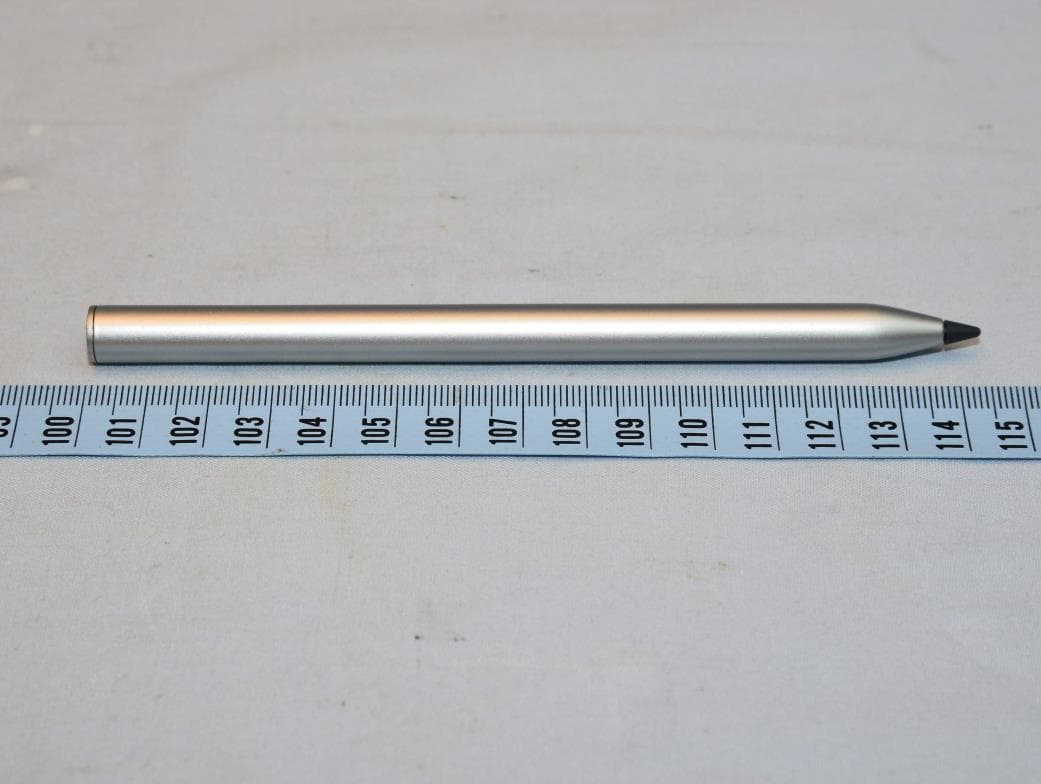
E8HTPA-C002P
Aug 09, 2021HP Wireless Rechargeable USI Pen
Equipment Class
DXX - Part 15 Low Power Communication Device Transmitter