E8HTG-1215Wireless Trackpad
Chicony Electronics Co Ltd
Click to zoom
Application Details
- Equipment Class
- DXX - Part 15 Low Power Communication Device Transmitter
- Date of Grant
- Jul 18, 2012
- Application Purpose
- Original Equipment
- Date of Application
- Jul 18, 2012
- Equipment Note
- Wireless Trackpad
- Frequency Range
- 2403.00000000 - 2480.00000000
- Company
- Chicony Electronics Co Ltd
- Country
- Taiwan
Documents & Files
Document Text
Text extracted from the exhibit documents filed with the FCC. Open a document above to read the original.
Users Manual
252-01215L-A01
Users Manual
TP713 Getting started with DELL Wireless Trackpad 設定您的觸控盤设定您的触控盘 Trackpad gestures 1. One nger slide or tap – point, move. *Left edge: Recent Apps. *Right edge: Windows Charms. *Bottom edge: App Bar. 2. Two ngers swipe – vertical and horizontal scrolling. *Zoom: Enable. *Rotate: Enable. *Vertical – Up: Nothing. *Vertical – Down: Nothing. *Horizontal – Left: Nothing. *Horizontal – Right: Nothing. 3. Three ngers swipe – page navigation. *Vertical – Up: App Search. *Vertical – Down: Windows Start. *Horizontal – Left: Snap windows Left. *Horizontal – Right: Snap windows Right. Trackpad features 4. Left button click Press the left button for mouse click. 5. Right button click Press the right button for right-button mouse click. 6. Both Buttons Press both buttons for the middle button click. 7. Tap to select Enable tap to select. English Trackpad gestures 1. One nger slide or tap – point, move. *Left edge: Recent Apps. *Right edge: Windows Charms. *Bottom edge: App Bar. 2. Two ngers swipe – vertical and horizontal scrolling. *Zoom: Enable. *Rotate: Enable. *Vertical – Up: Nothing. *Vertical – Down: Nothing. *Horizontal – Left: Nothing. *Horizontal – Right: Nothing. 3. Three ngers swipe – page navigation. *Vertical – Up: App Search. *Vertical – Down: Windows Start. *Horizontal – Left: Snap windows Left. *Horizontal – Right: Snap windows Right. Trackpad features 4. Left button click Press the left button for mouse click. 5. Right button click Press the right button for right-button mouse click. 6. Both Buttons Press both buttons for the middle button click. 7. Tap to select Enable tap to select. English Trackpad gestures 1. One nger slide or tap – point, move. *Left edge: Recent Apps. *Right edge: Windows Charms. *Bottom edge: App Bar. 2. Two ngers swipe – vertical and horizontal scrolling. *Zoom: Enable. *Rotate: Enable. *Vertical – Up: Nothing. *Vertical – Down: Nothing. *Horizontal – Left: Nothing. *Horizontal – Right: Nothing. 3. Three ngers swipe – page navigation. *Vertical – Up: App Search. *Vertical – Down: Windows Start. *Horizontal – Left: Snap windows Left. *Horizontal – Right: Snap windows Right. Trackpad features 4. Left button click Press the left button for mouse click. 5. Right button click Press the right button for right-button mouse click. 6. Both Buttons Press both buttons for the middle button click. 7. Tap to select Enable tap to select. English Trackpad gestures 1. One nger slide or tap – point, move. *Left edge: Recent Apps. *Right edge: Windows Charms. *Bottom edge: App Bar. 2. Two ngers swipe – vertical and horizontal scrolling. *Zoom: Enable. *Rotate: Enable. *Vertical – Up: Nothing. *Vertical – Down: Nothing. *Horizontal – Left: Nothing. *Horizontal – Right: Nothing. 3. Three ngers swipe – page navigation. *Vertical – Up: App Search. *Vertical – Down: Windows Start. *Horizontal – Left: Snap windows Left. *Horizontal – Right: Snap windows Right. Trackpad features 4. Left button click Press the left button for mouse click. 5. Right button click Press the right button for right-button mouse click. 6. Both Buttons Press both buttons for the middle button click. 7. Tap to select Enable tap to select. English Trackpad gestures 1. One nger slide or tap – point, move. *Left edge: Recent Apps. *Right edge: Windows Charms. *Bottom edge: App Bar. 2. Two ngers swipe – vertical and horizontal scrolling. *Zoom: Enable. *Rotate: Enable. *Vertical – Up: Nothing. *Vertical – Down: Nothing. *Horizontal – Left: Nothing. *Horizontal – Right: Nothing. 3. Three ngers swipe – page navigation. *Vertical – Up: App Search. *Vertical – Down: Windows Start. *Horizontal – Left: Snap windows Left. *Horizontal – Right: Snap windows Right. Trackpad features 4. Left button click Press the left button for mouse click. 5. Right button click Press the right button for right-button mouse click. 6. Both Buttons Press both buttons for the middle button click. 7. Tap to select Enable tap to select. English Trackpad gestures 1. One nger slide or tap – point, move. *Left edge: Recent Apps. *Right edge: Windows Charms. *Bottom edge: App Bar. 2. Two ngers swipe – vertical and horizontal scrolling. *Zoom: Enable. *Rotate: Enable. *Vertical – Up: Nothing. *Vertical – Down: Nothing. *Horizontal – Left: Nothing. *Horizontal – Right: Nothing. 3. Three ngers swipe – page navigation. *Vertical – Up: App Search. *Vertical – Down: Windows Start. *Horizontal – Left: Snap windows Left. *Horizontal – Right: Snap windows Right. Trackpad features 4. Left button click Press the left button for mouse click. 5. Right button click Press the right button for right-button mouse click. 6. Both Buttons Press both buttons for the middle button click. 7. Tap to select Enable tap to select. English Trackpad gestures 1. One nger slide or tap – point, move. *Left edge: Recent Apps. *Right edge: Windows Charms. *Bottom edge: App Bar. 2. Two ngers swipe – vertical and horizontal scrolling. *Zoom: Enable. *Rotate: Enable. *Vertical – Up: Nothing. *Vertical – Down: Nothing. *Horizontal – Left: Nothing. *Horizontal – Right: Nothing. 3. Three ngers swipe – page navigation. *Vertical – Up: App Search. *Vertical – Down: Windows Start. *Horizontal – Left: Snap windows Left. *Horizontal – Right: Snap windows Right. Trackpad features 4. Left button click Press the left button for mouse click. 5. Right button click Press the right button for right-button mouse click. 6. Both Buttons Press both buttons for the middle button click. 7. Tap to select Enable tap to select. English 1 2 3 English The DELL Orbiting receiver Plug it. Forget it. Add to it. Your new DELL product ships with a DELL Orbiting receiver. Did you know you can add a compatible DELL wireless device that uses the same receiver as your current DELL Orbiting product? Are you Orbiting-ready? If you have a DELL wireless device that’s Orbiting-ready, you can pair it with additional Orbiting devices. Just a look for the orange Orbiting logo on the new device or its packag…
Text truncated - open the document above for the full version.
Users Manual
RG-1216 RG-1216 RG-1216 ERXXXXXXX/12 ESD-XXXXXXX XXXX/2012/WRLO XXXXXXXXXX XXXXX 2012/XXX 201- XXXXXXXX
Cover Letter(s)
Chicony Electronics Co., Ltd. NO. 25, Wu-Gong 6th Rd., Wugu Dist., New Taipei City 248, Taiwan, R.O.C Tel: 886-2-22988120 Fax: 886-2-22989745 Federal Communications Commission Authorization and Evaluation Division Date: 7/18/2012 Confidentiality Request FCC ID: E8HTG-1215 Pursuant to Sections 0.457 and 0.459 of the Commission’s Rules, the Applicant hereby requests confidential treatment of information accompanying this Application as outlined below: Schematics Block Diagram The above materials contain trade secrets and proprietary information not customarily released to the public. The public disclosure of these matters might be harmful to the Applicant and provide unjustified benefits to its competitors. The Applicant understands that pursuant to Rule 0.457, disclosure of this Application and all accompanying documentation will not be made before the date of the Grant for this application. Thank you! Sincerely yours, ------------------------------------------ T.S.Chen / Manager Chicony Electronics Co., Ltd. Tel: +886 2-2298-8120 Fax: +886 2-2298-9745 E-mail : [email protected]
External Photos
Page: 1
ID Label/Location Info
DESIGNEDAPPROVED REV LTR DATE REV . DIMENSION DESIGNED DWG NO : REV . APPROVED KEY MODEL : DESCRIPTION: 1215L Mulberry CHECK Great B X8 Sharon JULY/10-`2012FEB/20-`2012 Jonathan NOTE: 1. PRINT COLOR : PANTONE 431 C 2. DRAWING FOR PRINTING REFERENCE ONLY 3. ALL TOLERANCE +/- 0.2 mm 4. This product / component must comply with Chicony specification "ISO 361" BOTTOM CAB, W/PRINT LOGO JULY/10-`2012 BZ02 20XXXXXX NTC Type acceptance No.:ESD-XXXXXXXX IC: 5524A-TG1215 FCC ID: E8HTG-1215 TRA REGISTERED NO.:XXXXXXXXX / XX DEALER NO.:DA0038484 /10 ETA NO:XXXX/XXXX/WRLO CMIIT ID:XXXXXXXXXX xxxxxxxx XXXXX / SDPPI / XXXX 2481 CAN ICES-3 (B)/NMB-3(B) TP713 MADE IN CHINA (中國製造) 型號 /觸控盤 額定電壓電流
Internal Photos
Page: 2 Page: 3 Page: 4 Page: 5 Page: 6 Page: 7
Operational Description
FCC ID: E8HTG-1215 Report No.: RF120710D16 Operational Description The transmitter of the EUT (Wireless Trackpad) is powered by 3.0Vdc from batteries. The type of antenna is PIFA antenna. The output power of this device is very low. Under normal use condition, the transmitter and the receiver are quite close, so high EIRP power is neither necessary nor allowed because of interference.
RF Exposure Info
Report No.: SA120710D16 1 of 5 Report Format Version 5.0.0 RF EXPOSURE REPORT REPORT NO.: SA120710D16 MODEL NO.: TP713 FCC ID: E8HTG-1215 RECEIVED: Jul. 10, 2012 TESTED: Jul. 11 ~ 12, 2012 ISSUED: Jul. 18, 2012 APPLICANT: Chicony Electronics Co., Ltd. ADDRESS: NO. 25, Wu-Gong 6th Rd., Wugu Dist., New Taipei City 248, Taiwan, R.O.C. ISSUED BY: Bureau Veritas Consumer Products Services (H.K.) Ltd., Taoyuan Branch LAB LOCATION : No. 47, 14th Ling, Chia Pau Vil., Lin Kou Dist., New Taipei City, Taiwan, R.O.C. This report is for your exclusive use. Any copying or replication of this report to or for any other person or entity, or use of our name or trademark, is permitted only with our prior written permission. This report sets forth our findings solely with respect to the test samples identified herein. The results set forth in this report are not indicative or representative of the quality or characteristics of the lot from which a test sample was taken or any similar or identical product unless specifically and expressly noted. Our report includes all of the tests requested by you and the results thereof based upon the information that you provided to us. You have 60 days from date of issuance of this report to notify us of any material error or omission caused by our negligence, provided, however, that such notice shall be in writing and shall specifically address the issue you wish to raise. A failure to raise such issue within the prescribed time shall constitute your unqualified acceptance of the completeness of this report, the tests conducted and the correctness of the report contents. Unless specific mention, the uncertainty of measurement has been explicitly taken into account to declare the compliance or non-compliance to the specification. This report should not be used by the client to claim product certification, approval, or endorsement by any government agencies. Report No.: SA120710D16 2 of 5 Report Format Version 5.0.0 TABLE OF CONTENTS RELEASE CONTROL RECORD....................................................................................3 1. CERTIFICATION..............................................................................................4 2. CONCLUSION.................................................................................................5 Report No.: SA120710D16 3 of 5 Report Format Version 5.0.0 RELEASE CONTROL RECORD ISSUE NO. REASON FOR CHANGE DATE ISSUED SA120710D16 Original release Jul. 18, 2012 Report No.: SA120710D16 4 of 5 Report Format Version 5.0.0 1. CERTIFICATION PRODUCT: Wireless Trackpad BRAND: DELL MODEL NO.: TP713 APPLICANT: Chicony Electronics Co., Ltd. TESTED: Jul. 11 ~ 12, 2012 TEST SAMPLE: ENGINEERING SAMPLE STANDARDS: FCC Part 2 (Section 2.1091) FCC OET Bulletin 65, Supplement C (01-01) IEEE C95.1 The above equipment has been tested by Bureau Veritas Consumer Products Services (H.K.) Ltd., Taoyuan Branch, and found compliance with the requirement of the above standards. The test record, data evaluation & Equipment Under Test (EUT) configurations represented herein are true and accurate accounts of the measurements of the sample’s EMC characteristics under the conditions specified in this report. PREPARED BY : , DATE: ( Jessica Cheng / Specialist ) APPROVED BY : , DATE: ( Ken Liu / Manager ) Report No.: SA120710D16 5 of 5 Report Format Version 5.0.0 2. CONCLUSION No Evaluation Required if power is below this threshold: F(GHz) mW Low 2.403 High 2.480 24.58 Maximum measured transmitter power: Pout (dBm) Pout (mW) EIRP Power -1.1 0.8 *Note: The antenna is PIFA antenna with -4.46 dBi gain Threshold for no SAR evaluation is 24.58mW Transmitter power is 0.8mW Conclusion: No SAR evaluation required since Transmitter Pout is below FCC threshold ---END---
Test Setup Photos
Report No.: RF120710D16 1 of 1 Report Format Version 5.0.0 PHOTOGRAPHS OF THE TEST CONFIGURATION RADIATED EMISSION TEST
Contact Information
Applicant
T. S. Chen(Manager)
Technical Contact
Bureau Veritas CPS (H.K.) Ltd. Taoyuan BranchKen Liu
[email protected]886-2-2605-2180
No. 47, 14 Ling, Chia Pau Tsuen, Lin Kou Hsiang, · Linkou, Taipei · Taiwan
Non-Technical Contact
Bureau Veritas CPS (H.K.) Ltd. Taoyuan BranchCeline Chou
[email protected]886-3-3183232
Test Firm
Bureau Veritas CPS (H.K.) Ltd. Taoyuan BranchTommy Wu
Technical Specifications
| # | Rule Parts | Frequency Range | Power Output |
|---|---|---|---|
| 1 | 15C | 2.40 GHz - 2.48 GHz | - |
Other Applications from Chicony Electronics Co Ltd
E8HWBS23B5LUB
Sep 19, 2023USI Rechargeable Active Pen
Equipment Class
DXX - Part 15 Low Power Communication Device Transmitter
E8HRG-2308
Sep 19, 2023Dongle
Equipment Class
DXX - Part 15 Low Power Communication Device Transmitter
E8HMG-2308
Sep 19, 2023Gaming Mouse
Equipment Class
DXX - Part 15 Low Power Communication Device Transmitter
E8HKC-2227
Feb 01, 2023Gaming Keyboard
Equipment Class
DTS - Digital Transmission System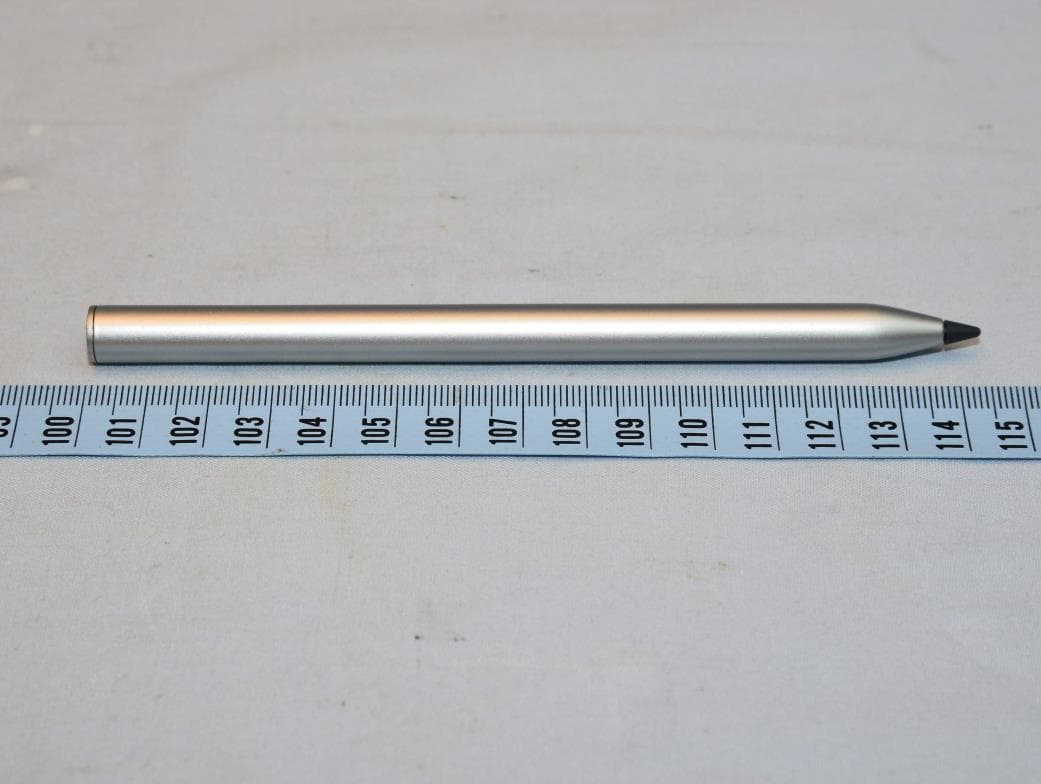
E8HTPA-C002P
Aug 09, 2021HP Wireless Rechargeable USI Pen
Equipment Class
DXX - Part 15 Low Power Communication Device Transmitter