EJE-WB0004LifeBook S Series w/WLAN WM3B2200BG and Bluetooth
Fujitsu Client Computing Limited (FCCL)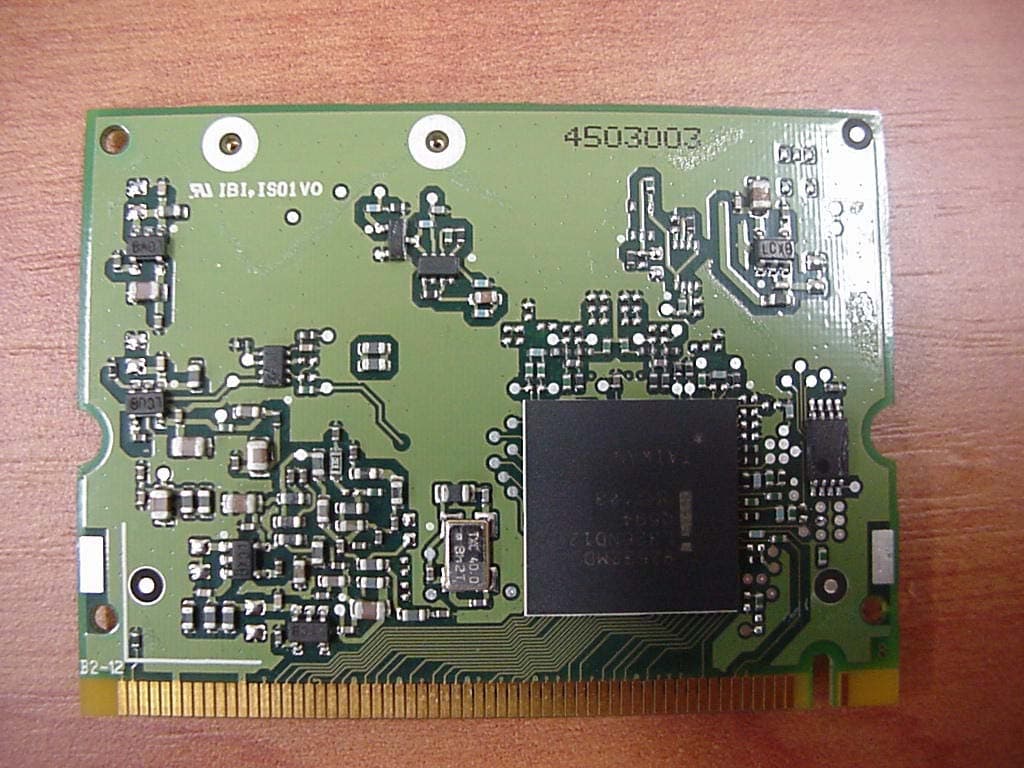
Click to zoom
Application Details
- Equipment Class
- DTS - Digital Transmission System
- Date of Grant
- Mar 07, 2004
- Application Purpose
- Original Equipment
- Date of Application
- Mar 07, 2004
- Equipment Note
- LifeBook S Series w/WLAN WM3B2200BG and Bluetooth
- Frequency Range
- 2402.00000000 - 2480.00000000
- Country
- Japan
Documents & Files
Document Text
Text extracted from the exhibit documents filed with the FCC. Open a document above to read the original.
Users Manual
FCC ID: EJE-WB0002 (IC: 337J-WB0002) Report No. M040124_Certification_Onion_Atheros_2.4_BT EMC Technologies Pty Ltd – 57 Assembly Drive, Tullamarine VIC 3043 Australia www.emctech.com.au EMC Technologies Report Number: M040124_Cert_Onion_Atheros_2.4_BT APPENDIX O – USER MANUAL Test Sample – LifeBook S Series, Model: S7010D (Onion) with WLAN Module – Atheros (11a+b/g), Model: WLL4030 & Bluetooth Module, Model UGXZ5-102A Copyright Copyright Fujitsu Computer Systems Corporation has made every effort to ensure the accuracy and completeness of this document; however, as ongoing development efforts are continually improving the capabilities of our products, we cannot guarantee the accuracy of the contents of this document. We disclaim liability for errors, omissions, or future changes. Fujitsu, the Fujitsu logo, and LifeBook are registered trademarks of Fujitsu Limited. The following are registered trademarks of IBM Corporation: IBM, IBM PC AT, IBM PS/2. The following are registered trademarks of Microsoft Corporation: MS, MS-DOS, Windows. PCMCIA is a trademark of the Personal Computer Memory Card International Association. Earthlink is a registered trademark of EarthLink Network, Inc. Intel and Pentium are registered trademarks of Intel Corporation or its subsidiaries in the United States and other countries. The Bluetooth trademark is owned by Bluetooth SIG, Inc., USA. Adobe Acrobat Reader is a registered trademark of Adobe Systems, Inc. Netscape 7.0 is a registered trademark of Netscape Communications Corporation. PowerQuest and Drive Image are registered trademarks of PowerQuest Corporation. Norton AntiVirus is a registered trademark of Symantec Corporation. BayManager is a registered trademark of Softex, Inc. The DVD player found in some models of the LifeBook notebook incorporates copyright protection technology that is protected by method claims of certain U.S. patents and other intellectual property rights owned by Macrovision Corporation and other rights users. Use of this copyright protection technology must be authorized by Macrovision Corporation, and is intended for home and other limited viewing uses only unless authorized by Macrovision Corporation. Reverse engineering or disas- sembly is prohibited. Dolby Headphone manufactured under license from Dolby Laboratories. Dolby, Pro Logic, and the double-D symbol are trademarks of Dolby Laboratories. Copy- rights 1992-1999 Dolby Laboratories. All rights reserved. All other trademarks mentioned herein are the property of their respective owner s. © Copyright 2004 Fujitsu Computer Systems Corpora- tion. All rights reserved. No part of this publication may be copied, reproduced, or translated, without prior written consent of Fujitsu. No part of this publication may be stored or transmitted in any electronic form without the written consent of Fujitsu. B5FH-9991-01EN-00. Warning Handling the cord on this product will expose you to lead, a chemical known to the State of California to cause birth defects or other reproductive harm. Wash hands after handling. DECLARATION OF CONFORMITY according to FCC Part 15 Responsible Party Name:Fujitsu Computer Systems Corporation Address: 1250 E. Arques Avenue, M/S 122 Sunnyvale, CA 94085 Telephone:(408) 746-6000 Declares that product:Base Model Configurations: LifeBook S7010 notebook LifeBook S7010D notebook Complies with Part 15 of the FCC Rules. This device complies with Part 15 of the FCC rules. Operations are subject to the following two conditions: (1) This device must not be allowed to cause harmful interference, (2) This device must accept any interference received, including interference that may cause undesired operation. S Series.book Page 1 Thursday, February 12, 2004 4:15 PM LifeBook S7000 Notebook S Series.book Page 2 Thursday, February 12, 2004 4:15 PM Table of Contents Fujitsu LifeBook ® S7000 Notebook Table of Contents 1 PREFACE Preface About This Guide . . . . . . . . . . . . . . . . . . . . . . . . . 1 Fujitsu Contact Information . . . . . . . . . . . . . . . . . 1 Limited Warranty . . . . . . . . . . . . . . . . . . . . . . . . . 1 2 ABOUT YOUR LIFEBOOK Overview Unpacking . . . . . . . . . . . . . . . . . . . . . . . . . . . . . . 5 Locating the Controls and Connectors Top and Front Components . . . . . . . . . . . . . . . . . 6 Left-Side Panel Components . . . . . . . . . . . . . . . . 7 Right-Side Panel Components . . . . . . . . . . . . . . . 8 Back Panel Components . . . . . . . . . . . . . . . . . . . . 9 Bottom Components . . . . . . . . . . . . . . . . . . . . . 10 Status Indicator Panel Power Indicator . . . . . . . . . . . . . . . . . . . . . . . . . 11 AC Adapter Indicator . . . . . . . . . . . . . . . . . . . . . 11 Battery Level Indicators . . . . . . . . . . . . . . . . . . . 11 Battery Charging Indicators . . . . . . . . . . . . . . . . 12 DVD/CD-RW/CD-ROM Drive Access Indicator . . . . . . . . . . . . . . . . . . . . . . 12 Hard Drive or Removable Media Drive Access Indicator . . . . . . . . . . . . 12 PC Card Access Indicator . . . . . . . . . . . . . . . . . . 12 NumLk Indicator. . . . . . . . . . . . . . . . . . . . . . . . . 12 CapsLock Indicator . . . . . . . . . . . . . . . . . . . . . . . 12 ScrLk Indicator . . . . . . . . . . . . . . . . . . . . . . . . . . 12 Security Indicator . . . . . . . . . . . . . . . . . . . . . . . . 12 Keyboard Using the Keyboard . . . . . . . . . . . . . . . . . . . . . . 13 Numeric Keypad. . . . . . . . . . . . . . . . . . . . . . . . . 13 Windows Keys . . . . . . . . . . . . . . . . . . . . . . . . . . 13 Cursor Keys . . . . . . . . . . . . . . . . . . . . . . . . . . . . 13 Function Keys. . . . . . . . . . . . . . . . . . . . . . . . . . . 14 Touchpad Pointing Device Clicking . . . . . . . . . . . . . . . . . . . . . . . . . . . . . . . 15 Double-Clicking . . . . . . . . . . . . . . . . . . . . . . . . . 15 Dragging . . . . . . . . . . . . . . . . . . . . . . . . . . . . . . 16 Touchpad Control Adjustment . . . . . . . . . . . .…
Text truncated - open the document above for the full version.
Users Manual
57 Troubleshooting LifeBook notebook fails to recognize DVD/CD-RW/ CD-ROM’s. (continued) DVD/CD-RW/CD-ROM is dirty or defective. Wipe DVD/CD-RW/CD-ROM with a non-abrasive CD cleaning cloth and reinsert. It if still will not work try another DVD/CD-RW/CD-ROM in the drive. The DVD/CD-RW/CD- ROM Access indicator on the Status Indicator Panel blinks at regular intervals when no DVD/CD-RW/ CD-ROM is in the tray or the DVD/CD-RW/CD- ROM drive is not installed. The Windows DVD/CD-RW/ CD-ROM auto insertion func- tion is active and is checking to see if a DVD/CD-RW/CD- ROM is ready to run. This is normal. However, you may disable this feature. Port Replicator Problems Note: Be sure to power down your LifeBook notebook before adding a printer to the Port Replicator parallel port. LifeBook notebook does not turn on when installed in the optional Port Replicator Port Replicator AC adapter is not plugged in. Provide power to the Port Replicator. Notebook is not properly seated in the Port Replicator. Remove and re-dock your LifeBook notebook. Floppy Disk Drive Problems You cannot access your floppy disk. You tried to write to a write protected floppy disk. Eject the floppy disk and set it to write enable. (See Preparing a Disk for Use on page 42 for more information) Floppy disk is not loaded correctly. Eject floppy disk, check orientation and re-insert. (See Ejecting a Disk on page 42 for more information) The floppy disk drive may not be properly installed. Remove and re-install your floppy disk drive. Security is set to protect access to floppy disk data. Verify your password and security settings. Hard Drive Problems You cannot access your hard drive. The setup utility is incorrectly set for your internal (Primary Master) or optional second hard drive (Primary Slave). Revise BIOS settings to set both Primary Master and Primary Slave correctly. (See BIOS Setup Utility on page 29 for more information) The wrong drive designator was used by an application when a bootable CD-ROM was used to start the notebook. Verify drive designator used by application is in use by the operating system. When the operating system is booted from a CD, drive designations are automatically adjusted. Security is set so your oper- ating system cannot be started without a password. Verify your password and security settings. Keyboard or Mouse Problems The built-in keyboard does not seem to work. The notebook has gone into Suspend mode. Push the Power/Suspend/Resume button. Your application has locked out your keyboard. Try to use your integrated pointing device to restart your system. ProblemPossible CausePossible Solutions S Series.book Page 57 Thursday, February 12, 2004 4:15 PM 58 LifeBook S7000 Notebook You have installed an external keyboard or mouse, and it does not seem to work. Your external device is not properly installed. Re-install your device. (See Device Ports on page 50 for more information) Your operating system software is not setup with the correct software driver for that device. Check your device and operating system docu- mentation and activate the proper driver. Your mouse or keyboard is connected to the wrong PS/2 port on the optional Port Replicator. Plug the mouse into the PS/2 Mouse port and the external keyboard or numeric key pad into the PS/2 Keyboard port. (See PS/2 Port on page 51 for more information) You have connected an external keyboard or a mouse and it seems to be locking up the system. Your operating system software is not setup with the correct software driver for that device. Check your device and operating system documentation and activate the proper driver. Your system has crashed.Try to restart your notebook. I Memory Problems Your Power On screen, or Main menu of the BIOS setup utility information, does not show the correct amount of installed memory. Your memory upgrade module is not properly installed. Remove and re-install your memory upgrade module. (See Memory Upgrade Module on page 45 for more information) You have a memory failure.Check for Power On Self Test (POST) messages. (See Power On Self Test Messages on page 64 for more information) Modem Problems Messages about modem operation. Messages about modem operation are generated by whichever modem application is in use. See your application software documentation for additional information. Parallel, Serial, and USB Device Problems You have installed a parallel port device, a serial port device or a USB device. Your LifeBook notebook does not recognize the device, or the device does not seem to work properly. The device is not properly installed. Remove and re-install the device. (See Device Ports on page 50 for more information) The device may have been installed while an application was running, so your notebook is not aware of its installation. Close the application and restart your notebook. Your device may not have the correct software driver active. See your software documentation and activate the correct driver. You may have the wrong I/O address selected for your device. See your device documentation and software docu- mentation to determine the required I/O address. Change the settings in the BIOS setup utility. (See BIOS Setup Utility on page 29 for more information) Your device and another device are assigned the same I/O address. Check all I/O addresses located within the BIOS setup utility and any other installed hardware or software to make sure there are no duplications. Parallel port is set to output only. Check parallel port setting in the BIOS and set to bi-directional or ECP. ProblemPossible CausePossible Solutions S Series.book Page 58 Thursday, February 12, 2004 4:15 PM 59 Troubleshooting PC Card Problems A card inserted in the PC Card slot does not work or is locking up the system. The card is not properly installed. Remove and re-install the card. (See PC Cards on page 43 for more information) The card may have been installed while an application was running, so your notebook is not aware of its i…
Text truncated - open the document above for the full version.
Block Diagram
Calexico 2 Block Diagrams Option1 miniPCI Ramon2 Radio Transceiver Ardon 2 MAC AND ANALOG PHY Differential I and Q RF PA P2023 BAND PASS FILTER T/R-DIVERSITY RF SWITCH BANDPASS FIL TER BAND PASS FILTER BALUN BALUN EEPROM Rx Tx 1.2V2.8V3.3V 2.9V MainAux 40 MHz Xtal 40MHz Clock 1.8V 2.8V 3.3V LNA VCO 2.9V 2.8V Option2 mPCI Connector Page 4 Ardon 2 MAC & Analog PHY Page 5,6 & 7 Voltage Regulators & DC/ DC Converter Page 3 Ramon 2 Radio Transceiver Page 8 T/R- Diversity Switch Page 11 Main Aux Antenna Ports Tx RF Rx RF Tx BB Rx BB Transceiver Control Front End Control Front End Bias Transceiver Bias MAC Bias Bias Interface EEPROM Page 5 Tx PA Page 9 Rx LNA Page 10 Ext. VCO Page 13 BB Filter Loop Filter Xtal Circuit Page 12 Option 3 mPCI Connecto r Ardon 2 MAC & Analog PHY Voltage Regulators & DC/ DC Converter Ramon 2 Radio Transceiver RF Front End Main Aux Antenna Ports Tx RF Rx RF Tx BB Rx BB Transceiver Control Fron t En d Control Front End Bias Transceiver Bias MAC Bias Bias Inter face EEPROM
Block Diagram
UGXZ5-#### Block Diagram DAC LNA Demodulator ADC PA Clock generation Physical layer hardware engine DSP Burst mode controller Memory management unit RAM Memory mapped control / status USB Syncronous Serial Interface UART Audio PCM Interface Extended Memory Driver 18 16 Programmable PIO RISC micro- controller Interrupt controller Event timer RF Synthesizer /N/N+1 Fref Tune -45 +45 AUX DAC VDD_MEM VDD_PADS VDD_RADIO VDD_VCO VDD_ANA VDD_CORE VSS_MEM VSS_PADS VSS_PIO VSS_RADIO VSS_VCO VSS_ANA VSS_CORE X'tal (16MHz) 1.8V Voltage Regrlator Baseband and Logic Microcontroller RF Synthesizer RF Transmitter RF Receiver IQ Demod. IQ mod. RSSI 8Mb Flash ROM BlueCore TM 2-EXT Loop Filter UART_RxD (#19) UART_TxD (#20) UART_CTS (#21) UART_RTS (#22) PCM_CLK (#14) PCM_OUT (#15) PCM_SYNC (#16) PCM_IN (#17) SPI_CLK (TP) SPI_MISO (TP) SPI_MOSI (TP) SPI_CSB (TP) USB_D+ (#23) USB_D- (#24) SPI_CSB (#10) USB_WAKE (#9) SPI_CLK (#7) USB_DETACH (#8) SPI_CSB PIO[3] SPI_CLK PIO[5] UART_RX UART_TX UART_CTS UART_RTS PCM_CLK PCM_OUT PCM_SYNC PCM_IN SPI_CLK SPI_MISO SPI_MOSI SPI_CSB USB_D+ USB_D- SPI_MOSI SPI_MISO PIO[8] PIO[9] PIO[10] PIO[11] SPI_MOSI (#12) SPI_MISO (#11) Balun PA PIO[1]/TXEN AUX_DAC PIO[0]/RXEN ANT-SW RF-BPF RF IN/OUT (#5) VCC (#2) VDD (#3) RESET GND (#1, 6, 13, 18) RF front-end RESET (#4) 1.5MHz TX:2402MHz-2480MHz RX:2400.5MHz-2478.5MHz 2402MHz-2480MHz 2402MHz-2480MHz 1.5MHz ALPS PROPRIETARY INFORMATION CONFIDENTIAL REQUESTED Copyright (c) 2004 ALPS Electric Co., Ltd.
Cover Letter(s)
Federal Communications Commission Equipment Authorization Division Application Processing Branch 7435 Oakland Mills Road Columbia, MD 21045 Date: 16 th February 2004 Reference: FCC ID: EJE-WB0004 Subject: Request for Confidentiality for FCC Certification Application Company: FUJITSU Ltd Test Sample: Mini-PCI Wireless LAN Module (Calexico2 (11b/g), WM3B2200BG) & Bluetooth Device, (UGXZ5-102A) installed in Host - Fujitsu's LifeBook S Series PC, Model S7010D (Onion) Pursuant to Rule 47 CFR, Chapter 1, Section 0.457(d)(1)(ii), FUJITSU requests that prior to the equipment authorization grant for the (test sample), the entire application be classified and deemed confidential by the Federal Communications Commission (FCC) and as such be withheld from public inspection. As per 47 CFR, Chapter 1, Section 0.457, the exhibits tendered for the purpose of this grant, contain details of trade secrets and technical data that is not made available to competitors and the general public. This information is treated in a confidential manner by FUJITSU and guarded from disclosure to our competitors. The exhibits outlined below are not routinely made available to FUJITSU staff, with such access granted only to those specifically involved with this particular project. They contain information detailing the unique technology and circuitry of the product that would be of significant benefit to our competitors. All employees treat this technical data in a confidential manner. The manufacture of this product has taken place after an extensive research and development process that has seen the company invest a considerable amount of time and money. The time and effort taken has enabled the product to meet the specific demands of the competitive market for which it is intended and it would be therefore detrimental to allow competitors easy access to design and development details. Apart from a limited number of employees, the information has previously only been disclosed to the Test House responsible for conducting testing and authorized to act as our agent during the certification process. Pursuant to 47CFR Chapter 1, Section 0.459, post-grant confidentiality is requested for the following items, ensuring that this material continue to be withheld from public inspection following the grant. Exhibits – Technical PCB Layouts, Technical Schematic Circuit Diagrams, Detailed Antenna Information Sincerely Yours, Kanbe Katsuhito Fujitsu Japan Mobile Computing Division FUJITSU LIMITED 1405 Ohmaru, Inagi-shi, Tokyo 206-8503, Japan Tel(+81-42)370-7632 FAX(+81-42)370-7708 Mobile Computing Division Product Type: - Low power transmitter (intentional radiator)
External Photos
FCC ID: EJE-WB0004 (IC: 337J-WB0004) Report No. M040126_Cert_Onion_Calexico2_BT EMC Technologies Pty Ltd – 57 Assembly Drive, Tullamarine VIC 3043 Australia www.emctech.com.au EMC Technologies Report Number: M040126_Cert_Onion_Calexico2_BT APPENDIX B1 - Test Sample External Photographs FCC ID: EJE-WB0004 (IC: 337J-WB0004) Report No. M040126_Cert_Onion_Calexico2_BT EMC Technologies Pty Ltd – 57 Assembly Drive, Tullamarine VIC 3043 Australia www.emctech.com.au Test Sample WLAN Module – Calexico2 (11b/g), Model WM3B2200BG FCC ID: EJE-WB0004 (IC: 337J-WB0004) Report No. M040126_Cert_Onion_Calexico2_BT EMC Technologies Pty Ltd – 57 Assembly Drive, Tullamarine VIC 3043 Australia www.emctech.com.au Test Sample Bluetooth Module FCC ID: EJE-WB0004 (IC: 337J-WB0004) Report No. M040126_Cert_Onion_Calexico2_BT EMC Technologies Pty Ltd – 57 Assembly Drive, Tullamarine VIC 3043 Australia www.emctech.com.au Host PC LifeBook S Series, Model S7010D (Onion)
ID Label/Location Info
FCC ID: EJE-WB0004 (IC: 337J-WB0004) Report No. M40126_Cert_Onion_Calexico2_2.4_BT EMC Technologies Pty Ltd – 57 Assembly Drive, Tullamarine VIC 3043 Australia www.emctech.com.au EMC Technologies Report Number: M040126_Cert_Onion_Calexico2_BT FCC LABELLING – Additional details Host PC - LifeBook S Series, Model: S7010, S7010DD (Onion) Label location FCC ID: EJE-WB0004 (IC: 337J-WB0004) Report No. M40126_Cert_Onion_Calexico2_BT EMC Technologies Pty Ltd – 57 Assembly Drive, Tullamarine VIC 3043 Australia www.emctech.com.au Label to be adhered to base of LifeBook S Series, Model S7010, S7010D (Onion) Label location
ID Label/Location Info
Nile Nile
Internal Photos
FCC ID: EJE-WB0004 (IC: 337J-WB0004) Report No. M040126_Cert_Onion_Calexico2_BT EMC Technologies Pty Ltd – 57 Assembly Drive, Tullamarine VIC 3043 Australia www.emctech.com.au EMC Technologies Report Number: M040126_Cert_Onion_Calexico2_BT WLAN, Bluetooth Module and Antenna Location Photographs FCC ID: EJE-WB0004 (IC: 337J-WB0004) Report No. M040126_Cert_Onion_Calexico2_BT EMC Technologies Pty Ltd – 57 Assembly Drive, Tullamarine VIC 3043 Australia www.emctech.com.au WLAN, Bluetooth & Antenna Location Calexico2 WLAN location WLAN ANTENNA LOCATION BLUETOOTH ANTENNA LOCATION Bluetooth Module location FCC ID: EJE-WB0004 (IC: 337J-WB0004) Report No. M040126_Cert_Onion_Calexico2_BT EMC Technologies Pty Ltd – 57 Assembly Drive, Tullamarine VIC 3043 Australia www.emctech.com.au WLAN, Bluetooth & Antenna Location Calexico2 WLAN Bluetooth Module FCC ID: EJE-WB0004 (IC: 337J-WB0004) Report No. M040126_Cert_Onion_Calexico2_BT EMC Technologies Pty Ltd – 57 Assembly Drive, Tullamarine VIC 3043 Australia www.emctech.com.au WLAN, Bluetooth & Antenna Location WLAN Antenna location – exploded view Bluetooth Antenna location – exploded view
Internal Photos
FCC ID: EJE-WB0004 (IC: 337J-WB0004) Report No. M040126_Cert_Onion_Calexico2_BT EMC Technologies Pty Ltd – 57 Assembly Drive, Tullamarine VIC 3043 Australia www.emctech.com.au EMC Technologies Report Number: M040126_Cert_Onion_Calexico2_BT APPENDIX B4 – Test Sample Photographs (internal) FCC ID: EJE-WB0004 (IC: 337J-WB0004) Report No. M040126_Cert_Onion_Calexico2_BT EMC Technologies Pty Ltd – 57 Assembly Drive, Tullamarine VIC 3043 Australia www.emctech.com.au Test Sample WLAN Module – Calexico2 (11b/g), Model WM3B2200BG FCC ID: EJE-WB0004 (IC: 337J-WB0004) Report No. M040126_Cert_Onion_Calexico2_BT EMC Technologies Pty Ltd – 57 Assembly Drive, Tullamarine VIC 3043 Australia www.emctech.com.au Test Sample Bluetooth Module FCC ID: EJE-WB0004 (IC: 337J-WB0004) Report No. M040126_Cert_Onion_Calexico2_BT EMC Technologies Pty Ltd – 57 Assembly Drive, Tullamarine VIC 3043 Australia www.emctech.com.au Host PC LifeBook S Series, Model S7010, S7010D (Onion) FCC ID: EJE-WB0004 (IC: 337J-WB0004) Report No. M040126_Cert_Onion_Calexico2_BT EMC Technologies Pty Ltd – 57 Assembly Drive, Tullamarine VIC 3043 Australia www.emctech.com.au Host PC LifeBook S Series, Model S7010, S7010D (Onion) – exploded view (WLAN location)
Operational Description
1 Bluetooth TM Transceiver Module, UGXZ5 Theory of Operation Bluetooth is an open standard developed by four OEM’s (Ericsson, Nokia, IBM, and Toshiba) and one semiconductor company (Intel). The standard aims to define a globally accepted short distance (10m/30ft) radio communication protocol using a part of the radio frequency that is unlicensed (i.e. free to use) in most parts of the world. Bluetooth’s key characteristic is that enabled devices can detect and communicate with other enabled devices within range – all without conscious user intervention. The Bluetooth Transceiver module, UGXZ5 is a module of SMD (Surface Mounted Device) type. It contains an USB interface that is compliant with Universal Serial Bus Specification. It also contains a radio transmitter and receiver that are compliant with Bluetooth Spesification published by the Bluetooth Speci al Interest Group. The combination of the radio and associated Bluetooth software stack, and application software provides a convenient way for the host platform to wirelessly interact with various devices such as mobile ph ones, printers, etc. The radio part of the UGXZ5 is specified in the Bluetooth open standard. It operates in the frequency band of 2402 to 2480 MHz at a radiated power level of 0.011 watt maximum. It radiates using Gaussian Frequency shift keying and uses frequency hopping sprea d spectrum on 79 equally spaced channels. All channels are 1 MHz apart and hop through the channels using a pseudo- random hopp ing sequenc e. The device hops from channel to channel at a rate of 16 00 hops per second. The radio is completely controlled by the associated software stack and application program. The stack controls the hopping sequence, and protocols for establishing a connection with other Bluetooth devices in the near vicinity. Then, the radio has the function of Adaptive Frequency Hopping (AFH) that is used to improve the performance of physical links in the presence of interference as well as reducing the interference caused by physical links on other devices in the ISM band. AFH shall only be used during the connection state. 1. Derivation of the pseud or andom hop ping sequence. Hopping sequence selection for a system is controlled by the master unit within a specific system. The sequence is selected by a combination of address codes and master unit system clock. The pseudo-random sequence is generated in a nine-stage shift register whose 5 th and 9 th stage outputs are added in a modulo-two addition stage with the result fed back to the input of the first stage. This produces a pseudo-random sequence length of 31 bits for page and inquiry modes and provides for transition to a 511 bits pseudorandom sequence length for data mode of operation. The following are two examples of possible 79 channel hop ping sequences with channels identif ied as 1 through 79. The channel numbering scheme starts with channel 2 at 2402 MHz with the 79 th channel then appearing at 2480 MHz as channel 80. 2 Sequence a: 2,17,68,55,4,77,56,27,70,80,22,33,57,34,29,79,44,50,3,71,66,36,78,20,67,30,24,11,37,69, 23,7,41,38,63,14,31,59,40,13,6,25,65,15,61,73,58,47,19,28,54,76,74,48,52,75,5,42,64,72, 62,51,60,18,45,53,16,39,46,32,49,43,8,21,9,12,10,26,35 Sequence b: 50,6,41,57,64,14,42,33,79,3,20,38,56,69,75,21,80,23,31,40,45,68,32,28,4,15,34,59,71,61, 70,5,72,13,48,70,39,54,78,7,77,62,30,2,8,55,10,63,12,16,37,11,43,66,25,51,58,74,17,47, 9,29,65,19,53,18,52,36,27,26,44,22,49,24,35,60,73,76,67 2. Use of each frequency equally on average. The FHS (frequency hop selection) packet is transmitted by a sending unit. It contains UAP (upper address part)/LAP (lower address part) as well as clock information which is updated before retransmission in the inquiry state. When in hybrid substate, the UAP/LAP is used together with the clock to select the sequence. The output from the selection box constitutes a pseudo-random sequence covering 79 hops for US operation. For inquiry mode, the selection scheme chooses a segment of 32 hop frequencies from the 79 hops spanning about 64 MHz and visits these hops once in a random order. Next, a different 32-hop segment is chosen, etc. Refer to “Baseband Specification”, clause 2.6 hop selection of the Bluetooth specification V1.2 for a more through explanation of the hopping structure. 3. Receiver matching bandwidth and synchronization. The receiver bandwidth is 1 MHz in the data mode. During connection establishment, the master identity and clock are transferred to the slave unit so it can synchronize to the channel. The master clock in a slave unit is obtained by adding an offset to the internal clock of the slave. Also see above item 1 for details on the master clock and pseudo-random hopping channel selection. 4. Antenna. RF energy is radiated from the module through an external antenna that is specified in the “Declaration concerning Antenna Specification”. 5. More information. The current Bluetooth specification version 1.2 is available to anyone at no cost from the Bluetooth SIG, Inc. website at http://www.bluetooth.com/ .
Operational Description
Intel® PRO/Wireless 2200BG Network Connection Mini PCI Adapter Functional Overview Notice: This document contains information on products in the design phase of development. The specifications are subject to change without notice. Verify with your local Intel sales office that you have the latest specifications before finalizing a design. Intel® PRO/Wireless 2200BG Network Connection Functional Overview 2 The information in this manual is furnished for informational use only, is subject to change without notice, and should not be construed as a commitment by Intel Corporation. Intel Corporation assumes no responsibility or liability for any errors or inaccuracies that may appear in this document or any software that may be provided in association with this document. Information in this document is provided in connection with Intel products. No license, express or implied, by estoppel or otherwise, to any intellectual property rights is granted by this document. Except as provided in Intel’s Terms and Conditions of Sale for such products, Intel assumes no liability whatsoever, and Intel disclaims any express or implied warranty, relating to sale and/or use of Intel products including liability or warranties relating to fitness for a particular purpose, merchantability, or infringement of any patent, copyright or other intellectual property right. Intel products are not intended for use in medical, life saving, or life sustaining applications. Intel may make changes to specifications and product descriptions at any time, without notice. Except as permitted by such license, no part of this document may be reproduced, stored in a retrieval system, or transmitted in any form or by any means without the express written consent of Intel Corporation. Contact your local Intel sales office or your distributor to obtain the latest specifications and before placing your product order. Copyright © 2003 Intel Corporation *Third-party brands and names are the property of their respective owners. Intel® PRO/Wireless 2200BG Network Connection Functional Overview 3 Table of Contents INTRODUCTION................................................................................................................ 4 INTEL® PRO/WIRELESS 2200BG NETWORK CONNECTION PRODUCT OVERVIEW ......................................................................................................................... 4 SYSTEM ARCHITECTURE ............................................................................................. 5 COMPONENT DESCRIPTIONS ...................................................................................... 5 GQ82532RGE RADIO...................................................................................................... 5 RC82532MDE MAC AND BASEBAND.............................................................................. 6 HARDWARE ENVIRONMENT ....................................................................................... 6 OVERVIEW.......................................................................................................................... 6 C ARD DIMENSIONS............................................................................................................ 6 S HIELD FOR TYPE IIIA AND IIIB:........................................................................................ 9 CONNECTOR INTERFACE................................................................................................... 9 M INI PCI SYSTEM CONNECTOR PINS............................................................................. 10 OPERATING CHANNELS................................................................................................... 11 Intel® PRO/Wireless 2200BG Network Connection Functional Overview 4 Introduction The primary pur…
Text truncated - open the document above for the full version.
Contact Information
Applicant
Mr. Tsuyoshi Uchihara(Engineer)
Test Firm
Lexmark International, Inc.John Fessler
Technical Specifications
| # | Rule Parts | Frequency Range | Power Output |
|---|---|---|---|
| 2 | 15C | 2.40 GHz - 2.48 GHz | 14.40 mW |
Other Applications from Fujitsu Client Computing Limited (FCCL)
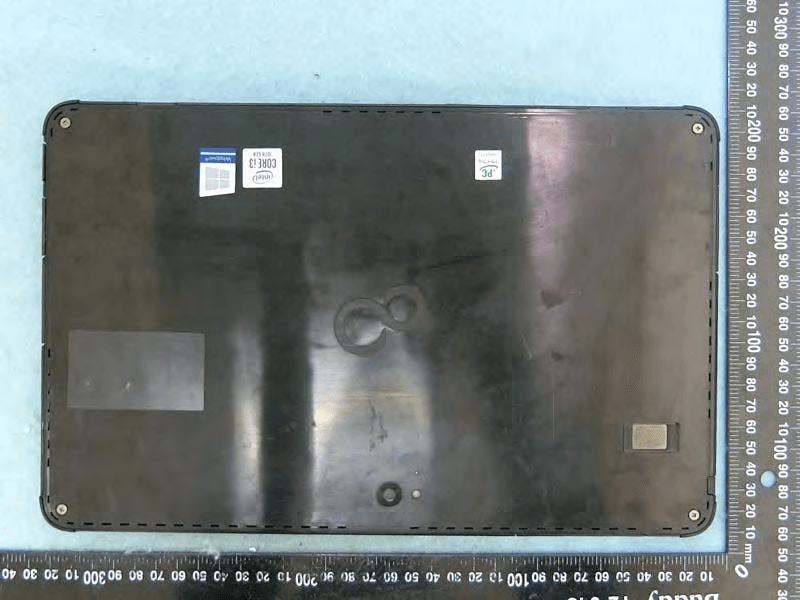
EJE-KST001
May 13, 2020Tablet Computer
Equipment Class
DXX - Part 15 Low Power Communication Device Transmitter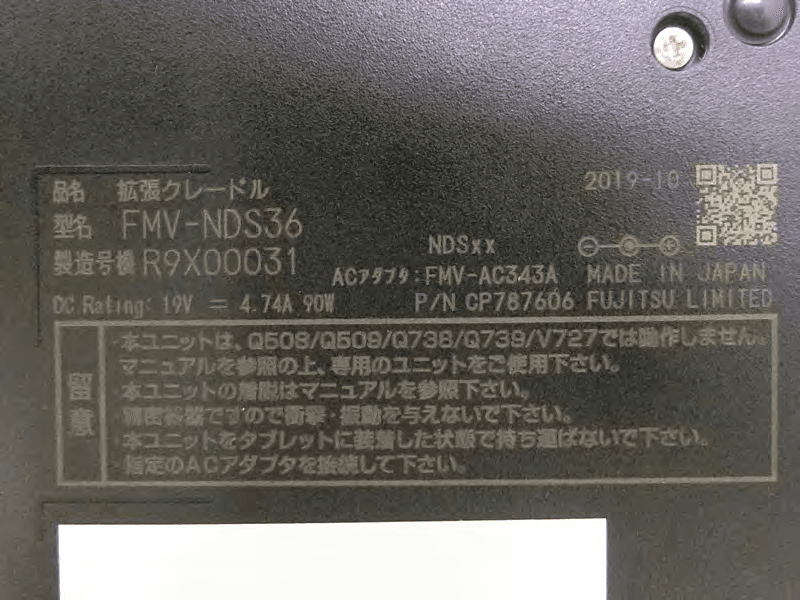
EJE-KSC001
May 13, 2020Port Replicator
Equipment Class
DXX - Part 15 Low Power Communication Device Transmitter
EJE-WB0099
Jan 27, 2016STYLISTIC Q series
Equipment Class
DSS - Part 15 Spread Spectrum Transmitter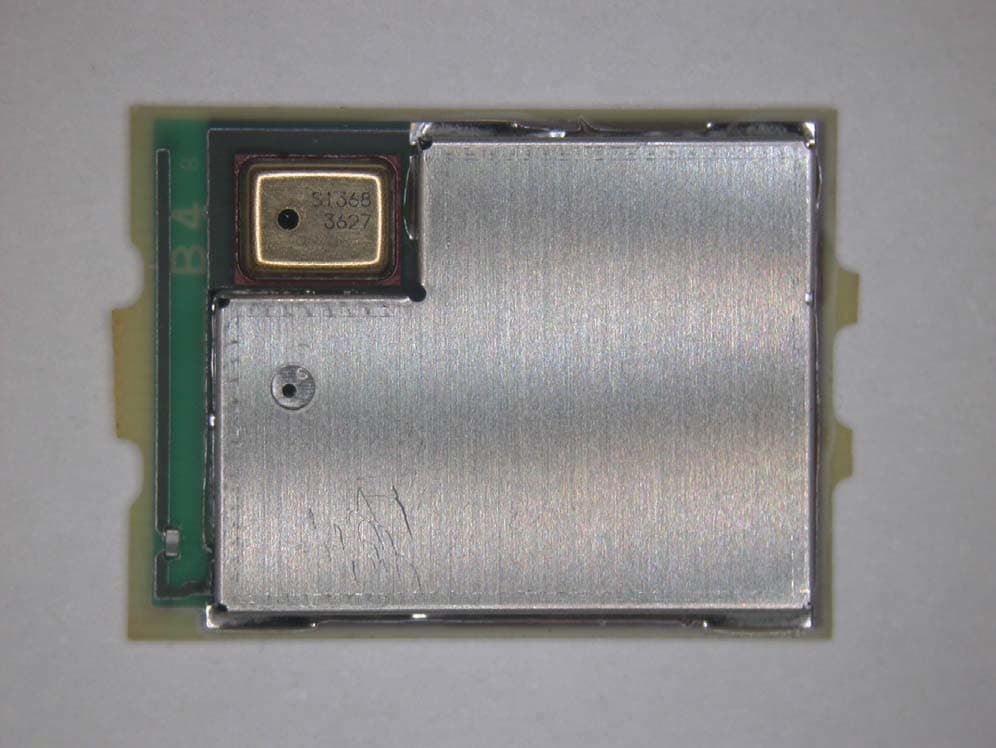
EJE-BT0004
Dec 06, 2015Ubiquitous-warecore module
Equipment Class
DTS - Digital Transmission System
EJE-WB0097
Nov 12, 2015FUJITSU STYLISTIC Q736
Equipment Class
DTS - Digital Transmission System