EJE-WB0010T Series Tablet PC with WM3B2200BG and UGXZ5-102A
Fujitsu Client Computing Limited (FCCL)
Click to zoom
Application Details
- Equipment Class
- DTS - Digital Transmission System
- Date of Grant
- Aug 24, 2004
- Application Purpose
- Original Equipment
- Date of Application
- Aug 24, 2004
- Equipment Note
- T Series Tablet PC with WM3B2200BG and UGXZ5-102A
- Frequency Range
- 2402.00000000 - 2480.00000000
- Country
- Japan
Documents & Files
Document Text
Text extracted from the exhibit documents filed with the FCC. Open a document above to read the original.
Users Manual
Copyright Copyright & Trademark Information Fujitsu Computer Systems Corporation has made every effort to ensure the accuracy and completeness of this document. However, as ongoing development efforts are continually improving the capabilities of our products, we cannot guarantee the accuracy of the contents of this document. We disclaim liability for errors, omissions, or future changes. Fujitsu, the Fujitsu logo, and LifeBook are registered trademarks of Fujitsu Limited. MS, MS-DOS, and Windows are either registered trademarks or trademarks of Microsoft Corporation in the United States and/or other countries. PCMCIA is a trademark of the Personal Computer Memory Card International Association. Intel and Pentium are trademarks or registered trademarks of Intel Corporation or its subsidiaries in the United States and other countries. Bluetooth is a registered trademark of Bluetooth SIG, Inc. Adobe, Acrobat, and Acrobat Reader are either a registered trademarks or trademarks of Adobe Systems Incorporated in the United States and/or other countries. All other trademarks mentioned herein are the property of their respective owners. © Copyright 2004 Fujitsu Computer Systems Corpora- tion. All rights reserved. No part of this publication may be copied, reproduced, or translated, without prior written consent of Fujitsu Computer Systems Corpora- tion. No part of this publication may be stored or trans- mitted in any electronic form without the written consent of Fujitsu Computer Systems Corporation. B6FH-3071-01EN-00 Warning Handling the cord on this product or cords associated with accessories sold with this product, will expose you to lead, a chemical known to the State of California to cause birth defects or other reproductive harm. Wash hands after handling. DECLARATION OF CONFORMITY according to FCC Part 15 Responsible Party Name:Fujitsu Computer Systems Corporation Address: 1250 E. Arques Avenue, MS 122 Sunnyvale, CA 94085 Telephone:(408) 746-6000 Declares that product:Model Configuration: LifeBook T4010 Tablet PC LifeBook T4010D Tablet PC Complies with Part 15 of the FCC Rules. This device complies with Part 15 of the FCC rules. Operations are subject to the following two conditions: (1) This device must not be allowed to cause harmful interference, (2) This device must accept any interference received, including interference that may cause undesired operation. T Series.book Page 1 Wednesday, July 28, 2004 3:35 PM LifeBook T Series Tablet PC T Series.book Page 2 Wednesday, July 28, 2004 3:35 PM Table of Contents Fujitsu LifeBook ® T Series Tablet PC Table of Contents 1 PREFACE Preface About This Guide . . . . . . . . . . . . . . . . . . . . . . . . . 3 Fujitsu Contact Information . . . . . . . . . . . . . . . . . 3 Warranty . . . . . . . . . . . . . . . . . . . . . . . . . . . . . . . 3 2 GETTING TO KNOW YOUR TABLET PC Overview Unpacking . . . . . . . . . . . . . . . . . . . . . . . . . . . . . . 7 Optional Accessories . . . . . . . . . . . . . . . . . . . . . . 8 Locating the Controls and Connectors Top and Front Components . . . . . . . . . . . . . . . . 10 Left-Side Panel Components . . . . . . . . . . . . . . . 11 Right-Side Panel Components . . . . . . . . . . . . . . 12 Rear Panel Components . . . . . . . . . . . . . . . . . . . 13 Bottom Components . . . . . . . . . . . . . . . . . . . . . 14 Status Indicator Panel Power Indicator . . . . . . . . . . . . . . . . . . . . . . . . . 15 AC Adapter Indicator . . . . . . . . . . . . . . . . . . . . . 15 Battery Level Indicators . . . . . . . . . . . . . . . . . . . 15 Battery Charging Indicator . . . . . . . . . . . . . . . . . 16 Hard Drive Access Indicator . . . . . . . . . . . . . . . . 16 NumLk Indicator. . . . . . . . . . . . . . . . . . . . . . . . . 16 CapsLock Indicator . . . . . . . . . . . . . . . . . . . . . . . 16 ScrLk Indicator . . . . . . . . . . . . . . . . . . . . . . . . . . 16 Security Indicator . . . . . . . . . . . . . . . . . . . . . . . . 16 Display Panel Opening the Display Panel . . . . . . . . . . . . . . . . . 17 Using the System as a Tablet . . . . . . . . . . . . . . . 17 Adjusting Display Panel Brightness . . . . . . . . . . . 18 Keyboard Using the Keyboard . . . . . . . . . . . . . . . . . . . . . . 19 Numeric Keypad. . . . . . . . . . . . . . . . . . . . . . . . . 19 Windows Keys . . . . . . . . . . . . . . . . . . . . . . . . . . 19 Cursor Keys . . . . . . . . . . . . . . . . . . . . . . . . . . . . 20 Function Keys. . . . . . . . . . . . . . . . . . . . . . . . . . . 20 LifeBook Security/Tablet PC Buttons Changing Tablet PC Button Functions . . . . . . . . 22 Setting up LifeBook Security Panel . . . . . . . . . . . 22 Passwords . . . . . . . . . . . . . . . . . . . . . . . . . . . . . 22 Using Your LifeBook Security Panel . . . . . . . . . . 23 Precautions. . . . . . . . . . . . . . . . . . . . . . . . . . . . . 23 Uninstalling the Security Panel Application . . . . . 24 Touchpad Pointing Device Clicking . . . . . . . . . . . . . . . . . . . . . . . . . . . . . . . 25 Double-Clicking . . . . . . . . . . . . . . . . . . . . . . . . . 25 Dragging . . . . . . . . . . . . . . . . . . . . . . . . . . . . . . 26 Scrolling . . . . . . . . . . . . . . . . . . . . . . . . . . . . . . . 26 Touchpad Control Adjustment . . . . . . . . . . . . . . 26 Pen and Active Digitizer Using the Pen. . . . . . . . . . . . . . . . . . . . . . . . . . . 27 Calibrating the Pen . . . . . . . . . . . . . . . . . . . . . . . 27 Replacing the Pen Tip. . . . . . . . . . . . . . . . . . . . . 28 Using the Active Digitizer . . . . . . . . . . . . . . . . . . 28 Volume Control Controlling the Volume . . . . . . . . . . . . . . . . . . . 29 T Series.book Page 3 Wednesday, July 28, 2004 3:35 PM LifeBook T Series Tablet PC 3 USING YOUR TABLET PC Power Sources Connecting the Power Adapters. . . . . . . . . . . . . 33 Starting Your Tablet PC Power On . . . . . . . . . . . . . . . . . . . . . . . . . . . . . 34 Boot Sequence . . . . . . . . .…
Text truncated - open the document above for the full version.
Users Manual
32 LifeBook T Series Tablet PC - Section Three T Series.book Page 32 Wednesday, July 28, 2004 3:35 PM 34 LifeBook T Series Tablet PC - Section Three Starting Your Tablet PC POWER ON The Suspend/Resume button is used to turn on your LifeBook T Series Tablet PC from its off state. Once you have connected your AC adapter or charged the internal Lithium ion battery, you can power on your Tablet PC. (See figure 2-4 on page 11 for location) Press the Suspend/Resume button to start your system. When you are done working you can either leave your Tablet PC in Standby mode, See “Standby Mode” on page 36, or you can turn it off. See “Power Off ” on page 38 When you Power On your Tablet PC, it will perform a Power On Self Test (POST) to check the internal parts and configuration for correct functionality. If a fault is found, your Tablet PC will emit an audio warning and/ or an error message will be displayed. See “Power On Self Test Messages” on page 65 Depending on the nature of the problem, you may be able to continue by starting the operating system or by entering the BIOS setup utility and revising the settings. After satisfactory completion of the Power On Self Test (POST), your Tablet PC will load your operating system . BOOT SEQUENCE The procedure for starting-up your Tablet PC is termed the Bootup sequence and involves your Tablet PC’s BIOS. When your Tablet PC is first turned on, the main system memory is empty, and it needs to find instruc- tions to start up your Tablet PC. This information is in the BIOS program. Each time you power up or restart your Tablet PC, it goes through a boot sequence which displays a Fujitsu logo until your operating system is loaded. During booting, your Tablet PC is performing a standard boot sequence including a Power On Self Test (POST). When the boot sequence is completed without a failure and without a request for the BIOS Setup Utility, the system displays the operating system’s opening screen. The boot sequence is executed when: ■ You turn on the power to your Tablet PC. ■ You restart your Tablet PC from the Windows Shut Down dialog box. ■ The software initiates a system restart. Example: When you install a new application. BIOS SETUP UTILITY The BIOS Setup Utility is a program that sets up the operating environment for your Tablet PC. Your BIOS is set at the factory for normal operating conditions, therefore there is no need to set or change the BIOS’ environment to operate your Tablet PC. The BIOS Setup Utility configures: ■ Device control feature parameters, such as changing I/O addresses and boot devices. ■ System Data Security feature parameters, such as passwords. Entering the BIOS Setup Utility To enter the BIOS Setup Utility do the following: 1. Turn on or restart your Tablet PC. 2. Press the [F2] key once the Fujitsu logo appears on the screen. This will open the main menu of the BIOS Setup Utility with the current settings displayed. 3. Press the [RIGHT ARROW] or [LEFT ARROW] key to scroll through the other setup menus to review or alter the current settings. BIOS Guide A guide to your Tablet PC’s BIOS is available online. Please visit our service and support Web site at us.fujitsu.com/computers. Once there, select Support, then select Tablet PCs under User’s Guides. Select Life- Book Tablet PC BIOS Guides from the pull-down menu for your Tablet PC series. If you are unsure of your Tablet PC’s BIOS number, refer to your packing slip. When you turn on your Tablet PC, be sure you have a power source. This means that a battery is installed and charged, or that the AC or Auto/Airline adapter is connected and has power. When the system display is closed, the Suspend/Resume button is disabled. This feature prevents the system from being accidentally powered up when not in use. Never turn off your Tablet PC during the Power On Self Test (POST) or it will cause an error message to be displayed when you turn your Tablet PC on the next time. See “Power On Self Test Messages” on page 65 If your data security settings require it, you may be asked for a password before the BIOS main menu will appear. T Series.book Page 34 Wednesday, July 28, 2004 3:35 PM 35 Getting Started BOOTING THE SYSTEM We strongly recommend that you not attach any external devices until you have gone through the initial power-on sequence. When you turn on your LifeBook T Series Tablet PC for the first time, it will display a Fujitsu logo on the screen. If you do nothing the system will load the operating system, and then the Windows Welcome will begin. Designed to accommodate the needs of many users, in many different countries, Windows needs to be config- ured the first time you use them. Windows has two parts: ■ Getting Started: You have the opportunity to set up your modem so that your Tablet PC will be prepared to dial out. ■ Windows License Agreement and Final Settings: You have the opportunity to review the Windows License Agreement. Getting Started Read the instructions on the screens carefully and fill in the information as directed. You will be asked for such items as the language you wish to use, the country in which you live, your first and last name, and about how you dial out from where you will be using your Tablet PC. For the modem settings, enter your current location information where you will be using your Tablet PC. If you are not connected to a phone line and plan to register at a later time, you may click the Skip button, and you will go directly to the condition of use page. Once you have set up your Tablet PC to dial out, Windows will make a free telephone call to test the settings. If the call is unsuccessful, you will be returned to the phone settings page where you may try to fix them. If you are unable to fix the settings please contact Fujitsu Service and Support. See “Fujitsu Contact Infor- mation” on page 3 If you would simply like to move on, and register at a later time, you may click the Skip button, and you will go directly to the Condition of Use p…
Text truncated - open the document above for the full version.
Users Manual
75 7 Specifications T Series.book Page 75 Wednesday, July 28, 2004 3:35 PM 76 LifeBook T Series Tablet PC - Section Seven T Series.book Page 76 Wednesday, July 28, 2004 3:35 PM 77 Specifications Specifications This section provides the hardware and environmental specifications for your LifeBook T Series Tablet PC. Specifications of particular configurations will vary. CONFIGURATION LABEL Your LifeBook T Series Tablet PC has a configuration label located on the bottom. (See figure 2-8 on page 16 for location). This label contains specific information regarding the options you’ve chosen for your Tablet PC. Following is an example label and information on how to read your own configuration label. Figure 7-1. Configuration Label LifeBook T Series Tablet PC Specifications The specifications for your particular model may vary. To determine the specifications for your system, please visit our Web site at: us.fujitsu.com/computers. Physical Specifications Dimensions11.54” w x 9.61” d x 1.38" / 1.48" (293 mm x 244 mm x 35 / 37.5 mm) Processing Specifications CPU/SpeedIntel® Pentium® M Processor 725/745* Chip setIntel 855GME - 400 MHz Memory/Storage Specifications Main RAM• 256 MB SDRAM (DDR 333 MHz) • 144-pin SO DIMM slots x 2 256 MB, 512 MB, and 1.0 GB modules available, with a system maximum of 2.0 GB. L1 cache (CPU) 64 KB on-die L2 cache2 MB on-die T3010, PM 1.4G, 12.1 XGA, XPTE, 40G, 256M Configuration P/N: ATEXXXXXXXXXXXX FPC P/N: FPCXXXXXX Model Processor Screen Size Operating System Hard Drive Memory Part Number Configuration ID New Label BIOS ROM 1 MB (Boot Block Type Flash ROM) Hard disk drive • 2.5” HDD • Minimum 40 GB IDE (4200 rpm) Also available: 60 GB (4200 rpm) 80 GB (5400 rpm) • ATA 100 • Shock-mounted • SMART Support Display Specifications Display12.1" TFT XGA (1024 x 768), 16M colors: • Color LCD • Active Digitizer • 32-bit color • External monitor support: VGA (1024 x 768 maximum) • Brightness: 8 levels • Dot pitch: 0.240 x 0.240 mm • Viewing Angle: Horizontal: 80 degrees (min.) Vertical: 80 degrees (min.) 12.1" TFT SXGA+ (1400 x 1050), 16M colors: • Color LCD • Active Digitizer • 32-bit color • External monitor support: (TBD maximum) • Brightness: 8 levels • Dot pitch: 0.1755 x 0.1755 mm • Viewing Angle: Horizontal: 45 degrees (min.) Vertical: 50 degrees (min.) VRAMIntel 855GME chipset with 8 MB shared memory using Dynamic Video Memory Technology (DVMT) delivers low-power, high-performance 3D/2D graphics, video, and display capabilities. Dynamic Video Memory Technology (DVMT) dynamically responds to application requirements and efficiently allocates the proper amount of memory (maximum is 64 MB) for optimal graphics and system performance. LifeBook T Series Tablet PC Specifications (Continued) T Series.book Page 77 Wednesday, July 28, 2004 3:35 PM 78 LifeBook T Series Tablet PC - Section Seven Interface Specifications Integrated Interfaces • Modem (RJ-11) • LAN (RJ-45) • USB 2.0 x 2 •DC-In •IrDA • IEEE1394 • 15-pin D-SUB connector for external VGA monitor • Docking connector Interfaces on Optional Port Replicator • DC Power • Pass-through LAN Port • External Monitor • USB 2.0 x 4 •Line Out • Docking Port PC Card Slots • One Type I or Type II • PCMCIA CardBus version 3.0 SD/Memory Stick Slot • One slot for SD/Memory Stick card Smart Card Slot • Dedicated slot for SmartCard Modular Bay Devices One of the following devices is pre- installed: •Super-Multi DVD Drive: (modular 4x DVD-R, 2x DVD-RW, 2.4x DVD+R, 2.4x DVD+RW, 2x DVD-RAM, 8x DVD-ROM, 16x CD-R, 8x CD-RW, 24x CD-ROM) •DVD-RW Drive: 1x (DVD-R) / 1x (DVD-RW) / 8x (DVD-ROM) / 16x (CD-R) / 10x (CD-RW) / 24x (CD-ROM) •DVD/CD-RW Combo Drive: 16x (CD-R) / 10x (CD-RW) / 24x (CD) / plus 8x DVD • Modular Bay Battery • Weight Saver Infrared• System IR Port • IrDA version 1.1 (FIR, 4 Mbps) User Interface support • Keyboard Pitch: 19 mm, Stroke: 2.7 mm • TouchPad pointing device with scroll button • Active digitizer with pen input • On-screen keyboard LifeBook T Series Tablet PC Specifications (Continued) Audio• Sigmatel STAC9753A • Internal mono microphone x 2 • Stereo speaker x 2 • Mono microphone and stereo headphone jacks User Controls • Programmable Application Buttons, each with primary and secondary functions (default applications: Microsoft Journal and Calculator) • Security button support • Trusted Platform Module (TPM) support (on some models) • Suspend/Resume button Status Indicators (LCDs) • Power •Charge/DC-In • Battery level • TBD - SECOND BATTERY? • HDD • PC Card •Caps Lock •Num Lock • Scroll Lock • TBD - Security? Power Specifications Main Battery• 6-cell • Removable, Lithium ion • 10.8 V @4800 mAh, 51.8 Wh • Warm-swappable • TBD - Recharge Time: Approximately 3.2 hours • Suspend Life: Minimum 3 days Off State: Approximately 20 days Optional Bay Battery •6-cell • Removable, Lithium ion • 10.8V @ 3800 mAh, 41.0 Wh Bridge Battery • 6-cell NiMH, 35 mAh • Life (with Suspend-to-RAM on bridge battery only): 5 minutes from full charge AC Adapter Autosensing 100 - 240V, supplying 19 VDC, with a current of 3.15 A Environmental Specifications Temperature Operating: 41 o to 95 o F (5 o to 35 o C) Non-operating: 5 o to 140 o F (-15 o to 60 o C) LifeBook T Series Tablet PC Specifications (Continued) T Series.book Page 78 Wednesday, July 28, 2004 3:35 PM 79 Specifications Humidity Operating: 20 to 85% non-condensing Non-operating: 8 to 85% non-condensing Agency Approval Specifications Emissions TBD - VERIFY ALL • EN55022 (CISPR22) Class B • FCC 15, Class B • FCC 15C, 15.247 • ETSI EN 300-328 • ICES-003 • Canada RSS-210 Immunity • EN55024 (1998) • ETSI EN 301-489-17 V.1.1.1 (2000-9) Safety • UL and cUL Listed, UL 60950 • TuV T-Mark, EN60950 Te l e c o m • FCC Part 68 • IC CS-03 Additional Specifications Operating systems •Microsoft Windows XP Tablet PC Edition LifeBook T Series Tablet PC Specifications (Continued) T Series.book Page 79 Wednesday, July 28, 2004 3:35 PM 80 LifeBook T Series Tablet PC - Section Seven Regulatory Infor…
Text truncated - open the document above for the full version.
Cover Letter(s)
Federal Communications Commission Equipment Authorization Division Application Processing Branch 7435 Oakland Mills Road Columbia, MD 21045 Subject: Request for Confidentiality for FCC Certification Application Company: Fujitsu Limited Test Sample: LifeBook T Series, Model T4010 (Soriel) installed with a Mini-PCI WLAN module (WM3B2200BG) & Bluetooth (UGXZ5-102A). Pursuant to Rule 47 CFR, Chapter 1, Section 0.457(d)(1)(ii), Fujitsu Limited, requests that prior to the equipment authorization grant for the (test sample) the entire application be classified and deemed confidential by the Federal Communications Commission (FCC) and as such be withheld from public inspection. As per 47 CFR, Chapter 1, Section 0.457, the exhibits tendered for the purpose of this grant, contain details of trade secrets and technical data that is not made available to competitors and the general public. This information is treated in a confidential manner by Fujitsu Limited and guarded from disclosure to our competitors. The exhibits outlined below are not routinely made available to Fujitsu Limited, with such access granted only to those specifically involved with this particular project. They contain information detailing the unique technology and circuitry of the product that would be of significant benefit to our competitors. All employees treat this technical data in a confidential manner. The manufacture of this product has taken place after an extensive research and development process that has seen the company invest a considerable amount of time and money. The time and effort taken has enabled the product to meet the specific demands of the competitive market for which it is intended and it would be therefore detrimental to allow competitors easy access to design and development details. Apart from a limited number of employees, the information has previously only been disclosed to the Test House responsible for conducting testing and authorized to act as our agent during the certification process. Pursuant to 47CFR Chapter 1, Section 0.459, Fujitsu Limited requests post-grant confidentiality for the following items, ensuring that this material continue to be withheld from public inspection following the grant. Exhibits: Schematics, Block Diagram, Operation Description, Antenna Information Sincerely Yours,
Cover Letter(s)
EMC Technologies Pty. Ltd., 57 Assembly Dve., Tullamarine, Vic., 3043, Australia. Phone : +61 3 9335 3333 Fax: +61 3 9338 9260 www.emctech.com.au FCC ID: EJE-WB0010 Date: 25 th August 2004 EMC Reference: M040736 Subject: Response to FCC Queries Q1. Section 2.2.1 of the report states that one type of Fujitsu Lithium Ion Battery has been used to power T4010. On Pg 24 of the report two batteries are shown. Are they both tested? Please clarify. These are identical battery types and they were both tested (same model number, voltage/capacity rating). Only one type of battery is available with this model of laptop. Q2. The battery model numbers listed in EMC report namely; PTW1931N and SEB100P2-19.0, do not match the model in SAR report. Please clarify the model number options. In the EMC reports we only list the AC adaptor models and it does not list battery types. Q3. Please clarify if the Main and Aux antennas of the WLAN can be active/transmitting at the same time. The two antennas are independent from each other. They cannot transmit at the same time. Q4. On Plot 9 of the report, the antenna is listed as "Main". Table 14 lists it as "Aux". Please clarify. The label on table 14 is incorrect. The antenna used in plot 9 is “Main”. Q5. In OFDM mode for Lap Arm Held position, no plot for Aux antenna has been included. Table 13 shows this as tested. If not tested please explain the reason, if tested please include the plot. Table 13 is not correct. This configuration was not tested due the low SAR values measured in OFDM mode. Q6. Please specify the probe tip diameter of the SAR measurement system. The probe tip diameter of the SAR system is 7mm. EMC Technologies Pty Ltd ABN 82 057 105 549 57 Assembly Drive Tullamarine Victoria Australia 3043 Ph: + 613 9335 3333 Fax: + 613 9338 9260 email: [email protected]
Cover Letter(s)
FCC ID: 337J-WB0010 (IC: 337J-WB0010) Report No. M040734_Cert_Soriel_Calexico2_BT This document must not be copied or reproduced, except in full without the written permission of the Manager, EMC Technologies Pty Ltd. The certificate on page 3 may be reproduced in full. www.emctech.com.au FCC DoC LifeBook T Series, Model T4010 (Soriel)
External Photos
FCC ID: EJE-WB0010 (IC: 337J-WB0010) Report No. M040734_Cert_Soriel_Calexico2_BT EMC Technologies Pty Ltd – 57 Assembly Drive, Tullamarine VIC 3043 Australia www.emctech.com.au EMC Technologies Report Number: M040734_Cert_Soriel_Calexico2_BT APPENDIX B1 – Test Sample Photographs (external) FCC ID: EJE-WB0010 (IC: 337J-WB0010) Report No. M040734_Cert_Soriel_Calexico2_BT EMC Technologies Pty Ltd – 57 Assembly Drive, Tullamarine VIC 3043 Australia www.emctech.com.au Test Sample WLAN Module – Calexico2 (11b/g), Model WM3B2200BG FCC ID: EJE-WB0010 (IC: 337J-WB0010) Report No. M040734_Cert_Soriel_Calexico2_BT EMC Technologies Pty Ltd – 57 Assembly Drive, Tullamarine VIC 3043 Australia www.emctech.com.au Test Sample - Bluetooth – UGXZ5-102A FCC ID: EJE-WB0010 (IC: 337J-WB0010) Report No. M040734_Cert_Soriel_Calexico2_BT EMC Technologies Pty Ltd – 57 Assembly Drive, Tullamarine VIC 3043 Australia www.emctech.com.au Host PC - LifeBook T Series, Model: T4010 (Soriel) FCC ID: EJE-WB0010 (IC: 337J-WB0010) Report No. M040734_Cert_Soriel_Calexico2_BT EMC Technologies Pty Ltd – 57 Assembly Drive, Tullamarine VIC 3043 Australia www.emctech.com.au Host PC - LifeBook T Series, Model: T4010 (Soriel)
ID Label/Location Info
FCC ID: EJE-WB0010 (IC: 337J-WB0010) Report No. M040734_Cert_Soriel_Calexico2_BT EMC Technologies Pty Ltd – 57 Assembly Drive, Tullamarine VIC 3043 Australia www.emctech.com.au EMC Technologies Report Number: M040734_Cert_Soriel_Calexico2_BT APPENDIX H – FCC LABELLING Label Material: Mylar (permanaent adhesive) Calexico2(11b/g) + BT model label a nd label location sc hematics – Soriel
Internal Photos
FCC ID: EJE-WB0010 (IC: 337J-WB0010) Report No. M040734_Cert_Soriel_Calexico2_BT EMC Technologies Pty Ltd – 57 Assembly Drive, Tullamarine VIC 3043 Australia www.emctech.com.au EMC Technologies Report Number: M040734_Cert_Soriel_Calexico2_BT APPENDIX B3 – Test Sample Photographs (internal) FCC ID: EJE-WB0010 (IC: 337J-WB0010) Report No. M040734_Cert_Soriel_Calexico2_BT EMC Technologies Pty Ltd – 57 Assembly Drive, Tullamarine VIC 3043 Australia www.emctech.com.au Test Sample WLAN Module – Calexico2 (11b/g), Model WM3B2200BG FCC ID: EJE-WB0010 (IC: 337J-WB0010) Report No. M040734_Cert_Soriel_Calexico2_BT EMC Technologies Pty Ltd – 57 Assembly Drive, Tullamarine VIC 3043 Australia www.emctech.com.au Test Sample Bluetooth – UGXZ5-102A Exploded view – Shielding removed FCC ID: EJE-WB0010 (IC: 337J-WB0010) Report No. M040734_Cert_Soriel_Calexico2_BT EMC Technologies Pty Ltd – 57 Assembly Drive, Tullamarine VIC 3043 Australia www.emctech.com.au Host PC - LifeBook T Series, Model T4010 (Soriel)
Internal Photos
FCC ID: EJE-WB0010 (IC: 337J-WB0010) Report No. M040734_Cert_Soriel_Calexico2_BT EMC Technologies Pty Ltd – 57 Assembly Drive, Tullamarine VIC 3043 Australia www.emctech.com.au EMC Technologies Report Number: M040734_Cert_Soriel_Calexico2_BT APPENDIX B3 – Test Sample Photographs (internal) FCC ID: EJE-WB0010 (IC: 337J-WB0010) Report No. M040734_Cert_Soriel_Calexico2_BT EMC Technologies Pty Ltd – 57 Assembly Drive, Tullamarine VIC 3043 Australia www.emctech.com.au Test Sample WLAN Module – Calexico2 (11b/g), Model WM3B2200BG FCC ID: EJE-WB0010 (IC: 337J-WB0010) Report No. M040734_Cert_Soriel_Calexico2_BT EMC Technologies Pty Ltd – 57 Assembly Drive, Tullamarine VIC 3043 Australia www.emctech.com.au Test Sample Bluetooth – UGXZ5-102A FCC ID: EJE-WB0010 (IC: 337J-WB0010) Report No. M040734_Cert_Soriel_Calexico2_BT EMC Technologies Pty Ltd – 57 Assembly Drive, Tullamarine VIC 3043 Australia www.emctech.com.au Host PC - LifeBook T Series, Model T4010 (Soriel)
Internal Photos
FCC ID: EJE-WB0010 (IC: 337J-WB0010) Report No. M040734_Cert_Soriel_Calexico2_BT EMC Technologies Pty Ltd – 57 Assembly Drive, Tullamarine VIC 3043 Australia www.emctech.com.au EMC Technologies Report Number: M040734_Cert_Soriel_Calexico2_BT APPENDIX B4 WLAN, Bluetooth and Antenna Location Photographs FCC ID: EJE-WB0010 (IC: 337J-WB0010) Report No. M040734_Cert_Soriel_Calexico2_BT EMC Technologies Pty Ltd – 57 Assembly Drive, Tullamarine VIC 3043 Australia www.emctech.com.au APPENDIX B4 – WLAN, BT & Antenna Location Calexico2 WLAN & Bluetooth Location - exploded view Calexico2 WLAN Bluetooth Calexico2 WLAN Bluetooth FCC ID: EJE-WB0010 (IC: 337J-WB0010) Report No. M040734_Cert_Soriel_Calexico2_BT EMC Technologies Pty Ltd – 57 Assembly Drive, Tullamarine VIC 3043 Australia www.emctech.com.au APPENDIX B4 – WLAN, BT & Antenna Location WLAN ANTENNA LOCATION BT ANTENNA LOCATION WLAN ANTENNA LOCATION FCC ID: EJE-WB0010 (IC: 337J-WB0010) Report No. M040734_Cert_Soriel_Calexico2_BT EMC Technologies Pty Ltd – 57 Assembly Drive, Tullamarine VIC 3043 Australia www.emctech.com.au APPENDIX B4 – WLAN, BT & Antenna Location Left Antenna Location (Calexico2 WLAN) - exploded view Right Antenna Location (Calexico2 WLAN) - exploded view FCC ID: EJE-WB0010 (IC: 337J-WB0010) Report No. M040734_Cert_Soriel_Calexico2_BT EMC Technologies Pty Ltd – 57 Assembly Drive, Tullamarine VIC 3043 Australia www.emctech.com.au APPENDIX B4 – WLAN, BT & Antenna Location Bluetooth Antenna Location - exploded view
RF Exposure Info
FCC ID: EJE-WB0010 IC: 337J-WB0010 Report No. M040736_SORIEL_CALEXICO2_SAR Report Page 1 of 54 This document shall not be copied or reproduced, except in full without the written permission of the Technical Director , EMC Technologies Pty. Ltd. www. emctech.com.au SAR Test Report Report Number: M040736_SORIEL_CALEXICO_SAR Test Sample: Portable Tablet Computer Wireless LAN Model: WM3B2200BG Tested For: Fujitsu Australia Pty Ltd FCC ID: EJE-WB0010 IC: 337J-WB0010 Date of Issue: 14 th August 2004 EMC Technologies Pty Ltd reports apply only to the specific samples tested under stated test conditions. It is the manufacturer’s responsibility to assure that additional production units of this model are manufactured with identical electrical and mechanical components. EMC Technologies Pty Ltd shall have no liability for any deductions, inferences or generalisations drawn by the client or others from EMC Technologies Pty Ltd issued reports. This report shall not be used to claim, constitute or imply product endorsement by EMC Technologies Pty Ltd. EMC Technologies Pty Ltd A.C.N. 057 105 549 57 Assembly Drive Tullamarine Victoria Australia 3043 Ph: + 613 9335 3333 Fax: + 613 9338 9260 email: [email protected] FCC ID: EJE-WB0010 IC: 337J-WB0010 Report No. M040736_SORIEL_CALEXICO2_SAR Page 2 of 54 This document shall not be copied or reproduced, except in full without the written permission of the Technical Director , EMC Technologies Pty. Ltd. www. emctech.com.au CONTENTS 1.0 General Information ................................................................................................................3 2.0 Description of Device .............................................................................................................4 2.1 Description of Test Sample .......................................................................................................4 2.1.1 Summary of EUT Details .................................................................................................. 4 2.1.2 EUT Host Details .............................................................................................................. 4 2.2 Test sample Accessories ..........................................................................................................5 2.2.1 Battery Types ...................................................................................................................5 2.3 Test …
Text truncated - open the document above for the full version.
Contact Information
Applicant
Mr. Tsuyoshi Uchihara(Engineer)
Test Firm
Lexmark International, Inc.John Fessler
Technical Specifications
| # | Rule Parts | Frequency Range | Power Output |
|---|---|---|---|
| 2 | 15C | 2.40 GHz - 2.48 GHz | 15.00 mW |
Other Applications from Fujitsu Client Computing Limited (FCCL)
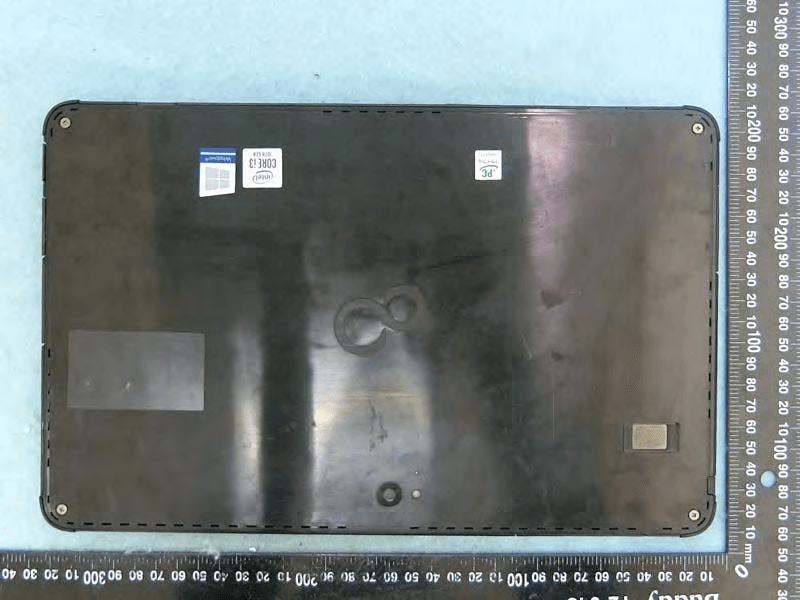
EJE-KST001
May 13, 2020Tablet Computer
Equipment Class
DXX - Part 15 Low Power Communication Device Transmitter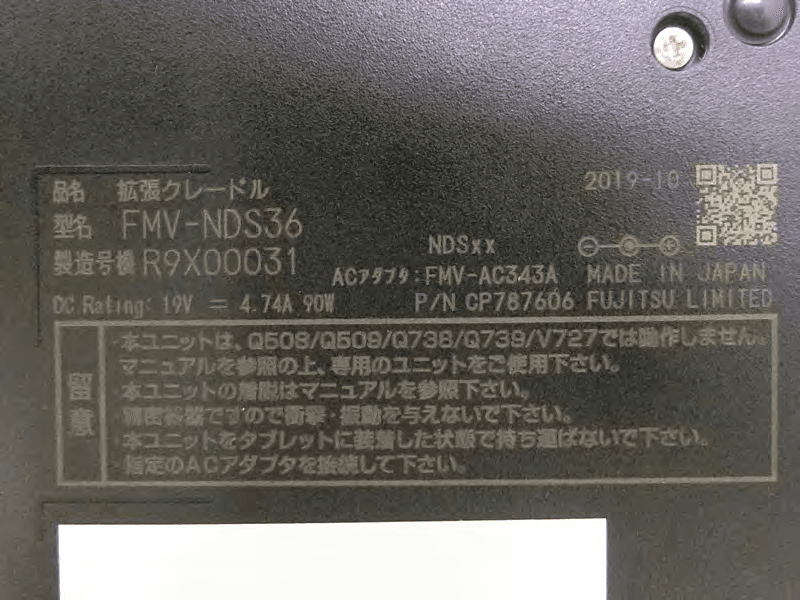
EJE-KSC001
May 13, 2020Port Replicator
Equipment Class
DXX - Part 15 Low Power Communication Device Transmitter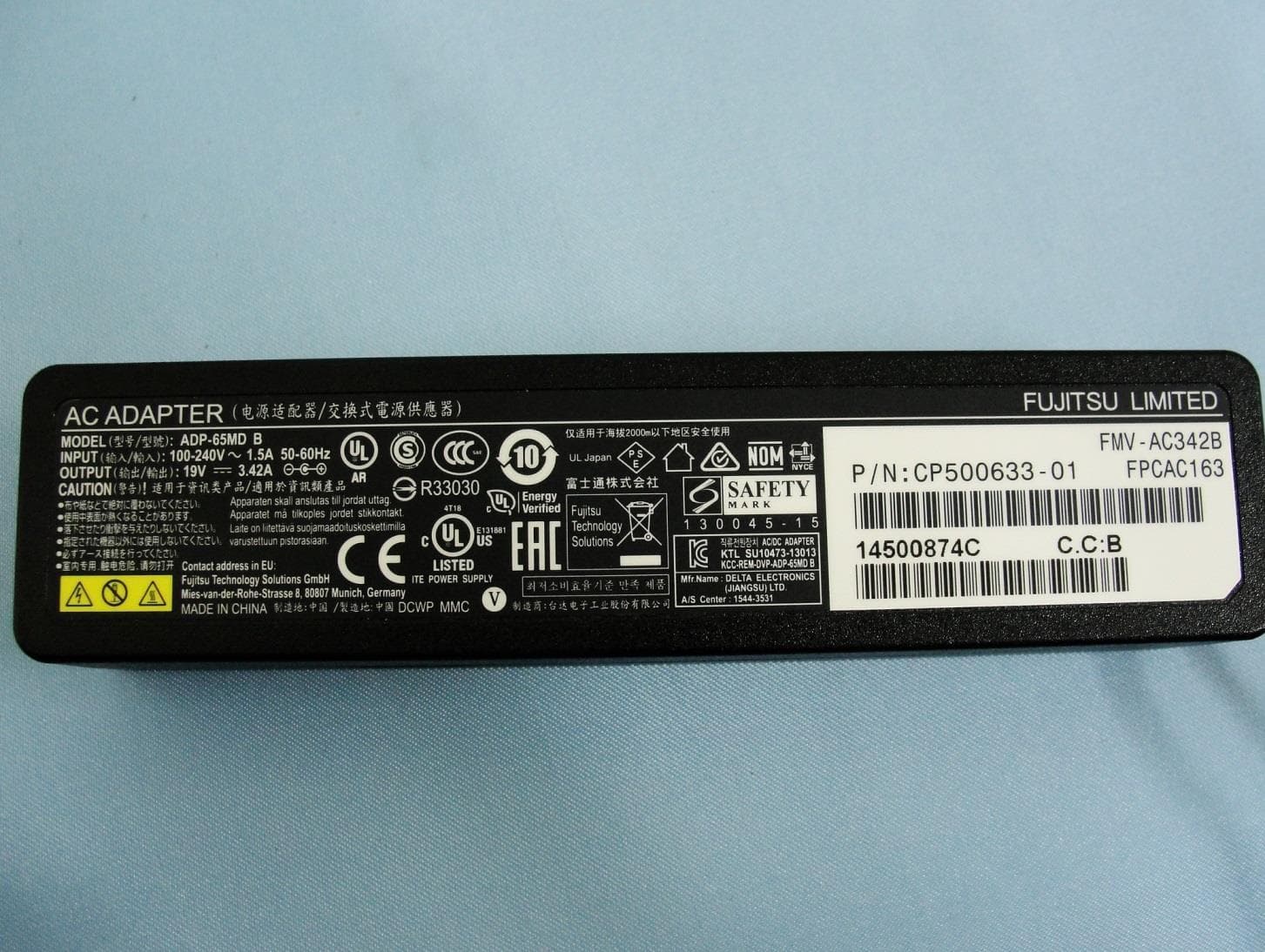
EJE-WB0099
Jan 27, 2016STYLISTIC Q series
Equipment Class
DSS - Part 15 Spread Spectrum Transmitter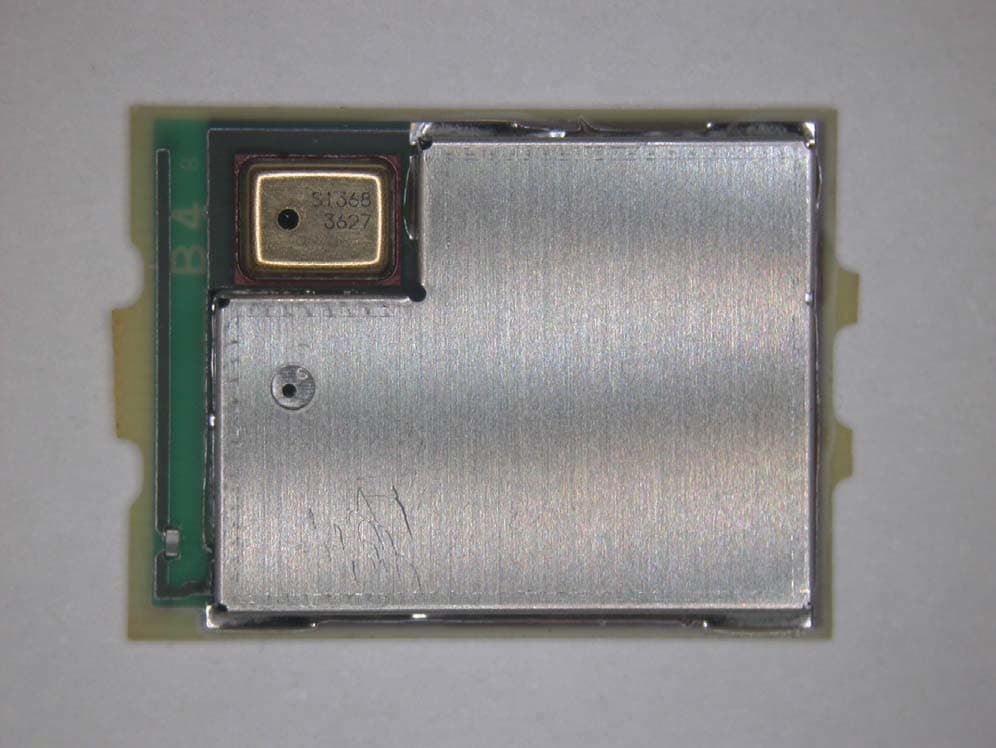
EJE-BT0004
Dec 06, 2015Ubiquitous-warecore module
Equipment Class
DTS - Digital Transmission System
EJE-WB0097
Nov 12, 2015FUJITSU STYLISTIC Q736
Equipment Class
DTS - Digital Transmission System