EJE-WB0014LIFEBOOK E SERIES WITH CAL2 11ABG WLAN & BT
Fujitsu Client Computing Limited (FCCL)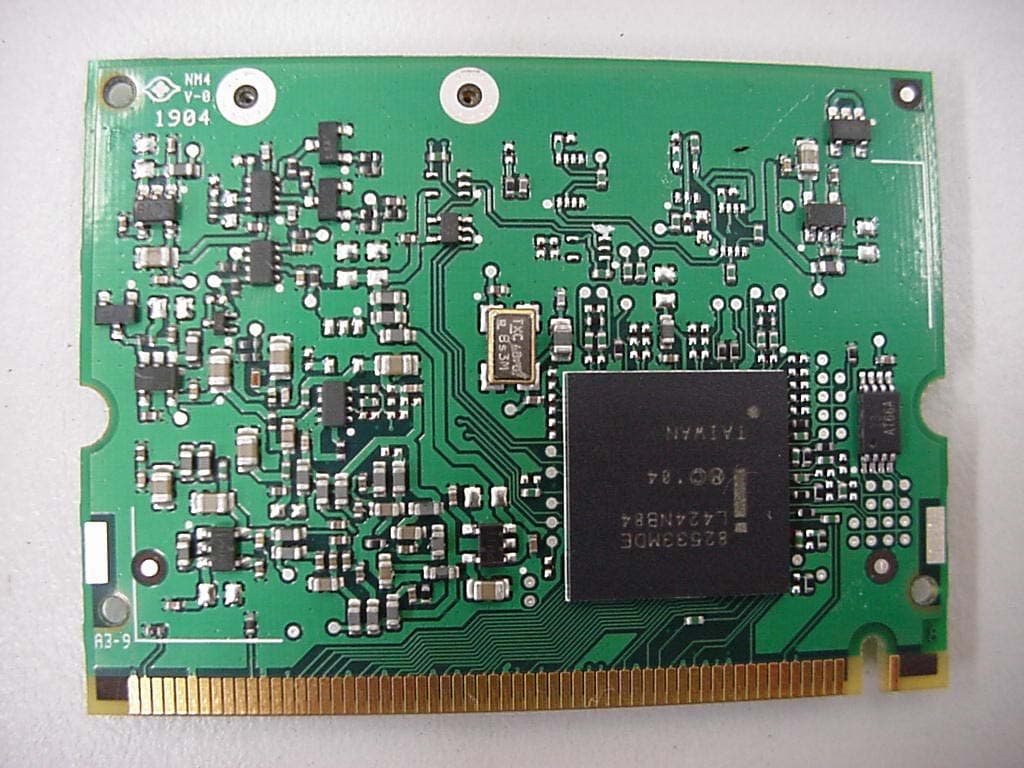
Click to zoom
Application Details
- Equipment Class
- NII - Unlicensed National Information Infrastructure TX
- Date of Grant
- Oct 11, 2004
- Application Purpose
- Original Equipment
- Date of Application
- Oct 11, 2004
- Equipment Note
- LIFEBOOK E SERIES WITH CAL2 11ABG WLAN & BT
- Frequency Range
- 5180.00000000 - 5320.00000000
- Country
- Japan
Documents & Files
Document Text
Text extracted from the exhibit documents filed with the FCC. Open a document above to read the original.
Users Manual
FCC ID: EJE-WB0014 (IC: 337J-WB0014) Report No. M040905_Cert_Emilia2_Cal2_11abg_NII_BT EMC Technologies Pty Ltd – 57 Assembly Drive, Tullamarine VIC 3043 Australia www.emctech.com.au EMC Technologies Report Number: M040905_Cert_Emilia2_Cal2_11abg_NII_BT APPENDIX H – User Manual Pt1 Copyright Copyright Fujitsu Computer Systems Corporation has made every effort to ensure the accuracy and completeness of this document; however, as ongoing development efforts are continually improving the capabilities of our products, we cannot guarantee the accuracy of the contents of this document. We disclaim liability for errors, omissions, or future changes. Fujitsu, the Fujitsu logo, and LifeBook are registered trademarks of Fujitsu Limited. The following are registered trademarks of IBM Corporation: IBM, IBM PC AT, IBM PS/2. The following are registered trademarks of Microsoft Corporation: MS, MS-DOS, Windows. PCMCIA is a trademark of the Personal Computer Memory Card International Association. Earthlink is a registered trademark of EarthLink Network, Inc. Intel and Pentium are registered trademarks of Intel Corporation or its subsidiaries in the United States and other countries. The Bluetooth trademark is owned by Bluetooth SIG, Inc., USA. Adobe Acrobat Reader is a registered trademark of Adobe Systems, Inc. Netscape 7.0 is a registered trademark of Netscape Communications Corporation. PowerQuest and Drive Image are registered trademarks of PowerQuest Corporation. Norton AntiVirus is a registered trademark of Symantec Corporation. BayManager is a registered trademark of Softex, Inc. The DVD player found in some models of the LifeBook notebook incorporates copyright protection technology that is protected by method claims of certain U.S. patents and other intellectual property rights owned by Macrovision Corporation and other rights users. Use of this copyright protection technology must be authorized by Macrovision Corporation, and is intended for home and other limited viewing uses only unless authorized by Macrovision Corporation. Reverse engineering or disas- sembly is prohibited. Dolby Headphone manufactured under license from Dolby Laboratories. Dolby, Pro Logic, and the double-D symbol are trademarks of Dolby Laboratories. Copy- rights 1992-1999 Dolby Laboratories. All rights reserved. All other trademarks mentioned herein are the property of their respective owner s. © Copyright 2004 Fujitsu Computer Systems Corpora- tion. All rights reserved. No part of this publication may be copied, reproduced, or translated, without prior written consent of Fujitsu. No part of this publication may be stored or transmitted in any electronic form without the written consent of Fujitsu. B6FH-1931-01EN-00 (DRAFT) Warning Handling the cord on this product will expose you to lead, a chemical known to the State of California to cause birth defects or other reproductive harm. Wash hands after handling. DECLARATION OF CONFORMITY according to FCC Part 15 Responsible Party Name:Fujitsu Computer Systems Corporation Address: 1250 E. Arques Avenue, M/S 122 Sunnyvale, CA 94085 Telephone:(408) 746-6000 Declares that product:Base Model Configurations: LifeBook E8010 notebook LifeBook E8010D notebook Complies with Part 15 of the FCC Rules. This device complies with Part 15 of the FCC rules. Operations are subject to the following two conditions: (1) This device must not be allowed to cause harmful interference, (2) This device must accept any interference received, including interference that may cause undesired operation. E Series.book Page 1 Wednesday, April 14, 2004 10:28 AM LifeBook E8000 Notebook E Series.book Page 2 Wednesday, April 14, 2004 10:28 AM Table of Contents Fujitsu LifeBook ® E8000 Notebook Table of Contents 1 PREFACE Preface About This Guide . . . . . . . . . . . . . . . . . . . . . . . . . 1 Fujitsu Contact Information . . . . . . . . . . . . . . . . . 1 Limited Warranty . . . . . . . . . . . . . . . . . . . . . . . . . 1 2 GETTING TO KNOW YOUR LIFEBOOK Overview Unpacking . . . . . . . . . . . . . . . . . . . . . . . . . . . . . . 5 Locating the Controls and Connectors Top and Front Components . . . . . . . . . . . . . . . . . 6 Left-Side Panel Components . . . . . . . . . . . . . . . . 7 Right-Side Panel Components . . . . . . . . . . . . . . . 8 Back Panel Components . . . . . . . . . . . . . . . . . . . . 9 Bottom Components . . . . . . . . . . . . . . . . . . . . . 10 Status Indicator Panel Power Indicator . . . . . . . . . . . . . . . . . . . . . . . . . 11 AC Adapter Indicator . . . . . . . . . . . . . . . . . . . . . 11 Battery Level Indicators . . . . . . . . . . . . . . . . . . . 11 Battery Charging Indicators . . . . . . . . . . . . . . . . 12 DVD/CD-RW/CD-ROM Drive Access Indicator . 12 Hard Drive or Removable Media Drive Access Indicator . . . . . . . . . . . . 12 PC Card Access Indicators . . . . . . . . . . . . . . . . . 12 NumLk Indicator. . . . . . . . . . . . . . . . . . . . . . . . . 12 CapsLock Indicator . . . . . . . . . . . . . . . . . . . . . . . 12 ScrLk Indicator . . . . . . . . . . . . . . . . . . . . . . . . . . 12 Security Indicator . . . . . . . . . . . . . . . . . . . . . . . . 12 Keyboard Using the Keyboard . . . . . . . . . . . . . . . . . . . . . . 13 Numeric Keypad. . . . . . . . . . . . . . . . . . . . . . . . . 13 Windows Keys . . . . . . . . . . . . . . . . . . . . . . . . . . 13 Cursor Keys . . . . . . . . . . . . . . . . . . . . . . . . . . . . 13 Function Keys. . . . . . . . . . . . . . . . . . . . . . . . . . . 14 Touchpad Pointing Device Clicking . . . . . . . . . . . . . . . . . . . . . . . . . . . . . . . 15 Double-Clicking . . . . . . . . . . . . . . . . . . . . . . . . . 15 Dragging . . . . . . . . . . . . . . . . . . . . . . . . . . . . . . 16 Touchpad Control Adjustment . . . . . . . . . . . . . . 16 Scrolling . . . . . . . . . . . . . . . . . . . . . . . . . . . . . . . 16 Optional Quick Point Feature . . . . . . . . . . . . . . . 16 Volume Control Controll…
Text truncated - open the document above for the full version.
Users Manual
FCC ID: EJE-WB0014 (IC: 337J-WB0014) Report No. M040905_Cert_Emilia2_Cal2_11abg_NII_BT EMC Technologies Pty Ltd – 57 Assembly Drive, Tullamarine VIC 3043 Australia www.emctech.com.au EMC Technologies Report Number: M040905_Cert_Emilia2_Cal2_11abg_NII_BT APPENDIX H – User Manual Pt2 53 5 Troubleshooting E Series.book Page 53 Wednesday, April 14, 2004 10:28 AM 54 LifeBook E8000 Notebook E Series.book Page 54 Wednesday, April 14, 2004 10:28 AM 55 Troubleshooting Troubleshooting Your Fujitsu LifeBook notebook is sturdy and subject to few problems in the field. However, you may encounter simple setup or operating problems that you can solve on the spot, or problems with peripheral devices, that you can solve by replacing the device. The information in this section helps you isolate and resolve some of these straightforward problems and identify failures that require service. IDENTIFYING THE PROBLEM If you encounter a problem, go through the following procedure before pursuing complex troubleshooting: 1. Turn off your LifeBook notebook. 2. Make sure the AC adapter is plugged into your note- book and to an active AC power source. 3. Make sure that any card installed in the PC Card slot is seated properly. You can also remove the card from the slot, thus eliminating it as a possible cause of failure. 4. Make sure that any devices connected to the external connectors are plugged in properly. You can also disconnect such devices, thus eliminating them as possible causes of failure. 5. Turn on your notebook. Make sure it has been off at least 10 seconds before you turn it back on. 6. Go through the boot sequence. 7. If the problem has not been resolved, refer to the Troubleshooting Table, that follows, for more detailed troubleshooting information. 8. If you have tried the solutions suggested in the Trou- bleshooting Table without success, contact your support representative: Toll free: 1-800-8Fujitsu (1-800-838-5487) E-mail: [email protected] Web site: us.fujitsu.com/computers. Before you place the call, you should have the following information ready so that the customer support represen- tative can provide you with the fastest possible solution: ■ Product name ■ Product configuration number ■ Product serial number ■ Purchase date ■ Conditions under which the problem occurred ■ Any error messages that have occurred ■ Hardware configuration ■ Type of device connected, if any See the Configuration Label on the bottom of your notebook for configuration and serial numbers. (See figure 2-7 on page 10 for location) SPECIFIC PROBLEMS Using the Troubleshooting Table When you have problems with your LifeBook notebook, try to find the symptoms under the Problem column of the troubleshooting table for the feature giving you difficulty. You will find a description of common causes for that symptom under the column Possible Cause and what, if anything, you can do to correct the condition under Possible Solutions. All possible causes or solutions may not apply to your notebook. If you keep notes about what you have tried, your support representative may be able to help you more quickly by giving additional suggestions over the phone. E Series.book Page 55 Wednesday, April 14, 2004 10:28 AM 56 LifeBook E8000 Notebook TR O U B L E S H O O T I N G TA B L E ProblemPage Audio Problems . . . . . . . . . . . . . . . . . . . . . . . . . . page 56 DVD/CD-ROM Drive Problems. . . . . . . . . . . . . page 56 Port Replicator Problems. . . . . . . . . . . . . . . . . . . page 57 Floppy Disk Drive Problems . . . . . . . . . . . . . . . . page 57 Hard Drive Problems . . . . . . . . . . . . . . . . . . . . . . page 57 Keyboard or Mouse Problems . . . . . . . . . . . . . . . page 58 Memory Problems . . . . . . . . . . . . . . . . . . . . . . . . page 58 ProblemPage Modem Problems. . . . . . . . . . . . . . . . . . . . . . . . . page 58 Parallel, Serial and USB Device Problems . . . . . page 58 PC Card Problems . . . . . . . . . . . . . . . . . . . . . . . . page 59 Power Failures . . . . . . . . . . . . . . . . . . . . . . . . . . . page 59 Shutdown and Startup Problems . . . . . . . . . . . . page 61 Video Problems . . . . . . . . . . . . . . . . . . . . . . . . . . page 62 Miscellaneous Problems . . . . . . . . . . . . . . . . . . . page 63 ProblemPossible CausePossible Solutions Audio Problems There is no sound coming from the built-in speakers. The volume is turned too low.Adjust the volume control on your notebook. The software volume control is set too low. Adjust the sound volume control settings in your software, operating system and applications. Headphones are plugged into your notebook. Plugging in headphones disables the built-in speakers, remove the headphones. BIOS audio settings are incorrect. Set the BIOS setup utility to the default values within the Multimedia Device Configuration menu. (See BIOS Setup Utility on page 29 for more information) Software driver is not configured correctly. Refer to your application and operating system documentation for help. The speakers have been muted using the Volume icon in the system tray. Click on the Volume icon in the tool tray on the bottom right of the screen. (It looks like a speaker). If the Mute box is checked, click on it to uncheck it. DVD/CD-RW/CD-ROM Drive Problems LifeBook notebook fails to recognize DVD/CD-RW/ CD-ROM’s. Protective sheet is still in the DVD/CD-RW/CD-ROM drive tray. Replace DVD/CD-RW/CD-ROM in tray. DVD/CD-RW/CD-ROM is not pushed down onto raised center circle of the drive. Open DVD/CD-RW/CD-ROM tray and re-install DVD/CD-RW/CD-ROM properly. DVD/CD-RW/CD-ROM tray is not latched shut. Push on the front of the DVD/CD-RW/CD-ROM tray until it latches. Incorrect DVD Player or no DVD Player software is installed. Install DVD Player software. (See “Media Player Software” on page 39 for more information.) Wrong drive designator was used for DVD/CD-RW/CD- ROM in the application. Verify the drive designator used by the application is the same as the…
Text truncated - open the document above for the full version.
External Photos
FCC ID: EJE-WB0014 (IC: 337J-WB0014) Report No. M040905_Cert_Emilia2_Cal2_11abg_NII_BT EMC Technologies Pty Ltd – 57 Assembly Drive, Tullamarine VIC 3043 Australia www.emctech.com.au EMC Technologies Report Number: M040905_Cert_Emilia2_Cal2_11abg_NII_BT APPENDIX B1 – Test Sample Photographs (external) FCC ID: EJE-WB0014 (IC: 337J-WB0014) Report No. M040905_Cert_Emilia2_Cal2_11abg_NII_BT EMC Technologies Pty Ltd – 57 Assembly Drive, Tullamarine VIC 3043 Australia www.emctech.com.au Test Sample WLAN Module – Calexico2 (11a+b/g), Model WM3B2915ABG FCC ID: EJE-WB0014 (IC: 337J-WB0014) Report No. M040905_Cert_Emilia2_Cal2_11abg_NII_BT EMC Technologies Pty Ltd – 57 Assembly Drive, Tullamarine VIC 3043 Australia www.emctech.com.au Test Sample – LifeBook E Series (Emilia2)
ID Label/Location Info
FCC ID: EJE-WB0014 (IC: 337J-WB0014) Report No. M040905_Cert_Emilia2_Cal2_11abg_NII_BT EMC Technologies Pty Ltd – 57 Assembly Drive, Tullamarine VIC 3043 Australia www.emctech.com.au EMC Technologies Report Number: M040905_Cert_Emilia2_Cal2_11abg_NII_BT APPENDIX G – FCC Labelling
Internal Photos
FCC ID: EJE-WB0014 (IC: 337J-WB0014) Report No. M040905_Cert_Emilia2_Cal2_11abg_NII_BT EMC Technologies Pty Ltd – 57 Assembly Drive, Tullamarine VIC 3043 Australia www.emctech.com.au EMC Technologies Report Number: M040905_Cert_Emilia2_Cal2_11abg_NII_BT APPENDIX B4 – Test Sample Photographs (internal) FCC ID: EJE-WB0014 (IC: 337J-WB0014) Report No. M040905_Cert_Emilia2_Cal2_11abg_NII_BT EMC Technologies Pty Ltd – 57 Assembly Drive, Tullamarine VIC 3043 Australia www.emctech.com.au Test Sample WLAN Module – Calexico2 (11a+b/g), Model WM3B2915ABG FCC ID: EJE-WB0014 (IC: 337J-WB0014) Report No. M040905_Cert_Emilia2_Cal2_11abg_NII_BT EMC Technologies Pty Ltd – 57 Assembly Drive, Tullamarine VIC 3043 Australia www.emctech.com.au Host PC - LifeBook E Series (Emilia2)
RF Exposure Info
FCC ID: 337J-WB0014 (IC: 337J-WB0014) Report No. M040905_Cert_Emilia2_Cal2_11abg_NII_BT This document must not be copied or reproduced, except in full without the written permission of the Manager, EMC Technologies Pty Ltd. The certificate on page 3 may be reproduced in full. www.emctech.com.au RADIO FREQUENCY EXPOSURE (HAZARD) INFORMATION Testing was performed in accordance with the requirements of FCC Part 15.407(f) Spread spectrum transmitters operating in the 5.150 – 5.350 GHz and 5.725 – 5.825 GHz bands are required to be operated in a manner that ensures that the public is not exposed to RF energy levels in accordance with CFR 47, Section 1.1307(b)(1). In accordance with this section and also section 2.1091 this device has been defined as a mobile device whereby a distance of 20 cm normally can be maintained between the user and the device. In accordance with Section 1.1310, the Maximum Permissible Exposure (MPE) limit for the General Population/Uncontrolled Exposure of 1.0 has been applied, i.e 1mW/cm 2 . Friis transmission formula: Pd = (P*G) / (4*π*r 2 ) where: Pd = power density (mW/cm 2 ) P = power input to the antenna (mW) G = antenna gain (numeric) r = distance to the center of radiation of the antenna (cm) The result was extracted from section 3.0 of of EMC Technologies Report No: M040905_Cert_Emilia2_Cal2_11abg_NII_BT (WLAN Module): Maximum peak output power = 19.1dBm = 81.3mW Antenna (Monopole Ceramic Chip) gain (typical) = -2.33 dBi = 0.58 numeric Prediction distance = 20 cm Prediction frequency = 5320 MHz MPE limit for uncontrolled exposure at prediction frequency = 1 mW/cm 2 Therefore, the power density at prediction frequency (Pd) = 0.009 mW/cm 2 The result was extracted from section 3.0 of EMC Technologies Report No: M040905_Cert_Emilia2_BT_Cal2_11abg (Bluetooth): Maximum peak output power = 10.41dBm = 11.0 mW Antenna (Inverted-F) gain (typical) = 1.06 dBi = 1.28 numeric Prediction distance = 20 cm Prediction frequency = 2402 MHz MPE limit for uncontrolled exposure at prediction frequency = 1 mW/cm 2 Therefore, the power density at prediction frequency (Pd) = 0.003mW/cm 2 The total power density (TPd) for WLAN and Bluetooth transmitters continuously operated: TPd = 0.009 (WLAN) + 0.003 (Bluetooth) = 0.012 mW/cm 2 Calculations show that this device with described antenna does meet the MPE requirements for portable devices falling below the 20 cm clearance required. Results: Complies
Test Report
FCC ID: EJE-WB0014 (IC: 337J-WB0014) Report No. M040905_Cert_Emilia2_Cal2_11abg_NII_BT EMC Technologies Pty Ltd – 57 Assembly Drive, Tullamarine VIC 3043 Australia www.emctech.com.au EMC Technologies Report Number: M040905_Cert_Emilia2_Cal2_11abg_NII_BT APPENDIX J CHANNEL BANDWIDTH - Calexico2 802.11a (NII) FCC ID: EJE-WB0014 (IC: 337J-WB0014) Report No. M040905_Cert_Emilia2_Cal2_11abg_NII_BT EMC Technologies Pty Ltd – 57 Assembly Drive, Tullamarine VIC 3043 Australia www.emctech.com.au 26 dB Bandwidth – Channel 36 FCC ID: EJE-WB0014 (IC: 337J-WB0014) Report No. M040905_Cert_Emilia2_Cal2_11abg_NII_BT EMC Technologies Pty Ltd – 57 Assembly Drive, Tullamarine VIC 3043 Australia www.emctech.com.au 26 dB Bandwidth – Channel 52 FCC ID: EJE-WB0014 (IC: 337J-WB0014) Report No. M040905_Cert_Emilia2_Cal2_11abg_NII_BT EMC Technologies Pty Ltd – 57 Assembly Drive, Tullamarine VIC 3043 Australia www.emctech.com.au 26 dB Bandwidth – Channel 64
Test Report
FCC ID: EJE-WB0014 (IC: 337J-WB0014) Report No. M040905_Cert_Emilia2_Cal2_11abg_NII_BT EMC Technologies Pty Ltd – 57 Assembly Drive, Tullamarine VIC 3043 Australia www.emctech.com.au EMC Technologies Report Number: M040905_Cert_Emilia2_Cal2_11abg_NII_BT APPENDIX K BAND EDGE - Calexico2 802.11a FCC ID: EJE-WB0014 (IC: 337J-WB0014) Report No. M040905_Cert_Emilia2_Cal2_11abg_NII_BT EMC Technologies Pty Ltd – 57 Assembly Drive, Tullamarine VIC 3043 Australia www.emctech.com.au Band Edge – Low FCC ID: EJE-WB0014 (IC: 337J-WB0014) Report No. M040905_Cert_Emilia2_Cal2_11abg_NII_BT EMC Technologies Pty Ltd – 57 Assembly Drive, Tullamarine VIC 3043 Australia www.emctech.com.au Band Edge – High
Test Report
FCC ID: EJE-WB0014 (IC: 337J-WB0014) Report No. M040905_Cert_Emilia2_Cal2_11abg_NII_BT EMC Technologies Pty Ltd – 57 Assembly Drive, Tullamarine VIC 3043 Australia www.emctech.com.au EMC Technologies Report Number: M040905_Cert_Emilia2_Cal2_11abg_NII_BT APPENDIX L SPECTRAL DENSITY - Calexico2 802.11a (NII) FCC ID: EJE-WB0014 (IC: 337J-WB0014) Report No. M040905_Cert_Emilia2_Cal2_11abg_NII_BT EMC Technologies Pty Ltd – 57 Assembly Drive, Tullamarine VIC 3043 Australia www.emctech.com.au Peak Power Spectral Density - Channel 36 FCC ID: EJE-WB0014 (IC: 337J-WB0014) Report No. M040905_Cert_Emilia2_Cal2_11abg_NII_BT EMC Technologies Pty Ltd – 57 Assembly Drive, Tullamarine VIC 3043 Australia www.emctech.com.au Peak Power Spectral Density – Channel 52 FCC ID: EJE-WB0014 (IC: 337J-WB0014) Report No. M040905_Cert_Emilia2_Cal2_11abg_NII_BT EMC Technologies Pty Ltd – 57 Assembly Drive, Tullamarine VIC 3043 Australia www.emctech.com.au Peak Power Spectral Density – Channel 64
Test Report
FCC ID: EJE-WB0014 (IC: 337J-WB0014) Report No. M040905_Cert_Emilia2_Cal2_11abg_NII_BT EMC Technologies Pty Ltd – 57 Assembly Drive, Tullamarine VIC 3043 Australia www.emctech.com.au EMC Technologies Report Number: M040905_Cert_Emilia2_Cal2_11abg_NII_BT APPENDIX M PEAK EXCURSION - Calexico2 802.11a (NII) FCC ID: EJE-WB0014 (IC: 337J-WB0014) Report No. M040905_Cert_Emilia2_Cal2_11abg_NII_BT EMC Technologies Pty Ltd – 57 Assembly Drive, Tullamarine VIC 3043 Australia www.emctech.com.au Peak Excursion - Channel 36 FCC ID: EJE-WB0014 (IC: 337J-WB0014) Report No. M040905_Cert_Emilia2_Cal2_11abg_NII_BT EMC Technologies Pty Ltd – 57 Assembly Drive, Tullamarine VIC 3043 Australia www.emctech.com.au Peak Excursion – Channel 52 FCC ID: EJE-WB0014 (IC: 337J-WB0014) Report No. M040905_Cert_Emilia2_Cal2_11abg_NII_BT EMC Technologies Pty Ltd – 57 Assembly Drive, Tullamarine VIC 3043 Australia www.emctech.com.au Peak Excursion – Channel 64
Test Report
FCC ID: EJE-WB0014 (IC: 337J-WB0014) Report No. M040905_Cert_Emilia2_Cal2_11abg_NII_BT EMC Technologies Pty Ltd – 57 Assembly Drive, Tullamarine VIC 3043 Australia www.emctech.com.au EMC Technologies Report Number: M040905_Cert_Emilia2_Cal2_11abg_NII_BT APPENDIX N Harmonics - Calexico2 802.11a FCC ID: EJE-WB0014 (IC: 337J-WB0014) Report No. M040905_Cert_Emilia2_Cal2_11abg_NII_BT EMC Technologies Pty Ltd – 57 Assembly Drive, Tullamarine VIC 3043 Australia www.emctech.com.au Harmonics – Channel 36 (low) FCC ID: EJE-WB0014 (IC: 337J-WB0014) Report No. M040905_Cert_Emilia2_Cal2_11abg_NII_BT EMC Technologies Pty Ltd – 57 Assembly Drive, Tullamarine VIC 3043 Australia www.emctech.com.au Harmonics - Channel 52 (Middle) FCC ID: EJE-WB0014 (IC: 337J-WB0014) Report No. M040905_Cert_Emilia2_Cal2_11abg_NII_BT EMC Technologies Pty Ltd – 57 Assembly Drive, Tullamarine VIC 3043 Australia www.emctech.com.au Harmonics - Channel 64 (High)
Test Report
FCC ID: EJE-WB0014 (IC: 337J-WB0014) Report No. M040905_Cert_Emilia2_Cal2_11abg_NII_BT EMC Technologies Pty Ltd – 57 Assembly Drive, Tullamarine VIC 3043 Australia www.emctech.com.au EMC Technologies Report Number: M040905_Cert_Emilia2_Cal2_11abg_NII_BT APPENDIX O PEAK POWER - Calexico2 802.11a (NII) FCC ID: EJE-WB0014 (IC: 337J-WB0014) Report No. M040905_Cert_Emilia2_Cal2_11abg_NII_BT EMC Technologies Pty Ltd – 57 Assembly Drive, Tullamarine VIC 3043 Australia www.emctech.com.au Peak Power - Channel 36 FCC ID: EJE-WB0014 (IC: 337J-WB0014) Report No. M040905_Cert_Emilia2_Cal2_11abg_NII_BT EMC Technologies Pty Ltd – 57 Assembly Drive, Tullamarine VIC 3043 Australia www.emctech.com.au Peak Power – Channel 52 FCC ID: EJE-WB0014 (IC: 337J-WB0014) Report No. M040905_Cert_Emilia2_Cal2_11abg_NII_BT EMC Technologies Pty Ltd – 57 Assembly Drive, Tullamarine VIC 3043 Australia www.emctech.com.au Peak Power – Channel 64
Test Report
Page 1 of 24 EMI TEST REPORT FOR CERTIFICATION to FCC PART 15 Subpart E (Section 15.407) & RSS-210 FCC ID: EJE-WB0014 Industry Canada ID: 337J-WB0014 Test Sample: LifeBook E Series Model: E8010 (Emilia2) Radio Modules: Mini-PCI WLAN (Calexico2 11a+b/g), Model: WM3B2915ABG & Bluetooth, Model UGXZ5-102A Report Number M040905_Cert_Emilia2_Cal2_11abg_NII_BT Tested for: Fujitsu Australia Ltd. Issue Date: 8 th October 2004 EMC Technologies Pty Ltd reports apply only to the specific samples tested under stated test conditions. It is the manufacturer’s responsibility to assure that additional production units of this model are manufactured with identical electrical and mechanical components. EMC Technologies Pty Ltd shall have no liability for any deductions, inferences or generalisations drawn by the client or others from EMC Technologies Pty Ltd issued reports. This report shall not be used to claim, constitute or imply product endorsement by EMC Technologies Pty Ltd. The tests, calibrations or measurements covered by this document have been performed in accordance with NATA requirements which include the requirements of ISO/IEC 17025 and are traceable to national standards of measurement. This document shall not be reproduced, except in full. NATA Accredited Laboratory Number: 5292 EMC Technologies Pty Ltd ABN 82 057 105 549 57 Assembly Drive Tullamarine Victoria Australia 3043 Ph: + 613 9335 3333 Fax: + 613 9338 9260 email: [email protected] FCC ID: EJE-WB0014 (IC: 337J-WB0014) Report No. M040905_Cert_Emilia2_Cal2_11abg_NII_BT Page 2 of 24 This Laboratory is accredited by the National Association of Testing Authorities, Australia. The tests reported herein have been performed in accordance with its terms of accreditation for FCC Part 15.This document shall not be reproduced, except in full. EMI TEST REPORT FOR CERTIFICATION to FCC PART 15 Subpart E (Section 15.407) & RSS-210 EMC Technologies Report No. M040905_Cert_Emilia2_Cal2_11abg_NII_BT Issue Date: 8 th October 2004 CONTENTS 1.0 INTRODUCTION 2.0 GENERAL INFORMATION RESULTS – WLAN, WM3B2915ABG (802.11a of Calexico2 11a+b/g)* 1.0 CONDUCTED EMI MEASUREMENTS 2.0 RADIATED EMI MEASUREMENTS 3.0 PEAK OUTPUT POWER 4.0 CHANNEL BANDWIDTH 5.0 RADIO FREQUENCY EXPOSURE 6.0 PEAK POWER SPECTRAL DENSITY 7.0 PEAK EXCURSION 8.0 FREQUENCY STABILITY 9.0 ANTENNA REQUIREMENT 10.0 COMPLIANCE STATEMENT *RESULTS of 802.11b/g and 802.11a (5725 – 5850 MHz): Refer to Report No: M040905_Cert_Emilia2_Cal2_11abg_DTS_BT RESULTS – Bluetooth, UGXZ5-102A Refer to Report No: M040905_Cert_Emilia2_BT_Cal2_11abg APPENDIX A: MEASUREMENT INSTRUMENTATION DETAILS APPENDIX B: REPORT PHOTOGRAPHS APPENDIX C: FUNCTIONAL DESCRIPTION APPENDIX D: BLOCK DIAGRAM APPENDIX E: SCHEMATICS APPENDIX F: ANTENNA INFORMATION (INVERTED-F ANTENNA) APPENDIX G: FCC LABELLING DETAILS APPENDIX H: USER MANUAL APPENIDIX I: GRAPHS of EMI MEASUREMENTS APPENDIX J: CHANNEL BANDWIDTH PLOTS APPENDIX K: BANDEDGE PLOTS APPENDIX L: PEAK POWER SPECTRAL DENSITY PLOTS APPENDIX M: PEAK EXCURSION PLOTS APPENDIX N: HARMONICS PLOTS APPENDIX O: PEAK POWER Attachment 1: RF Exposure Information Attachment 2: FCC DOC for LifeBook Emilia2 E Series (E8010) FCC ID: EJE-WB0014 (IC: 337J-WB0014) Report No. M040905_Cert_Emilia2_Cal2_11abg_NII_BT Page 3 of 24 This Laboratory is accredited by the National Association of Testing Authorities, Australia. The tests reported herein have been performed in accordance with its terms of accreditation for FCC Part 15.This document shall not be reproduced, except in full. EMI TEST REPORT FOR CERTIFICATION to FCC PART 15 Subpart E (Section 15.407) & RSS-210 Report Number: M040905_Cert_Emilia2_Cal2_11abg_NII_BT Test Sample: LifeBook E Series Model: E8010 (Emilia2) Radio Modules: Mini-PCI WLAN, Model: WM3B2915ABG (Intel Corp.) Bluetooth, Model: UGXZ5-102A (Fujitsu Ltd) FCC ID: EJE-WB0014 Industry Canada ID: 337J-WB0014 Equipment Type: Intentional Radiator (Transceiver) Manufacturer (LifeBook): Fujitsu Ltd Address: 1405, Ohamaru, Inagi-shi, Tokyo 206-8503, Japan Contact: Mr. Hirotaka Yakame Tested for: Fujitsu Australia Ltd Address: 5 Lakeside Drive, Burwood East, VIC 3151 Australia Phone: +613 9845 4300 Fax: +613 9845 4600 Contact: Mr Praveen Rao – Senior Compliance Engineer Test Standards: FCC Part 15, Subpart E – Unlicensed National Information, Infrastructure Devices FCC Part 15.407, General Technical Requirements ANSI C63.4 – 2003 OET Bulletin No. 65 RSS-210 Issue 5 Low Power Licence-Exempt RadioCommunication Devices: 6.2.2 (q1) 5150 - 5350 MHz & 5725-5825 MHz Local Area Network Devices RSS-102 Issue 1 (Provisional), Evaluation Procedure for Mobile and Portable Radio Transmitters with respect to Health Canada’s Safety Code 6 for Exposure of Humans to Radio Frequency Fields Test Dates: 11 th August to 6 th October 2004 Test Officers: Chieu Huynh B.Eng (Hons) Electronics Jorge Lara Attestation: I hereby certify that the device(s) described herein were tested as described in this report and that the data included is that which was obtained during such testing. Authorised Signatory: Chris Zombolas Technical Director EMC Technologies Pty Ltd FCC ID: EJE-WB0014 (IC: 337J-WB0014) Report No. M040905_Cert_Emilia2_Cal2_11abg_NII_BT Page 4 of 24 This Laboratory is accredited by the National Association of Testing Authorities, Australia. The tests reported herein have been performed in accordance with its terms of accreditation for FCC Part 15.This document shall not be reproduced, except in full. EMI TEST REPORT FOR CERTIFICATION to FCC PART 15 Subpart E (Section 15.407) & RSS-210 1.0 INTRODUCTION EMI testing was performed on test sample LifeBook E Series, Model E8010 (Emilia2) with Mini-PCI Wireless LAN Module (Calexico2 11a+b/g), Model WM3B2915ABG & Bluetooth, Model UGXZ5-102A. The Calexico2 WLAN supports IEEE 802.11b, IEEE 802.11g and IEEE802.11a (DTS & U-NII) configurations. Tests were performed in all three configurations and also on the Bluetooth. The results for configurations IEEE 802.11a (U-NI…
Text truncated - open the document above for the full version.
Test Setup Photos
FCC ID: EJE-WB0014 (IC: 337J-WB0014) Report No. M040905_Cert_Emilia2_Cal2_11abg_NII_BT EMC Technologies Pty Ltd – 57 Assembly Drive, Tullamarine VIC 3043 Australia www.emctech.com.au EMC Technologies Report Number: M040905_Cert_Emilia2_Cal2_11abg_NII_BT APPENDIX B2 – Test Setup Photographs FCC ID: EJE-WB0014 (IC: 337J-WB0014) Report No. M040905_Cert_Emilia2_Cal2_11abg_NII_BT EMC Technologies Pty Ltd – 57 Assembly Drive, Tullamarine VIC 3043 Australia www.emctech.com.au APPENDIX B2 – Test Setup Photographs LifeBook E Series (Emilia2) Conducted Emissions Test Setup FCC ID: EJE-WB0014 (IC: 337J-WB0014) Report No. M040905_Cert_Emilia2_Cal2_11abg_NII_BT EMC Technologies Pty Ltd – 57 Assembly Drive, Tullamarine VIC 3043 Australia www.emctech.com.au APPENDIX B2 – Test Setup Photographs LifeBook E Series (Emilia2) Peak Output Power, Power Spectral Density, Bandwidth and Band Edge Test Setup FCC ID: EJE-WB0014 (IC: 337J-WB0014) Report No. M040905_Cert_Emilia2_Cal2_11abg_NII_BT EMC Technologies Pty Ltd – 57 Assembly Drive, Tullamarine VIC 3043 Australia www.emctech.com.au APPENDIX B2 – Test Setup Photographs LifeBook E Series (Emilia2) Radiated Emissions Test Setup
Contact Information
Applicant
Mr. Tsuyoshi Uchihara(Engineer)
Test Firm
EMC Technologies Pty. Ltd.Michael Evans
Technical Specifications
| # | Rule Parts | Frequency Range | Power Output |
|---|---|---|---|
| 1 | 15E | 5.18 GHz - 5.32 GHz | 81.00 mW |
Other Applications from Fujitsu Client Computing Limited (FCCL)
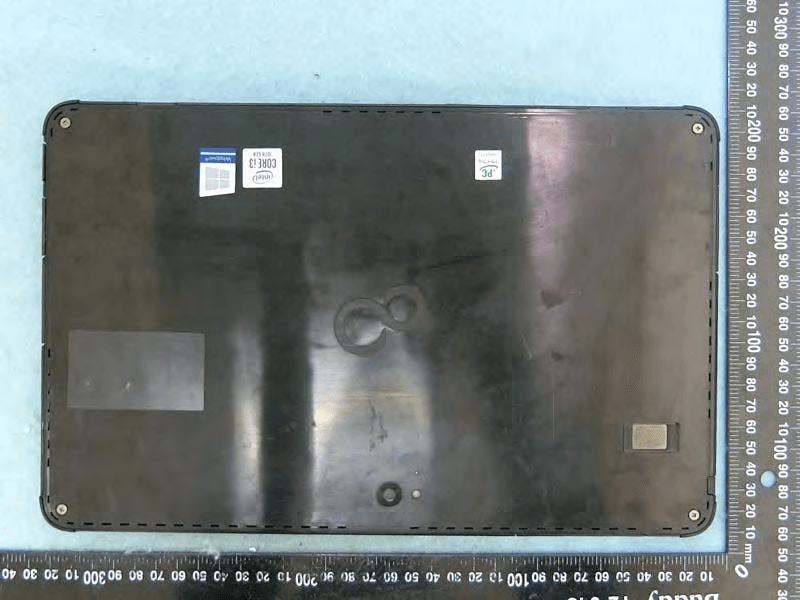
EJE-KST001
May 13, 2020Tablet Computer
Equipment Class
DXX - Part 15 Low Power Communication Device Transmitter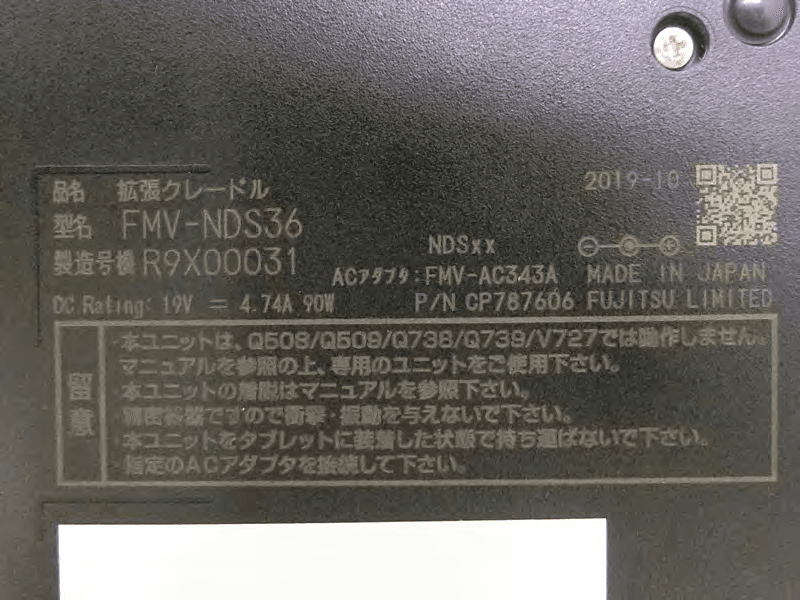
EJE-KSC001
May 13, 2020Port Replicator
Equipment Class
DXX - Part 15 Low Power Communication Device Transmitter
EJE-WB0099
Jan 27, 2016STYLISTIC Q series
Equipment Class
DSS - Part 15 Spread Spectrum Transmitter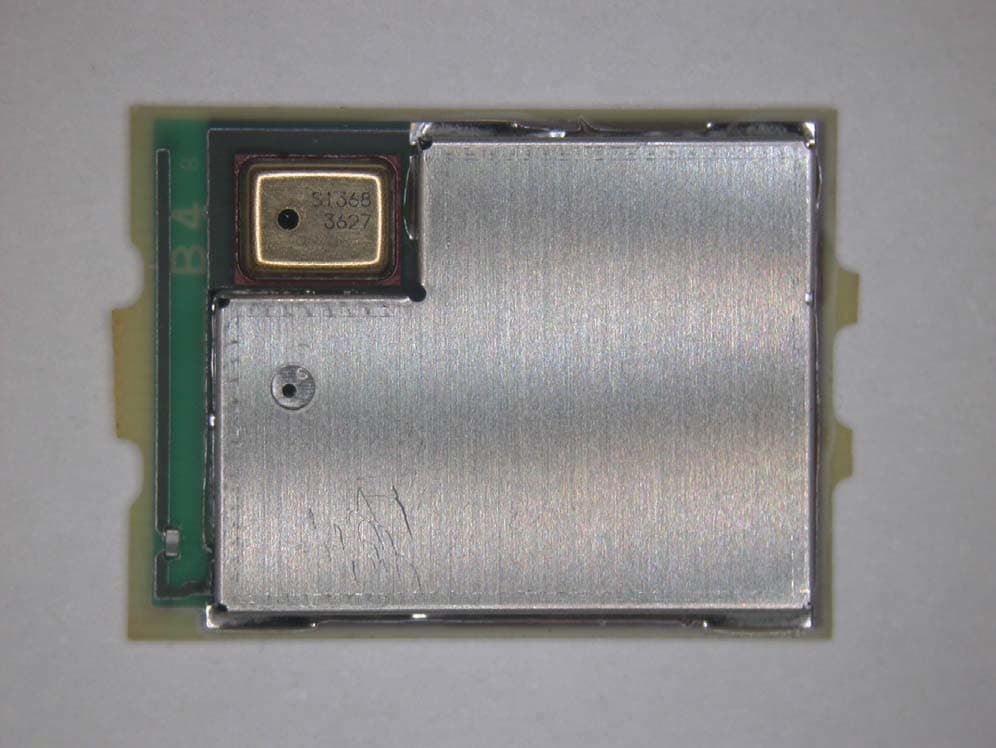
EJE-BT0004
Dec 06, 2015Ubiquitous-warecore module
Equipment Class
DTS - Digital Transmission System
EJE-WB0097
Nov 12, 2015FUJITSU STYLISTIC Q736
Equipment Class
DTS - Digital Transmission System